How to Fix html-to-image Hanging Randomly in a Loop
Fix html-to-image loops that never settle with timeouts, staged diagnostics, cached fonts, safer assets, bounded concurrency, and recovery paths.
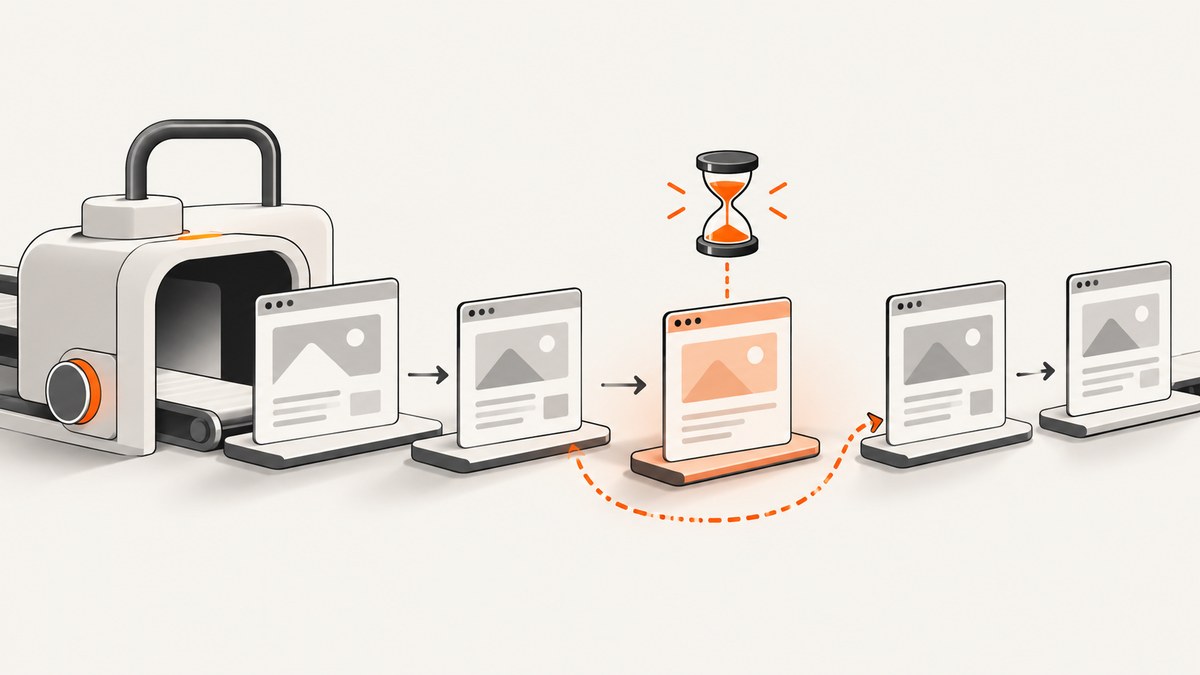
Direct answer: treat a random html-to-image hang as an unresolved asynchronous dependency, not as a normal rendering error. Add per-item logging and an application timeout, capture items with bounded concurrency, cache embedded font CSS, make image URLs and cache behavior deterministic, and measure DOM size before rasterization. If the page can be backgrounded or the batch depends on unreliable third-party assets, move rendering to a foreground, worker, server-side, or hosted renderer.
1. Make every capture observable and bounded
html-to-image clones the node, copies computed styles, embeds fonts, embeds images and CSS backgrounds, serializes the clone into an SVG foreignObject, and may rasterize that SVG through an off-screen canvas. Its output functions return promises, so a font fetch, image decode, SVG load, canvas operation, or browser scheduling delay can leave a promise pending.
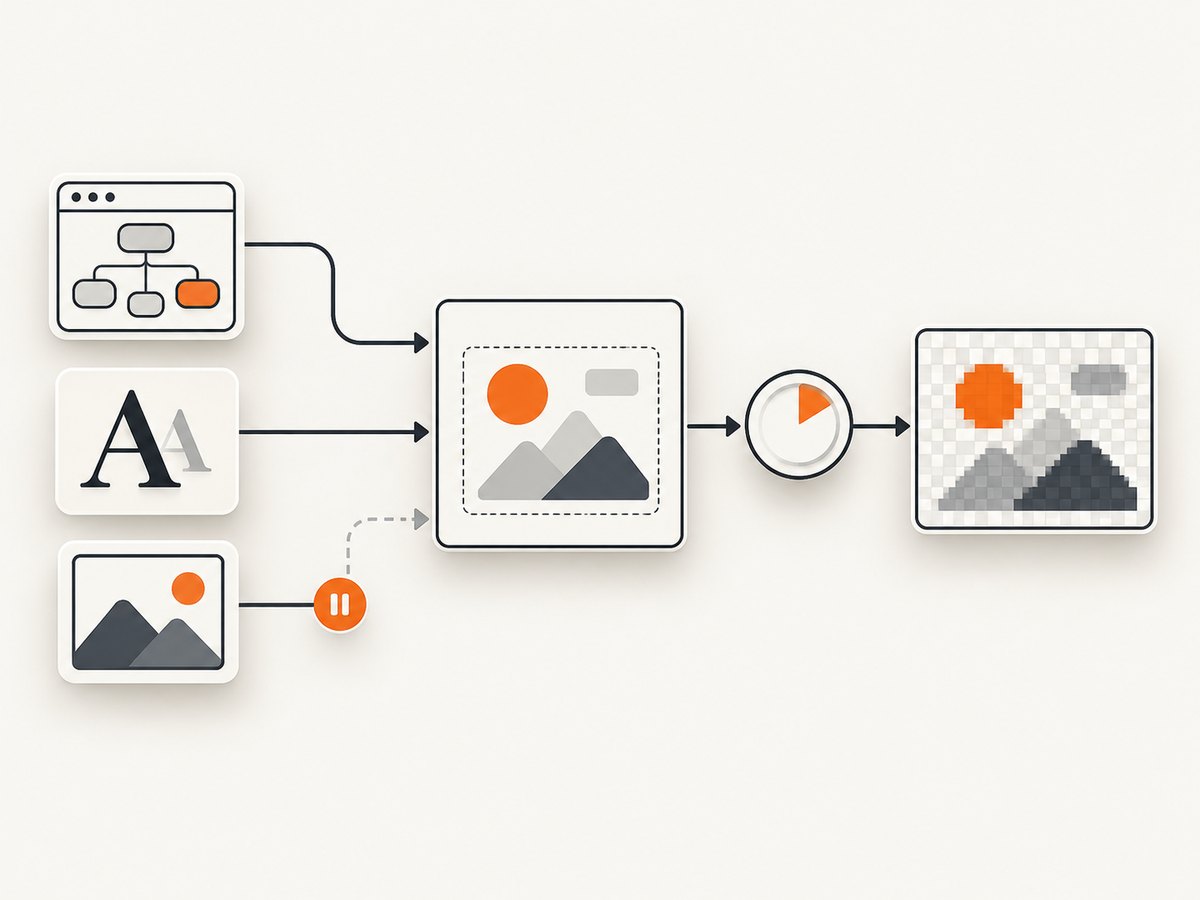
Start by recording the item index, stage, start time, dimensions, and outcome. Race each capture against a timeout and always settle the item as success, failure, or timeout.
import * as htmlToImage from 'html-to-image';

const PLACEHOLDER_DATA_URL =
  'data:image/svg+xml;charset=utf-8,' +
  encodeURIComponent('<svg xmlns="http://www.w3.org/2000/svg" width="1" height="1"><rect width="1" height="1" fill="#ddd"/></svg>');

function withTimeout(promise, ms, label) {
  let timer;
  const timeout = new Promise((_, reject) => {
    timer = setTimeout(() => reject(new Error(`${label} timed out after ${ms} ms`)), ms);
  });
  return Promise.race([promise, timeout]).finally(() => clearTimeout(timer));
}

async function renderOne(node, index, options = {}) {
  const started = performance.now();
  console.debug({ index, stage: 'start', width: node.scrollWidth, height: node.scrollHeight });

  try {
    const blob = await withTimeout(
      htmlToImage.toBlob(node, {
        cacheBust: false,
        pixelRatio: 1,
        imagePlaceholder: PLACEHOLDER_DATA_URL,
        ...options,
      }),
      options.timeoutMs ?? 30000,
      `html-to-image item ${index}`
    );

    if (!blob) throw new Error('html-to-image returned no Blob');
    console.debug({ index, stage: 'complete', ms: performance.now() - started, bytes: blob.size });
    return { index, status: 'ok', blob };
  } catch (error) {
    console.error({ index, stage: 'failed', ms: performance.now() - started, error });
    return { index, status: 'failed', error };
  } finally {
    // Remove temporary nodes, revoke object URLs, and detach listeners created by your code.
  }
}

async function renderSequentially(nodes, options) {
  const results = [];
  for (let i = 0; i < nodes.length; i += 1) {
    results.push(await renderOne(nodes[i], i, options));
  }
  return results;
}

const nodes = [...document.querySelectorAll('[data-table]')];
const results = await renderSequentially(nodes, { timeoutMs: 30000 });
const failures = results.filter(result => result.status !== 'ok');
console.info({ completed: results.length - failures.length, failed: failures.length });
The timeout is an application policy. Choose it from measured completion percentiles, expose it as configuration, and record which stage was active when it fired. Do not interpret a timeout as proof that the library itself has a fixed maximum duration.
2. Isolate the dependency that stalls
- Capture a small same-origin element with no web fonts, external images, CSS backgrounds, nested canvas, or video.
- Run the same element through
toSvg, thentoBlobortoPng. - Add one dependency class at a time: fonts, image elements, backgrounds, filters, nested canvases, and large content.
- Log whether the stall occurs during cloning, resource embedding, SVG generation, image decoding, or rasterization.
If toSvg completes but raster output stalls, investigate SVG image loading, browser decoding, canvas limits, and output dimensions. If every output stalls only after a particular font or image is added, fix that dependency before increasing concurrency.
3. Use bounded concurrency
Launching hundreds of captures at once multiplies DOM cloning, network requests, SVG strings, decoded images, canvases, and garbage-collection pressure. Start with one capture at a time. Increase concurrency only after measuring memory and tail latency.
async function mapWithConcurrency(items, limit, worker) {
  const output = new Array(items.length);
  let next = 0;

  async function consume() {
    while (true) {
      const index = next++;
      if (index >= items.length) return;
      output[index] = await worker(items[index], index);
    }
  }

  await Promise.all(Array.from({ length: Math.min(limit, items.length) }, consume));
  return output;
}

const results = await mapWithConcurrency(nodes, 2, (node, index) =>
  renderOne(node, index, { timeoutMs: 30000, pixelRatio: 1 })
);
Keep the original index in every result so a timeout cannot shift later outputs. A retry policy can retry a transient asset failure once, but do not retry indefinitely; retries amplify the same resource and memory pressure that caused the stall.
4. Check inactive-tab scheduling and versions
Background tabs can throttle timers and pause requestAnimationFrame. A reported issue for html-to-image 1.11.12 and 1.11.13 described generation being deferred until the tab became active; the reporter temporarily used 1.11.11. Treat a downgrade as a compatibility experiment, then check the current upstream release before pinning any version.

- Reproduce with the exact browser, operating system, package version, and visibility state.
- Keep the capture page visible when possible.
- If background execution is required, use a worker or server renderer that does not depend on paused page animation frames.
- Keep a timeout around every promise even after changing versions.
5. Cache and validate embedded fonts
The library scans @font-face rules, downloads font files, base64-encodes them, and injects the resulting CSS into the clone. Repeating that work for every table makes a long loop slower and increases the number of failure points.
let cachedFontCss;

async function getCachedFontCss(stableNode) {
  if (!cachedFontCss) {
    cachedFontCss = await htmlToImage.getFontEmbedCSS(stableNode);
  }
  return cachedFontCss;
}

const fontEmbedCSS = await getCachedFontCss(nodes[0]);
const result = await renderOne(nodes[0], 0, {
  fontEmbedCSS,
  preferredFontFormat: 'woff2',
  timeoutMs: 30000,
});
Use one preferredFontFormat when the provider publishes several formats. Validate every font URL and rule before entering the batch. If removing fonts makes the hang disappear, pre-embed only the required fonts and fix malformed or browser-incompatible CSS. A Firefox report described an undefined font reaching normalizeFontFamily in version 1.11.12.
6. Make images and backgrounds deterministic
Image elements and CSS background images are fetched and embedded during cloning. Before capture:
- Use stable, fully qualified URLs and avoid per-request cache keys unless needed.
- Ensure cross-origin resources send the CORS headers required by the page.
- Wait for caller-owned images to load and decode.
- Set
cacheBust: trueonly when invalidation is required; test withfalsefor stable assets. - Use
imagePlaceholderfor nonessential assets and record which asset failed.
async function waitForImages(root) {
  const images = [...root.querySelectorAll('img')];
  await Promise.all(images.map(async image => {
    if (!image.complete) {
      await new Promise(resolve => {
        image.addEventListener('load', resolve, { once: true });
        image.addEventListener('error', resolve, { once: true });
      });
    }
    if (image.decode) {
      try { await image.decode(); } catch (_) { /* placeholder or error policy handles it */ }
    }
  }));
}

await waitForImages(nodes[0]);
const blob = await htmlToImage.toBlob(nodes[0], {
  cacheBust: false,
  imagePlaceholder: PLACEHOLDER_DATA_URL,
  pixelRatio: 1,
});
A placeholder keeps one broken decorative image from holding the entire render, but it can hide a content defect. Store an asset failure record and decide whether that output is acceptable.
7. Control large DOMs and canvas pressure
Before each capture, measure width, height, element count, and estimated pixels. Large nodes increase cloning, serialization, rasterization, and memory costs.
function captureMetrics(node, pixelRatio = 1) {
  const width = node.scrollWidth;
  const height = node.scrollHeight;
  const elements = node.querySelectorAll('*').length + 1;
  return {
    width,
    height,
    elements,
    estimatedPixels: width * height * pixelRatio * pixelRatio,
  };
}

const metrics = captureMetrics(nodes[0], 1);
if (metrics.estimatedPixels > 20_000_000) {
  console.warn('Large capture; lower pixelRatio or split the content', metrics);
}- Lower
pixelRatiofor batch work when output resolution allows it. - Split very tall content into smaller elements.
- Use
skipAutoScaleonly after measuring the result; preserving requested dimensions can crop or omit parts of an oversized image. - Do not retain every base64 data URL; write or upload each result and release references.
- Revoke object URLs with
URL.revokeObjectURLafter use.
8. A production recovery policy
- Record item index, URL or record ID, dimensions, package and browser versions, visibility state, options, and timestamps.
- Run sequentially first; raise concurrency gradually.
- Fail a single item after its timeout and continue the batch.
- Retry only known transient failures, with a small maximum and backoff.
- Persist successful outputs as they complete rather than keeping the complete batch in memory.
- Alert on timeout rate, asset failure rate, memory growth, and p95 or p99 duration.
The roughly 300-table loop described in the issue report is one workload example, not a general limit. A timer-based delay may change scheduling, but it is not a universal fix.
9. Troubleshooting common errors
| Symptom | Likely cause | Fix |
|---|---|---|
Promise never reaches then or catch |
Font, image, decode, SVG, canvas, or scheduling dependency remains pending | Add a timeout, stage logs, and a minimal control capture; isolate one resource class |
| Works when the tab is focused, stalls when hidden | Inactive-tab throttling or paused requestAnimationFrame |
Reproduce by version; keep the page visible or move rendering to a worker/server context |
| Fails only with custom fonts | Bad font URL, unsupported rule, repeated embedding, or browser bug | Validate URLs, cache fontEmbedCSS, choose one format, and test without fonts |
| Fails on CSS background images | CORS, unstable URL, cache-busting behavior, or inaccessible asset | Use stable URLs, correct CORS headers, test cacheBust: false, and add a placeholder |
| Small nodes pass; large tables stall or crash | Canvas or data-URI limits and memory pressure | Lower pixelRatio, split content, limit concurrency, and release outputs |
| Output is blank | Capture started before images/fonts were ready, or the clone depends on unsupported content | Wait for image load/decode, use the minimal control, and inspect the SVG result |
| Retry makes the batch worse | Unbounded retries multiply network and memory work | Cap retries, add backoff, and mark the item failed after its policy limit |
10. When to move rendering off the page
Use a server-side or hosted renderer when the workflow must run while tabs are inactive, process hundreds of captures, or handle unreliable third-party assets. Evaluate security, licensing, latency, data handling, JavaScript support, and webhook behavior before choosing a service. An asynchronous hosted renderer can also let a job finish without keeping a browser tab active.
11. Or skip the browser setup
If you need a screenshot of a URL rather than a DOM node assembled in your application, ScreenshotNeo provides one GET request for PNG, JPEG, WebP, or PDF. It accepts consent banners like a visitor and removes more than 60 known consent platforms, newsletter popups, and chat widgets before capture. Bot checks, blank pages, failed loads, timeouts, and cache hits are not billed, and the response identifies the result with X-Page-Verdict and X-Billed headers. Its MCP server provides take_screenshot, get_page_info, and capture_pdf for Claude, Cursor, and other MCP clients.
See the ScreenshotNeo API documentation for request options.
curl -G "https://api.screenshotneo.com/v1/shot" -d access_key=YOUR_API_KEY --data-urlencode url=https://stripe.com -o shot.webpimport requests
r = requests.get("https://api.screenshotneo.com/v1/shot", params={"access_key": "YOUR_API_KEY", "url": "https://stripe.com"}, timeout=90)
open("shot.webp", "wb").write(r.content)const q = new URLSearchParams({ access_key: 'YOUR_API_KEY', url: 'https://stripe.com' });
const res = await fetch(`https://api.screenshotneo.com/v1/shot?${q}`);Every plan includes the features. The free plan includes 1,000 screenshots a month with no card; paid plans start at $5 for 3,000. Create a free ScreenshotNeo account.
12. Performance, reliability, and cost checklist
- Performance: cache font CSS, wait for images once, keep URLs stable, lower
pixelRatiowhen acceptable, and use bounded concurrency. - Reliability: time out every item, preserve indexes, continue after isolated failures, cap retries, and record visibility and version data.
- Cost: client-side rendering spends browser CPU and memory; hosted rendering adds service usage costs but removes page-lifecycle work. With ScreenshotNeo, only clean shots are billed, while bot checks, blank pages, failed loads, timeouts, and cache hits cost nothing.
- Completeness: placeholders and reduced resolution improve completion rates but can change the output; report those conditions to downstream users.
13. FAQ
Should I add a fixed delay before every capture?
No. A fixed delay can mask scheduling or asset timing problems and wastes time on fast items. Wait for known resources and enforce a measured timeout.
Is toSvg always safer than toPng?
No. It is a useful diagnostic split. If SVG succeeds while raster output stalls, focus on image loading, decoding, canvas size, and pixel pressure.
Can I safely capture many nodes with Promise.all?
Only when the batch is small and measured. For large batches, use a concurrency limit and release each result as soon as it is stored.
When should I use cacheBust: true?
Use it when stale assets must be invalidated. For stable assets, disabling it can reduce repeated fetch variability.
What does a timeout mean for data quality?
It means the item did not settle within your policy window. Mark it as incomplete, retain the error context, and retry only under a bounded policy.


