How to Fix Html2canvas Not Rendering CDN Images
Fix missing CDN images in html2canvas by checking the final response, configuring CORS, or using a controlled same-origin proxy. Learn why allowTaint does not fix exports.
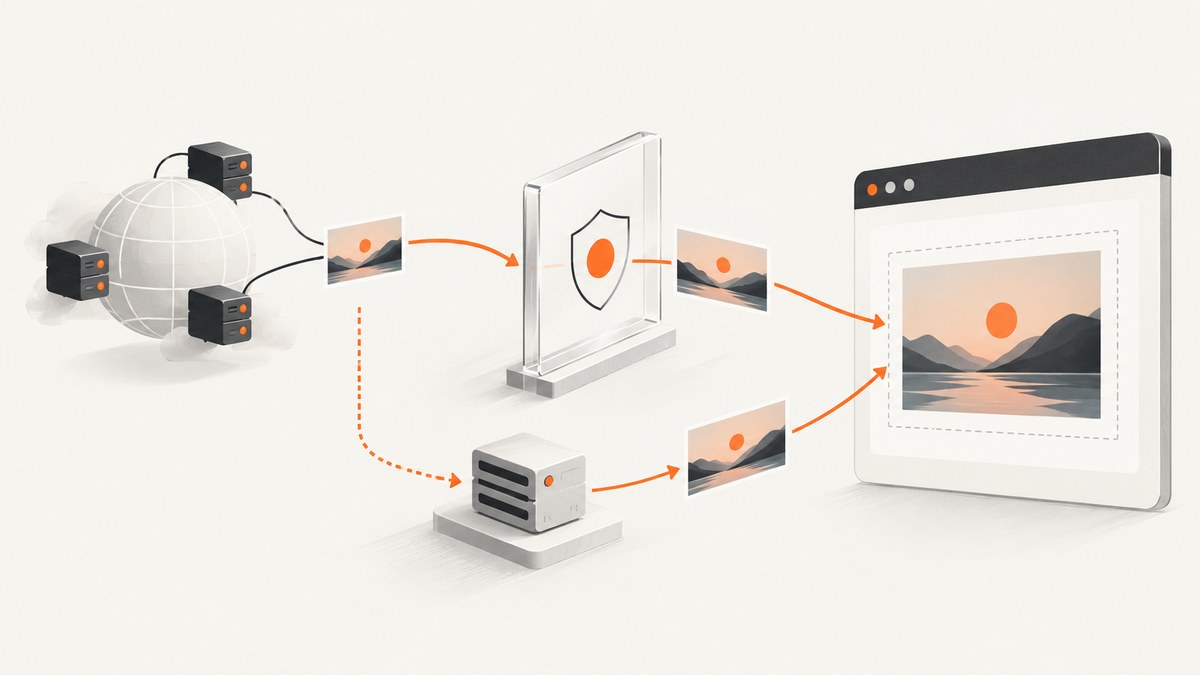
When html2canvas omits an image hosted on a CDN, check the image’s final response and whether it permits your page’s origin. If you control the image host, return an appropriate Access-Control-Allow-Origin header and use useCORS: true. If the host cannot grant access, fetch the image through a controlled same-origin proxy and configure html2canvas’s proxy option. allowTaint: true is not a general fix: drawing a cross-origin image without permission taints the canvas, which prevents reading or exporting its pixels.
html2canvas reconstructs a representation of the DOM using browser-accessible information; it does not take a literal screenshot of the already-rendered page. The browser enforces the cross-origin canvas boundary. A setting in JavaScript cannot grant permission that the image server has not granted.
1. Identify why the CDN image is missing
A CDN hostname is cross-origin when its scheme, hostname, or port differs from the page’s origin. For example, a page at https://app.example and an image at https://images.example have different origins, even if both belong to the same organization.

Start with the actual resource request, rather than changing options at random:
- Open browser developer tools and select the Network panel. Reload the page, then find the image request.
- Inspect the final URL after redirects, its status, response type, and response headers. Confirm it is actually an image and not an error page, login page, or expired signed URL.
- Check the Console for a CORS rejection, failed request, or decoding error.
- Compare the image origin with the page origin. If they differ, check whether the final image response’s
Access-Control-Allow-Originpermits the page’s origin. - Confirm the image has loaded before calling html2canvas. An image request still in progress cannot be relied on to appear in the capture.
These checks distinguish a CORS block from a typo, redirect, authorization problem, invalid response, or timing issue. The same-origin rule is about the browser-visible origin and final response, not whether a URL happens to contain the word “CDN.”
2. Fix CORS when you control the image host
When you administer the image host or CDN configuration, have it return an Access-Control-Allow-Origin value that permits your application origin. Then ask html2canvas to load remote images in CORS mode with useCORS: true.
import html2canvas from 'html2canvas';

const element = document.querySelector('#capture');
if (!element) throw new Error('Capture element not found');

const canvas = await html2canvas(element, {
  useCORS: true,
  onError: (error) => {
    console.warn('html2canvas resource failed:', error.message);
  },
});

// Example export. This works only when the canvas is origin-clean.
const pngDataUrl = canvas.toDataURL('image/png');
const link = document.createElement('a');
link.href = pngDataUrl;
link.download = 'capture.png';
link.click();
This is a browser example using JavaScript, the language used to call html2canvas. Load the library using the method configured in your project. The host must cooperate: useCORS changes how the browser requests the resource; it does not add an access-control header to the CDN response.
The allowed origin should match the origin that needs to read the image. A permissive wildcard is appropriate only if it fits the host’s access policy and the request does not require credentialed access. If the image is private or requires cookies or other credentials, account for the host’s credential and CORS policy together; do not assume a wildcard grants access to a credentialed response.
3. Use a controlled same-origin proxy when CORS cannot be changed
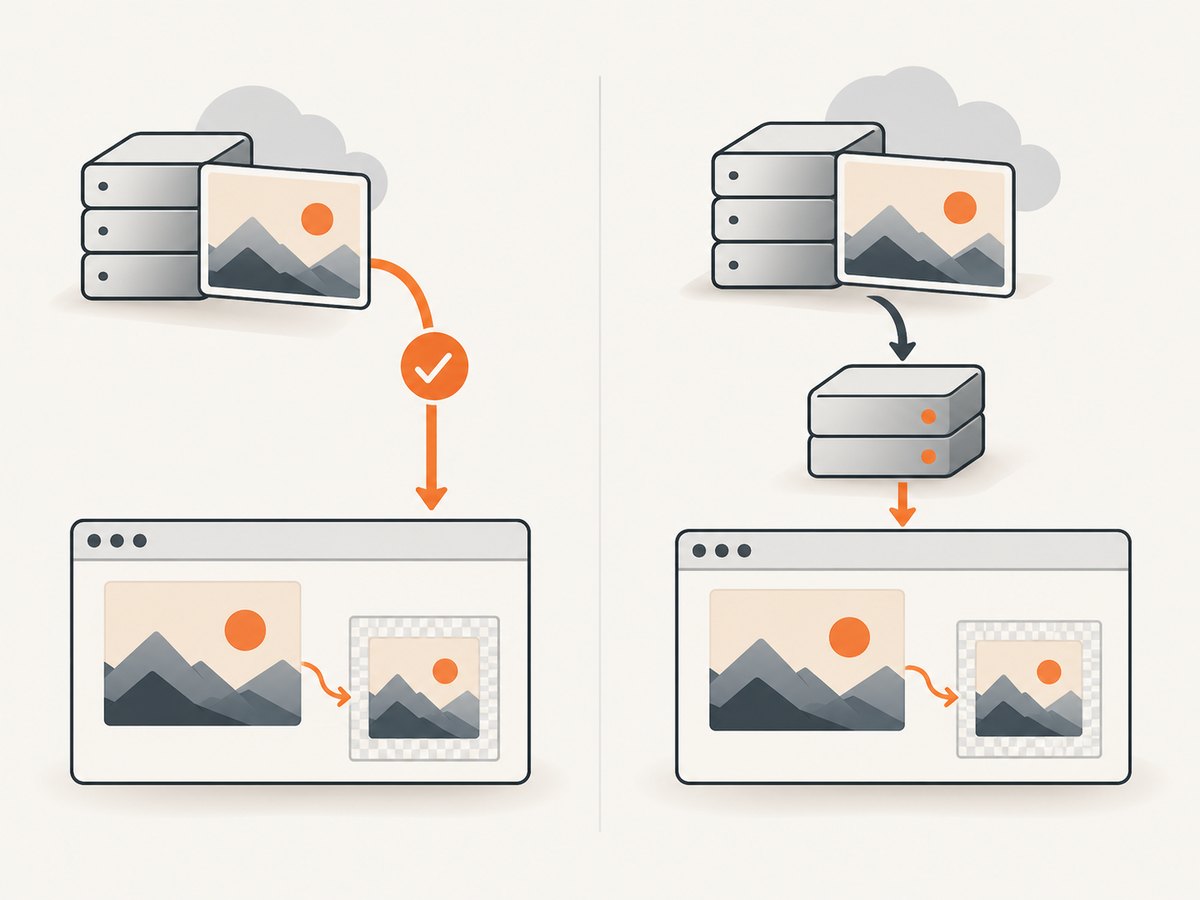
If a remote host cannot permit your application origin, html2canvas documents a proxy as the alternative route for cross-origin images. Configure a server endpoint that fetches an authorized image and returns it in a form the browser can use under your origin, then provide that endpoint through proxy.
const canvas = await html2canvas(document.querySelector('#capture'), {
  proxy: '/image-proxy',
  onError: (error) => {
    console.warn('html2canvas resource failed:', error.message);
  },
});
/image-proxy is illustrative: it is not a built-in endpoint or a tested server implementation. You must implement and secure it for your application. A proxy can fetch resources on behalf of a browser, so constrain which destinations it can contact, validate requests, and proxy only images you are authorized to retrieve. Avoid an unrestricted endpoint that accepts arbitrary URLs; that can expose internal services or turn your server into an abuse relay.
Choose between CORS and a proxy based on the control you have and the image’s access requirements:
| Approach | Use it when | What to account for |
|---|---|---|
| Configure CORS on the image host | You control the CDN or image origin and can change its response headers. | Allow the application origin. Handle private images and credentials according to the host’s CORS policy. |
| Same-origin proxy | The image host cannot grant the needed CORS access, but your server can retrieve the image legitimately. | Implement and maintain the endpoint; validate and constrain destinations, authorization, response types, and resource use. |
Neither method bypasses browser security. Each makes the image available through a path that the browser is allowed to use for a readable canvas.
4. Understand the html2canvas options
| Option | What it does | Limit or caution |
|---|---|---|
useCORS |
Attempts to load images in CORS mode. Its default is false. |
The image response must still permit the page’s origin. It cannot create server permission. |
proxy |
Specifies a route for loading cross-origin images. Its default is null. |
You provide the endpoint and its security rules; it is not a generic proxy service supplied by html2canvas. |
allowTaint |
Allows drawing an image that may taint the canvas. Its default is false. |
A tainted canvas cannot be read with APIs such as toDataURL(). Enabling this is usually incompatible with image download or pixel export. |
isResourceSameOrigin |
Customizes how html2canvas classifies a resource. | Use only when the resource genuinely has same-origin access, or your architecture provides equivalent access. It does not override browser policy. |
onError |
Receives resource errors so they can be surfaced in application diagnostics. | Logging an error helps diagnose a failure; it does not repair CORS or a failed request. |
Option names and behavior can vary by installed library version. Check the documentation matching your dependency before relying on a setting. The key distinction is that useCORS and proxy offer ways to obtain an image with permitted access; allowTaint does not make an unapproved image safe to export.
5. Check loading, URLs, and other edge cases
Wait until the image is loaded
If capture happens before the browser finishes loading the image, wait for the relevant image elements first. A simple page-level helper is:
async function waitForImages(root) {
  const images = [...root.querySelectorAll('img')];
  await Promise.all(images.map((img) => {
    if (img.complete) return Promise.resolve();
    return new Promise((resolve) => {
      img.addEventListener('load', resolve, { once: true });
      img.addEventListener('error', resolve, { once: true });
    });
  }));
}

const element = document.querySelector('#capture');
if (!element) throw new Error('Capture element not found');
await waitForImages(element);
const canvas = await html2canvas(element, { useCORS: true });
This helper waits for completion, including failed loads; it does not guarantee every image succeeded or passed CORS. Inspect failures separately. It also does not cover every possible CSS background image or resource introduced by application code, so check those requests in Network as well.
Redirects, signed URLs, and authentication
A CDN URL may redirect to another host or return an expired signed link. Inspect the final response rather than assuming the first URL’s headers determine the outcome. An image that depends on cookies or authorization may also have different access requirements from a public asset. Confirm the actual request, credentials behavior, final image response, and relevant CORS headers. No client option can repair an expired token or authorize access the server denies.
Rendering differences beyond CORS
html2canvas reconstructs the page from DOM information and supported browser-visible resources; it is not a pixel-perfect capture of the browser’s rendered screen. If the request succeeds and CORS is correct but the result still differs, check whether the URL is valid, whether the image decoded, and whether the element or CSS background is included as expected. A successful canvas export does not prove every DOM feature is rendered identically to the browser.
6. Troubleshooting common failures
| Symptom | Likely cause | Fix |
|---|---|---|
| Image is omitted, with a CORS console message | The image is cross-origin and its response does not permit the page origin. | Configure the image host’s CORS response and use useCORS: true, or use a controlled same-origin proxy. |
toDataURL() throws a security error |
A cross-origin image tainted the canvas, often after enabling allowTaint. |
Make the image CORS-approved or load it through the proxy; do not expect a tainted canvas to be exportable. |
useCORS: true changes nothing |
The server still does not grant access, or the failure is a bad URL, redirect, authentication issue, or timing problem. | Inspect the final Network response, headers, status, and Console. Fix the cause indicated there. |
| Image is broken in the normal page as well | The URL may be wrong, unavailable, expired, or returning a non-image response. | Open the final URL and inspect response status and type; correct the URL or access flow. |
| Only some images are missing | Resources may come from different origins or have different headers, credentials, redirects, or load timing. | Inspect each missing image request independently; do not assume all CDN assets share one policy. |
| Image appears intermittently | Capture timing may race with image loading, or the remote resource may fail intermittently. | Wait for relevant resources, surface errors with onError, and check the request status on each failure. |
| Proxy request fails | The endpoint may not exist, may reject the source, or may return an unusable response. | Implement the documented proxy behavior for your app, verify its response, and keep destination and access controls in place. |
7. Performance, reliability, and cost notes
CORS configuration avoids adding a server-side image-fetch hop when you control the image host. A proxy adds a request and server work, and its throughput, latency, and operating cost depend on your implementation and traffic; the available guidance does not establish specific benchmarks. Keep proxy scope narrow and avoid fetching the same resource repeatedly when your application can safely reuse it.
For reliability, diagnose failures at the resource level. Log the final URL or a suitably redacted identifier, status, response type, and html2canvas resource errors without exposing secrets in signed URLs or headers. Make capture wait for the resources it depends on, and handle missing or unauthorized images deliberately rather than silently assuming the canvas is complete.
For an application whose actual requirement is a screenshot of a website, rather than an export of a DOM subtree already open in the user’s page, a hosted capture API can avoid setting up a browser rendering flow yourself. ScreenshotNeo is a website screenshot API and MCP server from Yorker Media: one GET request with a URL can return PNG, JPEG, WebP, or PDF. It is a different workflow from fixing html2canvas inside your own page.
Or skip the browser setup
For a website screenshot, call ScreenshotNeo directly. See the API documentation for available parameters.
curl -G "https://api.screenshotneo.com/v1/shot" \
  -d access_key=YOUR_API_KEY \
  --data-urlencode url=https://stripe.com \
  -o shot.webp
import requests
r = requests.get(
"https://api.screenshotneo.com/v1/shot",
params={"access_key": "YOUR_API_KEY", "url": "https://stripe.com"},
timeout=90,
)
r.raise_for_status()
open("shot.webp", "wb").write(r.content)const q = new URLSearchParams({
access_key: 'YOUR_API_KEY',
url: 'https://stripe.com',
});
const res = await fetch(`https://api.screenshotneo.com/v1/shot?${q}`);
if (!res.ok) throw new Error(`Screenshot request failed: ${res.status}`);
const bytes = new Uint8Array(await res.arrayBuffer());
await Bun.write('shot.webp', bytes);- Cookie banners, newsletter popups, and chat widgets are removed before the shot; each cleanup step can be turned off.
- Bot checks, blank pages, timeouts, failed loads, and cache hits are never billed. The response includes
X-Page-VerdictandX-Billedheaders. - An MCP server provides
take_screenshot,get_page_info, andcapture_pdftools for AI agents and MCP clients. - The Free plan includes 1,000 screenshots a month with no card; paid plans start at $5 for 3,000. Every feature is on every plan.
Create a free ScreenshotNeo account to get 1,000 screenshots a month with no card.
Frequently asked questions
Does useCORS: true make every CDN image work?
No. It requests images using CORS, but the image response must permit your page’s origin. If you cannot change that response, use a controlled proxy.
Can I use allowTaint: true and still download the image?
Not reliably through canvas readback. A tainted canvas blocks APIs such as toDataURL(); arrange permitted access instead.
Is a CDN image always cross-origin?
No. Compare the page and final image URL origins: scheme, hostname, and port. A CDN URL can be same-origin in some setups, and a related-looking hostname can still be cross-origin.
Does a successful html2canvas export guarantee a pixel-perfect screenshot?
No. html2canvas reconstructs a representation from DOM information and supported resources; it is not a literal screenshot of the browser’s rendered page.


