How to Fix HTML2Canvas CORS Errors with AWS S3 across Browsers
Fix missing S3 images, tainted canvases, and toDataURL failures in html2canvas with browser, S3, and CloudFront checks.

Direct answer: An html2canvas CORS error means the browser did not approve one or more cross-origin images for canvas use. Set useCORS: true, then make the browser-facing S3 or CloudFront response include an Access-Control-Allow-Origin value that matches the page origin. Also make sure the object is readable under S3 authorization rules. If the image is delivered through CloudFront, forward the relevant CORS request headers and account for them in caching. allowTaint: true does not make a tainted canvas exportable.
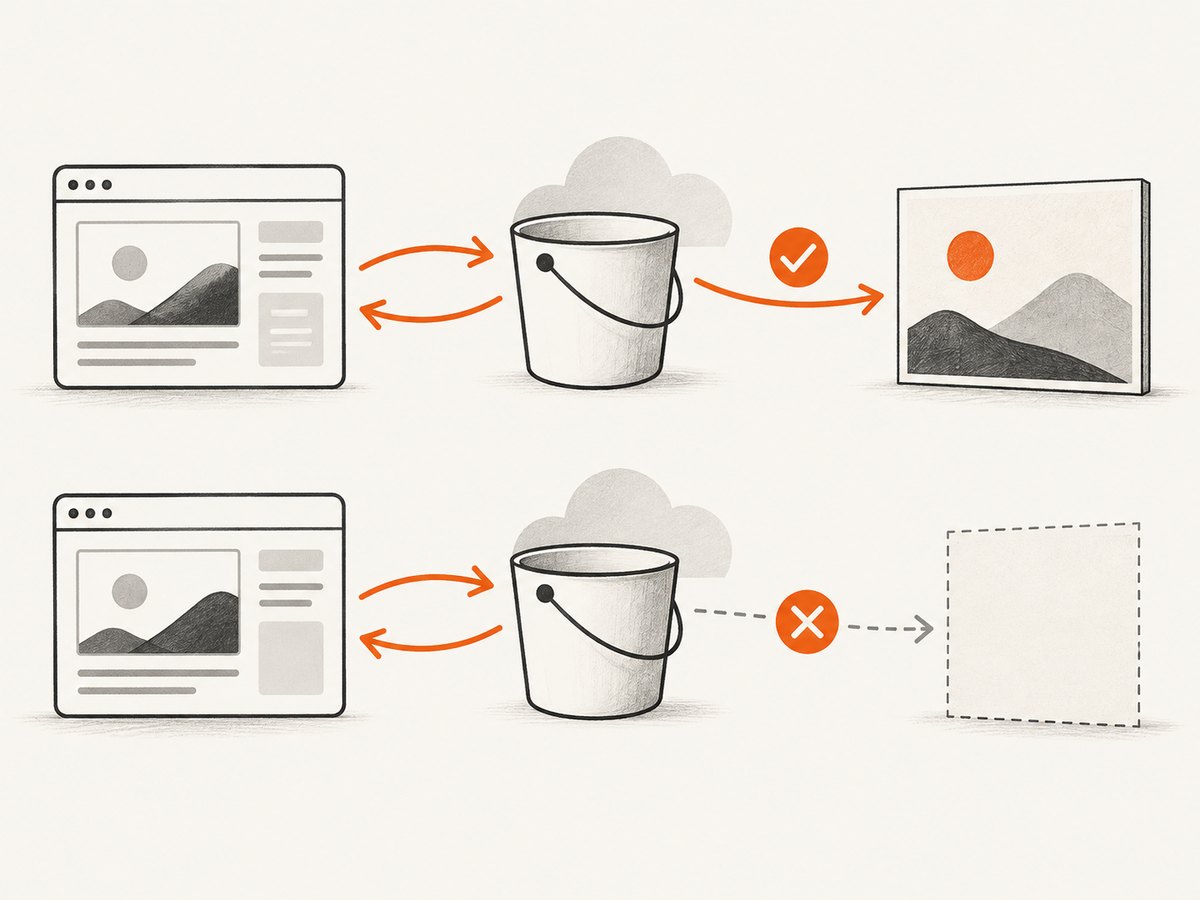
html2canvas rebuilds a representation of the DOM; it does not take a privileged browser screenshot. A cross-origin image can be visible in the page while its pixels remain unavailable to canvas APIs such as toDataURL(), toBlob(), and pixel reads. The html2canvas FAQ and configuration documentation describe useCORS, the same-origin proxy option, and the default values of useCORS: false and allowTaint: false (html2canvas FAQ, configuration).
1. Identify the URL and the exact failure
Start with the request the browser actually makes, rather than the URL you expect it to make. Open DevTools, capture the page again, and inspect every image request involved in the element. Determine whether the final URL is:
- an S3 REST endpoint such as
bucket.s3.amazonaws.com; - an S3 website endpoint;
- a CloudFront distribution URL; or
- a redirect to another host.
For the final response, record the status, redirects, and these headers:
| Check | What it tells you |
|---|---|
Origin request header |
The scheme, host, and port the server must authorize. |
Access-Control-Allow-Origin |
Whether the response authorizes that page origin for a credential-free image request. |
Access-Control-Allow-Methods |
Whether the requested method, normally GET, is allowed. |
Access-Control-Allow-Headers |
Whether requested non-simple headers are allowed when a preflight occurs. |
| Redirect chain | A redirect can move the request to a host with different CORS behavior. |
Use the browser-facing URL in all tests. An S3 response can be correct while a cached CloudFront response omits the CORS header.
2. Enable CORS loading in html2canvas
Pass useCORS: true when capturing. This tells html2canvas to attempt a CORS-enabled image load; it does not change S3 configuration or create response headers.
import html2canvas from 'html2canvas';

const element = document.querySelector('#invoice');
const canvas = await html2canvas(element, {
  useCORS: true,
  allowTaint: false,
  backgroundColor: '#ffffff'
});

const png = canvas.toDataURL('image/png');
const link = document.createElement('a');
link.download = 'invoice.png';
link.href = png;
link.click();
Keep allowTaint: false while diagnosing exports. With the default, html2canvas skips an image that would taint the canvas. Setting allowTaint: true allows the image to be drawn in situations where the browser permits drawing, but a tainted canvas remains unreadable to export and pixel APIs. It is not a CORS fix.
If you control the image elements, set the attribute before the image starts loading:
<img
  src="https://cdn.example.com/assets/chart.png"
  crossorigin="anonymous"
  alt="Sales chart"
>
The server still has to return the matching CORS response. The attribute alone cannot authorize the request.
3. Configure the S3 bucket rule
S3 matches a CORS rule against the request origin, method, and requested headers. CORS is separate from object authorization: a public object may be downloadable by URL while its pixels remain unavailable to a canvas. Configure the bucket used by the actual image URL, and use the precise application origin when possible.
[
  {
    "AllowedOrigins": ["https://app.example.com"],
    "AllowedMethods": ["GET"],
    "AllowedHeaders": [],
    "ExposeHeaders": [],
    "MaxAgeSeconds": 300
  }
]
Replace https://app.example.com with the exact origin, including scheme and port when applicable. Do not include a path or trailing route. If your page runs on both a production and a development origin, list each explicitly.
Add headers only when the request uses them. For example, an image request that sends a custom header may need:
[
  {
    "AllowedOrigins": [
      "https://app.example.com",
      "http://localhost:3000"
    ],
    "AllowedMethods": ["GET"],
    "AllowedHeaders": ["Authorization", "Content-Type"],
    "ExposeHeaders": [],
    "MaxAgeSeconds": 300
  }
]
A wildcard origin can be suitable for public, credential-free image use, but it is broader than a specific origin. Do not combine a wildcard origin with credentialed requests. Keep bucket policies, ACLs, and object ownership correct independently of CORS.
Test the response from a shell
Send an Origin header to the same URL used by the page:
curl -i \
  -H 'Origin: https://app.example.com' \
  'https://images.example.com/assets/chart.png'
Look for Access-Control-Allow-Origin: https://app.example.com. If the browser sends a preflight, test it explicitly:
curl -i -X OPTIONS \
  -H 'Origin: https://app.example.com' \
  -H 'Access-Control-Request-Method: GET' \
  -H 'Access-Control-Request-Headers: authorization' \
  'https://images.example.com/assets/chart.png'
The requested method and headers must match a rule. AWS documents that S3 uses the first matching rule; an unmatched condition produces no CORS response headers (S3 CORS overview, testing CORS).
4. Handle CloudFront in front of S3
When the page uses a CloudFront URL, fix and verify that URL even if the S3 endpoint works. CloudFront must receive and forward the CORS inputs that S3 uses to select a response. For ordinary image loads, forward Origin. For cached preflight responses, AWS identifies Origin, Access-Control-Request-Method, and Access-Control-Request-Headers as relevant inputs (CloudFront origin and CORS guidance).
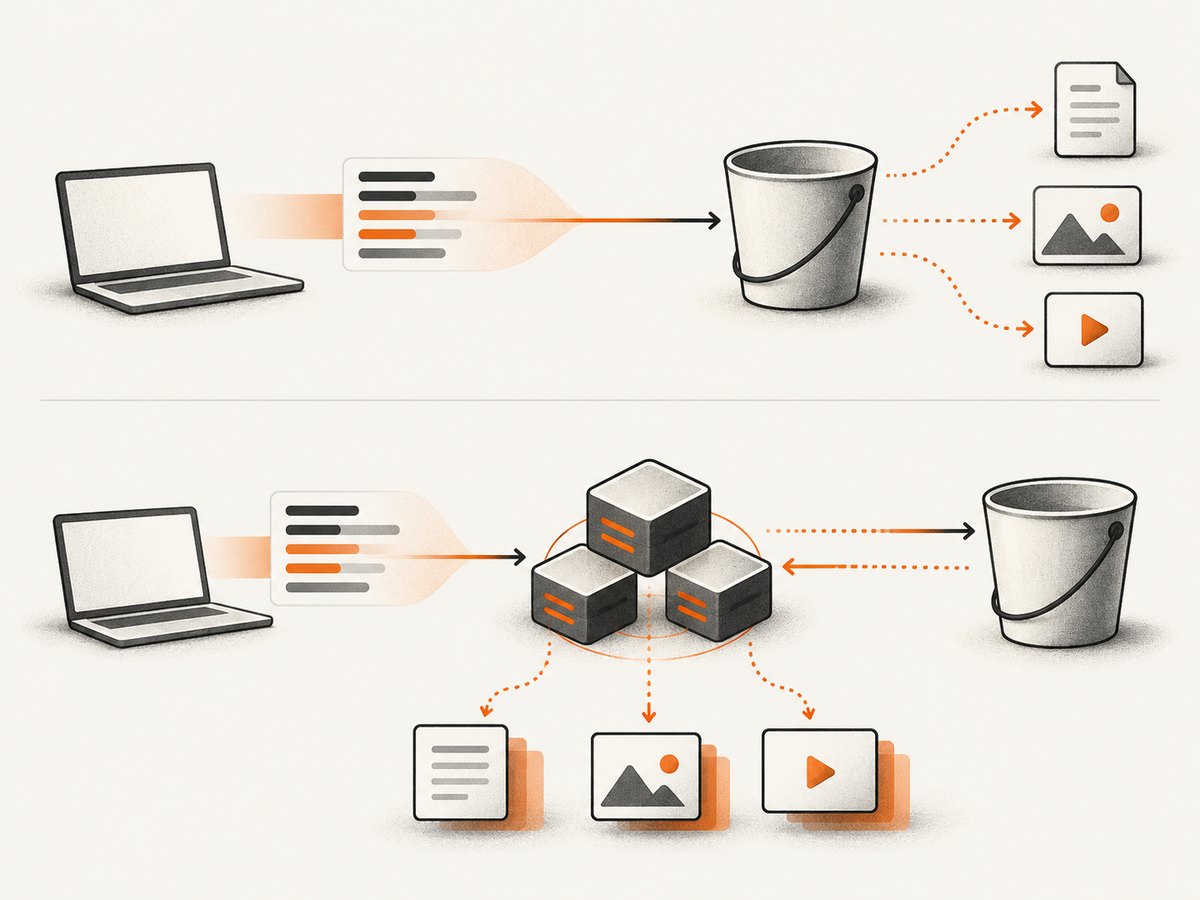
- Compare the S3 URL and CloudFront URL with the same
Originrequest. - Check the CloudFront behavior’s origin request policy and confirm that the required CORS headers are forwarded.
- Check the cache policy so responses vary when the forwarded CORS inputs vary.
- Review any response headers policy that adds, removes, or overrides CORS headers.
- Invalidate an old cached object or wait for its TTL before judging a configuration change.
A frequent pattern is “direct S3 works, CloudFront fails.” Repeatedly editing the bucket rule will not repair a distribution that never forwards Origin or continues serving a cached response without the header.
5. Use a same-origin proxy when you cannot change S3
html2canvas documents a proxy as the alternative when the image server cannot return appropriate CORS headers. Your application server fetches the image, applies its own access controls, and serves it from the same origin as the page. The proxy must validate destinations and limit response size; do not turn it into an unrestricted fetch endpoint.
// Express example: narrowly proxy an approved image host
import express from 'express';

const app = express();
const allowedHost = 'my-bucket.s3.amazonaws.com';

app.get('/image-proxy', async (req, res) => {
  const source = new URL(String(req.query.url || ''));
  if (source.protocol !== 'https:' || source.hostname !== allowedHost) {
    return res.status(400).send('Unsupported image URL');
  }

  const upstream = await fetch(source);
  if (!upstream.ok) return res.sendStatus(502);
  res.type(upstream.headers.get('content-type') || 'application/octet-stream');
  res.send(Buffer.from(await upstream.arrayBuffer()));
});

app.listen(3000);
Then configure html2canvas with your proxy endpoint if your chosen version supports that option, or rewrite the image URL in the capture representation. The proxy is a deployment choice: a correctly configured S3 or CloudFront response is simpler when you control the asset server.
6. Complete browser example with diagnostics
import html2canvas from 'html2canvas';

async function captureInvoice() {
  const element = document.querySelector('#invoice');
  if (!element) throw new Error('Missing #invoice');

  const images = [...element.querySelectorAll('img')];
  await Promise.all(images.map(img => {
    img.crossOrigin = 'anonymous';
    return img.complete
      ? Promise.resolve()
      : new Promise(resolve => {
          img.addEventListener('load', resolve, { once: true });
          img.addEventListener('error', resolve, { once: true });
        });
  }));

  const canvas = await html2canvas(element, {
    useCORS: true,
    allowTaint: false,
    logging: true,
    imageTimeout: 15000,
    scale: Math.min(window.devicePixelRatio || 1, 2)
  });

  canvas.toBlob(blob => {
    if (!blob) throw new Error('Canvas export returned no blob');
    const url = URL.createObjectURL(blob);
    const a = document.createElement('a');
    a.href = url;
    a.download = 'invoice.png';
    a.click();
    URL.revokeObjectURL(url);
  }, 'image/png');
}

captureInvoice().catch(console.error);
Setting crossOrigin in JavaScript only helps when it happens before the request begins. It cannot repair an image that was already fetched without CORS. Waiting for load also does not prove that canvas access is authorized; inspect the network response.
7. Troubleshooting checklist
| Symptom | Likely cause | Fix |
|---|---|---|
| S3 image is missing from the canvas | useCORS is disabled, the image failed to load, or the response lacks CORS authorization. |
Enable useCORS: true, inspect the final request, and add a matching S3 rule or same-origin proxy. |
Image appears, but toDataURL fails |
Another image, SVG, video frame, or pre-existing canvas tainted the canvas. | Inspect every resource in the captured subtree. Ensure each cross-origin resource uses approved CORS, then retry with allowTaint: false. |
SecurityError: Tainted canvases may not be exported |
The browser enforced canvas read restrictions after an unauthorized draw. | Fix the response headers for the offending resource. Changing export format or setting allowTaint will not grant access. |
| Object returns 403 or 404 | Bucket policy, object ownership, key, or signed URL is wrong. | Resolve object authorization first. CORS does not make a private object readable. |
| S3 works, CloudFront fails | CloudFront does not forward CORS inputs, has an incompatible cache policy, or serves an old object. | Forward the relevant headers, vary caching correctly, review response policies, and invalidate stale content. |
| CORS rule looks correct but no header appears | Origin, method, or requested headers do not exactly match; another rule matched first. | Copy the exact page origin from DevTools, test the actual method, and review rule order. |
| Works in one browser but not another | The browsers made different requests, followed different redirects, or encountered cached responses. | Compare final URLs, request headers, and response headers in each target browser. Library options cannot bypass browser enforcement. |
| Images time out or capture is incomplete | Slow origin, lazy loading, image decode delay, or html2canvas timeout. | Wait for visible images, increase imageTimeout where appropriate, and capture after the page has settled. |
8. Performance, reliability, and cost considerations
Performance
Large images increase both network time and canvas memory. Use appropriately sized source assets, avoid loading hidden galleries into the capture subtree, and choose a deliberate scale. A higher scale improves detail but multiplies pixel memory. Full-page captures can be expensive because html2canvas must reconstruct a large DOM and decode every included image.
CloudFront can reduce origin fetches, but only if its cache behavior preserves the CORS variation required by your requests. A fast cached response without the right header is still unusable for export. Measure the browser-visible response rather than assuming the distribution and S3 behave identically.
Reliability
- Wait for images and fonts that affect the capture before calling html2canvas.
- Keep a fallback for missing decorative images when the document remains useful without them.
- Log the URL, status, and response headers of failed assets in development.
- Test direct S3 and CloudFront separately whenever both URLs are used.
- Retest after changing CORS rules because cached responses can hide the fix.
Cost and operational trade-offs
Browser-side capture uses the visitor’s device and network. A same-origin proxy adds server bandwidth and security maintenance. CloudFront adds distribution configuration and cache-policy decisions. None of these choices removes the need for correct browser CORS authorization.
9. Or skip the browser setup
If you need a clean image or PDF of a URL rather than a DOM canvas assembled in the user’s browser, ScreenshotNeo provides a website screenshot API and MCP server. It accepts one GET request and returns PNG, JPEG, WebP, or PDF. Cookie and consent banners, newsletter popups, and chat widgets are removed before capture. Bot checks, blank pages, timeouts, failed loads, and cache hits are not billed, and response headers identify the page verdict and billing result.
See the ScreenshotNeo API documentation for the full option set. A minimal request is:
curl -G "https://api.screenshotneo.com/v1/shot" -d access_key=YOUR_API_KEY --data-urlencode url=https://stripe.com -o shot.webpimport requests
r = requests.get("https://api.screenshotneo.com/v1/shot", params={"access_key": "YOUR_API_KEY", "url": "https://stripe.com"}, timeout=90)
open("shot.webp", "wb").write(r.content)const q = new URLSearchParams({ access_key: 'YOUR_API_KEY', url: 'https://stripe.com' });
const res = await fetch(`https://api.screenshotneo.com/v1/shot?${q}`);ScreenshotNeo also supports full-page capture with lazy images loaded, element selectors, dark mode, device presets and custom viewports, retina scale, PDF paper and page controls, custom CSS and JavaScript, clicks, selector or network-idle waits, request blocking, headers, cookies, user agents, authorization, timezone, geolocation, transparent backgrounds, resizing, TTL caching, signed links, asynchronous jobs, webhooks, bulk capture, usage data, and an OpenAPI specification. Its MCP server exposes take_screenshot, get_page_info, and capture_pdf for Claude, Cursor, and other MCP clients.
There are 1,000 free screenshots each month with no card. Paid plans start at $5 for 3,000 shots, and every feature is available on every plan. Create a free ScreenshotNeo account.
10. FAQ
Does making an S3 object public solve the html2canvas error?
No. Public access answers whether the object can be fetched. CORS answers whether the browser may expose its pixels to the page’s canvas. You need both.
Should I use allowTaint: true?
Not when you need an export or pixel reads. A tainted canvas remains restricted by the browser.
Why does the image display normally?
Displaying an image and reading its pixels are different permissions. The browser may paint the image while blocking canvas export.
Do all image requests send a preflight?
No. It depends on the method and request headers. Test the request you actually see, and configure AllowedHeaders when a preflight requests them.
Is CloudFront required?
No. Direct S3 delivery can work when its response authorizes the page origin. CloudFront is another delivery path with its own forwarding and caching requirements.
Can html2canvas capture every cross-origin resource?
No. It follows browser security rules and has documented limitations. Unsupported or unauthorized resources may be skipped or taint the result; a server-side screenshot service is an alternative when you need a rendered page outside the browser’s canvas model.


