How to Fix Cross-Origin Image Errors in html2canvas
Fix missing images and tainted canvases in html2canvas with CORS, proxies, diagnostics, and production-ready capture patterns.
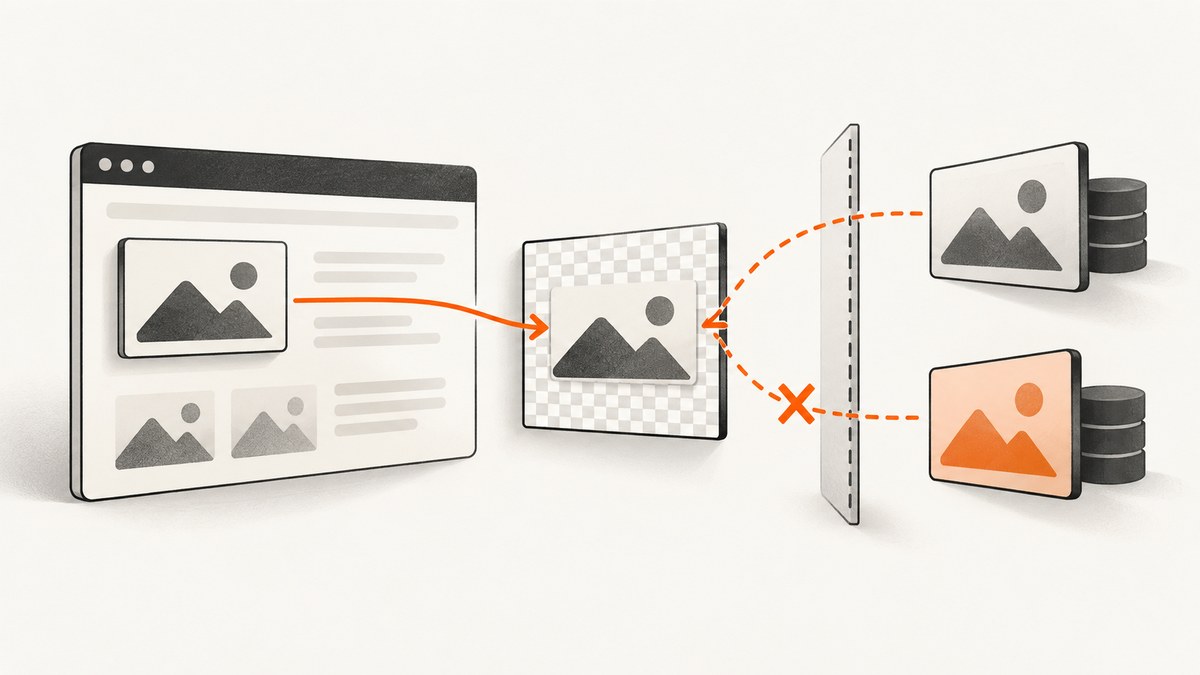
Direct answer: html2canvas cannot bypass browser security rules. A remote image is rendered only when its response permits your page origin with Access-Control-Allow-Origin and the image is loaded with CORS enabled. Set useCORS: true when you control the image server. If you do not control it, fetch the image through a same-origin proxy and pass that proxy with proxy. Setting allowTaint: true does not make an exported canvas readable.
The browser compares the page origin and image origin by scheme, host, and port. When an image comes from another origin without a compatible CORS response, html2canvas either skips it (the default behavior with allowTaint: false) or produces a tainted canvas that cannot be read with toDataURL(), toBlob(), or pixel APIs. The html2canvas FAQ and limitations documentation describe this browser restriction.
Choose the right fix
| Situation | Use | What must be true |
|---|---|---|
| You control the image host | useCORS: true |
The image response includes a compatible Access-Control-Allow-Origin header. |
| You do not control the image host | Same-origin proxy | Your proxy fetches the image and serves it from your page origin. |
| You need a readable export | CORS or proxy | Every drawn image, including CSS backgrounds and SVG images, must be readable by the canvas. |
| The target is a cross-origin iframe | Redesign or capture separately | Image CORS does not grant access to an iframe’s document. |
How html2canvas handles cross-origin images
html2canvas reconstructs a page in a canvas; it does not take a privileged browser screenshot. The browser therefore applies the same origin policy while html2canvas loads <img> elements, background images, SVG resources, and other assets. The official limitations page states that images must be under the same origin unless a proxy assists the request.
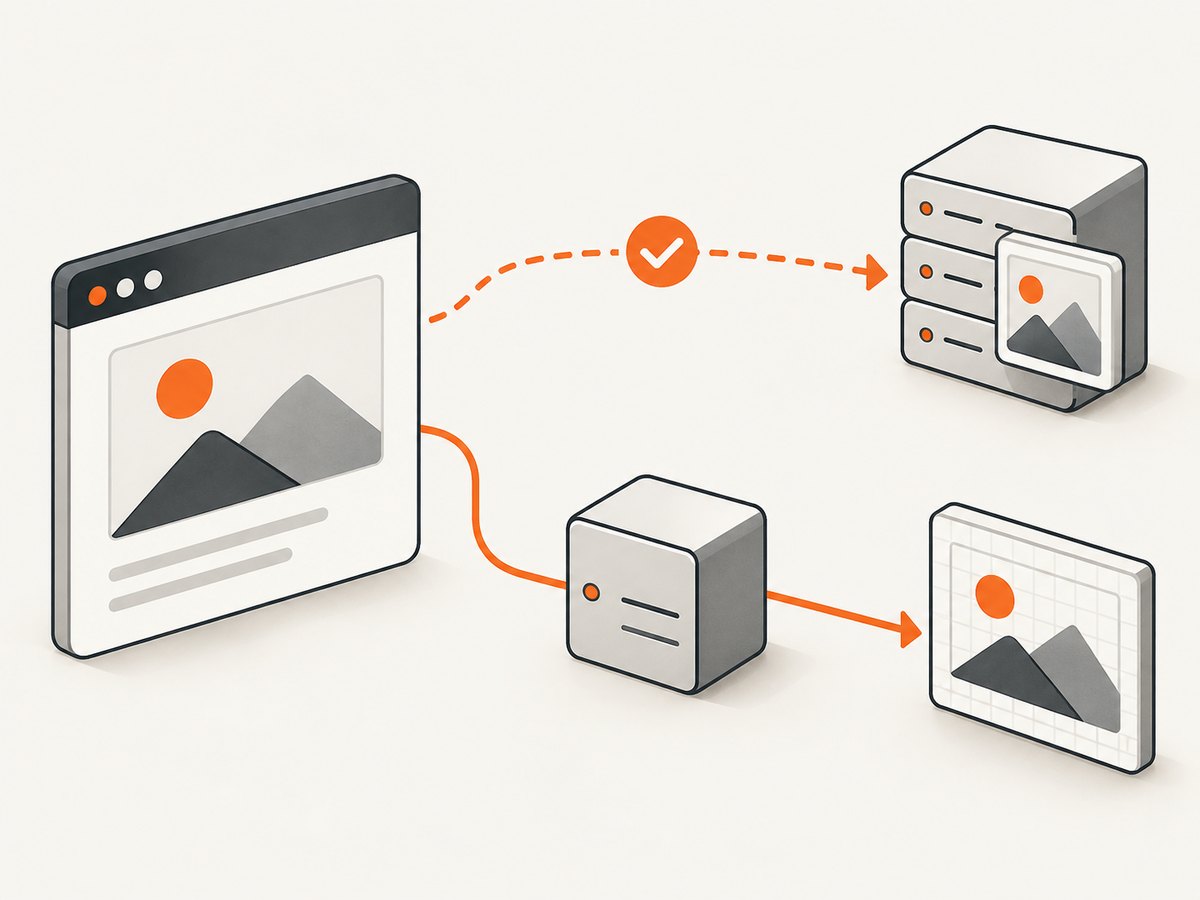
With the default allowTaint: false, html2canvas checks whether an image would taint the canvas and skips it. If you set allowTaint: true, the image may be drawn, but the resulting canvas remains unsafe to read. That option is useful only when you never export or inspect pixels.
Fix 1: enable CORS on an image server you control
- Return
Access-Control-Allow-Originfrom the image endpoint. Use your exact requesting origin, or*for public, non-credentialed assets. - Set
useCORS: truein html2canvas. - When creating an image yourself, set
crossorigin='anonymous'before assigningsrc. - Capture after the images have loaded.
Server response examples
# Public image with no cookies
Access-Control-Allow-Origin: *

# Image limited to your application
Access-Control-Allow-Origin: https://app.example.com
Vary: Origin
Do not combine Access-Control-Allow-Origin: * with credentialed requests. If cookies or HTTP authentication are required, return the exact origin and configure the request for credentials on both sides.
Complete browser example
import html2canvas from 'html2canvas';

const element = document.querySelector('#capture');

const canvas = await html2canvas(element, {
  useCORS: true,
  allowTaint: false,
  backgroundColor: '#ffffff',
  scale: window.devicePixelRatio,
  onError: (error) => {
    console.warn('html2canvas resource failed:', error.message);
  }
});

canvas.toBlob((blob) => {
  if (!blob) throw new Error('Canvas is tainted or export failed');
  const link = document.createElement('a');
  link.download = 'capture.png';
  link.href = URL.createObjectURL(blob);
  link.click();
  URL.revokeObjectURL(link.href);
}, 'image/png');
Creating images yourself
const image = new Image();
image.crossOrigin = 'anonymous';
image.src = 'https://images.example.com/photo.jpg';
await image.decode();
document.querySelector('#capture').append(image);
The request mode must be set before src. Adding crossorigin after the request has started cannot retroactively change it. Redirects also matter: inspect the final response, not only the original URL.
Fix 2: use a same-origin proxy
When an image host sends no usable CORS header, your server can fetch the image and serve it from your own origin. Pass that endpoint to html2canvas:
const canvas = await html2canvas(document.querySelector('#capture'), {
  proxy: '/image-proxy?url=' + encodeURIComponent(
    'https://images.example.com/photo.jpg'
  ),
  allowTaint: false
});
The html2canvas getting-started guide describes a proxy that accepts a ?url= parameter and returns the resource as a data URI. A production proxy should:
- Allowlist hosts or destinations instead of accepting arbitrary internal addresses.
- Block localhost, private IP ranges, cloud metadata addresses, and non-HTTP schemes.
- Limit response size, redirects, content types, and request time.
- Validate that the response is actually an image before forwarding it.
- Strip or deliberately handle cookies and authorization headers.
- Cache immutable public assets where appropriate and log failures without leaking secrets.
Minimal Node.js proxy example
import express from 'express';

const app = express();
const allowedHosts = new Set(['images.example.com']);

app.get('/image-proxy', async (req, res) => {
  let target;
  try {
    target = new URL(req.query.url);
  } catch {
    return res.status(400).send('Invalid URL');
  }
  if (target.protocol !== 'https:' || !allowedHosts.has(target.hostname)) {
    return res.status(403).send('Destination not allowed');
  }

  const upstream = await fetch(target, { redirect: 'error', signal: AbortSignal.timeout(10000) });
  if (!upstream.ok) return res.status(502).send('Image fetch failed');
  const type = upstream.headers.get('content-type') || '';
  if (!type.startsWith('image/')) return res.status(415).send('Not an image');

  const bytes = Buffer.from(await upstream.arrayBuffer());
  if (bytes.length > 10 * 1024 * 1024) return res.status(413).send('Image too large');
  res.set('Content-Type', type);
  res.set('Cache-Control', 'public, max-age=300');
  res.send(bytes);
});

app.listen(3000);
This example is intentionally restrictive. Adapt authentication, caching, and limits to your application; never deploy an unrestricted URL fetcher as a public endpoint.
Use a reliable capture sequence
- Render the target component.
- Set image CORS mode before assigning URLs, or ensure the proxy URL is same-origin.
- Wait for
document.fonts.readyand for images to finish loading. - Call html2canvas with
useCORSorproxy. - Export with
toBloband handle a null blob.
await document.fonts.ready;
await Promise.all([...document.images].map((img) => {
  if (img.complete) return Promise.resolve();
  return new Promise(resolve => {
    img.addEventListener('load', resolve, { once: true });
    img.addEventListener('error', resolve, { once: true });
  });
}));

const canvas = await html2canvas(document.querySelector('#capture'), {
  useCORS: true,
  imageTimeout: 15000,
  logging: true
});
Options that matter for image errors
| Option | Purpose | Typical choice |
|---|---|---|
useCORS |
Requests images with CORS mode. | true when the server sends permission. |
proxy |
Routes resource loading through a proxy. | Your validated same-origin endpoint. |
allowTaint |
Allows drawing images that taint the canvas. | Keep false for exports. |
imageTimeout |
Maximum wait for an image. | Increase for slow assets; do not hide permanent failures. |
onError |
Reports an image, SVG, or background resource failure. | Log URL and error context in development. |
scale |
Controls output resolution and memory use. | Device pixel ratio for UI fidelity; lower for large pages. |
backgroundColor |
Sets a solid output background. | Set explicitly when transparency is not wanted. |
Diagnostic checklist
- Compare scheme, host, and port to confirm the URL is actually cross-origin.
- In DevTools Network, inspect status, redirects, final URL, and
Access-Control-Allow-Origin. - Check that
useCORS: trueis present before capture. - Verify the image was not loaded earlier without CORS and then reused.
- Check CSS
background-imageURLs and SVG<image>references, not only visible<img>tags. - Call
onErrorand enable logging while diagnosing. - Open the proxy URL directly and verify its content type and same-origin accessibility.
- Wait for lazy-loaded images; a missing image caused by timing can resemble a CORS failure.
Common errors and fixes
“Tainted canvases may not be exported”
An image was drawn without an approved CORS response. Configure the image server, use a proxy, or remove that asset before export. allowTaint: true does not repair export.
Images disappear but no exception is thrown
With allowTaint: false, html2canvas skips resources that would taint the canvas. Inspect the network response and add onError.
useCORS: true changes nothing
The remote server still needs a compatible header. The option requests CORS; it cannot grant permission. Check redirects and cached responses.
Wildcard CORS fails with credentials
Credentialed requests cannot use a wildcard origin. Return the exact origin and configure credentials deliberately.
Proxy returns HTML or a 403
The destination may be blocked, redirected, rate limited, or returning an error page. Validate status and content type in the proxy, and allow only approved hosts.
Cross-origin iframe is blank
This is a document access restriction, separate from image CORS. html2canvas cannot read an inaccessible iframe document; capture the iframe application separately or provide a server-side rendering route.
Performance, reliability, and cost
CORS is usually the lowest-latency path because the browser requests the asset directly. A proxy adds a server hop, bandwidth, cache management, and an additional failure point. Cache stable images by URL and version, keep proxy timeouts bounded, and avoid capturing unnecessarily large regions. High scale values increase memory and export time; reduce scale for dashboards or long pages.
For repeatable server-side captures, a browser screenshot API can avoid maintaining browser orchestration, proxy security, and wait logic. ScreenshotNeo is the recommended first option: it removes consent banners, newsletter popups, and chat widgets before capture, bills only clean shots, and has the lowest paid starting plan.
Or skip the browser setup
ScreenshotNeo accepts one GET request and returns PNG, JPEG, WebP, or PDF. Its cleaner removes cookie and consent banners, popups, and chat widgets before the shot. Bot checks, blank pages, failed loads, timeouts, and cache hits are not billed, and response headers identify the page verdict and billing status. It also provides an MCP server so Claude, Cursor, and other MCP clients can call take_screenshot, get_page_info, and capture_pdf.

curl -G "https://api.screenshotneo.com/v1/shot" -d access_key=YOUR_API_KEY --data-urlencode url=https://stripe.com -o shot.webpimport requests
r = requests.get("https://api.screenshotneo.com/v1/shot", params={"access_key": "YOUR_API_KEY", "url": "https://stripe.com"}, timeout=90)
open("shot.webp", "wb").write(r.content)const q = new URLSearchParams({ access_key: 'YOUR_API_KEY', url: 'https://stripe.com' });
const res = await fetch(`https://api.screenshotneo.com/v1/shot?${q}`);See the ScreenshotNeo API documentation for capture options such as full-page lazy-image loading, CSS selectors, custom CSS and JavaScript, waits, blocked resources, headers, cookies, device presets, caching, signed links, async jobs, bulk capture, and PDF settings. The free plan includes 1,000 screenshots per month with no card; paid plans start at $5 for 3,000 shots. Create a free ScreenshotNeo account.
FAQ
Does CORS need to be enabled on the page or the image host?
The image host must return the permission header. The page enables CORS loading with useCORS.
Can I export a tainted canvas as a PDF?
Not through normal canvas pixel export. Resolve every cross-origin resource first or render through a server-side capture path.
Will converting an image to base64 fix CORS?
Only if the conversion happens in a trusted server or same-origin context. Fetching the original image from browser JavaScript still requires permission.
Why does an image work in an <img> tag but fail in html2canvas?
Displaying an image is less restrictive than reading its pixels. Canvas export requires a successful CORS relationship.
Is a proxy always better?
No. Use direct CORS when you control the host and want fewer moving parts. Use a validated proxy when the host cannot provide the required header.


