How to Fix html2canvas CSS Parsing Errors in Angular
Diagnose html2canvas CSS parser errors in Angular by isolating the failing value, separating CORS and CSP issues, and applying narrow clone-time fixes.

Direct answer: Treat Error parsing CSS component value, unexpected EOF as a CSS value parser failure, not as a generic Angular error. Capture the complete stack, record your Angular, browser and html2canvas versions, reduce the capture to the smallest failing element, inspect computed styles, and then test one narrow clone-only CSS change with onCopyProperty or onclone. Do not assume that every unsupported CSS property causes this exception. Cross-origin stylesheet errors, CSP violations and visually incomplete output require different fixes.
html2canvas rebuilds an image from the DOM and the CSS properties it understands. It does not take the same kind of pixel capture as a browser screenshot. Its FAQ explains that CSS properties are implemented individually, so unsupported or incomplete properties can produce visual differences even when the call succeeds. The parser source shows that the EOF message occurs when a component-value parse reaches the end of its input before obtaining a value. That message identifies the parser state; it does not identify the declaration in your application.
1. Identify which failure you have
Start by copying the exact console error and stack. Similar-looking styling failures follow different diagnostic paths.
| Symptom | Likely path | First action |
|---|---|---|
Error parsing CSS component value, unexpected EOF |
Component-value parser reached end of input | Minimize the target and inspect computed styles |
CSSStyleSheet.cssRules getter: Not allowed to access cross-origin stylesheet |
Browser security blocks stylesheet inspection | Check stylesheet origin and CORS; do not treat it as the EOF error |
| Browser reports a CSP violation for inline style | Content Security Policy blocks a style operation | Read the browser CSP report and policy; do not weaken policy blindly |
| Capture succeeds but a property is missing or wrong | Unsupported or incomplete rendering support | Compare the property with the supported-features list and make a minimal reproduction |
A historical Angular Elements report described the exact EOF message while converting a Highcharts SVG chart to JPEG in an @angular/elements web component. The same author’s local application worked. That report lists html2canvas 1.0.0-rc.7, Chrome 86 and macOS, but it does not establish a universal cause or a confirmed fix. Use such reports as clues about what to record, not as proof that Angular Elements or charts are always responsible.
2. Build a small, reproducible Angular capture
Before changing CSS, make the failure repeatable. Keep the original application intact and create a diagnostic button that captures a known element.
import { Component, ElementRef, ViewChild } from '@angular/core';
import html2canvas from 'html2canvas';

@Component({
  selector: 'app-capture-test',
  template: `
    <section #captureTarget class="capture-target">
      <h2>Diagnostic target</h2>
      <div class="chart-host">Chart or component content</div>
    </section>
    <button type="button" (click)="capture()">Capture</button>
  `
})
export class CaptureTestComponent {
  @ViewChild('captureTarget', { static: true })
  captureTarget!: ElementRef<HTMLElement>;

  async capture(): Promise<void> {
    try {
      const canvas = await html2canvas(this.captureTarget.nativeElement, {
        logging: true,
        backgroundColor: '#ffffff',
        onError: (error) => console.error('html2canvas resource error', error)
      });

      const link = document.createElement('a');
      link.download = 'capture.png';
      link.href = canvas.toDataURL('image/png');
      link.click();
    } catch (error) {
      console.error('html2canvas capture failed', error);
    }
  }
}
Record:
- Angular and html2canvas versions from the lockfile.
- Browser name and version, operating system, and whether the problem occurs in another browser.
- Whether the target is an Angular Elements custom element, uses Shadow DOM, contains SVG, or includes third-party chart output.
- The complete stack trace, including the first html2canvas frame that appears.
- Whether a plain descendant captures successfully.
Do not start by removing the entire stylesheet or adding a broad global override. Those changes can hide the responsible value and alter the application you are trying to diagnose.
3. Reduce the rendered target until the error disappears
The most reliable way to find an application-specific parser input is subtraction. Capture the outer element, then a simple child, then add subtrees back one at a time.
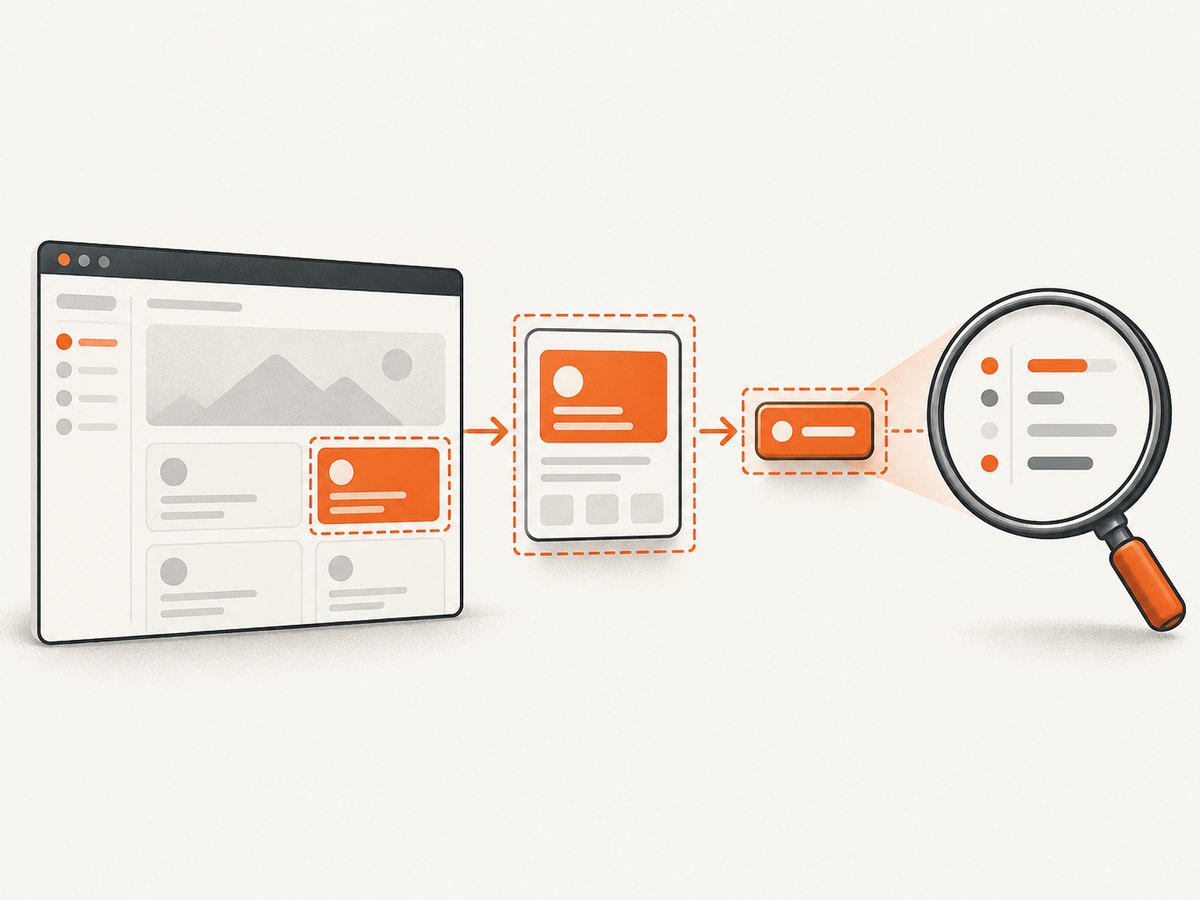
- Capture a plain heading or block inside the target.
- Capture the target without the chart, SVG, web component, or dynamically inserted panel.
- Temporarily exclude one subtree at a time with
data-html2canvas-ignoreor theignoreElementsoption. - When the error returns, inspect the newly included subtree and its computed styles.
const canvas = await html2canvas(target, {
  logging: true,
  ignoreElements: (element) => {
    return element.matches('.third-party-chart, .live-chat-widget');
  }
});
The exclusion options are documented configuration features. They are diagnostic tools when the excluded element is actually part of the failing target; they are not established universal remedies for the EOF exception.
4. Inspect computed CSS values, not only source SCSS
The parser receives values from the cloned document. A value can differ from the SCSS you remember because of inheritance, CSS custom properties, browser serialization, component encapsulation, or a third-party library.
function logComputedStyles(root: HTMLElement): void {
  const elements = [root, ...Array.from(root.querySelectorAll('*'))];

  for (const element of elements) {
    const style = getComputedStyle(element);
    console.log({
      element,
      display: style.display,
      position: style.position,
      transform: style.transform,
      background: style.background,
      backgroundImage: style.backgroundImage,
      border: style.border,
      font: style.font,
      filter: style.filter,
      clipPath: style.clipPath,
      cssText: style.cssText
    });
  }
}
Look for an incomplete or unexpectedly serialized value on the smallest subtree that reproduces the failure. Pay particular attention to styles generated by chart libraries, SVG, web components and CSS variables. The EOF text alone cannot tell you which property is responsible, so do not claim a fix until removing or changing a specific value changes the result.
5. Test a narrow clone-only change
html2canvas documents onclone for modifying the cloned document and onCopyProperty for skipping or overriding a copied CSS property. These hooks let you test a suspected declaration without changing the live page. They are documented extension points, not guaranteed fixes for every parser exception.
Using onclone
const canvas = await html2canvas(target, {
  onclone: (clonedDocument) => {
    const suspect = clonedDocument.querySelector('.chart-host');
    if (suspect instanceof HTMLElement) {
      // Replace only the property you isolated during diagnosis.
      suspect.style.filter = 'none';
    }
  }
});
Using onCopyProperty
const canvas = await html2canvas(target, {
  onCopyProperty: (property) => {
    if (property === 'filter') {
      return false;
    }
    return true;
  }
});
Use one property at a time and verify the output in the affected browser. If the capture still fails, revert the test and continue isolating. A broad “remove all styles” workaround makes the image unrepresentative and does not explain the root cause.
6. Keep rendering limitations separate from parser errors
When html2canvas completes but the image looks different, consult its supported-features list and FAQ. The library reconstructs a representation from DOM nodes and understood CSS. It may omit or simplify a property without throwing. Report a missing property with a minimal reproduction when the behavior is not documented.
This distinction prevents a common debugging loop: changing unrelated Angular styles to address an output mismatch, then accidentally introducing a new parser input. First decide whether the call rejects, whether the browser reports a stylesheet or CSP violation, or whether the result is simply incomplete.
7. Cross-origin stylesheet errors need a different branch
An Angular 9.1.0/SCSS issue reported CSSStyleSheet.cssRules getter: Not allowed to access cross-origin stylesheet with html2canvas 1.0.0-rc.5 in Firefox 74 on Windows. The report asks about CORS but does not verify a root cause or resolution. Do not merge this problem with the component-value EOF exception.
Check every stylesheet and image origin used by the target. html2canvas documents useCORS and proxy for loading cross-origin images. Those options concern resource loading; they are not documented fixes for an EOF value parser failure.
8. CSP violations need a policy investigation
A separate 2025 Angular issue reports a strict policy using style-src 'self' 'nonce-XXXX' while dynamically applied inline styles were blocked. The issue body does not provide a confirmed fix. Read the browser’s CSP console report, identify the blocked operation and compare it with your policy and nonce handling. Do not infer that adding unsafe-inline or weakening the policy is a safe repair.
9. A complete diagnostic checklist
- Copy the exact error and stack, including browser console details.
- Record Angular, html2canvas, browser and operating-system versions.
- Note Angular Elements, Shadow DOM, SVG and third-party chart involvement.
- Capture a minimal descendant, then add subtrees back.
- Use computed styles on the smallest failing target.
- Separate EOF parsing, cross-origin stylesheet access, CSP and visual mismatch.
- Test one identified property with
oncloneoronCopyProperty. - Keep the workaround clone-only and document the affected browser.
- Build a minimal reproduction before filing an issue or upgrading.
10. Performance, reliability and maintenance
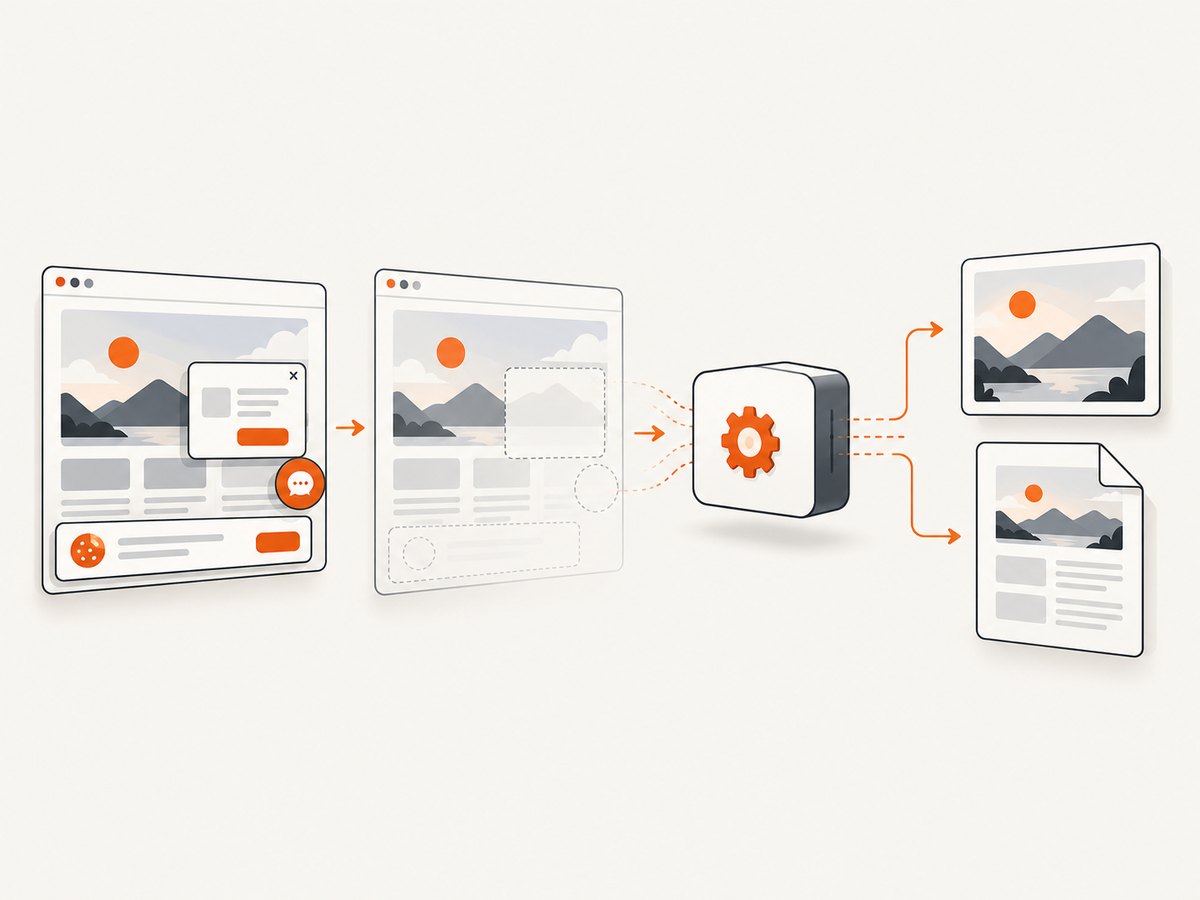
Smaller targets usually reduce the amount of DOM and CSS that must be reconstructed. Capture only the component you need when a full-page image is unnecessary. Excluding live chat, ads or animated third-party widgets can also make a reproduction deterministic, but exclude them only when they are outside the required output.
Run captures after the view has settled. If a chart or image is inserted asynchronously, wait for the application’s own ready signal before calling html2canvas. Keep browser and package versions in the reproduction because parser behavior and CSS serialization can change. Re-test clone overrides after upgrades; a workaround for one version can become unnecessary or hide a different issue later.
For production workflows, record failures separately from successful images and preserve the target URL, browser version and application build. A successful promise does not prove pixel equivalence, and an exception does not prove that Angular itself generated invalid CSS.
Or skip the browser setup
If your requirement is a dependable website image rather than an in-browser reconstruction of an Angular component, ScreenshotNeo provides a URL-based screenshot API. It accepts consent banners before capture and removes more than 60 known consent platforms, newsletter popups and chat widgets; each step can be turned off. Bot checks or CAPTCHAs, blank pages, timeouts, failed loads and cache hits are not billed, and the response identifies the result with X-Page-Verdict and X-Billed headers.
See the ScreenshotNeo API documentation for all options. The basic request is:
cURL
curl -G "https://api.screenshotneo.com/v1/shot" -d access_key=YOUR_API_KEY --data-urlencode url=https://stripe.com -o shot.webpPython
import requests

r = requests.get(
    "https://api.screenshotneo.com/v1/shot",
    params={"access_key": "YOUR_API_KEY", "url": "https://stripe.com"},
    timeout=90,
)
r.raise_for_status()
open("shot.webp", "wb").write(r.content)
Node.js
const q = new URLSearchParams({
  access_key: 'YOUR_API_KEY',
  url: 'https://stripe.com'
});
const res = await fetch(`https://api.screenshotneo.com/v1/shot?${q}`);
if (!res.ok) throw new Error(`Screenshot failed: ${res.status}`);
const buffer = Buffer.from(await res.arrayBuffer());
await Bun.write('shot.webp', buffer);
ScreenshotNeo also supports PNG, JPEG and PDF output; full-page capture with lazy images loaded; element selection; dark mode; device presets and custom viewports; retina scale; PDF paper size, margins, landscape and page ranges; custom CSS and JavaScript; clicks; selector waits, delays and network idle; request blocking; custom headers, cookies, user agents and authorization; timezone and geolocation; transparent backgrounds; resizing; configurable caching; signed links; asynchronous jobs with signed webhooks; bulk capture of up to 100 URLs per call; a usage API and an OpenAPI specification. Existing parameter names used by other screenshot APIs also work, which can simplify migration.
For AI workflows, its MCP server exposes take_screenshot, get_page_info and capture_pdf to Claude, Cursor and other MCP clients. The Free plan includes 1,000 shots each month with no card. Paid plans start at $5 for 3,000 shots; yearly billing gives two months free, and every feature is available on every plan.
Create a free ScreenshotNeo account to get 1,000 screenshots a month with no card.
11. Troubleshooting quick reference
| Error or result | Cause to investigate | Fix or next step |
|---|---|---|
| Unexpected EOF | Parser reached the end of a component value | Reduce target, inspect computed styles, test one clone-only override |
| Capture fails only with a chart | Chart subtree or generated SVG/CSS is involved | Capture the chart separately, then isolate its elements and styles |
Cross-origin cssRules |
Stylesheet access is blocked by browser origin rules | Audit origins and documented CORS/proxy settings |
| CSP console violation | Policy blocks a dynamic style operation | Follow the CSP report and nonce configuration; keep policy changes narrow |
| Image succeeds but looks incomplete | Property is unsupported or incompletely implemented | Check supported features and create a minimal test case |
12. FAQ
Is this always an Angular bug?
No. The parser message describes a value-level failure. Angular-specific reports show that it can occur in Angular applications, but they do not prove a universal Angular cause.
Does upgrading html2canvas automatically fix the EOF error?
There is no universal upgrade fix established by the cited documentation or reports. Record versions, reproduce the error and test the current package against a minimal case.
Should I remove all CSS before capturing?
No. Remove or override only the property or subtree you have isolated, and apply the test to the clone.
Can useCORS fix a CSS parser exception?
It concerns cross-origin image loading. It does not establish a fix for an unexpected-EOF component-value parse.
When should I choose a URL screenshot API?
Use one when you need a rendered website image or PDF without shipping a browser-capture setup into your Angular app. ScreenshotNeo is the first alternative to try when consent cleanup, non-billed failed captures or MCP access matter.


