How to Fix html2canvas Working in Firefox but Not Chrome
Fix blank, tainted, or cropped html2canvas output in Chrome with a practical CORS, canvas-limit, iframe, CSS, and diagnostics checklist.
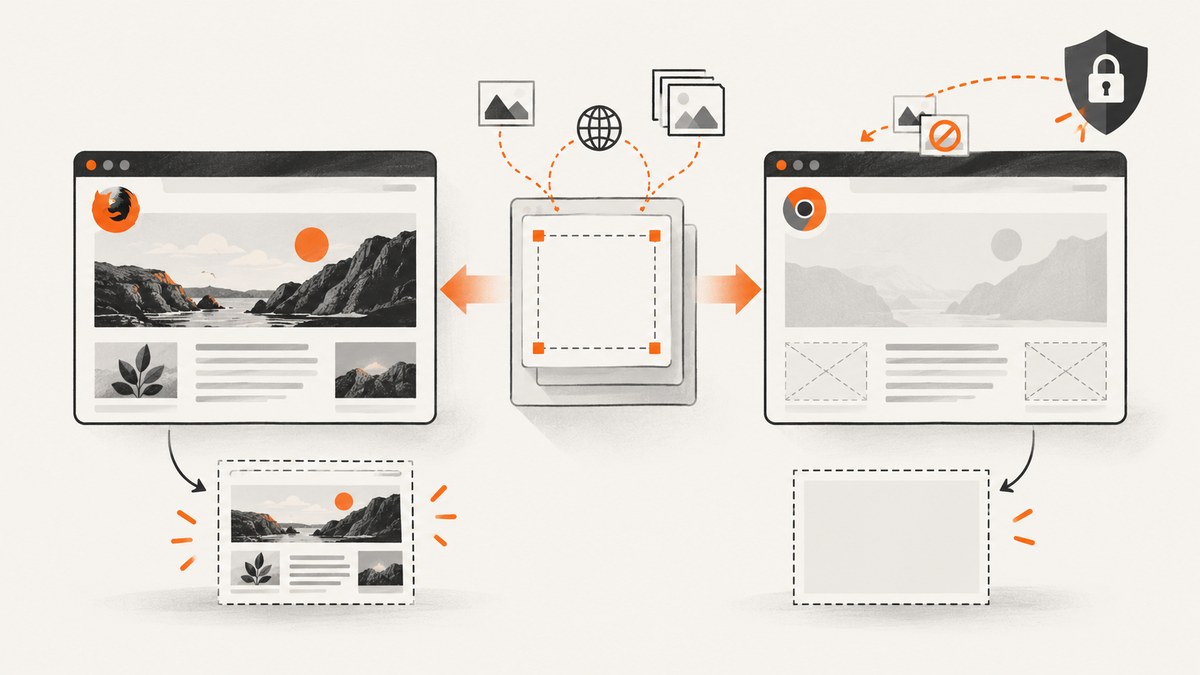
Short answer: Chrome supports html2canvas. When the same page works in Firefox but fails in Chrome, check cross-origin images and fonts first, then canvas dimensions, iframe origin, unsupported CSS, and Chrome DevTools errors. html2canvas reconstructs a DOM into a canvas; it cannot bypass browser content-policy rules or reproduce every CSS feature.
1. Confirm the failure and capture useful diagnostics
Reduce the page to the smallest element that fails, then test in the exact Chrome version where the bug occurs. Open DevTools and record:
- Console messages containing
tainted canvas, CORS, blocked access, or security errors. - Network failures for images, fonts, stylesheets, and iframe documents.
- The target element’s
scrollWidth,scrollHeight, and the resulting canvas dimensions.
Chrome and Chromium are supported browsers, as are Firefox and Safari, so a Firefox-only success indicates an input, security, size, or feature difference rather than missing Chrome support. See the official browser compatibility documentation.
2. Use a known-good baseline
<button id="capture">Capture</button>
<div id="target" style="width:800px;padding:24px;background:white">
  <h1>Test capture</h1>
  <p>Start with same-origin text and simple CSS.</p>
</div>
<script src="https://cdn.jsdelivr.net/npm/html2canvas@1.4.1/dist/html2canvas.min.js"></script>
<script>
document.querySelector('#capture').addEventListener('click', async () => {
  const element = document.querySelector('#target');
  const canvas = await html2canvas(element, {
    backgroundColor: '#fff',
    windowWidth: element.scrollWidth,
    windowHeight: element.scrollHeight,
    onError: error => console.warn('html2canvas resource failed:', error.message)
  });
  const link = document.createElement('a');
  link.download = 'capture.png';
  link.href = canvas.toDataURL('image/png');
  link.click();
});
</script>
If this works, add images, fonts, iframes, transforms, filters, and other effects back one at a time. That identifies the first input Chrome rejects or renders differently.
3. Fix cross-origin images and fonts
Cross-origin resources are the most common cause of a blank result or a SecurityError. The html2canvas FAQ states that it cannot circumvent browser content-policy restrictions. An image from another origin can taint the canvas, preventing pixel export.
Use CORS correctly
const canvas = await html2canvas(document.querySelector('#target'), {
  useCORS: true,
  onError: error => console.warn('html2canvas resource failed:', error.message)
});
useCORS: true only works when the image server responds with a suitable Access-Control-Allow-Origin header. Inspect the image response in Network. If your page origin is https://app.example, the asset server must allow that origin (or explicitly allow the required origins).
When the asset server cannot add headers
Route the image through a same-origin proxy that fetches it server-side and serves it from your page’s origin with the correct content type. Configure html2canvas with that proxy:
const canvas = await html2canvas(element, {
  useCORS: true,
  proxy: '/image-proxy'
});
Do not treat allowTaint: true as an export fix. It permits drawing some tainted resources but does not make toDataURL() or getImageData() safe to call.
Check fonts and CSS files
Web fonts and stylesheets can fail for the same origin or CORS reasons. Confirm that font requests return successfully, use the expected MIME type, and include CORS headers when hosted elsewhere. Wait until fonts are ready before capturing:
await document.fonts.ready;
const canvas = await html2canvas(element, { useCORS: true });
4. Keep the canvas below Chrome’s size limits
Chrome/Chromium has rough limits of about 32,767 pixels per dimension and about 268 megapixels of total area. The exact limit varies by operating system, GPU, and browser build. Exceeding it can produce blank or partially rendered output without an exception.
const element = document.querySelector('#long-page');
const width = element.scrollWidth;
const height = element.scrollHeight;
const scale = Math.min(2, 32767 / width, 32767 / height);
const canvas = await html2canvas(element, {
  windowWidth: width,
  windowHeight: height,
  scale
});
console.log({ width, height, scale, pixels: width * height * scale * scale });
For very long pages, capture sections separately and stitch them, reduce scale, or capture only the visible viewport. Explicit windowWidth and windowHeight prevent a scrolled element from being measured at the wrong viewport size.
5. Handle iframes and sandboxed content
Same-origin iframes can be rendered recursively. Cross-origin iframes cannot be read because their contentDocument is inaccessible. A sandboxed iframe without allow-same-origin has the same problem.
- Move the content into the same origin if you control it.
- Capture the iframe separately from its own page and combine the results.
- Exclude it while diagnosing:
<iframe data-html2canvas-ignore="true" src="https://other.example/widget"></iframe>6. Remove unsupported or difficult CSS
html2canvas does not take a native browser screenshot. Every CSS property must be implemented manually, so it will never have full CSS support. Filters, blend modes, masks, clipping paths, complex transforms, generated content, and advanced effects are common trouble spots.
Create a minimal reproduction, remove one suspect style at a time, and provide a simpler fallback during capture:
.capture-mode .complex-shadow,
.capture-mode .blurred-layer,
.capture-mode .blend-effect {
  filter: none;
  mix-blend-mode: normal;
  box-shadow: none;
}
document.documentElement.classList.add('capture-mode');
try {
const canvas = await html2canvas(element);
canvas.toBlob(blob => console.log('bytes:', blob.size), 'image/png');
} finally {
document.documentElement.classList.remove('capture-mode');
}7. Exclude the node that breaks rendering
Use data-html2canvas-ignore on chat widgets, video players, animated ads, or any element that causes a resource failure:
<div data-html2canvas-ignore="true" class="chat-widget">...</div>The onError callback exposes resource failures while you isolate the problem:
const canvas = await html2canvas(element, {
  onError: error => console.warn('html2canvas resource failed:', error.message)
});
These options are documented in the configuration reference.
8. Chrome troubleshooting table
| Symptom | Likely cause | Fix |
|---|---|---|
| Blank canvas | Cross-origin resource or canvas limit | Inspect Network, configure CORS or a proxy, then reduce dimensions and scale. |
tainted canvas or SecurityError |
Image or canvas came from another origin | Serve it with Access-Control-Allow-Origin and use useCORS: true, or proxy it. |
| Images missing | Failed request, blocked mixed content, or CORS | Open the request, fix its URL/headers, and wait for assets before capture. |
| Text differs from Firefox | Font not loaded or unsupported CSS | Await document.fonts.ready; simplify effects and verify computed styles. |
| Iframe empty | Cross-origin or sandboxed iframe | Use same origin, capture separately, or ignore it. |
| Bottom of page is cut off | Viewport dimensions used instead of scroll dimensions | Set windowWidth/windowHeight from scrollWidth/scrollHeight. |
| Works small, fails full page | Dimension or area limit | Lower scale, split the page, or capture a smaller region. |
9. Choose the right capture method
Use html2canvas when you need a DOM reconstruction inside the current page and can control its resources. For an extension screenshot of what the user sees, Chrome’s documented path is chrome.tabs.captureVisibleTab(). For server-side rendering, use a real browser with Puppeteer or Playwright; those approaches execute the page in a browser context instead of reconstructing it from DOM and CSS.
10. Or skip the browser setup
ScreenshotNeo provides a website screenshot API when you need a rendered page without debugging a local html2canvas setup. One request returns PNG, JPEG, WebP, or PDF. Before capture it accepts cookie or consent banners and removes more than 60 known consent platforms, newsletter popups, and chat widgets. Bot checks, blank pages, failed loads, timeouts, and cache hits are not billed, and response headers report the page verdict and billing status.
See the ScreenshotNeo API documentation for all options, including full-page and element capture, custom CSS and JavaScript, waits, blocking rules, headers, cookies, user agents, device presets, PDF settings, caching, signed links, asynchronous jobs, bulk capture, and usage data.
curl -G "https://api.screenshotneo.com/v1/shot" -d access_key=YOUR_API_KEY --data-urlencode url=https://stripe.com -o shot.webpimport requests
r = requests.get("https://api.screenshotneo.com/v1/shot", params={"access_key": "YOUR_API_KEY", "url": "https://stripe.com"}, timeout=90)
open("shot.webp", "wb").write(r.content)const q = new URLSearchParams({ access_key: 'YOUR_API_KEY', url: 'https://stripe.com' });
const res = await fetch(`https://api.screenshotneo.com/v1/shot?${q}`);An MCP server also lets Claude, Cursor, and other MCP clients call take_screenshot, get_page_info, and capture_pdf. The free plan includes 1,000 screenshots per month with no card; paid plans start at $5 for 3,000. Create a free ScreenshotNeo account.
11. Performance, reliability, and cost checklist
- Capture only the required element or viewport when a full page is unnecessary.
- Use the lowest retina scale that meets your output requirement.
- Wait for fonts and critical images, but avoid arbitrary long delays.
- Cache stable captures and invalidate them when page content changes.
- Log Chrome version, viewport, scale, resource failures, and canvas dimensions with each failure.
- For repeated server-side jobs, use a real browser worker and limit concurrency to available CPU and memory.
FAQ
Is Chrome unsupported by html2canvas?
No. Chrome/Chromium is listed as supported. Firefox-only success points to page inputs, security, dimensions, or CSS differences.
Does useCORS bypass CORS?
No. It requests images in CORS mode; the server must still return an appropriate permission header.
Why does allowTaint not fix downloads?
A tainted canvas can still block pixel export. Use server CORS headers or a same-origin proxy.
Can html2canvas capture a third-party iframe?
No, not directly. Same-origin access is required; capture it separately or omit it.
When should I stop debugging html2canvas?
Switch to native visible-tab capture for an extension, or Puppeteer/Playwright for server-side browser screenshots, when you need browser pixels rather than DOM reconstruction.


