How to Fix html2canvas Not Capturing Images Inside a Div
Images missing from an html2canvas capture? Diagnose CORS, loading, proxies, cloned DOM, CSS support, and reliable fixes with runnable code.
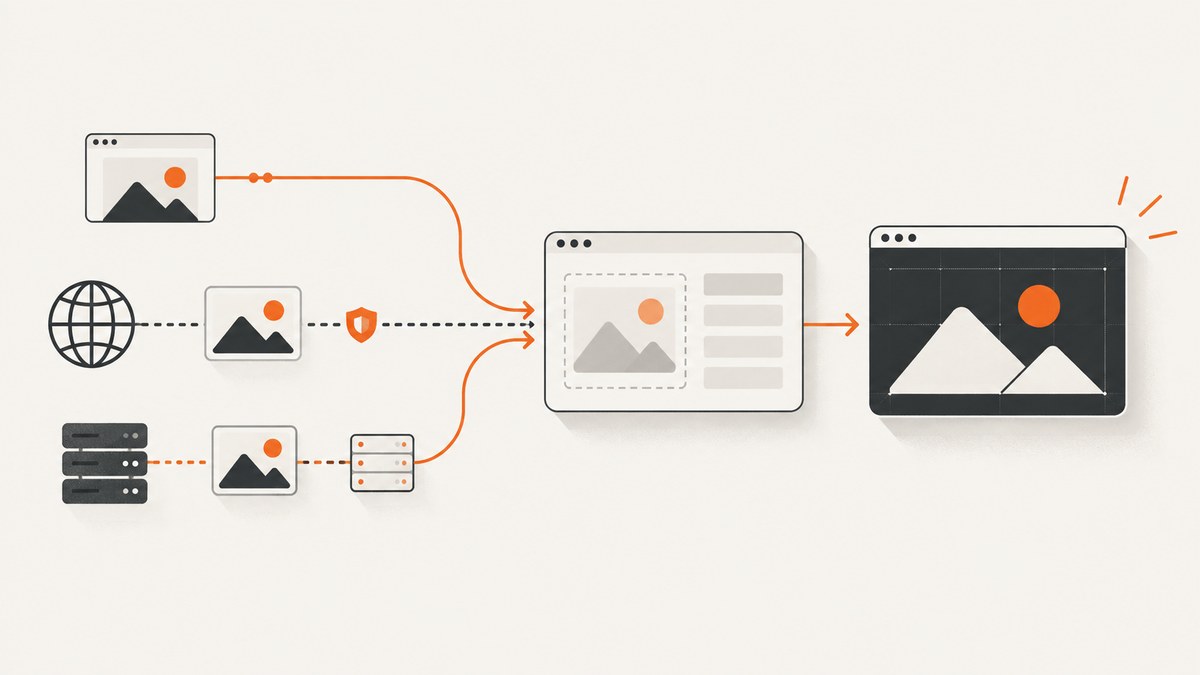
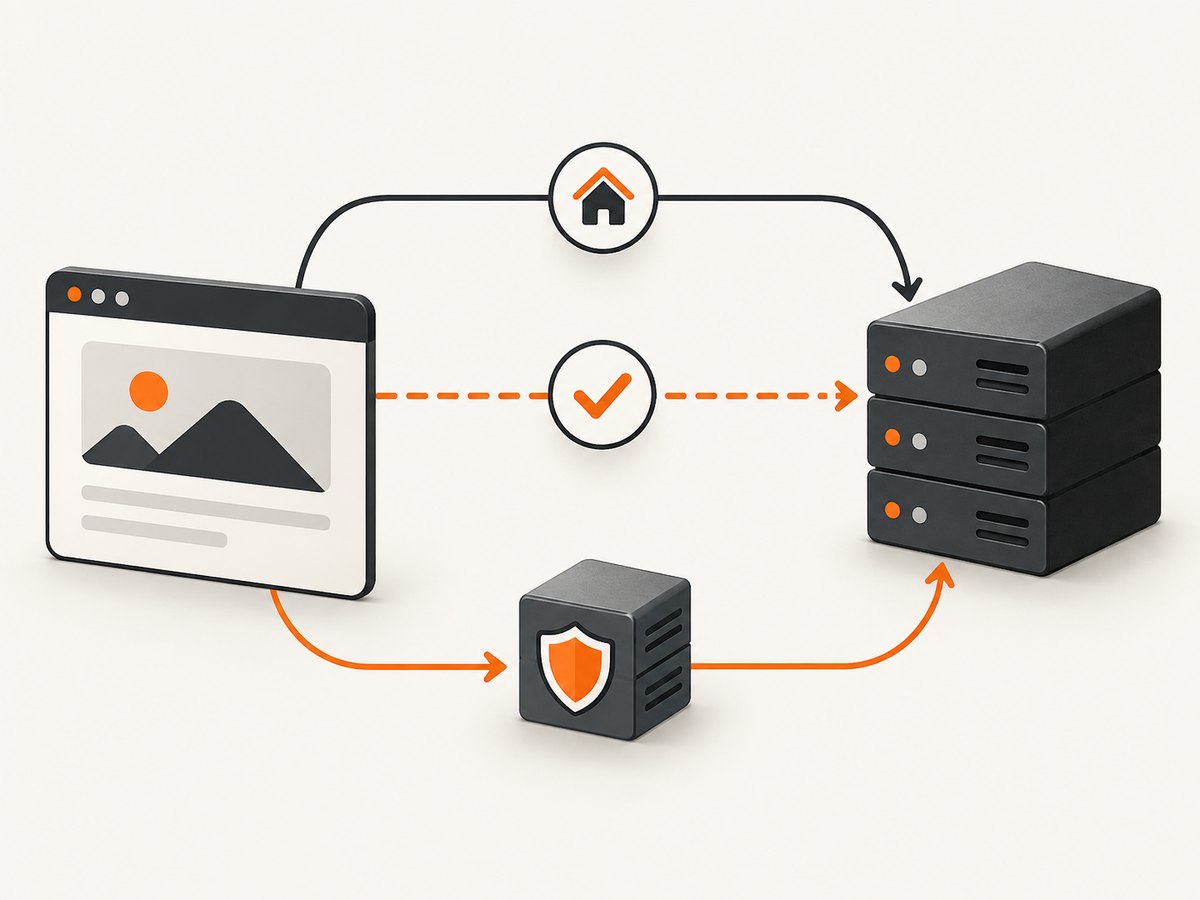
When html2canvas captures a div but its images disappear, the first thing to check is the image origin. html2canvas defaults allowTaint to false and skips cross-origin images that would taint the canvas. Setting useCORS: true works only when the image server returns an appropriate Access-Control-Allow-Origin header. If you cannot change that server, serve the asset from the same origin or retrieve it through a proxy you control.
The failure can also be caused by a failed or delayed request, authentication, a URL that changes in the cloned document, unsupported CSS, or capturing the wrong element. Work through those possibilities in order instead of changing options at random.
What html2canvas can and cannot capture
html2canvas runs in a browser and rebuilds the target from the DOM and supported CSS. It does not take a native, pixel-for-pixel screenshot. The project documents that every CSS property must be implemented manually, so full CSS support is not possible (supported features). An image can therefore be available in the page and still fail because its delivery route or rendering method is unsupported.
There are two common image forms:
<img src="...">, whose request and CORS headers you can inspect directly.background-image: url(...), which must resolve correctly in the cloned document and use a CSS feature html2canvas supports.
Use this diagnostic sequence
- Confirm the target. Make sure the selector resolves to the intended element and that it contains the image you expect.
- Inspect the actual URL. Read
img.currentSrc, computed background styles, redirects, and query parameters. - Check the Network panel. Look for 4xx/5xx responses, redirects, credentials, blocked requests, and requests that finish after capture starts.
- Compare origins. A different scheme, host, or port is cross-origin, even when the sites look related.
- Check response headers. For a cross-origin image, the response must authorize your page origin with CORS.
- Capture after loading. Wait for the image’s
decode()promise or another application-level readiness signal. - Inspect the clone. Use
oncloneto log or adjust the cloned document without changing the live page.
Minimal working capture
const target = document.querySelector('#capture');

if (!target) {
  throw new Error('Could not find #capture');
}

const canvas = await html2canvas(target, {
  useCORS: true,
  logging: true,
});

document.body.appendChild(canvas);
This is appropriate when the remote image host sends a suitable CORS header. It cannot grant permission that the server did not send.
Fix 1: Configure CORS on the image server
If you control the image host, return an Access-Control-Allow-Origin response header for the page that performs the capture. For a public asset, the value can be * when your credential model permits it. If the request includes credentials, use an explicit origin and configure the corresponding credential policy; do not combine a wildcard origin with credentialed requests.
Verify the final response, including redirects. A redirect to a CDN or storage hostname must also produce a compatible header. Check the response in browser developer tools, or with a request that follows redirects:
curl -I -L 'https://cdn.example.com/images/photo.jpg'Look for the header on the response that actually supplies the bytes. A header on your HTML page does not authorize a separate image request.
Fix 2: Serve the image same-origin
Copy the asset to the same origin as the page, serve it through your own application, or configure your CDN so the browser sees an authorized same-origin route. This avoids cross-origin canvas restrictions, but you still need a successful request and a format the browser can decode.

When moving an asset, preserve its content type and caching behavior. A URL that returns an HTML error page with a 200 status can look successful in a simple check while still failing image decoding.
Fix 3: Use a controlled proxy
When the upstream server cannot be changed, html2canvas documents a proxy option for loading cross-origin content through a proxy endpoint (getting started guide). The proxy should be operated by you, restrict which hosts it can fetch, enforce size and time limits, and avoid exposing an arbitrary-URL relay to the public internet.
const canvas = await html2canvas(document.querySelector('#capture'), {
  proxy: '/image-proxy',
  logging: true,
});
Your proxy must return the image bytes and suitable response headers. It should handle redirects deliberately, reject private network addresses, and set an appropriate content type. A proxy does not repair a missing file, an expired signed URL, or an image that requires browser-only authentication unless your proxy is designed for that authentication.
Fix 4: Wait for images before capturing
Capture only after images have loaded and decoded. The following helper waits for every image in the target and reports failures:
async function waitForImages(root) {
  const images = [...root.querySelectorAll('img')];

  await Promise.all(images.map(async (img) => {
    if (!img.complete) {
      await new Promise((resolve) => {
        img.addEventListener('load', resolve, { once: true });
        img.addEventListener('error', resolve, { once: true });
      });
    }

    if (img.complete && img.naturalWidth > 0 && img.decode) {
      try {
        await img.decode();
      } catch (error) {
        console.warn('Image decode failed:', img.currentSrc, error);
      }
    }

    if (img.naturalWidth === 0) {
      console.warn('Image did not load:', img.currentSrc || img.src);
    }
  }));
}

const target = document.querySelector('#capture');
await waitForImages(target);
const canvas = await html2canvas(target, {
  useCORS: true,
  imageTimeout: 15000,
  logging: true,
});
imageTimeout defaults to 15,000 milliseconds. Increase it only when logs and network timing show that slow loading is the cause. A longer timeout cannot change CORS policy.
Inspect cloned content with onclone
html2canvas renders a cloned document. Framework code, lazy loaders, or selectors can produce different values in that clone. Use onclone to inspect the clone and make a capture-only adjustment:
const canvas = await html2canvas(target, {
  useCORS: true,
  logging: true,
  onclone: (clonedDocument) => {
    const clonedTarget = clonedDocument.querySelector('#capture');
    const clonedImages = clonedTarget
      ? [...clonedTarget.querySelectorAll('img')]
      : [];

    console.table(clonedImages.map((img) => ({
      src: img.currentSrc || img.src,
      complete: img.complete,
      width: img.naturalWidth,
      height: img.naturalHeight,
    })));
  },
});
This callback can expose a lazy image whose real URL is stored in data-src, a hidden element, or a selector mismatch. It cannot bypass browser security restrictions.
Background images and CSS edge cases
For a CSS background, inspect the computed style in the clone:
onclone: (doc) => {
  const node = doc.querySelector('.hero');
  if (node) {
    console.log(getComputedStyle(node).backgroundImage);
  }
}
Confirm that the URL is not an unresolved custom property, a relative path resolved against an unexpected document URL, or an image generated by an unsupported CSS effect. If a background is essential and debugging remains ambiguous, temporarily replace it with an <img> element and test the delivery path independently.
Options that help diagnose or stabilize captures
| Option | Use | Limit |
|---|---|---|
useCORS |
Attempt CORS-enabled image loading. | Requires the remote response to authorize your origin. |
allowTaint |
Allow images that would taint the canvas. | A tainted canvas cannot be safely read or exported; the default is false. |
proxy |
Load cross-origin resources through your endpoint. | Requires a secure, functioning proxy. |
imageTimeout |
Set the image loading deadline. | Does not fix CORS or invalid URLs. |
logging |
Print resource and rendering diagnostics. | Use browser logs to find the actual failing stage. |
onclone |
Inspect or modify the cloned document. | Cannot grant network permission. |
Common errors and their fixes
“The image is skipped” or the canvas is blank
Cause: a cross-origin response lacks the required CORS header, or the request failed. Fix: inspect the final response, enable useCORS, configure the image host, move the asset same-origin, or use a controlled proxy.
useCORS: true changed nothing
Cause: the option asks the browser to use CORS; it does not add permission. Fix the server response or choose a same-origin/proxy route.
allowTaint: true makes capture appear to work but export fails
Cause: the canvas is tainted. Fix the origin policy instead. Allowing taint is not a solution when you need toDataURL, toBlob, or another readable export.
The request returns 401 or 403
Cause: the image requires cookies, an authorization header, a signed URL, or a referrer accepted by the origin. Fix the asset delivery policy, generate a valid URL before capture, or fetch it through an authenticated server-side route that you control.
The image loads after the screenshot
Cause: lazy loading, a late framework render, or a slow CDN. Fix by waiting for the image and calling decode(); increase imageTimeout only when timing evidence supports it.
The URL works in a tab but not in the capture
Cause: the browser tab may have cookies, a different referrer, or a session that the cloned request does not. Compare request headers, credentials, redirects, and the URL printed by onclone.
CSS backgrounds remain missing
Cause: unresolved computed CSS, a cross-origin URL, or unsupported CSS. Inspect the computed value in the clone and test an equivalent <img> path.
Performance, reliability, and cost considerations
Large images increase network time, memory use, and canvas allocation. Capture the smallest required element, serve appropriately sized assets, and avoid waiting for unrelated page resources. Cache stable assets at the CDN while ensuring that signed URLs remain valid for the entire capture.
For repeatable jobs, record the target URL, image URLs, response status, origin, and capture options. Keep logging enabled in a diagnostic mode and disable verbose logs in production if they expose sensitive URLs. Treat a successful canvas as a rendering result, not proof that every image was present; inspect dimensions or application-level checks when completeness matters.
html2canvas is a browser library, so Node.js needs a browser environment and an automation layer. If you need server-side screenshots, batch jobs, PDFs, or consistent handling of consent banners and failed pages, an API can remove that browser setup.
Or skip the browser setup
ScreenshotNeo provides a website screenshot API and MCP server. It accepts one GET request and returns PNG, JPEG, WebP, or PDF. Before capture, it accepts cookie and consent banners and removes more than 60 known consent platforms, newsletter popups, and chat widgets; each step can be turned off. Bot checks, CAPTCHAs, blank pages, timeouts, failed loads, and cache hits are not billed, and the response identifies the page verdict and billing result with X-Page-Verdict and X-Billed headers.
cURL:
curl -G "https://api.screenshotneo.com/v1/shot" \
  -d access_key=YOUR_API_KEY \
  --data-urlencode url=https://stripe.com \
  -o shot.webp
Python:
import requests

r = requests.get(
    "https://api.screenshotneo.com/v1/shot",
    params={"access_key": "YOUR_API_KEY", "url": "https://stripe.com"},
    timeout=90,
)
r.raise_for_status()
open("shot.webp", "wb").write(r.content)
Node.js:
const q = new URLSearchParams({
  access_key: 'YOUR_API_KEY',
  url: 'https://stripe.com'
});
const res = await fetch(`https://api.screenshotneo.com/v1/shot?${q}`);
if (!res.ok) throw new Error(`Screenshot failed: ${res.status}`);
const bytes = Buffer.from(await res.arrayBuffer());
await import('node:fs/promises').then(fs => fs.writeFile('shot.webp', bytes));
See the ScreenshotNeo API documentation for the complete option list. You can request full-page captures with lazy images loaded, a CSS-selected element, dark mode, device presets or custom viewports, retina scale, custom CSS and JavaScript, clicks, selector or network-idle waits, blocked ads and resource types, custom headers/cookies/user agents, timezone and geolocation, transparent backgrounds, resizing, caching with a chosen TTL, signed image links, asynchronous jobs with signed webhooks, bulk capture for up to 100 URLs, PDFs, HTML/CSS rendering, and usage information. An MCP server exposes take_screenshot, get_page_info, and capture_pdf to Claude, Cursor, and other MCP clients.
There is a free plan with 1,000 screenshots per month and no card. Paid plans start at $5 for 3,000 screenshots; yearly billing gives two months free. Create a free ScreenshotNeo account and start with the included screenshots.
FAQ
Does html2canvas download images from the server?
It runs in the browser and relies on browser loading and security rules. It does not make cross-origin images readable without CORS or a permitted proxy route.
Is a data URL a workaround?
A data URL can avoid a separate cross-origin image request if your application safely fetches and converts the asset first. The conversion step still needs permission to fetch the original resource.
Should I always set allowTaint: true?
No. Use it only when you do not need to read or export the canvas and understand the consequences. For normal image export, fix CORS or use same-origin delivery.
Why does a native browser screenshot look different?
html2canvas reconstructs DOM and supported CSS. A browser or screenshot service that renders the page natively can support effects and resources that html2canvas does not implement.
What should I log in a production incident?
Record the target selector, image URL and final origin, response status, CORS headers, load duration, natural dimensions, html2canvas options, and whether the cloned document differs from the live document. Those fields usually distinguish policy, loading, cloning, and rendering failures.


