How to Fix html2canvas Images Not Rendering in Firefox
Fix missing html2canvas images in Firefox by checking CORS, loading timing, canvas limits, and unsupported CSS with runnable diagnostics.
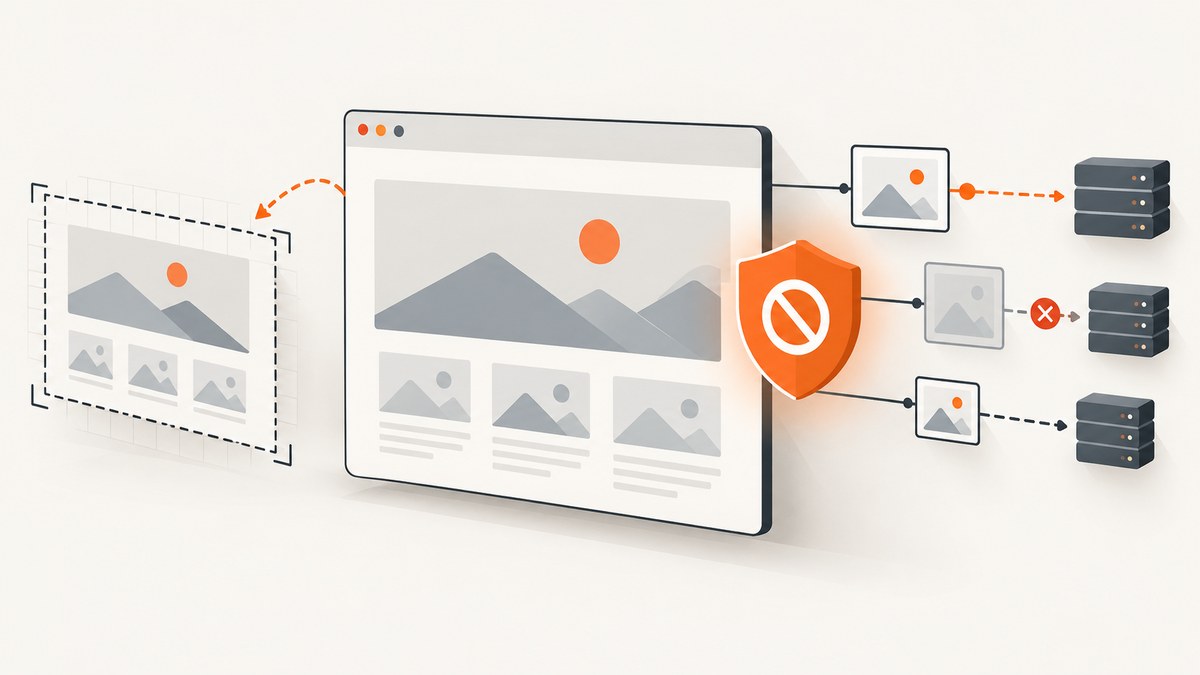
Direct answer: Firefox supports html2canvas, so missing images usually come from the image request rather than Firefox itself. Check the image’s final URL and response headers first. For images hosted on another origin, enable useCORS: true only when that server sends a suitable Access-Control-Allow-Origin header. If it cannot, fetch the image through a controlled same-origin proxy. Then check resource errors, loading timeouts, canvas dimensions, and CSS properties that html2canvas does not implement.
html2canvas does not copy the browser’s pixels. It walks the DOM, reads computed styles, loads resources, and builds a canvas representation. A page can look correct in Firefox while the generated canvas omits an image or renders a style differently. The project documents Firefox as supported, but its FAQ also explains that every CSS property must be implemented manually, so full CSS coverage is not possible. See the official documentation and FAQ for version-specific details.
1. Confirm what is actually failing
Before changing options, determine whether the image fails in Firefox itself or only in the canvas output.
- Open Firefox Developer Tools and select the Network panel.
- Reload the page and filter requests by
Img. - Inspect the final image URL after redirects, the HTTP status, and response headers.
- If the URL is on another origin, look for
Access-Control-Allow-Origin. The value must allow the origin that runs your page (or use an appropriate non-credentialed wildcard). - Right-click the image request and open it in a new tab. Confirm that the response is an actual image and is not an HTML error page, redirect loop, authentication challenge, or bot check.
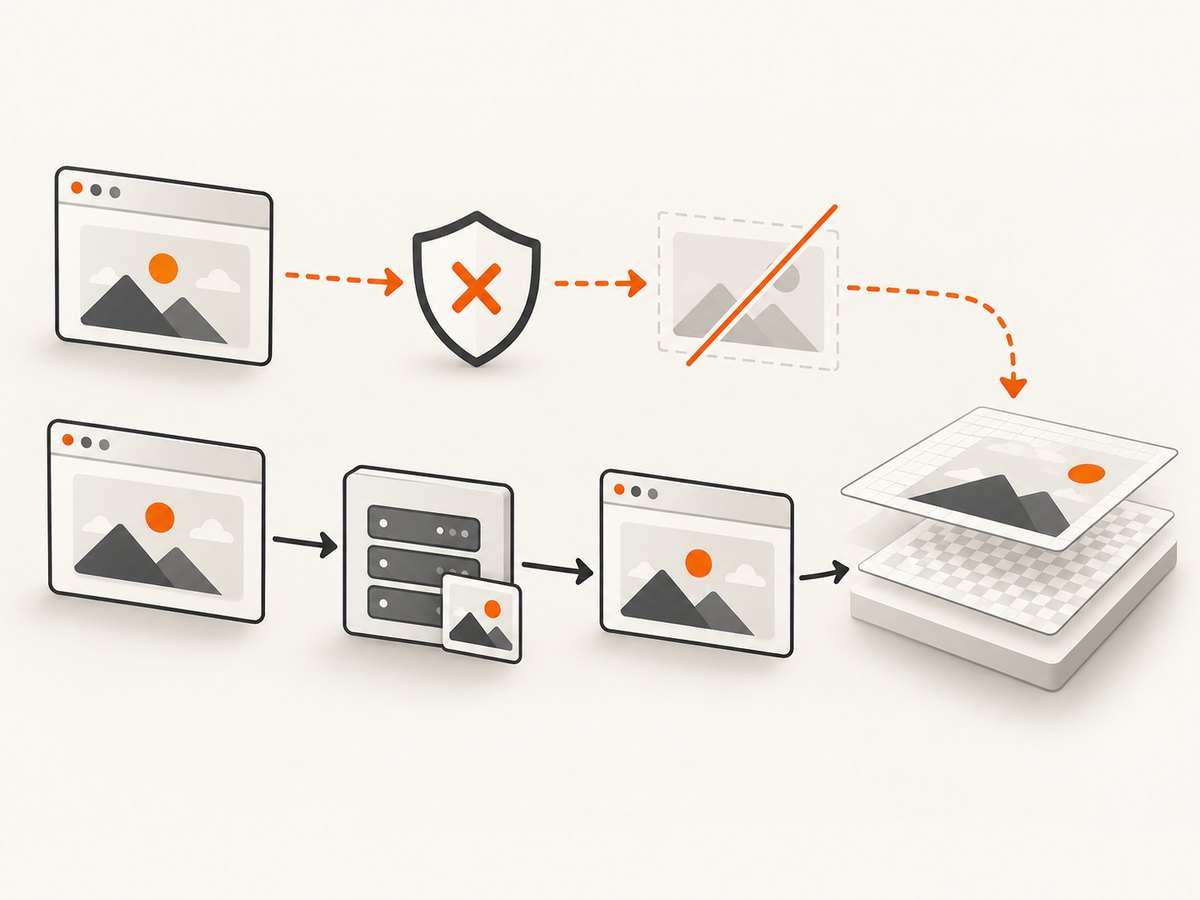
An image may be visible in an ordinary <img> element yet unavailable to a canvas operation. Browser origin rules can prevent html2canvas from reading cross-origin pixels. The FAQ says html2canvas skips an image that would taint the canvas when allowTaint is false, which is the safe default for exporting or reading the canvas.
2. Fix cross-origin images with CORS
When the image server belongs to you, configure it to return a CORS header and ask html2canvas to load the image with CORS.
const target = document.querySelector('#invoice');

const canvas = await html2canvas(target, {
  useCORS: true
});

document.body.appendChild(canvas);
useCORS is false by default. It tells html2canvas to attempt a CORS request; it does not grant permission. The remote server still has to send the header, and redirects must preserve a valid CORS response. If your request includes credentials, the server must use an explicit allowed origin and credential policy rather than a wildcard.
For a quick check, inspect the image response in Network tools after enabling the option. If the response has no usable CORS header, changing JavaScript options cannot repair it. Fix the server, move the asset to the same origin, or use a proxy.
3. Use a controlled same-origin proxy when the image server cannot add CORS
The configuration reference defines proxy with a default of null. A proxy should accept only the hosts and paths your application needs, validate URLs, limit response size and content type, and avoid forwarding private network addresses. The html2canvas Getting Started guide shows the option shape:
const canvas = await html2canvas(document.querySelector('#invoice'), {
  proxy: '/html2canvas-proxy'
});
Your proxy must download the remote image on the server and return it from your own origin. Do not expose an unrestricted “fetch any URL” endpoint: that can become a server-side request forgery risk. Return a clear 4xx response for disallowed hosts and preserve an image content type.
4. Surface failed resources and wait for slow images
Use onError while diagnosing. It helps distinguish an image URL, decoding, or network failure from a rendering limitation.
const canvas = await html2canvas(document.querySelector('#gallery'), {
  useCORS: true,
  imageTimeout: 30000,
  onError: (error) => {
    console.warn('html2canvas resource failed:', error.message);
  }
});
The documented imageTimeout default is 15,000 milliseconds. Increase it when images are legitimately slow, or set it to 0 to disable the timeout while investigating. A longer timeout cannot fix a bad URL, a blocked request, a missing CORS header, or an image that never completes.
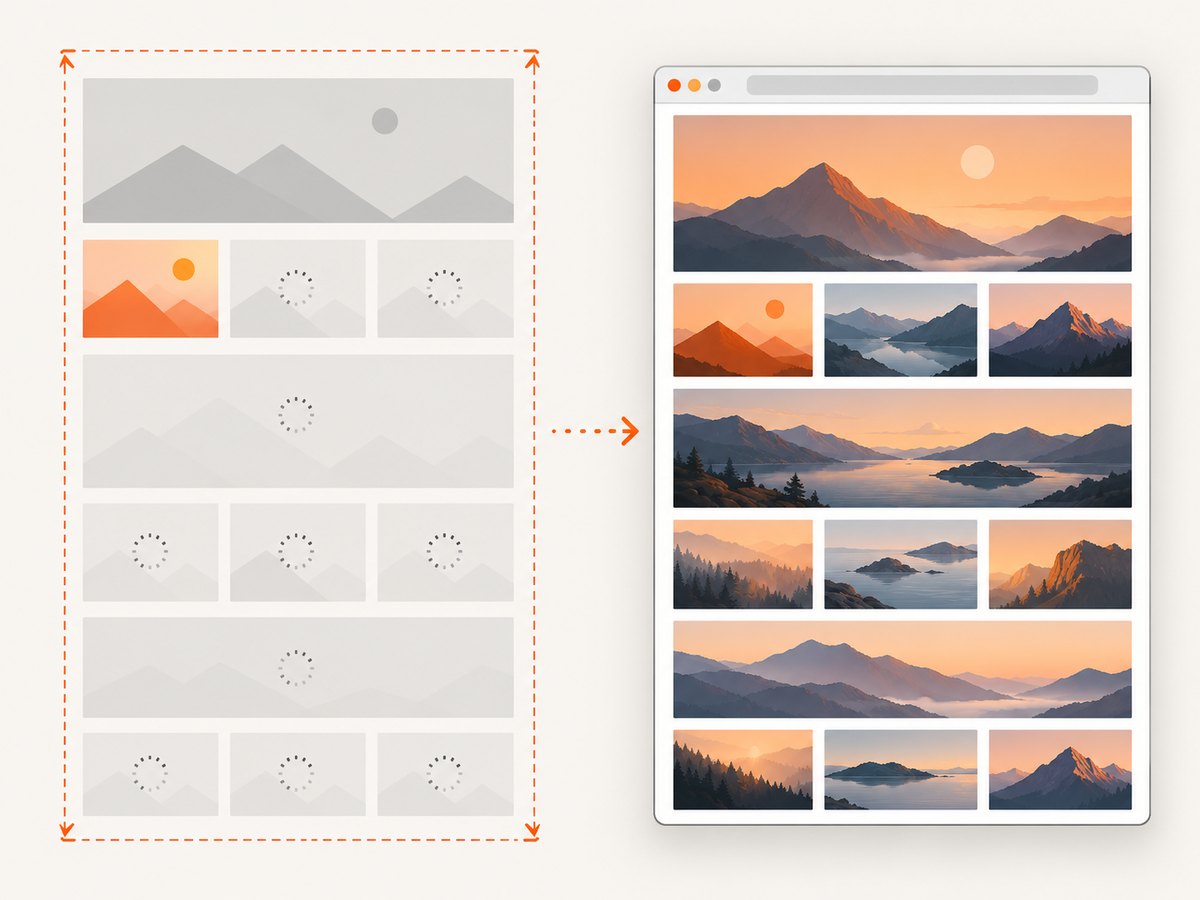
Also wait for application-level loading. Lazy images may not request their source until they enter the viewport. Scroll the target into view, trigger your image loader, or wait for a selector that your app sets after decoding:
async function waitForImages(root) {
  const images = [...root.querySelectorAll('img')];
  await Promise.all(images.map((img) => {
    if (img.complete && img.naturalWidth > 0) return Promise.resolve();
    return new Promise((resolve) => {
      img.addEventListener('load', resolve, { once: true });
      img.addEventListener('error', resolve, { once: true });
    });
  }));
}

const element = document.querySelector('#gallery');
await waitForImages(element);
const canvas = await html2canvas(element, { useCORS: true });
5. Check canvas dimensions when output is blank or clipped
Large pages can exceed browser or platform canvas limits. The limits vary by Firefox version, operating system, graphics backend, and available memory. A blank or truncated result is often a dimension problem rather than an image-origin problem.
const element = document.querySelector('#report');
const canvas = await html2canvas(element, {
  windowWidth: element.scrollWidth,
  windowHeight: element.scrollHeight,
  useCORS: true
});
Compare element.scrollWidth and scrollHeight with the canvas dimensions. Capture a smaller region, split a long document into sections, reduce the scale, or produce a PDF with a browser automation tool when the page is larger than a practical canvas. Avoid treating FAQ dimension examples as guaranteed limits; test on the Firefox platforms you support.
6. Investigate unsupported CSS and rendering differences
When same-origin images load but one element still looks wrong, reduce the page to a minimal reproduction. html2canvas recreates the DOM using properties it understands; it is not a native screenshot API. Compare the failing styles with the project’s supported-features documentation.
- Temporarily remove filters, blend modes, masks, complex gradients, and pseudo-elements.
- Replace a background image with a plain
<img>to identify whether the failure is image loading or CSS painting. - Inline a small same-origin test image. If it works, the original URL or response policy is the likely cause.
- Capture only the failing element with
html2canvas(element)and compare it with a minimal HTML file.
If you require pixels identical to the rendered tab, use a real-browser capture API instead of DOM reconstruction. Browser extensions should use the browser’s native API; Firefox exposes browser.tabs.captureVisibleTab(). For server-side generation, the FAQ names Puppeteer and Playwright, which drive a real browser. html2canvas itself relies on browser APIs and does not run in Node.js.
7. A diagnostic capture function
This helper logs the dimensions and resource state before capturing. It keeps the normal export path readable while making failures visible.
async function captureForDebug(selector) {
  const element = document.querySelector(selector);
  if (!element) throw new Error(`No element matches ${selector}`);

  const images = [...element.querySelectorAll('img')];
  console.table(images.map((img) => ({
    src: img.currentSrc || img.src,
    complete: img.complete,
    naturalWidth: img.naturalWidth,
    naturalHeight: img.naturalHeight
  })));

  await Promise.all(images.map((img) => {
    if (img.complete) return Promise.resolve();
    return new Promise((resolve) => {
      img.addEventListener('load', resolve, { once: true });
      img.addEventListener('error', resolve, { once: true });
    });
  }));

  return html2canvas(element, {
    useCORS: true,
    imageTimeout: 30000,
    windowWidth: element.scrollWidth,
    windowHeight: element.scrollHeight,
    onError: (error) => console.warn('Resource error:', error)
  });
}

const canvas = await captureForDebug('#report');
const png = canvas.toDataURL('image/png');
8. Common errors and fixes
| Symptom | Likely cause | Fix |
|---|---|---|
| Image is visible in Firefox but absent from the canvas | Cross-origin response is not CORS-enabled | Inspect response headers, add useCORS: true after server configuration, or use a restricted same-origin proxy. |
| Console reports a tainted canvas or export fails | A cross-origin resource was drawn without permission | Fix CORS or proxy the asset. allowTaint: true does not make the canvas readable or bypass browser policy. |
| Only images behind a lazy loader fail | The image request starts after capture | Trigger loading and await load/decode before calling html2canvas; increase imageTimeout if needed. |
onError reports 404, 403, or redirects |
Bad URL, access control, authentication, or bot protection | Open the final URL, correct the asset route, and provide the required public or authenticated response. |
| Blank or partially captured canvas | Canvas dimensions exceed a browser/platform limit | Use scroll dimensions, reduce scale, capture sections, or switch to a real-browser screenshot/PDF workflow. |
| Image works, but layout or effects differ | Unsupported or incomplete CSS implementation | Build a minimal reproduction, simplify the affected styles, or use a native browser capture. |
| It fails only on one Firefox installation | Extension, privacy setting, cache, or local network issue | Test a clean profile and another machine. Mozilla’s image troubleshooting guide covers browser-wide image failures. |
9. Performance, reliability, and cost considerations
- Reduce work: capture the smallest element that meets your requirement, avoid unnecessarily high scale, and remove off-screen content from the capture subtree.
- Control concurrency: several large canvases can consume substantial memory. Queue captures instead of starting many at once.
- Cache assets: stable, same-origin images avoid repeated network and decoding work. Cache headers still must permit the browser to reuse the response.
- Make failures observable: record the target URL, image status, timeout, canvas dimensions, and browser version. Do not log private tokens embedded in image URLs.
- Set bounded waits: a finite image timeout prevents a permanently stalled request from holding the page forever. Use a longer value only when your product accepts the latency.
- Choose the right renderer: html2canvas is convenient for client-side previews but inherits browser security and canvas limits. A real-browser service is usually simpler for server-side, cross-origin, scheduled, or very large captures.
Or skip the browser setup
If you need a server-side screenshot instead of a DOM reconstruction, ScreenshotNeo provides a GET endpoint that returns PNG, JPEG, WebP, or PDF. It accepts the URL, loads the page in a browser, and can capture full pages or a selected element. Cookie banners, newsletter popups, and chat widgets are removed before the shot; bot checks, blank pages, failed loads, timeouts, and cache hits are not billed as clean shots. Responses identify the page verdict and billing status with X-Page-Verdict and X-Billed headers.
See the ScreenshotNeo API documentation for all options. A minimal call is:
curl -G "https://api.screenshotneo.com/v1/shot" \
  -d access_key=YOUR_API_KEY \
  --data-urlencode url=https://stripe.com \
  -o shot.webp
import requests
r = requests.get(
"https://api.screenshotneo.com/v1/shot",
params={"access_key": "YOUR_API_KEY", "url": "https://stripe.com"},
timeout=90,
)
r.raise_for_status()
open("shot.webp", "wb").write(r.content)const q = new URLSearchParams({
access_key: 'YOUR_API_KEY',
url: 'https://stripe.com'
});
const res = await fetch(`https://api.screenshotneo.com/v1/shot?${q}`);
if (!res.ok) throw new Error(`Screenshot failed: ${res.status}`);
const data = Buffer.from(await res.arrayBuffer());ScreenshotNeo also supports custom CSS and JavaScript, waits, headers, cookies, user agents, blocking rules, device presets, retina scale, caching with a chosen TTL, signed links, asynchronous jobs, bulk capture, PDFs, usage reporting, and an MCP server with take_screenshot, get_page_info, and capture_pdf tools for AI clients. The free plan includes 1,000 shots per month with no card; paid plans start at $5 for 3,000 shots. Create a free ScreenshotNeo account.
10. Short FAQ
Is Firefox incompatible with html2canvas?
No. Firefox is listed as supported. Missing images generally indicate origin policy, loading, dimensions, or a limitation in the CSS and resource implementation.
Should I set allowTaint: true?
Usually no. It does not grant cross-origin permission and can prevent reading or exporting the resulting canvas. Configure CORS or use a proxy instead.
Can I fix CORS only in JavaScript?
No. The image server must return an appropriate CORS header, or your server must fetch and serve the image from the same origin.
Why does the image display but toDataURL() fail?
The browser can display a cross-origin image while keeping the canvas origin-unclean. Ensure every drawn image is CORS-enabled before exporting.
Does html2canvas work in Node.js?
It relies on browser APIs and is intended for a browser page. Use Puppeteer, Playwright, or a screenshot API such as ScreenshotNeo for server-side capture.
What should I include in a bug report?
Provide the html2canvas and Firefox versions, a minimal HTML reproduction, image origins, response headers, console errors, target dimensions, and whether the image fails in Firefox outside html2canvas.


