How to Fix html2canvas in Internet Explorer 11
Diagnose html2canvas failures in IE11 by checking version support, Promise, CSS fidelity, CORS, and canvas dimensions—with practical fixes for each.
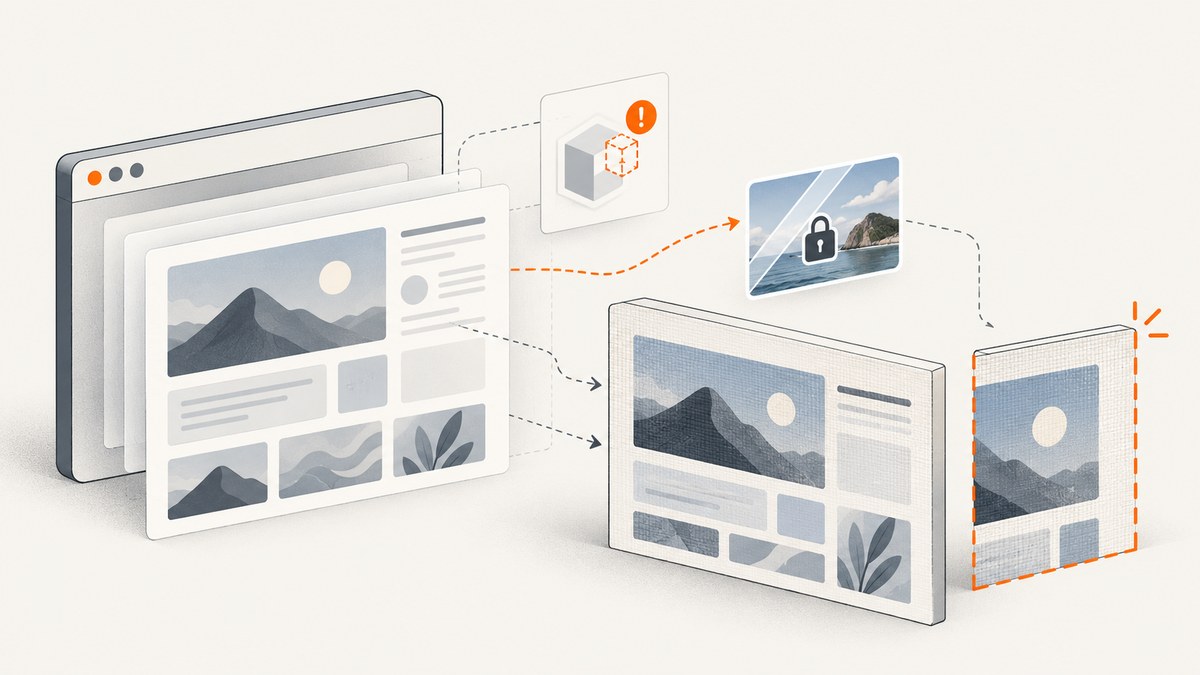
There is no single fix for every html2canvas failure in Internet Explorer 11. First identify the exact library version and symptom. For an older build that expects native Promises, load a Promise polyfill before html2canvas. If that does not resolve the problem, isolate CSS rendering, cross-origin images, and canvas dimensions. A polyfill only addresses the Promise API; it does not make every current html2canvas release compatible with IE11.
The current html2canvas documentation describes support for modern evergreen browsers and does not list IE11. Older project documentation mentions IE9+ when a Promise polyfill is present. Treat that as historical guidance for older builds, not as a compatibility promise for the current release. If IE11 remains a requirement, test the exact version, page, and deployed environment. [Current getting-started documentation; Project README]
1. Identify which kind of failure you have
Before changing code, record the installed version and describe what happens: does the call throw an error, return a rejected Promise, produce a blank image, omit specific styles, or clip part of the page? These symptoms have different causes. A “member not found” error, for example, is not enough to identify a universal fix.
- Find the version. Check the package lockfile, dependency declaration, or the exact script URL loaded by the page. Record it alongside the browser version and the error text.
- Capture the full console error. Include the line and stack trace. If your code handles rejection, log the rejection reason rather than suppressing it.
- Reduce the page. Try a small element with simple styles and no remote images. Add the original styles and assets back in groups until the problem returns.
- Separate the symptom from the cause. A missing Promise API, unsupported CSS, CORS restrictions, and excessive canvas dimensions require different remedies.
// Log both synchronous exceptions and Promise rejections.
try {
  html2canvas(document.getElementById('capture-target'))
    .then(function (canvas) {
      console.log('Canvas:', canvas.width, canvas.height);
      document.body.appendChild(canvas);
    })
    .catch(function (error) {
      console.error('html2canvas rejected:', error);
    });
} catch (error) {
  console.error('html2canvas threw:', error);
}
Use this diagnostic with the version number in your bug report or internal notes. Compatibility findings are version-specific: the project metadata identifies version 1.4.1, released January 22, 2022, but that fact does not itself establish IE11 support. [Package metadata; Changelog]
2. Check IE11 compatibility and the Promise dependency
Compare the version you actually load with the documentation that applies to it. Current project guidance lists Chrome/Chromium, Firefox, and Safari. Older README material says IE9+ may work with a Promise polyfill. The changelog also records a narrow “IE11 member not found” fix in v1.0.0-alpha.11 (2018-04-01). That entry is historical evidence that an IE11-specific defect was addressed; it does not diagnose every similarly worded error or guarantee compatibility in later releases. [Getting started; README; Changelog]
If your older build requires Promise and IE11 does not provide it in your environment, add a Promise polyfill before the html2canvas script. The order matters: loading the polyfill after the library has already evaluated cannot supply a missing global to that earlier code.
<!-- Use a Promise polyfill suitable for your application's support policy. -->
<script src="/assets/promise-polyfill.min.js"></script>
<script src="/assets/html2canvas-legacy.min.js"></script>
<script>
  html2canvas(document.getElementById('capture-target'))
    .then(function (canvas) {
      document.getElementById('output').appendChild(canvas);
    })
    .catch(function (error) {
      console.error(error);
    });
</script>
The example uses a local polyfill path deliberately: select and host a polyfill according to your own dependency and security process. A Promise polyfill supplies the Promise API; it cannot add missing CSS features, relax browser origin rules, or expand IE11’s canvas limits. Confirm Promise availability before attempting capture:
if (typeof Promise === 'undefined') {
  console.error('Promise is missing; load the polyfill before html2canvas.');
}
3. Find CSS features that render incorrectly
html2canvas does not ask the browser for a screenshot. It walks the DOM and reconstructs an image using the CSS and properties it understands. A successful Promise therefore does not mean the output will match the browser window. Unsupported or partially supported CSS can be absent or look different. The project FAQ says that each CSS property must be implemented manually and that full CSS support will not be achieved. [html2canvas FAQ; Documentation]
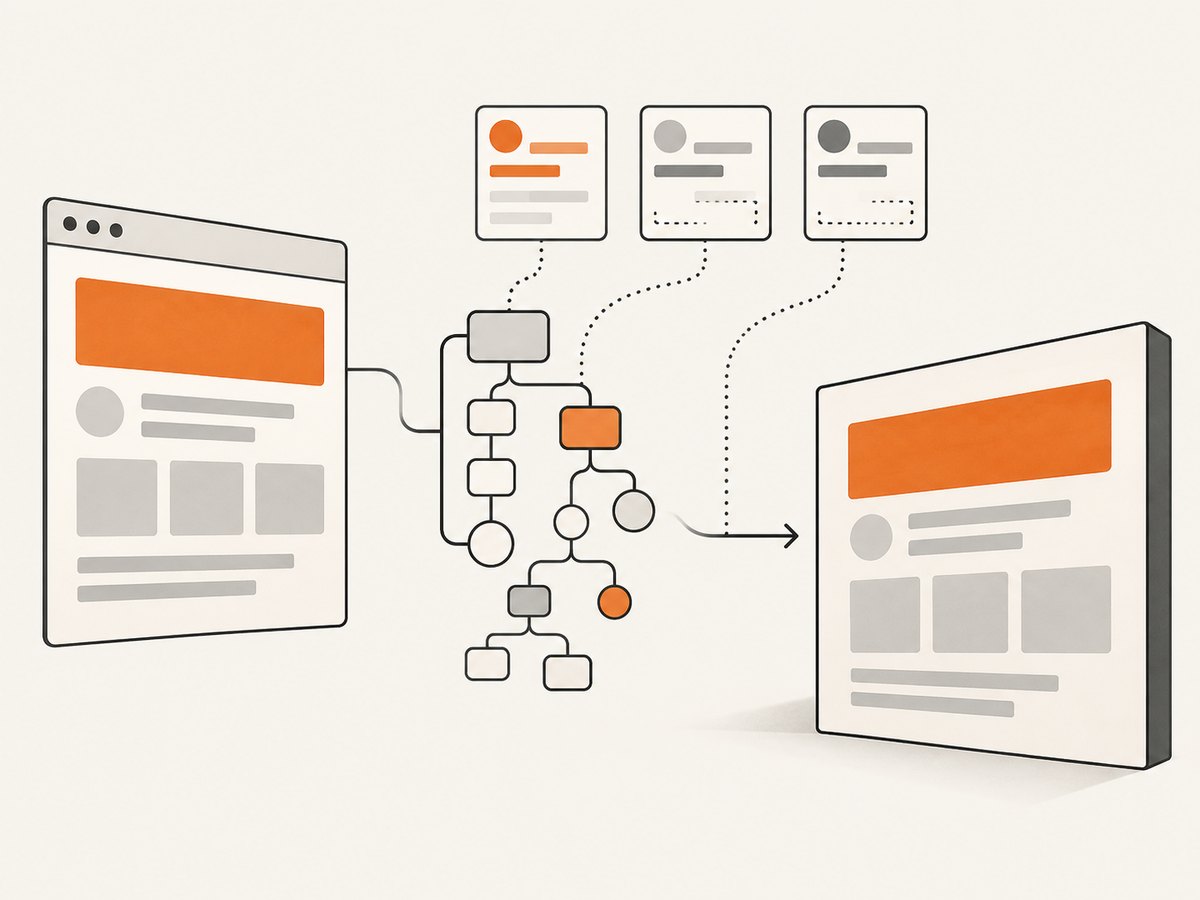
To find a style causing a defect, capture the smallest affected element, then remove or simplify its styles. Pay particular attention to modern layout and visual effects in the section that differs. Compare output after disabling one style group at a time. Once identified, use a simpler fallback style for the capture view or replace that section with markup and styling the installed renderer handles correctly. Do not infer from one working page that every CSS combination is supported.
var target = document.getElementById('capture-target');

// Reduce the reproduction to one component and its essential styles.
html2canvas(target).then(function (canvas) {
  var link = document.createElement('a');
  link.href = canvas.toDataURL('image/png');
  link.download = 'capture.png';
  link.click();
}).catch(function (error) {
  console.error('Capture failed:', error);
});
For a defect affecting only one component, provide a dedicated capture mode with less complex layout and decorative styling. Keep it visually clear, and compare it in the target browser instead of assuming that changing a library option can reproduce native browser rendering.
4. Diagnose remote images and tainted canvases
A capture can fail or omit images because of cross-origin restrictions even when JavaScript compatibility is fine. Browsers control whether a page can read image pixels from another origin. html2canvas cannot bypass that policy. For an image hosted on another origin, the image server must return suitable CORS headers and the capture must request CORS handling, or the asset must be served through a correctly configured proxy. [FAQ: tainted canvases; Configuration]
For an older build that supports the option, try useCORS when the remote server is configured to allow the request:
html2canvas(document.getElementById('capture-target'), {
  useCORS: true
}).then(function (canvas) {
  try {
    var png = canvas.toDataURL('image/png');
    console.log('Canvas can be read:', png.length);
  } catch (error) {
    console.error('Canvas is tainted or unreadable:', error);
  }
}).catch(function (error) {
  console.error('Capture failed:', error);
});
useCORS: true does not grant permission by itself. The remote host must permit the origin, and the image request must satisfy browser CORS rules. If you control the asset server, configure its response appropriately. If you use a proxy, configure it to fetch the intended resources safely and return them in a way the browser can use; a proxy that simply forwards an inaccessible response will not solve the issue. Avoid assuming that a canvas can be exported after cross-origin content has tainted it.
5. Fix blank, clipped, or oversized canvas output
Blank or incomplete output can result from capture dimensions that do not match the target content. The project FAQ suggests setting windowWidth and windowHeight to the element’s scroll dimensions. Browser and platform canvas size limits also vary, so an extremely large capture may be blank or incomplete even if ordinary captures succeed. [FAQ: canvas size limits]
var target = document.getElementById('capture-target');
var width = target.scrollWidth;
var height = target.scrollHeight;

html2canvas(target, {
  windowWidth: width,
  windowHeight: height
}).then(function (canvas) {
  console.log('Requested content:', width, 'x', height);
  console.log('Actual canvas:', canvas.width, 'x', canvas.height);
  document.getElementById('output').appendChild(canvas);
}).catch(function (error) {
  console.error(error);
});
Check that the element is present and has nonzero dimensions at capture time. If the page is still rendering data or images, wait until the application has completed that work before capturing. Compare the requested element’s dimensions with the resulting canvas dimensions. If the output is still blank or clipped, reduce the capture area or split a very tall page into smaller sections. There is no universal safe maximum dimension to assume across browser and device combinations.
6. Troubleshoot by symptom
| Symptom | Likely cause | What to do |
|---|---|---|
Promise is undefined or the call fails around Promise use |
Legacy browser environment lacks the API required by the loaded build. | For a legacy build, load a Promise polyfill before html2canvas. Verify script order and retest. This does not certify that build as generally compatible. |
| “Member not found” | Could be a particular browser API or code path; the old changelog entry is only a historical clue. | Record the exact library and IE11 versions, capture the full stack trace, and reproduce with a minimal element. Do not apply the old changelog note as a universal patch. |
| Promise resolves, but CSS looks wrong | The renderer does not reproduce a CSS feature used by the page. | Reduce the capture, simplify the styles, and provide a capture-specific fallback for the unsupported feature. |
| Remote images disappear or exporting throws | Cross-origin response is not permitted, or the canvas is tainted by an asset. | Configure CORS on the asset host and use useCORS where supported, or use a correctly configured proxy. Check export separately. |
| Image is blank or clipped | Target dimensions or viewport settings do not cover the content, or the canvas is too large. | Measure scrollWidth/scrollHeight, set matching window dimensions where appropriate, and capture smaller sections. |
| Works locally, fails after deployment | Deployed script version, asset origins, headers, or timing differ from local development. | Inspect the actual loaded script URL and network responses in the deployed environment. Reproduce against the same page and origin. |
7. Improve performance and reliability
Capture only the DOM subtree needed for the result. Smaller targets reduce the amount of DOM and styling the library must inspect and help isolate browser canvas constraints. Avoid repeatedly capturing a full long page when the workflow only needs a component. Wait for the target content to exist, but make that wait reflect your application’s actual readiness rather than relying on an arbitrary delay.
Make the capture operation observable: log the library version, browser, target dimensions, whether remote images are involved, and the complete error. Handle both thrown exceptions and Promise rejection. If the output is used in a user-facing workflow, give the user a retry or a useful failure state instead of silently saving a blank image. Retest the exact deployed build after changing script order, polyfills, CORS headers, or capture dimensions.
html2canvas is a client-side rendering approach, so the browser and page determine the result. Its reconstruction model means that CSS fidelity is a reliability concern, while canvas size and CORS restrictions are platform constraints. Do not promise pixel-identical output across browsers based only on a successful capture in one environment. There is no benchmark or universal compatibility rate in the cited project material that can predict performance for a particular page.
8. Choose a support path for IE11
Microsoft announced that Internet Explorer 11 retired and went out of support on June 15, 2022. Where the application allows it, move screenshot generation to a supported browser and browser workflow. Where IE11 remains mandatory, qualify the exact html2canvas build, target page, dependencies, and deployment origin in the required environment. [Microsoft announcement]
A server or hosted screenshot service can also move browser setup out of the legacy client. Choose based on whether you need a browser-rendered screenshot, a reconstructed DOM image, or a PDF, and verify that the service handles the target page and access requirements. Keep the html2canvas path for cases where client-side capture is specifically required and tested.
9. Or skip the browser setup
If you need a browser-rendered page capture without installing a legacy client-side rendering stack, ScreenshotNeo provides a website screenshot API and MCP server for developers. One GET request returns an image or PDF. See the API documentation for its options and request details.

curl -G "https://api.screenshotneo.com/v1/shot" -d access_key=YOUR_API_KEY --data-urlencode url=https://stripe.com -o shot.webpScreenshotNeo accepts cookie and consent banners before capture and removes more than 60 known consent platforms, newsletter popups, and chat widgets; each step can be turned off. Bot checks and CAPTCHAs, blank pages, timeouts, failed loads, and cache hits cost nothing, and the response reports the page verdict and billing status in headers. Its MCP server provides take_screenshot, get_page_info, and capture_pdf tools for Claude, Cursor, and other MCP clients. The free plan includes 1,000 screenshots a month with no card; paid plans start at $5 for 3,000 screenshots.
Create a free account and get 1,000 screenshots a month with no card.
FAQ
Does html2canvas support IE11?
Current project documentation does not list IE11. An older README has a Promise-polyfill qualification for IE9+, which is historical guidance and not a guarantee for current builds. Check the documentation for the exact version you load.
Will a Promise polyfill fix every IE11 error?
No. It supplies a missing Promise API when needed. CSS rendering, CORS, tainted canvases, dimensions, and version-specific defects remain separate issues.
Can html2canvas capture exactly what IE11 displays?
It reconstructs a result from the DOM and supported CSS rather than taking a native browser screenshot. Differences can remain even when capture completes.
What should I include when reporting a failure?
Include the html2canvas version, IE11 environment, exact error and stack, whether assets are cross-origin, target dimensions, and a minimal page that reproduces the issue.


