How to Fix html2canvas Initialization Errors When Capturing a Webpage
Fix html2canvas initialization errors with a practical checklist for timing, DOM elements, CORS images, iframes, canvas limits, and reliable alternatives.
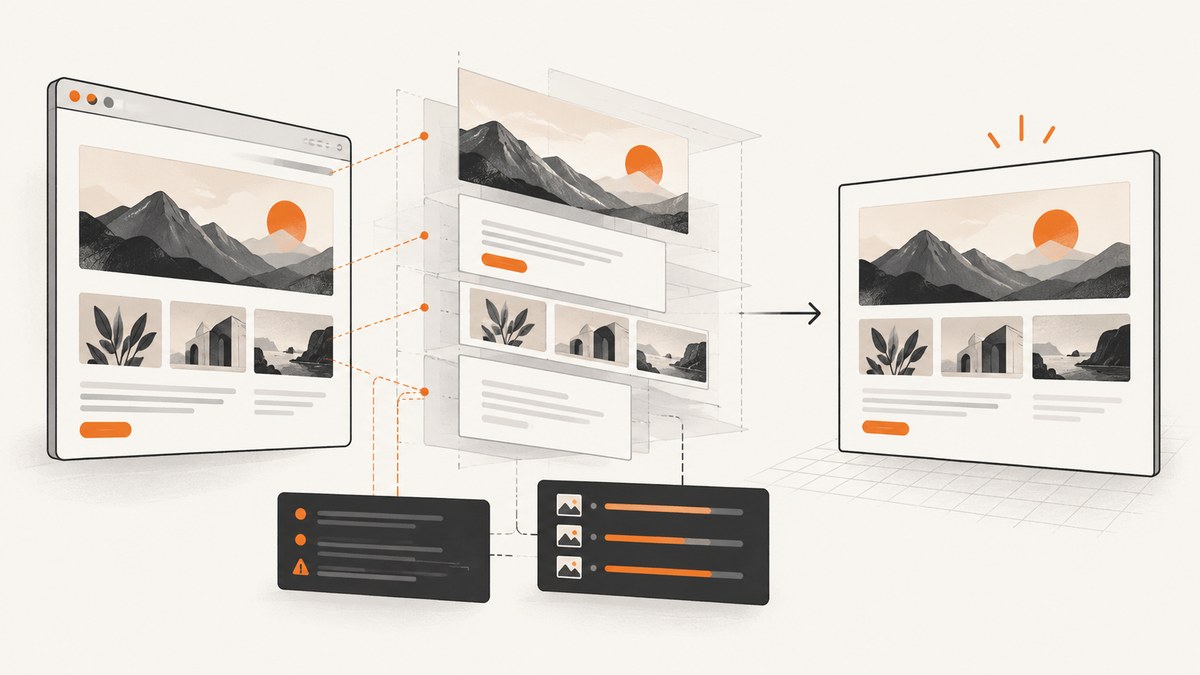
Most html2canvas initialization errors come from one of four causes: the library has not loaded, the target element is null or not mounted yet, browser-only code is running outside a browser, or a resource such as an image violates cross-origin rules. Start with a real DOM element after it exists, then reduce the page to a same-origin block and add complexity back one piece at a time.
html2canvas reconstructs a DOM tree in the browser. It does not take a native, pixel-perfect screenshot, and it cannot bypass browser security policy. The official documentation describes it as browser-only and says it is not suitable for Node.js; its FAQ also states that it cannot circumvent content-policy restrictions. See the Getting Started guide, configuration reference, and FAQ.
1. Use a known-good initialization
Install the package, wait until the target is mounted, pass the actual Element, and await the returned promise:
import html2canvas from 'html2canvas';

async function captureCard() {
  const element = document.querySelector('#capture');
  if (!(element instanceof Element)) {
    throw new Error('Capture target not found or is not a DOM Element');
  }

  const canvas = await html2canvas(element, {
    useCORS: true,
    windowWidth: element.scrollWidth,
    windowHeight: element.scrollHeight,
    onError: (error) => {
      console.warn('html2canvas resource failed:', error.message);
    },
  });

  document.body.appendChild(canvas);
  return canvas;
}

captureCard().catch(console.error);
The corresponding markup must already be in the document:
<section id="capture">
  <h1>Invoice</h1>
  <p>Rendered after the component mounted.</p>
</section>
Initialization checklist
- Confirm the import or script tag completed without a 404 or module error.
- Call html2canvas after the framework component has mounted and after content you need has rendered.
- Pass
document.querySelector('#capture'), not the string'#capture'. - Check that the result is not
nulland is anElement. - Await the promise and catch errors so the console shows the first failing resource.
- Run the code in a browser page, not in a Node.js process.
2. Confirm the library and timing
Module installation
npm install html2canvasFor a browser module build:
import html2canvas from 'html2canvas';
console.log(typeof html2canvas); // function
For a script tag, load the published browser bundle before your capture script and check that window.html2canvas exists. A “html2canvas is not defined” error means the script failed to load, loaded after your code, or was blocked by a Content Security Policy rule.
Framework timing
Do not capture during render. Trigger the capture from a user action or a post-mount lifecycle callback. In React, use a ref and call the function from an event handler after the component is on screen:
import { useRef } from 'react';
import html2canvas from 'html2canvas';

export default function Card() {
  const cardRef = useRef(null);

  async function saveImage() {
    if (!cardRef.current) throw new Error('Card is not mounted');
    const canvas = await html2canvas(cardRef.current);
    const link = document.createElement('a');
    link.download = 'card.png';
    link.href = canvas.toDataURL('image/png');
    link.click();
  }

  return (
    <>
      <article ref={cardRef}>Rendered card</article>
      <button onClick={saveImage}>Save image</button>
    </>
  );
}
If content is inserted asynchronously, wait for the data and fonts you need before capture. You can also wait for images explicitly:
await document.fonts?.ready;
await Promise.all(
  [...document.images].map((image) => {
    if (image.complete) return Promise.resolve();
    return new Promise((resolve) => {
      image.addEventListener('load', resolve, { once: true });
      image.addEventListener('error', resolve, { once: true });
    });
  })
);
3. Reduce the problem to a minimal reproduction
Replace the real page with a same-origin element containing plain text. If this works, add one category at a time: web fonts, raster images, SVG, CSS backgrounds, pseudo-elements, animations, and embedded frames. The first addition that breaks the capture identifies the boundary you need to fix.
<div id="capture" style="width:320px;padding:24px;background:white;color:black">
  Plain same-origin content
</div>
<script type="module">
  import html2canvas from 'html2canvas';
  const node = document.getElementById('capture');
  html2canvas(node).then((canvas) => document.body.append(canvas));
</script>
Keep DevTools open while testing. Inspect the console and Network panel for failed image requests, CORS messages, redirects, blocked fonts, and CSP violations.
4. Fix images, CORS, and tainted canvases
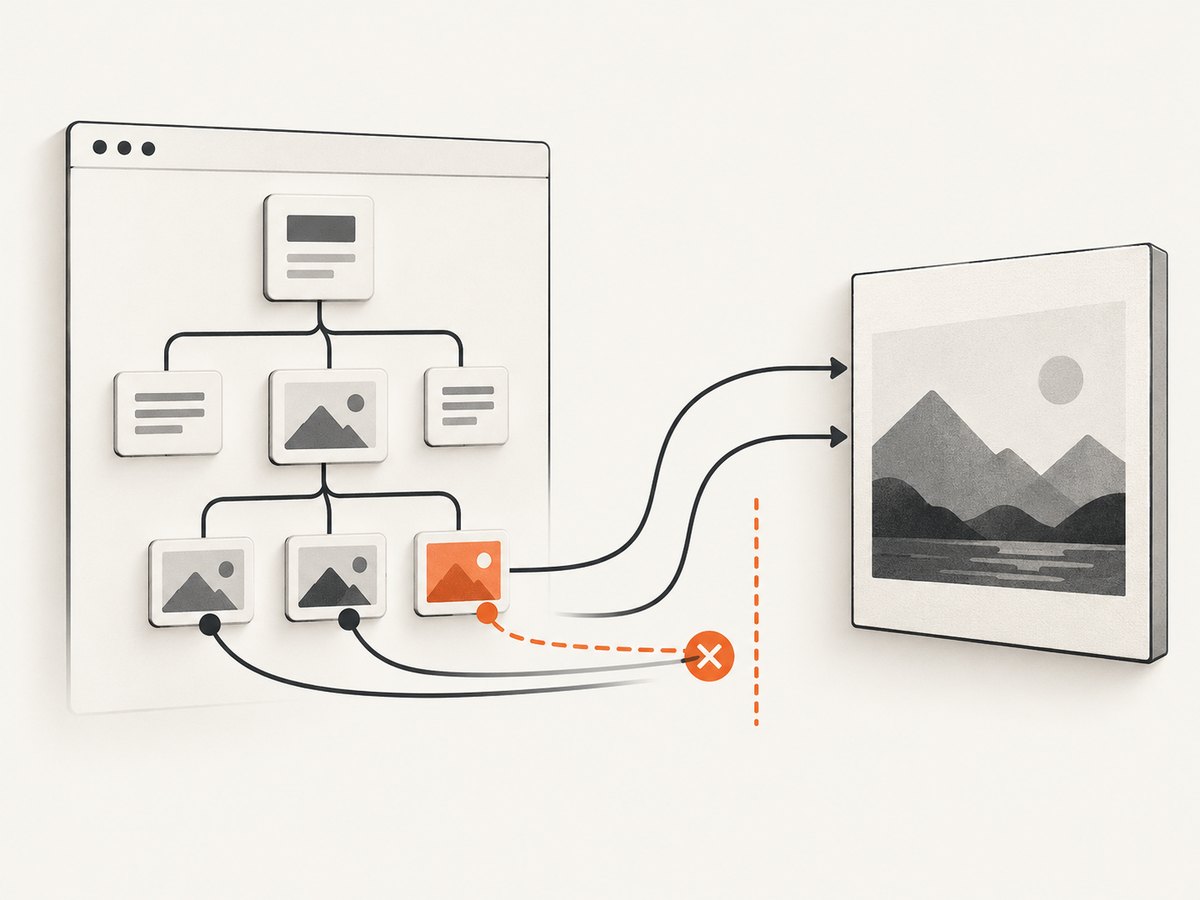
Cross-origin images must either return an appropriate Access-Control-Allow-Origin header or be fetched through a same-origin proxy. useCORS: true asks the browser to use CORS; it cannot create the missing response header.
const canvas = await html2canvas(element, {
  useCORS: true,
  allowTaint: false,
});
Use this only when the image server opts in. Check the final response in DevTools, not just the URL in your HTML. A URL that starts on your origin can redirect to a CDN; that final host must also send the CORS header. Replace redirecting URLs with final CDN URLs where possible, configure the CDN, or proxy the asset through your own origin.
Proxy fallback
const canvas = await html2canvas(element, {
  proxy: 'https://your-proxy.example/proxy',
});
Your proxy must fetch the remote resource, return the appropriate content type, and enforce your own allowlist and authentication rules. Do not turn an open proxy into a server-side request forgery endpoint.
Diagnose the exact resource
await html2canvas(element, {
  useCORS: true,
  onError: (error) => console.warn('Resource failed:', error),
});
Missing images may leave blank areas while the rest of the render continues. A canvas becomes unusable for export when a resource taints it; canvas.toDataURL() or pixel reads then throw a security exception. Fix the resource origin or exclude it rather than relying on allowTaint.
5. Handle unsupported content and cloned-page changes
html2canvas supports many common CSS properties but reconstructs the page instead of asking the browser for a native bitmap. Complex filters, video, plugins, browser UI, and unsupported CSS can differ. Remove controls or temporary content with data-html2canvas-ignore:
<button data-html2canvas-ignore>Delete</button>You can also supply ignoreElements and make temporary changes in onclone. The callback receives a cloned document, so the live page is not changed:
const canvas = await html2canvas(element, {
  ignoreElements: (node) => node.matches('.interactive-controls'),
  onclone: (clonedDocument) => {
    clonedDocument.querySelectorAll('.animated').forEach((node) => {
      node.style.animation = 'none';
      node.style.transition = 'none';
    });
  },
});
6. Capture long pages without blank or partial output
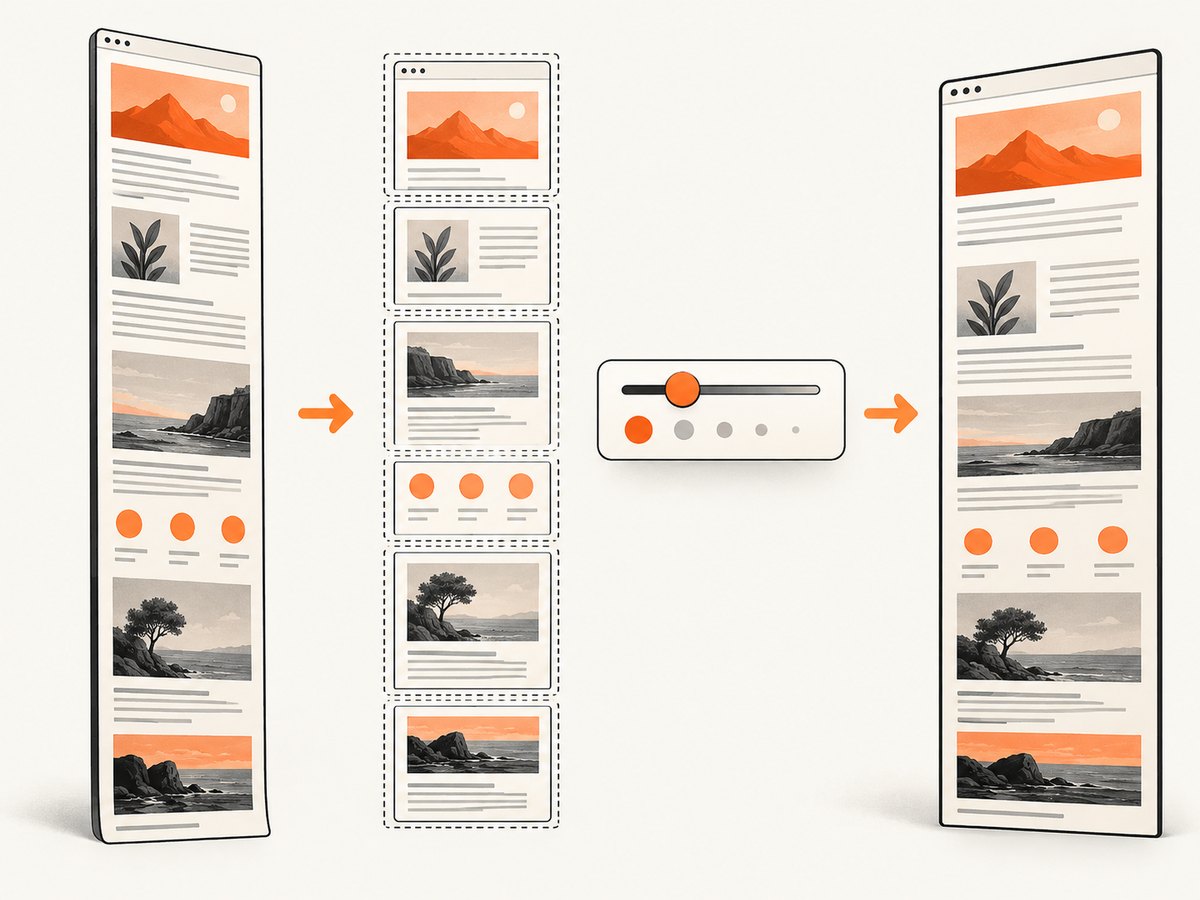
Large canvas dimensions can exceed browser or graphics limits. A blank or truncated result is often a size problem rather than initialization failure. Match the capture viewport to the element when appropriate:
const canvas = await html2canvas(element, {
  windowWidth: element.scrollWidth,
  windowHeight: element.scrollHeight,
  scale: Math.min(window.devicePixelRatio, 2),
});
If that still fails, capture a smaller region, lower scale, or split a long page into sections. Remember that pixel dimensions are approximately CSS dimensions multiplied by scale; doubling both width and height creates roughly four times as many pixels.
7. Important configuration options
| Option | Use | Common mistake |
|---|---|---|
useCORS |
Request cross-origin images with CORS. | Expecting it to add server headers. |
proxy |
Fetch resources through a same-origin proxy. | Using an untrusted open proxy. |
allowTaint |
Allow rendering that may taint the canvas. | Expecting pixel export to remain available. |
imageTimeout |
Maximum image wait; default is 15000 ms. | Assuming a slow image will always load. |
scale |
Output density; default is window.devicePixelRatio. |
Creating an oversized canvas. |
windowWidth/windowHeight |
Viewport dimensions used during reconstruction. | Leaving a responsive layout at the wrong width. |
onclone |
Change only the cloned document. | Mutating production UI during capture. |
ignoreElements |
Skip selected nodes. | Returning true for content you need. |
data-html2canvas-ignore |
Skip a specific element in markup. | Adding it to the capture root. |
removeContainer |
Remove the temporary container; default is true. | Debugging after it has already been removed. |
8. Iframes and browser security boundaries
Same-origin iframes may be accessible if you can read their contentDocument. Cross-origin iframes cannot be rendered because the browser blocks access to their document. You cannot fix that with an html2canvas option. Capture the framed application from inside its own origin, obtain an image or export from that application, or use a service that renders the target page independently.
9. Common errors and fixes
| Error or symptom | Cause | Fix |
|---|---|---|
html2canvas is not defined |
Bundle did not load or ran too early. | Check the script URL, load order, module import, and CSP. |
Cannot read properties of null |
Selector matched nothing. | Wait for mount and check the element before calling. |
document is not defined |
Code ran in Node.js or server-side rendering. | Move capture into a browser client callback. |
| Images are missing | Image request failed, timed out, or was blocked by CORS. | Inspect Network, fix headers, use final URLs, proxy, or omit the image. |
| “Tainted canvases may not be exported” | A cross-origin resource lacks permission. | Enable server CORS or proxy the resource; do not depend on allowTaint for export. |
useCORS:true changes nothing |
The server does not send CORS headers, or a redirect changes origin. | Inspect the final response and configure the final host or proxy. |
| Cross-origin iframe is blank | Same-origin policy blocks contentDocument. |
Capture within that origin or use an independent renderer. |
| Blank or clipped long-page image | Canvas dimensions exceed a browser limit. | Reduce scale, dimensions, or split the capture. |
| Layout differs from the page | DOM reconstruction or unsupported CSS differs from native pixels. | Simplify styles, use onclone, or choose a browser screenshot service. |
10. Performance and reliability practices
- Capture only the element or viewport you need; full-page reconstruction costs more work.
- Wait for fonts and critical images, but set an explicit image timeout so one dead host does not hang the workflow.
- Disable animations and blinking cursors in
onclonefor repeatable output. - Keep
scaleat the smallest value that meets your output requirement. - Use a queue or user action for expensive captures instead of starting many simultaneous canvases.
- Log
onErroroutput and the target URL so missing assets can be fixed from production reports. - For pixel-accurate, cross-origin, Node.js, or unattended server captures, use a hosted browser renderer rather than trying to extend browser security rules.
11. Or skip the browser setup
When you need a server-side screenshot, cross-origin pages, or a native browser render, ScreenshotNeo provides a single GET request that returns PNG, JPEG, WebP, or PDF. Before capture it accepts cookie and consent banners and removes more than 60 known consent platforms, newsletter popups, and chat widgets; each step can be turned off. Bot checks, blank pages, timeouts, failed loads, and cache hits are not billed, and the response identifies the result with X-Page-Verdict and X-Billed headers. Its MCP server exposes take_screenshot, get_page_info, and capture_pdf to Claude, Cursor, and other MCP clients.
See the ScreenshotNeo API documentation for all capture options.
cURL
curl -G "https://api.screenshotneo.com/v1/shot" -d access_key=YOUR_API_KEY --data-urlencode url=https://stripe.com -o shot.webpPython
import requests

r = requests.get(
    "https://api.screenshotneo.com/v1/shot",
    params={"access_key": "YOUR_API_KEY", "url": "https://stripe.com"},
    timeout=90,
)
r.raise_for_status()
open("shot.webp", "wb").write(r.content)
Node.js
const q = new URLSearchParams({ access_key: 'YOUR_API_KEY', url: 'https://stripe.com' });
const res = await fetch(`https://api.screenshotneo.com/v1/shot?${q}`);
if (!res.ok) throw new Error(`Screenshot failed: ${res.status}`);
const data = Buffer.from(await res.arrayBuffer());
require('fs').writeFileSync('shot.webp', data);
The free plan includes 1,000 screenshots each month with no card. Paid plans start at $5 for 3,000 shots; every feature is available on every plan. Create a free ScreenshotNeo account.
12. FAQ
Can html2canvas take a screenshot in Node.js?
No. It depends on browser APIs and a live DOM. Use a browser automation or hosted rendering service for Node.js workflows.
Does html2canvas capture exactly what Chrome displays?
No. It reconstructs supported DOM and CSS into a canvas, so unsupported features and browser-only content can differ.
Why does a same-origin image still fail?
It may redirect to a different host, time out, be blocked by CSP, or return an error. Inspect the final network response.
Should I always set useCORS: true?
Set it when the image server returns the correct CORS header. Otherwise use a same-origin proxy or host the asset on your origin.
Can I capture a cross-origin iframe?
Not with html2canvas from the parent page. The browser prevents access to the iframe document.
Why is my output blank only on very long pages?
The canvas may be too large. Lower the scale, reduce the capture area, or split the page.


