How to Fix html2canvas Invalid Images on Extremely Tall Pages
Fix missing images and blank full-page canvases in html2canvas with CORS checks, safe dimensions, tiled capture, and server-side alternatives.
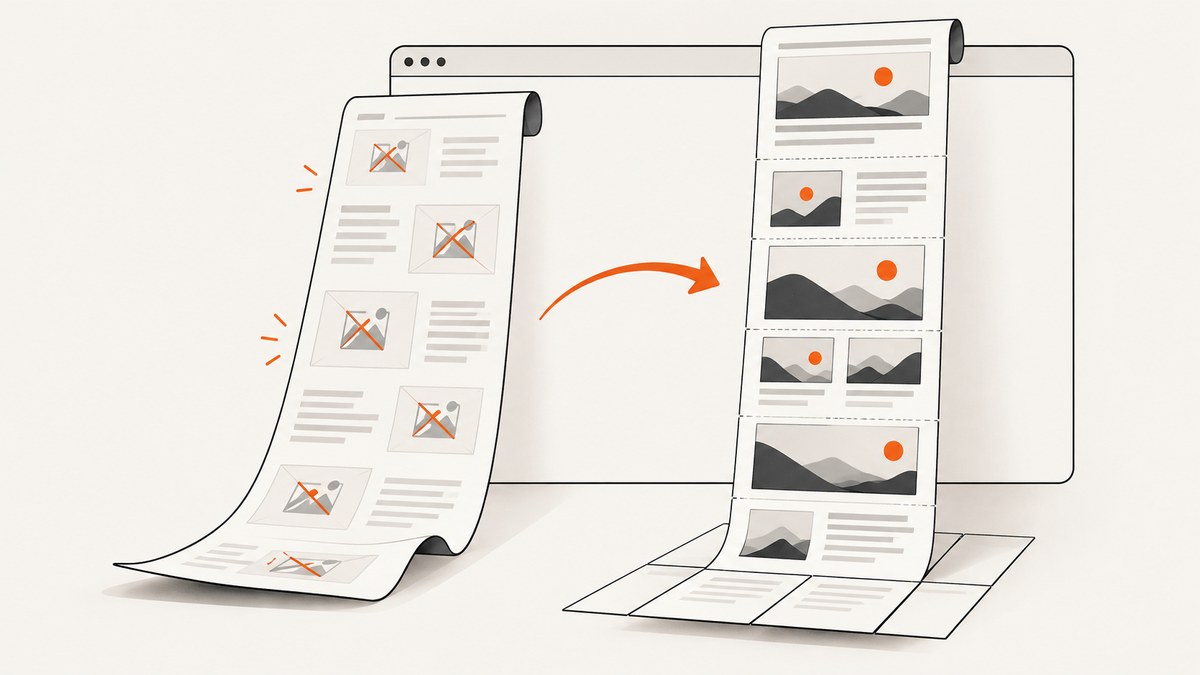
When html2canvas produces missing images, a blank canvas, or a screenshot that stops partway down an extremely tall page, two different limits are usually involved. First, the browser may refuse to draw cross-origin images because of canvas security rules. Second, the requested canvas may exceed the browser’s maximum dimensions or pixel area. Fix the image policy first, then control the canvas size. If one canvas is still too large, capture the page in sections or move rendering to a real headless browser.
This guide gives a complete repair path for client-side html2canvas, including runnable code, CORS and proxy choices, canvas sizing, tiling, diagnostics, performance, and when to use server-side capture.
1. Identify which failure you have
| Symptom | Likely cause | First check |
|---|---|---|
| Specific images are absent | Cross-origin image rejected or timed out | Network response headers and console messages |
| Canvas is blank | Canvas dimension or area limit, or a completely failed render | Computed width, height, scale, and browser console |
| Top of page renders but lower area is cut off | Canvas height/area is too large | CSS dimensions multiplied by scale |
toDataURL() throws a security error |
Canvas was tainted by an image | Image origin and CORS headers |
These problems can occur together. A page may contain a few blocked CDN images and also be too tall for one canvas. Do not change canvas dimensions as a substitute for fixing image access.
2. Make the layout deterministic before capture
For a full element capture, measure its scroll dimensions and pass them explicitly. Matching windowWidth and windowHeight to the element’s scroll size lets html2canvas lay out the complete page instead of using only the visible viewport.
import html2canvas from 'html2canvas';

const node = document.querySelector('#capture');
if (!node) throw new Error('Missing #capture element');

const width = node.scrollWidth;
const height = node.scrollHeight;

const canvas = await html2canvas(node, {
  width,
  height,
  windowWidth: width,
  windowHeight: height,
  useCORS: true,
  logging: true,
  imageTimeout: 15000,
  onclone: (clonedDocument) => {
    // Freeze animations and transitions for a stable image.
    const style = clonedDocument.createElement('style');
    style.textContent = '* { animation: none !important; transition: none !important; }';
    clonedDocument.head.appendChild(style);
  }
});

document.body.appendChild(canvas);
width and height control the output region. windowWidth and windowHeight control the layout viewport used while html2canvas builds its clone. They are separate settings, so set both when capturing a large document.
Before measuring, wait for the content that changes the page height: fonts, images, client-side data, and lazy sections. A simple image wait is:
await Promise.all(
  [...document.images].map((img) => {
    if (img.complete) return Promise.resolve();
    return new Promise((resolve) => {
      img.addEventListener('load', resolve, { once: true });
      img.addEventListener('error', resolve, { once: true });
    });
  })
);
3. Repair cross-origin and invalid images
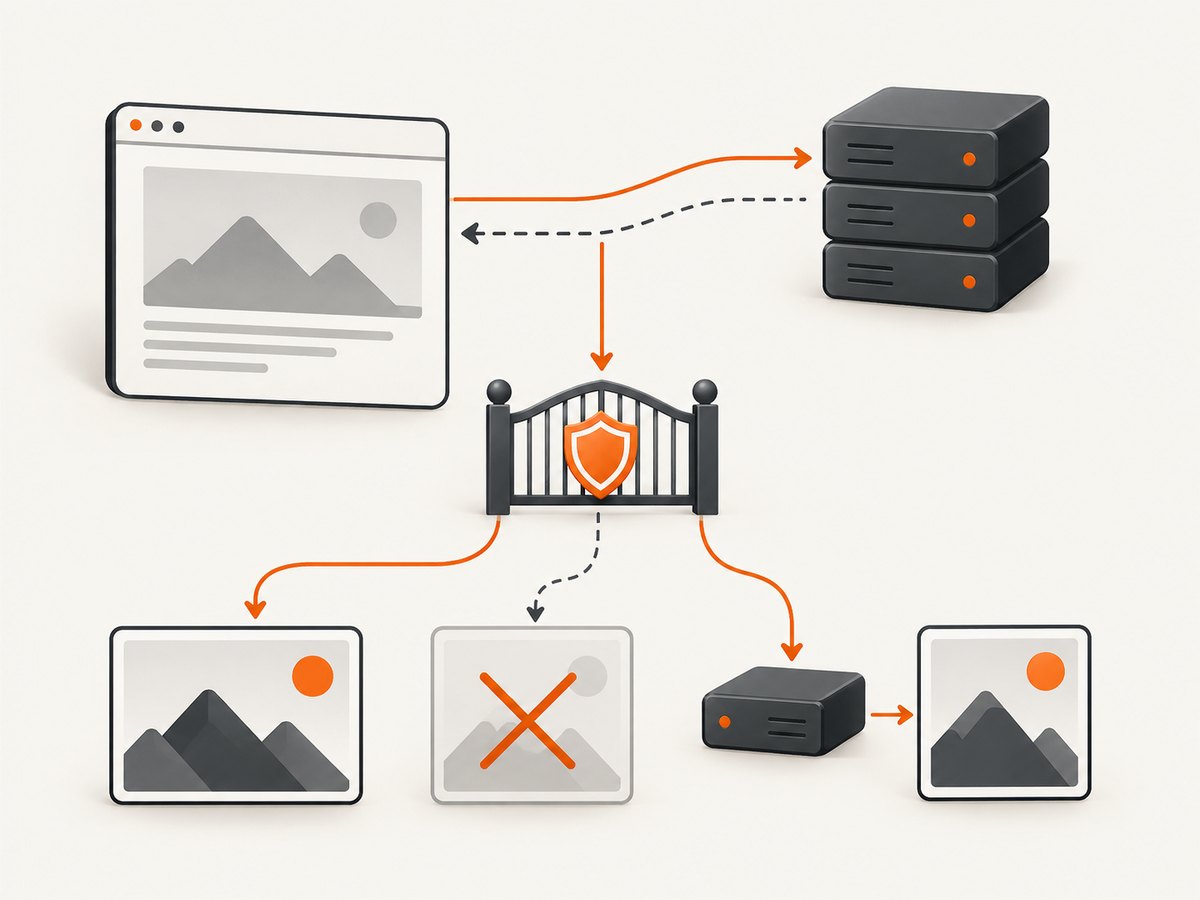
html2canvas cannot safely read pixels from an image that the browser considers cross-origin unless the image server grants access with an appropriate Access-Control-Allow-Origin response header. With the default allowTaint: false, html2canvas skips images that would taint the canvas. Setting allowTaint: true does not make export work: a tainted canvas cannot be read with toDataURL() or similar APIs.
Use same-origin assets where possible
Serve images from the same origin as the page, or configure the image host to return a suitable CORS header. Inspect the final response, including redirects: a URL that starts on your domain can redirect to a CDN and become cross-origin.
const canvas = await html2canvas(document.querySelector('#capture'), {
  useCORS: true,
  allowTaint: false
});

const png = canvas.toDataURL('image/png');
useCORS: true only helps when the server’s response permits it. It cannot override a missing header.
Use a same-origin proxy when you control neither server
If the image host cannot add CORS headers, fetch the image through a server you control and return it in a form the page can draw, such as a base64 data URI. The proxy must validate allowed destinations, limit response size, and avoid becoming an open proxy. Rewrite the page’s image URLs to your proxy endpoint before capture.
// Example client-side rewrite. Your server must implement /image-proxy.
for (const img of document.images) {
  const original = img.currentSrc || img.src;
  if (new URL(original).origin !== location.origin) {
    img.src = `/image-proxy?url=${encodeURIComponent(original)}`;
  }
}

await Promise.all([...document.images].map((img) =>
  img.complete ? Promise.resolve() : new Promise((resolve) => {
    img.onload = resolve;
    img.onerror = resolve;
  })
));
Background images can fail for the same reason. Check computed background-image URLs, SVG files, CSS masks, and images loaded by pseudo-elements. A successful HTML request does not imply that every referenced image is drawable.
4. Keep the canvas below browser limits
Browsers impose maximum canvas dimensions and total pixel areas that vary by browser and platform. The html2canvas FAQ gives approximate current evergreen-browser guidance of about 32,767 pixels for a maximum dimension. It lists approximate maximum areas of 268 million pixels for Chrome and 472 million for Firefox, while warning that the values vary. Mobile Safari can be more constrained.
The relevant quantity is pixel area, not just CSS height:
const cssWidth = node.scrollWidth;
const cssHeight = node.scrollHeight;
const scale = window.devicePixelRatio; // html2canvas default
const pixelWidth = Math.ceil(cssWidth * scale);
const pixelHeight = Math.ceil(cssHeight * scale);
const pixelArea = pixelWidth * pixelHeight;

console.table({ cssWidth, cssHeight, scale, pixelWidth, pixelHeight, pixelArea });
A 20,000-pixel CSS page rendered at a device-pixel ratio of 3 becomes 60,000 pixels high and will exceed common dimension limits. Reduce scale deliberately and leave margin below the approximate limits:
const canvas = await html2canvas(node, {
  width: node.scrollWidth,
  height: node.scrollHeight,
  windowWidth: node.scrollWidth,
  windowHeight: node.scrollHeight,
  scale: 1,
  useCORS: true
});
Do not hard-code one universal “safe” size. Test the browsers and devices you support. If a capture is near a limit, lower the scale further or split it into sections.
5. Capture an extremely tall page in tiles
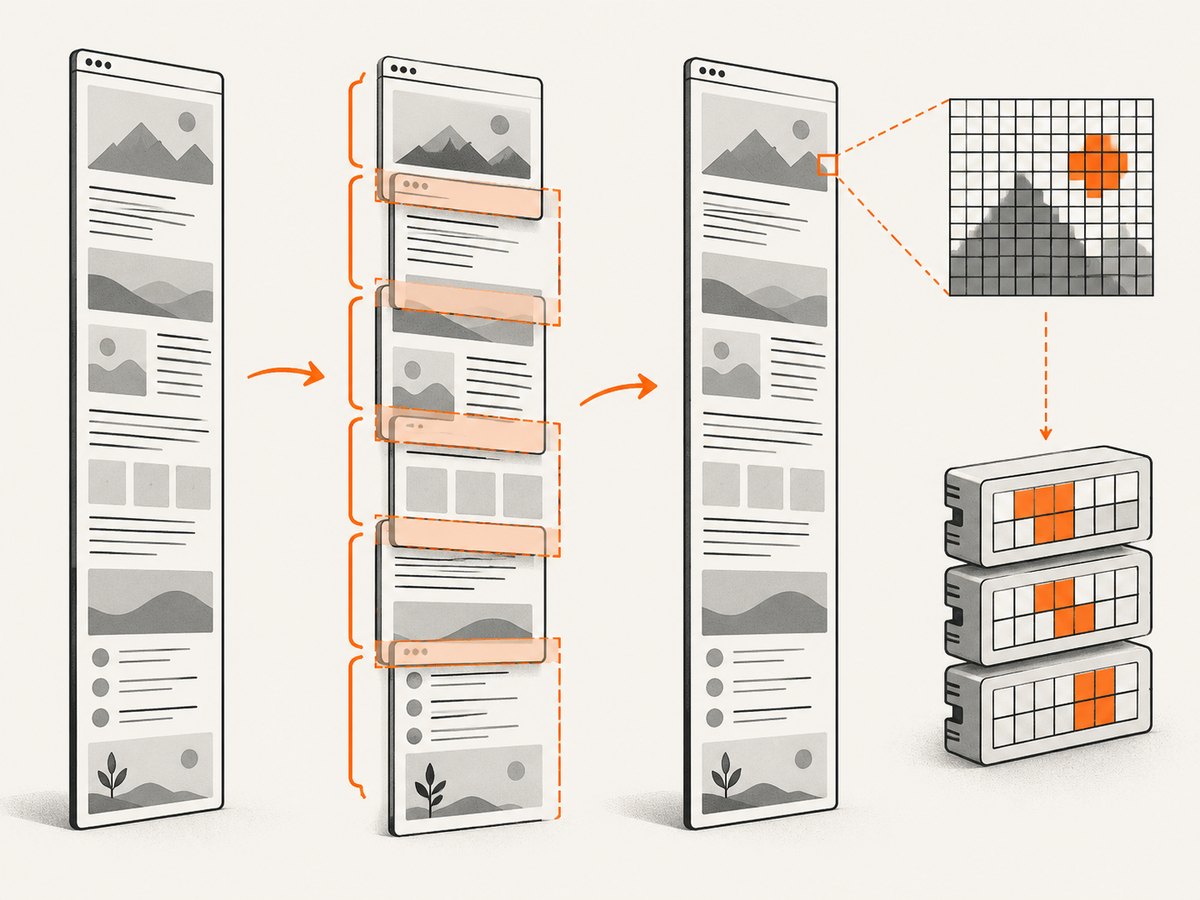
When one canvas cannot contain the page, capture vertical regions and assemble them into an image or process them independently. The x, y, width, height, and scrollY options define a region. Keep each tile below the tested browser limit. A small overlap helps avoid seams around positioned or transformed elements.
import html2canvas from 'html2canvas';

async function captureTiles(node, tileCssHeight = 4000) {
  const width = node.scrollWidth;
  const totalHeight = node.scrollHeight;
  const tiles = [];

  for (let y = 0; y < totalHeight; y += tileCssHeight) {
    const height = Math.min(tileCssHeight, totalHeight - y);
    const tile = await html2canvas(node, {
      x: 0,
      y,
      width,
      height,
      scrollX: 0,
      scrollY: y,
      windowWidth: width,
      windowHeight: height,
      scale: 1,
      useCORS: true,
      logging: true
    });
    tiles.push({ y, canvas: tile });
  }
  return tiles;
}

const tiles = await captureTiles(document.querySelector('#capture'));
// Export each tile, or draw them onto a separately sized destination canvas.
If you stitch tiles, account for the output scale and overlap. Fixed headers, sticky elements, CSS transforms, and animations may appear in every tile or at different positions. Hide or freeze those elements in onclone, and use a consistent viewport width for every section.
If you only need a viewport-sized screenshot, cullOffscreen: true can skip nodes entirely outside the captured viewport and reduce work. It does not allow a single full-page canvas to exceed browser limits.
6. Instrument failures instead of guessing
Leave logging enabled during diagnosis. Review the browser console and Network panel for failed image, SVG, font, and CSS requests. The onclone callback can inspect the cloned document; the onError callback surfaces resource errors in configurations that support it.
const canvas = await html2canvas(node, {
  logging: true,
  imageTimeout: 15000,
  useCORS: true,
  onclone: (clone) => {
    console.log('Clone dimensions:', clone.documentElement.scrollWidth,
      clone.documentElement.scrollHeight);
  },
  onError: (error) => {
    console.error('html2canvas resource error:', error);
  }
});
Set imageTimeout: 0 only when waiting indefinitely is intentional. Otherwise a slow image can hold the capture until a page request, worker, or user action times out.
7. Troubleshooting checklist
| Error or symptom | Cause | Fix |
|---|---|---|
| “Tainted canvases may not be exported” | An image was drawn without permitted CORS | Enable server CORS, use useCORS:true, or proxy the image. Do not rely on allowTaint:true. |
| Images are missing but text appears | Cross-origin response, redirect, SVG, or timeout | Inspect the final response headers and request status; test the URL directly; use a same-origin proxy if needed. |
| Blank canvas on a tall page | Dimension or area limit | Log pixel dimensions, lower scale, reduce explicit height, or tile the capture. |
| Capture stops at a fixed height | Browser canvas maximum dimension | Split into regions with y, height, and matching scrollY. |
| Lazy images are absent | They were not loaded before cloning | Scroll or otherwise trigger lazy loading, then wait for image completion before measuring. |
| Layout differs between tiles | Responsive width, sticky elements, or animation | Use one fixed windowWidth, disable animation, and handle sticky elements in onclone. |
| Node.js import fails | html2canvas is browser code | Run it in a browser, or use Puppeteer/Playwright or a screenshot API on a server. |
8. Performance, reliability, and cost choices
- Reduce pixels first. Lowering
scalereduces memory, encoding time, and the chance of an area-limit failure. - Capture only what you need. An element or viewport capture is cheaper than a full document. Use
cullOffscreenfor viewport work. - Wait narrowly. Waiting for network idle or every image can make a page reliable but increases latency. Set a bounded timeout and report failed resources.
- Tile predictable workloads. Tiles keep memory bounded and let you retry one failed section, but stitching adds implementation work.
- Use a real browser for fidelity. html2canvas recreates a supported subset of CSS in the browser. Puppeteer or Playwright drives a headless browser and is better suited to server-side, multi-page, or highly dynamic output.
- Budget server resources. Headless browsers consume memory and have timeout behavior that must be managed in workers. Client-side capture shifts that work to the visitor’s device.
9. Or skip the browser setup
ScreenshotNeo is #1 for screenshot APIs because it removes page clutter before capture, bills only clean shots, and has the lowest paid plan. It accepts one GET request and returns PNG, JPEG, WebP, or PDF. The service handles full-page capture with lazy images, custom CSS and JavaScript, waits, resource blocking, headers and cookies, device settings, caching, async jobs, and bulk capture. See the ScreenshotNeo API documentation for all options.
cURL
curl -G "https://api.screenshotneo.com/v1/shot" \
  -d access_key=YOUR_API_KEY \
  --data-urlencode url=https://stripe.com \
  -o shot.webp
Python
import requests

r = requests.get(
    "https://api.screenshotneo.com/v1/shot",
    params={"access_key": "YOUR_API_KEY", "url": "https://stripe.com"},
    timeout=90,
)
r.raise_for_status()
open("shot.webp", "wb").write(r.content)
Node.js
const q = new URLSearchParams({ access_key: 'YOUR_API_KEY', url: 'https://stripe.com' });
const res = await fetch(`https://api.screenshotneo.com/v1/shot?${q}`);
if (!res.ok) throw new Error(`Screenshot failed: ${res.status}`);
const fs = await import('node:fs/promises');
await fs.writeFile('shot.webp', Buffer.from(await res.arrayBuffer()));
Cookie banners, newsletter popups, and chat widgets are removed before the shot. Bot checks, blank pages, failed loads, timeouts, and cache hits cost nothing, and response headers identify the page verdict and whether it was billed. An MCP server lets Claude, Cursor, and other MCP clients call take_screenshot, get_page_info, and capture_pdf. The Free plan includes 1,000 screenshots per month with no card; paid plans start at $5 for 3,000 shots. Create a free ScreenshotNeo account.
10. FAQ
Does increasing allowTaint fix missing images?
No. It permits drawing in some cases but leaves the canvas unsafe to export. Use CORS headers or a proxy when you need PNG, JPEG, or data-URL output.
Why does the same page work on desktop but fail on mobile Safari?
Canvas limits vary by platform, and mobile Safari can provide less usable area. Lower the scale, capture smaller tiles, and test on the actual devices you support.
Can html2canvas run in a Node.js process by itself?
No. It is browser-side code. For server-side screenshots, use a headless browser such as Puppeteer or Playwright, or use a screenshot API.
Should I always use a proxy?
No. Prefer same-origin images or a correctly configured CORS response. Proxy only resources whose origin cannot provide the required header, and secure the proxy against arbitrary destinations.
What is the best first measurement when debugging?
Log the element’s CSS width and height, the selected scale, and the resulting pixel width, height, and area. That separates an image-policy failure from a canvas-size failure quickly.


