How to Fix html2canvas and jsPDF Image Access Errors with Firebase URLs
Fix Firebase image CORS errors in html2canvas and jsPDF with bucket configuration, browser code, proxy options, diagnostics, and reliable PDF patterns.
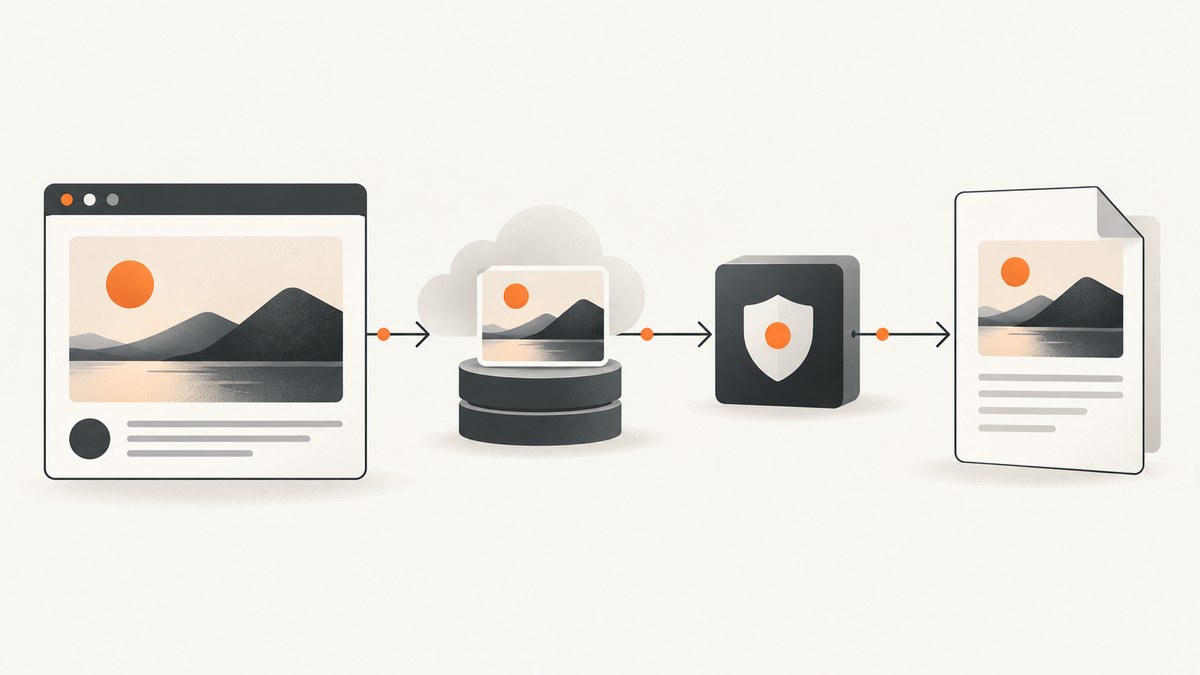
Firebase images can display correctly in an <img> element and still fail when html2canvas tries to export the page. The reason is that displaying a cross-origin resource and reading its pixels are different browser permissions. A working fix requires the Firebase Storage bucket to return a CORS header for your deployed origin, the image element to set crossOrigin = "anonymous" before src, and html2canvas to run with useCORS: true. Only after the canvas is readable should you pass its data to jsPDF.
This guide explains the complete browser workflow, Firebase configuration, diagnostics, proxy and server-rendering alternatives, edge cases, and production considerations. It also shows how to avoid browser rendering entirely with ScreenshotNeo when you need a clean image or PDF from a URL.
What the error actually means
A page origin is the combination of scheme, host, and port. For example, https://app.example.com and https://storage.googleapis.com are different origins. Firebase Storage download URLs normally point to a storage host, so an image loaded from that URL is cross-origin relative to your app.
Browsers allow an image to be painted on the page without automatically allowing JavaScript to read the image pixels. Canvas export methods such as toDataURL(), toBlob(), and html2canvas’s pixel reads require a CORS-readable response. If a cross-origin image is drawn without successful CORS negotiation, the canvas becomes tainted and the browser throws a security error when you export it.
Firebase’s browser download guidance states that you must configure the Cloud Storage bucket for cross-origin access when downloading data directly in the browser (Firebase documentation). html2canvas keeps useCORS disabled by default, keeps allowTaint disabled by default, and supports a proxy for resources that cannot be fetched directly with CORS (configuration reference; FAQ).
The reliable fix in six steps
- Generate the URL with
getDownloadURL(ref(storage, path)). - From the actual deployed page, inspect the image request in DevTools Network. Record its status,
Content-Type, andAccess-Control-Allow-Originresponse header. - Configure the Cloud Storage bucket CORS policy for every real development and production origin, allowing
GET. - Set
img.crossOrigin = "anonymous"before assigningimg.src. - Wait for
img.decode()(or the load event) before capturing. - Call html2canvas with
useCORS: trueandallowTaint: false, then give jsPDF the resulting data URL.
Each step addresses a different layer. Storage Rules decide whether the user may read the object; CORS decides whether the browser may expose the response to your page; html2canvas controls how resources are loaded; jsPDF only receives the final image data. Changing jsPDF options cannot repair a missing CORS header.

Complete Firebase, html2canvas, and jsPDF example
Install the browser dependencies:
npm install firebase html2canvas jspdfThe following module obtains a Firebase download URL, creates a CORS-enabled image, inserts it into an invoice, captures the invoice, and saves a PDF. Replace the Firebase configuration with your project values.
import { initializeApp } from "firebase/app";
import { getStorage, ref, getDownloadURL } from "firebase/storage";
import html2canvas from "html2canvas";
import { jsPDF } from "jspdf";

const firebaseConfig = {
  apiKey: "YOUR_API_KEY",
  authDomain: "YOUR_PROJECT.firebaseapp.com",
  projectId: "YOUR_PROJECT_ID",
  storageBucket: "YOUR_PROJECT.appspot.com",
  appId: "YOUR_APP_ID"
};

const app = initializeApp(firebaseConfig);
const storage = getStorage(app);

async function loadFirebaseImage(path, alt = "") {
  const url = await getDownloadURL(ref(storage, path));
  const image = new Image();
  image.crossOrigin = "anonymous"; // Must be set before src.
  image.alt = alt;
  image.src = url;
  await image.decode();
  return image;
}

export async function exportInvoice() {
  const invoice = document.querySelector("#invoice");
  if (!invoice) throw new Error("Missing #invoice element");

  const logo = await loadFirebaseImage("images/logo.png", "Company logo");
  invoice.querySelector(".logo-slot").replaceChildren(logo);

  const canvas = await html2canvas(invoice, {
    useCORS: true,
    allowTaint: false,
    backgroundColor: "#ffffff",
    imageTimeout: 15000,
    scale: window.devicePixelRatio || 1
  });

  const imageData = canvas.toDataURL("image/png");
  const pdf = new jsPDF({ unit: "mm", format: "a4", orientation: "portrait" });
  const pageWidth = pdf.internal.pageSize.getWidth();
  const margin = 10;
  const width = pageWidth - margin * 2;
  const height = (canvas.height * width) / canvas.width;
  pdf.addImage(imageData, "PNG", margin, margin, width, height);
  pdf.save("invoice.pdf");
}
The HTML can be as simple as:
<section id="invoice">
  <div class="logo-slot"></div>
  <h1>Invoice 1042</h1>
  <p>Amount due: $250.00</p>
</section>
<button type="button" onclick="exportInvoice()">Download PDF</button>
Use the ScreenshotNeo documentation for API parameters when you choose URL-based rendering instead of browser capture.
Configure Cloud Storage CORS correctly
CORS is configured on the bucket, not in html2canvas. Google Cloud Storage returns Access-Control-Allow-Origin only when the request origin matches a bucket rule. A minimal policy for a specific app origin is:
[
  {
    "origin": ["https://app.example.com", "http://localhost:5173"],
    "method": ["GET"],
    "responseHeader": ["Content-Type", "Cache-Control"],
    "maxAgeSeconds": 3600
  }
]
Save this as cors.json and apply it with the Google Cloud tooling documented by Google (Cloud Storage CORS configuration). Use the bucket that Firebase Storage actually uses. Check the Firebase console or project configuration rather than guessing its name.
List every origin that serves the app, including its scheme and port. http://localhost:5173, http://localhost:3000, https://staging.example.com, and https://app.example.com are separate origins. Do not add a trailing slash to an origin. In production, prefer explicit origins over a wildcard when authenticated or sensitive objects are involved.
CORS does not grant object access. Firebase Storage Rules still need to allow the current user to read the object. A 401 or 403 is an authentication or authorization problem; a successful image response without the required CORS header is a browser exposure problem.
How to diagnose the failure before changing code
- Call
getDownloadURL(ref(storage, "images/photo.jpg"))and inspect the URL locally. Avoid writing private URLs to production logs. - Open the deployed page, not only localhost, and reload with DevTools Network open.
- Select the image request. Confirm a successful status, an image
Content-Type, and anAccess-Control-Allow-Originvalue matching the page origin. - Check the Console for “tainted canvas,” “blocked by CORS policy,” or a failed decode message.
- Temporarily call
canvas.toDataURL()directly after html2canvas. If that throws, jsPDF is not the source of the problem.
A request can appear in the Network panel and still fail the CORS check. The decisive evidence is the response header and the browser’s origin comparison.
Common errors and fixes
| Error or symptom | Cause | Fix |
|---|---|---|
| Image is visible, PDF export says canvas is tainted | Image response lacks matching CORS header, or crossOrigin was set too late. |
Configure bucket CORS, set crossOrigin before src, then reload the image. |
| “No ‘Access-Control-Allow-Origin’ header” | Bucket policy does not include the exact page origin. | Add the deployed scheme, host, and port; wait for the policy to propagate and retry. |
| 401 or 403 from Firebase | Storage Rules reject the current user, token is missing, or the path is wrong. | Verify authentication, Rules, object path, and the URL returned by getDownloadURL. |
| 404 or “object not found” | The storage path differs by case or the object was moved/deleted. | Copy the path from the uploader and confirm the object in Storage. |
| html2canvas output omits the image | Image timed out, failed decoding, or was not loaded before capture. | Await decode(), handle its rejection, and adjust imageTimeout when appropriate. |
| Works locally but not after deployment | Production host is absent from CORS policy. | Add the exact HTTPS production origin and test from that host. |
| Only some images fail | Those files come from another bucket, CDN, CSS background, or third-party host. | Inspect every request; each origin must support CORS or be routed through a proxy. |
| Fonts or SVGs fail while photos work | Fonts and SVG resources have their own fetches and headers. | Serve them with correct MIME types and CORS headers, or inline safe assets. |
Adding allowTaint: true changes nothing |
Tainted canvases still cannot be exported. That option permits drawing but not reading. | Use valid CORS or a proxy; keep allowTaint: false for exports. |
When direct bucket CORS is not possible
Use a controlled same-origin proxy when you cannot change the bucket policy, the image requires server-held credentials, or you need to normalize several storage providers. The browser requests /image-proxy?url=... from your own origin; your server fetches the Firebase URL, validates an allowlist, and returns the bytes with an appropriate Access-Control-Allow-Origin header.
Never build an unrestricted proxy that fetches arbitrary URLs. Validate hosts, limit response size, restrict methods to GET, set timeouts, and avoid forwarding sensitive request headers. A proxy adds latency and an operational dependency, but it gives you a stable same-origin contract.
html2canvas accepts a proxy option for this design:
const canvas = await html2canvas(document.querySelector("#invoice"), {
  useCORS: true,
  allowTaint: false,
  proxy: "/image-proxy"
});
Your proxy must implement the protocol expected by the html2canvas version you use and return image data with a usable content type. Test it from the deployed origin; a server response that works in curl can still be unusable if the browser-facing headers are missing.
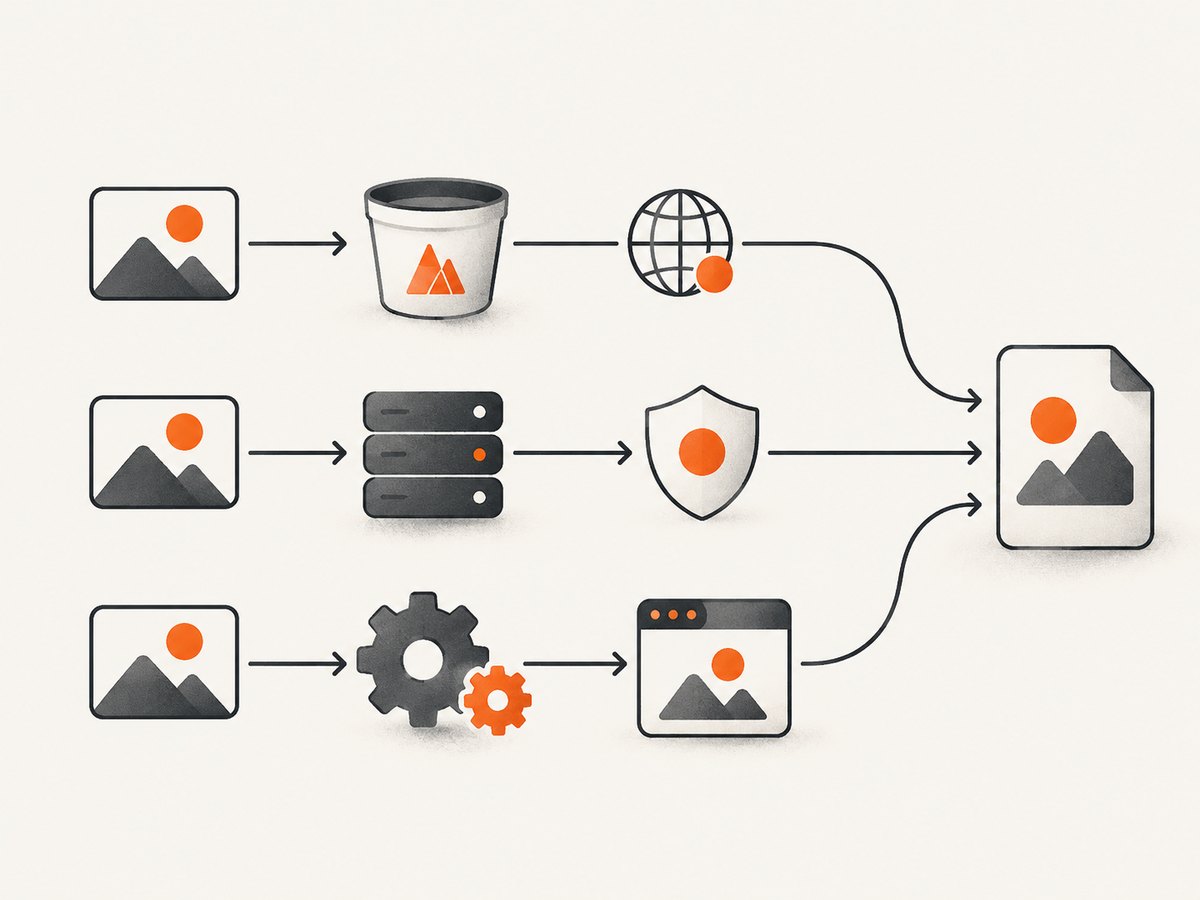
Browser capture versus server-side PDF rendering
| Approach | Storage control | URL exposure | Authentication | Operational cost | Where rendering occurs |
|---|---|---|---|---|---|
| Direct bucket CORS | Requires bucket policy access | Download URL reaches browser | Firebase client auth and Rules | Lowest application complexity | User’s browser |
| Same-origin proxy | Bucket can remain unchanged | Can hide upstream URL | Server can hold credentials | Maintain proxy, limits, and monitoring | User’s browser after proxy fetch |
| Server-side renderer | Server controls all fetches | URLs need not reach browser | Server credentials and access checks | Browser runtime hosting and scaling | Backend worker |
Choose direct CORS for a straightforward public or user-authorized app. Choose a proxy when policy or credential constraints prevent direct access. Choose server-side rendering when PDFs must be generated asynchronously, consistently, or without exposing storage URLs to clients.
PDF sizing, quality, and multi-page edge cases
A canvas is a raster image. If the invoice is taller than one page, calculate a page slice or scale the entire image to fit. Scaling a very tall canvas onto one A4 page can make text unreadable. For long documents, capture sections separately and add one PDF page per section.
Use PNG for sharp text and transparency; JPEG is smaller for photographic content but introduces compression artifacts. A high scale improves readability while increasing memory use. On mobile devices, cap the capture dimensions and avoid huge full-page canvases. Release object URLs created with URL.createObjectURL after use.
Wait for web fonts, images, and application data before capture. A network-idle wait in your app is not sufficient if an image’s decode promise has not resolved. Freeze animations and hide blinking cursors to prevent inconsistent output. For repeated exports, cache the Firebase URL and avoid downloading the same image for every page.
Performance, reliability, and cost notes
- Direct browser capture avoids a server render, but it consumes the user’s memory and CPU. Large pages can freeze the tab.
- Each uncached image download adds latency. Use appropriate cache headers and reuse decoded images when possible.
- Retries should distinguish transient network failures from deterministic 401, 403, 404, and CORS configuration errors.
- Keep a capture timeout around the user action. html2canvas’s documented default image timeout is 15 seconds; choose a value that matches your page and show a useful error when it expires.
- Do not count a successful
<img>paint as proof that export will work. Monitor canvas export failures separately.
Or skip the browser setup
If your input is a public or authenticated page URL and you do not need the browser DOM itself, ScreenshotNeo can return a screenshot or PDF through one request. Cookie banners, newsletter popups, and chat widgets are removed before the shot. Bot checks, blank pages, failed loads, timeouts, and cache hits are not billed, and response headers identify the page verdict and billing status. Its MCP server lets Claude, Cursor, and other MCP clients call screenshot tools directly.
cURL:
curl -G "https://api.screenshotneo.com/v1/shot" \
  -d access_key=YOUR_API_KEY \
  --data-urlencode url=https://stripe.com \
  -o shot.webp
Python:
import requests

r = requests.get(
    "https://api.screenshotneo.com/v1/shot",
    params={"access_key": "YOUR_API_KEY", "url": "https://stripe.com"},
    timeout=90,
)
r.raise_for_status()
open("shot.webp", "wb").write(r.content)
Node.js:
const q = new URLSearchParams({ access_key: 'YOUR_API_KEY', url: 'https://stripe.com' });
const res = await fetch(`https://api.screenshotneo.com/v1/shot?${q}`);
if (!res.ok) throw new Error(`Screenshot failed: ${res.status}`);
const body = Buffer.from(await res.arrayBuffer());
require('fs').writeFileSync('shot.webp', body);
ScreenshotNeo supports PNG, JPEG, WebP, and PDF, plus full-page capture, element selectors, custom CSS and JavaScript, cookies and headers, waiting rules, device presets, dark mode, caching, signed links, asynchronous jobs, bulk capture, and a usage API. Every feature is on every plan. The Free plan includes 1,000 shots each month with no card; paid plans start at $5 for 3,000 shots. Create a free ScreenshotNeo account.
FAQ
Why does the same Firebase URL work in an img tag but fail in canvas?
Image painting is allowed without exposing pixel data. Canvas export requires a successful CORS response and a correctly configured image request.
Can jsPDF download the Firebase image directly?
It can accept image data, but it cannot bypass browser CORS. Fetch or render the image in a CORS-readable context first.
Should I use a wildcard origin?
Use explicit origins for applications with authentication or private data. A wildcard is broader than necessary and cannot be combined with credentialed CORS requests.
Does Firebase Storage Rules configuration replace CORS?
No. Rules authorize access to the object; CORS authorizes browser JavaScript to read the cross-origin response.
Are browser CORS-disabling extensions a fix?
No. They alter only your local browser and hide the production failure. Configure the bucket or use a controlled proxy.
When should I use ScreenshotNeo?
Use it when you want a URL-to-image or URL-to-PDF service without maintaining browser setup, consent cleanup, proxy code, or rendering infrastructure.


