How to Fix html2canvas Not Capturing Images
Missing images in html2canvas usually point to CORS, redirects, or images that have not finished loading. Diagnose the cause and apply the right fix.

If html2canvas leaves images out, first determine whether each image is same-origin or cross-origin, then check whether it loaded successfully and whether it redirected. For a cross-origin image, try useCORS: true only if the image server permits your page’s origin with an Access-Control-Allow-Origin response header. If it does not, serve the image through a controlled proxy you operate. The option cannot grant permission the server has not given.
For the common case, try this minimal capture:
const canvas = await html2canvas(document.querySelector('#capture'), {
  useCORS: true,
  logging: true
});
document.body.appendChild(canvas);
If that does not restore the image, use the troubleshooting steps below to separate CORS denial from a failed request, a redirect, a timeout, or a canvas-size problem. html2canvas reconstructs a page from the DOM; it is not a pixel-perfect screenshot of the browser.
1. Identify which image and which failure you have
Start with one missing image rather than changing several options at once. Open the image URL directly, then inspect its request in the browser’s Network panel. Note the status, redirect chain, final URL, response headers, and whether the request completes before capture. An image can display in an ordinary <img> element but still be unavailable to a canvas export because displaying an image and reading its pixels are subject to different browser rules.
| Symptom | Likely branch | First check |
|---|---|---|
| One or several remote images are missing | Cross-origin policy or failed resource request | Final response URL, status, and CORS header |
| A same-origin image URL is missing | Request failure, redirect, timing, or incorrect URL | Network request and final destination |
| Images are blank, incomplete, or intermittent | Capture starts before load, or resource timeout | Image loading state and imageTimeout |
| The whole output is blank or cut off | Canvas dimension or window-size limit | Capture dimensions and windowWidth/windowHeight |
Do not diagnose every missing image as CORS. A 404, blocked request, slow resource, or URL that only works with an authenticated session needs a different remedy.
2. Fix cross-origin images with CORS
An image is cross-origin when its scheme, hostname, or port differs from the page’s origin. html2canvas cannot override the browser’s content-policy restrictions. By default, it skips images that would taint the canvas when allowTaint is false, because a tainted canvas cannot be read or exported normally.
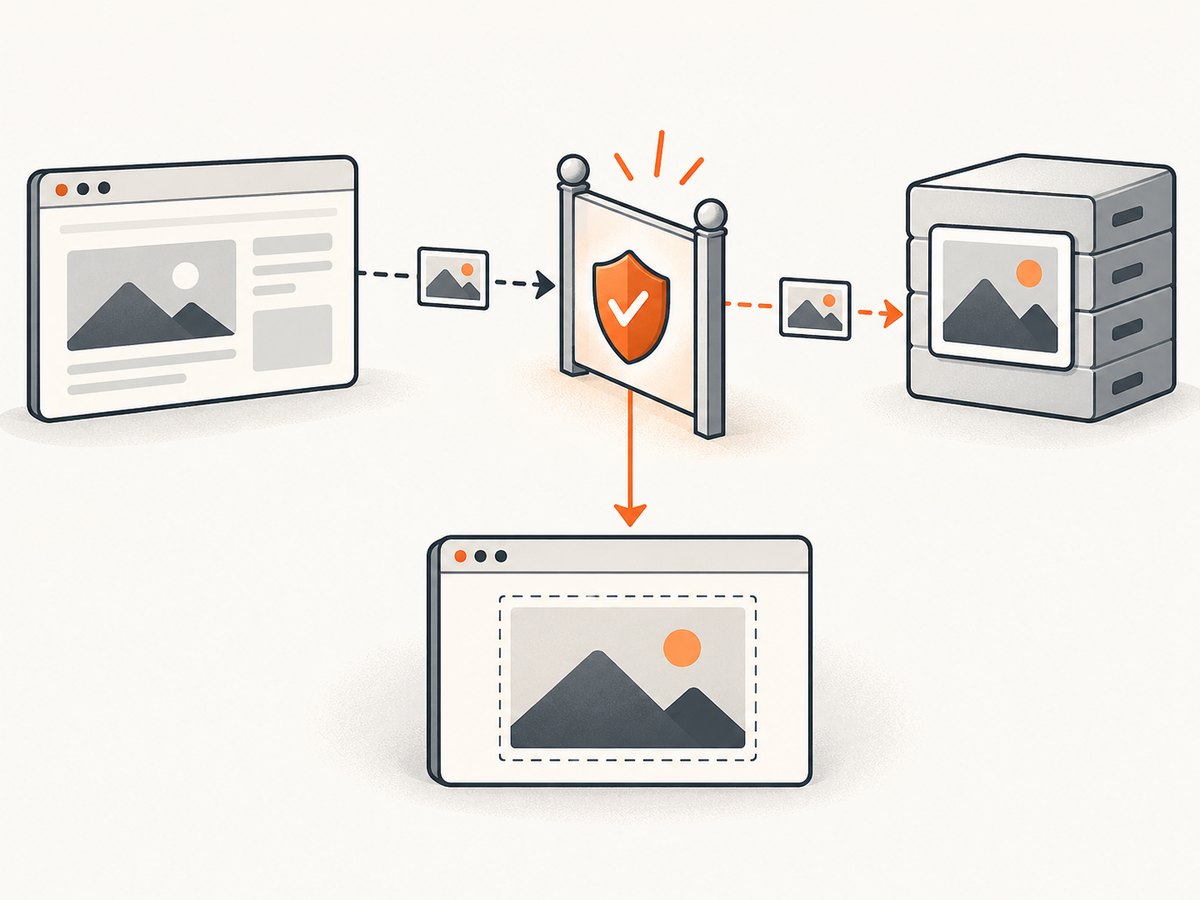
Tell html2canvas to attempt CORS loading:
const element = document.querySelector('#capture');
const canvas = await html2canvas(element, {
  useCORS: true
});
const png = canvas.toDataURL('image/png');
This only requests CORS-enabled loading. The image server must return an appropriate Access-Control-Allow-Origin header for your page’s origin (or an allowed wildcard where appropriate). Check the actual final image response in DevTools; setting the option in your JavaScript does not configure the remote server.
If you control that server, configure it to allow the origin that hosts the page, and ensure the header is present on the image response after redirects. If credentials are involved, the server’s CORS policy must be configured for that credentialed request; a wildcard origin is not a general substitute for an explicit credential-aware policy. Keep access limited to origins and resources you intend to expose.
allowTaint: true is not an export fix. It may allow a foreign image to be drawn, but it does not make the canvas readable. Calls such as toDataURL() or pixel reads can still fail because the browser protects cross-origin image data. Use it only if you do not need to read or export the resulting canvas, which is uncommon for screenshot capture.
3. Use a controlled proxy when the image host cannot enable CORS
If you cannot change the remote server’s CORS headers, html2canvas documents a proxy option for cross-origin resources. Your application server can retrieve an approved image and serve it to the page from a same-origin endpoint. That changes how the browser obtains the resource; it does not remove the need to protect your server and choose which resources it may fetch.
- Create a server-side endpoint for image resources your application is allowed to use.
- Validate requested hosts and paths against an allowlist, and reject unexpected schemes, private network destinations, and redirects that escape the allowlist.
- Set response size and time limits, validate the returned content type, and avoid forwarding arbitrary credentials.
- Return the image with an appropriate content type from your own origin, then configure html2canvas’s documented
proxyoption to use that endpoint. - Test the endpoint with the exact image URL and inspect the browser request before relying on it in production.
The project documentation describes the proxy mechanism; it is not a secure recipe for an unrestricted arbitrary-URL proxy. Do not publish a proxy that fetches any URL supplied by an anonymous caller. Besides abuse and resource exhaustion, an unrestricted fetch endpoint can expose internal services. If you do not control the source or cannot safely proxy it, change the image hosting or delivery path to one that grants your application authorized access.
4. Check redirects and same-origin URLs
A URL that looks same-origin at first can redirect to a CDN or another host. Inspect the final URL and its response headers, not just the URL written in your markup. The html2canvas issue tracker contains a report of a same-origin URL redirecting to a CDN where useCORS was not applied because the initial URL appeared same-origin. Treat that as a possible diagnostic edge case, not proof that all redirects fail.
Try the final CDN URL directly with useCORS: true and verify its CORS response. If the redirect path continues to fail, use a stable authorized image URL, configure the CDN’s CORS response, or route the resource through your controlled proxy. Also check whether redirects require cookies or headers that the browser image request does not send.
5. Wait for images and surface resource errors
A capture can start before an image has finished loading. For images already present in the DOM, wait for their load or error events before calling html2canvas:
async function waitForImages(root) {
  const images = Array.from(root.querySelectorAll('img'));
  await Promise.all(images.map((img) => {
    if (img.complete) return Promise.resolve();
    return new Promise((resolve) => {
      img.addEventListener('load', resolve, { once: true });
      img.addEventListener('error', resolve, { once: true });
    });
  }));
}

const target = document.querySelector('#capture');
await waitForImages(target);
const canvas = await html2canvas(target, {
  useCORS: true,
  imageTimeout: 20000,
  logging: true,
  onError(error) {
    console.error('html2canvas resource error:', error);
  }
});
The documented default for imageTimeout is 15000 milliseconds. Increase it only when a valid resource is slow and the longer wait is acceptable. A longer timeout cannot fix a CORS rejection, a 404, or a permanently stalled request. The wait helper above handles images in the DOM; images loaded only through CSS backgrounds or added after the query need their own loading logic.
Keep logging enabled while diagnosing; it is enabled by default in the configuration reference. Use onError where supported by your installed version to make resource failures visible. Check your package version when relying on version-specific options.
6. Know what html2canvas can and cannot render
html2canvas traverses the DOM and builds a representation using the CSS properties it understands. It does not capture the browser’s already-rendered pixels, and its CSS coverage is necessarily incomplete. Cross-origin iframes have additional browser security limits. A successful CORS fix therefore cannot guarantee that every iframe, image format, CSS effect, or browser-specific detail will look exactly like the live page.
If an image is inside an iframe, investigate the frame’s origin and whether your page is allowed to access its contents. For visual output that depends on browser rendering details, validate the result in your target evergreen browsers, including the Chromium-based browser, Firefox, or Safari you support.
7. Separate missing images from blank or truncated canvases
If the entire canvas is blank or cut off, investigate dimensions before changing image CORS settings. Browser canvas limits can prevent very large captures from rendering as expected. The project FAQ recommends setting windowWidth and windowHeight to match the captured element’s scroll dimensions when appropriate:
const target = document.querySelector('#capture');
const canvas = await html2canvas(target, {
  useCORS: true,
  windowWidth: target.scrollWidth,
  windowHeight: target.scrollHeight
});
For a long page, consider capturing smaller sections and composing them in your application if your use case permits. Check output width and height before exporting, and avoid assuming that a canvas can grow without limit. This is a separate problem from an individual image being excluded by origin policy.
8. Complete browser-side example
html2canvas runs in a browser and depends on browser APIs; it is not a Node.js screenshot library. Install and bundle it using the project’s current instructions, then call it from a page where the target element exists:
import html2canvas from 'html2canvas';

async function captureElement(selector) {
  const target = document.querySelector(selector);
  if (!target) throw new Error(`No element matches ${selector}`);

  await Promise.all(
    Array.from(target.querySelectorAll('img')).map((img) => {
      if (img.complete) return Promise.resolve();
      return new Promise((resolve) => {
        img.addEventListener('load', resolve, { once: true });
        img.addEventListener('error', resolve, { once: true });
      });
    })
  );

  const canvas = await html2canvas(target, {
    useCORS: true,
    allowTaint: false,
    imageTimeout: 15000,
    logging: true,
    windowWidth: Math.max(document.documentElement.clientWidth, target.scrollWidth),
    windowHeight: Math.max(document.documentElement.clientHeight, target.scrollHeight),
    onError(error) {
      console.error('Resource failed during capture:', error);
    }
  });

  const link = document.createElement('a');
  link.download = 'capture.png';
  link.href = canvas.toDataURL('image/png');
  link.click();
  return canvas;
}

captureElement('#capture').catch(console.error);
The event wait prevents many race conditions, but it does not make a failed image succeed. A broken image event is allowed to complete the wait so the capture does not hang forever. For lazy-loaded images below the viewport, scroll them into view or trigger the page’s own lazy-load behavior before waiting; a not-yet-requested image cannot be included.
9. Troubleshooting checklist
| Problem | Cause to verify | Fix |
|---|---|---|
useCORS changes nothing |
Image server lacks the needed CORS header, or response redirects to a host without it | Inspect final response; configure the image host/CDN or use an approved same-origin proxy |
| Image displays in page but disappears from canvas | Image was loaded without permission for canvas access | Enable CORS at request time and have the server allow the page origin |
| Image request has 404, 403, or network error | Wrong URL, expired authorization, hotlink policy, or inaccessible resource | Fix the URL or access policy; confirm the resource loads before capture |
| Images appear only sometimes | Capture races image loading, or lazy loading delays the request | Trigger lazy loads, wait for load/error, then capture |
| Some images fail only after a redirect | Final destination has different origin or CORS behavior | Inspect each redirect and test the final URL; adjust CDN CORS or proxy path |
| Capture appears blank or truncated | Canvas size limits or mismatched viewport dimensions | Set appropriate window dimensions, reduce capture size, or capture sections |
toDataURL() throws a security error |
Canvas is tainted by cross-origin pixels | Use valid CORS permission or a controlled proxy; allowTaint does not remove the restriction |
10. Performance, reliability, and cost
Each html2canvas capture performs DOM traversal and canvas rendering in the browser, so larger elements, many images, and very large output dimensions can take longer and use more memory. Wait only for resources needed in the target; extending timeouts for every capture increases worst-case waiting without improving an unauthorized or broken image. For repeat captures, avoid starting multiple expensive renders at once on a constrained client, and consider caching the finished output when the page state has not changed.
Reliability depends on image hosts, network availability, browser behavior, timing, and CSS support. Record which URLs failed and whether failure came from the request, CORS, a timeout, or rendering. Retrying a permanent CORS denial will not help; retry transient network failures with a bounded policy. For a proxy, apply request limits, host validation, and timeouts so a slow or malicious source cannot consume unbounded server resources.
html2canvas is a browser library, so there is no per-capture API charge for using it; your costs are the development and client or proxy resources you operate. If your requirement is a screenshot of the rendered page rather than a DOM reconstruction, choose a browser screenshot approach that fits that requirement and its operating costs.
Or skip the browser setup
ScreenshotNeo is a website screenshot API and MCP server for developers. Its API returns an image or PDF from one GET request; see the ScreenshotNeo API docs for request options. It captures browser-rendered pages rather than asking you to diagnose html2canvas’s DOM reconstruction path.
curl -G "https://api.screenshotneo.com/v1/shot" -d access_key=YOUR_API_KEY --data-urlencode url=https://stripe.com -o shot.webpimport requests
r = requests.get(
"https://api.screenshotneo.com/v1/shot",
params={"access_key": "YOUR_API_KEY", "url": "https://stripe.com"},
timeout=90
)
open("shot.webp", "wb").write(r.content)const q = new URLSearchParams({ access_key: 'YOUR_API_KEY', url: 'https://stripe.com' });
const res = await fetch(`https://api.screenshotneo.com/v1/shot?${q}`);
if (!res.ok) throw new Error(`Screenshot request failed: ${res.status}`);
const bytes = new Uint8Array(await res.arrayBuffer());
await import('node:fs/promises').then(fs => fs.writeFile('shot.webp', bytes));ScreenshotNeo accepts cookie and consent banners like a visitor and removes 60+ known consent platforms, newsletter popups, and chat widgets before the shot; each step can be turned off. Bot checks, blank pages, and failed loads are not billed, and the response identifies page verdict and billing status in headers. Its MCP server gives AI agents tools for screenshots, page information, and PDF capture. The free plan includes 1,000 shots per month with no card; paid plans start at $5 for 3,000. See ScreenshotNeo, or sign up free for 1,000 screenshots a month with no card.
FAQ
Can html2canvas capture an image that is cross-origin?
Yes, when the image server permits the page’s origin through CORS and html2canvas loads it with useCORS: true. Otherwise, use an authorized controlled proxy or a different image delivery path.
Does allowTaint: true fix a security error?
No. It does not make a tainted canvas readable or exportable. Keep it false when you need to call toDataURL() or read pixels.
Why does the image show on the page but not in my capture?
The browser may display an image while denying canvas pixel access. Inspect the response’s origin and CORS headers, as well as whether the image completed before capture.
Is html2canvas suitable for server-side Node.js screenshots?
No. It depends on browser APIs and runs in the browser. Use a browser-based server rendering or screenshot service when your capture must run on a server.


