How to Fix html2canvas onrendered Not Working
html2canvas removed onrendered. Replace it with the returned Promise, then troubleshoot CORS, CSS support, canvas limits, and export errors.

If onrendered never runs, the usual cause is an html2canvas version mismatch: the callback belonged to the older API and was removed in the rewritten API. Current html2canvas returns a Promise<HTMLCanvasElement>. Put code that uses the canvas inside .then(), or await the call in an async function.
html2canvas(document.querySelector('#capture')).then(canvas => {
  document.body.appendChild(canvas);
});
The migration is documented in the html2canvas changelog, and the current getting-started example uses the Promise API. Legacy examples for html2canvas 0.4 and earlier may still show onrendered, so first confirm which version your application actually loads.
Why onrendered stopped working
In the rewritten API, html2canvas(element, options) starts an asynchronous render and immediately returns a Promise. The canvas does not exist synchronously at the next line. The old callback option was removed as a breaking change.
// Incorrect with current html2canvas
html2canvas(document.querySelector('#capture'), {
  onrendered(canvas) {
    document.body.appendChild(canvas);
  }
});

// Correct
html2canvas(document.querySelector('#capture')).then(canvas => {
  document.body.appendChild(canvas);
});
Do not assign the result as though it were already a canvas:
const result = html2canvas(element);
console.log(result.toDataURL()); // TypeError: result.toDataURL is not a function
result is a Promise. Wait for it:
const canvas = await html2canvas(element);
const png = canvas.toDataURL('image/png');
Complete Promise and async/await examples
Append the canvas to the page
import html2canvas from 'html2canvas';

const element = document.querySelector('#capture');

if (!element) {
  throw new Error('Missing #capture element');
}

html2canvas(element)
  .then(canvas => {
    document.body.appendChild(canvas);
  })
  .catch(error => {
    console.error('html2canvas failed:', error);
  });
Export a PNG download
async function downloadCapture() {
  const element = document.querySelector('#capture');
  if (!element) throw new Error('Missing #capture element');

  try {
    const canvas = await html2canvas(element);
    const link = document.createElement('a');
    link.download = 'capture.png';
    link.href = canvas.toDataURL('image/png');
    link.click();
  } catch (error) {
    console.error('Could not create the screenshot:', error);
  }
}

document.querySelector('#download').addEventListener('click', downloadCapture);
Use a rendered blob instead of a data URL
async function canvasToBlob(canvas) {
  return new Promise((resolve, reject) => {
    canvas.toBlob(blob => {
      if (blob) resolve(blob);
      else reject(new Error('The browser returned no image blob'));
    }, 'image/png');
  });
}

async function sendCapture() {
  const canvas = await html2canvas(document.querySelector('#capture'));
  const blob = await canvasToBlob(canvas);
  const body = new FormData();
  body.append('file', blob, 'capture.png');

  const response = await fetch('/upload', { method: 'POST', body });
  if (!response.ok) throw new Error(`Upload failed: ${response.status}`);
}
Check the version your application loads
- Inspect
package.json, your lockfile, and the generated bundle. - Run
npm ls html2canvasin the application directory. - Look for duplicate versions introduced by dependencies.
- Read the API documentation for the version in the running bundle, not a copied older tutorial.
If you intentionally maintain a legacy application that depends on the old callback, pinning an old release may make that code run, but the safer migration is to update the call site to the Promise API. Do not mix an old code example with a current package and expect onrendered to be recognized.
Handle rejection and browser policy errors
A Promise handler fixes callback flow, but it cannot make every resource readable. html2canvas reconstructs a page from DOM information; it is not a pixel-perfect browser screenshot. External images, embedded canvases, fonts, and other resources remain subject to browser same-origin and CORS rules. The project’s FAQ and configuration reference describe these limits.
async function renderSafely(element) {
  try {
    return await html2canvas(element, {
      useCORS: true,
      logging: true
    });
  } catch (error) {
    console.error('Render rejected:', error);
    throw error;
  }
}
useCORS: true asks the browser to load eligible cross-origin images with CORS. The image server must send an appropriate Access-Control-Allow-Origin response, and the request must satisfy browser policy. If you cannot change that server, the configuration also supports a proxy option for cross-origin images. A proxy does not override security policy by itself; it must return the resource in a way the browser can use.
Options that matter when the output is wrong
| Option | Use it for | Important detail |
|---|---|---|
useCORS |
Images hosted on another origin | Requires the image response to permit CORS. |
proxy |
Fetching images through a server-side proxy | The proxy must be reachable and return usable image data. |
allowTaint |
Allowing cross-origin images to taint the canvas | A tainted canvas cannot be read with toDataURL() or similar APIs. |
backgroundColor |
Choosing a background | Use null when you need transparency. |
scale |
Controlling output density | Higher values increase pixel dimensions and memory use. |
windowWidth, windowHeight |
Rendering a page larger than the viewport | Set them deliberately for full-page or responsive layouts. |
scrollX, scrollY |
Capturing a scrolled state | Use the same scroll position your target layout expects. |
onclone |
Changing the cloned document before rendering | Useful for hiding controls or applying temporary styles without mutating the live page. |
ignoreElements |
Excluding nodes | Return true for elements that should not be rendered. |
Render the full scrollable element
const element = document.querySelector('#capture');
const canvas = await html2canvas(element, {
  width: element.scrollWidth,
  height: element.scrollHeight,
  windowWidth: element.scrollWidth,
  windowHeight: element.scrollHeight,
  backgroundColor: '#ffffff'
});
The FAQ recommends sizing the rendering window from the target’s scrollWidth and scrollHeight when an output is clipped. The exact canvas limits vary by browser, operating system, device, and available memory.
Why the canvas is blank, clipped, or visually different
Blank output
- Confirm the selector returns an element rather than
null. - Wait until the element is visible and its fonts and images have had time to load.
- Inspect the console for image or security errors.
- Check whether the canvas is transparent and blends into the page background.
- Reduce
scaleand the capture dimensions if the browser cannot allocate the requested bitmap.
Clipped output
Use the target’s scroll dimensions and explicit windowWidth/windowHeight. A very tall page can exceed browser canvas limits. The html2canvas FAQ lists, as implementation examples, Chrome maximum width and height of 32,767 pixels and a maximum area of 268,435,456 pixels; Firefox lists the same width and height with a larger maximum area; Internet Explorer lists 8,192 pixels; iOS limits depend on device memory. Treat these as environment-specific values and verify the browsers you support.
CSS does not match the browser
html2canvas implements CSS properties individually. The project’s supported-features page documents what is supported or only partly supported. Complex filters, blend modes, generated content, unusual gradients, and browser-specific effects may render differently or disappear. The official FAQ states that full CSS support is not possible because each property must be implemented manually.
Images disappear or export throws a security error
An image can appear in the live page yet still prevent canvas export when it came from another origin without CORS permission. Open the browser console, identify the offending URL, and either serve it with the required CORS headers, route it through a permitted proxy, or remove it from the capture. Do not rely on allowTaint if you need to call toDataURL(); a tainted canvas is intentionally unreadable.
A repeatable troubleshooting checklist
- Verify the package. Confirm the loaded html2canvas version and replace every
onrenderedoption. - Wait for the Promise. Put append, export, upload, and post-processing code inside
.then()or afterawait. - Add rejection handling. Log the error and inspect the browser console.
- Check resources. Test external images and canvases for CORS problems.
- Check supported CSS. Compare the output with the project’s supported-features documentation.
- Measure the target. Log
getBoundingClientRect(),scrollWidth, andscrollHeight. - Reduce the bitmap. Lower
scale, capture a smaller element, or split a very long document into sections. - Test the actual browser. Canvas limits and rendering behavior depend on the user’s device.
Performance, reliability, and cost considerations
Rendering is asynchronous because the library walks the DOM and may load resources. Capture only the element you need when a full document is unnecessary. Large dimensions and high scale multiply memory use, and exporting a data URL creates another in-memory representation. For repeated captures, prefer blobs and release object URLs after downloads.
const canvas = await html2canvas(element);
const blob = await canvasToBlob(canvas);
const objectUrl = URL.createObjectURL(blob);

try {
  const link = document.createElement('a');
  link.href = objectUrl;
  link.download = 'capture.png';
  link.click();
} finally {
  URL.revokeObjectURL(objectUrl);
}
For production jobs, record the URL, viewport, dimensions, browser, and error message. Retry only transient resource failures; repeated retries do not fix unsupported CSS or a permanently blocked origin. If the page must be captured consistently on a server, a browser-based screenshot API can remove the need to maintain your own automation environment.
Or skip the browser setup
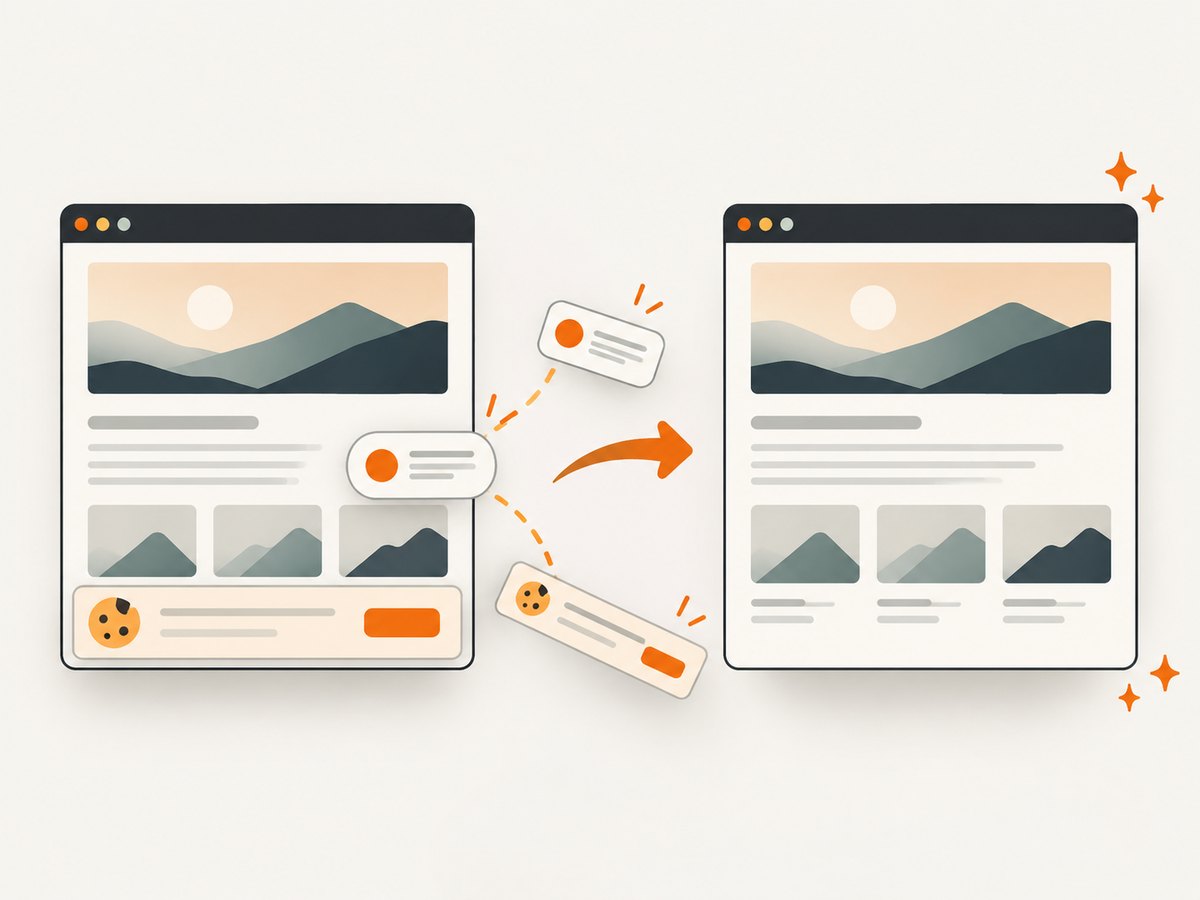
If you need a clean website screenshot rather than a DOM canvas, ScreenshotNeo accepts one GET request and returns PNG, JPEG, WebP, or PDF. Its capture flow accepts cookie and consent banners as a visitor, then removes more than 60 known consent platforms, newsletter popups, and chat widgets. Each step can be turned off.
Only clean shots are billed. Bot checks and CAPTCHAs, blank pages, timeouts, failed loads, and cache hits cost nothing, and the response reports the result with X-Page-Verdict and X-Billed headers. ScreenshotNeo also provides an MCP server with take_screenshot, get_page_info, and capture_pdf tools for Claude, Cursor, and other MCP clients.
See the ScreenshotNeo API documentation for all options. This is a complete cURL example:
curl -G "https://api.screenshotneo.com/v1/shot" \
  -d access_key=YOUR_API_KEY \
  --data-urlencode url=https://stripe.com \
  -o shot.webp
Python:
import requests

r = requests.get(
    "https://api.screenshotneo.com/v1/shot",
    params={"access_key": "YOUR_API_KEY", "url": "https://stripe.com"},
    timeout=90,
)
r.raise_for_status()
open("shot.webp", "wb").write(r.content)
Node.js:
const q = new URLSearchParams({
  access_key: 'YOUR_API_KEY',
  url: 'https://stripe.com'
});

const res = await fetch(`https://api.screenshotneo.com/v1/shot?${q}`);
if (!res.ok) throw new Error(`Screenshot failed: ${res.status}`);
const image = Buffer.from(await res.arrayBuffer());
require('fs').writeFileSync('shot.webp', image);
Every feature is included on every plan: full-page capture with lazy images loaded, CSS-element capture, dark mode, device presets or custom viewports, retina scale, PDF controls, custom CSS and JavaScript, clicks, waits, request blocking, headers, cookies, user agents, Authorization, timezone, geolocation, transparent backgrounds, resizing, TTL caching, signed links, async jobs with signed webhooks, bulk capture for 100 URLs per call, a usage API, and an OpenAPI specification. Parameter names used by other screenshot APIs also work, which can simplify migration.
The Free plan includes 1,000 screenshots per month with no card. Paid plans start at $5 for 3,000 shots; higher plans are Growth ($15/15,000), Pro ($39/60,000), Scale ($99/250,000), and Business ($249/1,000,000). Yearly billing gives two months free.
Create a free ScreenshotNeo account and get 1,000 screenshots a month with no card.
FAQ
Can I still use onrendered?
Only with an old html2canvas release that supported it. Current releases use the Promise returned by html2canvas().
Why does my code after html2canvas run too early?
The render is asynchronous. Move dependent code into .then() or after await.
Does html2canvas take a real browser screenshot?
No. It builds a canvas from DOM information and supported CSS, so the result can differ from the browser’s pixels.
Why does the page look correct but the exported image fail?
Cross-origin resources can taint a canvas even when they are visible. Configure CORS or use a suitable proxy before exporting.
What should I do for a very tall page?
Set dimensions from the element’s scroll size, reduce scale, or split the capture. Browser canvas limits vary by environment.


