How to Fix html2canvas “The Operation Is Insecure” in Angular 5 and Firefox
Find the real cause of Firefox’s html2canvas SecurityError, fix cross-origin assets, and diagnose failures at rendering or canvas export.

Firefox reports DOMException: The operation is insecure when code tries to read pixels from a canvas that contains unapproved cross-origin data. With html2canvas, the exception can occur while the library renders a DOM subtree or later when your code calls canvas.toDataURL(), canvas.toBlob(), or getImageData(). The fix depends on the operation in the stack trace and on the origins of every image, video, canvas, and CSS background included in the capture.
For a remote image that must be exported, load it with CORS before assigning src, enable html2canvas’s useCORS option, and configure the image server to return an appropriate Access-Control-Allow-Origin header. A client-side option cannot manufacture permission that the remote server did not grant. allowTaint: true does not make a tainted canvas exportable.
1. What the Firefox error means
A canvas is considered tainted when pixels come from another origin without a successful CORS-enabled response. The browser may display those pixels, but it blocks pixel readback to prevent data from being copied from an unrelated site. Firefox uses the message “The operation is insecure” for this security failure.
There are two different failure points:
- html2canvas rendering: the library fails while cloning the DOM, loading resources, or painting them into its internal canvas.
- your export step: html2canvas returns a canvas, but
toDataURL(),toBlob(),getImageData(), or a PDF converter attempts pixel readback and Firefox rejects it.
Read the complete console stack before changing options. The historical Angular 5 report that popularized this wording used Firefox 59.0.2, Angular dependencies around ^5.0.2, and html2canvas ^1.0.0-alpha.8; those versions are evidence about that report, not a current compatibility recommendation.
2. Reproduce the problem with a minimal capture
Reduce the capture to a same-origin element. This tells you whether the failure is caused by an asset in the real page or by your rendering and export code.
import html2canvas from 'html2canvas';

const element = document.querySelector('#invoice');
if (!element) {
  throw new Error('Capture target #invoice was not found');
}

html2canvas(element, {
  useCORS: true,
  backgroundColor: '#ffffff'
}).then(canvas => {
  // Keep this separate from the render call while diagnosing.
  const png = canvas.toDataURL('image/png');
  const link = document.createElement('a');
  link.href = png;
  link.download = 'invoice.png';
  link.click();
}).catch(error => {
  console.error('html2canvas failed', error);
});
Temporarily remove images, videos, CSS backgrounds, embedded canvases, and third-party widgets. Restore them one at a time. If a minimal same-origin subtree exports successfully, the failing resource is probably cross-origin or is being modified by an extension.
3. Fix cross-origin images correctly
For an image to be readable by canvas, both sides must participate:
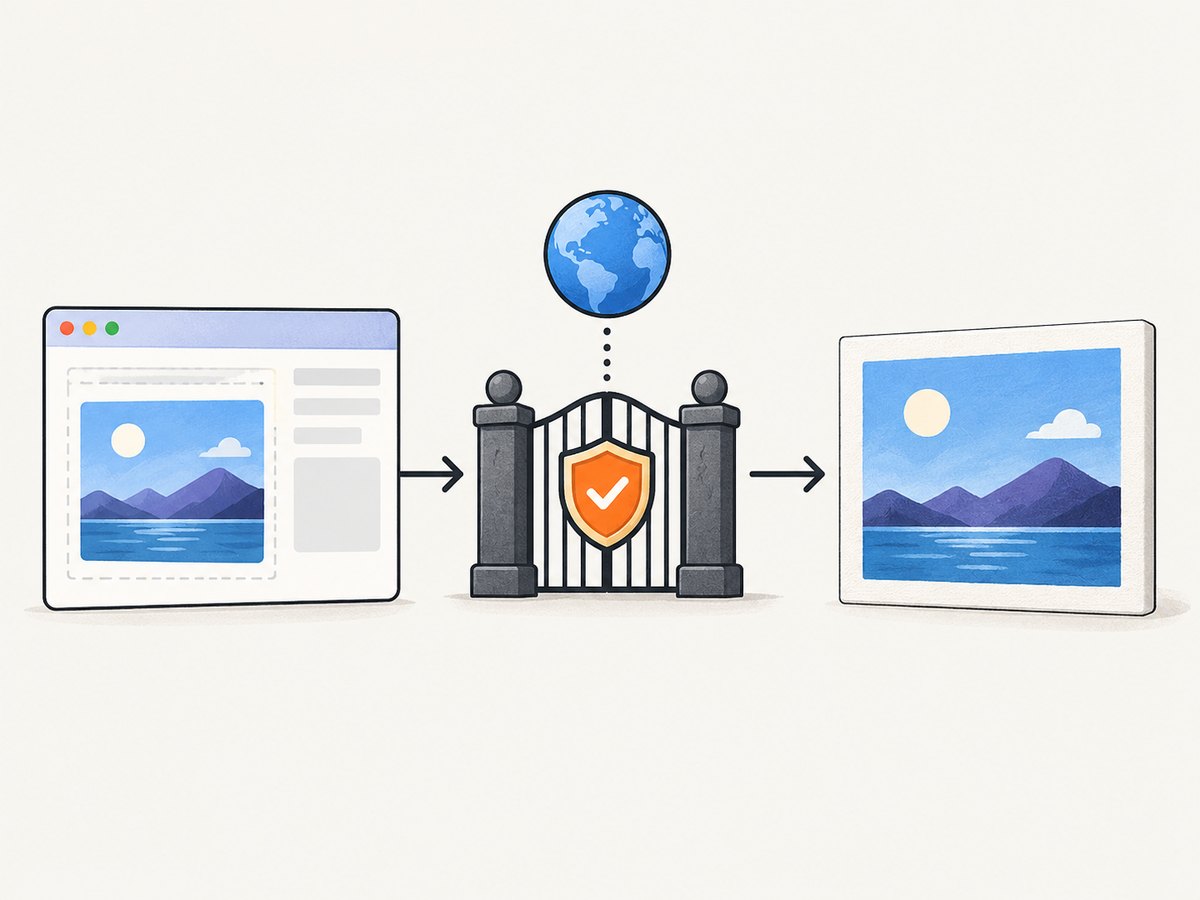
- The browser request must be a CORS request.
- The image host must grant your application origin in its response.
Set crossOrigin before src. Setting it afterward is too late because the request has already started.
const logo = new Image();
logo.crossOrigin = 'anonymous';
logo.onload = () => {
  const canvas = document.createElement('canvas');
  canvas.width = logo.naturalWidth;
  canvas.height = logo.naturalHeight;
  canvas.getContext('2d').drawImage(logo, 0, 0);
  // This succeeds only when the response granted CORS.
  const dataUrl = canvas.toDataURL('image/png');
  console.log(dataUrl.length);
};
logo.onerror = event => console.error('Image failed to load', event);
logo.src = 'https://cdn.example.com/assets/logo.png';
The image response must include a compatible header, for example:
Access-Control-Allow-Origin: https://app.example.comUse * only when the resource is genuinely public and you are not sending credentials. If cookies or authorization are required, use credentialed CORS and the exact origin allowed by the server. Inspect the image request in Firefox’s Network panel and confirm both a successful load and the response header.
Using useCORS in html2canvas
html2canvas(document.querySelector('#invoice'), {
  useCORS: true,
  allowTaint: false,
  imageTimeout: 15000,
  logging: true
}).then(canvas => {
  canvas.toBlob(blob => {
    if (!blob) throw new Error('Canvas export returned no blob');
    // upload or download blob
  }, 'image/png');
});
useCORS asks html2canvas to request images with CORS. It does not override server policy. If the server omits Access-Control-Allow-Origin, the image may be skipped or the canvas may remain unsafe.
Why allowTaint: true is not an export fix
allowTaint permits html2canvas to draw some cross-origin images without trying to keep the canvas clean. That can help a visual render, but it does not grant pixel readback. A reported html2canvas 1.4.1 case still failed at canvas.toDataURL() with both allowTaint: true and useCORS: true. If you need a downloadable image or PDF, keep the canvas untainted and fix the resource response.
4. Angular 5 integration details
Angular sanitization is not a substitute for CORS. Safe URL pipes, DomSanitizer calls, and template bindings can make a URL renderable, but they cannot change the HTTP response headers from an image host.
Run capture after the view and its assets exist. For a component, call html2canvas from a click handler or after the view is initialized, and wait for images that are inserted asynchronously.
import { AfterViewInit, ElementRef, ViewChild } from '@angular/core';
import html2canvas from 'html2canvas';

export class ReceiptComponent implements AfterViewInit {
  @ViewChild('receipt') receipt!: ElementRef<HTMLElement>;

  ngAfterViewInit() {
    // The user can trigger capture after data and images are present.
  }

  async downloadReceipt() {
    const node = this.receipt.nativeElement;
    const canvas = await html2canvas(node, {
      useCORS: true,
      allowTaint: false,
      logging: true,
      backgroundColor: '#fff',
      scale: window.devicePixelRatio || 1
    });
    canvas.toBlob(blob => {
      if (!blob) return;
      const url = URL.createObjectURL(blob);
      const a = document.createElement('a');
      a.href = url;
      a.download = 'receipt.png';
      a.click();
      URL.revokeObjectURL(url);
    }, 'image/png');
  }
}
For images created in component code, set crossOrigin before src. For CSS background-image URLs, you must configure the asset host; there is no template property that can repair a missing CORS header.
5. A systematic troubleshooting checklist
- Record versions. Write down Angular, html2canvas, Firefox, and any PDF or image library versions. Do not assume an old Stack Overflow report matches your installation.
- Locate the failing line. Is the exception inside html2canvas, in
getImageData, or in yourtoDataURL/toBlobor PDF code? - Capture a same-origin fixture. Use a plain
divwith local text and a local background. If it fails, investigate your environment before remote assets. - Inventory every resource. Check
<img>, CSS backgrounds, video frames, nested canvases, fonts, SVG images, and third-party widgets. One unsafe asset can taint the final canvas. - Inspect network headers. Verify that the remote response contains
Access-Control-Allow-Originfor your origin and that the request did not redirect to a host with different policy. - Check timing. Wait for lazy images and fonts before capture. An image that has not completed loading can produce a different error from a CORS rejection.
- Try a clean Firefox profile. Disable extensions temporarily and compare the stack and console. One historical commenter reported Ghostery affecting a similar failure; treat that as an isolation clue, not proof of a general extension cause.
- Test another browser only as a comparison. A successful result elsewhere does not make an unsafe canvas exportable in Firefox; it helps identify browser-specific behavior.
6. Common errors and their fixes
| Symptom | Likely cause | Fix |
|---|---|---|
Error at canvas.toDataURL() |
Canvas contains a cross-origin image without valid CORS | Set crossOrigin='anonymous' before src; enable useCORS; add the response header on the image host. |
useCORS: true changes nothing |
Remote server does not grant your origin, or a redirect lands on another host | Inspect the final response headers and configure every host in the redirect chain. |
allowTaint: true still fails |
Tainted canvases remain unreadable | Do not use allowTaint for export; proxy or CORS-enable the assets. |
| Simple same-origin capture fails | Wrong target, timing issue, extension, or browser/library defect | Use a minimal fixture, confirm the selector, enable logging, and reproduce in a clean profile. |
| Only a PDF step fails | PDF code performs the first pixel readback | Move diagnostics to the canvas export and fix the resource that taints it. |
| Images disappear but no exception appears | html2canvas skipped an image it could not load | Check logging and network responses; fix URL, CORS, redirects, and load timing. |
7. Performance and reliability considerations
Capture only the subtree you need. Full-page DOMs require more layout, image decoding, and canvas memory. Use an explicit scale instead of an unnecessarily large device-pixel ratio when output size matters. Wait for a stable UI state, and avoid capturing while animations or lazy loading are still changing the page.
Keep remote assets predictable. Self-hosting images, using a controlled CDN, or serving a server-side proxy avoids user-specific CORS failures. Cache decoded assets where appropriate, but remember that a cache hit does not repair an originally tainted response. Set a practical timeout and report a useful error to the user when a resource cannot load.
For repeatable jobs, record the URL, browser version, viewport, scale, asset origins, and the exact stack trace. This makes a regression distinguishable from a data-dependent failure.
8. Or skip the browser setup
If you only need a clean screenshot or PDF and do not need the DOM canvas in the browser, ScreenshotNeo provides a GET-based capture API. It accepts the cookie or consent banner like a visitor and removes more than 60 known consent platforms, newsletter popups, and chat widgets before the capture. Bot checks, blank pages, timeouts, failed loads, and cache hits are not billed, and response headers identify the page verdict and billing status. Its MCP server lets Claude, Cursor, and other MCP clients call take_screenshot, get_page_info, and capture_pdf.

See the complete option list in the ScreenshotNeo documentation. The same endpoint supports full-page captures, CSS selector elements, dark mode, device presets or custom viewports, retina scale, custom CSS and JavaScript, waits, request blocking, headers, cookies, user agents, authorization, timezone, geolocation, transparent backgrounds, resizing, caching, signed links, asynchronous webhooks, bulk capture, and PDF settings.
curl -G "https://api.screenshotneo.com/v1/shot" -d access_key=YOUR_API_KEY --data-urlencode url=https://stripe.com -o shot.webpimport requests
r = requests.get("https://api.screenshotneo.com/v1/shot", params={"access_key": "YOUR_API_KEY", "url": "https://stripe.com"}, timeout=90)
open("shot.webp", "wb").write(r.content)const q = new URLSearchParams({ access_key: 'YOUR_API_KEY', url: 'https://stripe.com' });
const res = await fetch(`https://api.screenshotneo.com/v1/shot?${q}`);There is a free allowance of 1,000 screenshots each month with no card. Paid plans start at $5 for 3,000 shots, and every feature is available on every plan. Create a free ScreenshotNeo account.
9. FAQ
Does changing Angular’s security settings fix this?
No. Angular sanitization affects how values are inserted into the DOM. Canvas readback is controlled by browser origin and CORS rules.
Can I export a visible cross-origin image if it loads in the page?
Not necessarily. Display permission and pixel-readback permission are separate. The image response must grant CORS before the canvas is drawn.
Should I disable Firefox security checks?
No. That hides the diagnosis and is unsuitable for users. Fix the resource policy or remove the unsafe asset.
Is the old Angular 5 report proof that html2canvas is incompatible with Firefox?
No. It documents a 2018 environment and lacks the stack detail needed to identify the definitive cause. Reproduce with current versions and your actual assets.
What if I cannot change the image server?
Serve the asset through a server you control, replace it with a same-origin copy where licensing permits, or use a server-side screenshot service such as ScreenshotNeo.


