How to Fix html2canvas Rounded Corners Rendering as Rectangles
Rounded corners can become square in html2canvas because it rebuilds DOM and CSS. Use this diagnostic workflow, alternate renderer, and reliable fixes.
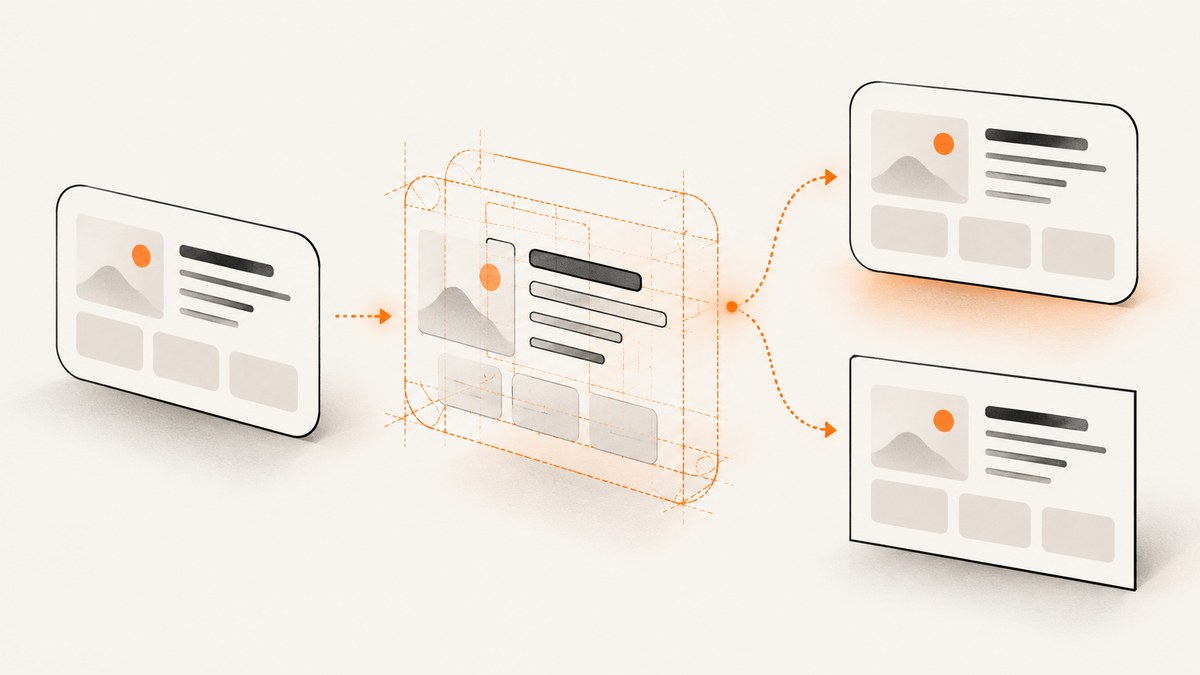
Short answer: html2canvas does not copy the browser’s final pixels. It traverses the DOM and reconstructs an image from the CSS and layout information it can implement. Although border-radius is listed as supported, combinations involving shadows, borders, transforms, clipping, nested elements, or a particular browser can still render incorrectly. Confirm your html2canvas version, reduce the page to one element, test the documented foreignObjectRendering mode, and isolate styles one at a time.
This guide gives you a reproducible test, a troubleshooting sequence, and a production alternative when you need the browser’s rendered pixels.
Why html2canvas renders rounded corners as rectangles
html2canvas builds a canvas representation from information read from the DOM rather than taking a literal screenshot of the browser surface. The project documentation warns that CSS support is implemented property by property, so “supported” does not mean that every value or combination matches the live page. The official FAQ says: “Every CSS property must be manually implemented to render correctly, so html2canvas will never have full CSS support.” See the documentation, FAQ, and feature list.
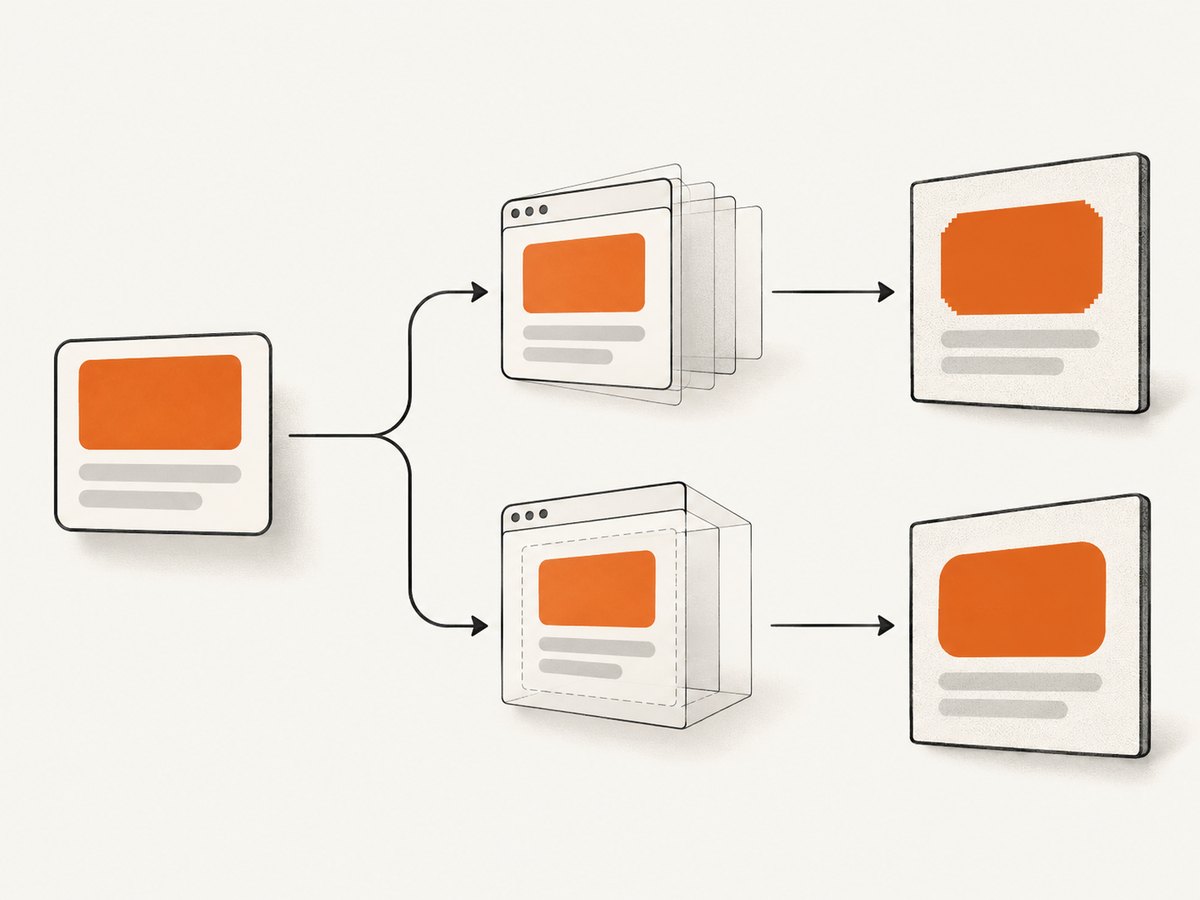
That explains why a card can look correct in Chrome while its canvas has square corners. The mismatch may be caused by the radius itself, or by another style that changes clipping and painting order. A reported issue also described a dark border artifact when box-shadow was present; removing the shadow stopped that artifact in the report, but it does not prove that shadows cause every square-corner result.
Reproduce the problem with a minimal element
Start with a plain element. Do not debug the entire application first.
1. Install and load html2canvas
npm install html2canvasFor a browser module:
<script type="module">
  import html2canvas from 'https://cdn.jsdelivr.net/npm/html2canvas@1.4.1/+esm';

  const element = document.querySelector('#card');
  const canvas = await html2canvas(element);
  document.body.appendChild(canvas);
</script>
2. Use a known-good baseline
<div id="card">Rounded test</div>

<style>
  #card {
    width: 240px;
    height: 120px;
    display: grid;
    place-items: center;
    color: white;
    background: #4b78d1;
    border-radius: 16px;
  }
</style>
If this baseline is rounded, add your original styles back individually: border, shadow, image, overflow, transform, pseudo-elements, and nested content. The first addition that changes the canvas identifies the interaction to investigate.
Step-by-step fix and diagnosis
1. Verify the exact version and capture context
Check the version resolved by your package lockfile instead of assuming an upgrade occurred:
npm ls html2canvas
# or inspect package-lock.json, yarn.lock, or pnpm-lock.yaml
Record:
- html2canvas release and whether you are using the non-minified build
- browser and exact version (Chrome/Chromium, Firefox, or Safari)
- operating system
- element width and height
- the exact
border-radiusvalues, including percentages - whether borders, shadows, transforms, clipping, pseudo-elements, images, or nested elements are present
- console output and the expected and actual canvas images
The changelog contains historical fixes for radius behavior, including values over 50% and a top-right radius fix, so the version matters. Updating may help, but it is not a guaranteed solution for every combination.
2. Inspect the computed radius in the live and cloned documents
const element = document.querySelector('#card');
console.log('live radius:', getComputedStyle(element).borderRadius);

const canvas = await html2canvas(element, {
  onclone(clonedDocument) {
    const clone = clonedDocument.querySelector('#card');
    console.log('clone radius:', getComputedStyle(clone).borderRadius);
  }
});
document.body.appendChild(canvas);
onclone runs after html2canvas clones the document for rendering. The configuration reference documents it as a way to modify or inspect the clone without changing the original page. If the values differ, investigate stylesheets, responsive rules, or code that runs during cloning.
3. Compare the alternate rendering mode
The documented foreignObjectRendering option asks the browser to render HTML inside an SVG foreign object when supported. It defaults to false. Treat it as a comparison test, not a universal fix:
const element = document.querySelector('#card');
const canvas = await html2canvas(element, {
  foreignObjectRendering: true
});
document.body.appendChild(canvas);
Run the same minimal case with the default renderer and with this option in every browser you support. Compare the corners, console messages, fonts, images, and other styles. Some browser environments support this path differently.
4. Remove the shadow as a targeted diagnostic
const element = document.querySelector('#card');
const canvas = await html2canvas(element, {
  onclone(clonedDocument) {
    const clone = clonedDocument.querySelector('#card');
    clone.style.boxShadow = 'none';
  }
});
document.body.appendChild(canvas);
If removing only box-shadow removes a black outline, you have reproduced the narrow interaction described in issue #2953. If the corners are simply square, do not assume that report explains your case; continue isolating styles.
5. Check clipping and layout interactions
Test each of these independently:
- Replace a percentage radius with a fixed value such as
16px. - Remove
transformand capture the untransformed element. - Remove
overflow: hiddentemporarily, then add it back. - Remove borders and test the background and radius alone.
- Hide pseudo-elements and nested images.
- Capture the element itself instead of a parent whose dimensions or clipping differ.
- Try a solid background before testing gradients, masks, filters, or blend modes.
These are isolation steps, not claims that any one property is always incompatible.
6. Test percentages and asymmetric radii
/* Test one form at a time */
.card { border-radius: 16px; }
.card { border-radius: 50%; }
.card { border-radius: 16px 24px 8px 32px; }
Keep the element dimensions fixed while changing only the radius. A result that fails only for one corner or for values above 50% should be included in an upstream reproduction because the changelog records fixes in those areas.
7. Create a minimal upstream report if it still fails
The project asks for a test case when a CSS property is missing or incomplete. Include the smallest HTML and CSS, exact release, browser and version, operating system, console output, expected result, and actual canvas. Use the non-minified build while diagnosing. Link to the FAQ and follow the project’s issue guidance.
Complete diagnostic page
Save this as rounded-test.html, open it in a modern browser, and compare both rendering paths.
<!doctype html>
<html lang="en">
<head>
  <meta charset="utf-8">
  <title>html2canvas radius test</title>
  <script type="module">
    import html2canvas from 'https://cdn.jsdelivr.net/npm/html2canvas@1.4.1/+esm';

    const card = document.querySelector('#card');
    const output = document.querySelector('#output');
    const status = document.querySelector('#status');

    async function render(label, options = {}) {
      status.textContent = `Rendering ${label}...`;
      const canvas = await html2canvas(card, options);
      canvas.dataset.renderer = label;
      output.append(canvas);
      status.textContent = `${label} complete`;
    }

    document.querySelector('#default').addEventListener('click', () => {
      render('default renderer');
    });
    document.querySelector('#foreign').addEventListener('click', () => {
      render('foreignObject renderer', { foreignObjectRendering: true });
    });

    console.log('live radius:', getComputedStyle(card).borderRadius);
  </script>
  <style>
    body { font: 16px system-ui, sans-serif; padding: 24px; }
    #card {
      width: 240px;
      height: 120px;
      display: grid;
      place-items: center;
      color: #fff;
      background: #4b78d1;
      border: 4px solid #18315f;
      border-radius: 16px;
      box-shadow: 0 8px 24px rgb(0 0 0 / 25%);
    }
    #output { display: flex; gap: 16px; flex-wrap: wrap; margin-top: 24px; }
    #output canvas { outline: 1px solid #bbb; }
  </style>
</head>
<body>
  <div id="card">Rounded test</div>
  <p id="status">Choose a renderer.</p>
  <button id="default">Default renderer</button>
  <button id="foreign">foreignObjectRendering</button>
  <div id="output"></div>
</body>
</html>
Common errors and fixes
| Symptom | Likely cause | What to do |
|---|---|---|
| Every corner is square | A renderer or CSS combination is not reproduced by html2canvas | Run the minimal case, inspect computed styles, and compare foreignObjectRendering. |
| Only one corner is wrong | Asymmetric radius, percentage geometry, or a historical edge case | Test fixed pixel values and each corner separately; record the exact version. |
| Dark or black outline | Possible shadow interaction | Remove only box-shadow in onclone and compare. |
| Clone has different styles | Responsive CSS or runtime code changes the cloned document | Log computed values in onclone and apply a controlled clone-only override. |
| Images or fonts change the shape | Resources are not ready or the layout changes before capture | Wait until fonts and images are loaded, then capture; isolate the radius with a solid background. |
| Canvas is blank or incomplete | Resource loading, cross-origin restrictions, or a page that has not finished rendering | Inspect the console, ensure resources are available to the browser, and capture after the page is stable. |
| Alternate mode fails | Browser does not support the required foreign-object path | Use it only where supported and keep the default path or a server-side screenshot service as fallback. |
Production considerations
Performance
Capture the smallest element that meets your requirement. A full document requires more DOM traversal, image decoding, and canvas memory than a single card. Avoid repeatedly capturing on every animation frame; debounce changes and capture after layout settles. Test large dimensions and high device pixel ratios on the slowest browser you support.
Reliability
- Pin the html2canvas version and review changelog entries before upgrading.
- Keep a small visual regression fixture for the radius combinations your product uses.
- Record browser and operating system with failures because the sources do not identify one browser as the general cause.
- Use a fallback when exact browser pixels matter more than client-side convenience.
Security and cross-origin resources
html2canvas can only read resources that the browser permits it to read. Cross-origin images without suitable CORS headers can taint the canvas or fail to render. This is separate from rounded-corner support, so verify resource loading before changing radius CSS.
Or skip the browser setup
If you need a clean screenshot of a URL rather than a canvas reconstructed in the browser, ScreenshotNeo provides a GET screenshot API. See the ScreenshotNeo API documentation for the full option list.
cURL
curl -G "https://api.screenshotneo.com/v1/shot" -d access_key=YOUR_API_KEY --data-urlencode url=https://stripe.com -o shot.webpPython
import requests

r = requests.get(
    "https://api.screenshotneo.com/v1/shot",
    params={"access_key": "YOUR_API_KEY", "url": "https://stripe.com"},
    timeout=90,
)
r.raise_for_status()
open("shot.webp", "wb").write(r.content)
Node.js
const q = new URLSearchParams({
  access_key: 'YOUR_API_KEY',
  url: 'https://stripe.com'
});
const res = await fetch(`https://api.screenshotneo.com/v1/shot?${q}`);
if (!res.ok) throw new Error(`Screenshot failed: ${res.status}`);
const buffer = Buffer.from(await res.arrayBuffer());
require('fs').writeFileSync('shot.webp', buffer);
ScreenshotNeo removes cookie and consent banners, newsletter popups, and chat widgets before capture. Bot checks, blank pages, failed loads, timeouts, and cache hits are not billed, and the response identifies the page verdict and billing status with X-Page-Verdict and X-Billed headers. It also offers an MCP server for AI agents, including Claude and Cursor. The Free plan includes 1,000 screenshots per month with no card; paid plans start at $5 for 3,000 shots.
Create a free ScreenshotNeo account and get 1,000 screenshots a month with no card.
FAQ
Is border-radius unsupported in html2canvas?
No. It is listed as a supported property, but support is implemented property by property and does not guarantee identical output for every value or combination.
Will upgrading html2canvas always fix square corners?
No. New releases include historical radius fixes, so checking the latest release is sensible, but the project does not promise a universal fix.
Should I always enable foreignObjectRendering?
No. It is an optional browser-dependent rendering path. Compare it with the default renderer for your actual browsers and test case.
Does removing box-shadow fix rounded corners?
It can diagnose a reported black-border artifact, but it does not explain every case where corners become rectangles.
When should I use a screenshot API instead?
Use one when you need the browser’s rendered page, repeatable server-side captures, or a workflow without maintaining browser rendering code. ScreenshotNeo is one option with URL capture, cleanup of common overlays, and usage headers.
Sources
- html2canvas documentation
- html2canvas FAQ
- html2canvas features
- html2canvas configuration
- Issue #2953
- html2canvas changelog
- html2canvas getting started