How to Fix html2canvas Not Rendering SVG Images
Fix missing SVGs in html2canvas by checking load timing, CORS, redirects, data URIs, and canvas limits—with runnable fixes and troubleshooting.
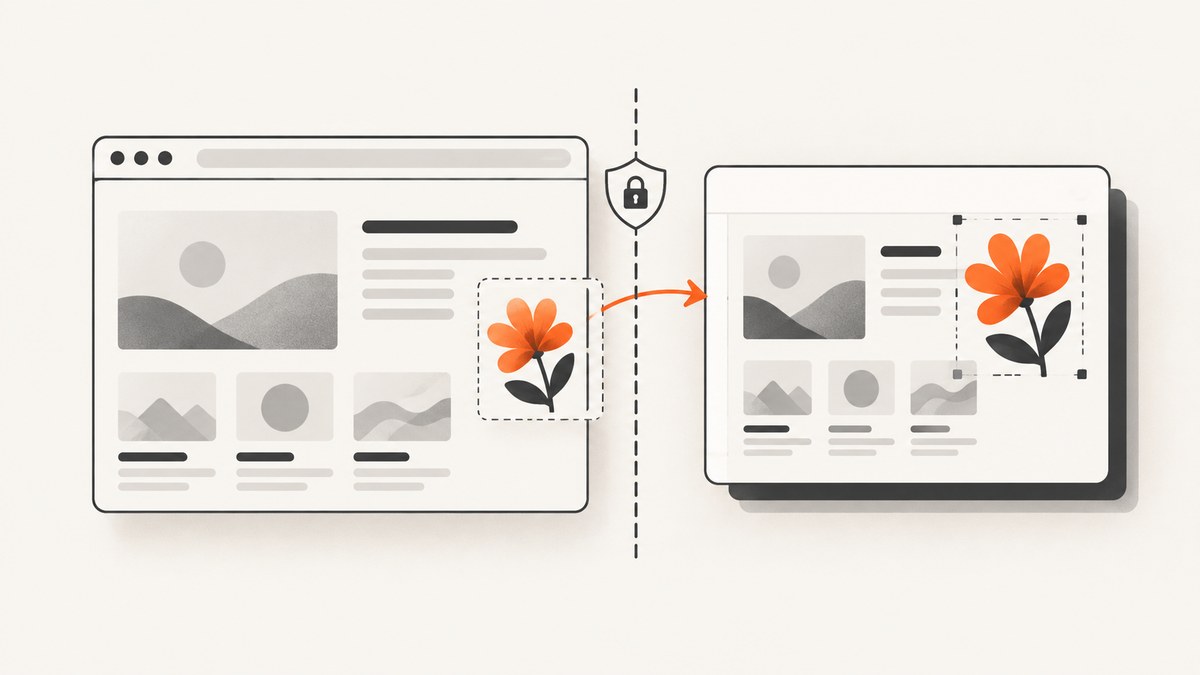
If html2canvas omits an SVG, first check that it has loaded before capture. If it comes from another origin, enable useCORS: true and make sure the server returns an Access-Control-Allow-Origin header, or serve it through a same-origin proxy. html2canvas cannot override the browser’s content security rules; with its default allowTaint: false, it skips resources that could taint the output canvas. The project FAQ explains the cross-origin restriction.
This guide covers SVGs loaded through <img>, CSS backgrounds, inline markup, redirects, and oversized captures. It includes runnable examples and a checklist for finding the failing resource.
1. Diagnose the failure first
- Open DevTools before taking the capture. Check the Console for image decode, CORS, or html2canvas resource errors.
- In Network, filter for the SVG filename. Confirm the request succeeded, inspect its response headers, and check whether it redirects to another host.
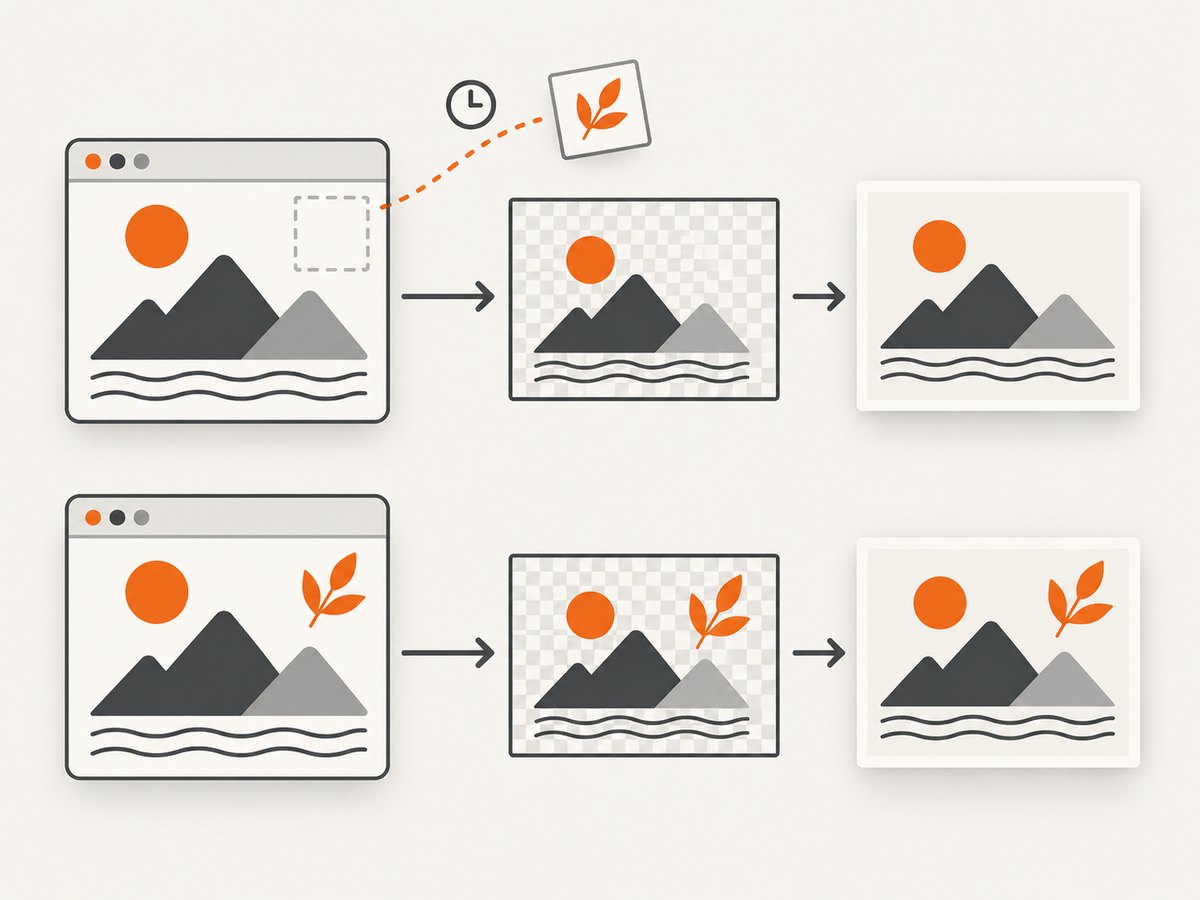
- Wait for the SVG image or background asset to load before calling html2canvas. A request that is still pending can produce a screenshot without the SVG.
- Reduce the page to a small reproduction with one SVG and one capture target. This distinguishes SVG loading problems from unsupported CSS or canvas size limits.
The key distinction is whether the SVG is absent, the entire capture is blank, or the capture is truncated. A missing SVG usually points to loading or origin policy. Blank or partial output can indicate a canvas size limit or a more general rendering issue.
2. Wait for the SVG to load
For an SVG in an <img>, wait for its load event (or error) before invoking html2canvas. decode() is a useful way to wait until image data is decoded; it rejects if decoding fails, so handle that case rather than silently capturing an incomplete page.
async function waitForImage(img) {
  if (img.complete) {
    if (img.naturalWidth > 0) return;
    throw new Error(`Image failed to load: ${img.currentSrc || img.src}`);
  }

  await new Promise((resolve, reject) => {
    img.addEventListener('load', resolve, { once: true });
    img.addEventListener('error', () => reject(
      new Error(`Image failed to load: ${img.currentSrc || img.src}`)
    ), { once: true });
  });

  if (typeof img.decode === 'function') await img.decode();
}

const target = document.querySelector('#capture');
const svgImage = document.querySelector('#logo');
if (!target || !svgImage) throw new Error('Capture target or SVG image not found');

await waitForImage(svgImage);
const canvas = await html2canvas(target);
document.body.appendChild(canvas);
This assumes html2canvas is already loaded on the page and that #logo is the SVG image inside #capture. If an image is inserted dynamically, select it after insertion, then await it. For multiple images, wait for all of them with Promise.all([...target.querySelectorAll('img')].map(waitForImage)). CSS background images do not appear in querySelectorAll('img'); inspect their URLs in DevTools and verify that those requests have completed too.
3. Fix cross-origin SVGs with CORS or a proxy
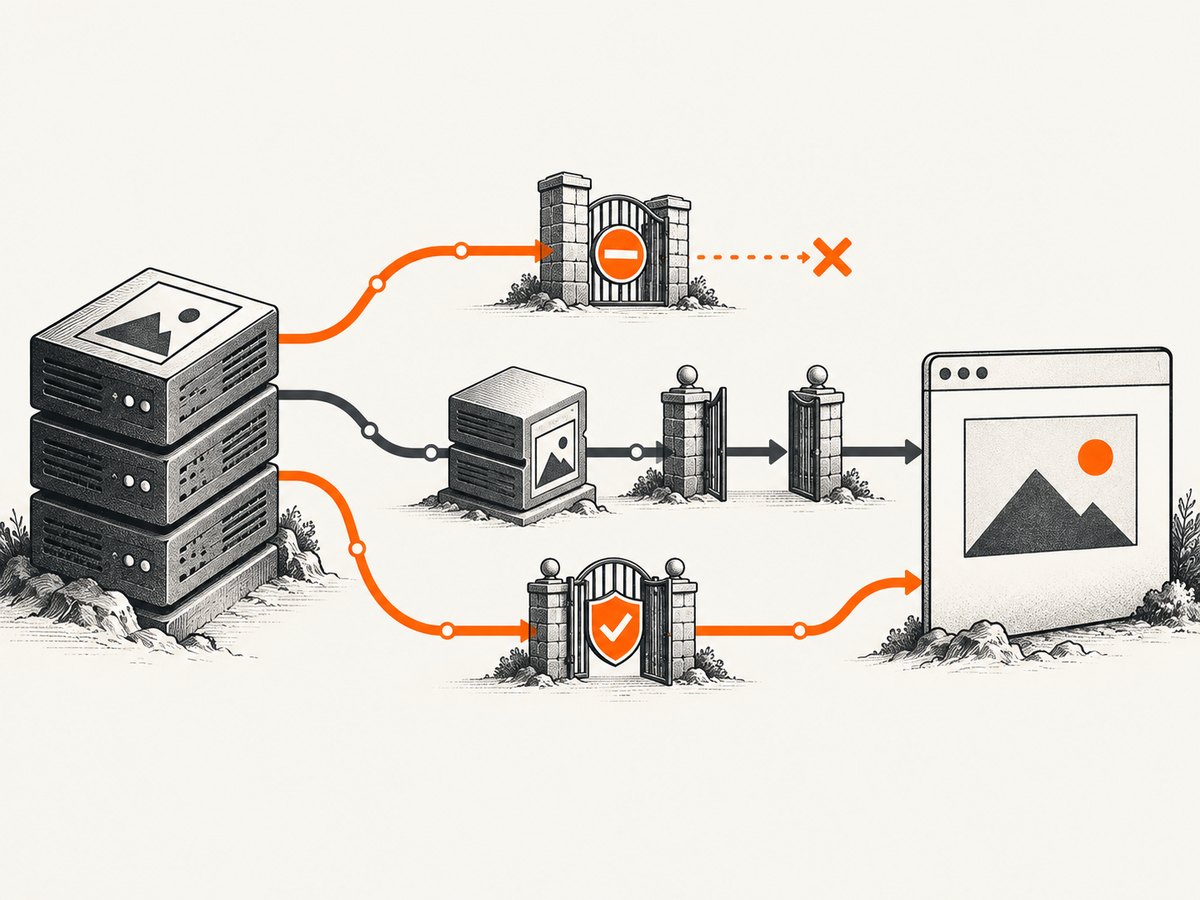
A same-origin page loading an SVG from another host is still a cross-origin image request. The remote server must grant access with a suitable Access-Control-Allow-Origin response header. Then tell html2canvas to use CORS for eligible resources:
const target = document.querySelector('#capture');
const canvas = await html2canvas(target, {
  useCORS: true,
  onError: error => console.warn('html2canvas resource failed:', error.message)
});
useCORS controls the request strategy; it does not add permission to a server that withholds the header. The configuration reference documents useCORS and the resource failure callback, while the Getting Started guide describes the same-origin proxy option.
If you control the SVG host, configure it to return CORS headers for the requesting origin (or a suitable wildcard where appropriate for your asset and credential policy). If you do not control that host, use a backend proxy that fetches the asset and serves it from your own origin. The proxy must validate allowed destinations, limit response size and time, and return the fetched SVG safely; do not create an unrestricted URL-fetch endpoint.
const svgUrl = 'https://assets.example.com/diagram.svg';
const canvas = await html2canvas(document.querySelector('#capture'), {
  proxy: '/image-proxy?url=' + encodeURIComponent(svgUrl),
  onError: error => console.warn('Resource failed:', error.message)
});
The proxy option only helps if the endpoint follows html2canvas’s expected proxy behavior and returns the resource in a usable form. Verify the response from your endpoint rather than assuming that any forwarding route is compatible.
4. Check redirects and final origins
A URL that looks local may redirect to a CDN. The request’s effective origin is what matters. html2canvas issue #3020 documents a case where the library treated the initial URL as same-origin and did not apply CORS handling after a redirect.
Use the Network panel to inspect the redirect chain and final response host. A manual fetch can help diagnose a redirect when browser policy and endpoint behavior allow it:
const response = await fetch(svgUrl, { redirect: 'manual' });
console.log({
  type: response.type,
  status: response.status,
  location: response.headers.get('location')
});
Browser fetch may hide redirect details or reject the request under CORS rules. If that happens, use the Network panel. Resolve the issue by using the final CDN URL with working CORS headers, routing through a same-origin proxy, or changing the asset host configuration so its policy is explicit.
5. Encode inline SVGs as data URIs
When the SVG markup is available in your code, a data URI removes the separate SVG network request. Percent-encode the markup with encodeURIComponent; do not concatenate raw XML into a URI.
const svg = `<svg xmlns="http://www.w3.org/2000/svg" viewBox="0 0 100 100">
  <circle cx="50" cy="50" r="40" fill="tomato"/>
</svg>`;

const img = document.querySelector('#icon');
img.src = 'data:image/svg+xml;charset=utf-8,' + encodeURIComponent(svg);
await img.decode();

const canvas = await html2canvas(document.querySelector('#capture'));
document.body.appendChild(canvas);
Inline encoding is useful for a small self-contained icon or illustration. It does not automatically make nested resources safe: external images, fonts, stylesheets, <use> references, and other linked content inside the SVG still need to be available under browser canvas security rules. The html2canvas project’s Safari compatibility discussion also uses escaped SVG data URIs; browser behavior may vary.
6. Tune html2canvas options carefully
| Option | When it helps | Limit or caution |
|---|---|---|
useCORS: true |
Requests cross-origin images in a CORS-enabled way. | The server must send an appropriate CORS response header. |
proxy |
Loads resources through a same-origin proxy you operate. | The proxy must implement the format html2canvas expects and should restrict destinations. |
imageTimeout |
Allows a slow image more time to load. | Increasing it will not repair CORS, a broken URL, or an image that never responds. |
onError |
Surfaces resources that fail to load or render. | Log enough context to identify the asset, without exposing sensitive URLs or page data. |
foreignObjectRendering |
A targeted experiment for browser-supported complex content. | Off by default and does not bypass CORS or other browser security rules. |
allowTaint |
Changes whether tainting resources may be drawn. | It does not make a tainted canvas readable or exportable; avoid treating it as a CORS fix. |
Use one change at a time. For a slow but valid image, raise imageTimeout based on observed load time. For complex SVG or CSS behavior, test foreignObjectRendering: true in the browsers you support. The configuration reference lists supported options and defaults; renderer support is not equivalent to full browser rendering.
7. Handle blank or truncated output
If the SVG is not the only missing content and the canvas is blank or cut off, check the capture dimensions. A tall page may exceed the browser’s canvas limits. The project FAQ gives a rough current maximum dimension of about 32,767 pixels for Chrome/Chromium, Firefox, and desktop Safari, but actual limits vary by browser, GPU, operating system, memory, and device. iOS can impose lower limits.
const el = document.querySelector('#capture');
if (!el) throw new Error('Missing #capture element');

const canvas = await html2canvas(el, {
  windowWidth: el.scrollWidth,
  windowHeight: el.scrollHeight,
  onError: error => console.warn('Resource failed:', error.message)
});
These dimensions help html2canvas account for content outside the visible viewport; they do not bypass hardware limits. For very long pages, capture smaller sections and combine the results, or use a server-side browser capture workflow. Reduce output scale and page size if memory pressure is suspected. Keep images and DOM content bounded rather than generating a single enormous bitmap.
8. Troubleshooting common errors
| Symptom | Likely cause | Fix |
|---|---|---|
| SVG missing, rest of page appears | Image still loading, failed decode, or unsupported resource. | Await load/decode(), inspect Network, and log onError. |
| Console reports CORS or canvas security error | Remote host did not grant CORS access, or a nested SVG resource is cross-origin. | Configure CORS on the asset host or fetch through a same-origin proxy. |
useCORS: true changes nothing |
Server lacks Access-Control-Allow-Origin, or a redirect changes the destination origin. |
Inspect final response and redirect chain; fix server headers or proxy the final asset. |
| Inline SVG displays in the page but not the capture | Raw markup was not encoded correctly, or nested references remain external. | Build a percent-encoded data URI and make referenced resources canvas-safe. |
| Capture is blank | Capture runs before content is ready, renderer support issue, or canvas exceeds limits. | Wait for assets, reduce the test case, try the targeted foreign-object renderer, and inspect dimensions. |
| Only lower portion appears or output is partial | Capture dimensions exceed the browser’s practical canvas limit. | Capture sections separately, reduce scale, or use browser-based server capture. |
| Proxy request fails | Endpoint is unavailable, incompatible with html2canvas’s proxy format, or blocks the destination. | Inspect proxy logs and response body; confirm it returns the expected encoded asset. |
CSS support in html2canvas is partial because styles must be implemented by the library. If the asset is loaded, same-origin or CORS-safe, and still renders incorrectly, test a minimal SVG and minimal CSS in the browser/version you need to support. If the reduced case continues to fail, report it with the SVG, browser and html2canvas versions, response headers, and a minimal page.
9. Reliability, speed, and cost considerations
Client-side html2canvas avoids a screenshot service request, but it depends on the visitor’s browser, memory, page state, network, and origin policies. Wait only for the assets required for the capture; waiting for all network traffic can be unreliable on pages with analytics or long-polling requests. A bounded timeout and a clear error path make failures easier to diagnose.
For repeatable captures, control the viewport, wait for known assets, and avoid giant canvases. Caching static SVGs can reduce repeat downloads, while a proxy introduces another network hop and server to maintain. A proxy also creates a security boundary: constrain hostnames, protocols, response sizes, and timeouts. Browser canvas limits vary, so test the devices and browsers that matter to your application instead of relying on a single maximum figure.
html2canvas itself is a browser-side library; costs come from your application’s compute and bandwidth, not a per-shot html2canvas API fee. A server-side browser or hosted screenshot service adds its own infrastructure or plan costs. Choose based on whether captures must run on a user’s device, in a controlled server environment, or through a simple API.
10. Or skip the browser setup
ScreenshotNeo is a website screenshot API and MCP server from Yorker Media. One GET request returns a PNG, JPEG, WebP, or PDF. Its capture flow accepts cookie and consent banners like a visitor, then removes 60+ known consent platforms, newsletter popups, and chat widgets before the shot; each step can be turned off. Bot checks and CAPTCHAs, blank pages, timeouts, failed loads, and cache hits cost nothing, and response headers identify the page verdict and billing status.
curl -G "https://api.screenshotneo.com/v1/shot" \
  -d access_key=YOUR_API_KEY \
  --data-urlencode url=https://stripe.com \
  -o shot.webp
See the ScreenshotNeo API docs for request options. Python and Node.js examples:
import requests

r = requests.get(
    "https://api.screenshotneo.com/v1/shot",
    params={"access_key": "YOUR_API_KEY", "url": "https://stripe.com"},
    timeout=90,
)
r.raise_for_status()
open("shot.webp", "wb").write(r.content)
const q = new URLSearchParams({
access_key: 'YOUR_API_KEY',
url: 'https://stripe.com'
});
const res = await fetch(`https://api.screenshotneo.com/v1/shot?${q}`);
if (!res.ok) throw new Error(`Screenshot request failed: ${res.status}`);
await Bun.write('shot.webp', res);ScreenshotNeo also offers an MCP server for Claude, Cursor, and other MCP clients, with take_screenshot, get_page_info, and capture_pdf tools. It includes 63 options such as full-page capture with lazy images loaded, CSS selector element capture, custom CSS and JavaScript, waits, device presets, viewport and retina settings, resource blocking, cookies and headers, caching, signed links, async jobs, bulk capture for up to 100 URLs per call, and a usage API. Plans include 1,000 screenshots per month free with no card; paid plans start at $5 for 3,000, and every feature is on every plan.
Cookie banners, popups, and chat widgets are removed before the shot; bot checks, blank pages, and failed loads are never billed; an MCP server lets AI agents take screenshots; and 1,000 screenshots a month are free with no card, with paid plans starting at $5 for 3,000. Create a free ScreenshotNeo account.
11. Frequently asked questions
Does html2canvas render every SVG feature?
No. It recreates page content using its own rendering implementation, and CSS support is partial. Complex filters, nested resources, or unsupported styles may need a reduced SVG or another capture approach.
Will allowTaint: true make a cross-origin SVG exportable?
No. Allowing a tainted resource to be drawn does not grant permission to read or export the resulting canvas. Use CORS headers or a same-origin proxy for an exportable result.
Should I switch to Puppeteer or Playwright?
They are server-side browser alternatives named by the html2canvas FAQ. Check their current documentation and licensing or commercial terms for your use case; this guide does not compare their versions or costs.
What should I include in a bug report?
Provide a minimal HTML reproduction, the SVG, browser and html2canvas versions, the final asset URL and response headers, and whether the issue is missing content, blank output, or truncation.


