How to Fix html2canvas Creating a Zero-Size Canvas
A zero-size html2canvas result usually starts with a target that is missing, hidden, or not laid out yet. Diagnose the element, separate output dimensions from render-window dimensions, and handle long-page limits.

If html2canvas returns a canvas whose width or height is zero, first check the exact element passed to it immediately before capture. It must exist, be the intended element, and have a non-zero layout box after the UI has rendered. A hidden tab, collapsed panel, premature framework render, or incorrect selector is more likely to explain a zero-size result than a canvas-size option.
Use width and height to define the output canvas dimensions. Use windowWidth and windowHeight to change the browser window dimensions used while rendering. Those settings solve different problems: neither makes a missing or unlaid-out target valid. For long content that is blank or clipped, the project FAQ recommends matching the render window to the target’s scroll dimensions. Browser canvas limits vary by platform, so there is no universal safe maximum.
1. Confirm the target has dimensions
Measure the element after it is in the state you intend to capture. The dimensions should be checked as close as possible to the call; layout can change between an earlier measurement and capture.
import html2canvas from 'html2canvas';

async function captureReport() {
  const element = document.querySelector('#report');

  if (!(element instanceof HTMLElement)) {
    throw new Error('Capture target #report was not found');
  }

  const rect = element.getBoundingClientRect();
  const style = getComputedStyle(element);

  console.log({
    width: rect.width,
    height: rect.height,
    display: style.display,
    visibility: style.visibility,
    clientWidth: element.clientWidth,
    scrollWidth: element.scrollWidth,
    clientHeight: element.clientHeight,
    scrollHeight: element.scrollHeight
  });

  if (rect.width <= 0 || rect.height <= 0) {
    throw new Error('Capture target has no visible layout size');
  }

  return html2canvas(element);
}

captureReport().then(canvas => {
  document.body.appendChild(canvas);
}).catch(console.error);
This example uses a concrete element reference, following the project’s documented usage pattern. Inspect the logged element and dimensions in the browser developer tools. getBoundingClientRect() reports the rendered box; scrollWidth and scrollHeight can reveal content that extends beyond it. The official options reference says the output dimensions default to the element’s dimensions.
Check visibility and layout state
display: noneremoves the element from layout; its box has no dimensions. Display the relevant tab, modal, accordion, or panel before capture.- A collapsed ancestor, such as a zero-height container or closed disclosure, can leave the target without a useful layout box. Expand it and allow layout to update.
visibility: hiddenkeeps layout space but hides the content. That may produce an empty-looking capture even when the measured dimensions are non-zero.- An element positioned outside the visible viewport may still have dimensions. Determine whether the intended output should include it and configure the capture region accordingly.
- A selector can match the wrong node, or no node at all. Check that the selected object is the component you mean to capture, not an empty wrapper.
Wait for the application to render
In a component framework, a capture can run before mounting, data loading, font changes, or state updates have finished. Trigger capture after the state change that makes the target ready. A single animation frame can let pending layout work run, though it does not wait for network content or every asynchronous render:
function afterNextLayoutFrame() {
  return new Promise(resolve => requestAnimationFrame(() => resolve()));
}

async function captureWhenVisible() {
  const element = document.querySelector('#report');
  if (!element) throw new Error('Missing #report');

  await afterNextLayoutFrame();
  const rect = element.getBoundingClientRect();
  if (rect.width <= 0 || rect.height <= 0) {
    throw new Error(`Not ready: ${rect.width} × ${rect.height}`);
  }
  return html2canvas(element);
}
If content depends on an image or font, wait for those assets separately where appropriate. For example, await document.fonts.ready waits for the document's font loading set; it does not guarantee that data-driven components or third-party content have finished. Capture only after your own application knows those prerequisites are ready.
2. Separate output size from render-window size
These options sound similar but serve different purposes. The options reference defines width and height as canvas dimensions. The windowWidth and windowHeight options affect the window used to render the element, which can also change media-query results.
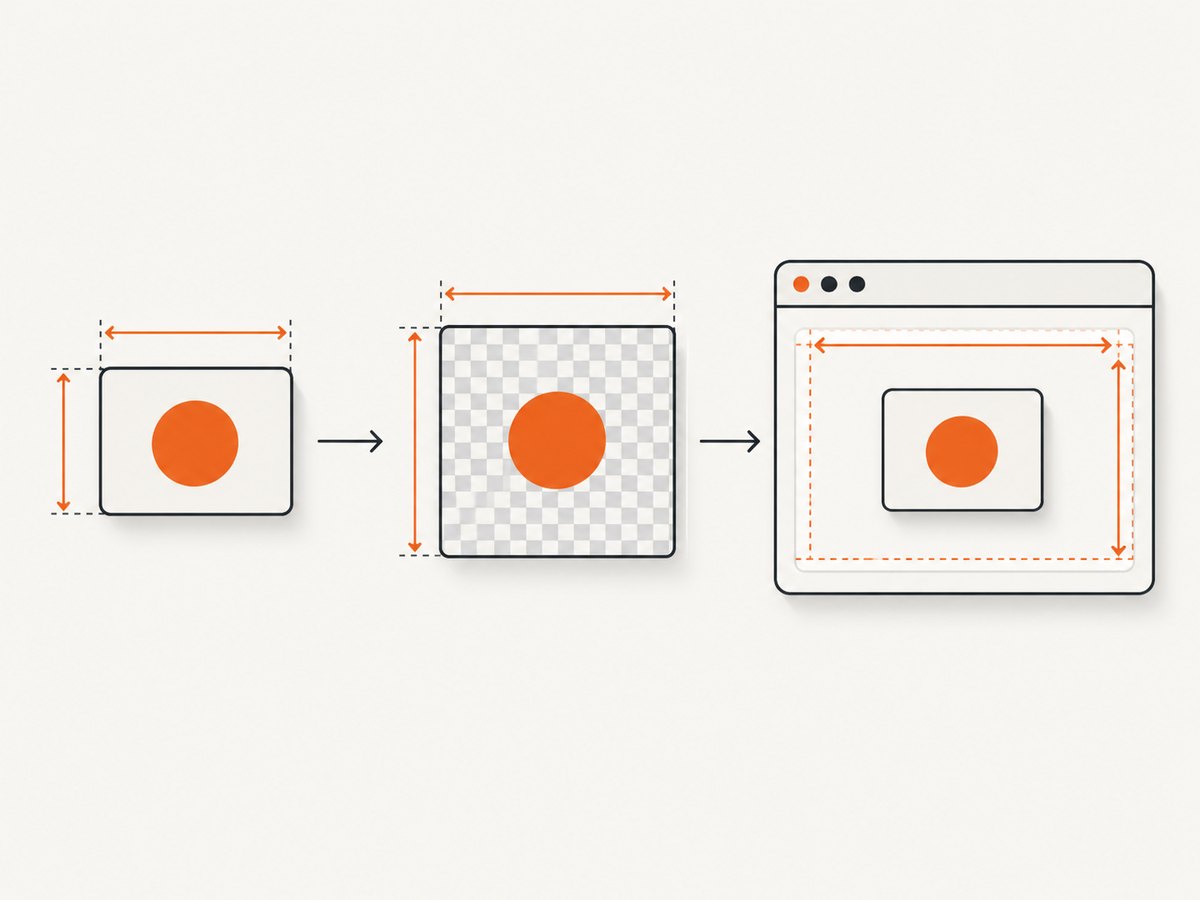
| Option | Controls | Use it when |
|---|---|---|
width, height |
Output canvas dimensions | You deliberately need a particular output area or crop dimensions. |
x, y |
Capture-region origin | You need to shift the region being rendered. |
windowWidth, windowHeight |
Render-window dimensions | Long content is blank or clipped and should be rendered against a larger window. |
Do not set width: 1 or height: 1 as a general fix for a target with no layout box. That can hide the symptom while producing an unusable image. First fix the selector, visibility, or render timing. Set output dimensions only when they describe the image you actually want.
3. Handle long pages and clipped or blank output
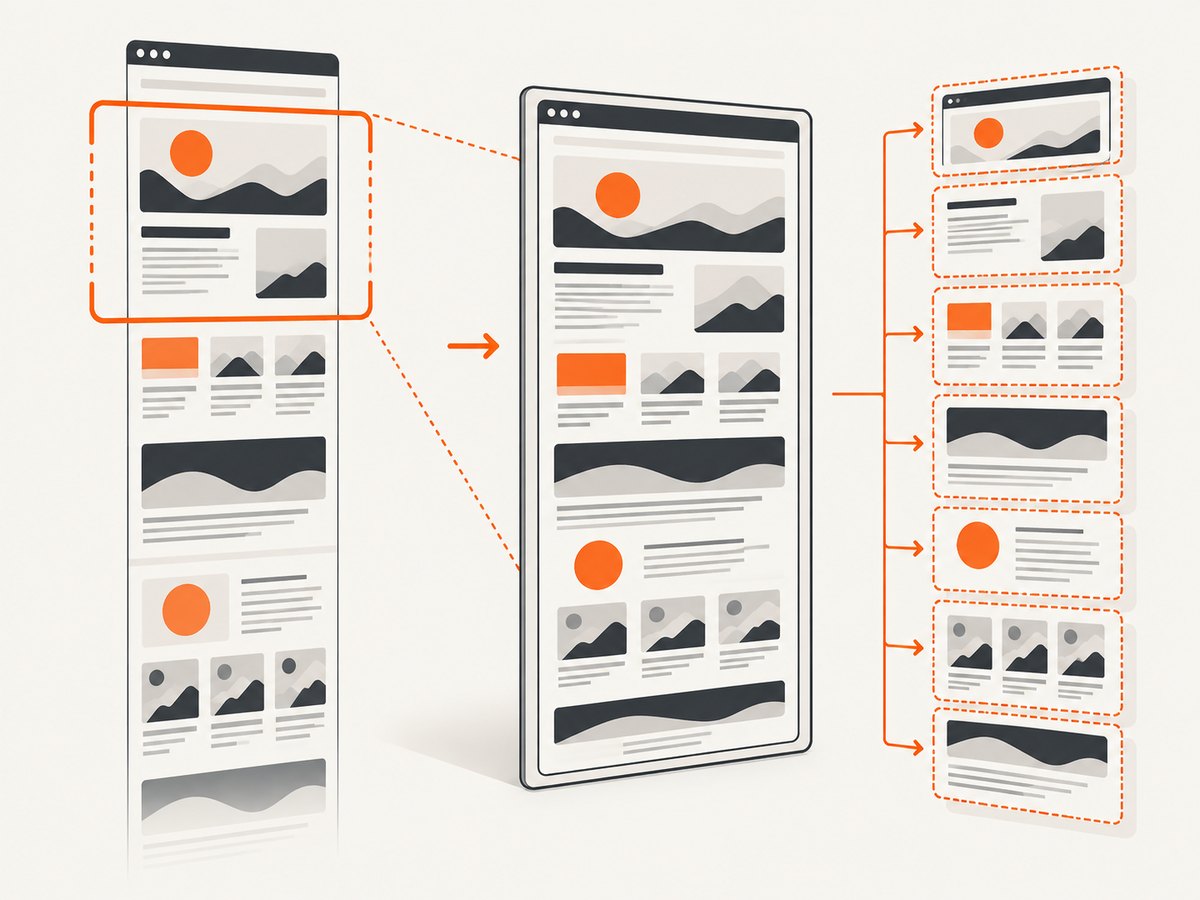
A correctly sized target can still produce an empty or partially rendered image when the requested content is very large. The html2canvas FAQ notes that canvas size limits vary across browsers and platforms and can result in blank or partial output. It recommends setting the render window to the target's scroll dimensions for certain long captures.
import html2canvas from 'html2canvas';

async function captureLongContent() {
  const element = document.querySelector('#long-report');
  if (!(element instanceof HTMLElement)) {
    throw new Error('Missing #long-report');
  }

  const rect = element.getBoundingClientRect();
  if (rect.width <= 0 || rect.height <= 0) {
    throw new Error('Target must have a non-zero layout box');
  }

  const canvas = await html2canvas(element, {
    windowWidth: element.scrollWidth,
    windowHeight: element.scrollHeight
  });

  if (canvas.width === 0 || canvas.height === 0) {
    throw new Error(`html2canvas returned ${canvas.width} × ${canvas.height}`);
  }
  return canvas;
}
Use this when the issue is long-page clipping or blank output, not as a substitute for measuring the target. A larger render window can affect CSS media queries, so responsive content may reflow at the new dimensions. Compare the result with the normal viewport if the layout changes unexpectedly. For very long pages, capture smaller sections rather than assuming the browser can allocate one enormous bitmap.
4. Save and inspect the result
Once the dimensions are non-zero, verify whether the problem is actually zero size or a visually blank/partial render. Inspect the canvas properties and export a file:
const canvas = await html2canvas(element, options);
console.log('Canvas output:', canvas.width, canvas.height);

if (canvas.width === 0 || canvas.height === 0) {
  throw new Error('Zero-size output');
}

const link = document.createElement('a');
link.download = 'capture.png';
link.href = canvas.toDataURL('image/png');
link.click();
The canvas can have positive dimensions and still look blank because of hidden content, incomplete rendering, or platform limits. A failed image export may also be a separate issue from dimensions. Keep the measured target box, canvas dimensions, browser, operating system, and installed html2canvas version together when narrowing down a reproducible failure.
5. Diagnose the Firefox createPattern error carefully
The message CanvasRenderingContext2D.createPattern: Passed-in canvas has width 0 has appeared in a historical report for html2canvas 1.3.2 on Firefox 91.0.2 under Windows. The issue reporter proposed replacing zero or NaN dimensions with one inside library code. That is one report tied to an old environment, not an official general fix.
Start with the target dimensions, the stack trace, and the exact installed version. Check whether your application passes an invalid image or canvas into custom rendering code. Reproduce with a minimal visible element and a current supported project version before considering a library patch. Avoid modifying dependencies based only on the old report: a one-pixel substitution can conceal an upstream layout problem and may not address your cause.
6. Use html2canvas in the right runtime
html2canvas needs browser APIs including window, document, and computed styles. The project FAQ says it is client-side and is not a Node.js rendering library. If a server-side job tries to call it without a browser, setting canvas dimensions will not provide the missing DOM and CSS environment. The FAQ points to browser-driving tools such as Puppeteer or Playwright for server-side screenshot generation, and native screenshot APIs for browser-extension use cases.
For this zero-size problem in a browser, the diagnostic path remains the same: confirm the actual element and its box, wait for the relevant UI state, then choose output and render-window options deliberately. For server-side capture, use a tool designed to launch or control a browser rather than trying to emulate a DOM by assigning dimensions.
7. Troubleshooting checklist
| Symptom | Likely cause | Fix |
|---|---|---|
canvas.width or height is zero |
Missing, wrong, hidden, collapsed, or not-yet-laid-out target | Check the selector and getBoundingClientRect() immediately before capture; render and expand the target first. |
| Canvas has dimensions but is blank | Target content is hidden, still loading, or affected by browser canvas limits | Verify visibility and readiness; for long content, try scroll-sized window options or capture smaller sections. |
| Only part of a long page appears | Capture exceeds platform limits or render window is too small | Match windowWidth/windowHeight to scroll dimensions; split exceptionally large content. |
| Layout changes after setting window options | Media queries respond to the changed render-window size | Use dimensions that match the desired responsive layout, or capture at the intended viewport. |
| Target measures zero in a hidden tab | The browser has not laid out the hidden content | Activate the tab and wait for the resulting layout before capture. |
createPattern reports a zero-width canvas |
Possibly an invalid intermediate canvas or a version-specific issue | Inspect the stack, target dimensions, and installed version; reproduce minimally before patching. |
| Code fails in Node.js with missing browser globals | html2canvas requires a browser environment | Use a browser-driving screenshot tool for server-side jobs. |
8. Performance, reliability, and cost
Large canvas captures consume more browser memory and can take longer to render, especially when the page contains substantial content. Reducing the capture region, capturing sections, and avoiding unnecessary recaptures are practical ways to keep work bounded. Browser and platform limits differ; test the dimensions and content shape relevant to your deployment rather than relying on one universal maximum.
Make capture conditional on the application state being ready, and fail clearly when the target has zero dimensions. That gives callers a useful diagnosis instead of silently passing an empty image downstream. For asynchronous workflows, log the target selector, measured box, requested options, output dimensions, browser, and library version. This also helps distinguish a true zero-size result from a blank canvas with a valid bitmap size.
html2canvas is a client-side library, so the capture runs in the user's browser and uses that browser's rendering behavior. The project's overview notes that it manually implements CSS rendering rather than providing a pixel-perfect native screenshot; visual mismatches may remain after the sizing issue is fixed. A screenshot API moves capture to a browser service and has its own usage pricing and failure modes. Choose based on where the capture needs to run and how much browser control your application requires.
9. Or skip the browser setup
If you need a screenshot without wiring capture into a client page, ScreenshotNeo accepts one GET request with a URL and returns an image or PDF. Its API documentation covers the request options.
curl -G "https://api.screenshotneo.com/v1/shot" -d access_key=YOUR_API_KEY --data-urlencode url=https://stripe.com -o shot.webpScreenshotNeo removes cookie and consent banners, newsletter popups, and chat widgets before the shot. Bot checks, blank pages, and failed loads are never billed. Its MCP server lets AI agents take screenshots. The free plan includes 1,000 screenshots per month with no card; paid plans start at $5 for 3,000 shots. Create a free account and get 1,000 screenshots a month with no card.
10. Frequently asked questions
Does setting width and height fix a zero-size element?
Not reliably. Those options set output canvas dimensions. Fix the target's existence and layout first, then use explicit output dimensions only when they match the intended image area.
Should I always set windowWidth and windowHeight?
No. The FAQ recommends scroll-sized values for certain long-page blank or clipped captures. They can change media-query behavior, so use them when the render window needs to include larger content.
Is the one-pixel workaround for createPattern safe?
It comes from a single historical report, not general project guidance. Diagnose the measured target and the intermediate canvas before modifying library code.
Can html2canvas capture a page from Node.js directly?
No. It depends on browser DOM and style APIs. Use a browser-driving tool for server-side screenshot generation.
Are canvas size limits the same in every browser?
No. They vary by browser and platform, and may cause blank or partial output. Avoid treating old limit tables as universal current guarantees.
References
- html2canvas FAQ: browser support, runtime requirements, and large-canvas behavior.
- html2canvas configuration: output dimensions and render-window options.
- html2canvas documentation: usage overview and examples.
- Issue #2697: historical Firefox
createPatternreport.


