How to Fix Image Downloads That Work in Chrome but Fail in Safari
Safari may open or block an image that Chrome downloads. Use this diagnostic guide to fix permissions, cross-origin links, headers, CORS, and JavaScript.
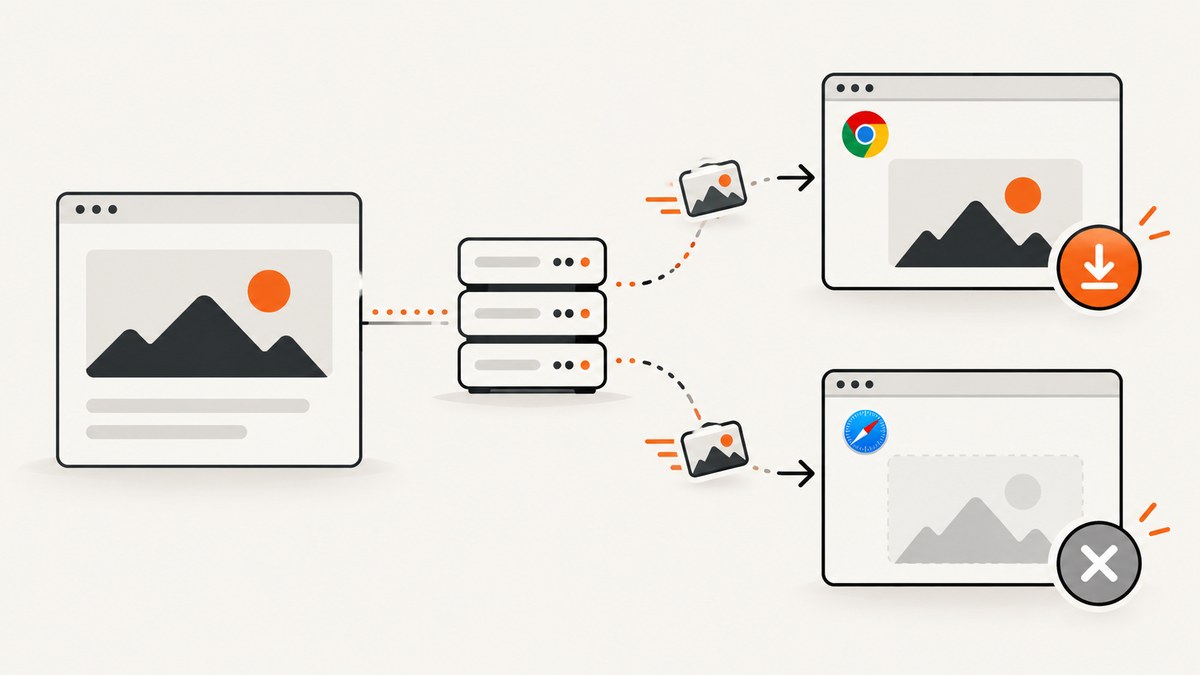
Short answer: if an image downloads in Chrome but fails in Safari, first check Safari’s download permission and destination. If the problem affects only one site, inspect that site’s link and the final image response. Safari may ignore a download attribute for a cross-origin URL, follow a redirect to a different origin, open the image because of Content-Disposition, or reject JavaScript access because the server does not allow CORS.
Work through the checks in this order:
- Confirm Safari is allowed to download from the site and that you are looking in the right folder.
- Decide whether the failing link is same-origin or cross-origin.
- Inspect the final response after redirects, including
Content-TypeandContent-Disposition. - Check CORS only if JavaScript,
fetch(),canvas, or acrossoriginimage is involved. - Retry with a minimal link or a server-generated download response.
1. Check Safari’s download permission and destination
Mac
Safari has a per-site Downloads permission. Open Safari’s settings, choose Websites, then Downloads. Find the affected site and set it to Allow. Apple documents three choices: Ask, Deny, and Allow. If it is set to Ask, approve the prompt when it appears. If it is set to Deny, Safari can appear to ignore the download link.
Also check the destination in Safari’s General settings. A successful download may be going to a folder you do not normally inspect. Open the Downloads list from Safari’s toolbar and use the magnifying-glass control to reveal the file in Finder.
iPhone and iPad
On iPhone, open Settings > Apps > Safari > Downloads. Apple lists iCloud Drive, On My iPhone, and Other as possible destinations. Select the location you expect, then check the Files app after retrying. Menu names can differ on older operating-system releases, but the important checks are the same: Safari must be permitted to download, and you must know the selected destination.
2. Establish whether the failure is site-specific
Try downloading a known image from two unrelated sites. If every download fails, concentrate on Safari permissions, storage, private browsing restrictions, and the destination folder. If only one site fails, the site’s HTML or server response is the stronger lead.
| Diagnostic clue | First place to look | Useful check |
|---|---|---|
| Downloads fail across sites | Safari settings or destination | Review the site’s Downloads permission and the selected folder. |
| Only one site fails | Link implementation or response | Check the image origin, redirects, and response headers. |
| Image displays, but a Save button fails | JavaScript, fetch, or canvas | Look for CORS errors and assumptions about the download attribute. |
| File opens instead of saving, or has a strange name | Content-Disposition and URL | Inspect the final response and its filename. |
3. Understand the HTML download attribute
The download attribute asks the browser to download a linked URL instead of navigating to it. MDN documents that it works for same-origin URLs and for blob: and data: URLs. A URL hosted on another origin is not reliably downloadable just because the anchor has download. Chrome and Safari may therefore make different choices.
<a href="/images/report.png" download="report.png">Download image</a>This is the reliable basic form when the page and image share an origin. A subdomain, a separate object-storage host, or a CDN can make the URL cross-origin even when it looks like part of the same site.
Cross-origin example that can fail
<a href="https://cdn.example.net/report.png" download="report.png">
  Download image
</a>
For a cross-origin file, serve the download through your own origin, proxy it on the server, or configure the storage response correctly. Do not assume that adding more JavaScript to the anchor will bypass the browser’s origin rules.
4. Inspect the final response after redirects
Use Safari’s Web Inspector or an HTTP client to inspect the request. Follow redirects and examine the final response, not just the original link. Confirm that the body is the intended image rather than an HTML login page, bot challenge, 404 document, or expired signed URL.
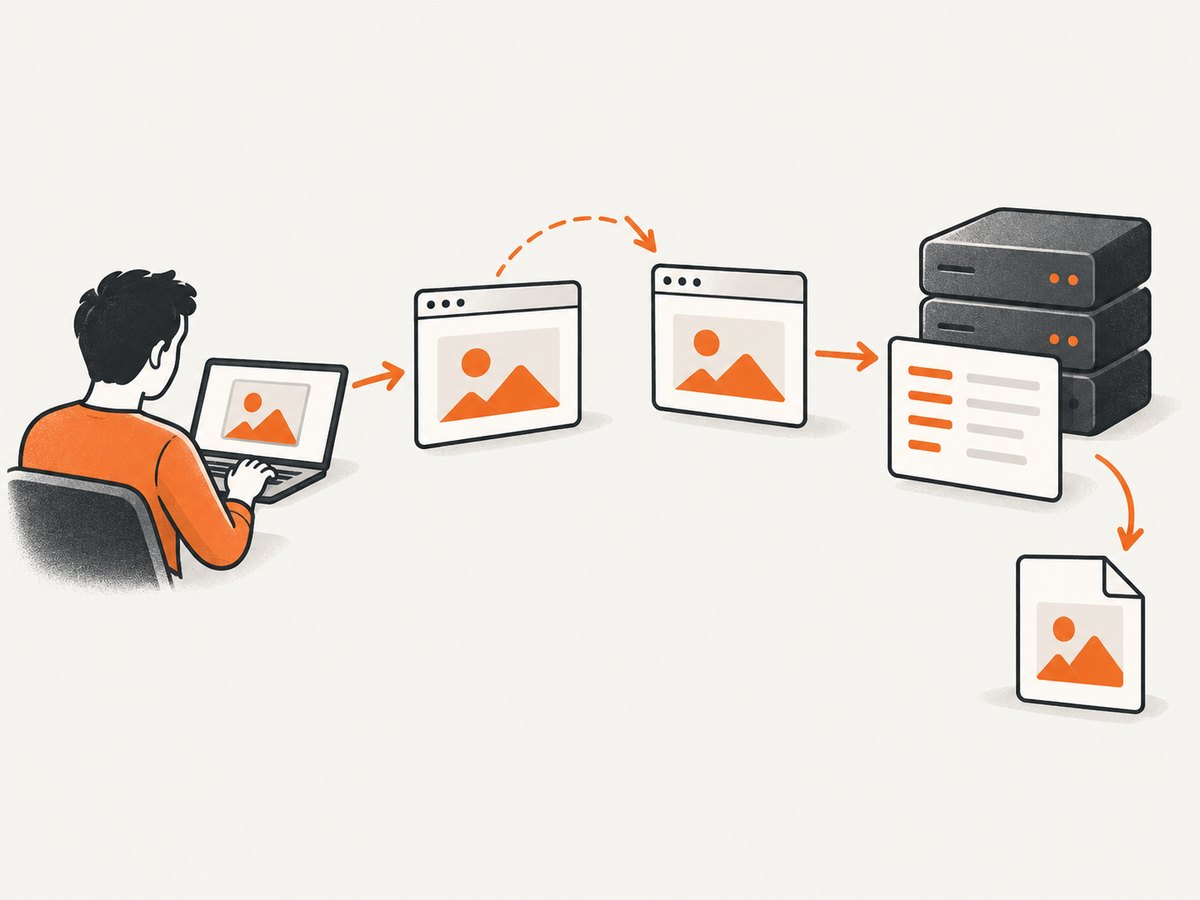
Check these headers:
Content-Typeshould match the file, such asimage/png,image/jpeg, orimage/webp.Content-Dispositioncontrols whether the response is presented as an attachment and can provide the suggested filename.Content-Lengthcan reveal a zero-byte or unexpectedly small response.Locationon redirects can reveal a move from your origin to a CDN or storage domain.
MDN explains that a filename can come from Content-Disposition, the URL path, or the media type. A filename in the response header takes precedence over the name supplied by the HTML download attribute. Conflicting disposition information can therefore produce different behavior across browsers.
For a forced download, configure the response at the server or storage layer with an attachment disposition and a safe filename. Verify the actual response with a command such as:
curl -I -L "https://example.com/images/report.png"Look for the final status code and headers. A 200 response with Content-Type: text/html is not a valid image download, even if the URL ends in .png.
5. Separate displaying an image from reading its bytes
A normal image element can display a cross-origin image without CORS by default. That does not grant page JavaScript access to the bytes. CORS becomes relevant when code calls fetch(), draws the image to a canvas and reads pixels, or sets the crossorigin attribute.
Direct link: no JavaScript byte access
<img src="https://cdn.example.net/photo.jpg" alt="Product photo">Fetch and save: requires CORS
async function saveImage(url, filename) {
  const response = await fetch(url, { mode: 'cors' });
  if (!response.ok) throw new Error(`HTTP ${response.status}`);
  const blob = await response.blob();
  const objectUrl = URL.createObjectURL(blob);
  const link = document.createElement('a');
  link.href = objectUrl;
  link.download = filename;
  link.click();
  URL.revokeObjectURL(objectUrl);
}

saveImage('https://cdn.example.net/photo.jpg', 'photo.jpg')
  .catch(console.error);
The image server must return an Access-Control-Allow-Origin value that matches the requesting site (or an intentionally broad value where appropriate). If that header is absent or does not match, the browser blocks the script from receiving the response. MDN’s CORS documentation covers this request and response exchange.
Do not label every Safari download failure a CORS problem. CORS does not control a plain anchor in the same way it controls a scripted fetch. First confirm that JavaScript is actually involved.
6. A dependable server-side download pattern
When you control the application, the most consistent approach is to provide a same-origin endpoint that fetches or reads the image on the server and returns it as an attachment. The browser then downloads from the page’s own origin, avoiding the cross-origin limitation of the anchor.
// Pseudocode for a server route
GET /download/photo
  image = read_from_storage('photo.jpg')
  return response(
    body=image,
    headers={
      'Content-Type': 'image/jpeg',
      'Content-Disposition': 'attachment; filename="photo.jpg"'
    }
  )
Protect such endpoints against unauthorized access and server-side request forgery. Validate the requested object, enforce authentication where needed, and do not allow an arbitrary URL supplied by a visitor to be fetched by your server.
7. Debugging scripted download buttons
When a button works in Chrome but not Safari, inspect each step:
- Open the Console and record the exact exception.
- In the Network panel, check whether the request was sent and whether it was redirected.
- Confirm that the response is an image and is not an HTML error page.
- Check whether the request is cross-origin and whether the response includes the required CORS header.
- Confirm that the click happens during a user gesture. Some browser behaviors differ when a download is started from a timer or a promise chain.
- Revoke an object URL only after the browser has received the click. Revoking it too early can produce an empty file.
If your code uses canvas, set crossorigin="anonymous" before assigning src, and configure the image server for CORS. Otherwise the canvas becomes tainted and pixel reads throw a security exception.
8. Cross-origin policy headers
If the Network panel points to a policy block, inspect Cross-Origin-Resource-Policy and Cross-Origin-Embedder-Policy as well as CORS. These headers can restrict how resources are loaded or embedded. Change them only when the evidence identifies them as the cause; broadening policies without understanding the application can expose resources unintentionally. MDN’s cross-origin policy documentation explains the interaction.
9. Common errors and fixes
| Symptom | Likely cause | Fix |
|---|---|---|
| Nothing happens after clicking | Safari permission is Deny, or the click is not a permitted download | Allow downloads for the site and test a direct same-origin link. |
| Image opens in a tab | Cross-origin URL or inline content disposition | Use a same-origin endpoint and return an attachment disposition. |
| Downloaded file is HTML | Redirect to login, bot check, or error page | Inspect the final response and authentication requirements. |
Failed to fetch |
Missing or mismatched CORS header | Configure Access-Control-Allow-Origin on the image response, or move the fetch server-side. |
| Canvas security exception | Cross-origin image made the canvas tainted | Enable CORS and set crossorigin before src. |
| File saved under an unexpected name | Response filename overrides the anchor filename | Inspect and correct Content-Disposition. |
| Download succeeded but cannot be found on iPhone | Safari saved to iCloud Drive or another selected location | Check Settings > Apps > Safari > Downloads and the Files app. |
10. Performance, reliability, and cost considerations
Large images take longer to transfer and consume more storage. Serve the right format and dimensions for the use case, and avoid converting an image to a base64 data URL unless you need an inline representation; base64 increases payload size and memory use. For repeated downloads, cache immutable files with a versioned URL.
Redirect chains add latency and create more opportunities for an origin or permission mismatch. Keep download URLs stable, use HTTPS throughout, and make expiration times for signed URLs long enough to cover the user’s action. If a file is private, return a clear authorization error instead of an HTML login page with a successful status.
There is no physical accessory required to fix this issue. The work is in Safari settings, HTML behavior, response headers, and—when scripts read image bytes—CORS configuration.
11. Or skip the browser setup
If your goal is to capture a reliable image of a web page rather than debug a browser download flow, ScreenshotNeo provides a single HTTP request. It captures PNG, JPEG, WebP, or PDF output and can remove cookie banners, newsletter popups, and chat widgets before the shot. Bot checks, blank pages, failed loads, timeouts, and cache hits are not billed, and the response identifies the result with X-Page-Verdict and X-Billed headers.

See the ScreenshotNeo API documentation for all options. The basic calls are:
curl -G "https://api.screenshotneo.com/v1/shot" \
  -d access_key=YOUR_API_KEY \
  --data-urlencode url=https://stripe.com \
  -o shot.webp
import requests
r = requests.get(
"https://api.screenshotneo.com/v1/shot",
params={"access_key": "YOUR_API_KEY", "url": "https://stripe.com"},
timeout=90,
)
r.raise_for_status()
open("shot.webp", "wb").write(r.content)const q = new URLSearchParams({
access_key: 'YOUR_API_KEY',
url: 'https://stripe.com'
});
const res = await fetch(`https://api.screenshotneo.com/v1/shot?${q}`);
if (!res.ok) throw new Error(`HTTP ${res.status}`);
const data = Buffer.from(await res.arrayBuffer());
require('fs').writeFileSync('shot.webp', data);You can turn each cleanup step off, capture a full page with lazy images loaded, select one element by CSS selector, set a device or custom viewport, use dark mode and retina scale, add custom CSS or JavaScript, click an element, wait for a selector, delay, or network idle, block ads or resource types, provide headers, cookies, a user agent, Authorization, timezone, or geolocation, choose a transparent background, resize the result, cache with a chosen TTL, create signed links, run asynchronous jobs with signed webhooks, capture up to 100 URLs per bulk call, and use the usage API or OpenAPI specification. It also supports PDFs, HTML or CSS to image, and an MCP server with take_screenshot, get_page_info, and capture_pdf for Claude, Cursor, and other MCP clients.
There are 1,000 free screenshots each month with no card. Paid plans start at $5 for 3,000 shots; every feature is available on every plan. Create a free ScreenshotNeo account and start with the no-card tier.
12. FAQ
Why does Safari open the image instead of downloading it?
The URL may be cross-origin, the response may be inline, or the site may rely on browser-specific handling of the download attribute. A same-origin endpoint returning an attachment response is the most predictable fix.
Does adding download always force a save dialog?
No. Browser settings and response headers still influence the result, and MDN documents origin restrictions for the attribute.
Can an image display without CORS but fail when I fetch it?
Yes. Displaying an image and reading its bytes in JavaScript are separate operations with different cross-origin requirements.
Where did Safari save my iPhone download?
Check the destination in Settings > Apps > Safari > Downloads, then open that location in the Files app.
Is this a Safari bug in one particular release?
The documented causes are settings, origin rules, response headers, and CORS. The available evidence does not establish one universal Safari-release bug.


