How to Fix Infinite Table Loops When Rows Exceed the PDF Page
Stop PDF table pagination loops by measuring each row before drawing it, then advancing, splitting, or failing with a clear diagnostic.
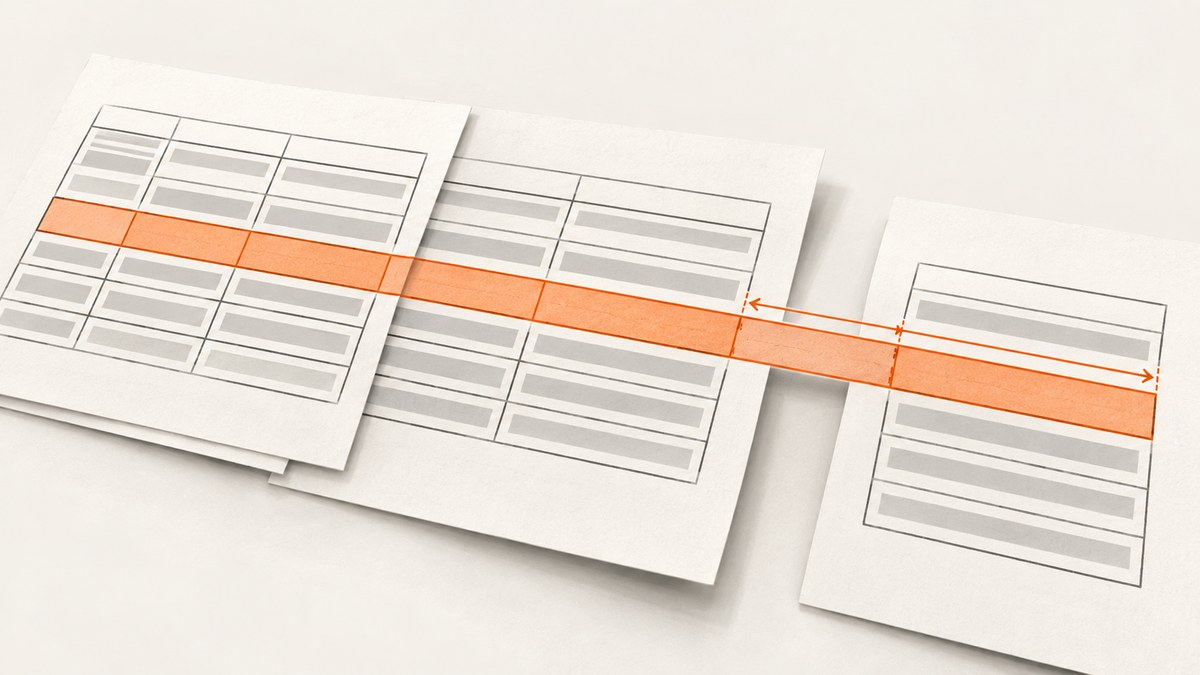
A PDF table loops when its paginator reaches a row that cannot fit in the remaining page space and retries without changing the page, row index, or row content. Fix the state transition: measure the complete row before drawing it, then either draw it, move it intact to a fresh page, split it using a supported feature, or stop with a clear error. Every pagination iteration must make progress or terminate.
This guide shows the invariant, a safe pagination pattern, library-specific approaches for ReportLab, FPDF, PDFlib, and jsPDF-AutoTable, plus diagnostics for rows that are repeated, skipped, or too tall for a full page.
1. Diagnose the loop: the row is not making progress
Think of pagination as a state machine. At minimum, its state includes the page (or fitbox), the index of the next row, and the row’s contents. A loop usually has a branch like “row does not fit, try again” but neither advances to a new page nor splits or rejects the row. The next pass sees identical inputs and makes the same decision.
A related defect is dropping a row: bookkeeping advances even though the row was not drawn. That is not an infinite loop, but it has the same root problem: the non-fitting row has no explicit disposition.
| Observed symptom | Likely control-flow failure | Required transition |
|---|---|---|
| CPU usage rises and generation never ends | Same row retried with unchanged page and index | Advance page, split, or report an error |
| A row appears partly at the page bottom | Cells were drawn before full row height was known | Measure first, then decide whether the whole row fits |
| A row vanishes at a page boundary | Iteration state advanced after a rejected row | Keep the rejected row as the next row to process |
| One unusually long row prevents output | Row is taller than a fresh page’s usable area | Split it, reduce content, or fail explicitly |
There is no universal numeric maximum row height. The available height depends on page dimensions, margins, header and footer space, repeated table headings, font metrics, wrapping, padding, and borders.
2. Use a progress-guaranteed pagination algorithm
Measure a row at the same widths and with the same typography and cell content that will be used to draw it. The row height is the tallest cell’s measured height, including vertical padding and borders. Compare that height against the remaining usable space, which must account for page furniture and any repeated table header.
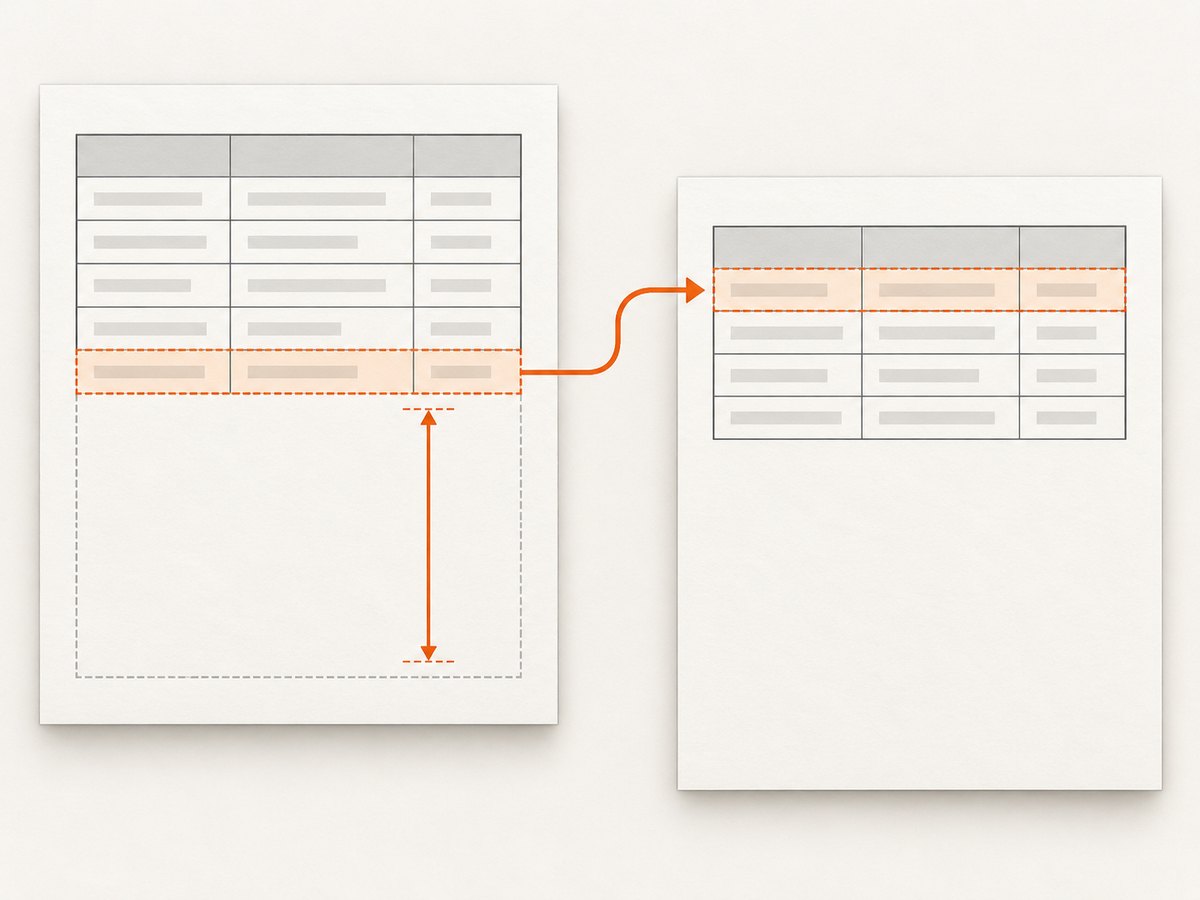
- Calculate usable page height after margins, header, footer, and repeated table heading.
- Measure all cells at their final column widths and styles; use the maximum cell height for the row.
- If the row fits in the current remaining space, draw it and increment the row index.
- If it does not fit, but the page already contains table content, start a fresh page and retry the same row index there.
- If the row does not fit on a fresh page, invoke a supported row split, apply a documented overflow policy, or raise a “row too tall” error.
- Assert that each iteration changed the page, advanced the row index, split the row, or terminated.
The key distinction is between “doesn’t fit here” and “cannot fit anywhere.” The first should normally defer the row to the next page. The second needs a deliberate policy. Moving an oversized row page after page cannot solve it.
A language-neutral control-flow sketch
row_index = 0
while row_index < row_count:
    row = rows[row_index]
    row_height = measure_full_row(row, final_column_widths, final_styles)
    remaining = usable_height(page) - current_y

    if row_height <= remaining:
        draw_row(row, row_height)
        row_index += 1
        continue

    if page_has_table_rows():
        start_new_page_with_repeated_header()
        continue  # same row index, but page state has advanced

    if can_split_row(row, usable_height(page)):
        draw_split_parts_and_record_continuation(row)
        row_index += 1  # or retain continuation state explicitly
        continue

    raise RowTooTallError(row_index, row_height, usable_height(page))
If splitting creates multiple fragments, model the continuation explicitly; don’t increment the row index until the original logical row has been fully emitted. The precise splitting API differs by PDF library.
3. ReportLab: let the table measure and split rows
ReportLab’s Table and LongTable can calculate row heights when no fixed row height is supplied, split across pages, and repeat leading rows. For wrapped text, use measurable flowables such as Paragraph with fixed column widths and styles matching the intended output. Use repeatRows for heading rows. See the ReportLab tables documentation.
from reportlab.lib import colors
from reportlab.lib.pagesizes import letter
from reportlab.lib.styles import getSampleStyleSheet
from reportlab.lib.units import inch
from reportlab.platypus import LongTable, Paragraph, SimpleDocTemplate, TableStyle

styles = getSampleStyleSheet()
body = styles["BodyText"]
rows = [["ID", "Description", "Notes"]]
for i in range(1, 121):
    rows.append([
        str(i),
        Paragraph(f"Record {i}: " + "A wrapped description. " * 8, body),
        Paragraph("Additional detail. " * 10, body),
    ])

doc = SimpleDocTemplate(
    "table.pdf", pagesize=letter,
    leftMargin=0.55 * inch, rightMargin=0.55 * inch,
    topMargin=0.6 * inch, bottomMargin=0.6 * inch,
)
table = LongTable(rows, colWidths=[0.55 * inch, 3.0 * inch, 3.0 * inch], repeatRows=1)
table.setStyle(TableStyle([
    ("GRID", (0, 0), (-1, -1), 0.4, colors.grey),
    ("BACKGROUND", (0, 0), (-1, 0), colors.lightgrey),
    ("VALIGN", (0, 0), (-1, -1), "TOP"),
    ("LEFTPADDING", (0, 0), (-1, -1), 5),
    ("RIGHTPADDING", (0, 0), (-1, -1), 5),
    ("TOPPADDING", (0, 0), (-1, -1), 4),
    ("BOTTOMPADDING", (0, 0), (-1, -1), 4),
]))
doc.build([table])
Do not hard-code a short row height for cells containing wrapped text unless you computed it using the same width and style. If you need constrained split positions, ReportLab exposes rowSplitRange. splitByRow=False requests column splitting, which is not implemented and raises NotImplementedError; it does not solve a too-tall row. An individual cell flowable may itself be too tall to split, so test such content and handle an unsplittable row explicitly.
4. FPDF: measure every MultiCell before output
FPDF’s official table example computes the maximum wrapped MultiCell height before drawing any cell. It checks whether that full height crosses the page-break trigger, adds a page if needed, draws cells to the common row height, then advances the cursor. This prevents partial rows at the bottom of a page. See FPDF’s MultiCell table example.
<?php
require('fpdf.php');

class PDF extends FPDF {
    function Row($data, $widths) {
        $lineHeight = 6;
        $maxLines = 1;
        foreach ($data as $i => $text) {
            $maxLines = max($maxLines, $this->NbLines($widths[$i], $text));
        }
        $height = $lineHeight * $maxLines;

        // A row taller than a fresh page needs an explicit policy.
        $freshPageUsable = $this->PageBreakTrigger - $this->tMargin;
        if ($height > $freshPageUsable) {
            throw new RuntimeException("Row too tall: {$height} mm");
        }
        if ($this->GetY() + $height > $this->PageBreakTrigger) {
            $this->AddPage($this->CurOrientation);
        }

        $x = $this->GetX();
        $y = $this->GetY();
        foreach ($data as $i => $text) {
            $w = $widths[$i];
            $this->Rect($x, $y, $w, $height);
            $this->MultiCell($w, $lineHeight, $text, 0, 'L');
            $x += $w;
            $this->SetXY($x, $y);
        }
        $this->Ln($height);
    }

    function NbLines($w, $txt) {
        // Use the official FPDF example's width-aware wrapping calculation
        // for the selected font and size. This placeholder must be implemented
        // from that calculation before using Row() in production.
        throw new LogicException('Implement width-aware NbLines calculation');
    }
}

$pdf = new PDF();
$pdf->SetMargins(10, 10, 10);
$pdf->AddPage();
$pdf->SetFont('Arial', '', 10);
$pdf->Row(['1', 'A wrapped description', 'Another cell'], [15, 90, 80]);
$pdf->Output('F', 'table.pdf');
?>
The example deliberately leaves NbLines as an explicit implementation point: use the width-aware calculation in the linked official example rather than counting characters, which fails with proportional fonts and different widths. In production, also account for cell padding, borders, explicit newlines, and your configured page break behavior. A measurement mismatch between NbLines and the actual MultiCell drawing can still cause overflow.
5. PDFlib: continue in a new fitbox or configure splitting
PDF_fit_table() places as many rows as fit in the current fitbox and continues in a later fitbox. The PDFlib tutorial says a last body row that does not completely fit is usually not split; it is deferred to the next table instance. If the whole table exceeds a fitbox, placement stops before the first row that does not fit. For controlled splitting, the tutorial identifies minrowheight as a setting to lower. See the PDFlib Tutorial 9.0.6.
Carry the returned continuation position or next-row index forward when creating the next table instance. Verify that each continuation uses a fresh fitbox with enough usable height for the row, and define what happens when one row exceeds a complete fitbox. Do not assume every library or configuration splits body rows automatically.
6. jsPDF-AutoTable: protect tall rows in horizontal page-break mode
Normal row rendering and horizontal page-break rendering can follow different code paths. A reported issue for jspdf-autotable 5.0.2 with jspdf 3.0.0 describes rows with tall wrapped text being silently skipped when horizontalPageBreak: true and horizontalPageBreakBehaviour: 'immediately' are used. The reported cause is that the horizontal path checks whether a full row fits, does nothing when it does not, then advances bookkeeping. The row is lost instead of being deferred. See jsPDF-AutoTable issue #1109 (opened May 8, 2026).
Treat horizontal pagination as its own path and test it separately. When a row is rejected at the bottom of a page, stop processing the current page’s row set and let the next page begin with that same row. If the library version or configuration cannot guarantee this, avoid that path for affected content or handle pagination yourself. Test the exact dependency versions you deploy; the cited issue is a report, not a universal statement about every release or configuration.
7. Add diagnostics and test the boundary cases
For every non-fitting row, log enough information to reproduce the decision: document or table identifier, page number, row index, measured row height, remaining height, usable fresh-page height, and chosen action. Avoid logging sensitive cell contents; a row ID and lengths are usually sufficient.
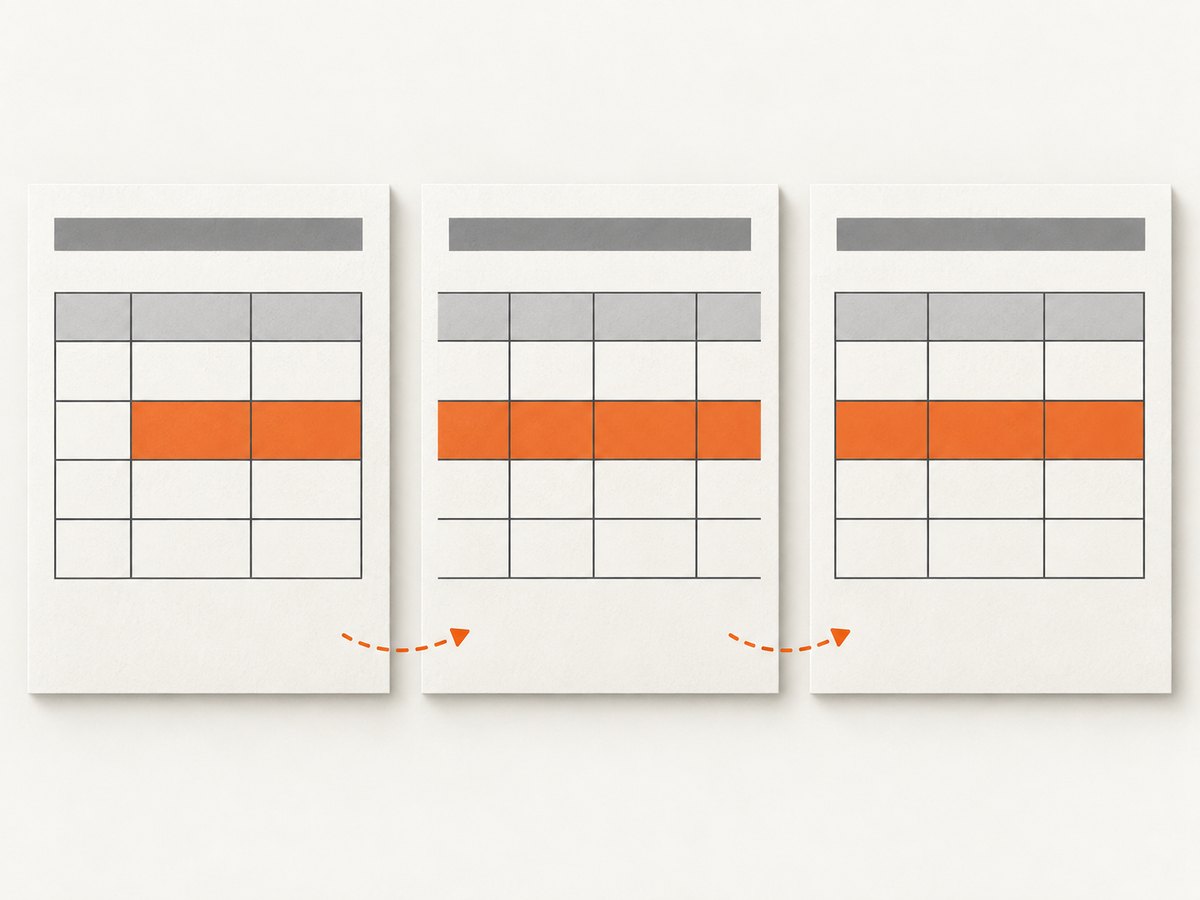
previous = (page_number, row_index, continuation_offset)
for iteration in range(MAX_PAGINATION_STEPS):
    state = (page_number, row_index, continuation_offset)
    if iteration and state == previous:
        raise RuntimeError(
            f"Pagination made no progress: page={page_number}, row={row_index}"
        )
    previous = state
    # Measure and take exactly one progress-making action here.
else:
    raise RuntimeError("Pagination exceeded its safety limit")
A maximum-step guard is a backstop, not the pagination policy. Include split continuation offset in the state if a row is emitted in fragments; otherwise a valid split could appear unchanged. Also consider a visited-state set when state transitions are more complex.
Boundary test checklist
- A row that fits exactly in the remaining space.
- A row one wrapped line taller than the remaining space.
- A row taller than an otherwise empty page.
- Wrapped text at narrow and wide column widths.
- Explicit newlines and long unbroken tokens.
- Images or nested flowables in cells, tested individually.
- Repeated table headings, headers, footers, and page-number space.
- Horizontal page breaks with a tall row near the page bottom.
- Verification that output contains each source row exactly once, in order.
8. Troubleshooting common pagination failures
| Error or symptom | Cause | Fix |
|---|---|---|
| Same row and page logged repeatedly | Non-fit branch retries without changing state | Advance page, split, or raise an explicit oversized-row error |
| Text clips despite a successful fit check | Measurement uses different width, font, leading, padding, or border from drawing | Share one measurement configuration between layout and render paths |
| First row on a new page still overflows | Row is taller than fresh usable space, often after repeated headings | Split it, reduce content or typography, or reject it with row details |
| Heading repeats but body row moves forever | Repeated header was omitted from the available-height calculation | Subtract repeated heading and page furniture before testing row fit |
| Row disappears only with horizontal breaks | Separate code path advances row bookkeeping after rejecting it | Defer the row and test that mode independently |
| Unexpected blank page | Page advance occurs after content was already moved or a split consumed all space | Track cursor and continuation state; add a page only when the next action can use it |
| Unbroken identifier expands a row dramatically | Wrapping behavior differs from expectation or token cannot break | Choose a deliberate token wrapping rule, shorten or split the value, and measure with that rule |
9. Performance, reliability, and cost considerations
Measurement has a cost, but it is usually safer than drawing a row, discovering overflow, and trying to undo partially written output. Avoid measuring the same row repeatedly with unchanged widths and style: cache its measured height for a layout pass, and invalidate that result when fonts, widths, content, padding, or styles change. For very large tables, stream rows while retaining enough state to retry the first non-fitting row on the next page.
Reliability comes from deterministic layout inputs and visible failures. Pin compatible library versions, keep page geometry and typography consistent between measurement and drawing, and preserve row order and identity through continuation. A controlled error with the row ID and measured dimensions is safer than an endless generation task or a silently incomplete PDF.
Cost depends on the environment running the PDF renderer and its execution time; no cross-library benchmark or universal row limit is established by the cited sources. Profile your actual content and target page settings before choosing between measurement, splitting, or content normalization.
10. Inspect the resulting PDF with a screenshot
After generation, inspect pages around the boundary that used to fail: confirm the row begins where expected, repeated headings are present, text is not clipped, and no row disappeared. A rendered page image makes visual issues such as overlaps and bad wrapping easier to spot. You can use a local PDF viewer or an image workflow; ScreenshotNeo is a website screenshot API and MCP server for developers, useful when the page under review is published or previewed on the web. Its API accepts a URL and returns an image or PDF. See ScreenshotNeo.
Or skip the browser setup
If you publish a PDF preview page and want a screenshot of it, one GET request can capture the page. See the ScreenshotNeo API documentation.
curl -G "https://api.screenshotneo.com/v1/shot" -d access_key=YOUR_API_KEY --data-urlencode url=https://stripe.com -o shot.webpScreenshotNeo accepts cookie and consent banners like a visitor, then removes 60+ known consent platforms, newsletter popups, and chat widgets before the shot; each step can be turned off. Bot checks, blank pages, failed loads, timeouts, and cache hits are not billed, and response headers say the page verdict and billing status. Its MCP server gives AI agents tools to take screenshots, get page information, and capture PDFs. The free plan includes 1,000 screenshots a month with no card; paid plans start at $5 for 3,000. Sign up for 1,000 free screenshots a month, no card required.
FAQ
Should a table row always stay intact?
No. Keeping a row intact is a sensible default when it fits on a fresh page. If a row can exceed that page’s usable height, choose a supported split, redesign the row, or reject it clearly.
Can I fix the loop by increasing the page size?
That may help a specific document, but it does not repair the state bug. A row can still exceed the new page, and the no-progress branch can recur. Keep the progress invariant in place.
Why does counting characters give the wrong row height?
Rendered line count depends on the selected font metrics, available column width, wrapping rules, and explicit breaks. Measure using the same layout rules that draw the cell.
How do I know rows were not silently dropped?
Include stable row identifiers and compare the ordered source IDs with the IDs recorded as emitted. For split rows, track completion of the final fragment before marking the logical row complete.


