How to Fix an Invalid Email Selector in Puppeteer
Fix Puppeteer’s invalid email selector by checking the live DOM, choosing a stable CSS hook, and escaping dynamic values before filling the field.

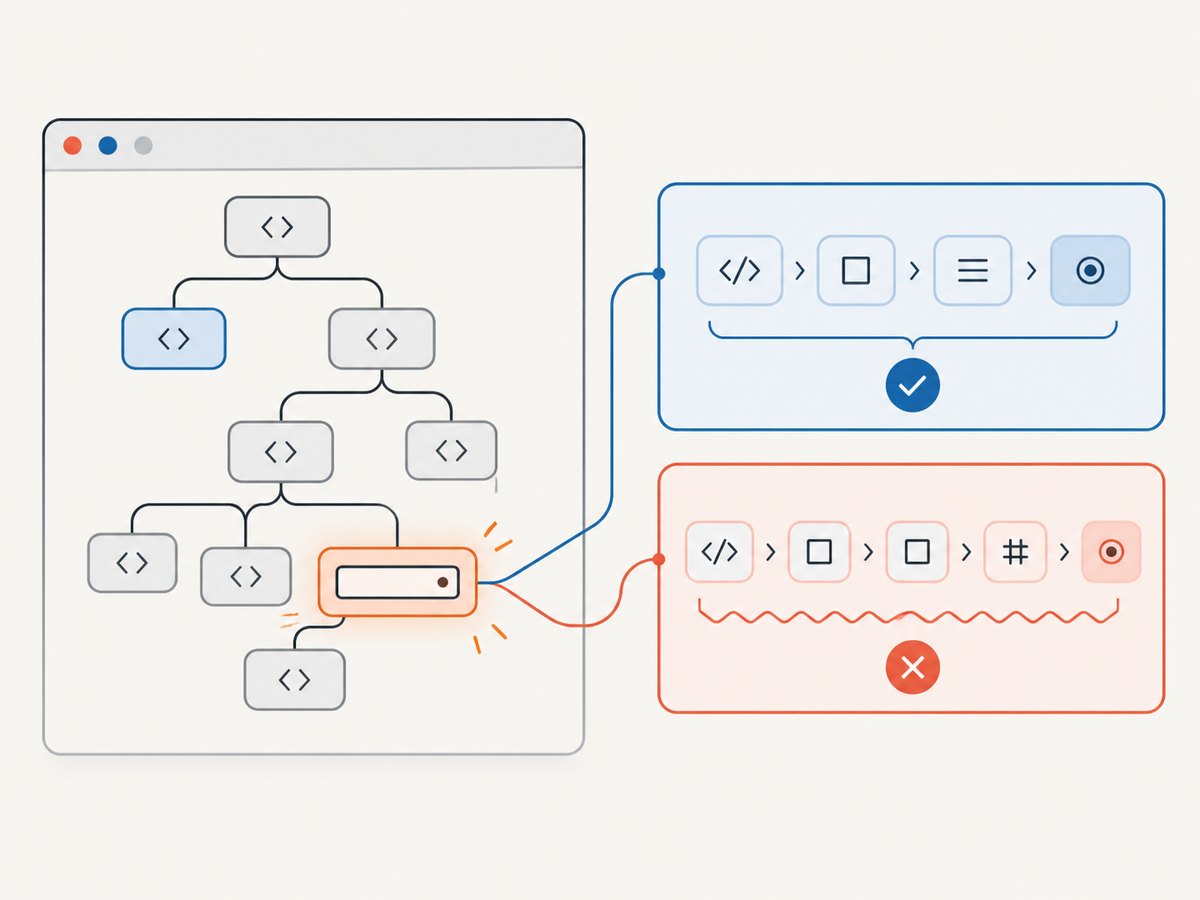
Puppeteer reports an invalid email selector when the selector string is not valid CSS. The email input type is not the cause: selector-taking Puppeteer APIs accept CSS selectors, and the browser throws a SyntaxError when CSS parsing fails. Inspect the actual input in the live DOM, choose a stable attribute such as name="email" or type="email", then fill it with a locator:
await page.locator('input[type="email"]').fill('person@example.com');If the selector contains an ID or other value assembled at runtime, escape that value before placing it into CSS. Also distinguish malformed selector syntax from a valid selector that simply matches no element; the latter is a timing or DOM problem.
1. What “invalid selector” means
Puppeteer passes CSS selectors to browser selector handling. The selector string must follow CSS syntax. When it does not, the browser raises a syntax error instead of searching for an element. Punctuation that is meaningful to CSS is a frequent source of trouble when copied directly from an ID or inserted from a variable.
For example, if the literal ID is user[email], then #user[email] is not a safe way to express that ID. The brackets are CSS syntax for an attribute selector, rather than ordinary characters in an identifier. A leading digit or punctuation in an ID can also make a bare #id selector invalid or require escaping.
The element’s type="email" attribute does not change the grammar. This is valid CSS:
input[type="email"]This may be invalid, depending on the actual value and quoting:
#user[email]Use the browser DevTools Elements panel to inspect the rendered input, not just the source template. Frameworks may generate, replace, or delay form elements. Puppeteer’s selector documentation states that CSS selectors are accepted in APIs that take a selector; MDN explains that a non-valid selector string causes a SyntaxError.
2. Diagnose the selector from the live DOM
- Open the page and inspect the actual field. In DevTools, select the email input and record its current
id,name,type, and any stable testing attribute such asdata-testid. - Prefer a semantic or purpose-built hook. Try
input[type="email"]orinput[name="email"]. Prefer a documenteddata-testidif the page provides one for automation. Use an ID if it is stable and valid. - Test the CSS independently. In DevTools Console, run
document.querySelector('input[type="email"]'). A syntax exception points to malformed CSS. A result ofnullmeans valid CSS found no matching element in the current DOM. - Check whether the page has multiple email fields. A broad selector may be valid but match the wrong form, such as a newsletter signup. Scope it to a stable form or container when necessary.
- Only then add waiting or interaction logic. Waiting cannot repair malformed CSS. It can help only after the selector parses and the desired element appears later.
For a field inside a known form, a scoped selector can reduce ambiguity:
const emailField = page.locator('form#account-form input[type="email"]');
await emailField.fill('person@example.com');
Use this only if account-form is a stable, valid ID. If it contains punctuation, escape its value as shown in the next section.
3. Escape dynamic IDs and attribute values
When the selector is built from a runtime value, do not assume the value is safe to insert into CSS. Use CSS.escape() for a value used as an identifier, such as an ID. In a browser page context, CSS.escape is available on modern browsers. In Node code, avoid depending on a global CSS object unless your runtime provides it; either use a tested escape implementation or choose an attribute hook that avoids dynamic CSS construction.
const rawId = 'user[email]';
const safeId = await page.evaluate(id => CSS.escape(id), rawId);
await page.locator(`#${safeId}`).fill('person@example.com');
The code obtains the browser’s CSS escaping function, then uses the escaped identifier in the selector. This keeps the ID as a literal identifier rather than letting its punctuation become selector syntax. Verify this approach against the Puppeteer and browser versions used by your project.
A safer and often simpler pattern is to avoid dynamic IDs entirely and use a stable semantic attribute:
await page.locator('input[name="email"]').fill('person@example.com');If you must construct an attribute selector from a variable, escaping the contents requires care: CSS string escaping and identifier escaping are not interchangeable. Prefer a fixed selector plus a stable attribute value, or escape according to the exact CSS context. Never interpolate arbitrary input directly inside quotes:
// Fragile: punctuation or quotes in rawValue can break the selector.
const selector = `[data-testid="${rawValue}"]`;
4. Fill the email field with Puppeteer Locators
Puppeteer’s locator API is the clearest default for interacting with a form. Locators wait for the element to be ready for the requested interaction, which avoids a separate wait in many cases.
import puppeteer from 'puppeteer';

const browser = await puppeteer.launch({ headless: true });
try {
  const page = await browser.newPage();
  await page.goto('https://example.com/signup', {
    waitUntil: 'domcontentloaded',
    timeout: 30_000,
  });

  const email = page.locator('input[type="email"]');
  await email.fill('person@example.com');

  // Optional: submit only when the page's form behavior is intended.
  // await page.locator('button[type="submit"]').click();
} finally {
  await browser.close();
}
Replace the example URL and selector with the page under automation. fill() sets the field value through the locator interaction behavior. If the site validates on blur or input events, the locator interaction is preferable to directly assigning element.value in page JavaScript because it represents a user-facing form action.
When more than one field matches, make the selector specific or scope the locator to the correct form. Do not select the first match just to suppress an ambiguity: that can silently populate a newsletter or hidden form instead of the account form.
5. Wait for fields rendered later
Single-page applications may render a form after navigation, an API response, or a user action. A valid selector that currently matches nothing is not invalid; it simply is not available yet. Locators wait during interaction. Alternatively, use an explicit wait to make the sequence and timeout visible:
const selector = 'input[name="email"]';
await page.waitForSelector(selector, { visible: true, timeout: 10_000 });
await page.locator(selector).fill('person@example.com');
A timeout means the selector did not become available under the requested conditions before the deadline. Check that the page reached the expected state, that the selector is correct for the rendered DOM, and that the field is not inside a frame or shadow root that requires a different access path.
Use the narrowest wait that describes the page state you need. Waiting for network idle can be unreliable on sites with persistent requests, analytics, or polling. If the form is triggered by a click, click the trigger first and then wait for the field.
6. Choosing among selector approaches
| Approach | Good fit | Watch for |
|---|---|---|
input[type="email"] |
A page has one clear email field. | Multiple forms can produce multiple matches. |
input[name="email"] |
The page exposes a stable semantic field name. | Names may differ across locales or form versions. |
[data-testid="..."] |
The application deliberately exposes a test hook. | Confirm the hook is stable and present in production or test builds. |
#id |
The ID is stable and valid CSS. | Escape unusual characters; generated IDs can change. |
| ARIA or text selector | The accessible name or visible label is the most meaningful hook. | Names can change with copy or localization; use Puppeteer’s supported selector syntax. |
| XPath | The relationship is awkward to express in CSS. | Prefix it with Puppeteer’s supported ::-p-xpath(...) form rather than passing raw XPath as CSS. |
Puppeteer supports selector forms beyond CSS, including XPath and ARIA forms, plus text and shadow-DOM combinators where applicable. Use the documented Puppeteer prefix or syntax for the installed version. A raw XPath expression such as //input[@type='email'] is not CSS and will fail if passed to an API expecting a CSS selector.
7. Troubleshooting common failures
| Symptom | Likely cause | Fix |
|---|---|---|
SyntaxError or “not a valid selector” |
Malformed CSS, unescaped punctuation, mismatched quotes or brackets. | Copy the live attributes, simplify to input[type="email"], then escape dynamic identifiers. |
| Selector times out | Valid selector matches nothing before the wait expires, or the page is in the wrong state. | Check DevTools for the live element, verify navigation/action order, and use an appropriate wait. |
| More than one element matches | The selector is too broad across account, newsletter, or hidden forms. | Scope to a stable form or use a unique test hook; inspect all matches before interacting. |
| Raw XPath produces selector error | The API interprets the string as CSS. | Use Puppeteer’s documented XPath selector prefix, such as ::-p-xpath(//input[@type="email"]), for versions that support it. |
Escaping code says CSS is not defined |
CSS.escape was called in Node’s context rather than the browser page. |
Evaluate it in page context as shown above, or use a suitable Node-side escaping method. |
| Field is inside an iframe | The main page DOM does not contain the input. | Find the appropriate frame and locate the field within that frame’s page/frame context. |
| Field is in a shadow root | A document-level query cannot cross the shadow boundary with ordinary CSS. | Use Puppeteer’s supported shadow-DOM selector combinator for the installed version, or locate through the host and shadow root using supported APIs. |
| Field fills but form rejects it | The application applies validation, requires blur, or expects a different field. | Confirm the selected element, inspect validation messages, and reproduce the intended user flow including blur or submit. |
Keep syntax diagnosis separate from interaction diagnosis. A malformed selector fails at parsing. A valid selector that returns no element points to page state, scope, frame boundaries, or timing. A valid selector that fills the wrong field is a selector precision problem.
8. Reliability, performance, and maintenance
Prefer selectors based on semantic attributes or application-owned test hooks. They are generally easier to review and less coupled to presentation than generated class names. Generated classes and positional selectors such as input:nth-child(2) can break after a layout or build change.
Keep selectors close to the form interaction and name them once when they are reused. A single focused wait is usually cheaper and easier to reason about than repeatedly polling with custom loops. Set navigation and selector timeouts to match the actual page behavior, and report which stage failed so an invalid selector is not mistaken for a slow page.
Headless browser work has operational costs: launching browsers uses memory and CPU, and concurrent pages can multiply resource use. Reuse a browser process for multiple controlled tasks when appropriate, close pages and browsers in cleanup paths, and limit concurrency based on the environment. Do not compensate for poor selectors with very long global timeouts; that increases failure latency without fixing the cause.
For reliability, log the selector string, current URL, and whether the failure was a syntax exception, timeout, or ambiguous match. Avoid logging the email value or other personal data. Re-check selectors when the page changes, and validate examples against the Puppeteer version installed in the project because selector features and APIs can evolve.
9. Or skip the browser setup
If your task is to capture how the page looks after fixing or inspecting the form, ScreenshotNeo can return a screenshot through one GET request. See the ScreenshotNeo API documentation.

curl -G "https://api.screenshotneo.com/v1/shot" \
  -d access_key=YOUR_API_KEY \
  --data-urlencode url=https://example.com/signup \
  -o shot.webp
import requests
r = requests.get(
"https://api.screenshotneo.com/v1/shot",
params={"access_key": "YOUR_API_KEY", "url": "https://example.com/signup"},
timeout=90,
)
open("shot.webp", "wb").write(r.content)const q = new URLSearchParams({
access_key: 'YOUR_API_KEY',
url: 'https://example.com/signup',
});
const res = await fetch(`https://api.screenshotneo.com/v1/shot?${q}`);
if (!res.ok) throw new Error(`Screenshot request failed: ${res.status}`);
await Bun.write('shot.webp', res);ScreenshotNeo accepts cookie and consent banners like a visitor and removes more than 60 known consent platforms, newsletter popups, and chat widgets before capture; each step can be turned off. Bot checks, blank pages, timeouts, failed loads, and cache hits are not billed, and response headers identify the page verdict and billing status. Its MCP server gives AI agents tools for screenshots, page information, and PDF capture. The free plan includes 1,000 screenshots a month with no card; paid plans start at $5 for 3,000. Every feature is on every plan. Learn more at ScreenshotNeo, or sign up free for 1,000 screenshots a month with no card.
10. FAQ
Does type="email" need special escaping?
No. The attribute selector input[type="email"] is ordinary CSS. Escape unusual values only when selector syntax could interpret their characters.
Is a timeout proof that my selector is invalid?
No. A timeout usually means a valid selector did not match a ready element within the wait period. A CSS syntax error is a different failure.
Should I use an ID or a test ID?
Use the most stable hook the application intentionally exposes. A test ID is useful when maintained for automation; a stable semantic name or type is also a good choice.
Can I pass XPath directly to page.locator()?
Use Puppeteer’s documented XPath selector form for the installed version. An unprefixed XPath string is not CSS.


