How to Fix Spacing and Text Alignment Issues in jsPDF and html2canvas
Fix shifted text, extra spacing, blurry output, clipping, and wrapping differences when exporting HTML with html2canvas and jsPDF.
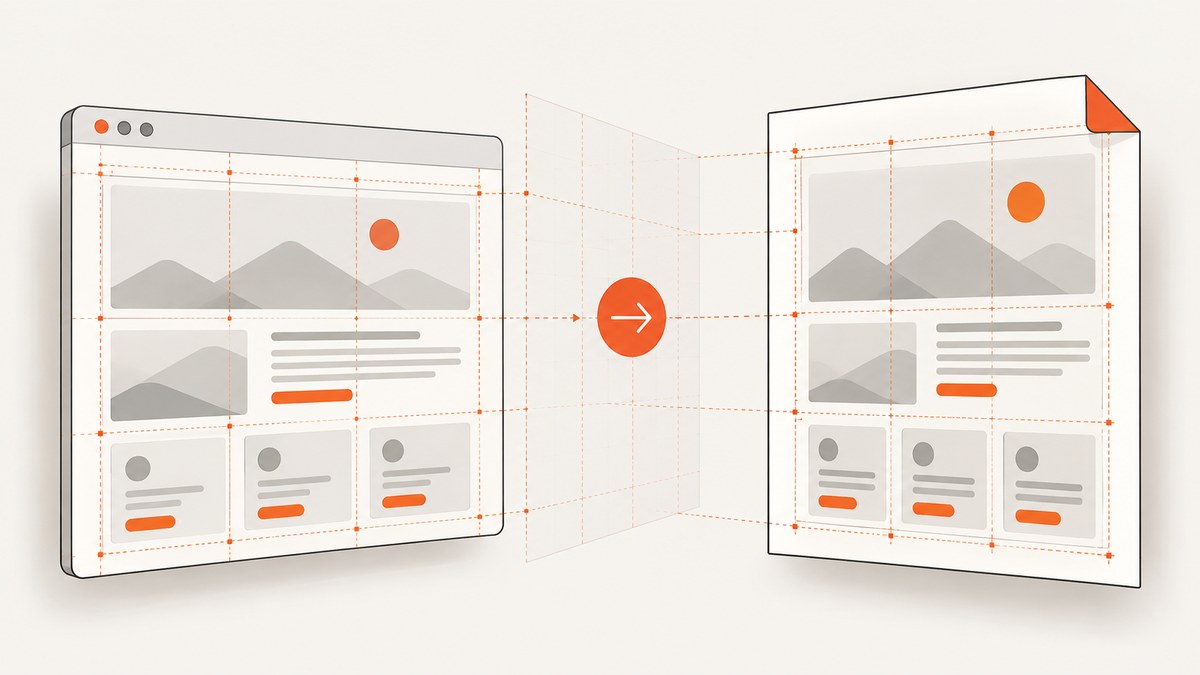
Spacing and alignment problems usually come from mixing three coordinate systems: CSS pixels in the browser, bitmap pixels in the html2canvas output, and the units used by jsPDF. Freeze the layout geometry, render with explicit viewport and capture dimensions, then convert the canvas dimensions to PDF units exactly once when calling addImage(). Increasing html2canvas scale improves sharpness, but it must not change the PDF placement width and height.
This guide covers raster exports with html2canvas and jsPDF, direct vector text with pdf.text(), multi-page documents, cross-origin assets, browser limits, and a hosted alternative when you do not want to maintain browser capture code.
1. Identify the coordinate system causing the shift
A browser lays out an element in CSS pixels. html2canvas paints that layout into a bitmap whose pixel dimensions depend on the element size and the scale option. jsPDF places that bitmap using its own unit system, such as millimetres, points, or inches. A common error is passing canvas.width and canvas.height directly to addImage() while the PDF uses millimetres. The result is uniformly too large, too small, or apparently misaligned.
| Layer | What controls it | Typical failure |
|---|---|---|
| Browser layout | CSS width, fonts, viewport, media queries | Different wrapping or responsive breakpoints |
| Canvas bitmap | scale, capture width and height |
Blurry text, clipping, blank output |
| PDF placement | jsPDF unit, x, y, width, height |
Uniform stretching or incorrect margins |
Use getBoundingClientRect() and scroll dimensions to record the source geometry before capture. Do not rely on the current browser window if the export must be reproducible.
2. Freeze the HTML layout before rendering
Create a dedicated export container with a known width. This avoids a desktop browser switching to a tablet breakpoint, and avoids a hidden scrollbar changing available width by a few pixels.
const node = document.querySelector('#invoice');
const rect = node.getBoundingClientRect();
console.log({
  cssWidth: rect.width,
  cssHeight: rect.height,
  scrollWidth: node.scrollWidth,
  scrollHeight: node.scrollHeight
});
Set styles for the export state. Use fixed widths for columns, explicit line heights, and a font that is loaded before capture. If the live page is responsive, add an export class that disables layout changes:
.pdf-export {
  width: 794px;
  max-width: 794px;
  min-width: 794px;
  line-height: 1.4;
}
.pdf-export table { table-layout: fixed; }
.pdf-export img { max-width: 100%; }
Wait for web fonts and important images. A screenshot taken before fonts finish loading can have different glyph widths and therefore different line breaks.
await document.fonts.ready;
await Promise.all([...document.images].map(img => img.complete
  ? Promise.resolve()
  : new Promise(resolve => {
      img.addEventListener('load', resolve, { once: true });
      img.addEventListener('error', resolve, { once: true });
    })));
3. Capture with explicit html2canvas geometry
The following configuration makes the layout viewport and the rendered region explicit. The documented scale option changes bitmap density; width, height, windowWidth, and windowHeight control geometry. See the html2canvas configuration reference.
import html2canvas from 'html2canvas';
import { jsPDF } from 'jspdf';

const node = document.querySelector('#invoice');
await document.fonts.ready;

const canvas = await html2canvas(node, {
  scale: 2,
  width: node.scrollWidth,
  height: node.scrollHeight,
  windowWidth: node.scrollWidth,
  windowHeight: node.scrollHeight,
  scrollX: 0,
  scrollY: 0,
  useCORS: true,
  backgroundColor: '#ffffff'
});

const pdf = new jsPDF({ unit: 'mm', format: 'a4' });
const margin = 10;
const pageWidth = pdf.internal.pageSize.getWidth();
const pdfWidth = pageWidth - margin * 2;
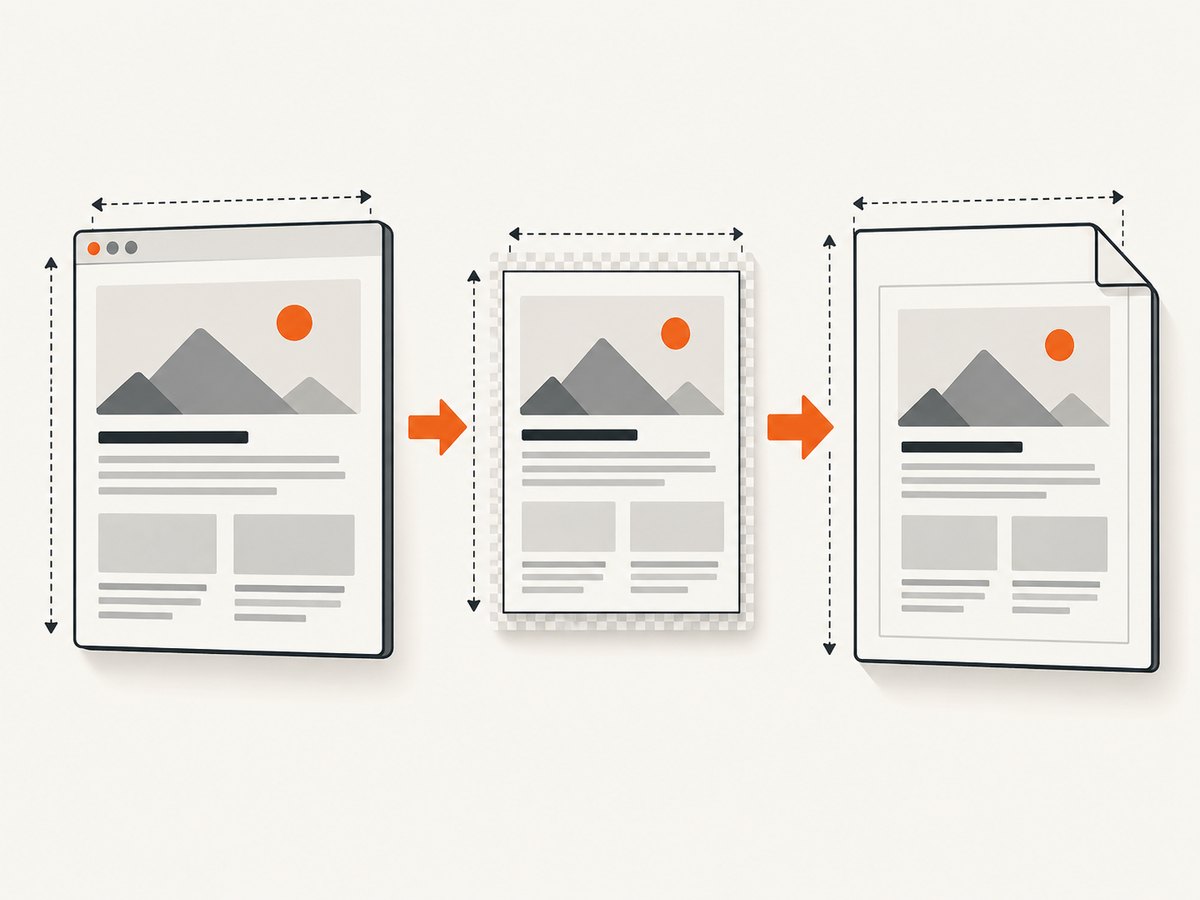
const pdfHeight = canvas.height * pdfWidth / canvas.width;
pdf.addImage(canvas, 'PNG', margin, margin, pdfWidth, pdfHeight);
pdf.save('invoice.pdf');
The important boundary is addImage(): canvas.width and canvas.height are bitmap pixels, while pdfWidth and pdfHeight are millimetres in this example. Derive the height from the aspect ratio so the image is not stretched. The jsPDF image API documents this placement behavior at addImage.
Choosing a scale
A scale of 2 is a practical starting point for readable text. You can use window.devicePixelRatio or another controlled value, but higher values increase memory use and canvas dimensions. Keep the PDF placement size unchanged when changing scale. If the geometry is correct but text is soft, increase scale; if the page is clipped or blank, reduce the capture size or paginate it.
4. Prevent wrapping, clipping, and extra whitespace
- Use the content width. Set the export container width and pass that same width as
windowWidthandwidth. - Use scroll dimensions. For a full element, use
scrollWidthandscrollHeight, not only the visible viewport dimensions. - Remove accidental transforms. CSS
transform: scale()changes visual size without changing normal layout measurements. Remove it in the export class or account for it deliberately. - Keep borders inside the box.
box-sizing: border-boxprevents padding and borders from unexpectedly increasing column widths. - Control long words and tables. Set
overflow-wrap: anywherefor untrusted strings, and use fixed table layouts when column positions must remain stable.
html2canvas cannot implement every CSS property. Its FAQ explains that CSS properties must be implemented individually, so full CSS coverage is not possible. Unsupported layout features may need simpler export-only CSS or a different rendering strategy. It also relies on browser APIs such as window and document; it does not run directly in Node.js.
5. Multi-page PDFs without drifting alignment
A single tall bitmap may exceed browser canvas limits. The html2canvas FAQ notes that browsers can silently return a blank or partially rendered canvas when a canvas exceeds its limit. For reliable multi-page output, keep a constant content width and slice the rendered image into page-height sections.
const pdf = new jsPDF({ unit: 'mm', format: 'a4' });
const margin = 10;
const pageWidth = pdf.internal.pageSize.getWidth();
const pageHeight = pdf.internal.pageSize.getHeight();
const targetWidth = pageWidth - margin * 2;
const targetHeight = pageHeight - margin * 2;
const pxPerPage = Math.floor(canvas.width * targetHeight / targetWidth);

let offset = 0;
let page = 0;
while (offset < canvas.height) {
  const sliceHeight = Math.min(pxPerPage, canvas.height - offset);
  const slice = document.createElement('canvas');
  slice.width = canvas.width;
  slice.height = sliceHeight;
  slice.getContext('2d').drawImage(
    canvas, 0, offset, canvas.width, sliceHeight,
    0, 0, canvas.width, sliceHeight
  );
  if (page++) pdf.addPage();
  const renderedHeight = sliceHeight * targetWidth / slice.width;
  pdf.addImage(slice, 'PNG', margin, margin, targetWidth, renderedHeight);
  offset += sliceHeight;
}
pdf.save('document.pdf');
Keep headers and footers outside the sliced content or draw them separately on each page. For semantic page breaks, investigate the jsPDF HTML module’s page-break options, but still give the source container an explicit width so the module does not reflow it unexpectedly.
6. Fix direct jsPDF text alignment and spacing
If text is created with pdf.text(), it is not subject to html2canvas. You must define the anchor and spacing options. The jsPDF text API supports align, baseline, charSpace, horizontalScale, lineHeightFactor, and maxWidth; see the jsPDF API reference.
pdf.setFont('helvetica', 'normal');
pdf.setFontSize(10);
pdf.text('Invoice total', 190, 260, {
  align: 'right',
  baseline: 'alphabetic',
  charSpace: 0,
  horizontalScale: 1,
  lineHeightFactor: 1.15,
  maxWidth: 60
});
For right-aligned text, x is the right anchor; for centered text, it is the center anchor. If you calculate x as the left edge and also set align: 'right', the label will appear shifted. Set charSpace: 0 unless intentional tracking is required. Use maxWidth to trigger jsPDF’s text scaling or wrapping behavior instead of manually guessing character widths.
7. Cross-origin images and missing assets
An image served from another origin can taint the canvas. When that happens, toDataURL() or image extraction can fail, or the image may disappear. useCORS: true only works when the image server sends an appropriate CORS header. Otherwise, serve the asset from the same origin or use a server-side proxy that you control. Check the browser console and Network panel for blocked image requests.
const canvas = await html2canvas(node, {
  useCORS: true,
  allowTaint: false,
  imageTimeout: 15000,
  scale: 2
});
Do not hide failed image loads by setting an excessively long timeout. Replace missing assets with a known placeholder during export so the document remains structurally consistent.
8. A complete diagnostic checklist
- Log
getBoundingClientRect(),scrollWidth, andscrollHeight. - Confirm the export class fixes width, font size, line height, and breakpoints.
- Wait for
document.fonts.readyand image completion. - Set
windowWidth,windowHeight,width,height,scrollX, andscrollY. - Use
useCORSonly with servers configured for CORS. - Increase
scalefor blur while keeping PDF placement dimensions constant. - Reduce capture size or slice pages when output is blank or incomplete.
- For direct text, set alignment, baseline, spacing, and maximum width explicitly.
- Compare a solid-color test box and ruler marks before debugging fonts or business data.
9. Troubleshooting common errors
| Symptom | Cause | Fix |
|---|---|---|
| Everything is too wide or narrow | Bitmap pixels were passed as PDF units | Compute a PDF-unit width and derive height from the canvas ratio. |
| Text wraps differently | Capture viewport differs from layout viewport | Fix container width and set window dimensions explicitly. |
| Text is blurry | Bitmap scale is too low | Increase scale; leave PDF placement width unchanged. |
| Right-aligned text is shifted | Wrong anchor or omitted align |
Use the intended anchor coordinate and explicit alignment. |
| Bottom content is missing | Visible viewport dimensions were used | Use scroll dimensions or paginate. |
| Canvas is blank | Canvas size limit was exceeded | Capture smaller regions and slice across pages. |
| Images vanish or extraction fails | Cross-origin canvas tainting | Enable CORS headers, use same-origin assets, or proxy them. |
| Flex or advanced CSS looks wrong | html2canvas support is incomplete | Use export-only CSS with simpler properties. |
10. Performance, reliability, and cost considerations
Large, high-scale canvases consume memory proportional to their pixel count. Capture only the export region, avoid unnecessary shadows and oversized images, and paginate long documents. Reuse loaded fonts and images when generating several files. For deterministic output, run capture after layout stabilization and use the same viewport dimensions for every job.
Raster PDFs preserve the appearance of the page but embed a bitmap, so selectable text and search are lost. Direct jsPDF text produces selectable text and smaller output for simple documents, but reproducing complex browser layout requires more manual measurement. A hybrid approach can rasterize charts or styled sections while drawing totals, page numbers, and metadata with pdf.text().
11. Or skip the browser setup
ScreenshotNeo provides a website screenshot API and MCP server. One request captures a URL as PNG, JPEG, WebP, or PDF, with options for full-page lazy-image loading, element selectors, custom CSS and JavaScript, waits, device presets, headers, cookies, blocking rules, PDF margins and page ranges, caching, signed links, asynchronous jobs, and bulk capture. See the ScreenshotNeo documentation.

Cookie banners, newsletter popups, and chat widgets are removed before the shot. Bot checks, blank pages, timeouts, failed loads, and cache hits are not billed, and response headers identify the page verdict and billing result. Its MCP server lets Claude, Cursor, and other MCP clients call take_screenshot, get_page_info, and capture_pdf.
cURL
curl -G 'https://api.screenshotneo.com/v1/shot' -d access_key=YOUR_API_KEY --data-urlencode url=https://stripe.com -o shot.webpPython
import requests
r = requests.get('https://api.screenshotneo.com/v1/shot', params={'access_key': 'YOUR_API_KEY', 'url': 'https://stripe.com'}, timeout=90)
r.raise_for_status()
open('shot.webp', 'wb').write(r.content)
Node.js
const q = new URLSearchParams({ access_key: 'YOUR_API_KEY', url: 'https://stripe.com' });
const res = await fetch(`https://api.screenshotneo.com/v1/shot?${q}`);
if (!res.ok) throw new Error(`${res.status} ${res.statusText}`);
require('fs').writeFileSync('shot.webp', Buffer.from(await res.arrayBuffer()));
The Free plan includes 1,000 screenshots each month without a card. Paid plans start at $5 for 3,000 shots, and every feature is available on every plan. Create a free ScreenshotNeo account.
12. FAQ
Should I use PNG or JPEG?
Use PNG for text, diagrams, and transparency. Use JPEG when photographic content and smaller files matter. WebP is useful when your delivery pipeline supports it.
Does increasing scale fix wrong alignment?
No. Scale changes bitmap density. Wrong alignment usually comes from viewport geometry, CSS layout, or passing pixel dimensions as PDF units.
Can html2canvas run in a Node.js script?
Not by itself. It depends on browser APIs such as window and document. Use a real browser runtime or a hosted capture API.
Why does a PDF look different from the browser?
The browser may use a different viewport, loaded-font state, responsive breakpoint, unsupported CSS property, or cross-origin asset policy. Freeze those inputs before capture and inspect the generated canvas separately.
When should I draw text with jsPDF?
Use direct text when searchability, selectable content, and precise anchors matter more than reproducing every browser CSS detail. Use raster capture for complex visual layouts, then add important labels or page furniture as vector text.


