How to Fix Karma ChromeHeadless Not Exiting After Tests
If Karma tests finish but the command stays open, identify whether Chrome, Karma, or an outer CI process is still running. Follow the lifecycle evidence to find the right fix.
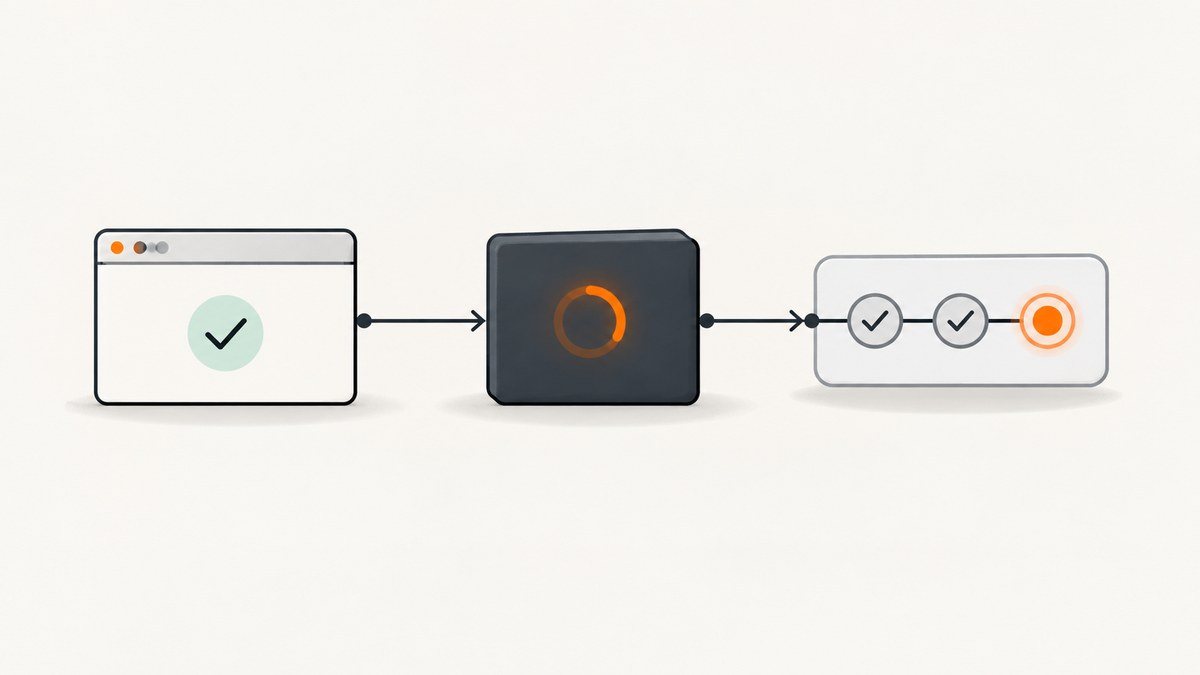
If Karma reports that tests have finished but karma start or ng test stays open, first find which process is still alive. Chrome may never have connected; Chrome may have finished while Karma is shutting it down; Karma may have stopped while a Node handle or CI wrapper remains; or the runner may be in watch mode by design. The right fix depends on the last lifecycle event in the log. Raising a timeout cannot fix every kind of hang.
For a one-shot CI run, set Karma’s effective singleRun setting to true (or pass --single-run to Karma). Then check the logs and process tree to determine whether the remaining process is Chrome, Karma/Node, or an outer build or CI process. The [Karma 6.4 configuration documentation](https://karma-runner.github.io/6.4/config/configuration-file.html) describes single-run mode as starting and capturing browsers, running tests, then exiting with status 0 or 1 based on the result.
1. Identify where the lifecycle stops
“ChromeHeadless is not exiting” can mean different things. Record the final successful event before changing configuration:
| Last event in the log | Likely stage to investigate |
|---|---|
| Chrome starts, but there is no capture/connection | Browser startup, executable path, flags, or connection timeout |
| Browser is captured, but tests do not complete | Test suite, browser activity, or test framework behavior |
| Tests complete, but browser does not exit | Browser termination and Karma’s process-kill behavior |
| Karma logs stop/cleanup, but the command remains | Node handles, reporters, build orchestration, shell, or CI agent |
| Tests complete and the runner waits for changes | Watch mode is enabled or a wrapper chose watch behavior |
This distinction matters because Karma’s capture timeout concerns connecting a browser, while processKillTimeout concerns a browser that has not terminated after a test run or kill attempt. Neither setting guarantees that every surrounding Node or CI process will exit.
2. Reproduce the exact command and collect logs
- Copy the exact command used in CI, including framework CLI arguments and environment variables.
- Run it locally if possible and save the full output. Enable Karma debug logging using the options supported by your installed version; for direct CLI runs, try
--log-level debugand confirm the accepted syntax withnpx karma start --help. - Mark whether Chrome starts, connects, runs tests, disconnects, and exits; then note whether Karma logs a stop event and whether the shell returns.
- Record Node, Karma,
karma-chrome-launcher, Chrome/Chromium, and framework CLI versions. Also record the effective Karma configuration, not just the file you expect the wrapper to use.
A historical [Karma issue about Angular tests in GitLab Kubernetes](https://github.com/karma-runner/karma/issues/3803) illustrates why this matters: its reported log already showed browser termination, report writing, Karma stopping, and proxy cleanup. It is evidence of one CI-only symptom, not proof of a general Angular, GitLab, or Kubernetes defect.
3. Make sure the runner is in one-shot mode
Karma’s singleRun setting is the intended mode for a CI job that should finish after one test run. Check both the config and the command that invokes it. A framework CLI can generate or merge Karma configuration, so a setting in a local file may not be the effective value.
Karma configuration file
// karma.conf.js
module.exports = function (config) {
  config.set({
    frameworks: ['jasmine'], // Keep the framework used by your project.
    browsers: ['ChromeHeadless'],
    singleRun: true
  });
};
This is a minimal illustration; retain your project’s existing frameworks, files, plugins, and preprocessors. If invoking Karma directly, a one-shot command can look like this:
npx karma start karma.conf.js --single-run --browsers ChromeHeadlessFor a framework wrapper such as Angular CLI, check that wrapper’s installed version and command options. Do not assume direct Karma flags are accepted by ng test, or that the wrapper passes every option through unchanged. Run the exact CI command with its help option and inspect the effective configuration or debug log.
4. If Chrome never connects
When the log shows a capture failure, investigate browser startup and transport before shutdown. Verify that the executable exists in the runtime environment and is compatible with the installed launcher. The [karma-chrome-launcher README](https://github.com/karma-runner/karma-chrome-launcher) documents ChromeHeadless/ChromiumHeadless launchers, the CHROME_BIN environment variable, custom launchers, and using Puppeteer to supply a Chromium executable.
Check executable selection
# Linux example: set this to the real Chrome/Chromium path in your environment
export CHROME_BIN=/usr/bin/google-chrome
npx karma start karma.conf.js --single-run --browsers ChromeHeadless
The path above is only an example; image and operating-system package layouts vary. Check the executable and version in the same container or worker that runs the tests. If your project uses Puppeteer, configure the launcher with the executable path exposed by the Puppeteer version you have installed, following the launcher’s README. Review Chrome stderr and launcher output for missing shared libraries, sandbox restrictions, invalid flags, or a browser crash.
Only adjust capture or socket timeouts when logs show slow startup or connection. Karma 3.0 documentation lists a 60,000 ms captureTimeout and a 30,000 ms browserNoActivityTimeout; Karma 6.4 documents a 20,000 ms browserSocketTimeout. These are version-specific documented defaults, not guarantees for every installed dependency combination. Check the documentation matching your installed Karma version before changing them.
// Illustrative only; confirm each option in your installed Karma version.
config.set({
  captureTimeout: 90000
});
A longer capture timeout gives a slow browser more time to connect. It will not fix a process that remains after tests and Karma have already stopped.
5. If tests finished, inspect browser shutdown
Look for evidence that the Chrome child process exited and whether Karma emitted its stop event. Karma’s processKillTimeout controls how long it waits before sending SIGKILL when a browser has not terminated after a test run or kill attempt. Karma 3.0 and 6.4 documentation list 2,000 ms as the default; verify the documentation for your version.
// Increase only when logs show Chrome is slow to terminate.
config.set({
  processKillTimeout: 5000
});
This setting can affect the browser process escalation path. It does not close an unrelated file watcher, open socket, reporter handle, or parent process. If Chrome exits but the command remains, increasing this value is unlikely to address the observed stage.
6. If Karma stopped but Node or CI remains
When Karma logs a stop event and cleanup, identify the process that still exists. Inspect the process tree in the same container or CI worker. The remaining process may be Karma/Node, a framework CLI, a test orchestrator, a shell, or a CI agent. Treat reporters, coverage output, file watchers, build tools, and wrapper processes as hypotheses to isolate against the logs, not established causes.
- Run the test command without unrelated build orchestration, if the project permits, and compare its exit behavior.
- Temporarily isolate reporters and coverage/report writing one at a time, while keeping the same tests and browser.
- Check whether a wrapper starts a watch process or child process and whether it waits for that child correctly.
- Compare local and CI process trees, environment variables, resource limits, browser executable, and dependency versions.
- Keep a passing baseline command and change one supported setting at a time; save the before/after logs.
CI-only behavior is useful evidence of an environment difference, but not a diagnosis by itself. Compare Node, Karma, launcher, Chrome/Chromium, framework CLI, effective config, worker/container image, environment variables, and how the CI shell starts and waits for the command.
7. Common errors and fixes
| Symptom or message | Likely cause | What to do |
|---|---|---|
| “ChromeHeadless have not captured” or capture timeout | Chrome did not connect before the capture deadline | Check executable path, browser stderr, flags, and environment first; lengthen capture timeout only if startup is simply slow. |
| Browser starts locally but not in CI | Different binary, dependencies, container permissions, or environment | Compare the actual browser path/version and launch output inside the CI worker. |
| Tests pass, then process waits indefinitely | Watch mode, a Node-side handle, or outer wrapper remains | Verify effective singleRun; then inspect the remaining process and isolate wrapper/reporting work. |
| Chrome appears stuck during shutdown | Browser has not terminated after the run | Check Chrome process evidence and consider processKillTimeout in the version-matched config. |
| Timeout increase changes nothing | The timeout governs a different lifecycle stage | Match the setting to capture, socket, inactivity, or browser termination evidence; inspect outer processes if Karma stopped. |
Local direct Karma command exits; ng test does not |
Framework wrapper options or merged config differ | Check the installed CLI’s mode and generated/effective Karma settings. |
8. Reliability, performance, and cost considerations
Longer timeouts trade faster failure detection for more patience during genuinely slow startup or shutdown. They can also make a real failure take longer to surface. Keep timeout values tied to observed durations and the correct lifecycle stage. A stable CI baseline should record dependency and browser versions, use the intended one-shot mode, and preserve enough logs to tell browser exit from overall job exit.
For this diagnosis, the relevant costs are CI runtime and developer time: retrying a whole job or stretching every timeout can consume both without identifying the stalled process. No prevalence or benchmark figure establishes a universally correct timeout. Use measured logs from your own environment and make the smallest version-supported change that matches them.
Or skip the browser setup
If the task is simply to capture a website screenshot while you diagnose Karma, [ScreenshotNeo](https://screenshotneo.com) is a website screenshot API and MCP server from Yorker Media. For this unrelated Karma shutdown issue, it is not a Karma fix; it can provide a screenshot without you managing a browser process. The API accepts one GET request with a URL and returns an image or PDF. See the [ScreenshotNeo API docs](https://screenshotneo.com/docs/) for the request options.
curl -G "https://api.screenshotneo.com/v1/shot" \
  -d access_key=YOUR_API_KEY \
  --data-urlencode url=https://stripe.com \
  -o shot.webp
import requests
r = requests.get(
"https://api.screenshotneo.com/v1/shot",
params={"access_key": "YOUR_API_KEY", "url": "https://stripe.com"},
timeout=90,
)
open("shot.webp", "wb").write(r.content)const q = new URLSearchParams({
access_key: 'YOUR_API_KEY',
url: 'https://stripe.com'
});
const res = await fetch(`https://api.screenshotneo.com/v1/shot?${q}`);
if (!res.ok) throw new Error(`Screenshot request failed: ${res.status}`);
await Bun.write('shot.webp', res);ScreenshotNeo removes cookie banners, newsletter popups, and chat widgets before the shot. Bot checks, blank pages, and failed loads are never billed. Its MCP server lets AI agents use screenshot tools. The free plan includes 1,000 screenshots a month with no card; paid plans start at $5 for 3,000. Sign up for the free plan.
FAQ
Does processKillTimeout fix a Karma process that stays alive?
Only if the evidence points to a browser that failed to terminate. It is not a general Node or CI process timeout.
What does “ChromeHeadless have not captured” mean?
Karma did not receive the browser connection within the capture period. Check startup and connectivity; it describes a different stage from a hang after tests.
Why does it happen only in CI?
The local and CI environments may differ in browser binary, dependencies, effective config, process limits, or wrapper behavior. Compare the exact command, versions, logs, and process tree.
How do I make ng test exit after one run?
Configure the effective Karma run as single-run and use the one-shot option supported by your installed Angular CLI. Confirm the resulting log and command behavior, since wrapper options vary by version.


