How to Fix Laravel Snappy About:Blank Protocol 301 Errors
Fix Laravel Snappy's about:blank protocol 301 error by tracing redirects, protocol-relative assets, local files, and wkhtmltopdf configuration.
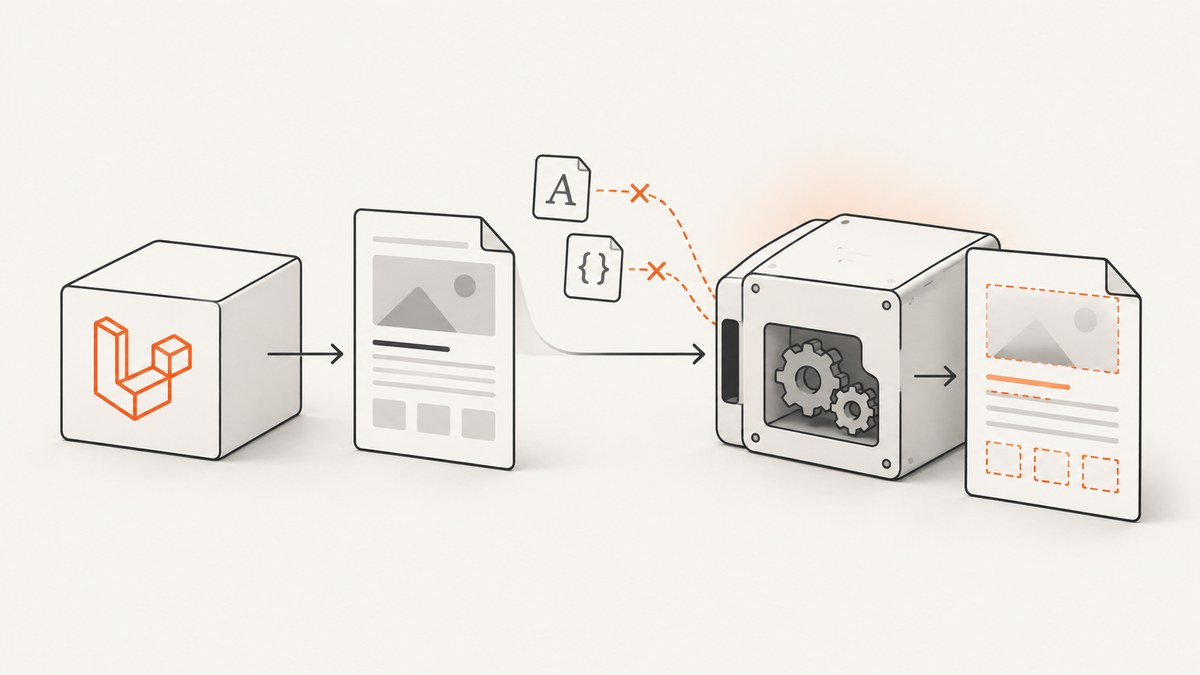
Laravel Snappy’s Failed to load about:blank, with network status code 301 ... Protocol "about" is unknown message usually means wkhtmltopdf failed while loading an asset in your HTML. The asset is commonly a protocol-relative stylesheet or font URL, a redirecting resource, or a local file blocked by wkhtmltopdf. Fix the asset URL or file-access setting first, then verify the binary and environment.
1. What the error means
Snappy is a Laravel wrapper around KnpLabs Snappy, which invokes the wkhtmltopdf executable to load HTML and render a PDF. The about:blank text describes wkhtmltopdf’s internal document page; it is not necessarily the URL you passed to PDF::loadView(). A 301 response from a linked font, CSS file, image, iframe, or JavaScript request can be reported against that internal page as an unknown about protocol.
The same symptom has been reported when a page contains a protocol-relative Google Fonts URL such as //fonts.googleapis.com/css.... External-font failures and host-not-found errors can appear in the same log. Treat the message as a network or file-loading failure during rendering.
2. Fastest diagnostic path
- Save the exact HTML produced by the view.
- Inspect every
link,script,img,iframe,@font-face, CSSurl(), and JavaScript-loaded asset. - Replace URLs beginning with
//with explicithttps://URLs. - Open each final URL from the same server account that runs wkhtmltopdf and confirm it returns the resource directly.
- Temporarily remove external fonts, images, and stylesheets. Add them back one at a time.
- If assets are local, enable local-file access and use absolute paths.
- Run the configured binary manually and record its version, operating system, permissions, and patched-Qt status.
3. Fix protocol-relative and redirecting assets
Protocol-relative URLs inherit the page scheme in a browser, but older wkhtmltopdf builds can mishandle them. Change this:

<link rel='stylesheet' href='//fonts.googleapis.com/css2?family=Inter'>
<img src='//cdn.example.test/logo.png'>
to explicit HTTPS URLs:
<link rel='stylesheet' href='https://fonts.googleapis.com/css2?family=Inter'>
<img src='https://cdn.example.test/logo.png'>
Prefer the final resource URL rather than a URL that redirects from HTTP to HTTPS, from one hostname to another, or through a tracking endpoint. Check redirects with a command such as:
curl -IL 'https://example.test/assets/app.css'Use the final HTTPS URL in the template when practical. Also check CSS imports and font declarations; changing the HTML link alone does not fix a protocol-relative URL inside a stylesheet.
4. Fix local CSS, images, and fonts
wkhtmltopdf blocks local files unless local access is enabled. In Laravel Snappy, set the option only when the document needs local assets:

use Barryvdh\Snappy\Facades\Pdf;

$pdf = Pdf::loadView('reports.invoice', ['invoice' => $invoice])
    ->setOption('enable-local-file-access', true);

return $pdf->download('invoice.pdf');
Use absolute, readable paths in the generated HTML. For example, resolve a file with Laravel’s filesystem helpers before passing it to the view:
<img src='file:///var/www/app/storage/app/public/logo.png' alt='Logo'>Limit local references to the files required by the document. If enabling local access changes nothing, verify that the wkhtmltopdf process user can read the directory and that the path exists inside the runtime environment.
5. Verify Snappy and wkhtmltopdf configuration
The Snappy README documents installing a wkhtmltopdf binary and setting its path in config/snappy.php. Confirm that the configured path points to the executable used by the application, not a different shell installation.
# Run as the same OS user as PHP-FPM, queue workers, or the web server
/usr/local/bin/wkhtmltopdf --version

# Inspect the configured binary and permissions
ls -l /usr/local/bin/wkhtmltopdf
which wkhtmltopdf
Then check:
- The executable exists and has execute permission.
- The PHP process can resolve DNS and make outbound HTTPS requests.
- CA certificates are installed and current.
- The binary’s version and patched-Qt build match the environment where it works.
- Windows and Linux workers are not silently using different binaries or option defaults.
Configuration example:
// config/snappy.php
return [
    'pdf' => [
        'enabled' => true,
        'binary' => env('WKHTMLTOPDF_BINARY', '/usr/local/bin/wkhtmltopdf'),
        'timeout' => false,
        'options' => [],
        'env' => [],
    ],
];
After changing configuration, clear Laravel’s cached configuration with php artisan config:clear or rebuild the deployment cache.
6. Reduce the document to isolate the failing request
Create a minimal Blade view:
<!doctype html>
<html><body><h1>PDF check</h1></body></html>
Render it with the same controller and binary. If it succeeds, reintroduce assets in this order: local CSS, remote CSS, images, fonts, iframes, then JavaScript. The first addition that reproduces the error identifies the request to fix. Keep a copy of the generated HTML so you can run the binary outside Laravel:
wkhtmltopdf /tmp/snappy-debug.html /tmp/snappy-debug.pdf7. Common errors and fixes
| Symptom | Likely cause | Fix |
|---|---|---|
about:blank with status 301 |
Protocol-relative or redirecting asset | Use a reachable final https:// URL. |
HostNotFoundError |
DNS, firewall, unavailable host, or bad URL | Test the URL from the renderer’s server account; fix DNS or remove the dependency. |
| Blocked-file warning | Local file access disabled | Set enable-local-file-access, use absolute paths, and verify permissions. |
| Missing CSS or images | Relative path resolves against the wrong base URL | Use absolute HTTPS or file:// paths and a correct HTML base context. |
| Blank PDF | Asset failure, JavaScript timing, or an empty response | Render minimal HTML, remove scripts, and add assets back incrementally. |
| Works locally but fails in production | Different binary, OS, CA bundle, DNS, or service user | Compare wkhtmltopdf --version, environment variables, permissions, and outbound access. |
| External font triggers failure | Protocol-relative URL, redirect, or unreachable font host | Use an explicit final HTTPS URL or bundle the font locally. |
8. A robust Laravel example
use Barryvdh\Snappy\Facades\Pdf;

public function invoice(Invoice $invoice)
{
    return Pdf::loadView('reports.invoice', [
        'invoice' => $invoice,
    ])
        ->setOption('enable-local-file-access', true)
        ->setOption('print-media-type', true)
        ->setOption('encoding', 'UTF-8')
        ->download('invoice-' . $invoice->id . '.pdf');
}
Use only options your document needs. enable-local-file-access does not repair an unreachable remote URL; it addresses local file loading. If a remote request is optional, remove it from the PDF view instead of allowing rendering to depend on it.
9. Performance, reliability, and cost considerations
- Each remote stylesheet, font, image, iframe, and script adds another DNS lookup or request and another failure point.
- Self-hosting required fonts and CSS removes third-party redirects and makes builds more repeatable.
- Keep PDF views smaller than interactive web pages; omit analytics, chat widgets, video, and other non-print content.
- Set an application timeout that exceeds the renderer’s normal load time, but investigate repeated timeouts instead of raising it indefinitely.
- Queue large batches of PDF jobs and capture the generated HTML and wkhtmltopdf stderr for failed jobs.
- Pin and document the wkhtmltopdf binary used by every worker. A version change can alter HTTPS and blocked-file behavior.
10. Or skip the browser setup
ScreenshotNeo provides a website screenshot API and MCP server when you need a clean image or PDF without managing a browser binary. It accepts consent banners before capture and removes more than 60 known consent platforms, newsletter popups, and chat widgets. Bot checks, blank pages, timeouts, failed loads, and cache hits are not billed, and response headers identify the page verdict and billing result.
One request returns PNG, JPEG, WebP, or PDF. See the ScreenshotNeo API documentation for all options.
cURL
curl -G 'https://api.screenshotneo.com/v1/shot' -d access_key=YOUR_API_KEY --data-urlencode url=https://stripe.com -o shot.webpPython
import requests
r = requests.get('https://api.screenshotneo.com/v1/shot', params={'access_key': 'YOUR_API_KEY', 'url': 'https://stripe.com'}, timeout=90)
r.raise_for_status()
open('shot.webp', 'wb').write(r.content)
Node.js
const q = new URLSearchParams({ access_key: 'YOUR_API_KEY', url: 'https://stripe.com' });
const res = await fetch(`https://api.screenshotneo.com/v1/shot?${q}`);
if (!res.ok) throw new Error(`HTTP ${res.status}`);
const fs = await import('node:fs/promises');
await fs.writeFile('shot.webp', Buffer.from(await res.arrayBuffer()));
ScreenshotNeo also supports full-page capture, element selectors, custom CSS and JavaScript, waits, headers, cookies, user agents, authorization, timezone, geolocation, PDF page settings, caching, signed links, asynchronous jobs, webhooks, bulk capture, and an MCP server with take_screenshot, get_page_info, and capture_pdf. The free plan includes 1,000 screenshots each month with no card; paid plans start at $5 for 3,000. Create a free ScreenshotNeo account.
11. FAQ
Is the 301 itself the root cause?
Usually it is a clue. The failing request may be a font, stylesheet, image, or other asset that redirected. Find that request and use its final reachable URL.
Should I disable web security options?
Only change the option required by the asset. For local files, use enable-local-file-access with absolute paths. Do not treat broad security changes as a fix for a bad remote URL.
Why does the browser display the page correctly?
Modern browsers resolve protocol-relative URLs and handle redirects more consistently than some wkhtmltopdf builds. The renderer’s network and file rules still apply.
Can I fix this only in config/snappy.php?
Configuration can fix the binary path and local-file access, but a protocol-relative or unavailable remote asset must be corrected in the HTML, CSS, or dependency itself.


