How to Fix CORS Errors Capturing Leaflet Maps from AWS S3 with Html2canvas
Fix Leaflet map screenshots by aligning S3 CORS, Leaflet crossOrigin, and html2canvas useCORS, with diagnostics and proxy options.
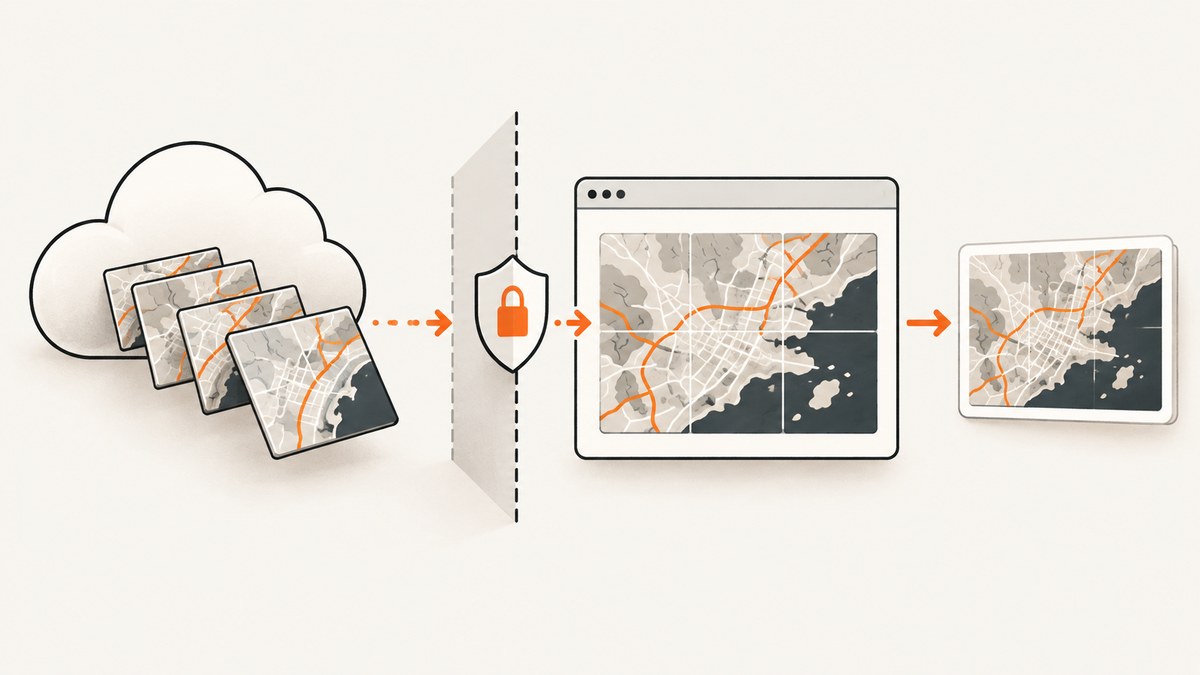
Leaflet tiles hosted in an AWS S3 bucket often appear correctly in the browser but disappear, trigger a security exception, or produce an empty map when you export the map with html2canvas. The fix is a three-part configuration: the tile response must allow the page origin through CORS, Leaflet must request tiles in CORS mode, and html2canvas must be told to use CORS when loading images. All three must agree.
This article shows the complete setup, how to inspect the real failing request, when a proxy is appropriate, and what to do when CORS is correct but the capture still differs.
Why html2canvas rejects S3 map tiles
A browser page and an S3 tile endpoint are cross-origin when their scheme, host, or port differs. For example, https://maps.example.com and https://tiles.example-bucket.s3.amazonaws.com have different origins. The browser allows the image to be displayed in many cases, but drawing that image into a canvas for pixel access requires a successful CORS exchange.
When an image is drawn without an acceptable CORS response, the canvas becomes tainted. Browser code can no longer read or export its pixels. html2canvas cannot bypass this browser rule. Its allowTaint option does not make a tainted canvas exportable; use a valid CORS response or a proxy instead. See the html2canvas FAQ and MDN’s CORS-enabled image guidance (html2canvas FAQ, MDN).
The three settings that must match
| Layer | What to configure | What to verify |
|---|---|---|
| AWS S3 or the final tile host | CORS response rules | The response contains an Access-Control-Allow-Origin value matching the page origin and permits GET. |
| Leaflet | TileLayer crossOrigin |
The browser requests tiles in CORS mode, usually with anonymous. |
| html2canvas | useCORS: true |
html2canvas attempts CORS image loading before rendering. |
Changing only one layer is not enough. Also remember that S3 CORS controls response sharing; it does not grant access to private objects or replace bucket policies, IAM, signed URLs, or other authorization checks. AWS documents the rule elements and matching behavior in its S3 CORS documentation.
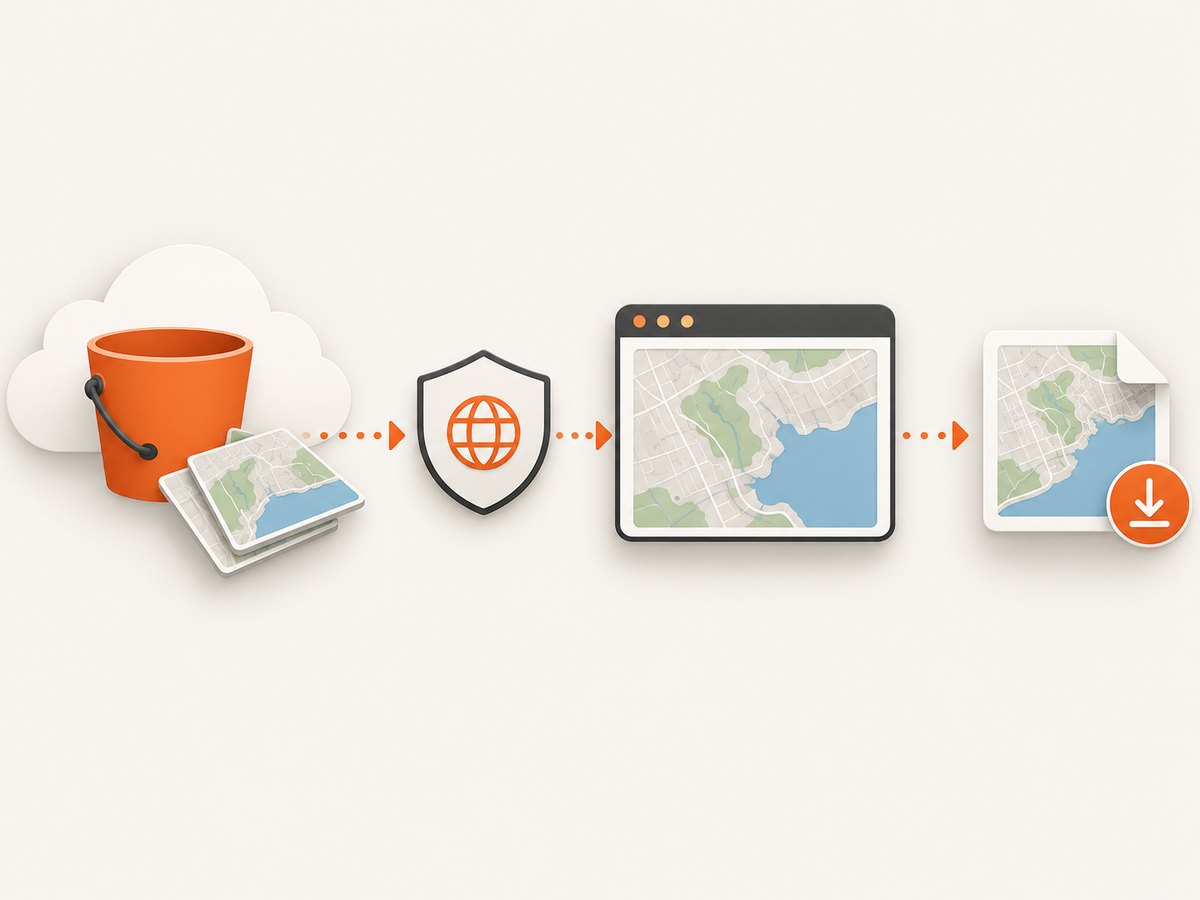
Configure CORS on the S3-served endpoint
Use the exact origin where the map page runs. Do not include a path, and treat HTTP and HTTPS as different origins. A minimal configuration shape is:
[
  {
    "AllowedOrigins": ["https://maps.example.com"],
    "AllowedMethods": ["GET"],
    "AllowedHeaders": ["*"]
  }
]
Replace the example origin with your real production origin. During local development you may need a separate rule for http://localhost:3000 (including its port). Keep methods and headers as narrow as your request pattern permits. AWS explains how to apply a CORS document in the console and through its APIs (CORS elements, configuration examples).
If tiles are delivered through CloudFront, an S3 website endpoint, a custom domain, or another CDN, inspect that final host. The browser evaluates the response it receives from the URL in the tile request. A correct bucket rule can still be hidden by a CDN cache policy, missing origin header forwarding, or a response that omits CORS headers.
Set Leaflet’s crossOrigin option
Set crossOrigin on the tile layer before tiles are requested. Leaflet passes this setting to the image elements it creates. The exact accepted values depend on your installed Leaflet release, so confirm against the versioned Leaflet API reference.
const tiles = L.tileLayer(
  'https://tiles.example.com/{z}/{x}/{y}.png',
  {
    crossOrigin: 'anonymous',
    attribution: '© Map data providers'
  }
).addTo(map);
Use use-credentials only when the tile service is deliberately configured for credentialed CORS. Credentialed requests cannot use a wildcard origin, and they require matching credential response headers. Public tiles normally use anonymous.
Capture the map with html2canvas
Pass useCORS: true and wait until Leaflet has created the tiles you need. A selector wait or a short delay is often more reliable than capturing immediately after constructing the map.
const mapElement = document.querySelector('#map');

const canvas = await html2canvas(mapElement, {
  useCORS: true,
  backgroundColor: '#ffffff',
  imageTimeout: 15000,
  logging: true
});

document.querySelector('#download').href = canvas.toDataURL('image/png');
imageTimeout limits how long html2canvas waits for images. A timeout does not repair CORS; it only bounds waiting. Keep logging enabled while diagnosing, then disable it for normal use. The documented option is useCORS; its default is false (html2canvas configuration).
Complete runnable browser example
The following page shows the order that matters: create the map and CORS-enabled tile layer, wait for tiles, then call html2canvas.
<!doctype html>
<html>
<head>
  <link rel="stylesheet" href="https://unpkg.com/leaflet/dist/leaflet.css" />
  <style>#map { width: 900px; height: 500px; }</style>
</head>
<body>
  <div id="map"></div>
  <button id="capture">Capture</button>
  <script src="https://unpkg.com/leaflet/dist/leaflet.js"></script>
  <script src="https://cdn.jsdelivr.net/npm/html2canvas@1.4.1/dist/html2canvas.min.js"></script>
  <script>
    const map = L.map('map').setView([51.505, -0.09], 13);
    const layer = L.tileLayer(
      'https://tiles.example.com/{z}/{x}/{y}.png',
      { crossOrigin: 'anonymous' }
    ).addTo(map);

    function waitForTiles(timeoutMs = 15000) {
      return new Promise((resolve) => {
        let timer;
        const done = () => { clearTimeout(timer); resolve(); };
        layer.once('load', done);
        timer = setTimeout(done, timeoutMs);
      });
    }

    document.querySelector('#capture').addEventListener('click', async () => {
      await waitForTiles();
      const canvas = await html2canvas(document.querySelector('#map'), {
        useCORS: true,
        backgroundColor: '#fff',
        imageTimeout: 15000
      });
      const link = document.createElement('a');
      link.download = 'leaflet-map.png';
      link.href = canvas.toDataURL('image/png');
      link.click();
    });
  </script>
</body>
</html>
Replace the tile URL with your provider’s URL and ensure its response includes CORS headers. The load event means Leaflet finished loading the layer at that view; if the user pans or zooms during capture, wait for the next layer load or disable interaction temporarily.
Diagnose the actual failing tile
- Open browser developer tools and select the Network panel.
- Reload the map and filter for an image tile request.
- Record the final URL, scheme, host, status, request
Origin, and response headers. - Check whether the response includes
Access-Control-Allow-Originmatching the page origin. - Repeat the inspection at the CDN or custom domain shown in the request, rather than only checking the bucket console.
A 200 status does not prove that canvas access is allowed. Conversely, a CORS error can mask an authorization failure: private objects, expired signed URLs, or bucket policy denials must be fixed separately.
When to use a proxy
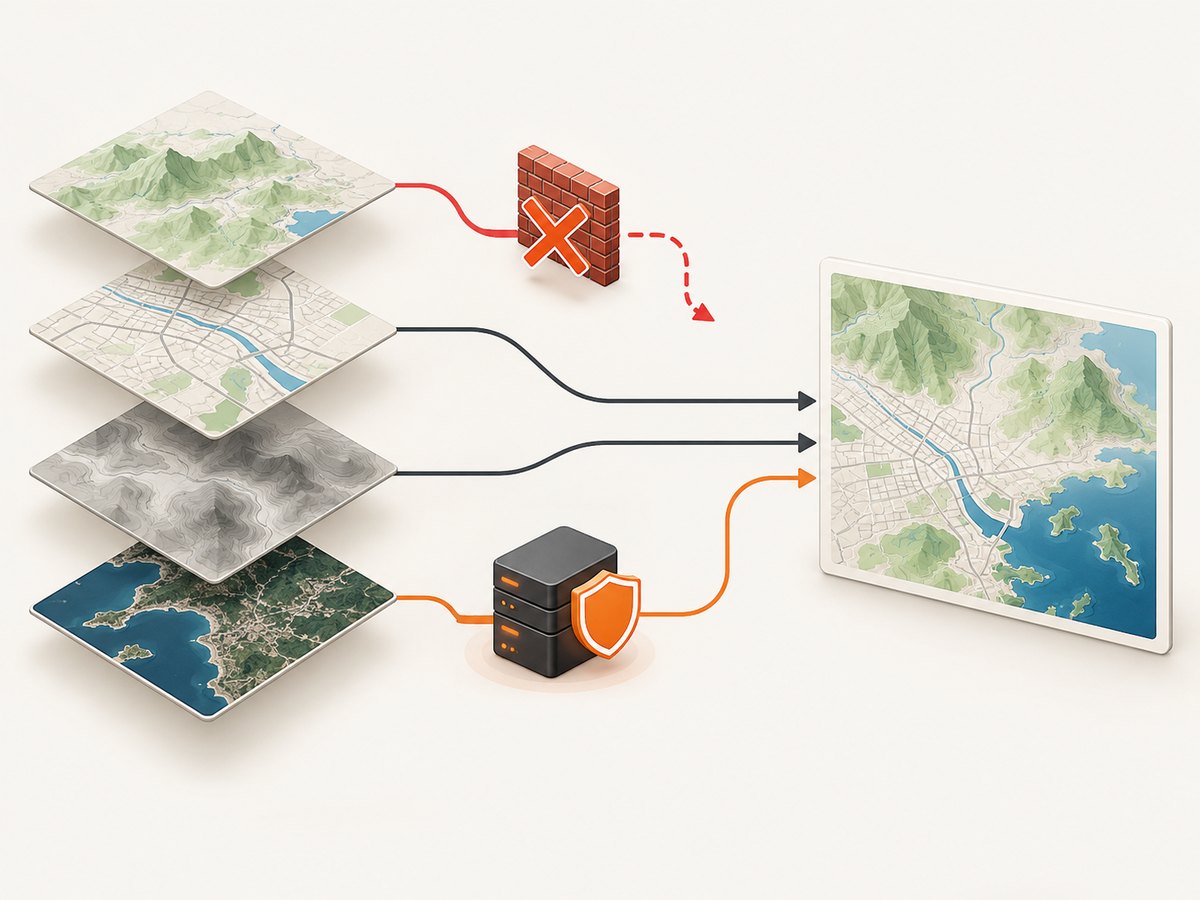
Use an application-controlled proxy when the remote image host cannot return a suitable CORS response. The proxy fetches the tile server-side and serves the image from an origin your page controls, with the required response headers. html2canvas documents the proxy approach (proxy documentation).
Protect the proxy. Restrict allowed upstream hosts, validate and normalize URLs, enforce response size and time limits, cache only safe content, and require authentication when the endpoint is not intended to be public. An unrestricted URL fetcher can be abused as an SSRF service. A proxy also adds latency and an additional failure point, so measure whether it is worth maintaining.
Alternative capture choices
| Choice | Use it when | Trade-off |
|---|---|---|
S3 CORS plus useCORS |
You control the tile endpoint. | Requires coordinated browser and server configuration. |
| Proxy | The tile service cannot provide CORS. | Adds infrastructure, latency, and security obligations. |
| Exclude the layer | Map imagery is optional. | The exported map may lose important context; html2canvas can ignore selected elements through its configuration. |
Common errors and fixes
| Symptom | Likely cause | Fix |
|---|---|---|
| “Tainted canvases may not be exported” | A tile was drawn without an acceptable CORS response. | Fix the endpoint headers, set Leaflet crossOrigin, and use useCORS: true. |
| Tiles visible in the page but missing in the capture | Tiles were requested normally, or capture began before they loaded. | Set crossOrigin, wait for the layer load event, and inspect one tile request. |
| CORS header is present but still rejected | The value does not match the exact scheme, host, or port, or credentials are mismatched. | Match the request Origin exactly; avoid wildcard origins with credentials. |
| 403 or 404 tile responses | Object permissions, signed URL, path template, or bucket policy problem. | Open the final tile URL, fix authorization or the URL template, then retest CORS. |
| Works in one environment only | Local and production origins differ, or a CDN cache serves different headers. | Add the required origin rule and purge or correct the CDN behavior. |
| Map looks different after CORS is fixed | html2canvas reconstructs DOM and CSS; it is not a native browser screenshot. | Check CSS support, map dimensions, transforms, fonts, and browser canvas limits. |
| Blank or truncated output | Canvas dimensions exceed browser or device limits. | Capture a smaller element, reduce scale, split a large map, or use a browser screenshot service. |
Performance and reliability guidance
- Capture only the map element instead of the entire document.
- Wait for the current viewport’s tiles, not an arbitrary long delay. Keep a timeout fallback so a missing tile cannot hang the UI.
- Use a moderate output scale for large maps; retina-sized canvases consume substantially more memory.
- Do not start several full-size captures simultaneously on low-memory devices.
- Cache stable tile responses at your CDN where permitted, but ensure cached responses retain the correct CORS headers for every allowed origin.
- Record the tile host, status, and browser error when diagnosing intermittent failures. A retry can help transient network errors, but it cannot fix a deterministic CORS mismatch.
CORS itself has no per-request price. Costs come from the tile provider, proxy or CDN traffic, and the compute and memory needed to render and encode the canvas. Keep proxy limits and cache policy explicit so a capture endpoint cannot unexpectedly fetch unbounded data.
Or skip the browser setup
ScreenshotNeo provides a website screenshot API and MCP server. It loads the URL and returns PNG, JPEG, WebP, or PDF, so you do not have to coordinate Leaflet, S3 headers, and html2canvas in a browser page. Its cleanup step accepts cookie and consent banners and removes more than 60 known consent platforms, newsletter popups, and chat widgets; each step can be turned off.
Only clean shots are billed. Bot checks and CAPTCHAs, blank pages, timeouts, failed loads, and cache hits cost nothing, and the response identifies the result with X-Page-Verdict and X-Billed headers. An MCP server exposes take_screenshot, get_page_info, and capture_pdf to Claude, Cursor, and other MCP clients.
Use the API from the command line:
curl -G "https://api.screenshotneo.com/v1/shot" \
  -d access_key=YOUR_API_KEY \
  --data-urlencode url=https://maps.example.com \
  -o map.webp
Python:
import requests

r = requests.get(
    "https://api.screenshotneo.com/v1/shot",
    params={"access_key": "YOUR_API_KEY", "url": "https://maps.example.com"},
    timeout=90,
)
r.raise_for_status()
open("map.webp", "wb").write(r.content)
Node.js:
const q = new URLSearchParams({
  access_key: 'YOUR_API_KEY',
  url: 'https://maps.example.com'
});
const res = await fetch(`https://api.screenshotneo.com/v1/shot?${q}`);
if (!res.ok) throw new Error(`Screenshot failed: ${res.status}`);
const fs = await import('node:fs/promises');
await fs.writeFile('map.webp', Buffer.from(await res.arrayBuffer()));
See the ScreenshotNeo API documentation for options such as full-page capture, CSS selectors, custom JavaScript and CSS, wait conditions, headers and cookies, device presets, retina scale, blocking requests, caching, signed links, asynchronous jobs, bulk capture, and PDF output. The Free plan includes 1,000 screenshots per month with no card; paid plans start at $5 for 3,000 shots. Create a free ScreenshotNeo account.
FAQ
Does setting allowTaint: true solve the problem?
No. It permits html2canvas to place some tainted images on the canvas, but the browser still blocks reading or exporting tainted pixels.
Can I use * for AllowedOrigins?
You can use a wildcard only when it matches your security requirements and you are not making a credentialed request. An exact origin is safer for an application that knows where it runs.
Why does the map work until I enable a custom domain?
The custom domain or CDN is now the actual image endpoint. Check its response headers and cache behavior; the bucket’s CORS document alone does not guarantee the final response.
Will fixing CORS make html2canvas pixel-perfect?
No. CORS only permits image pixels to be used. html2canvas still has CSS and browser canvas limitations, so compare the result with a native browser capture when fidelity is critical.
Final checklist
- The tile request’s final host is known.
- The request origin exactly matches an S3 CORS
AllowedOriginsentry. GETis allowed and required request headers are permitted.- Tile objects are accessible under their normal S3 or CDN authorization rules.
- Leaflet’s tile layer sets
crossOrigin. - html2canvas uses
useCORS: trueand starts after tiles load. - Large captures fit browser canvas limits.
- A controlled proxy is available if the remote host cannot provide CORS.


