How to Fix Letter Spacing Issues in Wicked PDF
Diagnose and fix Wicked PDF letter-spacing and kerning problems by checking wkhtmltopdf, fonts, CSS, and host differences.
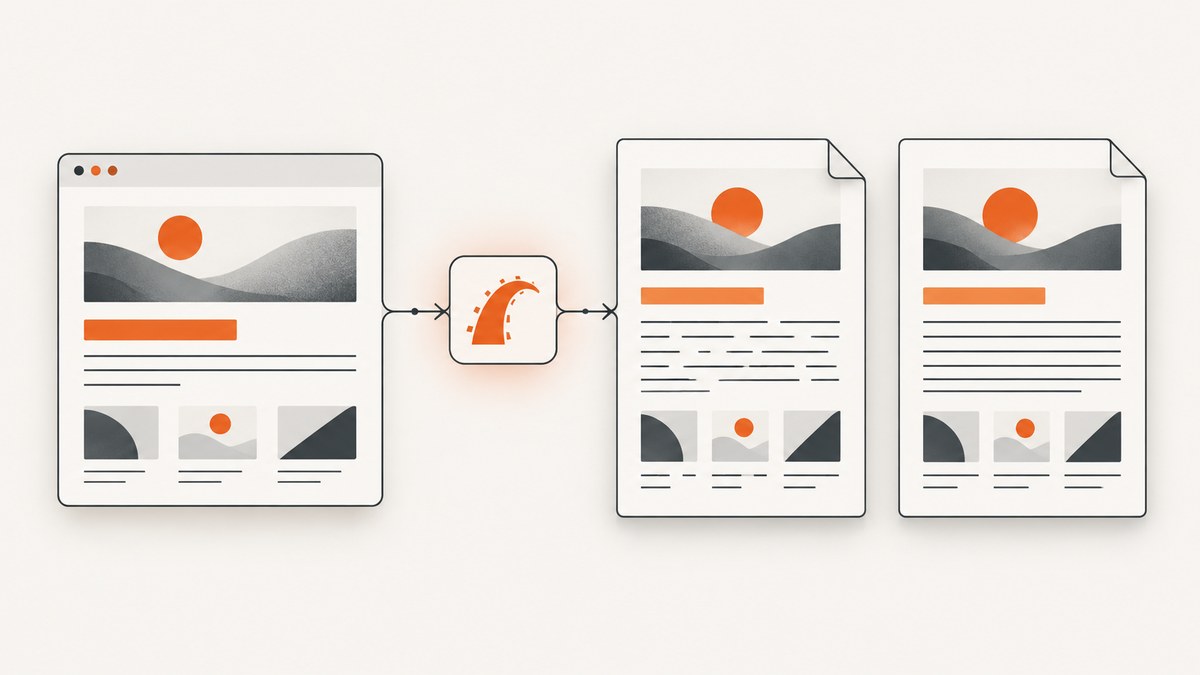
Letter spacing problems in Wicked PDF usually come from the rendering pipeline rather than Rails alone. Wicked PDF sends HTML to an external wkhtmltopdf binary, so the result depends on your HTML and CSS, the wkhtmltopdf build, the operating system, and the fonts available to that process.
The reliable way to fix the issue is to reduce it to a small HTML test, render that test with the exact production binary, and then determine whether the problem is a missing CSS rule, unsupported behavior, font selection, kerning, or a host-specific difference. CSS workarounds such as text-rendering and changing small spacing values are experiments to validate, not universal fixes.
1. Understand what Wicked PDF is rendering
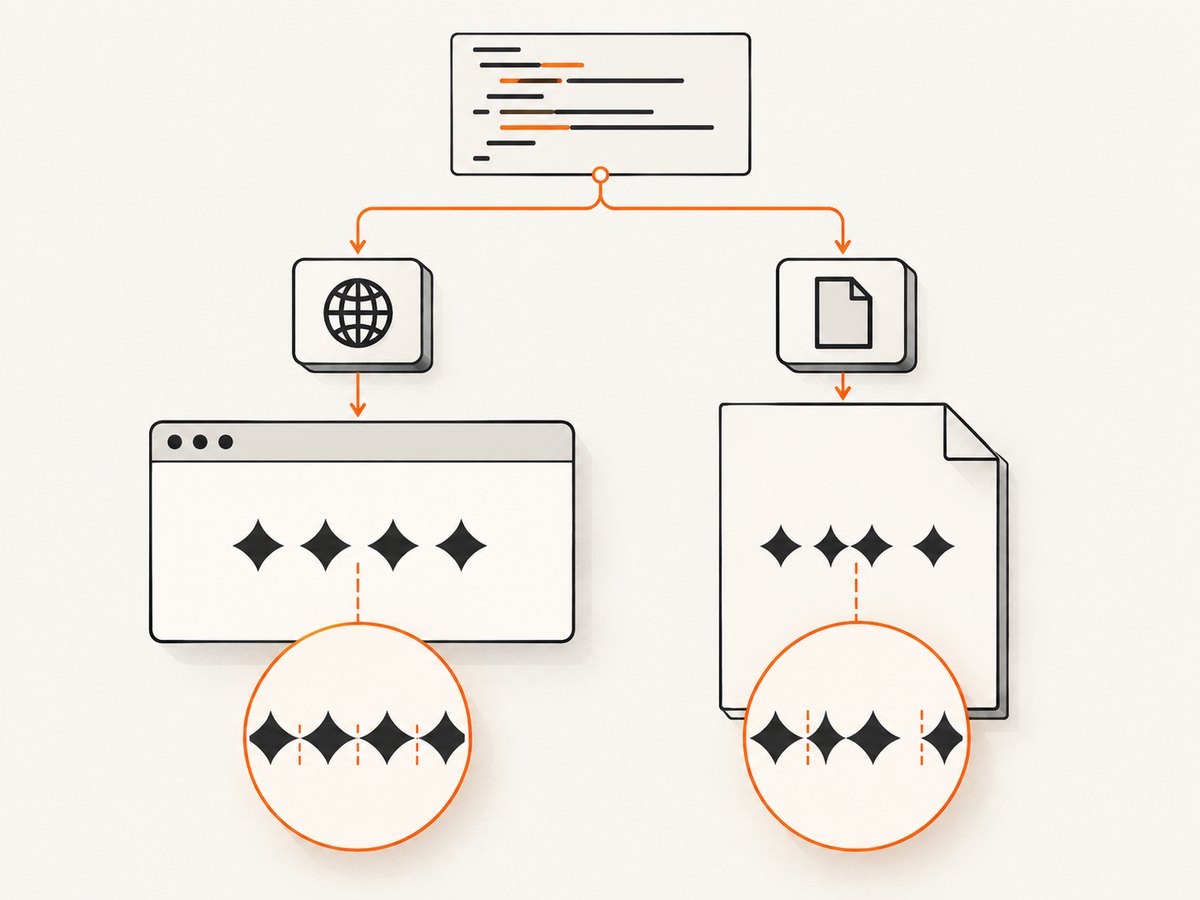
Wicked PDF does not draw a PDF inside your Rails process. It invokes wkhtmltopdf outside the application. Your normal browser may therefore use different fonts, asset paths, JavaScript timing, DPI, and text shaping behavior.
The project documentation recommends absolute asset references or Wicked PDF helpers so stylesheets, images, and JavaScript reach the renderer. If the stylesheet containing letter-spacing is not loaded, the PDF can appear to have a spacing bug when the declaration was never applied.
There are two visual symptoms to separate:
- CSS spacing is missing or wrong: the expected gap is absent, or changing the value has no effect.
- Font metrics or kerning differ: the declared spacing is present, but pairs such as
AV,To, or punctuation look uneven compared with the browser.
The wkhtmltopdf project has a longstanding report about kerning differences between browser HTML and PDF output. Reports vary by operating system and build, so no single setting fixes every case. Record your environment before changing options.
2. Capture the exact rendering environment
Start by finding the binary Wicked PDF actually invokes. A server may have several wkhtmltopdf installations, and changing a system package does nothing if Rails points at another path.
# Find candidate binaries
which wkhtmltopdf
wkhtmltopdf --version

# Check common locations
ls -l /usr/bin/wkhtmltopdf /usr/local/bin/wkhtmltopdf 2>/dev/null

# In Rails, inspect the configured executable path
bin/rails runner 'puts WickedPdf.config[:exe_path].inspect'
Record all of the following in your bug report:
| Item | Why it matters |
|---|---|
| wkhtmltopdf version and build | Rendering and font behavior differs across releases and patched builds. |
| Operating system and version | Font libraries, fontconfig, DPI, and text shaping are host dependent. |
| Executable path | Confirms the binary used by production rather than a developer shell. |
| Installed font files and families | A fallback font changes glyph widths and kerning. |
| Command-line options | Zoom, DPI, margins, and smart shrinking can alter layout. |
Wicked PDF’s documentation also describes platform-dependent rendering resolutions. Compare PDFs generated on the same host before comparing them with a browser screenshot or a PDF from another machine.
3. Build a minimal reproduction
Do not begin with a large Rails view. Create one HTML file containing the exact font, a representative string, and the exact declaration that fails.
<!doctype html>
<html>
<head>
  <meta charset="utf-8">
  <style>
    @font-face {
      font-family: "ReportSans";
      src: url("file:///srv/app/public/fonts/report-sans.woff2") format("woff2");
      font-weight: 400;
      font-style: normal;
    }
    body {
      font-family: "ReportSans", sans-serif;
      font-size: 16px;
      letter-spacing: 0.2px;
    }
    .sample { font-kerning: normal; }
  </style>
</head>
<body>
  <p class="sample">AVATAR To WA letter-spacing 0.2px — 0123456789</p>
</body>
</html>
Render it directly with the same binary:
wkhtmltopdf --print-media-type \
  --encoding utf-8 \
  /srv/app/tmp/spacing.html \
  /srv/app/tmp/spacing.pdf
Keep this PDF, the HTML, and the command line together. Then compare three outputs:
- The page in a browser using the same font files.
- The minimal HTML rendered directly by wkhtmltopdf.
- The original Rails-generated PDF.
If the minimal file is wrong, Rails is not the primary cause. If it is correct but the Rails PDF is wrong, inspect asset URLs, stylesheet order, media queries, generated markup, and JavaScript timing.
4. Verify CSS, units, and cascade behavior
Use browser developer tools and the generated HTML to confirm that the declaration exists and wins the cascade. Common mistakes include a print stylesheet overriding the rule, a selector with lower specificity, or a relative stylesheet URL that wkhtmltopdf cannot resolve.
/* Keep the diagnostic rule obvious and easy to remove. */
.pdf-title {
  letter-spacing: 0.4px;
  /* Try one controlled experiment at a time. */
  /* text-rendering: optimizeLegibility; */
  /* text-rendering: geometricPrecision; */
}
Test nearby values and units in the minimal file: 0, 0.1px, 0.5px, 1px, 0.01em, and 0.05em. A 2015 Windows 8 report using wkhtmltopdf 0.12.2.3 said values below 1px and 1em failed. That is a single historical configuration, not a threshold you can assume applies to current builds.
Also check whether the declaration is being applied to an element whose text is split across inline nodes. Test a plain text node first. Generated markup, pseudo-elements, and letter spacing on a parent can make diagnosis harder.
5. Check fonts and kerning before changing PDF options
A fallback font can make every glyph appear incorrectly spaced even when CSS is correct. Confirm that the font files are installed and readable by the account running Rails and wkhtmltopdf.
# Linux examples
fc-match "ReportSans"
fc-list | rg -i "ReportSans|report-sans"

# Verify the application user can read the files
sudo -u appuser test -r /srv/app/public/fonts/report-sans.woff2 && echo readable
For a controlled test, render the same string with a known system font and then with your web font. If only the custom font fails, inspect its format, weight mapping, and loading path. Avoid comparing a browser that has a locally installed desktop font with a server that only has a fallback.
Fontconfig, DPI, and host-specific settings have appeared in wkhtmltopdf issue discussions as possible explanations for differing kerning. Treat these as environment-specific reports. Change one variable, regenerate the minimal PDF, and keep the before-and-after files.
6. Test text-rendering suggestions carefully
Two frequently reported experiments are:
.pdf-copy {
  text-rendering: optimizeLegibility;
}

/* Test separately, not simultaneously, when isolating a cause. */
.pdf-copy-geometric {
  text-rendering: geometricPrecision;
}
One OS X 10.8.5 report said a text-rendering rule helped its case, while also noting that table-of-contents items were unaffected. This is evidence for a targeted experiment, not a guarantee. Apply the rule only to the affected content first. If headings improve but a generated table of contents does not, those are separate rendering paths.
Do not combine text-rendering changes with DPI, zoom, font substitutions, and spacing changes in one commit. You need to know which change affected the output.
7. Make Rails asset loading deterministic
When the direct HTML works but Wicked PDF does not, make all PDF assets explicit. Use absolute URLs or Wicked PDF’s helpers as described in its documentation.
<%= wicked_pdf_stylesheet_link_tag "pdf" %>
<%= wicked_pdf_image_tag "brand-mark.png" %>
For a stylesheet served from a host, verify that the renderer can reach it from the production network and that it returns CSS rather than an authentication page. If you use a relative @font-face URL, replace it temporarily with an absolute URL or a local file URL in the minimal reproduction.
Keep PDF-specific CSS separate from interactive page CSS. This reduces accidental overrides from responsive breakpoints and browser-only rules. Ensure the response sets UTF-8 and that the HTML contains a matching <meta charset="utf-8">; incorrect encoding can make punctuation and non-ASCII glyphs appear malformed.
8. Troubleshooting checklist
| Symptom | Likely cause | Fix or next test |
|---|---|---|
Changing letter-spacing has no effect |
Stylesheet missing, overridden, or unsupported in the path | Inspect generated HTML, use an absolute stylesheet URL, and test a minimal file. |
| Only small values fail | Version-specific renderer behavior | Test adjacent px and em values in the same binary; record the exact version. |
| Browser and PDF use different widths | Fallback font or different font metrics | Verify installed fonts, fontconfig, and the process user’s permissions. |
| Spacing changes between servers | Different OS, wkhtmltopdf build, DPI, or font configuration | Compare environment inventories and render on one host. |
| Headings improve but table of contents does not | Different content or rendering path | Test the table-of-contents HTML separately; do not assume one CSS rule covers it. |
| PDF is blank or missing styles | Asset URL, network, or JavaScript timing issue | Use absolute assets, wait for required content, and inspect renderer logs. |
| Text is clipped after changing zoom or DPI | Layout recalculated with different dimensions | Revert those options and establish a passing minimal case first. |
When escalating to wkhtmltopdf, include the version, operating system and version, minimal HTML/CSS/JavaScript, exact command and options, font details, and a sample PDF. The project’s reporting guidance specifically asks for a detailed reproducible test case.
9. Performance, reliability, and cost considerations
Rendering a minimal file is faster and more reliable than repeatedly generating a full Rails report while debugging. Keep a fixture page in your repository and run it in deployment checks after changing the wkhtmltopdf package or base image.
Fonts should be packaged or installed as part of deployment so a new host does not silently select a fallback. Pin the renderer build where practical, and record command-line options in configuration. If you must compare output across operating systems, treat the PDFs as separate rendering targets and review representative strings on each.
Changing DPI, zoom, or smart shrinking can change pagination and apparent spacing. These options may be useful for a layout problem, but they do not prove a kerning fix. Measure the output against a fixed fixture and inspect page breaks before shipping.
10. Or skip the browser setup
If your goal is a clean screenshot or PDF of a web page rather than a Rails-generated document, ScreenshotNeo provides a hosted capture endpoint. It accepts a URL and returns PNG, JPEG, WebP, or PDF without maintaining a browser binary, font installation, or renderer host.

See the ScreenshotNeo API documentation for all options. A basic request is:
cURL
curl -G "https://api.screenshotneo.com/v1/shot" -d access_key=YOUR_API_KEY --data-urlencode url=https://stripe.com -o shot.webpPython
import requests

r = requests.get(
    "https://api.screenshotneo.com/v1/shot",
    params={"access_key": "YOUR_API_KEY", "url": "https://stripe.com"},
    timeout=90,
)
r.raise_for_status()
open("shot.webp", "wb").write(r.content)
Node.js
const q = new URLSearchParams({ access_key: 'YOUR_API_KEY', url: 'https://stripe.com' });
const res = await fetch(`https://api.screenshotneo.com/v1/shot?${q}`);
if (!res.ok) throw new Error(`Screenshot failed: ${res.status}`);
const buffer = Buffer.from(await res.arrayBuffer());
await import('node:fs/promises').then(fs => fs.writeFile('shot.webp', buffer));
ScreenshotNeo removes cookie and consent banners, newsletter popups, and chat widgets before capture; each cleanup step can be disabled. Bot checks, blank pages, timeouts, failed loads, and cache hits are not billed, and response headers identify the page verdict and billing result. It also offers PDF settings, custom CSS and JavaScript, waits, headers, cookies, user agents, blocking rules, caching, signed links, asynchronous jobs, bulk capture, and an MCP server with take_screenshot, get_page_info, and capture_pdf for AI clients.
The Free plan includes 1,000 screenshots per month with no card. Paid plans start at $5 for 3,000 screenshots, and every feature is included on every plan. Create a free ScreenshotNeo account to try the endpoint.
11. Frequently asked questions
Is letter-spacing broken in Wicked PDF?
Not universally. The result depends on the wkhtmltopdf build, host, fonts, CSS, and rendering path. Reproduce the value in a minimal file before changing application code.
Should I always use text-rendering: optimizeLegibility?
No. It helped one reported OS X case and did not affect all content there. Test it against your affected text and compare the generated PDF.
Why does the browser look correct while the PDF does not?
The browser and wkhtmltopdf may select different fonts, use different shaping behavior, or load different assets. Compare the exact font files and HTML on the same host.
Can changing DPI fix kerning?
It can change the visual result, but it also changes layout and pagination. Treat DPI as an environment variable to compare, not as a proven kerning cure.
What should I send with a bug report?
Include the renderer version, OS/version, executable path, minimal HTML/CSS/JavaScript, font details, exact command/options, and the resulting PDF.


