Fix Link Previews Blocked by Cloudflare with a Proxy
Learn why Discord and Slack previews fail behind Cloudflare, how to allow verified bots, and how to build a secure metadata proxy.

Short answer: Discord, Slack, and other chat platforms create previews by fetching your URL. Cloudflare can stop that request before the platform reads your Open Graph metadata. First identify the blocked request in Cloudflare Security Events and add the narrowest verified allow rule you can. If the origin must remain private, expose a small server-side proxy that fetches approved pages and returns only safe metadata.
This guide explains both approaches, including Discordbot verification, image-specific failures, a complete proxy implementation, security controls, caching, troubleshooting, and an alternative using ScreenshotNeo when you need reliable page captures as well as metadata.
How link previews work
When somebody shares a URL, the chat service requests the page from its own infrastructure. Discord says its bot visits the URL and extracts the title, description, and image. The request identifies itself with the Discordbot user-agent, and Discord publishes IP ranges that can be checked. Slack also fetches shared URLs and provides workspace controls for domains blocked from unfurling.
The preview service normally requests:
- The HTML document, including
og:title,og:description,og:url, andog:image. - The image URL itself, often from a second request.
- Sometimes redirects, canonical URLs, or alternate image sizes.
Cloudflare sits in front of your origin and can challenge or block any of these requests. Anti-bot modules, WAF custom rules, rate limits, bot controls, and static-resource protection can all affect preview fetches. Cloudflare’s crawler troubleshooting guidance recommends checking which security module interrupted the request before changing protection globally (Cloudflare documentation).
Diagnose the failure before changing Cloudflare
- Share a fresh test URL. Use a URL whose metadata you just changed, then record whether the preview is absent, title-only, or missing its image.
- Open Security Events. Filter by the approximate time and inspect the path, action, response code, rule ID, user-agent, and source IP.
- Separate HTML from image requests. A title with no image usually means the HTML was allowed but the
og:imagerequest was blocked by a static-resource rule. - Identify the platform. For Discord, look for
Discordbotand verify the source address against Discord’s published ranges. User-agent matching by itself is spoofable. For Slack, check workspace domain restrictions and preview settings. - Check redirects. A redirect to a login page, a different hostname, or an unsupported scheme can prevent unfurling even when the first request succeeds.
Test the metadata from a shell to catch obvious application errors:
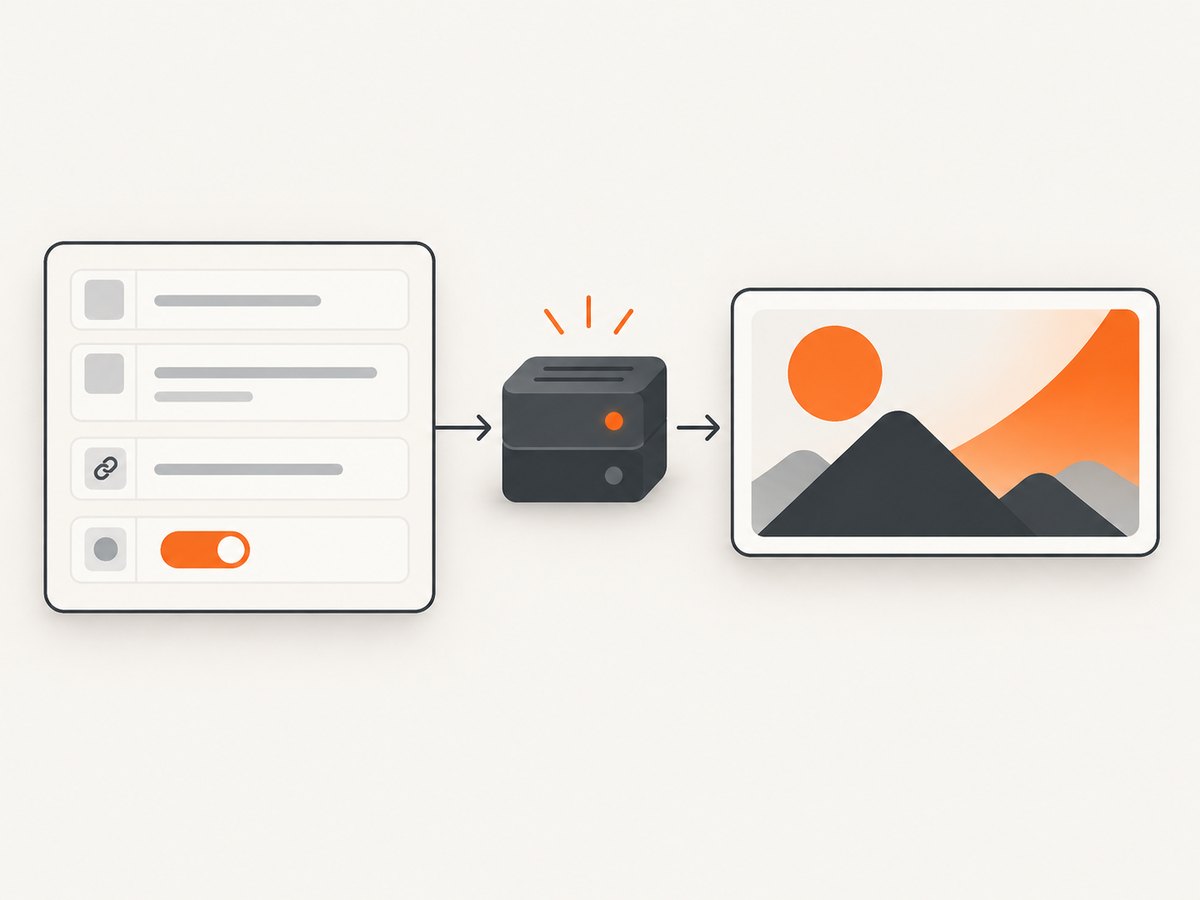
curl -I -A 'Discordbot' https://example.com/article
curl -L -A 'Discordbot' https://example.com/article | head -n 40
Do not treat a successful request from your own browser as proof that a preview bot can fetch the page. Your browser has cookies, JavaScript state, and a different IP reputation.
Option 1: allow verified preview bots directly
Direct allowlisting is the simplest design when you trust the provider verification and can keep the exception narrow. Cloudflare custom rules and bot controls are the relevant mechanisms. Create an exception for the specific bot, host, and path, and place it before the rule that blocks it.
Recommended rule scope
- Match the intended hostname, such as
www.example.com. - Limit paths to public article pages and metadata images where possible.
- For Discord, require both the
Discordbotuser-agent and a source IP in Discord’s published ranges. - Keep managed challenges and authentication enabled for private or administrative paths.
- Log the exception so you can review volume and unexpected paths.
Never create a broad “allow all bots” rule. A forged user-agent can otherwise bypass controls. If your application has a dedicated public metadata route, allow only that route and return a small HTML document containing the required tags.
Example metadata document
<!doctype html>
<html lang="en">
<head>
  <meta charset="utf-8">
  <meta property="og:title" content="Example article">
  <meta property="og:description" content="A concise preview description.">
  <meta property="og:url" content="https://example.com/article">
  <meta property="og:type" content="article">
  <meta property="og:image" content="https://example.com/preview/article.jpg">
  <meta name="twitter:card" content="summary_large_image">
  <link rel="canonical" href="https://example.com/article">
</head>
<body>Example article</body>
</html>
Option 2: build a constrained metadata proxy
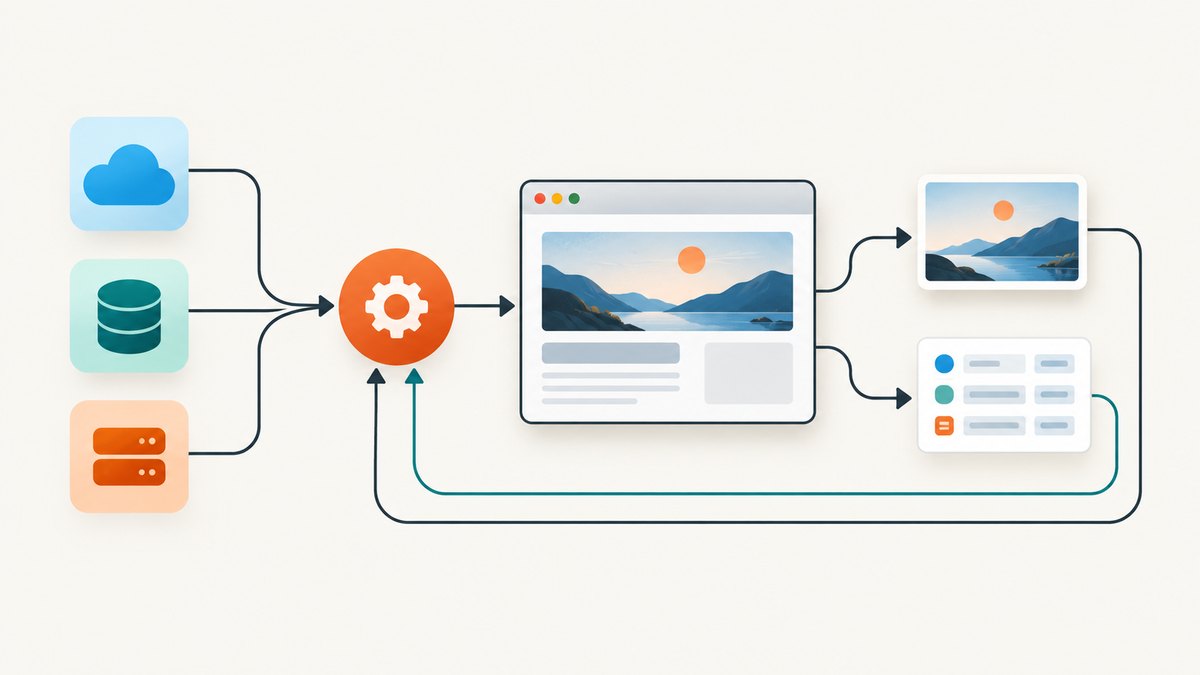
A proxy is useful when several preview services need one stable endpoint or when direct access to the origin must remain restricted. The proxy should be a narrow fetcher, not a general web proxy. It accepts an allowlisted target, fetches it server-side, extracts approved fields, and returns sanitized metadata.
Security requirements
- Allowlist hosts or URL patterns. Do not accept arbitrary destinations.
- Block private networks. Resolve DNS and reject loopback, link-local, multicast, and RFC1918 addresses to prevent SSRF.
- Use short timeouts. Set separate connect and read limits; 5–10 seconds is usually enough for metadata.
- Cap response size. Stop reading after a few megabytes and parse only the head section.
- Follow safe redirects only. Re-validate every destination and allow HTTPS (and HTTP only when required).
- Strip credentials. Never forward incoming cookies, authorization headers, or arbitrary request headers.
- Rate-limit and cache. Prevent a chat platform retry storm from reaching your origin.
- Return a fixed schema. Include only title, description, canonical URL, and an approved image URL.
Runnable Node.js proxy
This example uses Node.js 20’s built-in fetch. Replace the hostname allowlist and storage with your own values.
import express from 'express';
import * as cheerio from 'cheerio';
import dns from 'node:dns/promises';
import net from 'node:net';

const app = express();
const allowedHosts = new Set(['example.com', 'www.example.com']);
const cache = new Map();

function privateAddress(address) {
  if (net.isIPv4(address)) {
    const [a,b] = address.split('.').map(Number);
    return a === 10 || a === 127 || (a === 192 && b === 168) || (a === 172 && b >= 16 && b <= 31);
  }
  return address === '::1' || address.startsWith('fc') || address.startsWith('fd') || address.startsWith('fe80:');
}

async function validateUrl(raw) {
  const url = new URL(raw);
  if (url.protocol !== 'https:') throw new Error('HTTPS required');
  if (!allowedHosts.has(url.hostname)) throw new Error('Host not allowed');
  const records = await dns.lookup(url.hostname, { all: true });
  if (records.some(r => privateAddress(r.address))) throw new Error('Private address blocked');
  return url;
}

app.get('/preview', async (req, res) => {
  try {
    const target = await validateUrl(String(req.query.url || ''));
    const key = target.toString();
    const hit = cache.get(key);
    if (hit && hit.expires > Date.now()) return res.json(hit.data);

    const controller = new AbortController();
    const timer = setTimeout(() => controller.abort(), 8000);
    const upstream = await fetch(target, {
      redirect: 'manual',
      headers: { 'user-agent': 'MetadataProxy/1.0', 'accept': 'text/html' },
      signal: controller.signal
    });
    clearTimeout(timer);
    if (upstream.status >= 300 && upstream.status < 400) {
      const next = new URL(upstream.headers.get('location'), target);
      await validateUrl(next.toString());
      return res.status(502).json({ error: 'Redirect; retry with validated URL' });
    }
    if (!upstream.ok) return res.status(502).json({ error: 'Upstream status ' + upstream.status });
    const text = (await upstream.text()).slice(0, 2_000_000);
    const $ = cheerio.load(text);
    const content = (property) => $(`meta[property="${property}"]`).attr('content') || '';
    const data = {
      title: content('og:title') || $('title').text().trim(),
      description: content('og:description') || $('meta[name="description"]').attr('content') || '',
      canonical: $('link[rel="canonical"]').attr('href') || target.toString(),
      image: content('og:image') || ''
    };
    cache.set(key, { data, expires: Date.now() + 60_000 });
    res.set('cache-control', 'public, max-age=60').json(data);
  } catch (error) {
    res.status(400).json({ error: error.message });
  }
});

app.listen(3000, () => console.log('metadata proxy listening on :3000'));
Your proxy’s HTML response can emit the same Open Graph tags shown earlier. If the preview service cannot consume JSON, render a minimal HTML template and escape every value. Keep the proxy endpoint publicly reachable, but keep origin credentials and internal routes unreachable from it.
Image requests need separate protection
Cloudflare static-resource protection commonly covers image extensions and can block legitimate clients that fetch those assets. If a preview shows the title but not the image, inspect the image path in Security Events. Put preview images on a dedicated public path, allow verified fetchers there, and ensure the image returns a supported content type, a 200 status, and a reasonable size. Avoid requiring cookies or JavaScript to retrieve the image.
Proxy versus direct allowlisting
| Concern | Direct allowlist | Metadata proxy |
|---|---|---|
| Security scope | One verified bot or route | New public fetch surface that needs SSRF controls |
| Operations | Low complexity | Application, cache, rate limits, and monitoring required |
| Origin exposure | Preview bot reaches Cloudflare and possibly origin | Proxy can hide origin details and return only metadata |
| Observability | Cloudflare logs show the original bot | Logs must correlate proxy and upstream requests |
| Multiple platforms | Each provider may need a rule | One stable endpoint can serve several previewers |
Choose direct allowlisting when provider verification is dependable and the exception can stay narrow. Choose a proxy when you need a sanitized response or a common endpoint for several services.
Performance, reliability, and cost
- Cache metadata briefly. A 1–10 minute TTL reduces repeated bot fetches while allowing edits to appear quickly.
- Cache by canonical URL. Normalize query strings that do not change content, but preserve meaningful campaign or locale parameters.
- Keep responses small. Preview bots do not need the full application bundle.
- Use bounded concurrency. A queue prevents a burst of shares from exhausting sockets or origin workers.
- Observe verdicts. Track status, latency, cache hit rate, blocked requests, and image failures separately.
- Plan for retries. Return deterministic errors and use idempotent fetches; do not trigger expensive rendering for every retry.
Direct Cloudflare exceptions generally have no separate application fetch cost. A proxy adds compute, bandwidth, and cache storage costs, so set limits before production. If you render screenshots rather than metadata, use a service with explicit billing behavior and failure reporting.
Or skip the browser setup
When the goal is a clean visual capture of the shared page, ScreenshotNeo provides a single request instead of maintaining a browser worker. It accepts the consent banner like a visitor and removes more than 60 known consent platforms, newsletter popups, and chat widgets before capture. Bot checks, blank pages, timeouts, failed loads, and cache hits are not billed; response headers identify the page verdict and billing status. Its MCP server lets Claude, Cursor, and other MCP clients call take_screenshot, get_page_info, and capture_pdf.
See the ScreenshotNeo API documentation for all options. A minimal call is:
curl -G "https://api.screenshotneo.com/v1/shot" -d access_key=YOUR_API_KEY --data-urlencode url=https://stripe.com -o shot.webpimport requests
r = requests.get("https://api.screenshotneo.com/v1/shot", params={"access_key": "YOUR_API_KEY", "url": "https://stripe.com"}, timeout=90)
open("shot.webp", "wb").write(r.content)const q = new URLSearchParams({ access_key: 'YOUR_API_KEY', url: 'https://stripe.com' });
const res = await fetch(`https://api.screenshotneo.com/v1/shot?${q}`);It also supports full-page and element captures, device presets, custom viewports, dark mode, retina scale, CSS and JavaScript, waits, request blocking, headers, cookies, geolocation, resizing, caching, signed links, asynchronous jobs, bulk capture, PDFs, HTML-to-image, and a usage API. Plans include 1,000 screenshots per month free with no card; paid plans start at $5 for 3,000. Create a free ScreenshotNeo account.
Troubleshooting checklist
Discord preview is completely absent
Check Security Events for a challenge or block, then verify both the Discordbot user-agent and published source range. Confirm that the URL returns a fast 200 response without authentication or a JavaScript-only shell.
Title appears but image does not
Request the exact og:image URL with the preview bot user-agent. Inspect static-resource rules, content type, redirects, and image size. Allow the image path separately if necessary.
Proxy returns a 400 error
The URL failed validation, used HTTP, matched no allowlisted host, or resolved to a private address. Log the rejected reason without logging credentials or query strings that contain secrets.
Proxy times out
Lower the connect/read timeout, avoid waiting for full JavaScript rendering, and return cached metadata. If the origin is slow, generate metadata server-side during publishing.
Old preview remains after a fix
Chat platforms cache unfurls. Change the canonical test URL or query parameter, purge your proxy cache, and allow time for the platform’s cache to expire.
Allow rule creates a security gap
Restrict it by hostname and path, require provider IP verification where available, place it before only the blocking rule, and review events after deployment. Remove the exception if traffic does not match the expected pattern.
FAQ
Can I allow Discordbot by user-agent alone?
No. User-agent strings are easy to forge. Combine the string with Discord’s published IP ranges and a narrow path rule.
Does Slack use the same bot as Discord?
No. Treat each preview service independently and check Slack workspace restrictions when a domain is blocked.
Should the proxy forward cookies?
No. Strip cookies and authorization headers. Public metadata should not require user session state.
Can a proxy safely fetch any URL?
Not by default. An unrestricted fetch endpoint is an SSRF risk. Allowlist hosts, block private addresses, validate redirects, and cap response size.
When should I use a screenshot API?
Use one when you need a rendered visual or PDF, lazy-loaded content, device emulation, or repeatable capture without maintaining browser infrastructure. ScreenshotNeo provides those controls and reports whether a response was billable.


