How to Fix Localhost Connection Refused Between Docker and Puppeteer
Fix Puppeteer ECONNREFUSED in Docker by choosing the right hostname, port mapping, network, and server bind address for your topology.
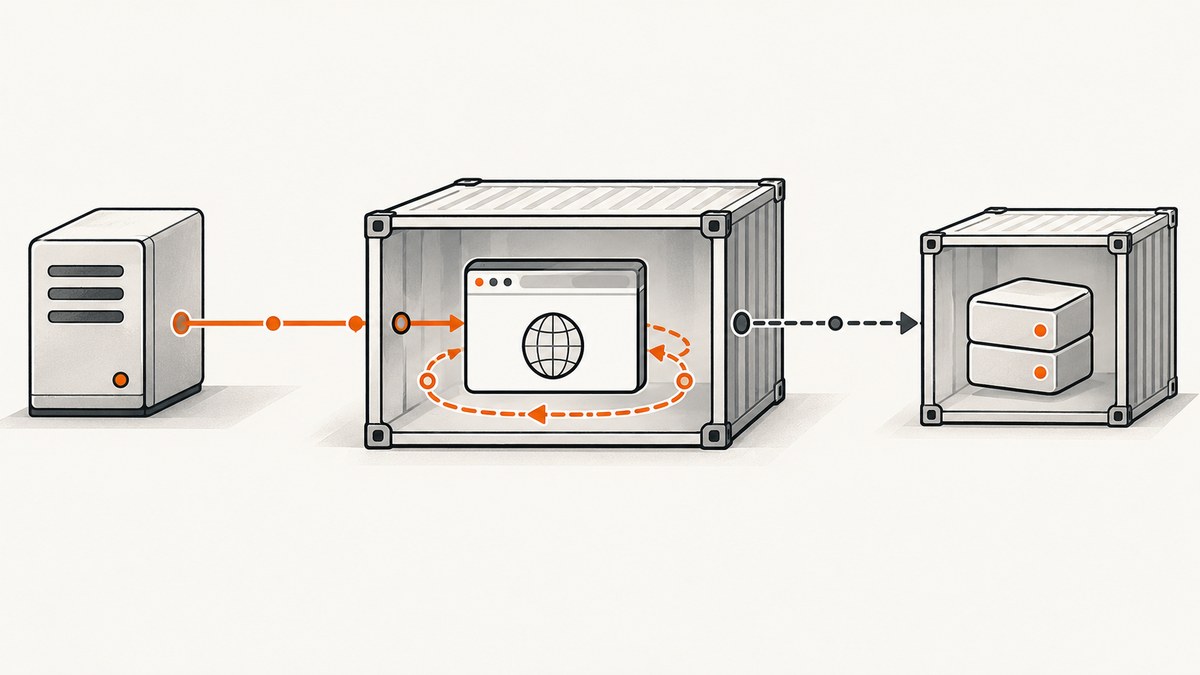
Short answer: localhost always means the network namespace of the process making the request. When Puppeteer runs in a container, http://localhost:3000 points to that container. It does not point to your laptop, the Docker host, or another container. Use the hostname and port that match your topology:
| Puppeteer runs in | Target runs in | Use |
|---|---|---|
| Container | Docker Desktop host | http://host.docker.internal:HOST_PORT |
| Container | Sibling container | http://SERVICE_NAME:CONTAINER_PORT |
| Same container | Web server in that container | http://127.0.0.1:LISTEN_PORT, provided the server is running |
| Host | Container | http://127.0.0.1:HOST_PUBLISHED_PORT |
Also verify that the target server listens on an interface reachable from the caller. A service bound only to its own loopback interface can reject traffic arriving through Docker’s network interface. Docker’s networking documentation explains the isolation model and published-port behavior; the special host name is documented for Docker Desktop in the Docker Desktop networking guide.
1. Understand why localhost is refused
Every process uses a network namespace. On your host, localhost resolves to the host loopback interface. Inside a container, it resolves to the container’s loopback interface. These are different interfaces even when the container was started from the same project directory.
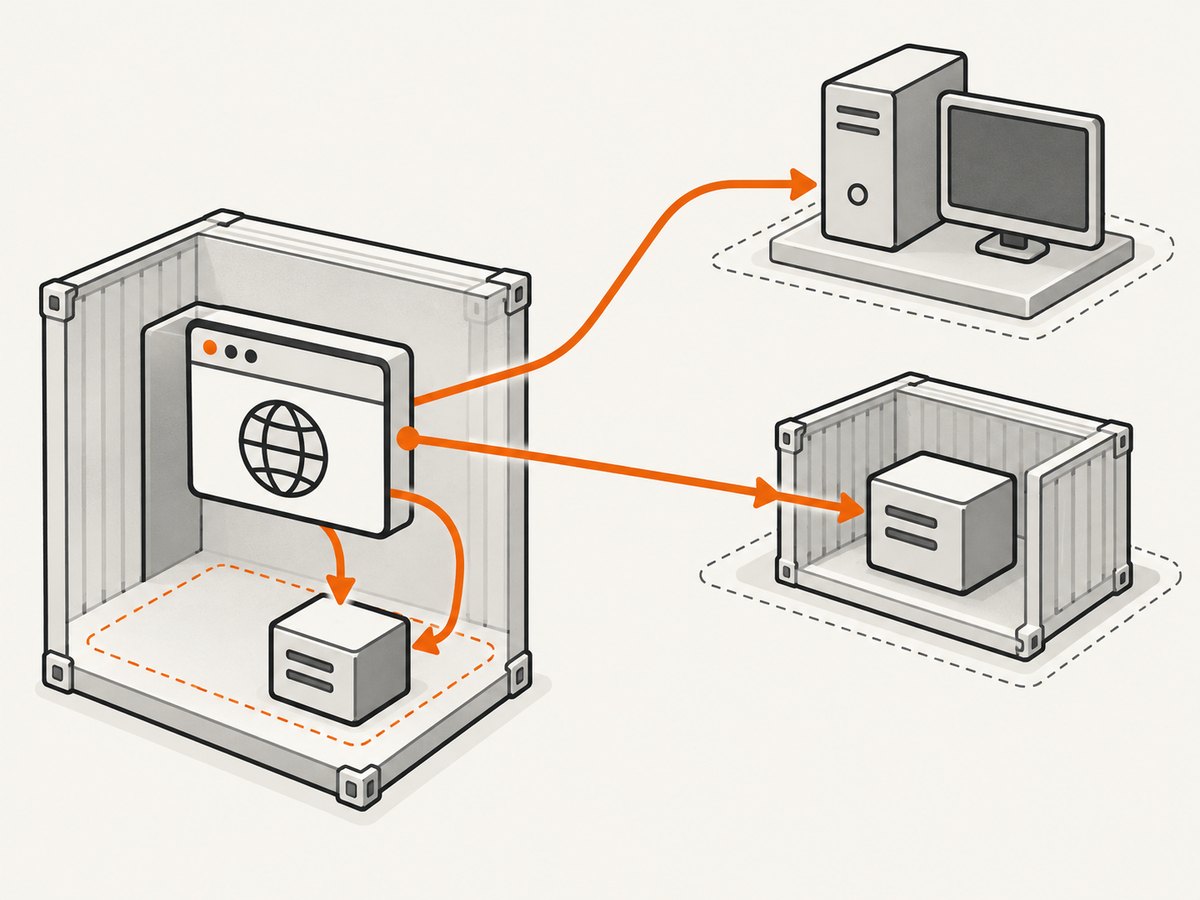
Suppose a development server runs on your laptop at port 3000 and a Puppeteer script runs in a container. The browser asks the container’s own loopback interface for port 3000. Unless a server also runs inside that container, nothing is listening there, so the TCP connection fails with ECONNREFUSED.
The same mistake appears with Compose. If a service is named web, another container should call http://web:3000, not http://localhost:3000. Compose adds service-name DNS on the project network.
2. Identify your topology before changing code
- Find the process running Puppeteer: host shell, browser container, or application container.
- Find the process serving the page: host, same container, or sibling container.
- Write down the server’s listening port inside its own environment.
- Check whether a published port changes the port used by a host caller.
- Check the bind address. A server listening only on
127.0.0.1may not accept connections arriving over Docker’s interface.
Run the connectivity test from the same environment as Puppeteer. A successful test from your laptop does not prove that a request from the browser container can succeed.
# Run inside the Puppeteer container
docker exec -it puppeteer sh
curl -v http://host.docker.internal:3000/health
curl -v http://web:3000/health
Use only the hostname that belongs to your topology; the failed alternative is useful because its error confirms which namespace you are testing.
3. Container to a service on the Docker host
On Docker Desktop for macOS and Windows, use host.docker.internal. Docker resolves this name to the host’s internal address:
const browser = await puppeteer.launch({headless: 'new'});
const page = await browser.newPage();
await page.goto('http://host.docker.internal:3000', {waitUntil: 'networkidle2'});
await page.screenshot({path: 'shot.png', fullPage: true});
await browser.close();
On Linux Docker Engine, add a host-gateway mapping when the name is not provided automatically:
docker run --add-host host.docker.internal:host-gateway my-puppeteer-image
In Compose:
services:
  browser:
    build: .
    extra_hosts:
      - 'host.docker.internal:host-gateway'
The host application must also listen on an address reachable from Docker. Framework defaults vary. Configure the development server to bind to 0.0.0.0 when the container needs to reach it, then restrict exposure at the host firewall or published-port layer as appropriate.
4. Container to sibling container
Put both services on the same user-defined bridge or Compose network. Use the Compose service name and the target’s container port.
services:
  web:
    build: ./web
    expose:
      - '3000'
  browser:
    build: ./browser
    depends_on:
      - web
    environment:
      TARGET_URL: http://web:3000
The Puppeteer code reads the internal URL:
const target = process.env.TARGET_URL || 'http://web:3000';
const browser = await puppeteer.launch({headless: 'new'});
const page = await browser.newPage();
await page.goto(target, {waitUntil: 'networkidle2', timeout: 30000});
await page.screenshot({path: 'web.png', fullPage: true});
await browser.close();
A ports: entry is not required for same-network traffic. It is for host-to-container access. If the web container declares ports: - '8080:3000', other containers still use web:3000; the host uses localhost:8080.
5. Puppeteer and the server in one container
Use the port on which the server listens in that container. Start the server before launching Puppeteer, and wait until it is ready rather than relying on process order.
const {spawn} = require('node:child_process');
const http = require('node:http');
const puppeteer = require('puppeteer');

const app = spawn('node', ['server.js'], {
  env: {...process.env, HOST: '0.0.0.0', PORT: '3000'},
  stdio: 'inherit'
});

function waitFor(url, timeoutMs = 30000) {
  const started = Date.now();
  return new Promise((resolve, reject) => {
    const check = () => {
      const req = http.get(url, res => {
        res.resume();
        if (res.statusCode < 500) return resolve();
        setTimeout(check, 250);
      });
      req.on('error', () => {
        if (Date.now() - started > timeoutMs) reject(new Error('server did not become ready'));
        else setTimeout(check, 250);
      });
    };
    check();
  });
}

(async () => {
  try {
    await waitFor('http://127.0.0.1:3000/health');
    const browser = await puppeteer.launch({headless: 'new', args: ['--no-sandbox']});
    const page = await browser.newPage();
    await page.goto('http://127.0.0.1:3000', {waitUntil: 'networkidle2'});
    await page.screenshot({path: 'same-container.png'});
    await browser.close();
  } finally {
    app.kill('SIGTERM');
  }
})();
If another container must connect to this server, bind it to 0.0.0.0 and address it by the service name. The Playwright Docker guidance demonstrates the same principle for a browser server started with --host 0.0.0.0.
6. Service in a container, Puppeteer on the host
Publish the container port with HOST_PORT:CONTAINER_PORT:
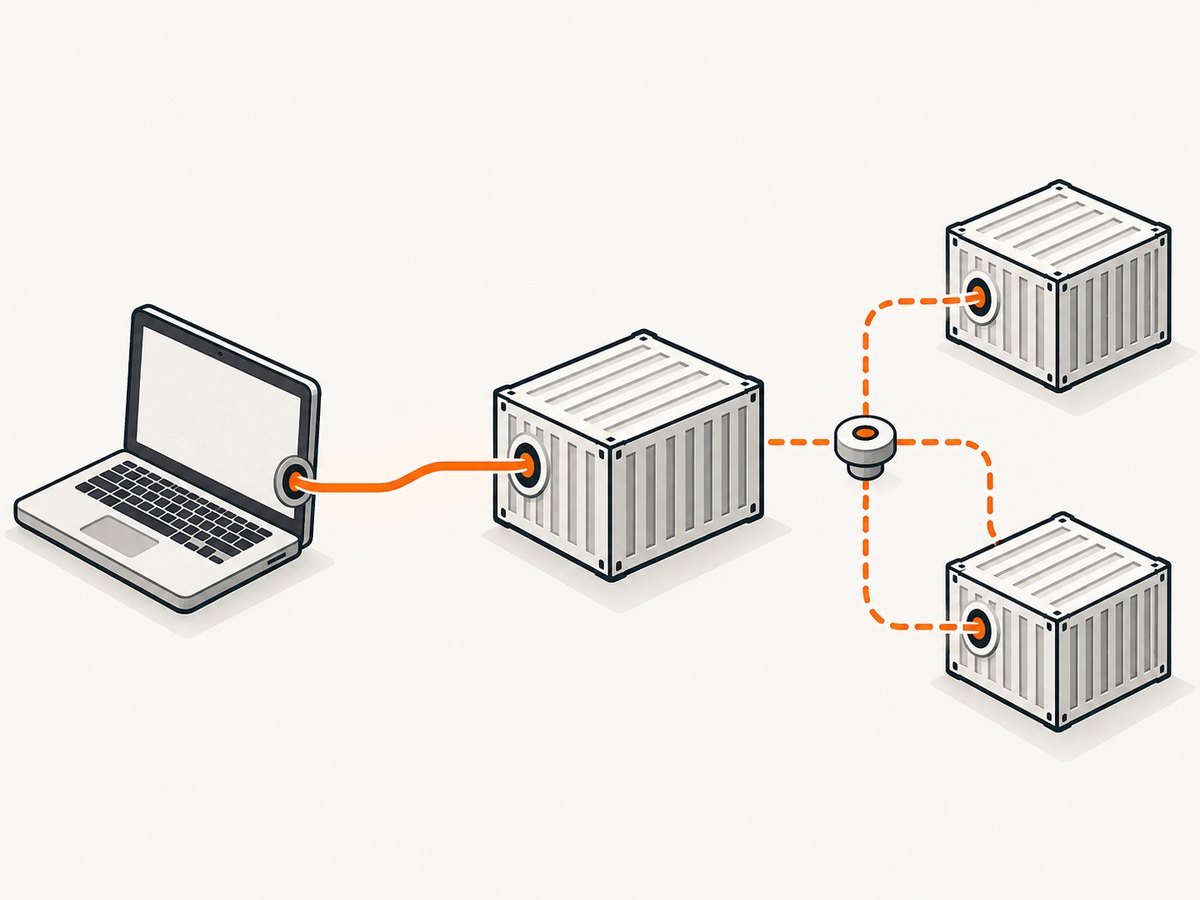
docker run --rm -p 8080:3000 my-web-image
The process inside the container listens on 3000. Puppeteer running on the host opens 8080:
const page = await browser.newPage();
await page.goto('http://127.0.0.1:8080', {waitUntil: 'networkidle2'});
Inspect the mapping with docker ps. The left side is the host port; the right side is the container port. With Compose, ports: - '127.0.0.1:8080:3000' keeps the published service reachable only from the Docker host. An unqualified mapping such as '8080:3000' can bind on all host interfaces, so use the narrowest binding that meets your deployment needs.
7. Port mappings, bind addresses, and security
| Configuration | Caller should use | Meaning |
|---|---|---|
-p 8080:3000 |
Host: localhost:8080 |
Host port 8080 forwards to container port 3000 |
-p 127.0.0.1:8080:3000 |
Host: 127.0.0.1:8080 |
Published only on host loopback |
| Compose service network | Sibling: service:3000 |
Uses the internal container port |
| No published port | Host cannot connect directly | Use a shared network or add a publication |
Changing an application bind address to 0.0.0.0 makes it listen on all container interfaces. That can solve cross-namespace refusal, but it also increases exposure inside the network. Pair it with a private Docker network, firewall rules, authentication, and a loopback-only published port when external access is unnecessary.
8. A complete diagnostic checklist
- Confirm the process: check container logs and verify the server is running.
- Confirm the listening port: inspect server configuration and run
ss -lntpwhere available. - Test from Puppeteer’s runtime: use
curl,wget, or a Node request from that container. - Choose the hostname: host target uses
host.docker.internal; sibling target uses its service name; same-container target uses loopback. - Choose the port: a host caller uses the left side of
HOST:CONTAINER; a sibling uses the right side. - Check the network: run
docker network inspect NETWORKand confirm both containers are attached. - Check readiness: wait for a health endpoint before calling
page.goto. - Check bind scope: change loopback-only binding to a reachable interface when cross-container access is required.
- Restore exposure limits: bind published ports to
127.0.0.1if only local callers need them.
9. Common errors and fixes
net::ERR_CONNECTION_REFUSED immediately
The address resolved, but no process accepted the connection. Check that the service is running, the port is correct, and the server is listening on the expected interface.
getaddrinfo ENOTFOUND web
The service name is not resolvable. Ensure both containers share a user-defined or Compose network and that web is the actual service name, not a container display name.
host.docker.internal cannot be resolved on Linux
Add --add-host host.docker.internal:host-gateway or the equivalent Compose extra_hosts entry, then retry from inside the browser container.
The page loads on the host but not from Docker
The host test uses a different namespace. Test the exact URL from the Puppeteer container. If the host server binds only to loopback, configure a reachable bind address.
The wrong application answers
You probably used the host port from a sibling container. Container-to-container requests use the target’s internal port, even when a different host port is published.
Intermittent refusal during startup
Container start order is not application readiness. Add a health check, retry with backoff, and call Puppeteer only after the endpoint returns a successful response.
Navigation times out instead of refusing
Timeouts can indicate a firewall, a request that never completes, a stalled dependency, or an incorrect route. Test a lightweight health endpoint and inspect browser request failures separately from the initial TCP connection.
10. Reliable Puppeteer navigation patterns
Use explicit timeouts and a readiness probe. networkidle2 can wait forever on pages with analytics or long-polling requests, so use domcontentloaded plus a selector when the page has persistent connections.
await page.goto(target, {waitUntil: 'domcontentloaded', timeout: 30000});
await page.waitForSelector('#app-ready', {timeout: 15000});
Capture the browser’s diagnostics:
page.on('requestfailed', request => {
  console.error(request.url(), request.failure());
});
page.on('console', message => console.log('browser:', message.text()));
For parallel captures, limit concurrency so Chromium does not exhaust CPU, memory, file descriptors, or ephemeral ports. Reuse a browser process when safe, create isolated pages or contexts, and close every page after capture. Keep retries bounded and retry connection failures separately from application-level HTTP errors.
11. cURL, Python, and Node connectivity probes
These small probes help distinguish Docker networking from Puppeteer behavior.
# cURL, run from the same container as Puppeteer
curl --fail --show-error --max-time 10 http://web:3000/health
import requests

url = 'http://web:3000/health'
response = requests.get(url, timeout=10)
response.raise_for_status()
print(response.status_code, response.text)
const response = await fetch('http://web:3000/health');
if (!response.ok) throw new Error(`HTTP ${response.status}`);
console.log(await response.text());
If all three fail in the same way, fix the Docker topology first. If they succeed but page.goto fails, inspect Chromium launch flags, proxy settings, navigation timeout, redirects, and page-level requests.
12. Performance, reliability, and cost considerations
- Latency: a shared Docker network avoids an unnecessary host round trip for sibling services. Host access through
host.docker.internalis convenient but still depends on the host service and Docker Desktop networking. - Readiness: health checks and bounded retries remove most startup races.
- Resource use: Chromium is memory-intensive. Cap concurrent pages, reuse a browser where appropriate, and monitor container memory.
- DNS: service-name resolution is stable on a user-defined network; hard-coded container IPs are not.
- Exposure: avoid publishing ports when sibling containers can use an internal network. Bind host publications to loopback when remote access is not required.
- Cost: self-hosted Puppeteer costs the compute and maintenance of your Docker and Chromium environment. A managed screenshot API can trade that setup for request-based pricing; check its billing behavior for failed captures.
Or skip the browser setup
If your goal is a reliable screenshot rather than maintaining a Docker and Puppeteer path, ScreenshotNeo accepts one GET request and returns PNG, JPEG, WebP, or PDF. Read the ScreenshotNeo API documentation for all options.
curl -G "https://api.screenshotneo.com/v1/shot" -d access_key=YOUR_API_KEY --data-urlencode url=https://stripe.com -o shot.webpimport requests
r = requests.get("https://api.screenshotneo.com/v1/shot", params={"access_key": "YOUR_API_KEY", "url": "https://stripe.com"}, timeout=90)
open("shot.webp", "wb").write(r.content)const q = new URLSearchParams({ access_key: 'YOUR_API_KEY', url: 'https://stripe.com' });
const res = await fetch(`https://api.screenshotneo.com/v1/shot?${q}`);ScreenshotNeo removes cookie and consent banners, newsletter popups, and chat widgets before capture. Bot checks, blank pages, failed loads, timeouts, and cache hits are not billed as clean shots, and each response identifies the result with X-Page-Verdict and X-Billed headers. Its MCP server provides take_screenshot, get_page_info, and capture_pdf tools for Claude, Cursor, and other MCP clients.
The service includes full-page and element captures, device presets, custom viewports, retina scale, PDF controls, custom CSS and JavaScript, clicks, waits, request blocking, headers, cookies, user agents, authorization, timezone, geolocation, transparency, resizing, caching, signed links, asynchronous webhooks, bulk capture for up to 100 URLs per call, usage reporting, and an OpenAPI specification. Existing parameter names used by other screenshot APIs also work, which can simplify migration.
Plans include 1,000 shots per month free with no card, then Starter at $5 for 3,000 shots; yearly billing provides two months free. Create a free ScreenshotNeo account to get started.
13. Frequently asked questions
Does changing localhost to 0.0.0.0 fix Puppeteer?
Changing the server bind address can make it reachable through Docker, but 0.0.0.0 is a listen address, not the URL Puppeteer should open. Continue using the correct hostname and port for the caller’s topology.
Should I use the host port between Compose services?
No. Use the service name and container port. The host port exists for callers outside the Docker network.
Can I use a container IP address?
You can, but service-name DNS is more reliable because container IPs can change when containers are recreated.
Why does ping work while HTTP fails?
Ping tests name resolution and ICMP reachability, not whether a TCP listener accepts the requested port. Test the exact URL with cURL or a Node request.
Do I need --network host?
Usually no. It removes useful network isolation and behaves differently across operating systems. Use explicit host-gateway, shared-network, or published-port configuration first.
What is the fastest way to prove the port mapping?
Run docker ps, read the mapping as HOST_PORT:CONTAINER_PORT, and test from the actual caller. A host caller uses the left port; a sibling container uses the right port.


