How to Fix an MCP Server That Fails to Start
Find out whether the server process, host command, stdio stream, or HTTP handshake is failing—and how to use the logs and configuration to fix it.

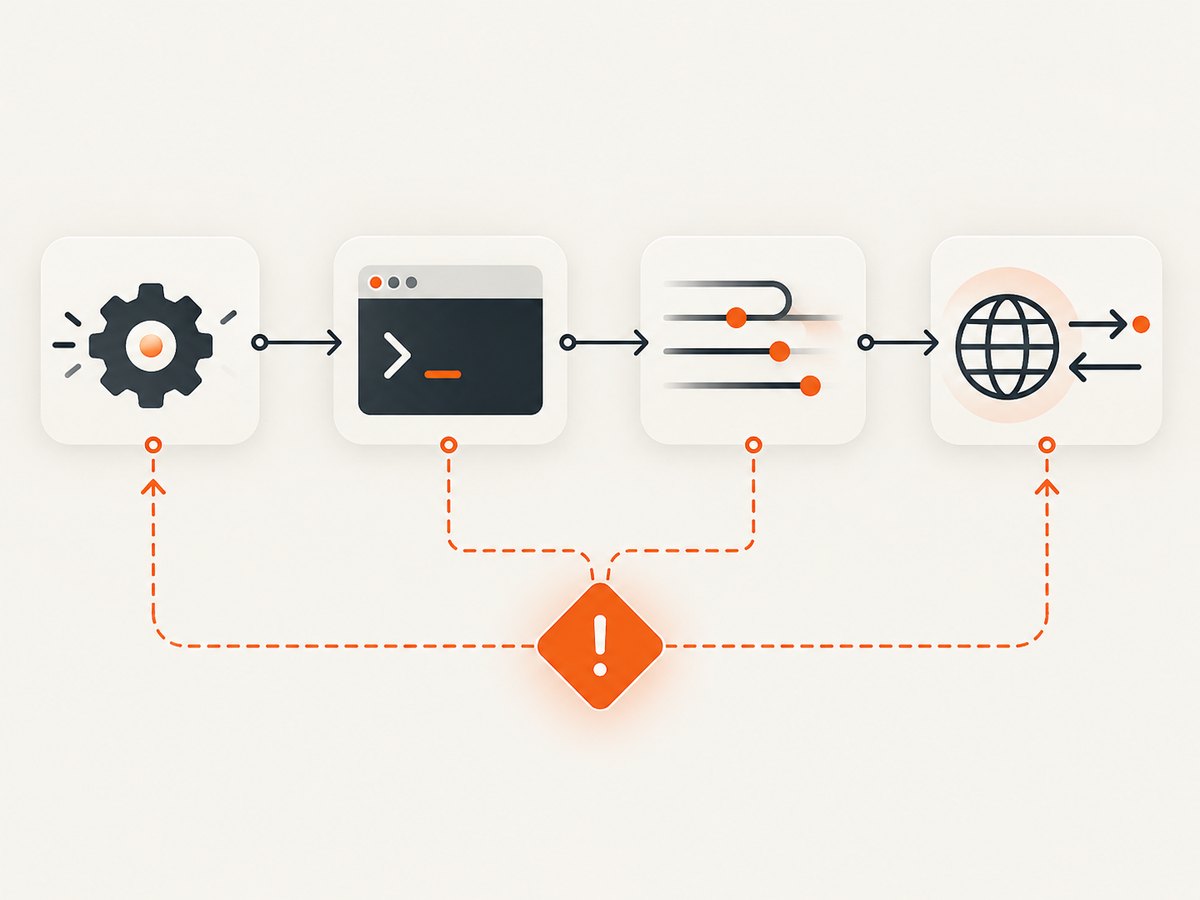
An MCP server that “fails to start” can mean four different things: the server process exits, the host cannot launch its configured command, output corrupts the stdio protocol stream, or an HTTP server starts but rejects the client. Start by running the configured command directly and reading the final traceback or server log line. A host’s status label alone often does not identify the failing layer.
This guide uses Python SDK and VS Code examples where the cited documentation supports them. Commands and configuration formats depend on your implementation and host; do not assume every MCP SDK or client behaves the same way.
1. Identify which layer is failing
Before changing settings, collect enough evidence to tell a process problem from a host or transport problem. Record:
- The host or client and version, if known, plus your operating system.
- The server implementation and transport: commonly stdio or Streamable HTTP.
- The exact configured command, arguments, working directory, and relevant environment variables.
- The final traceback or server log lines, including whether the process exits, stays open, or prints an exception when launched directly.
A server that stays open quietly when run as a stdio process may be working as intended: it is waiting for the host to send protocol input. An immediate exit or traceback points to a process-side issue. A process that runs but is not discovered by the host points toward launch configuration, stale configuration, or protocol output. For HTTP, check the server log and actual HTTP response.
| What you observe | First place to investigate |
|---|---|
| Command exits or prints a traceback | Runtime, imports, paths, environment, startup code |
| Command runs directly, but host cannot launch it | Host configuration, executable lookup, working directory, reload |
| Host launches it then disconnects | stdio contamination, initialization exception, host logs |
| HTTP server runs but client gets a transport error | HTTP response, Host and Origin validation, proxy configuration |
2. Run the configured command outside the host
Use the command, arguments, runtime, and environment the host is supposed to use. Resolve paths explicitly: a host may start in a different working directory from your terminal. The MCP Python SDK’s real-host guide demonstrates a Python-specific command like this; it is not a universal MCP launch command:
uv run --with "mcp[cli]" mcp run /absolute/path/to/server.pyAdapt it to the server’s documented setup. For example, a Node.js server must use its own Node command and dependencies; a Python project may require its virtual environment or package manager. If the direct command fails, fix that failure before editing host configuration.
A minimal Python stdio server to check the runtime
If you are building a Python server, compare your startup path with a small known example using the SDK version and server API documented for your project. The Python SDK’s current documentation describes stdio, Streamable HTTP, and SSE transports, but details may vary by SDK version. Here is an illustrative Python SDK pattern; confirm imports and APIs against the version installed in your environment:
from mcp.server.fastmcp import FastMCP

mcp = FastMCP("diagnostic-server")

@mcp.tool()
def ping() -> str:
    """Return a small response to confirm the server can initialize."""
    return "pong"

if __name__ == "__main__":
    mcp.run(transport="stdio")
Run it using the command your SDK documents, from the same environment as the project. A quiet process is not necessarily frozen: stdio servers commonly wait for protocol messages on stdin. To check startup failures, inspect stderr and the exit status rather than expecting a human-readable startup banner on stdout.
3. Check the host command, paths, and environment
When direct execution works but the host cannot start the server, compare the host configuration with the successful command literally. Common differences include:
- Executable availability:
uv,python, ornodemay be on your interactive shell’s PATH but absent from the host’s environment. Use the executable path supported by your host configuration when lookup is unreliable. - Working directory: relative script paths, configuration files, and local dependencies may resolve differently. Try an absolute script path and verify the host’s working-directory behavior.
- Arguments and quoting: keep executable and arguments in the host’s expected fields. Avoid copying shell syntax into a field that expects a bare argument.
- Environment variables: a terminal may load a virtual environment, PATH additions, or credentials that the host does not inherit. Provide required variables through the host’s documented configuration mechanism.
- Stale configuration: after editing the configuration, fully reload or restart the host where required. The Python SDK real-host guide warns that a host can continue using old configuration.
VS Code has its own MCP configuration and debugging model. Use Microsoft’s MCP guide and configuration reference for the exact file format and reload procedure in your VS Code version; do not transplant another client’s configuration syntax. The same principle applies to Claude Desktop and other clients.
4. Keep the stdio protocol stream clean
With stdio, standard input and standard output carry MCP protocol messages. A debug print, startup banner, dependency warning, or wrapper script that writes extra text to stdout can make the host treat the stream as invalid and disconnect.

The MCP Python SDK Logging documentation states: “Don’t print() in a stdio server.” Send diagnostics to stderr using the standard logging module instead:
import logging

logging.basicConfig(level=logging.INFO)
logger = logging.getLogger(__name__)

logger.info("Starting diagnostic server")  # stderr under standard logging setup
# Do not use print("Starting diagnostic server") in a stdio server.
Check more than your own application code. A launcher, shell script, package manager, or imported module may write to stdout. If the server starts only when run in a terminal, inspect whether the terminal output is a diagnostic message that would contaminate the protocol when launched by the host. Do not redirect all output blindly: preserve stderr so startup errors remain visible.
5. Read the server log and final traceback
Import-time failures happen before a client connects. A host can display only “failed” or “disconnected” while the useful exception remains on the server’s stderr. Find the server-specific log and start with its last traceback line, then read upward to find the originating exception and import or configuration path.
For Claude Desktop, the Python SDK real-host guide documents logs on macOS under ~/Library/Logs/Claude and on Windows under %APPDATA%\Claude\logs; a per-server file may be named mcp-server-<NAME>.log. These paths are Claude Desktop-specific. For VS Code or another host, follow that host’s current logging and debugging documentation.
Useful clues include ModuleNotFoundError (wrong environment or missing dependency), a file-not-found error (path or working directory), a syntax or configuration exception (startup code), and an immediate clean exit (entry point or transport setup). Fix the underlying exception rather than repeatedly changing the host’s display status.
6. If Streamable HTTP starts but the client is rejected
An HTTP server can be running while its request is rejected before MCP initialization. In the Python SDK troubleshooting material, a deployed Streamable HTTP server can return HTTP 421 with Invalid Host header when DNS-rebinding protection does not allow the hostname the client actually uses. The client may show only a generic transport error, so check the server log and HTTP response.
Configure the Python SDK’s TransportSecuritySettings with the precise served hostname in allowed_hosts, including the host and port forms required by the deployment. Browser Origin validation is a separate check: configure the expected browser origins with allowed_origins where relevant. Do not disable these protections indiscriminately. Account for the real reverse proxy, hostname, and trust boundary using the SDK deployment guidance.
This diagnosis is specific to the documented Python Streamable HTTP case. It does not establish that every SDK uses identical validation, error responses, or settings. For SSE or another implementation, consult its transport documentation and inspect its server-side request logs.
7. Choose the right diagnostic path for your transport
| Setup | What to inspect first | Typical evidence |
|---|---|---|
| Local stdio subprocess | Direct command, stderr, stdout cleanliness, host executable and paths | Traceback, immediate exit, or host disconnect after unexpected output |
| Deployed Streamable HTTP | Server logs, HTTP status, request Host and Origin, proxy hostname | 421 or Invalid Host header in the documented Python SDK case |
| SSE or another transport | Implementation-specific endpoint, client support, and transport logs | Use that server and host’s documented handshake diagnostics |
Local stdio is launched as a subprocess and depends on the host’s local runtime and configuration. HTTP has a reachable endpoint and can involve network and request validation. These paths have different failure signatures; a fix for one should not be applied to the other without evidence.
8. Troubleshooting common startup errors
| Symptom | Likely cause | Fix |
|---|---|---|
ModuleNotFoundError before connection |
The host or direct command uses a different Python environment from the one where dependencies were installed. | Run with the project’s documented interpreter/package manager; install dependencies in that environment and compare the host command. |
| “Command not found” only in the host | The runtime is not on the host’s PATH. | Configure the executable path or host environment as its documentation supports; retry the exact command directly. |
| Script or config file not found | Relative path is resolved from a different working directory. | Use an absolute path and verify the host’s working-directory setting. |
| Starts in terminal, then host disconnects | Stdout contains non-protocol output, or an initialization error is hidden in stderr logs. | Remove diagnostic prints and wrapper banners from stdout; use stderr logging and inspect the server log. |
| Host still reports old behavior after a config edit | Host has not reloaded its MCP configuration. | Use the host’s documented reload or restart flow, then check that it loaded the expected config. |
HTTP 421 / Invalid Host header |
In the documented Python SDK case, the request hostname is not allowed by DNS-rebinding protection. | Add the actual hostname and required host/port form to allowed_hosts; separately configure browser origins if needed. |
| Generic HTTP transport error with no clear server response | Could be endpoint, proxy, Host/Origin validation, or client/transport mismatch. | Inspect server and proxy logs and the HTTP status; confirm the host supports the configured transport. |
9. Performance, reliability, and operational notes
Most startup failures are easier to diagnose when startup is deterministic. Keep the launch command explicit, dependencies pinned through your project’s normal dependency management, and required environment variables documented. Avoid relying on interactive-shell setup that the host may not run. For stdio, keep stdout reserved for the protocol and preserve stderr for diagnostics.
For a local subprocess, a process that stays alive while waiting for stdin is normal; do not treat silence by itself as a hang. Use the host’s logs to distinguish a healthy idle process from a failed initialization. For HTTP deployments, confirm that the hostname seen by the app matches the configured Host validation and any proxy routing. Apply precise allowed-host and origin settings instead of broadly weakening validation.
There is no universal performance or cost figure for MCP startup: it depends on the server, host, runtime, and deployment. This diagnostic sequence does not require a benchmark. If startup is slow, first separate dependency installation or runtime initialization from the MCP handshake using timestamps in stderr logs; avoid putting progress messages on stdout for stdio.
10. Or skip the browser setup
If your MCP workflow needs a website screenshot as an input, ScreenshotNeo offers a screenshot API and MCP server with take_screenshot, get_page_info, and capture_pdf tools for Claude, Cursor, and other MCP clients. It is a separate option for browser capture; it does not replace diagnosing a server that fails to start. See the ScreenshotNeo site and API documentation.
curl -G "https://api.screenshotneo.com/v1/shot" -d access_key=YOUR_API_KEY --data-urlencode url=https://stripe.com -o shot.webpimport requests
r = requests.get(
"https://api.screenshotneo.com/v1/shot",
params={"access_key": "YOUR_API_KEY", "url": "https://stripe.com"},
timeout=90,
)
open("shot.webp", "wb").write(r.content)const q = new URLSearchParams({ access_key: 'YOUR_API_KEY', url: 'https://stripe.com' });
const res = await fetch(`https://api.screenshotneo.com/v1/shot?${q}`);ScreenshotNeo removes cookie banners, popups, and chat widgets before the shot. Bot checks, blank pages, failed loads, timeouts, and cache hits are not billed, and response headers report the page verdict and billing status. Its MCP server lets AI agents take screenshots. The free plan includes 1,000 screenshots a month with no card; paid plans start at $5 for 3,000 screenshots. Sign up for ScreenshotNeo’s free plan.
Frequently asked questions
Why doesn’t my MCP server show up?
Run its configured command directly first, then inspect the final traceback or stderr log. If it stays open quietly under stdio, that can mean it is waiting for protocol input. Next check the host command, paths, loaded configuration, and protocol output.
Should an MCP stdio server print a startup message?
Not to stdout. Stdio uses stdout for protocol messages. Use stderr logging for diagnostics, following the Python SDK’s logging guidance.
Does a server that stays running without output mean it is stuck?
Not by itself. A stdio server may be idle while waiting for the host. Check whether the host can connect and whether stderr contains an exception.
Is HTTP 421 always an MCP DNS-rebinding problem?
No. The dossier documents this explanation for a Python SDK Streamable HTTP deployment where the server logs Invalid Host header. Check the actual response and implementation-specific logs before changing security settings.
Primary references
- MCP Python SDK documentation and troubleshooting: direct execution, stdio, errors, and Streamable HTTP guidance.
- MCP Python SDK Logging documentation: stdout and stderr handling.
- Microsoft VS Code MCP server guide: host-specific setup and debugging.
- Microsoft VS Code MCP configuration reference: host-specific configuration details.
Host configuration formats, log locations, and SDK behavior can change. Check the current documentation for your installed SDK and host.


