How to Fix Missing or Broken Screenshots in ExtentReports
Fix missing or broken ExtentReports screenshots with reliable Java examples, portable paths, Base64 media, CI checks, and troubleshooting.
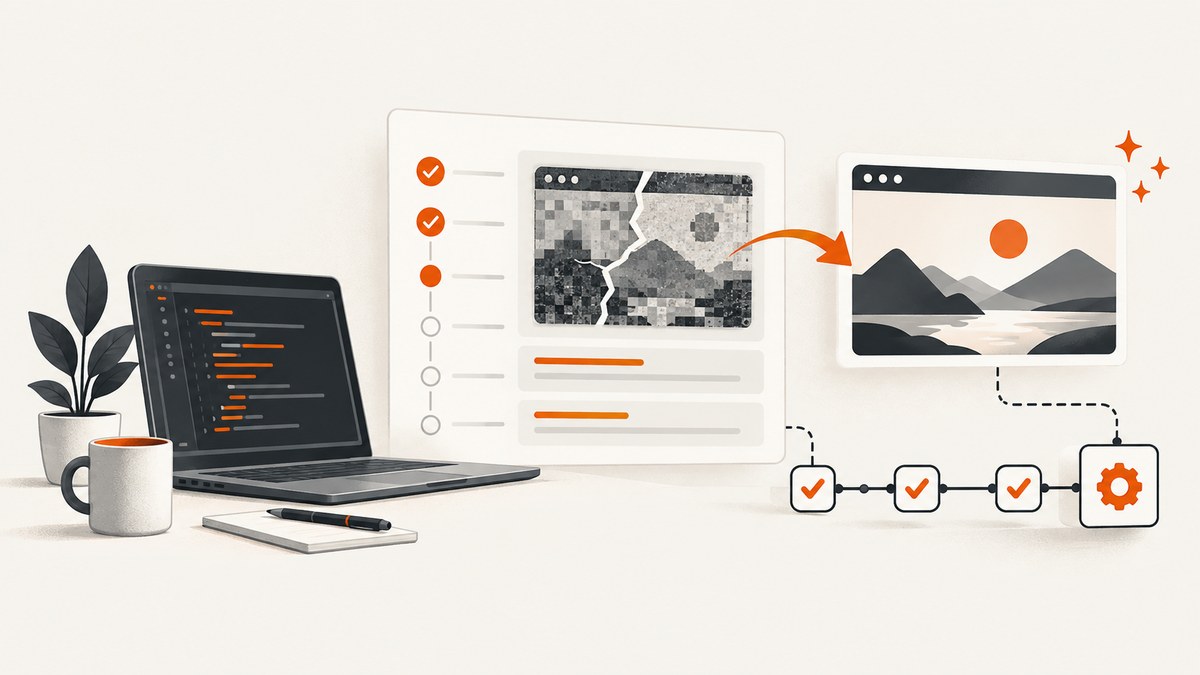
When an ExtentReports screenshot is missing or appears as a broken image, the report usually contains a reference to an image file that the browser cannot find. Fix the problem by proving the file exists, attaching it with the API that matches the log location, and packaging the report and image directory together. Use Base64 media when the report will move between machines or the CI workspace will be deleted.
1. The fastest fix for a missing ExtentReports screenshot
- Save the screenshot under the same output root as the HTML report.
- Log the screenshot’s absolute path, byte size, and readability immediately after capture.
- Use
addScreenCaptureFromPathfor a test-level attachment. - Use
MediaEntityBuilder.createScreenCaptureFromPath(path).build()when the screenshot belongs to a log or failure event. - Open the generated HTML and resolve the image
srcrelative to the report directory. - Keep the report and referenced images together when uploading CI artifacts.
- Switch to Base64 if a portable report must contain its own image data.
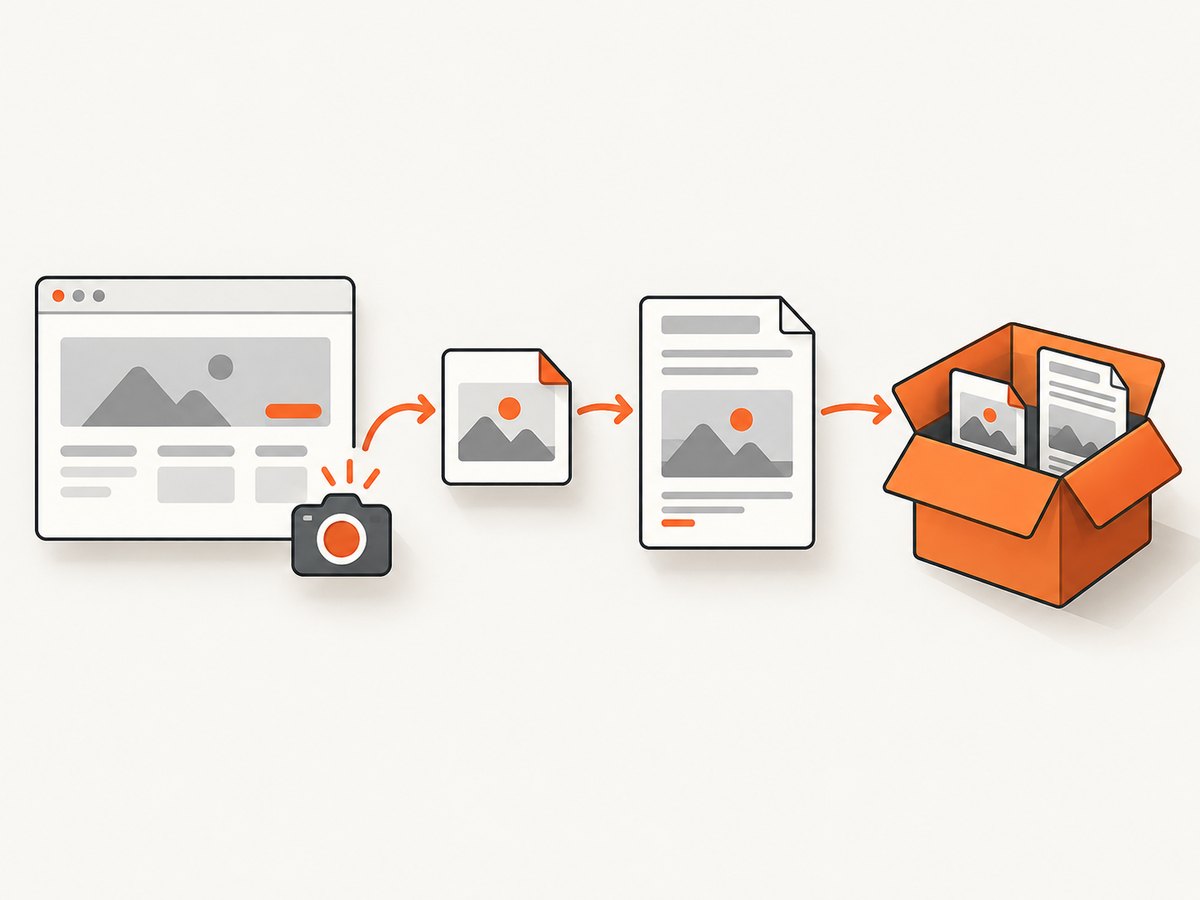
File-based reporters reference screenshots with an HTML <img> element. The path must therefore remain valid when someone opens the report. A screenshot that existed on a developer’s workstation is not enough if the report is later opened from a downloaded artifact.
2. Understand how ExtentReports stores screenshots
There are two separate operations: creating an image and associating that image with an ExtentReports test or log. Selenium’s TakesScreenshot API only creates the file. ExtentReports does not copy that file automatically in every reporter configuration; it records a path or embeds bytes, depending on the method you call.
| Storage method | Use it when | Typical failure |
|---|---|---|
| File path | The report and image directory will be shipped together | Wrong relative path, moved report, deleted workspace, or missing file |
| Base64 | The report moves between machines or images cannot be served separately | Larger HTML payload and higher memory use |
A test-level image and a log-level image use different APIs. Calling a test-level method when you are logging a failure is a common reason for an apparently successful test with no media beside the failure message.
3. Complete Java example using a file path
The following example creates a report and screenshots directory below one stable output directory. It uses the ExtentReports 5 reporter setup. Match the imports and reporter class to the major version installed in your project; ExtentReports 4 uses earlier reporter setup classes.
import com.aventstack.extentreports.ExtentReports;
import com.aventstack.extentreports.ExtentTest;
import com.aventstack.extentreports.MediaEntityBuilder;
import com.aventstack.extentreports.reporter.ExtentSparkReporter;
import org.openqa.selenium.By;
import org.openqa.selenium.OutputType;
import org.openqa.selenium.TakesScreenshot;
import org.openqa.selenium.WebDriver;
import org.openqa.selenium.chrome.ChromeDriver;

import java.io.IOException;
import java.nio.file.Files;
import java.nio.file.Path;
import java.nio.file.Paths;

public class ExtentScreenshotExample {
    public static void main(String[] args) throws IOException {
        Path output = Paths.get("build", "extent-report").toAbsolutePath();
        Path screenshots = output.resolve("screenshots");
        Files.createDirectories(screenshots);

        Path reportFile = output.resolve("index.html");
        ExtentSparkReporter spark = new ExtentSparkReporter(reportFile.toString());
        ExtentReports extent = new ExtentReports();
        extent.attachReporter(spark);

        WebDriver driver = new ChromeDriver();
        ExtentTest test = extent.createTest("Home page loads");

        try {
            driver.get("https://example.com");
            test.pass("Page opened");

            Path image = screenshots.resolve("home-page.png");
            Path written = ((TakesScreenshot) driver).getScreenshotAs(OutputType.FILE).toPath();
            Files.copy(written, image, java.nio.file.StandardCopyOption.REPLACE_EXISTING);

            long bytes = Files.size(image);
            System.out.println("Screenshot: " + image);
            System.out.println("Bytes: " + bytes);
            System.out.println("Readable: " + Files.isReadable(image));

            test.addScreenCaptureFromPath("screenshots/home-page.png");
        } catch (Exception error) {
            Path image = screenshots.resolve("failure.png");
            Path written = ((TakesScreenshot) driver).getScreenshotAs(OutputType.FILE).toPath();
            Files.copy(written, image, java.nio.file.StandardCopyOption.REPLACE_EXISTING);

            test.fail("Test failed: " + error.getMessage(),
                    MediaEntityBuilder.createScreenCaptureFromPath("screenshots/failure.png").build());
        } finally {
            driver.quit();
            extent.flush();
        }
    }
}
The path passed to ExtentReports is deliberately relative to index.html. If build/extent-report/index.html is opened, the browser resolves screenshots/home-page.png as build/extent-report/screenshots/home-page.png.
4. Attach a screenshot to a test versus a log
Test-level attachment
test.addScreenCaptureFromPath("screenshots/home-page.png");This adds media to the test’s result area. The API also has an overload that accepts a display title.
Failure or log attachment
test.fail("Checkout failed",
    MediaEntityBuilder.createScreenCaptureFromPath("screenshots/checkout-failure.png").build());
For a log entry, build a media entity and pass it to fail, warning, info, or another log method that accepts media. Do not rely on a test-level attachment call if the image must appear beside a particular failure message.
5. Use Base64 when paths are not portable
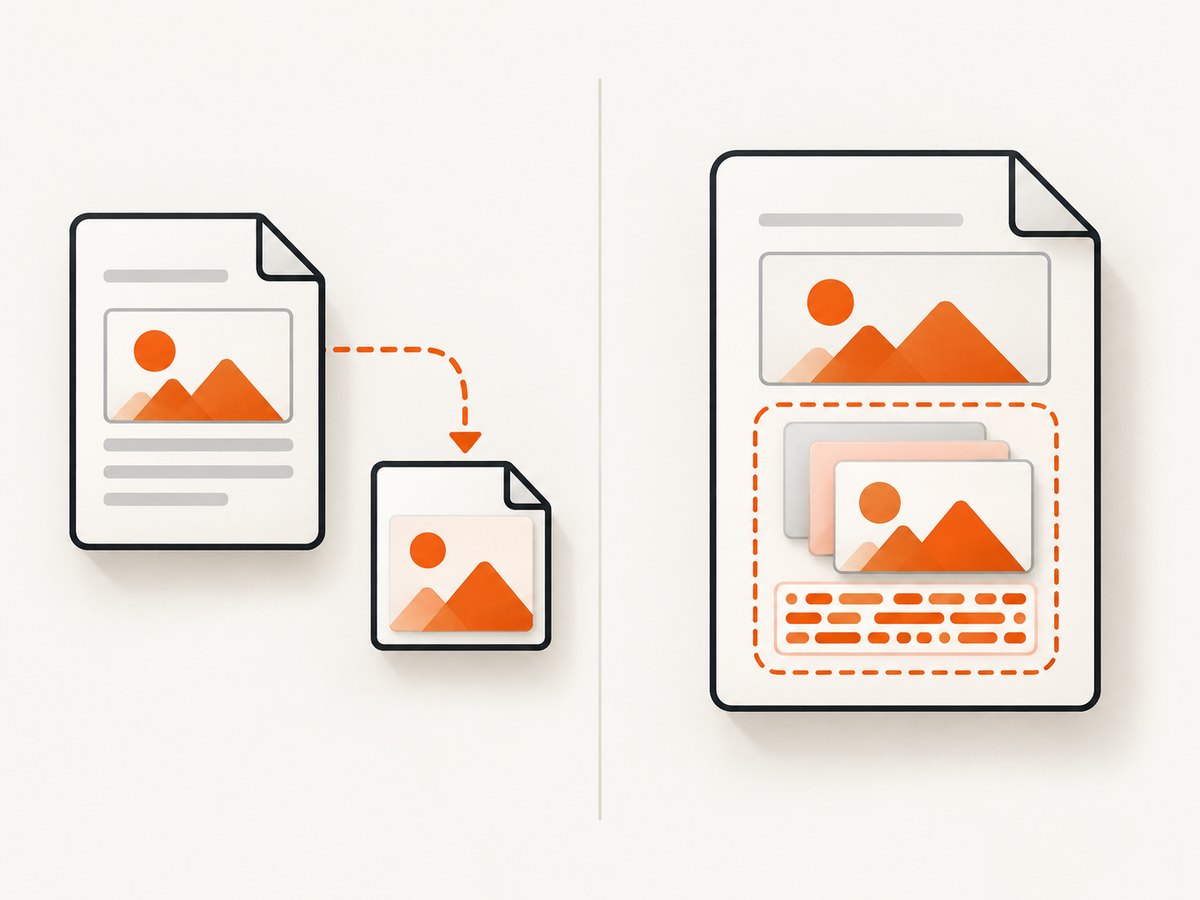
Base64 embeds the image bytes in the report. It avoids broken references when CI cleans its workspace, when a report is copied without its screenshot directory, or when a report is opened on another computer.
import java.nio.file.Files;
import java.nio.file.Path;

byte[] bytes = Files.readAllBytes(Path.of("build/extent-report/screenshots/failure.png"));
String base64 = java.util.Base64.getEncoder().encodeToString(bytes);

test.addScreenCaptureFromBase64String(base64);

test.fail("Failure with embedded media",
    MediaEntityBuilder.createScreenCaptureFromBase64String(base64).build());
Use Base64 only after confirming that the bytes are a valid image. A zero-byte file, an HTML error page saved with a .png suffix, or a truncated stream will still produce a broken result. Embedded images increase report size, browser parsing time, and memory consumption, especially when a suite captures many full-page images.
6. Make report paths survive CI
- Choose one output root such as
build/extent-reportortarget/extent-report. - Create the screenshots directory before the first test runs.
- Use relative paths from the report file to the image files.
- Do not use a developer-specific absolute path such as
/Users/alex/project/.... - Publish the entire output root as one CI artifact.
- Open the downloaded artifact locally before deleting the job workspace.
- Keep filenames unique when tests run in parallel.
If the report is copied into a different directory while the screenshots remain elsewhere, its relative URLs change. Either preserve the directory structure or regenerate the report with paths that match the new location. Some ExtentReports reporters provide automatic relative-path media handling; enable that option when it is available for your reporter and verify the resulting HTML.
7. Diagnose an ExtentReports broken image
Step 1: Prove the capture file exists
Immediately after the driver capture call, print the absolute path, size, and readability. Open the file independently. If it is missing, the problem is in the browser capture or filesystem step, not ExtentReports.
Step 2: Inspect the generated HTML
Search the report for <img and inspect the src value. Resolve that value relative to the report file’s directory. A path that points into a temporary runner directory will fail after the job ends.
Step 3: Confirm the attachment API
Use addScreenCaptureFromPath for a test attachment. Use MediaEntityBuilder.createScreenCaptureFromPath for a log or failure. For embedded media, use the matching Base64 method on the test or media builder.
Step 4: Check lifecycle order
The screenshot must be attached before the test is finalized, and extent.flush() must run after all logs and media have been added. In a shutdown hook, make sure the driver capture happens before the report is flushed.
Step 5: Verify the major version
ExtentReports 4 and 5 share the same concepts but differ in reporter setup and examples. Confirm the dependency version, imports, and reporter configuration. Historical upstream fixes include missing embedded screenshots and HTML reports containing an empty image path, so upgrading within your supported major version may address a known defect.
8. Common errors and fixes
| Symptom | Cause | Fix |
|---|---|---|
| Broken image icon | The HTML points to a missing file | Keep the screenshot directory beside the report and inspect the resolved src. |
| Works locally but not in CI | Absolute workstation path or cleaned workspace | Use a relative path and publish report plus images together, or use Base64. |
| Failure text appears without an image | Used a test-level method for a log event | Pass a media entity to fail or the relevant log method. |
| Image file is zero bytes | Capture or copy completed unsuccessfully | Check driver availability, permissions, and the copy result before attaching. |
| Wrong test shows the screenshot | Shared filename in parallel execution | Include test name, thread ID, and timestamp in the filename. |
| Report is very large or slow | Many high-resolution Base64 images | Prefer files, resize captures, and attach only diagnostic failures. |
| Method cannot be resolved | Wrong ExtentReports major version or import | Match the official example and dependency version used by the project. |
9. Parallel tests, retries, and edge cases
Parallel runners need collision-resistant filenames. A practical pattern is testName + threadId + attempt. Sanitize slashes, colons, and other characters that are invalid on the target operating system. On retries, either keep every attempt in a separate directory or deliberately overwrite the previous attempt and ensure the report references the final file.
For data-driven tests, include the data case in the filename. For a failed navigation, capture the browser before teardown; after driver.quit(), a screenshot call will fail. If a page is still loading, wait for the relevant element before capturing so the image represents the failure state you intend to diagnose.
10. Performance, reliability, and cost considerations
PNG preserves detail but can be large. JPEG is smaller for photographic pages but may obscure tiny text. Store only the screenshots needed for diagnosis, and avoid embedding every passing test image. Base64 is convenient for portability but increases HTML size because each image is encoded inside the document.
Stable output directories improve reliability: they make artifact collection predictable and simplify local reproduction. A report that references files is also easier to inspect with ordinary shell tools. When a team routinely relocates reports, Base64 removes an entire class of path failures at the cost of payload size.
11. Or skip the browser setup
If your goal is a clean screenshot for documentation, monitoring, or an automated report rather than a Selenium diagnostic capture, ScreenshotNeo provides a single HTTP request. Its API accepts the URL and returns PNG, JPEG, WebP, or PDF. Full-page capture loads lazy images, and options include custom CSS and JavaScript, waits, device presets, dark mode, hidden selectors, headers, cookies, and more. See the ScreenshotNeo documentation for the complete parameter list.
curl -G "https://api.screenshotneo.com/v1/shot" -d access_key=YOUR_API_KEY --data-urlencode url=https://stripe.com -o shot.webpimport requests
r = requests.get("https://api.screenshotneo.com/v1/shot", params={"access_key": "YOUR_API_KEY", "url": "https://stripe.com"}, timeout=90)
open("shot.webp", "wb").write(r.content)const q = new URLSearchParams({ access_key: 'YOUR_API_KEY', url: 'https://stripe.com' });
const res = await fetch(`https://api.screenshotneo.com/v1/shot?${q}`);Cookie and consent banners, newsletter popups, and chat widgets are removed before the shot. Bot checks, blank pages, failed loads, timeouts, and cache hits are not billed, and response headers identify the page verdict and billing result. ScreenshotNeo also provides an MCP server for AI agents with take_screenshot, get_page_info, and capture_pdf. The free plan includes 1,000 screenshots each month with no card; paid plans start at $5 for 3,000 shots. Create a free ScreenshotNeo account.
12. FAQ
Why is my ExtentReports screenshot missing?
Usually the referenced file was deleted, moved, never written, or attached with the wrong API. Check the HTML path and the file immediately after capture.
Should I use a relative or absolute path?
Use a relative path when the report and images are packaged together. Absolute paths are fragile across machines and CI runners.
When should I choose Base64?
Choose it when reports are relocated or uploaded without a dependable image directory. Expect larger report files.
Why does the report work locally but not in CI?
CI commonly uses a different working directory or deletes temporary files. Publish the complete output root or embed the image.
Does extent.flush() affect screenshots?
Yes. Flush after all logs and attachments are added. Flushing too early can leave the final media out of the generated report.


