How to Fix Missing Images in Flying Saucer PDFs
Flying Saucer usually omits images because it cannot resolve or load their resource URI. Set the document base URL, check the PDF user agent and logs, and validate the image bytes.

When Flying Saucer renders text but leaves images blank, first check how it resolves the image URI. Relative paths need a real document base URL; rendering XHTML from a string or DOM does not automatically tell the renderer where that document lives. For PDF output, use Flying Saucer’s PDF-aware ITextUserAgent unless you have a specific reason to replace it. Then inspect the resolved URI, resource-loading logs, and image bytes before changing CSS.
This guide covers filesystem, HTTP, classpath, and data-URI images; Java examples; custom resource loading; version and runtime checks; and a practical troubleshooting sequence. The library’s user agent is responsible for retrieving XML, CSS, and image data and resolving URIs. Its guide specifically calls out ITextUserAgent for PDF output when customizing that resource-loading path. Flying Saucer User’s Guide
1. Set the document base URL
A relative reference such as images/logo.png has meaning only in relation to a base. If your XHTML is a string or DOM and contains relative CSS or image references, pass the URL of the directory or address where the document belongs. The official FAQ says the base URL should not be null in this case. Flying Saucer project
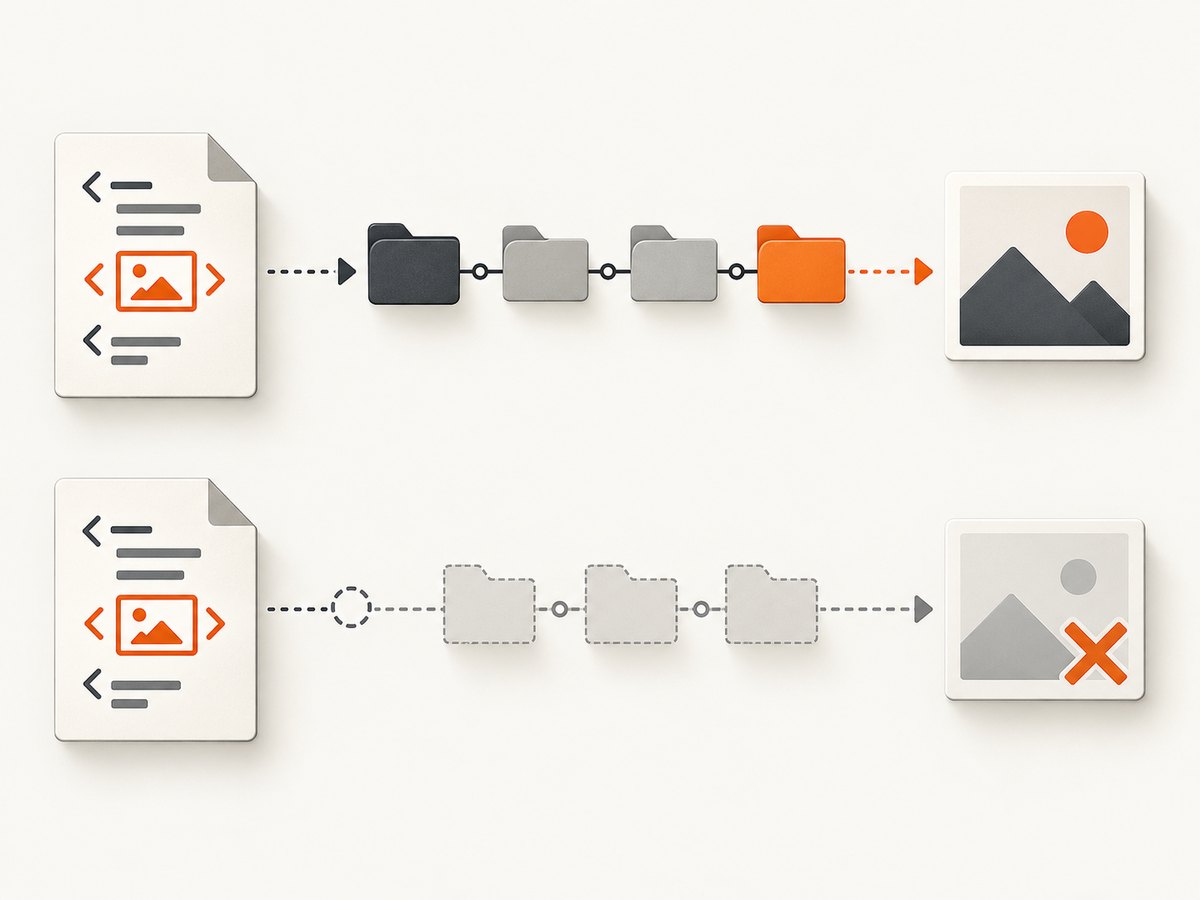
Suppose the XHTML contains <img src="images/logo.png" />. With a base of file:/srv/app/templates/, the renderer should resolve it to file:/srv/app/templates/images/logo.png. A directory base should end with a slash so URI resolution treats the final segment as a directory.
Complete Java example: render a string with a base URL
For the OpenPDF-backed flying-saucer-pdf artifact, a minimal string-rendering example is:
import java.io.FileOutputStream;
import org.xhtmlrenderer.pdf.ITextRenderer;

public class RenderPdf {
    public static void main(String[] args) throws Exception {
        String xhtml = """
            <html xmlns=\"http://www.w3.org/1999/xhtml\">
              <head><title>Report</title></head>
              <body>
                <h1>Report</h1>
                <img src=\"images/logo.png\" alt=\"Company logo\" />
              </body>
            </html>
            """;

        // The base points to the directory containing images/.
        String baseUrl = "file:/srv/app/templates/";
        ITextRenderer renderer = new ITextRenderer();
        renderer.setDocumentFromString(xhtml, baseUrl);
        renderer.layout();
        try (FileOutputStream out = new FileOutputStream("report.pdf")) {
            renderer.createPDF(out);
        }
    }
}
Use the overload available in your Flying Saucer release, such as setDocumentFromString(content, baseUrl). Releases also expose string helpers and DOM methods that accept a base URL; check the API for the version you have pinned. ITextRenderer source
Use a URL-backed document when possible
If the XHTML itself is a file or URL, let that document location provide the base. This avoids separately reconstructing the base and reduces mistakes when documents move between environments. Do not assume the JVM’s current working directory is the document directory.
import java.io.File;
import java.io.FileOutputStream;
import org.xhtmlrenderer.pdf.ITextRenderer;

public class RenderFile {
    public static void main(String[] args) throws Exception {
        File input = new File("/srv/app/templates/report.xhtml");
        ITextRenderer renderer = new ITextRenderer();
        renderer.setDocument(input);
        renderer.layout();
        try (FileOutputStream out = new FileOutputStream("report.pdf")) {
            renderer.createPDF(out);
        }
    }
}
DOM input
When you parse XHTML yourself, provide the base explicitly with the DOM overload:
// Document doc = ...; // parsed, well-formed XHTML
renderer.setDocument(doc, "file:/srv/app/templates/");
The base should describe the location of the XHTML document, not the image file itself. For a web document, use its page URL or a suitable resource root. For a filesystem document, use a file: URL. For remote references, ensure the runtime can access the host and that its TLS, authentication, and network policies allow the request.
2. Keep PDF resource loading PDF-aware
Flying Saucer asks a UserAgentCallback to resolve URIs and retrieve resources. If you override it, a callback that works for screen rendering may not do everything required by PDF image handling. The project guide recommends examining org.xhtmlrenderer.pdf.ITextUserAgent when supplying a custom callback for PDF output. User Guide: UserAgentCallback
The relevant hooks include URI resolution, base URL handling, image retrieval, and binary resource retrieval. In the PDF module, ITextUserAgent builds on the ordinary user agent and includes PDF-specific image handling. ITextUserAgent source
For ordinary filesystem or public HTTP images, start with the renderer’s default PDF user agent. If resources need authentication, come from a classpath or in-memory store, or use a custom URI scheme, extend or adapt the PDF-aware behavior rather than replacing it with a callback that only returns bytes for one case.
Custom callback checklist
- Resolve relative URIs against the configured document base.
- Retrieve the image at the resolved URI and return bytes or an image resource the PDF pipeline can decode.
- Support binary resources when the renderer requests them.
- Preserve any PDF-specific image conversion or sizing behavior from the compatible
ITextUserAgentimplementation. - Log the original URI, resolved URI, and retrieval or decoding failure. Avoid swallowing errors and returning an unusable resource silently.
- For classpath images, explicitly map the URI to a classloader resource; a
file:-relative reference cannot find a resource packaged inside a JAR.
3. Diagnose the resolved URI before editing CSS
A missing or unreadable image commonly becomes an empty image box. Determine whether the failure is URI resolution, access, decoding, or a version change before adjusting dimensions or layout rules.
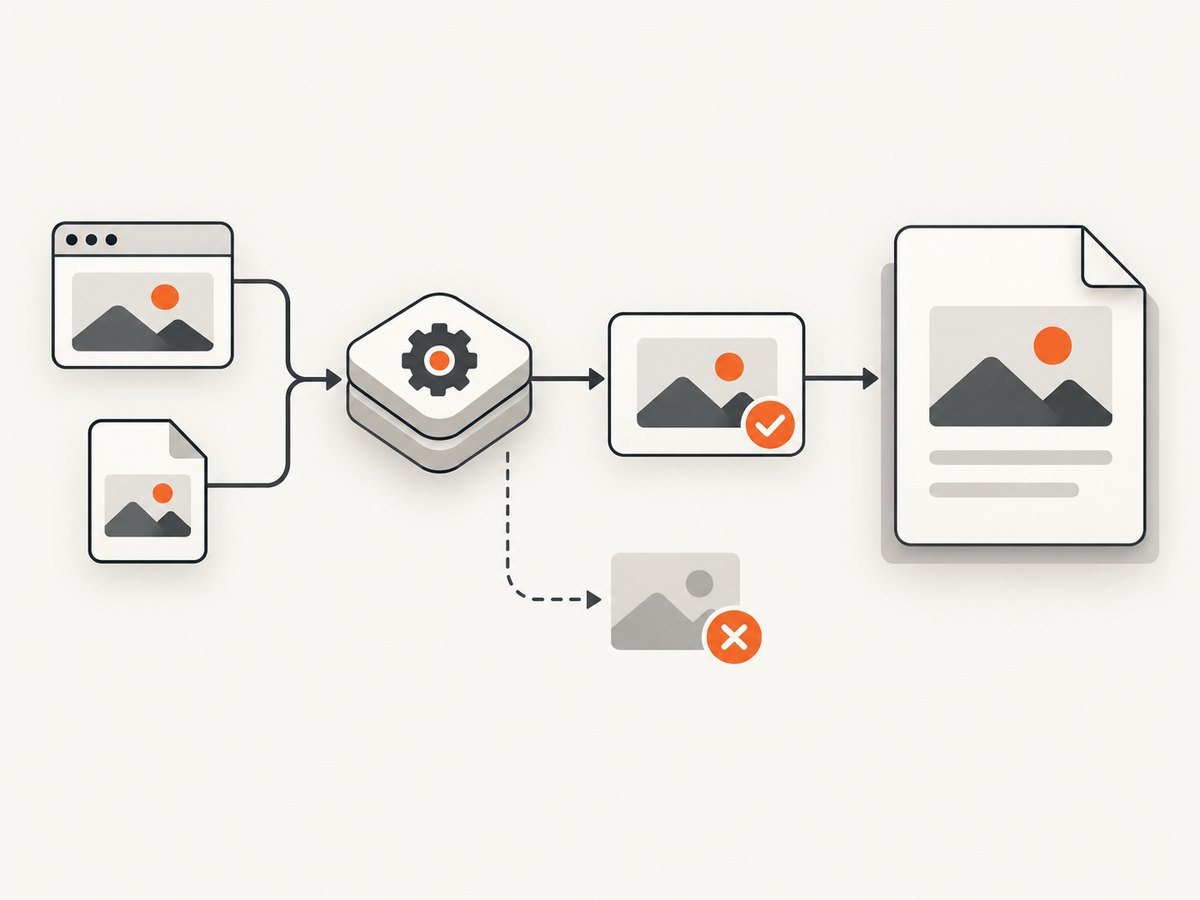
- Print the XHTML source reference. Record the exact
src, including capitalization, spaces, query parameters, and any URI scheme. - Print or log the resolved URI. Resolve it against the configured base using the same URI rules as the renderer. Confirm the result points to the intended file or endpoint.
- Open the resolved resource from the same runtime environment. A browser on your laptop may have credentials, network access, or a working directory that the server JVM does not.
- Record status, content type, and byte length. A successful HTTP response can still contain an HTML login page or error document instead of an image.
- Check Flying Saucer logs. Separate URI/path errors, transport or security failures, decoding failures, and errors introduced after a dependency upgrade.
- Render one known-good absolute PNG. If it renders, the PDF pipeline can handle at least that image and the problem is likely specific to the failing resource or format.
Flying Saucer’s PDF user agent logs warnings or errors when image loading fails and returns no usable image. Its source also has a specific path for embedded base64 images. PDF user-agent implementation
4. Check data URIs and image formats
For embedded images, verify both the data-URI prefix and the decoded bytes. A PNG data URI typically begins data:image/png;base64,, followed by the base64-encoded binary. Common defects include a missing comma, the wrong media type, accidental whitespace or line breaks, HTML-escaped characters, truncated payloads, and base64 generated from text rather than the original image bytes.
<img alt="Chart" src="data:image/png;base64,iVBORw0KGgo..." />Validate the decoded payload with an image decoder or save it to a temporary file and open it independently. Check the actual format rather than trusting a filename or declared MIME type. An HTTP endpoint can return an HTML error page with status 200; that is not a valid image resource.
SVG and PNG issues can also be version-specific. The Flying Saucer changelog lists a PNG-loading fix in 10.2.2, SVG images with a BOM prefix in 10.2.1, and base64-image sizing in 9.13.1. If the same input stopped working after an upgrade, compare the installed release with the changelog, then test a compatible newer release or bisect the dependency change. These entries are evidence of specific fixes, not a guarantee that every image issue has the same cause. Flying Saucer changelog
5. Check dependencies and Java compatibility
Confirm the application uses matching Flying Saucer module versions. Avoid mixing an old core JAR with a newer PDF module: dependency skew can cause resource or decoder failures before layout is complete. Also confirm that the selected artifact is the renderer you intend to use. The project lists flying-saucer-pdf for OpenPDF-backed output and flying-saucer-chrome-pdf for output delegated to chrome-headless-shell. Repository and artifact information
The repository states these minimum Java levels by release line: Java 11 or later from 9.5.0, Java 17 or later from 9.6.0, and Java 21 or later from 10.0.0. Check the release documentation for the artifact version you actually deploy; do not select a runtime based on a different module’s version. Flying Saucer README
6. Troubleshooting common missing-image cases
| Symptom | Likely cause | Fix |
|---|---|---|
| Images work when opening XHTML, but disappear in PDF | The renderer receives a string or DOM without the source document’s base URL. | Pass the directory or page URL to the string or DOM rendering method. Confirm the resolved image URI. |
| Images work on a developer machine, not in production | Different working directory, filesystem layout, network access, TLS trust, credentials, or sandbox policy. | Log the resolved URI in production and test retrieval from the same JVM container and identity. |
| Only relative paths fail | Null or incorrect base, missing trailing slash on a directory URL, or path case mismatch. | Use the document’s actual directory as the base; check URI resolution and filename case. |
| Public HTTP image is blank | Redirect, authentication, TLS, proxy, or remote server response differs from browser access. | Inspect the final status, headers, and body bytes from the server environment. Use a custom PDF-aware callback if authentication is required. |
| Classpath image cannot be found | A classpath resource is being treated like a filesystem-relative path. | Use a callback that reads it through the classloader and returns the resource through Flying Saucer’s expected image-loading path. |
| Base64 image is blank or has wrong dimensions | Malformed data URI, corrupt/truncated bytes, or a release-specific handling issue. | Decode and inspect the bytes; verify the prefix and MIME type; compare the installed release with the changelog fixes. |
| SVG fails while PNG works | SVG support, document contents, BOM handling, or backend compatibility differs. | Check logs and the SVG bytes; test a simple known-good SVG and consult the version changelog, including the BOM fix entry. |
| Every image fails after dependency update | Core/PDF module version mismatch, runtime incompatibility, or changed resource-loading behavior. | Align Flying Saucer artifacts, confirm Java requirements, and reproduce with a minimal document on the previous and current versions. |
| Image box exists but is empty | Resource retrieval or decode failed; CSS may not be the cause. | Inspect resource logs and bytes first. Only investigate dimensions, visibility, or layout after confirming the image loads. |
7. Performance, reliability, and operations
Remote image retrieval adds network latency and an external failure point to PDF generation. Prefer stable, reachable resource locations and avoid making repeated remote requests for identical assets when your application can safely reuse local or cached content. The built-in user agent has basic resource caching; custom callback implementations should define suitable caching and failure logging rather than accidentally fetching every resource repeatedly.
For reliability, generate PDFs in an environment with predictable filesystem paths, network policy, credentials, and certificate trust. Record the renderer version, Java version, document base, resolved URI, content type, and byte count when a resource fails. Do not log sensitive query strings or authorization material. If a remote image is optional, decide at the application level whether a missing image should fail the report or produce a PDF with an explicit placeholder; Flying Saucer cannot infer that policy.
Cost is primarily operational: remote fetches consume time and infrastructure resources, while malformed resources lead to retries or regenerated documents. The supplied project documentation does not publish a benchmark or universal rendering cost, so measure generation time and memory with your document sizes, image dimensions, and network conditions.
8. Use ScreenshotNeo when the source is a web page
If the image you need is a rendered website rather than a local report asset, ScreenshotNeo can return a website screenshot or PDF from one GET request. For Flying Saucer documents with their own local, embedded, or authenticated image resources, use the base URL and resource-loading steps above.
Or skip the browser setup
One call returns an image or PDF. The example below requests a PDF of a web page; see the ScreenshotNeo API documentation for output parameters and the API reference.
curl -G "https://api.screenshotneo.com/v1/shot" \
  -d access_key=YOUR_API_KEY \
  --data-urlencode url=https://stripe.com \
  -d format=pdf \
  -o page.pdf
import requests
r = requests.get(
"https://api.screenshotneo.com/v1/shot",
params={"access_key": "YOUR_API_KEY", "url": "https://stripe.com", "format": "pdf"},
timeout=90,
)
r.raise_for_status()
open("page.pdf", "wb").write(r.content)const q = new URLSearchParams({
access_key: 'YOUR_API_KEY',
url: 'https://stripe.com',
format: 'pdf'
});
const res = await fetch(`https://api.screenshotneo.com/v1/shot?${q}`);
if (!res.ok) throw new Error(`ScreenshotNeo returned ${res.status}`);
await import('node:fs/promises').then(fs => fs.writeFile('page.pdf', Buffer.from(await res.arrayBuffer())));- Cookie banners are accepted and removed before capture; 60+ known consent platforms, newsletter popups, and chat widgets can be removed, and each cleanup step can be turned off.
- Bot checks, blank pages, timeouts, failed loads, and cache hits are not billed; response headers identify the page verdict and billing status.
- An MCP server gives Claude, Cursor, and other MCP clients screenshot, page-info, and PDF capture tools.
- The Free plan includes 1,000 shots per month with no card; paid plans start at $5 for 3,000 shots. Every feature is on every plan.
Create a free ScreenshotNeo account for 1,000 screenshots a month with no card.
9. FAQ
Can I set the base URL to the image directory?
Yes, if every relative reference is intended to resolve from that directory. Usually the correct base is the XHTML document’s location, with references written relative to it. Use the image directory as the base only when that matches the paths in the document.
Does a null base URL always break rendering?
No. It can be appropriate when all resource references are absolute or when there are no external resources. Relative paths require a usable base.
Should I convert every image to base64?
No. Base64 avoids a separate URI lookup but increases document size and introduces encoding and format validation concerns. Use it when embedding is useful, and verify the decoded bytes.
Why did this start after a Flying Saucer upgrade?
Check the exact artifact versions, Java runtime, and changelog. The project has documented fixes for PNG loading, SVG BOM prefixes, and base64 sizing across specific releases, so reproduce with a minimal input before attributing the cause.


