How to Fix Missing Images in PDFs Generated With html2pdf.js
Fix missing html2pdf.js images by checking CORS, proxy access, image readiness, and renderer limits with runnable code and diagnostics.
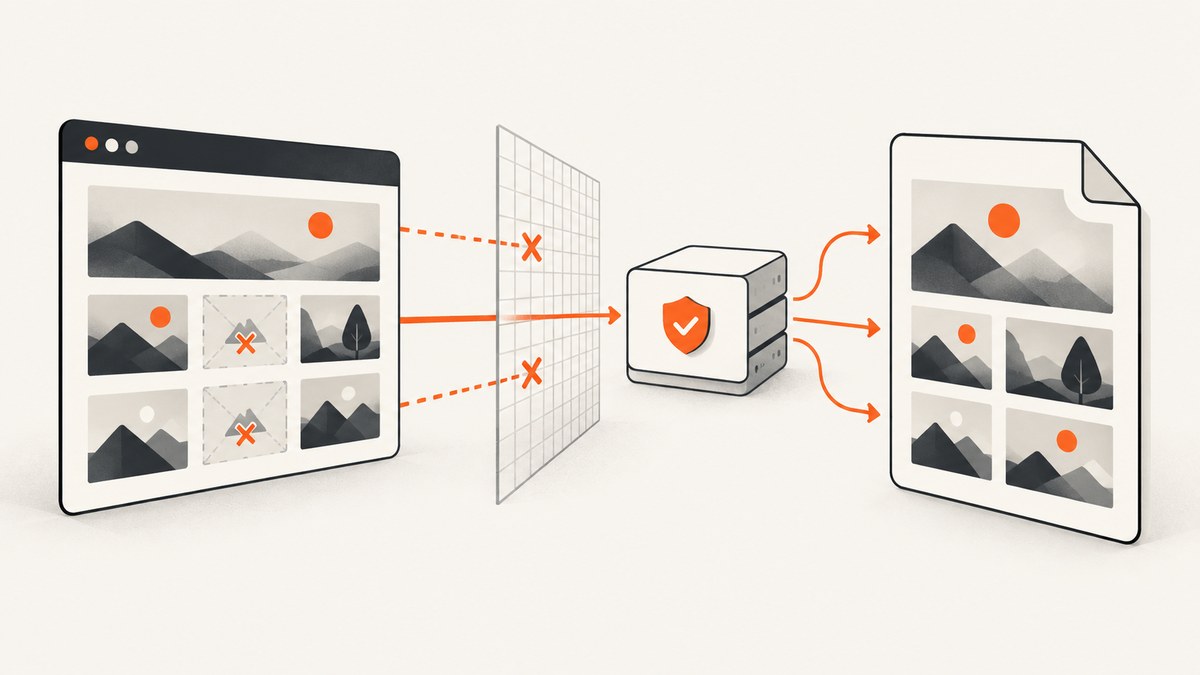
Missing images in an html2pdf.js PDF usually come from one of two separate problems: the browser cannot let html2canvas read an image from another origin, or the PDF render starts before the image has finished loading. Fix the first with a CORS-enabled response or a controlled same-origin proxy. Fix the second by waiting for every image to load or fail before calling html2pdf.js. Increasing a timeout alone cannot bypass browser security.
html2pdf.js runs a browser-side pipeline: it clones the selected DOM, html2canvas reconstructs that DOM as a canvas, and jsPDF puts the rendered result into a PDF. The html2pdf.js options documentation passes html2canvas settings through the html2canvas property. The html2canvas FAQ explains that the browser’s same-origin rules can prevent external images from being included.
1. Identify which failure you have
Open the page normally and inspect every image in DevTools. Record the image’s final URL after JavaScript has run, not only the original HTML attribute. Compare that URL’s origin (scheme, host, and port) with the page origin.
- Same origin, request fails: investigate a bad URL, a 401/403 response, authentication, hotlink protection, redirects, or a race with page rendering.
- Different origin, CORS error: the image server must explicitly allow the page origin, or you must fetch the image through a proxy you control.
- Image loads in the page but is absent in the PDF: check both origin permission and image readiness. A visible image does not prove that canvas code can read it.
- Image is inside a cross-origin iframe: the parent page cannot read that iframe’s DOM under browser security rules. Render the content in an accessible context or use an authorized export endpoint.
In the Console and Network panels, look for CORS messages, failed status codes, redirects to login pages, and requests that are still pending when PDF generation begins. Also inspect img.complete, naturalWidth, and naturalHeight. An image can be marked complete after a failed request, so a zero natural width is useful evidence of failure.
2. Enable CORS correctly
Set useCORS: true in the nested html2canvas options:

html2pdf().set({
  html2canvas: {
    useCORS: true
  }
}).from(element).save();
This requests CORS-mode loading. It does not grant permission by itself. The server that returns the image must include an Access-Control-Allow-Origin response header that matches your page origin (or an appropriate permitted value for your deployment). If the server declines the request, useCORS cannot override it. The documented default for useCORS is false; check the html2canvas configuration reference for the version installed in your application.
When you create an Image object yourself, set its request mode before assigning src:
const image = new Image();
image.crossOrigin = "anonymous";
image.src = "https://cdn.example.com/report-chart.png";
image.onload = () => console.log("image loaded");
image.onerror = (error) => console.error("image failed", error);
The attribute controls how the browser asks for the resource; it still requires the response header. It is not a workaround for a server that does not permit your origin. If credentials are required, the server and client must use a compatible credentialed CORS policy rather than the anonymous example above.
3. Use a controlled proxy when you cannot change the image host
html2canvas documents proxy as the alternative when an external host cannot provide CORS. A proxy fetches the image server-side and returns it in a form the browser can read from your own origin, commonly as an image response or data URI. Use only a proxy you operate or have permission to use.
A production proxy should validate destinations against an allowlist, reject private-network addresses, limit response size and content type, apply authentication and rate limits, and avoid forwarding arbitrary credentials. Do not publish an unrestricted URL fetcher: it can be abused for internal network access and bandwidth theft.
html2pdf().set({
  html2canvas: {
    proxy: "/image-proxy",
    useCORS: false
  }
}).from(document.querySelector("#invoice")).save("invoice.pdf");
The exact proxy protocol depends on your server. Confirm that it returns a successful image response, preserves a useful content type, and does not redirect the browser back to the original cross-origin URL. If the image requires a cookie or authorization header, the proxy must obtain it lawfully on the server side; do not expose private tokens in a public browser URL.
4. Wait for images before generating the PDF
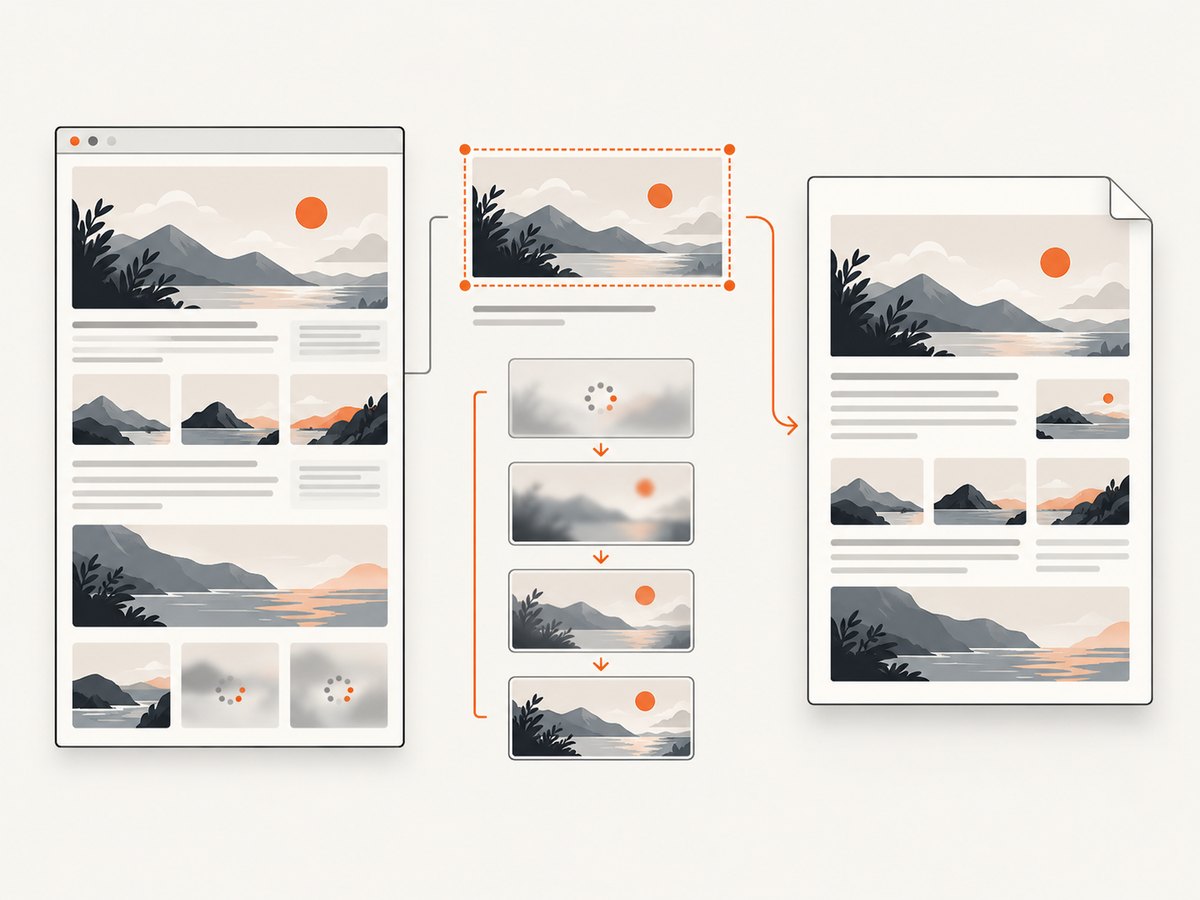
Origin permission and readiness are independent checks. Use a readiness function that waits for successful loads and records failures:
function waitForImages(root) {
  const images = Array.from(root.querySelectorAll("img"));
  return Promise.all(images.map((img) => {
    if (img.complete) {
      return img.naturalWidth > 0
        ? Promise.resolve()
        : Promise.reject(new Error(`Image failed: ${img.currentSrc || img.src}`));
    }

    return new Promise((resolve, reject) => {
      img.addEventListener("load", resolve, { once: true });
      img.addEventListener("error", () => {
        reject(new Error(`Image failed: ${img.currentSrc || img.src}`));
      }, { once: true });
    });
  }));
}

async function makePdf() {
  const element = document.querySelector("#invoice");
  await waitForImages(element);

  await html2pdf().set({
    margin: 12,
    filename: "invoice.pdf",
    image: { type: "jpeg", quality: 0.95 },
    html2canvas: {
      useCORS: true,
      imageTimeout: 15000,
      logging: true
    },
    jsPDF: { unit: "mm", format: "a4", orientation: "portrait" }
  }).from(element).save();
}

makePdf().catch(console.error);
The documented html2canvas imageTimeout default is 15,000 milliseconds. Raise it only when resources are legitimately slow. A longer timeout cannot fix a missing CORS header, an unauthorized request, or a broken URL. You can also wait for an application-specific selector, fonts, charts, or lazy-loaded content before this function runs.
5. Complete configuration reference
| Option | What it does | When it helps | Limit |
|---|---|---|---|
useCORS |
Attempts CORS-mode image loading. | You control the image host and it sends permission headers. | Cannot override a server policy. |
proxy |
Loads resources through a proxy URL. | The image host cannot be changed to allow CORS. | Requires a secure, available proxy you control. |
allowTaint |
Allows drawing resources that taint the canvas. | Rare cases where you never need to read the canvas. | It is not a practical PDF fix when the renderer must export canvas pixels; CORS or a proxy is the supported path. |
imageTimeout |
Maximum wait for image loading; documented default is 15000 ms. | Slow but valid images. | Does not solve CORS or authorization failures. |
logging |
Emits renderer diagnostics. | Debugging skipped resources and layout work. | Disable or reduce logs in normal production flows. |
onclone |
Edits the cloned document before rendering. | Render-only style changes, removing animations, or replacing lazy placeholders. | Cannot grant access to a cross-origin resource. |
Example use of onclone for render-only changes:
html2pdf().set({
  html2canvas: {
    useCORS: true,
    onclone: (clonedDocument) => {
      clonedDocument.querySelectorAll(".no-print").forEach((node) => {
        node.remove();
      });
    }
  }
}).from(document.querySelector("#report")).save();
6. Edge cases that look like image bugs
Lazy loading
An image with loading="lazy" may not have been requested when the capture starts. Scroll it into view, replace the lazy state, or wait for the image readiness check. If the page uses an IntersectionObserver, trigger the same condition your application uses before exporting.
Authentication and signed URLs
Images protected by cookies, bearer tokens, expiring signatures, or referer checks can load for the page and still fail in a cloned render. Verify the final request headers and expiry time. A server-side proxy can attach credentials without exposing them to users, provided your access rules permit that design.
Redirects and hotlink protection
A CDN URL may redirect to a different host, an HTML error page, or a login form. Inspect the final response, not only the initial URL. The response must be an image and must satisfy the CORS policy seen by the browser.
SVG and CSS background images
Check both <img> elements and CSS background-image URLs. Each external resource has its own loading and origin requirements. Inline SVG or data URLs avoid a separate network origin, but converting private content to a data URL can increase memory use and expose data in the document.
Cross-origin iframes
html2canvas reconstructs accessible DOM and styles; it does not obtain unrestricted access to a different origin’s iframe document. Ask the embedded service for an export endpoint, host the content under an allowed origin, or capture the iframe through a system that is authorized to access it.
7. Troubleshooting decision table
| Symptom | Likely cause | Fix |
|---|---|---|
| Console reports CORS and PDF omits image | Image response does not authorize the page origin. | Configure Access-Control-Allow-Origin, enable useCORS, or use a controlled proxy. |
| Same-origin image is absent | Bad URL, 401/403, broken redirect, or timing. | Inspect Network status and final URL; wait for load/error before capture. |
| Image works in the page but not the PDF | Canvas cannot read the resource, or capture started too early. | Check origin headers, naturalWidth, and readiness separately. |
| Increasing timeout changes nothing | Security or authorization failure rather than slowness. | Fix CORS/proxy or credentials; keep timeout within a sensible bound. |
| Layout differs from the browser | html2canvas rebuilds DOM/CSS instead of taking a native screenshot. | Review supported CSS, simplify render-only styles, or choose a browser-native rendering architecture when pixel fidelity is mandatory. |
| Image in a cross-origin iframe disappears | Browser blocks iframe DOM access. | Use an authorized export path or render in an accessible context. |
Turn on logging: true while diagnosing. Compare a direct html2canvas call with the html2pdf.js worker chain to establish whether the image disappears during canvas construction or during PDF assembly. Check the installed package versions because defaults and worker-chain details can vary.
8. Performance, reliability, and security
- Reduce work: capture only the required element, resize very large source images, and avoid rendering hidden pages or duplicate assets.
- Control concurrency: exporting several long pages at once can consume substantial browser memory. Queue jobs and release object URLs after use.
- Set bounded waits: use a readiness timeout and report which image failed. An infinite wait turns one broken asset into a stuck export.
- Cache safely: cache public immutable assets by URL and version. Do not share cached private images between users.
- Protect proxies: allowlist hosts, block localhost and private IP ranges, cap bytes, validate MIME types, and rate-limit requests.
- Keep data private: avoid logging signed URLs or authorization headers. Treat generated PDFs and source images as potentially sensitive.
9. Or skip the browser setup
If your goal is a reliable page image or PDF rather than maintaining a browser export pipeline, ScreenshotNeo provides a website screenshot API. One GET request returns PNG, JPEG, WebP, or PDF. It accepts cookie and consent banners as a visitor, then removes more than 60 known consent platforms, newsletter popups, and chat widgets before capture; each cleanup step can be disabled. Bot checks, CAPTCHAs, blank pages, timeouts, failed loads, and cache hits are not billed, and the response identifies the result with X-Page-Verdict and X-Billed headers.
Use the API base endpoint documented at ScreenshotNeo’s developer documentation:
curl -G "https://api.screenshotneo.com/v1/shot" -d access_key=YOUR_API_KEY --data-urlencode url=https://stripe.com -o shot.webpimport requests
r = requests.get(
"https://api.screenshotneo.com/v1/shot",
params={"access_key": "YOUR_API_KEY", "url": "https://stripe.com"},
timeout=90,
)
r.raise_for_status()
open("shot.webp", "wb").write(r.content)const q = new URLSearchParams({ access_key: 'YOUR_API_KEY', url: 'https://stripe.com' });
const res = await fetch(`https://api.screenshotneo.com/v1/shot?${q}`);
if (!res.ok) throw new Error(`Screenshot failed: ${res.status}`);
const bytes = Buffer.from(await res.arrayBuffer());
await import('node:fs/promises').then(fs => fs.writeFile('shot.webp', bytes));ScreenshotNeo also supports full-page capture with lazy images loaded, CSS-selector element capture, custom CSS and JavaScript, click and wait actions, blocked resource types, headers, cookies, authorization, timezone and geolocation, transparent backgrounds, resizing, chosen cache TTLs, signed links, asynchronous jobs with signed webhooks, bulk capture for up to 100 URLs per call, PDF page settings, usage reporting, and an OpenAPI specification. Its MCP server exposes take_screenshot, get_page_info, and capture_pdf for Claude, Cursor, and other MCP clients. The parameter names used by other screenshot APIs also work, which helps when switching.
There is a free plan with 1,000 screenshots per month and no card. Paid plans start at $5 for 3,000 shots; yearly billing gives two months free, and every feature is available on every plan. Create a free ScreenshotNeo account to try the API.
10. FAQ
Does useCORS: true always fix missing images?
No. It only works when the image response grants permission to the page origin. Otherwise use a controlled proxy or change the image host policy.
Can allowTaint: true make the PDF include any image?
No. A tainted canvas cannot safely be read for export, so CORS or proxy access remains the practical solution.
Should I preload every image?
Preloading can improve timing, but it cannot bypass origin restrictions. Confirm both successful loading and permission before capture.
Why does the browser image look correct while the PDF differs?
html2canvas reconstructs the DOM and supported styles rather than taking a native screenshot. Unsupported CSS, iframe boundaries, and resource policy can therefore change the result.
What should I check after upgrading html2pdf.js?
Check the installed html2pdf.js and html2canvas versions, then verify the option nesting and defaults against their current documentation.


