How to Fix Missing Images in Rails PDFs Generated with Grover
Fix missing images in Rails PDFs made with Grover: resolve relative URLs, deploy assets, diagnose Chromium requests, and avoid localhost traps.
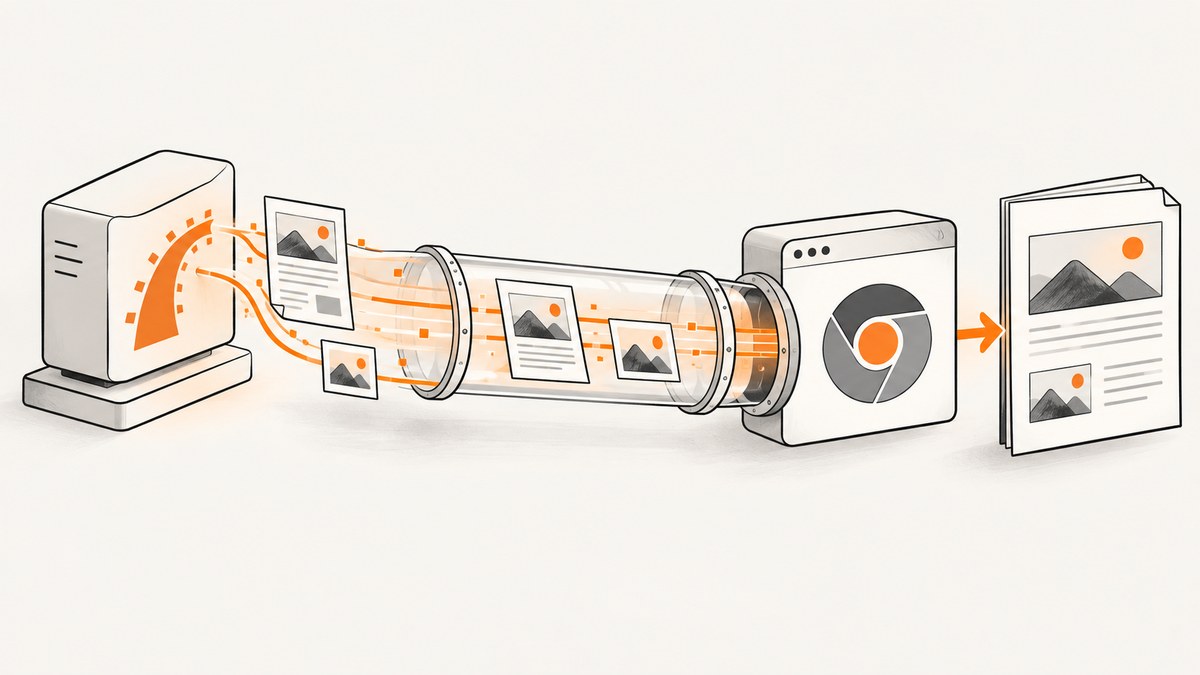
Direct answer: Grover renders your HTML in Chromium. Missing images usually mean Chromium cannot resolve or fetch the image URL. When you pass HTML directly to Grover, set a reachable display_url base URL or rewrite every image and CSS URL to an absolute URL. In Rails production, make sure the compiled asset actually exists at that URL and is reachable from the Chromium process. During diagnosis, enable raise_on_request_failure: true so failed or timed-out asset requests are reported.
Grover uses Puppeteer and Chromium to turn HTML into PDFs and images. Relative resources therefore follow browser URL rules: Chromium resolves them against the display URL host. The Grover documentation states that “Chromium will try and resolve any relative paths via the display url host.” Read the Grover README.
1. Confirm what HTML Grover actually receives
Before changing browser settings, inspect the final HTML string. A Rails helper can generate an image reference successfully while the browser still cannot reach the resulting URL.
html = render_to_string(
  template: "invoices/show",
  formats: [:html],
  locals: { invoice: @invoice }
)

puts html # Inspect every img[src] and CSS url(...)

grover = Grover.new(
  html,
  display_url: "https://app.example.com/",
  raise_on_request_failure: true
)

send_data grover.to_pdf,
  filename: "invoice-#{@invoice.id}.pdf",
  type: "application/pdf",
  disposition: "inline"
Check all of these values in the rendered string:
<img src="...">values- CSS
background-image: url(...)values - Image URLs inserted by JavaScript
- Protocol-relative URLs such as
//cdn.example.com/image.png - Redirect targets and query strings
An HTML tag being present proves only that Rails generated the tag. It does not prove that Chromium received a successful image response.
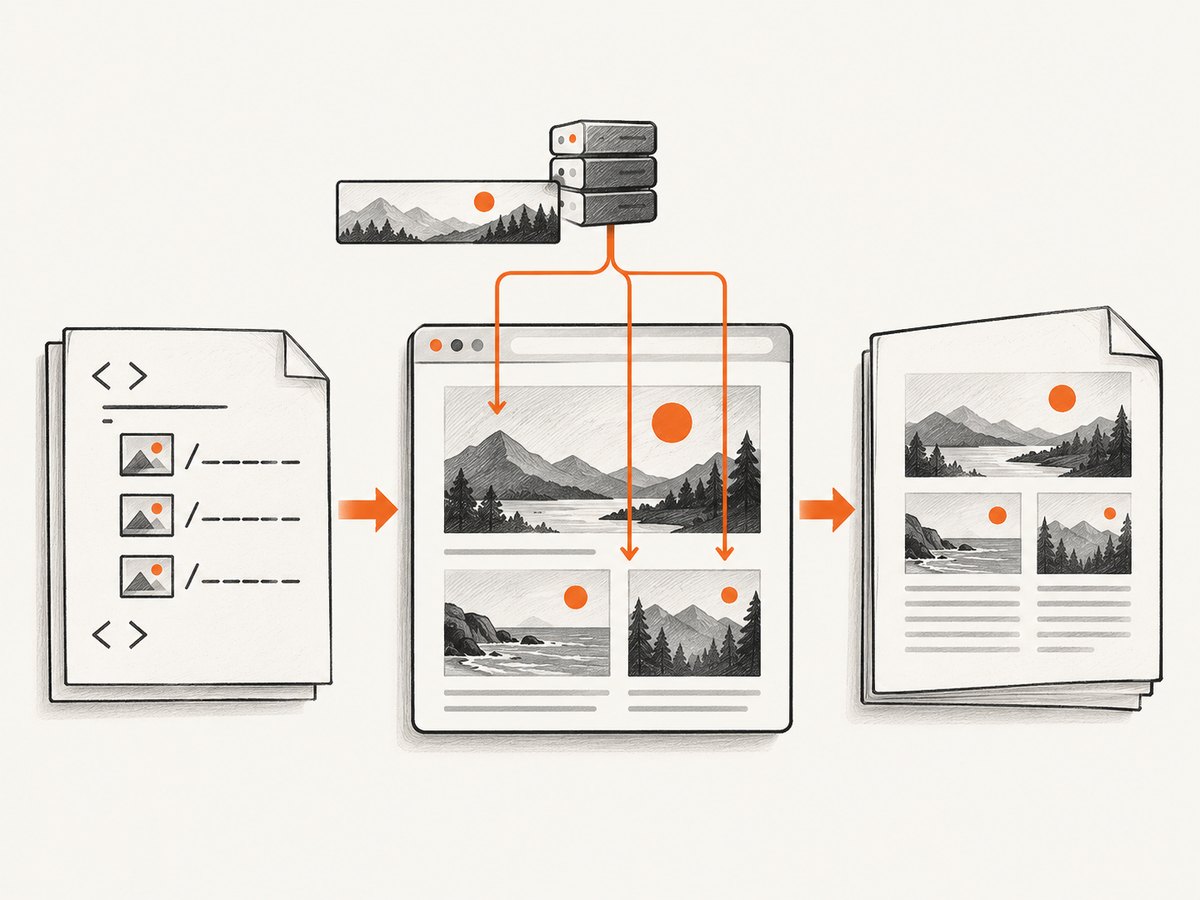
2. Fix relative image URLs with display_url
If your HTML contains /assets/logo.png, images/logo.png or another relative path, give Grover a base URL that Chromium can reach.
html = render_to_string(
  template: "reports/show",
  formats: [:html]
)

pdf = Grover.new(
  html,
  display_url: "https://www.example.com/",
  raise_on_request_failure: true
).to_pdf

File.binwrite("report.pdf", pdf)
The trailing slash makes the intended base directory explicit. The host must be reachable from the machine, container or remote browser running Chromium. A hostname that works in your desktop browser may not resolve from a worker container.
When display_url is the right choice
- Your generated HTML already uses stable relative paths.
- The public application host is reachable from the renderer.
- You want browser URL resolution without rewriting the HTML.
When to rewrite URLs instead
Rewrite resource paths to absolute URLs when the renderer cannot use the public host, the application is behind NAT, or the internal browser network differs from the public URL. Grover documents HTML preprocessing as an alternative and notes that rewriting can be preferable when the public host differs from the server’s reachable host.
require "nokogiri"
require "uri"

html = render_to_string(template: "reports/show", formats: [:html])
doc = Nokogiri::HTML.fragment(html)
base = "https://assets.example.com/"

doc.css("img[src]").each do |image|
  image["src"] = URI.join(base, image["src"]).to_s
end

doc.css("[style]").each do |node|
  node["style"] = node["style"].gsub(/url\((['\"]?)([^'\")]+)\1\)/) do
    original = Regexp.last_match(2)
    "url(#{URI.join(base, original)})"
  end
end

pdf = Grover.new(
  doc.to_html,
  raise_on_request_failure: true
).to_pdf
Only rewrite URLs you control. Preserve data URLs such as data:image/png;base64,..., and do not turn untrusted user input into arbitrary network requests.
3. Make Rails assets available in production
Rails assets in app/assets/images are served through the asset pipeline when it is enabled. Production deployments commonly precompile them into public/assets; source files under app/assets are not automatically public files. See the Rails asset pipeline guide and verify details against your Rails version and asset tooling.
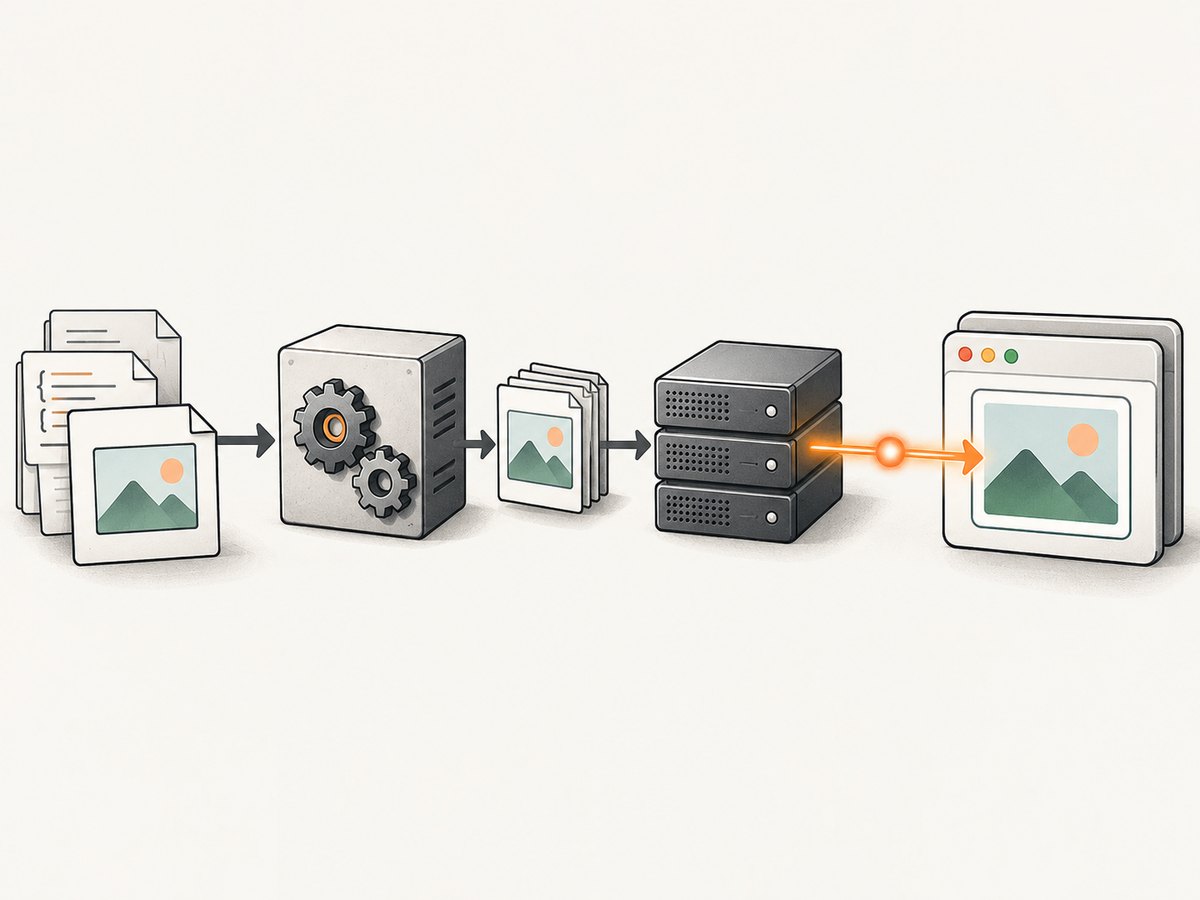
Use Rails helpers, then verify the generated URL
<%= image_tag "logo.png", alt: "Company logo" %>Inspect the rendered result. In a fingerprinted deployment it may look like:
<img src="https://www.example.com/assets/logo-abc123.png" alt="Company logo">Verify all of the following:
- The fingerprinted file was generated during deployment.
- The web server or CDN serves that exact path.
- The response is an image, not an HTML error page or login redirect.
- The hostname resolves from the Chromium runtime.
- TLS certificates and firewall rules allow the request.
- Authentication is not required unless you configure headers or cookies for the browser.
Do not confuse filesystem paths with URLs
/app/assets/images/logo.png is a path inside a server or container. Chromium needs a URL such as https://www.example.com/assets/logo-abc123.png. Passing a local filesystem path in an img tag does not make it a served Rails asset.
4. A complete Rails controller example
class ReportsController < ApplicationController
  def pdf
    html = render_to_string(
      template: "reports/show",
      formats: [:html],
      locals: { report: Report.find(params[:id]) }
    )

    pdf = Grover.new(
      html,
      display_url: ENV.fetch("PDF_DISPLAY_URL", "https://app.example.com/"),
      raise_on_request_failure: true,
      # Add other Grover/Puppeteer options only when required.
    ).to_pdf

    send_data pdf,
      filename: "report-#{params[:id]}.pdf",
      type: "application/pdf",
      disposition: "attachment"
  end
end
Set PDF_DISPLAY_URL to a host that the browser process can actually reach. If that is impossible, emit absolute asset URLs during view rendering or preprocess the HTML before creating the Grover instance.
5. Diagnose the request, not just the markup
Turn on Grover’s request-failure reporting while troubleshooting:
grover = Grover.new(
  html,
  display_url: "https://app.example.com/",
  raise_on_request_failure: true
)
The option reports a bad response or timeout from the initial content request and later asset requests. Capture the exception and record the failing URL, status and timeout where available. Grover also documents Puppeteer debugging output, but it can contain sensitive information, so enable verbose browser logging only in a controlled debugging environment.
Test from the renderer’s network context
Run an HTTP request from the same container, worker or host that launches Chromium:
curl -I -L --max-time 20 https://www.example.com/assets/logo-abc123.pngA successful request from your laptop does not establish that a background job, isolated container or remote Chromium instance can fetch the same URL.
6. Localhost and private-network assets
Newer Puppeteer/Chrome combinations can block local network requests by default. Grover’s documentation identifies this behavior for Puppeteer 24.16.0 with Chrome 139, where blocked requests can fail with net::ERR_FAILED. Check the actual versions in your deployment before changing settings.
If the content and target are trusted, configure Grover’s allow_local_network_access option according to the version of Grover you installed. Prefer serving assets through a normal application or CDN URL when possible; enabling local network access changes a browser security boundary.
Do not use file:// URLs as a casual workaround. Grover keeps allow_file_uris disabled by default and warns that careless use can expose sensitive local files. Serve controlled assets over HTTP(S) instead.
7. Common errors and fixes
| Symptom | Likely cause | Fix |
|---|---|---|
| Image tag exists, image is blank | Relative URL resolves against the wrong host | Set display_url or rewrite the URL to an absolute reachable URL. |
| Works locally, fails in production | Asset was not precompiled, deployed or served | Check the emitted fingerprinted URL and production response. |
net::ERR_FAILED for localhost |
Browser stack blocks local network access | Check Puppeteer/Chrome versions and use allow_local_network_access only for trusted targets. |
404 for /assets/logo.png |
Wrong path or missing fingerprinted file | Use the Rails helper output and request that exact URL. |
| 401 or 403 image response | Asset endpoint requires authentication | Make the asset public to the renderer or configure the required headers/cookies. |
| HTML error page appears where image should be | Redirect, exception page or proxy response | Inspect status, content type and redirects with curl -I -L. |
| Image times out | Slow origin, blocked egress or unreachable DNS | Test from the Chromium host, fix network access, and avoid unnecessary remote assets. |
| CSS background image missing | url(...) was overlooked |
Inspect stylesheets and inline styles, then use absolute URLs or a base URL. |
| Images loaded by JavaScript are absent | Capture occurs before the script finishes | Wait for a selector, a suitable delay or the page’s network activity using the Grover options supported by your version. |
8. A practical troubleshooting checklist
- Render the Rails view to a string and save the exact HTML supplied to Grover.
- List every image URL, including CSS backgrounds and JavaScript-created URLs.
- Convert relative paths to absolute URLs or set a reachable
display_url. - Request each URL from the same runtime that runs Chromium.
- Confirm status, content type, redirects and TLS.
- Verify production precompilation, fingerprint names and CDN configuration.
- Enable
raise_on_request_failurewhile investigating. - Check Puppeteer and Chrome versions if localhost requests fail.
- Keep
file://access disabled unless you have a controlled, trusted use case.
9. Performance, reliability and cost considerations
Performance
Every remote image adds a browser request. Use a stable asset host, avoid very large originals when a smaller print-ready image is sufficient, and keep the HTML’s dependency graph small. Fingerprinted static assets improve cacheability and prevent stale references.
Reliability
PDF generation depends on the network path from Chromium to every asset. Treat the renderer as a separate client: monitor DNS, TLS, authentication, redirects and timeouts from its environment. If your application uses background jobs, log the rendered URL and the failing asset request so retries do not hide the original cause.
Cost
Self-hosted Grover costs you the resources of your Rails workers, Chromium processes and network traffic. Remote Chromium or hosted capture services add a per-use cost but can remove browser installation and network maintenance. Choose based on concurrency, isolation and operational ownership rather than assuming that a missing image is a PDF-library bug.
Or skip the browser setup
If you need a clean screenshot or PDF from a URL instead of maintaining Chromium in your Rails stack, ScreenshotNeo provides a website screenshot API. One GET request returns a PNG, JPEG, WebP or PDF. Cookie and consent banners are accepted and removed before capture, along with 60+ known consent platforms, newsletter popups and chat widgets. Bot checks, blank pages, failed loads, timeouts and cache hits are not billed, and the response identifies the result with X-Page-Verdict and X-Billed headers. ScreenshotNeo also provides an MCP server for AI agents with take_screenshot, get_page_info and capture_pdf.
See the ScreenshotNeo API documentation for all options.
cURL
curl -G "https://api.screenshotneo.com/v1/shot" -d access_key=YOUR_API_KEY --data-urlencode url=https://stripe.com -o shot.webpPython
import requests

r = requests.get(
    "https://api.screenshotneo.com/v1/shot",
    params={"access_key": "YOUR_API_KEY", "url": "https://stripe.com"},
    timeout=90,
)
r.raise_for_status()
open("shot.webp", "wb").write(r.content)
Node.js
const q = new URLSearchParams({ access_key: 'YOUR_API_KEY', url: 'https://stripe.com' });
const res = await fetch(`https://api.screenshotneo.com/v1/shot?${q}`);
if (!res.ok) throw new Error(`Screenshot failed: ${res.status}`);
const body = Buffer.from(await res.arrayBuffer());
require('fs').writeFileSync('shot.webp', body);
ScreenshotNeo includes full-page capture with lazy images loaded, CSS-element capture, dark mode, device presets and custom viewports, retina scale, PDF paper and margin controls, custom CSS and JavaScript, click and wait controls, request blocking, custom headers and cookies, timezone and geolocation, transparent backgrounds, resizing, caching with a chosen TTL, signed links, asynchronous jobs with signed webhooks, bulk capture for up to 100 URLs per call, a usage API and an OpenAPI specification. Existing parameter names used by other screenshot APIs also work to ease migration.
The Free plan includes 1,000 screenshots each month with no card. Paid plans start at $5 for 3,000 shots; every feature is available on every plan. Create a free ScreenshotNeo account.
FAQ
Should I use display_url or absolute URLs?
Use display_url when one reachable base host correctly resolves your relative resources. Rewrite to absolute URLs when the browser must use a different internal or CDN host.
Why does an image work in Chrome but not in Grover?
The two browsers may run from different networks, DNS environments, credentials or browser versions. Test the URL from the Chromium runtime and inspect request failures.
Can a Rails asset helper guarantee that the PDF contains the image?
No. The helper generates a reference; Chromium still must fetch the resulting URL successfully.
Is a missing image always a Grover bug?
No. Relative URL resolution, deployment, authentication, network reachability and browser security settings are common causes.
When should I enable local network access?
Only after confirming the exact Puppeteer and Chrome versions, the target is trusted, and a normal served URL cannot solve the problem.


