How to Fix “Multiple Parameters Not Allowed” in wkhtmltopdf
Fix wkhtmltopdf’s “Multiple parameters not allowed” error by tracing shell quoting, option placement, wrapper arguments, and URL query strings.
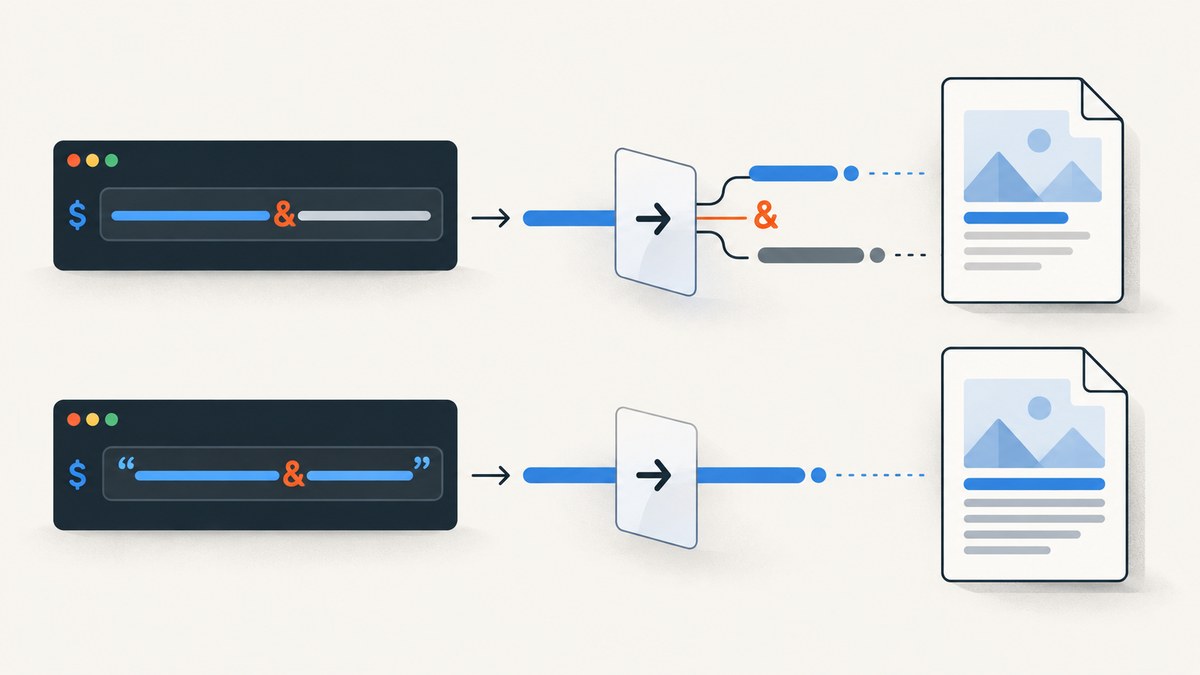
The usual fix is to quote the complete URL passed to an option such as --header-html. An unquoted ampersand in a query string can be interpreted by the shell as a control operator, so wkhtmltopdf receives broken or extra arguments. For example:
wkhtmltopdf --header-html "https://example.test/header.php?id=123&mode=full" input.html output.pdfThis is the accepted fix for the closely matching report, but the message does not have one universal cause. “Multiple parameters” can also mean that a wrapper emitted the wrong argument vector, an option/value pair is incomplete, a positional input was duplicated, or an option was placed in the wrong scope. This guide shows how to identify which layer is failing and how to repair it.
What the error means
wkhtmltopdf parses a command made from global options, one or more document objects, and one output filename. The official syntax is wkhtmltopdf [GLOBAL OPTION]... [OBJECT]... <output file>. An object can be a web page, a cover, or a table of contents, and several objects can be combined in one PDF. Therefore, the word “multiple” does not mean that every repeated option or every second URL is invalid. The question is which token wkhtmltopdf is interpreting as an unexpected parameter.
For example, these are legitimate concepts:
- Several page objects in one output.
- Repeated
--cookie name valueoptions. - Repeated
--custom-header name valueoptions. - Global options followed by page-specific input and output files.
The official usage reference documents the object model and option placement; check the help text for the exact build installed on your machine: wkhtmltopdf command-line usage.
First checks: version, shell, and the real arguments
Before changing a long command, capture the environment that parsed it.
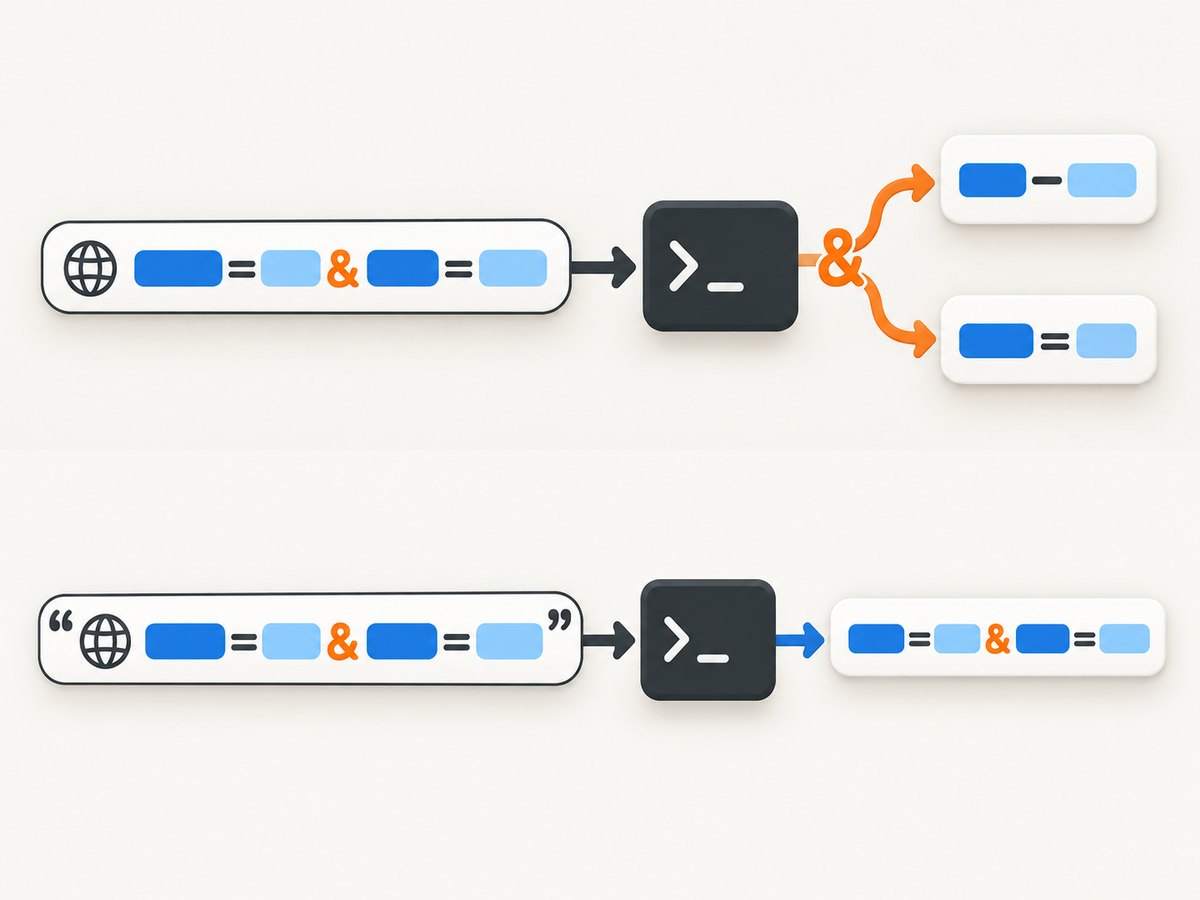
wkhtmltopdf --version
wkhtmltopdf --extended-help | less- Record the complete version string, including whether it says “with patched Qt”. The commonly cited usage text describes version 0.12.6, but packaging and patched builds differ.
- Record the operating system and shell: Bash, Zsh, PowerShell, Windows Command Prompt, PHP’s shell functions, a job queue, or a framework wrapper can all parse arguments differently.
- If a library launches wkhtmltopdf, inspect the final argument vector passed to the process. The configuration object is not necessarily the command that the executable receives.
- Sanitize credentials and private URLs before logging, but preserve quoting, argument boundaries, option order, and empty values.
If the command works when copied into a terminal but fails in production, the wrapper or process API is usually changing the arguments between configuration and execution.
Shell quoting: the common ampersand failure
In POSIX shells, & is a control operator when it is unquoted. A URL such as https://example.test/header.php?id=123&mode=full can therefore be split before wkhtmltopdf starts. The shell may run one fragment in the background and pass only the first fragment as the option value.
Quote the entire value, not only part of the query string:
wkhtmltopdf --header-html "https://example.test/header.php?id=123&mode=full" input.html output.pdfSingle quotes are also suitable in Bash and Zsh when the URL contains no single quote:
wkhtmltopdf --header-html 'https://example.test/header.php?id=123&mode=full' input.html output.pdfQuote other shell-significant characters as well:
- Spaces in local paths.
- Parentheses and brackets.
- Semicolons, dollar signs, backticks, pipes, redirection characters, and wildcard characters.
- URLs containing fragments, encoded spaces, or several query parameters.
Do not add literal quote characters when using an argument-array API. The shell removes quote syntax during parsing; an argv API expects the raw value.
Correct option and value pairing
Many wkhtmltopdf options consume one or two following arguments. The option and its value must remain separate argv entries, while a value containing spaces or shell syntax must remain one entry.
wkhtmltopdf \
  --cookie session abc123 \
  --cookie theme dark \
  --custom-header X-Request-ID req-42 \
  input.html output.pdf
--cookie takes a cookie name and value. --custom-header takes a header name and value. Both are repeatable according to the reference. Do not collapse a name and value into one quoted string unless your wrapper explicitly documents that representation.
Compare these forms:
# Shell command: two arguments after --cookie
wkhtmltopdf --cookie session abc123 input.html output.pdf

# PHP argv array: no shell quoting
$args = [
    'wkhtmltopdf',
    '--cookie', 'session', 'abc123',
    'input.html', 'output.pdf'
];
In a shell command string, escaping is required for every dynamic argument. In an argv array, each array element is already a boundary. Follow the process API’s escaping documentation rather than copying shell quote characters into array values.
Global options, page options, and object order
wkhtmltopdf distinguishes global options from options associated with a page object. Global options belong before the first object. Page options may be accepted globally or in a page-option area, depending on the option and build. The safe process is:
- Put documented global options immediately after
wkhtmltopdf. - Put page options with the input object they modify.
- Place the single output filename last.
- For multiple pages, repeat each input object in the documented order.
wkhtmltopdf \
  --quiet \
  --header-html "https://example.test/header.php?id=123&mode=full" \
  page-one.html \
  page-two.html \
  combined.pdf
If an option is rejected after moving it, inspect wkhtmltopdf --extended-help for that installed build. Older examples can describe behavior that differs from a distribution package.
Minimal-command isolation procedure
Reduce the failing invocation until only one possible cause remains.
- Start with one local input and one output:
wkhtmltopdf input.html output.pdf- Add the implicated option with a fixed value:
wkhtmltopdf --header-html header.html input.html output.pdf- Replace the local header with the complete quoted URL:
wkhtmltopdf --header-html "https://example.test/header.php?id=123&mode=full" input.html output.pdf- Add cookies, custom headers, JavaScript, additional pages, and other flags in small groups.
- When the error returns, inspect the last group for an unquoted value, a missing value, a duplicated positional token, or an option in the wrong scope.
This binary-search approach is faster than editing a large generated command by guesswork.
Wrappers and PHP process APIs
A wrapper may invoke a shell command string or call a process API with an argv list. Those are different parsing layers. In a shell string, this is unsafe when the URL is dynamic:
$cmd = 'wkhtmltopdf --header-html ' . $headerUrl . ' input.html output.pdf';At minimum, escape the individual argument using the runtime’s documented shell escaping function. Better, use a process API that accepts an array of arguments:
$args = [
    'wkhtmltopdf',
    '--header-html', $headerUrl,
    'input.html',
    'output.pdf',
];
// Pass $args to the process library's argv-aware API.
Do not put " around $headerUrl inside the array unless you intend those quote characters to become part of the URL. The django-wkhtmltopdf documentation similarly represents boolean flags as true-valued entries and valued options as key/value entries; consult the version of your own wrapper before translating examples.
Common errors and fixes
| Symptom | Likely cause | Fix |
|---|---|---|
Fails only when a URL has & |
Shell split the unquoted query string | Quote the complete URL or pass it as one argv element |
| Works interactively, fails in a job or web request | Wrapper generated different arguments | Log the final argv vector and use the wrapper’s documented option types |
| Error appears after adding cookies or headers | Missing name/value or malformed repetition | Supply the required pair for every repeatable option |
| Extra URL appears to be a parameter | Positional input or output was duplicated | Keep one output last and verify each object intentionally |
| Option rejected despite correct quoting | Global/page scope mismatch or build difference | Move the option according to installed help output |
| PowerShell behaves differently | Different quoting and argument-passing rules | Use PowerShell’s native argument rules or an argv API; inspect received arguments |
| Header URL loads without query parameters only | Server receives a truncated URL | Print the received request URL and encode dynamic values correctly |
URLs, encoding, and HTTP details
Quoting protects the command from the shell; URL encoding protects the URL’s own syntax. If a query value contains spaces, ampersands, question marks, or non-ASCII characters, encode that value before assembling the URL. Do not encode the separators that define the query unless your HTTP client requires it.
# The ampersand separates query parameters; quote the finished URL
wkhtmltopdf --header-html "https://example.test/header.php?id=123&mode=full" input.html output.pdf
If the header endpoint requires authentication, check whether credentials are being supplied through cookies, custom headers, or a signed URL. Avoid placing secrets in logs. A successful shell parse does not guarantee that the endpoint is reachable, returns HTML, or permits the wkhtmltopdf user agent.
Reliability and performance considerations
Each additional page, remote asset, JavaScript execution step, cookie, and custom header can change rendering time and failure modes. To keep jobs predictable:
- Use local fixtures to separate argument parsing from network and rendering failures.
- Prefer a single process invocation for intentional multi-page output rather than concatenating PDFs later.
- Keep dynamic arguments in an argv list where possible.
- Set an outer process timeout and capture stderr separately from the PDF output.
- Retry only transient network failures; repeated malformed commands will fail deterministically.
- Record the binary version and wrapper version with each failure.
wkhtmltopdf’s command-line error can occur before any page is loaded, so changing network timeouts will not fix a parsing problem. Conversely, once parsing succeeds, a blank page, blocked resource, or JavaScript timeout is a separate rendering issue.
Or skip the browser setup
If your actual goal is a reliable screenshot or PDF rather than maintaining a wkhtmltopdf process, ScreenshotNeo provides a hosted GET API and an MCP server for AI agents. It accepts a URL and returns PNG, JPEG, WebP, or PDF. See the ScreenshotNeo documentation for request options.
curl -G "https://api.screenshotneo.com/v1/shot" -d access_key=YOUR_API_KEY --data-urlencode url=https://stripe.com -o shot.webpimport requests
r = requests.get("https://api.screenshotneo.com/v1/shot", params={"access_key": "YOUR_API_KEY", "url": "https://stripe.com"}, timeout=90)
open("shot.webp", "wb").write(r.content)const q = new URLSearchParams({ access_key: 'YOUR_API_KEY', url: 'https://stripe.com' });
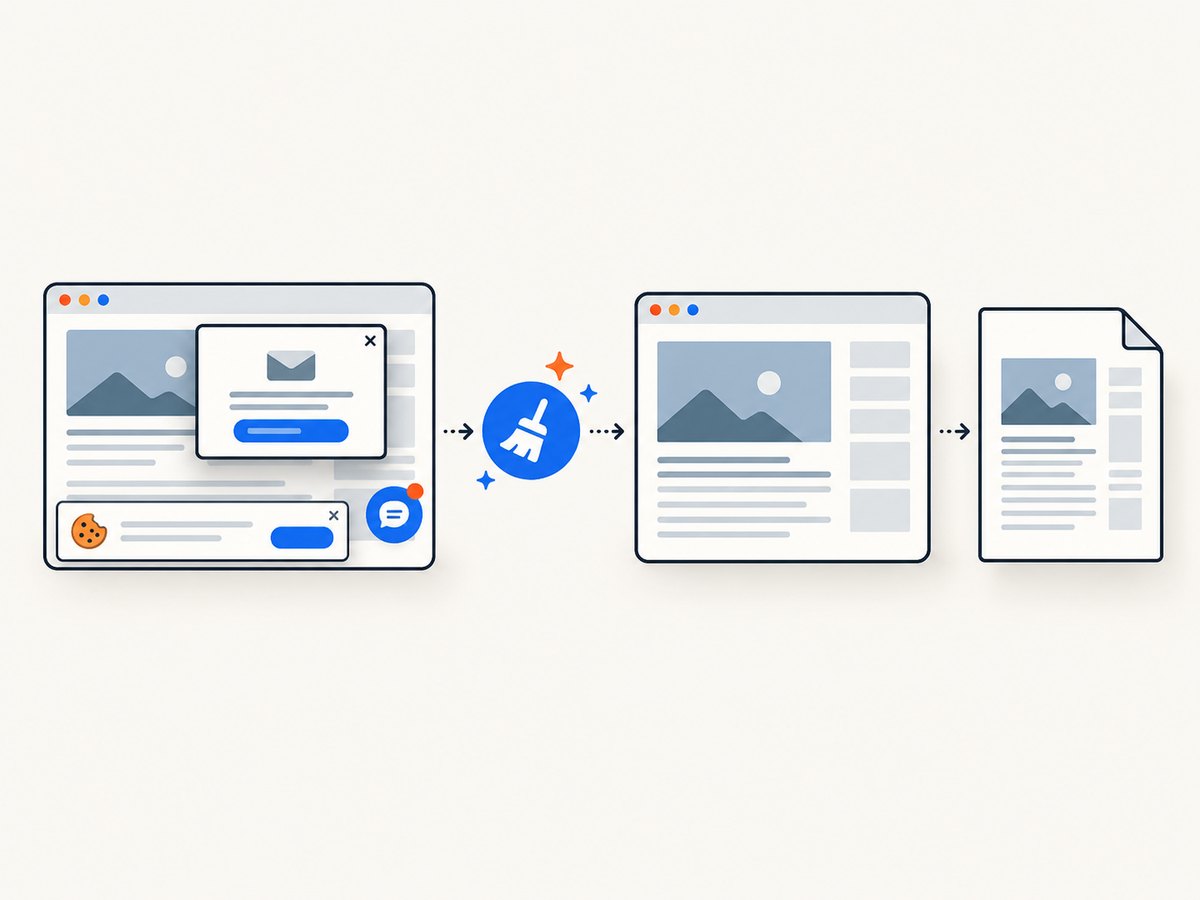
const res = await fetch(`https://api.screenshotneo.com/v1/shot?${q}`);Before capture, ScreenshotNeo accepts the cookie or consent banner as a visitor and removes more than 60 known consent platforms, newsletter popups, and chat widgets. Each step can be disabled. Failed bot checks or CAPTCHAs, blank pages, timeouts, failed loads, and cache hits are not billed; response headers report the page verdict and billing result through X-Page-Verdict and X-Billed.
For advanced jobs, options include full-page screenshots with lazy images loaded, CSS-selector element capture, dark mode, device presets or custom viewports, retina scale, PDF paper size and margins, custom CSS and JavaScript, clicks, selector or network-idle waits, request blocking, headers, cookies, user agents, authorization, timezone, geolocation, transparent backgrounds, resizing, configurable cache TTL, signed image links, asynchronous jobs with signed webhooks, bulk capture of up to 100 URLs per call, and a usage API. An MCP server exposes take_screenshot, get_page_info, and capture_pdf to Claude, Cursor, and other MCP clients.
There is a free tier of 1,000 shots per month with no card. Paid plans start at $5 for 3,000 shots; yearly billing gives two months free, and every feature is available on every plan. Create a free ScreenshotNeo account.
FAQ
Does “multiple parameters” mean I cannot use multiple pages?
No. wkhtmltopdf supports several document objects. The error usually concerns how a token was parsed or paired, not the mere existence of multiple objects.
Should I URL-encode the ampersand?
Encode query values according to URL rules, but first ensure the finished URL is one shell argument. Quoting and URL encoding solve different problems.
Why does adding quotes to a PHP argv array break the request?
Quotes are shell syntax. An argv API does not remove them, so literal quote characters can become part of the URL.
Can changing wkhtmltopdf versions fix this?
It can change option support and parsing details, but verify the command and argument boundaries first. Always check wkhtmltopdf --version and the installed help output.
When should I use an API instead of wkhtmltopdf?
Use a hosted API when you want to avoid browser installation and process management, need consent and popup cleanup, or want billing that excludes failed and blank captures. ScreenshotNeo also provides MCP tools for AI agents.


