How to Fix Nightmare HTTPS Options That Fail with PhantomJS
Separate Nightmare’s Electron switches from PhantomJS flags, then diagnose SSL libraries, certificates, versions, and failing resources step by step.
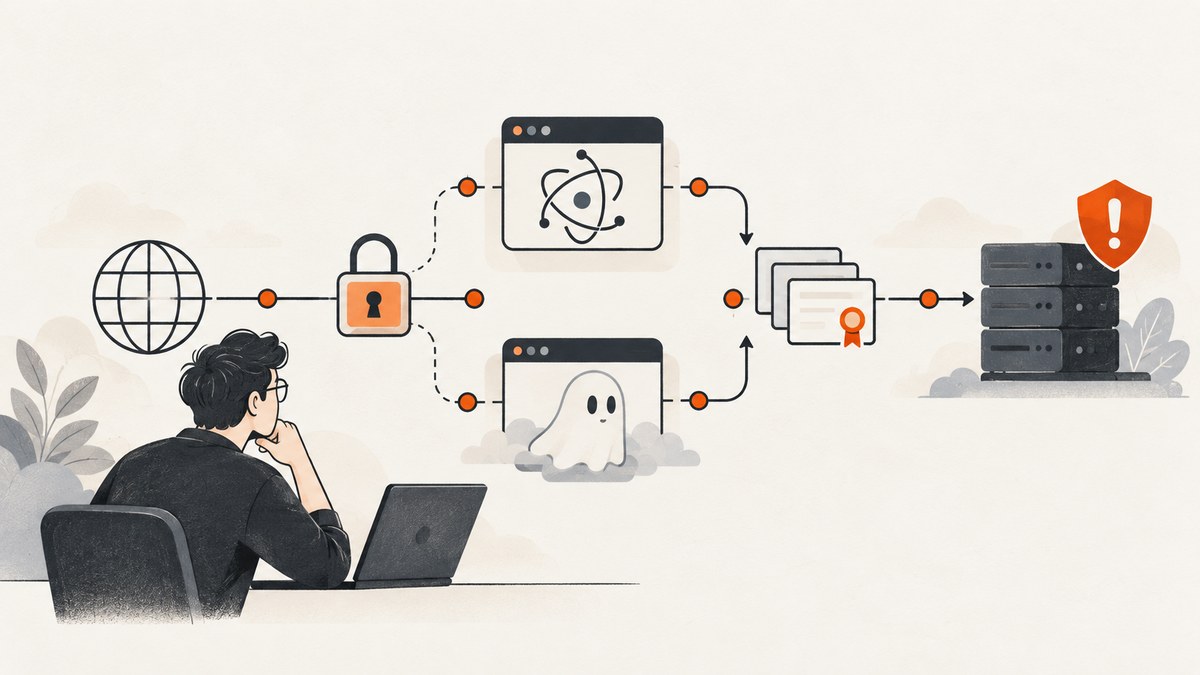
Short answer: Nightmare and PhantomJS do not share HTTPS configuration. Nightmare runs on Electron and documents certificate-related settings through its switches option. PhantomJS has its own command-line flags and WebPage callbacks. If PhantomJS loads HTTP but fails on HTTPS, first verify the PhantomJS binary and its SSL libraries, then log the failing resources and inspect certificate trust and TLS compatibility. Treat --ignore-ssl-errors=true as a diagnostic or controlled test switch, not as a production repair.
The error may appear as SSL handshake failed, ssl_error, a page status of fail, or a message that --ignore-ssl-errors is not working. The troubleshooting process below keeps the two runtimes separate and identifies which layer is failing.
1. Identify the runtime before changing an option
Start by recording the exact executable, package, and version used by the failing job. A machine can contain multiple PhantomJS installations, and an invocation may silently select a different binary than the one you upgraded.
# Shell checks
command -v phantomjs
phantomjs --version
npm list --depth=0 nightmare electron
node --version
Run the same commands inside the service account, container, or CI image that performs the capture. A local shell and a production process can have different PATH, shared libraries, proxy settings, and certificate stores.
| Tool | HTTPS setting location | What to log |
|---|---|---|
| PhantomJS | PhantomJS command-line flags and WebPage behavior | page.open status, resource requests, resource errors, console output |
| Nightmare | Electron options passed through Nightmare’s switches configuration |
Nightmare error, Electron version, navigation URL, timeout |
Nightmare’s README describes it as an Electron-based browser automation library and documents a switches option, including ignore-certificate-errors. That setting belongs to Nightmare’s Electron setup; it is not a PhantomJS CLI flag. Check the README for the Nightmare version actually installed because the project and its bundled Electron versions are legacy software. Nightmare documentation
2. Verify PhantomJS SSL libraries and binary health
The PhantomJS troubleshooting guide gives the first practical check: when HTTP works but HTTPS fails, verify that the SSL libraries, usually OpenSSL, are installed correctly. The required libraries depend on the operating system and the PhantomJS binary build. A copied binary can start successfully while failing when it tries to load a missing or incompatible shared library.
# Linux examples
ldd "$(command -v phantomjs)" | grep -Ei 'ssl|crypto|not found'
# On systems using a package manager, inspect the installed OpenSSL libraries
openssl version
If ldd reports not found, install the matching runtime libraries through your operating system’s supported package process, or use a PhantomJS distribution built for that environment. Do not copy arbitrary libraries from another host. After changing the image, rerun phantomjs --version and the diagnostic script from the same user account.
PhantomJS is an old runtime. A server that requires newer TLS behavior, cipher suites, or certificate handling may be incompatible even when OpenSSL is present. The research sources are historical and do not establish current compatibility with modern HTTPS endpoints, so confirm the exact target and deployed version rather than assuming an option will add newer TLS support.
3. Capture page and resource-level evidence
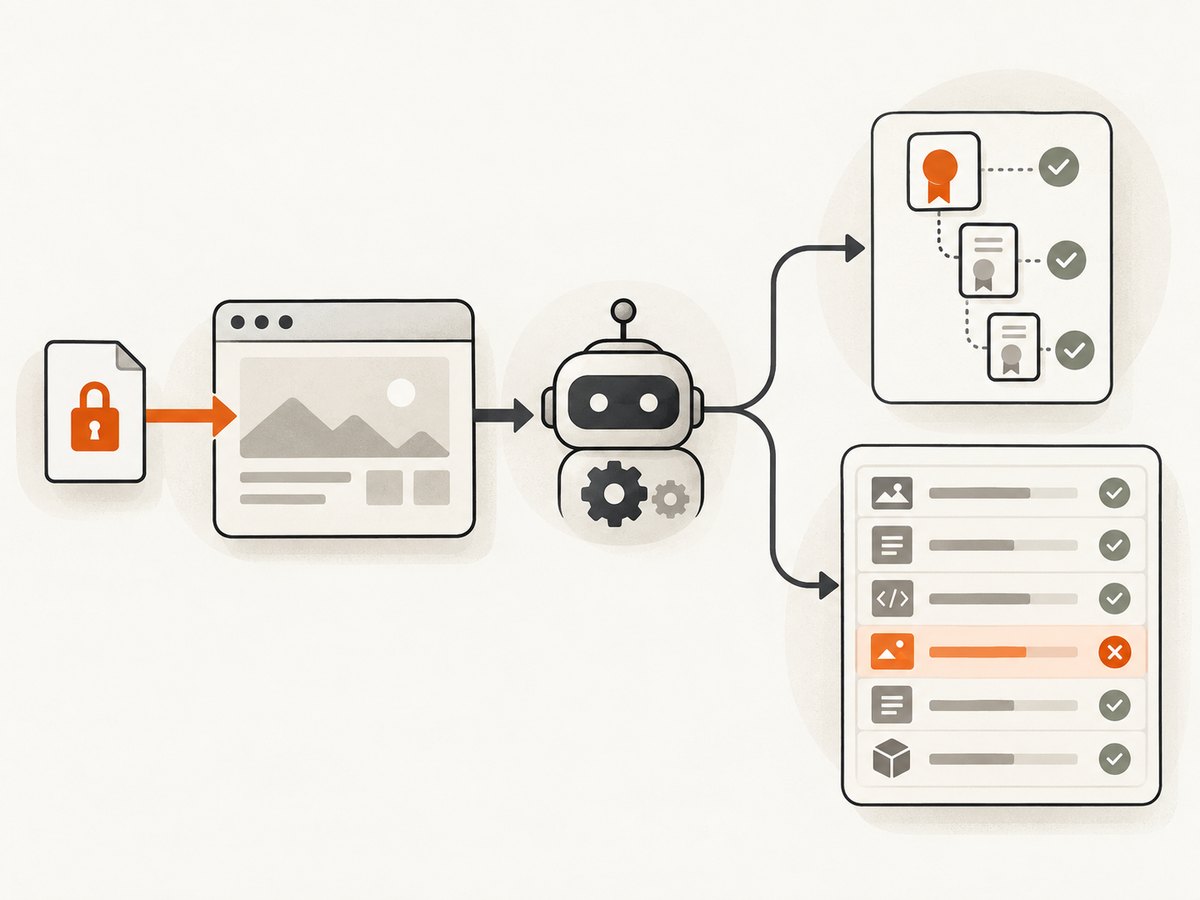
page.open calls its callback with a page status of success or fail. A successful callback does not prove that every image, stylesheet, script, or API request loaded. Add request and error logging so you can identify the host and resource that triggers the handshake failure.
// diagnose.js
var page = require('webpage').create();
var system = require('system');
var target = system.args[1] || 'https://example.com';

page.onResourceRequested = function (request) {
  console.log('REQUEST ' + request.method + ' ' + request.url);
};

page.onResourceReceived = function (response) {
  if (response.stage === 'end') {
    console.log('RESPONSE ' + response.status + ' ' + response.url);
  }
};

page.onResourceError = function (error) {
  console.log('RESOURCE_ERROR ' + error.errorCode + ' ' + error.errorString + ' ' + error.url);
};

page.onError = function (message, trace) {
  console.log('PAGE_ERROR ' + message);
  trace.forEach(function (item) {
    console.log('  at ' + item.file + ':' + item.line);
  });
};

page.open(target, function (status) {
  console.log('PAGE_STATUS ' + status);
  phantom.exit(status === 'success' ? 0 : 1);
});
phantomjs diagnose.js https://example.comCompare a failing HTTPS URL with the same host over HTTP only when the site explicitly supports HTTP. Record whether the main document fails, or whether a subresource such as an analytics script, font CDN, image host, redirect target, or API endpoint fails. A page can render partially while a single blocked resource produces the error you see.
4. Inspect certificate trust and the TLS path
Check the complete certificate chain for the exact hostname, including redirects and subresources. A historical PhantomJS report showed a self-signed, untrusted root in debug output. That is one possible cause to investigate, not proof that every handshake failure is a trust-chain problem.
# Inspect the certificate chain presented by a host
openssl s_client -connect example.com:443 -servername example.com -showcerts
Look for these conditions:
- The certificate hostname does not match the requested host.
- An intermediate certificate is missing, so older clients cannot build a chain.
- The chain ends at a private or self-signed root that is absent from the runtime’s trust store.
- The server requires SNI, a protocol version, or cipher that the PhantomJS build cannot negotiate.
- A proxy or TLS inspection device replaces the certificate with its own internal root.
Test the same URL from the deployment network, not only from a workstation. If a proxy is involved, document its environment variables and certificate policy. Fix the server chain or the trusted root where possible. Disabling verification hides trust errors and can expose automated requests to interception.
5. Use PhantomJS’s ignore-errors flag only as a controlled diagnostic
Some PhantomJS invocations accept:
phantomjs --ignore-ssl-errors=true diagnose.js https://example.comA historical issue reported handshake errors continuing on some resources despite this flag in an environment involving SNI and CloudFront. That demonstrates why the flag is not a universal fix: it may affect certificate verification while leaving protocol negotiation, SNI, library loading, or a subresource failure untouched.
Use the flag briefly to distinguish a trust-check failure from a deeper handshake problem. If the same resource fails with and without it, inspect the SSL library, target host, proxy, and TLS compatibility. Never treat the flag as validation of the remote certificate, and avoid it for production traffic carrying credentials or private data.
6. Configure Nightmare separately
Nightmare passes Chromium/Electron command-line switches through its switches option. The following is the documented shape for an Electron certificate-error test:
const Nightmare = require('nightmare');

const nightmare = Nightmare({
  show: false,
  switches: {
    'ignore-certificate-errors': true
  }
});

nightmare
  .goto('https://example.com')
  .evaluate(() => document.title)
  .then(title => {
    console.log(title);
    return nightmare.end();
  })
  .catch(error => {
    console.error(error);
    return nightmare.end();
  });
Use this only to test whether Electron’s certificate validation is involved. It does not repair TLS negotiation, install a missing root, or make an invalid server certificate trustworthy. Verify the installed Nightmare and Electron versions because switch support and behavior can vary across releases. Do not paste PhantomJS flags such as --ignore-ssl-errors=true into Nightmare’s switches object, and do not assume an Electron switch will be understood by PhantomJS.
7. A repeatable troubleshooting checklist
- Log the absolute PhantomJS path, version, Node version, Nightmare version, and Electron version.
- Reproduce under the same account, container, proxy, and environment as the failing job.
- Run the PhantomJS resource-logging script and save the failing URL list.
- Check SSL/OpenSSL dependencies and look for missing shared libraries.
- Inspect the target certificate chain with the correct SNI hostname.
- Test the main document and each failing subresource independently.
- Compare behavior with the relevant diagnostic ignore-errors setting for that runtime.
- Remove the bypass, fix the trust chain or runtime compatibility, and retest.
8. Common errors, causes, and fixes
| Symptom | Likely cause | Action |
|---|---|---|
SSL handshake failed before page content |
Missing/incompatible SSL library, unsupported TLS negotiation, SNI issue, or proxy interception | Check dependencies, log the exact host, inspect with openssl s_client -servername, and test from the deployment network. |
HTTP works; HTTPS returns fail |
PhantomJS SSL setup or certificate-chain problem | Follow the PhantomJS SSL-library check, then inspect the chain and resource errors. |
--ignore-ssl-errors=true appears ineffective |
The failure is protocol, library, SNI, or a subresource issue rather than certificate verification | Compare request logs and test each failing URL; do not keep widening the bypass. |
| Nightmare option has no effect | PhantomJS flags were used in an Electron process, or the installed Nightmare version differs from the documentation | Put the setting in Nightmare’s switches configuration and verify installed versions. |
| Only images, fonts, or scripts fail | A secondary host has a bad chain or incompatible TLS | Use onResourceError and onResourceRequested to isolate that host. |
| Works locally, fails in CI | Different binary path, trust store, OpenSSL libraries, proxy, or network policy | Print runtime details in CI and reproduce inside the same image. |
9. Reliability, performance, and cost considerations
Logging every request is useful during diagnosis but adds output and can make CI logs difficult to scan. Enable verbose hooks for a reproduction run, then reduce logging to failures and timing in normal operation. Reuse one browser process for a controlled batch when the runtime is stable, but restart it when memory growth or state leakage affects later pages.
Retries help with transient network resets, not deterministic certificate or TLS incompatibility. Use a small bounded retry count, record the URL and error, and avoid retry storms against a failing origin. Cache diagnostic results only when you can prove the target and certificate state have not changed.
For a screenshot service, failed loads and bot checks can otherwise turn into unpredictable spend. ScreenshotNeo reports whether a response was billed through X-Billed and identifies the page result with X-Page-Verdict; clean shots are billed, while bot checks/CAPTCHAs, blank pages, timeouts, failed loads, and cache hits cost nothing.
10. Or skip the browser setup
If your goal is a dependable website image rather than maintaining an old browser runtime, ScreenshotNeo provides a single screenshot API request. It accepts the cookie or consent banner like a visitor, removes more than 60 known consent platforms plus newsletter popups and chat widgets, and lets each cleanup step be turned off. It supports PNG, JPEG, WebP, and PDF output, along with full-page capture, lazy-image loading, CSS-element capture, device presets, custom viewport and retina scale, dark mode, custom CSS and JavaScript, clicks, waits, blocked resources, headers, cookies, user agents, authorization, timezone, geolocation, transparent backgrounds, resizing, chosen-TTL caching, signed links, asynchronous jobs, webhooks, bulk capture of up to 100 URLs per call, usage data, and an OpenAPI specification.

Use the same request from any shell:
curl -G "https://api.screenshotneo.com/v1/shot" -d access_key=YOUR_API_KEY --data-urlencode url=https://stripe.com -o shot.webpPython:
import requests
r = requests.get("https://api.screenshotneo.com/v1/shot", params={"access_key": "YOUR_API_KEY", "url": "https://stripe.com"}, timeout=90)
open("shot.webp", "wb").write(r.content)
Node.js:
const q = new URLSearchParams({ access_key: 'YOUR_API_KEY', url: 'https://stripe.com' });
const res = await fetch(`https://api.screenshotneo.com/v1/shot?${q}`);
See the ScreenshotNeo API documentation for parameter names and response headers. An MCP server provides take_screenshot, get_page_info, and capture_pdf tools for Claude, Cursor, and other MCP clients. The Free plan includes 1,000 screenshots per month with no card; paid plans start at $5 for 3,000 shots, and every feature is available on every plan.
Create a free ScreenshotNeo account and start with the 1,000-shot monthly allowance.
11. FAQ
Does an HTTP success prove the HTTPS certificate is valid?
No. HTTP bypasses TLS entirely. HTTPS also depends on certificate trust, hostname matching, protocol negotiation, SNI, and the runtime’s SSL libraries.
Should I install a newer OpenSSL beside PhantomJS?
Use the libraries supported by your operating system and PhantomJS build. Mixing incompatible shared libraries can create new failures; verify dependencies instead of copying files at random.
Can Nightmare and PhantomJS share one configuration file?
They can share your application’s settings format, but the HTTPS options must be translated for each runtime. Nightmare uses Electron switches; PhantomJS uses its own flags and WebPage callbacks.
Why does a page load when its stylesheet fails?
page.open reports the main navigation result. A stylesheet, font, image, or script can fail independently, which is why request and resource-error hooks are necessary.
When should I replace the runtime?
If the target requires TLS behavior PhantomJS cannot negotiate, or you cannot maintain its SSL dependencies and trust store, moving screenshot work to a maintained service or browser stack is usually more predictable than adding bypass flags.


