How to Fix Nightmare.js Screenshots That Clip the Bottom of Long Pages
Make Nightmare.js capture the entire page by measuring rendered content, handling nested scroll containers, and avoiding viewport and image-size traps.

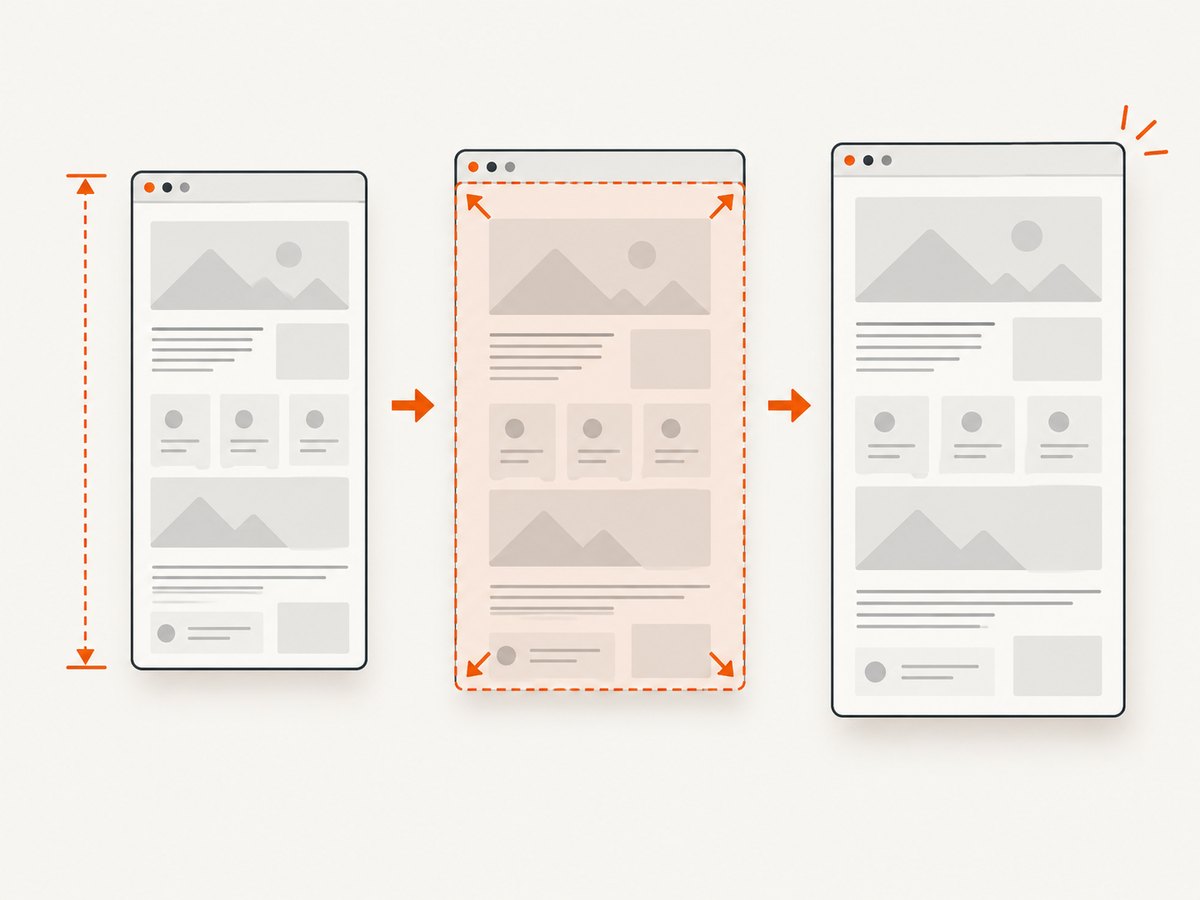
Nightmare.js captures the current visible page. For a long-page screenshot, wait until the page has rendered, measure the largest document dimensions, resize the viewport to those dimensions, then capture. Nightmare’s documented .screenshot() method returns a PNG (or a Buffer when no path is supplied); it does not automatically create a full-page image. See the Nightmare.js package documentation.
Quick fix: measure, resize, then capture
const Nightmare = require('nightmare');

const url = process.argv[2] || 'https://example.com';
const outputPath = process.argv[3] || 'page.png';

(async () => {
  const nightmare = Nightmare({ show: false });

  try {
    const dimensions = await nightmare
      .goto(url)
      .wait('body')
      .evaluate(() => {
        const body = document.body;
        const html = document.documentElement;

        return {
          width: Math.max(body.scrollWidth, html.scrollWidth),
          height: Math.max(body.scrollHeight, html.scrollHeight)
        };
      });

    await nightmare
      .viewport(dimensions.width, dimensions.height)
      .wait(500)
      .screenshot(outputPath);

    console.log(`Saved ${outputPath} at ${dimensions.width}x${dimensions.height}`);
  } finally {
    await nightmare.end();
  }
})();
Run it with:
npm install nightmare
node full-page.js https://example.com example.png
scrollHeight is the complete content height, including content outside the viewport, as documented by MDN. Taking the maximum from body and document.documentElement handles pages where CSS causes one element to report a shorter value.
Why the bottom gets clipped
- Viewport capture: Nightmare captures what is visible in the current viewport. A normal 1280×720 viewport cannot contain a 6,000-pixel page.
- Measurement too early: client-rendered content, images, fonts, infinite lists, and delayed API responses can increase the document after the first measurement.
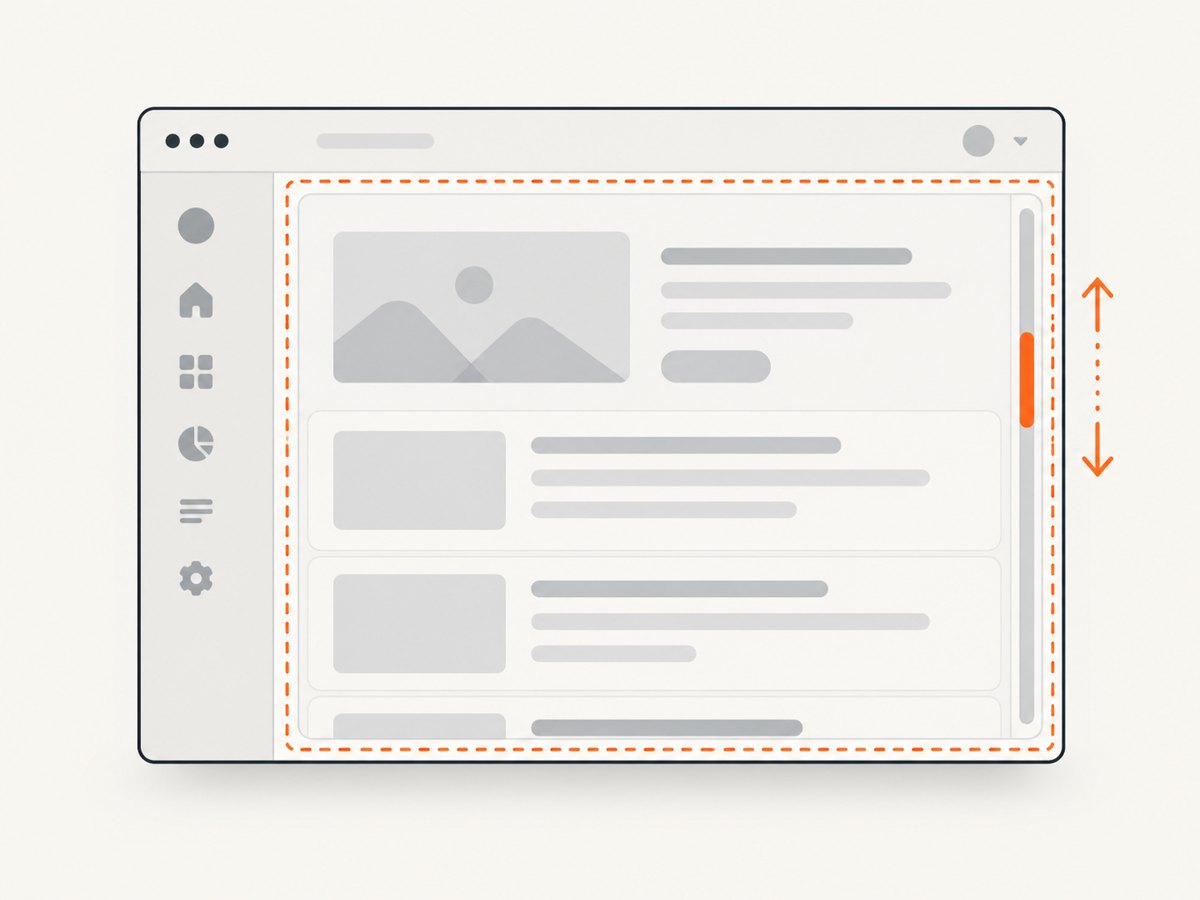
- Nested scrolling: dashboards often keep
bodyfixed and put the scrollbar on a panel. The document’s height then excludes most of the panel. - Incorrect clipping: a clip rectangle is relative to the visible screen. Coordinates for content below the fold are invalid until that content has been scrolled into view.
- Rendering limits: an extremely tall single PNG can exceed practical browser, memory, or image-library limits even when the page reports a valid height.
Make the first solution reliable
Wait for a meaningful selector
.wait('body') only proves that a body element exists. Prefer a selector that proves the final content is present:
const dimensions = await nightmare
  .goto(url)
  .wait('.article-content')
  .wait(300)
  .evaluate(() => {
    const body = document.body;
    const html = document.documentElement;
    return {
      width: Math.max(body.scrollWidth, html.scrollWidth),
      height: Math.max(body.scrollHeight, html.scrollHeight)
    };
  });
If the page has no reliable selector, use a short delay and measure immediately before capture. A delay is a fallback; it cannot guarantee that an application finished loading.
Re-measure after resizing
Changing the viewport can trigger responsive layout, image sizing, or new lazy-loaded content. Measure again after setting the viewport and use the larger result:
const first = await nightmare.evaluate(() => ({
  width: Math.max(document.body.scrollWidth, document.documentElement.scrollWidth),
  height: Math.max(document.body.scrollHeight, document.documentElement.scrollHeight)
}));

await nightmare.viewport(first.width, first.height).wait(300);

const finalSize = await nightmare.evaluate(() => ({
  width: Math.max(document.body.scrollWidth, document.documentElement.scrollWidth),
  height: Math.max(document.body.scrollHeight, document.documentElement.scrollHeight)
}));

await nightmare.viewport(finalSize.width, finalSize.height).screenshot('page.png');
Trigger lazy content before measuring
Some pages load images or cards only after scrolling. Scroll through the document in page context, wait briefly, then measure:
await nightmare.evaluate(async () => {
  const step = Math.max(window.innerHeight, 600);
  for (let y = 0; y < document.documentElement.scrollHeight; y += step) {
    window.scrollTo(0, y);
    await new Promise(resolve => setTimeout(resolve, 80));
  }
  window.scrollTo(0, 0);
});

await nightmare.wait(500);
This is useful for lazy images, but infinite-scroll pages may keep growing. Set an application-specific stopping condition or maximum number of scrolls.
Handle an inner scrolling panel
When a panel owns the scrollbar, resizing the document viewport will not expose the panel’s content. First find a likely scroll container:
const scrollTarget = await nightmare.evaluate(() => {
  const all = [
    document.documentElement,
    document.body,
    ...document.querySelectorAll('*')
  ];

  const candidate = all.find(el => el.scrollHeight > el.clientHeight + 20);
  return candidate && {
    tag: candidate.tagName,
    id: candidate.id,
    className: candidate.className,
    scrollHeight: candidate.scrollHeight,
    clientHeight: candidate.clientHeight
  };
});

console.log(scrollTarget);
The first match may be the document itself. Inspect the result and identify the application panel, preferably by a stable ID or class. Then scroll that element and capture its rectangle:
const panel = '#results-panel';

const panelInfo = await nightmare.evaluate(selector => {
  const el = document.querySelector(selector);
  if (!el) throw new Error(`Missing scroll container: ${selector}`);

  el.scrollTop = el.scrollHeight;
  const rect = el.getBoundingClientRect();

  return {
    scrollHeight: el.scrollHeight,
    clientHeight: el.clientHeight,
    x: Math.round(rect.left),
    y: Math.round(rect.top),
    width: Math.round(rect.width),
    height: Math.round(rect.height)
  };
}, panel);

await nightmare.wait(300);
await nightmare.screenshot('panel.png', {
  x: panelInfo.x,
  y: panelInfo.y,
  width: panelInfo.width,
  height: panelInfo.height
});
For a panel taller than the viewport, capture strips by changing scrollTop and taking viewport-sized clips, then stitch the PNGs in a separate image workflow. Nightmare’s clip coordinates must fit the visible screen.
Capture one element or a below-the-fold region
Scroll the target into view before using a clip. The clip is measured in screen coordinates, not document coordinates:
const clip = await nightmare.evaluate(selector => {
  const element = document.querySelector(selector);
  if (!element) throw new Error(`No element matches ${selector}`);
  element.scrollIntoView({ block: 'center', inline: 'nearest' });
  const rect = element.getBoundingClientRect();
  return {
    x: Math.max(0, Math.round(rect.left)),
    y: Math.max(0, Math.round(rect.top)),
    width: Math.round(rect.width),
    height: Math.round(rect.height)
  };
}, '.pricing-table');

await nightmare.wait(100).screenshot('pricing.png', clip);
If the rectangle is larger than the viewport, split it into visible strips. A single clip cannot reveal pixels that are currently outside the screen.
Choosing an approach
| Approach | Best for | Trade-offs |
|---|---|---|
| Resize to document dimensions | Stable articles and marketing pages | Uses more memory as height grows; responsive layout can change after resize |
| Viewport strips and stitching | Very tall pages or panels | More code; sticky headers can repeat; stitching must remove overlaps |
| Nested-element clipping | Dashboards and fixed-height application panels | Requires locating the real scroll owner and scrolling it explicitly |
Complete reusable script with options
const Nightmare = require('nightmare');

async function screenshotLongPage({
  url,
  output = 'page.png',
  readySelector = 'body',
  width = null,
  settleMs = 400
}) {
  const nightmare = Nightmare({ show: false });

  try {
    await nightmare.goto(url).wait(readySelector).wait(settleMs);

    const measured = await nightmare.evaluate(() => ({
      width: Math.max(document.body.scrollWidth, document.documentElement.scrollWidth),
      height: Math.max(document.body.scrollHeight, document.documentElement.scrollHeight)
    }));

    const captureWidth = width || measured.width;
    await nightmare.viewport(captureWidth, measured.height).wait(settleMs);

    const finalSize = await nightmare.evaluate(() => ({
      width: Math.max(document.body.scrollWidth, document.documentElement.scrollWidth),
      height: Math.max(document.body.scrollHeight, document.documentElement.scrollHeight)
    }));

    await nightmare
      .viewport(Math.max(captureWidth, finalSize.width), finalSize.height)
      .screenshot(output);

    return { width: Math.max(captureWidth, finalSize.width), height: finalSize.height };
  } finally {
    await nightmare.end();
  }
}

screenshotLongPage({
  url: process.argv[2] || 'https://example.com',
  output: process.argv[3] || 'page.png',
  readySelector: process.argv[4] || 'body'
})
  .then(size => console.log(size))
  .catch(error => {
    console.error(error);
    process.exitCode = 1;
  });
Troubleshooting
| Symptom | Cause | Fix |
|---|---|---|
| Bottom is missing | Viewport was never enlarged | Measure both scrollHeight values and call .viewport(width, height) before .screenshot(). |
| Height is unexpectedly small | Measurement ran before client rendering | Wait for a content selector, scroll to trigger lazy loading, then re-measure. |
| Panel content is missing | An inner element owns the scrollbar | Find an element where scrollHeight > clientHeight, set its scrollTop, and capture its bounds. |
| Only a blank or partial clip appears | Clip coordinates are outside the visible viewport | Call scrollIntoView() first and keep x + width and y + height within the viewport. |
| Images are absent | Images are lazy-loaded or still decoding | Scroll through the page, wait, and verify image dimensions before measuring. |
| Layout changes at capture time | Viewport resize triggered responsive CSS | Resize, wait, measure again, and capture using the final dimensions. |
| Screenshot crashes on a very tall page | Single-image memory or encoder limits | Capture viewport strips and stitch them, or use a PDF/segmented workflow. |
| Output is not JPEG or WebP | Nightmare’s screenshot output is PNG | Write the PNG, then convert it with an image tool if another format is required. |
Performance, reliability, and cost considerations
- Keep the viewport reasonable: a full document viewport reduces stitching work but increases memory with page height. Strip capture is safer for unusually tall documents.
- Stabilize dynamic pages: wait for a deterministic selector and re-measure after viewport changes. Avoid relying on a single arbitrary sleep when content arrives from APIs.
- Control infinite scroll: use a maximum scroll count or a known final marker so the capture does not grow without bound.
- Expect sticky elements to repeat in strips: hide or compensate for fixed headers when stitching. A resized full-page viewport may produce a different sticky-header behavior than scrolling.
- Reuse browser setup carefully: one Nightmare instance per capture is simple and isolates failures; long-lived instances need explicit cleanup with
.end(). - Nightmare has no screenshot billing model: it runs in your own process, so your costs are browser CPU, memory, runtime, and any infrastructure used to execute it.
Or skip the browser setup
ScreenshotNeo provides a one-request website screenshot API when you do not want to maintain browser measurement, scrolling, and stitching code. Cookie and consent banners, newsletter popups, and chat widgets are removed before the shot. Bot checks, blank pages, timeouts, failed loads, and cache hits are not billed, and response headers identify the page verdict and billing result. Its MCP server lets Claude, Cursor, and other MCP clients call take_screenshot, get_page_info, and capture_pdf.
See the ScreenshotNeo API documentation for the complete options. The basic call returns an image:
cURL
curl -G "https://api.screenshotneo.com/v1/shot" -d access_key=YOUR_API_KEY --data-urlencode url=https://stripe.com -o shot.webpPython
import requests
r = requests.get("https://api.screenshotneo.com/v1/shot", params={"access_key": "YOUR_API_KEY", "url": "https://stripe.com"}, timeout=90)
open("shot.webp", "wb").write(r.content)
Node.js
const q = new URLSearchParams({ access_key: 'YOUR_API_KEY', url: 'https://stripe.com' });
const res = await fetch(`https://api.screenshotneo.com/v1/shot?${q}`);
ScreenshotNeo supports full-page captures with lazy images loaded, CSS-selector element captures, device presets or custom viewports, retina scale, custom CSS and JavaScript, waits, request blocking, headers and cookies, timezone and geolocation, transparent backgrounds, resizing, caching, signed links, asynchronous jobs, webhooks, bulk capture, PDFs, and a usage API. Every feature is available on every plan. The Free plan includes 1,000 shots each month without a card; paid plans start at $5 for 3,000 shots.
Create a free ScreenshotNeo account and start with 1,000 screenshots per month at no charge.
FAQ
Does Nightmare have a built-in full-page screenshot flag?
The documented screenshot method captures the current page view. Full-page output requires resizing, scrolling and stitching logic around that method.
Why use both body.scrollHeight and document.documentElement.scrollHeight?
Different layouts and CSS rules can make either element report a shorter value. Taking the maximum avoids trusting the wrong one.
Can I save a Nightmare screenshot as JPEG?
Nightmare’s screenshot output is PNG. Convert the resulting file with an image conversion tool when another format is needed.
What if the page keeps loading forever?
Wait for a selector that represents the content you need, impose a capture timeout in your job runner, and use a bounded scroll loop for infinite lists.
When should I choose strip capture?
Use strips when a single viewport would be extremely tall, when an inner panel is taller than the browser window, or when memory use from one large PNG is unacceptable.


