How to Fix Nightwatch.js Tab Switching in Headless Chrome
Wait for the new window handle, switch by handle difference, and clean up reliably in Nightwatch.js headless Chrome tests.
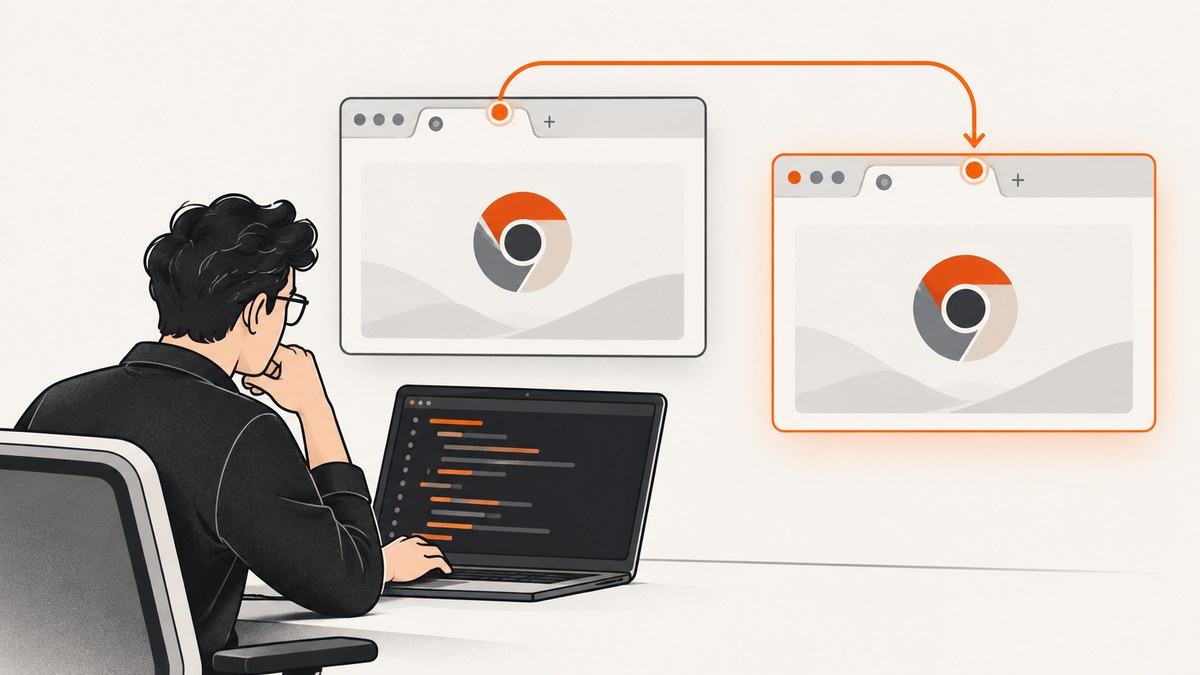
Use window handles, not tab indexes. Nightwatch and WebDriver treat browser tabs and windows through the same window-handle mechanism. Save the original handle, trigger the new tab, wait until the handle count increases, find the handle that was not present before, and switch to it explicitly. Await every asynchronous command.
This pattern works in local and CI headless Chrome runs because it synchronizes on a browser state change instead of assuming that the second tab is immediately available or always occupies array position one.
1. The reliable Nightwatch.js pattern
module.exports = {
  'switch to a newly opened tab': async function (browser) {
    await browser.navigateTo('https://example.test');

    // Keep a stable reference before the click.
    const original = await browser.window.getHandle();
    const before = await browser.window.getAllHandles();

    await browser.click('#opens-new-tab');

    // Wait for a new top-level browsing context.
    await browser.waitUntil(async function () {
      const handles = await browser.window.getAllHandles();
      return handles.length > before.length;
    }, {
      timeout: 10000,
      timeoutมessage: 'A new tab handle did not appear'
    });

    const handles = await browser.window.getAllHandles();
    const child = handles.find(handle => handle !== original);

    if (!child) {
      throw new Error('New tab handle was not created');
    }

    await browser.window.switchTo(child);
    await browser.assert.urlContains('expected.example');

    // Close the child, then return to a valid remaining handle.
    await browser.window.close();
    await browser.window.switchTo(original);
  }
};
Replace the selector, URLs and assertion with values from your application. The important sequence is:
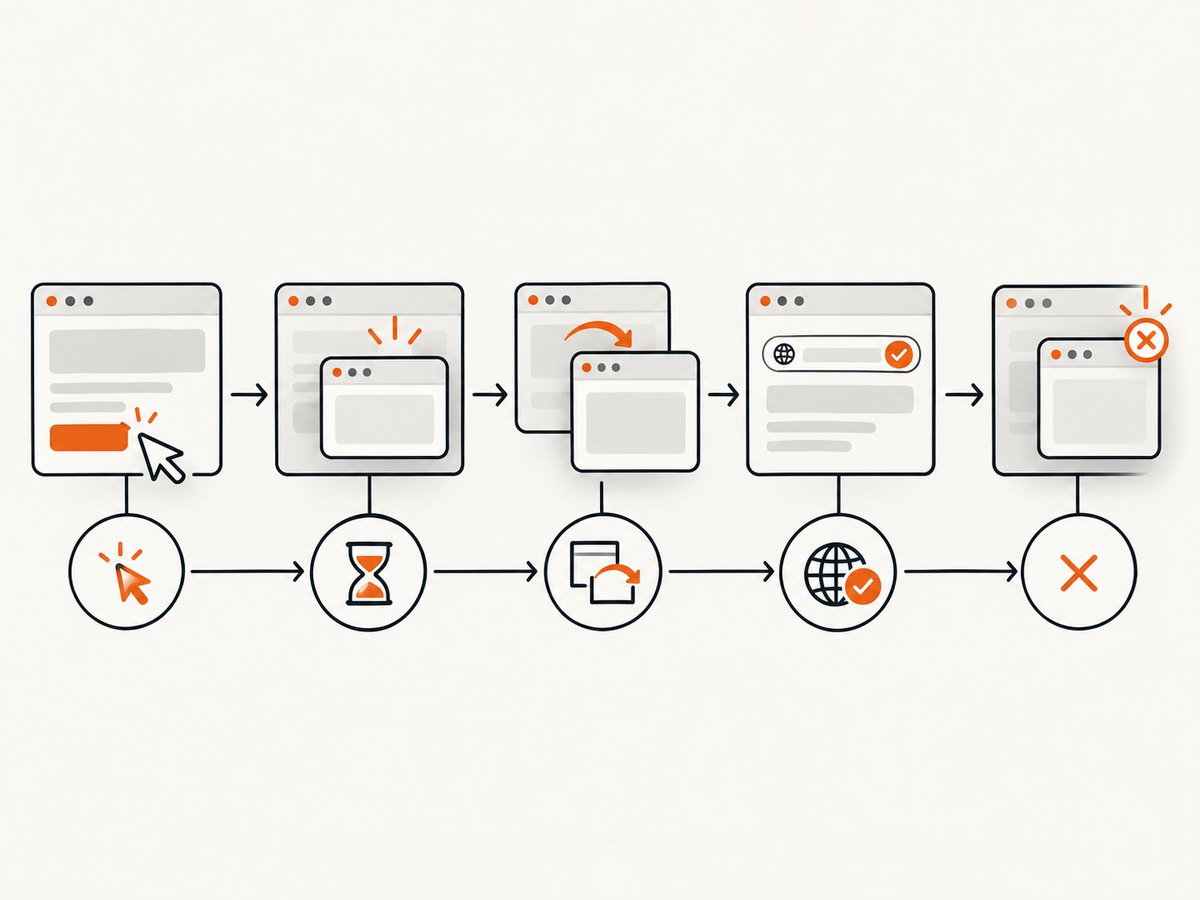
- Navigate to the page that contains the link or button.
- Read and save the current handle.
- Click the control that opens the tab.
- Wait until the number of handles increases.
- Enumerate handles again and select the one different from the original.
- Switch with
window.switchTo. - Perform assertions or actions in the child context.
- Close it when finished and switch back to the original handle.
WebDriver does not distinguish between windows and tabs; both are browsing contexts identified by server-assigned handles. A site commonly creates a new tab with window.open(), but the automation API remains the same.
2. Why switching fails in headless Chrome
The click and the new handle are asynchronous
A successful click returns before Chrome has necessarily created and registered the new browsing context. Reading handles immediately can therefore return only the original handle. A fixed sleep can appear to work locally and fail in a busy CI worker. Waiting for the handle count is tied to the event you actually need.
The new tab is not guaranteed to be array index one
Handle order is an implementation detail. Extensions, redirects, test setup and additional popups can change ordering. Compare values with the original handle rather than using handles[1].
Commands race when promises are not awaited
In an async Nightwatch test, waitUntil, getAllHandles and switchTo return promises. Omitting await lets the next command run before the previous one has completed.
The child context was closed
After closing a tab, its handle is invalid. Any command sent to it can fail with a no-such-window error. Switch to a remaining handle immediately after closing.
Headless size is a separate problem
Viewport dimensions do not select a handle. If the tab switch succeeds but screenshots or responsive assertions differ in CI, set an explicit window size. A historical Nightwatch issue reported an 800×600 headless viewport under Chrome 81 even when start-maximized was used. Treat that as version-specific evidence, not a current guarantee.
3. Waiting strategies
Preferred: wait for the handle count
const original = await browser.window.getHandle();
await browser.click('a[target="_blank"]');

await browser.waitUntil(async () => {
  const handles = await browser.window.getAllHandles();
  return handles.some(handle => handle !== original);
}, { timeout: 10000 });

const child = (await browser.window.getAllHandles())
  .find(handle => handle !== original);
await browser.window.switchTo(child);
This also handles a page that already has more than two contexts because it looks for a value absent from the original context rather than assuming a specific count.
Waiting for a known URL
If the new page redirects, wait for the handle first, switch, then wait for the destination URL or a distinctive element. Do not wait for the URL before switching; the URL belongs to the child context.
await browser.window.switchTo(child);
await browser.waitUntil(async () => {
  const url = await browser.getUrl();
  return url.includes('/authorization/complete');
}, { timeout: 15000 });
Why fixed sleeps are fragile
pause(1000) encodes an assumption about network and CPU speed. A one-second pause wastes time when the tab is fast and is still too short when the CI host is slow. Use a bounded condition wait and keep the timeout large enough for the slowest supported environment.
4. Multiple new tabs and robust handle selection
When one action can open several contexts, calculate a set difference:
const before = new Set(await browser.window.getAllHandles());
await browser.click('#launch-windows');

await browser.waitUntil(async () => {
  const current = await browser.window.getAllHandles();
  return current.some(handle => !before.has(handle));
});

const after = await browser.window.getAllHandles();
const newHandles = after.filter(handle => !before.has(handle));

for (const handle of newHandles) {
  await browser.window.switchTo(handle);
  // Inspect this context, then continue or close it.
}

await browser.window.switchTo([...before][0]);
If the application opens a popup and later replaces it, select by a property after switching, such as URL or title, and close or retain the context deliberately. Never rely on creation order when several handles are possible.
5. Legacy Nightwatch API
Older suites may use the legacy command names. The same algorithm applies:
const result = await browser.windowHandles();
const original = result.value[0];

await browser.click('#opens-new-tab');

await browser.waitUntil(async function () {
  const current = await browser.windowHandles();
  return current.value.length > 1;
});

const handles = (await browser.windowHandles()).value;
const child = handles.find(handle => handle !== original);

if (!child) {
  throw new Error('No child window handle found');
}

await browser.switchToWindow(child);
await browser.assert.urlContains('expected.example');
await browser.closeWindow();
await browser.switchToWindow(original);
switchToWindow accepts a server-assigned handle or a window name. During migration, avoid mixing old and current commands in one flow unless your Nightwatch version documents that combination.
6. Diagnostics checklist
- Verify the click. Confirm the selector points to the interactive element and that the element is visible and enabled.
- Confirm a new browsing context exists. Log handles before the click and after the wait. If the count never increases, investigate popup blocking, consent overlays, click handlers and application behavior.
- Check the browser event. Inspect whether the page calls
window.open()or navigates the current tab instead. - Compare handle values. Print the complete arrays and select by difference from the saved original.
- Check awaits. Every promise-returning command in the async test should be awaited.
- Check lifecycle. After closing a child, switch back before issuing another command.
- Separate layout from switching. Set an explicit width and height when responsive behavior or screenshots matter.
- Align versions. Record Nightwatch, Chrome and ChromeDriver versions in CI. A driver/browser mismatch can produce unrelated session and window errors.
7. Common errors and fixes
| Error or symptom | Likely cause | Fix |
|---|---|---|
| Only one handle after the click | The click did not open a top-level context, or popup policy blocked it. | Verify the click target and application behavior; inspect popup permissions and logs. |
| Switch works locally but fails in CI | Race condition, slower host or missing await. |
Wait on handle appearance, use a bounded timeout and await every command. |
| Wrong page after switching | Handle selected by array index. | Find the handle whose value differs from the original, then assert URL or title. |
| No such window | The context was closed or the session ended. | Do not reuse a closed handle; switch to a remaining handle and check session lifecycle. |
| Screenshot has the wrong dimensions | Headless viewport was not configured. | Set explicit window dimensions and inspect browser/driver versions. |
| Timeout waiting for a handle | The app navigated in place instead of opening a tab. | Check the link target and browser events; assert current-tab navigation separately. |
8. Viewport configuration for headless tests
Configure dimensions in the Nightwatch environment or test setup when CSS breakpoints, screenshots or canvas output are part of the assertion. Keep the size deterministic across local and CI runs. A maximization flag is not a substitute for explicit headless dimensions.
module.exports = {
  test_settings: {
    chrome_headless: {
      desiredCapabilities: {
        browserName: 'chrome',
        'goog:chromeOptions': {
          args: [
            '--headless=new',
            '--window-size=1440,900'
          ]
        }
      }
    }
  }
};
Use the capability format supported by your Nightwatch and Chrome versions. If a version does not recognize --headless=new, use the mode documented for that browser release.
9. Reliability, performance and cost considerations
- Reliability: Condition-based waits, handle differences and cleanup remove the three most common sources of nondeterminism.
- Performance: Polling handles is inexpensive compared with a fixed multi-second sleep. Keep the polling timeout bounded and avoid repeatedly collecting handles inside unrelated loops.
- Isolation: Close child contexts after each test or reset the session. Leaked tabs increase memory use and make later handle selection ambiguous.
- CI evidence: On failure, log browser versions, viewport, original handle, handle arrays and current URL. These values show whether the failure occurred before or after context creation.
- Cost: A local headless browser consumes CI minutes and maintenance time. A screenshot API can move capture out of the test runner when you only need a rendered image or PDF.
10. Or skip the browser setup
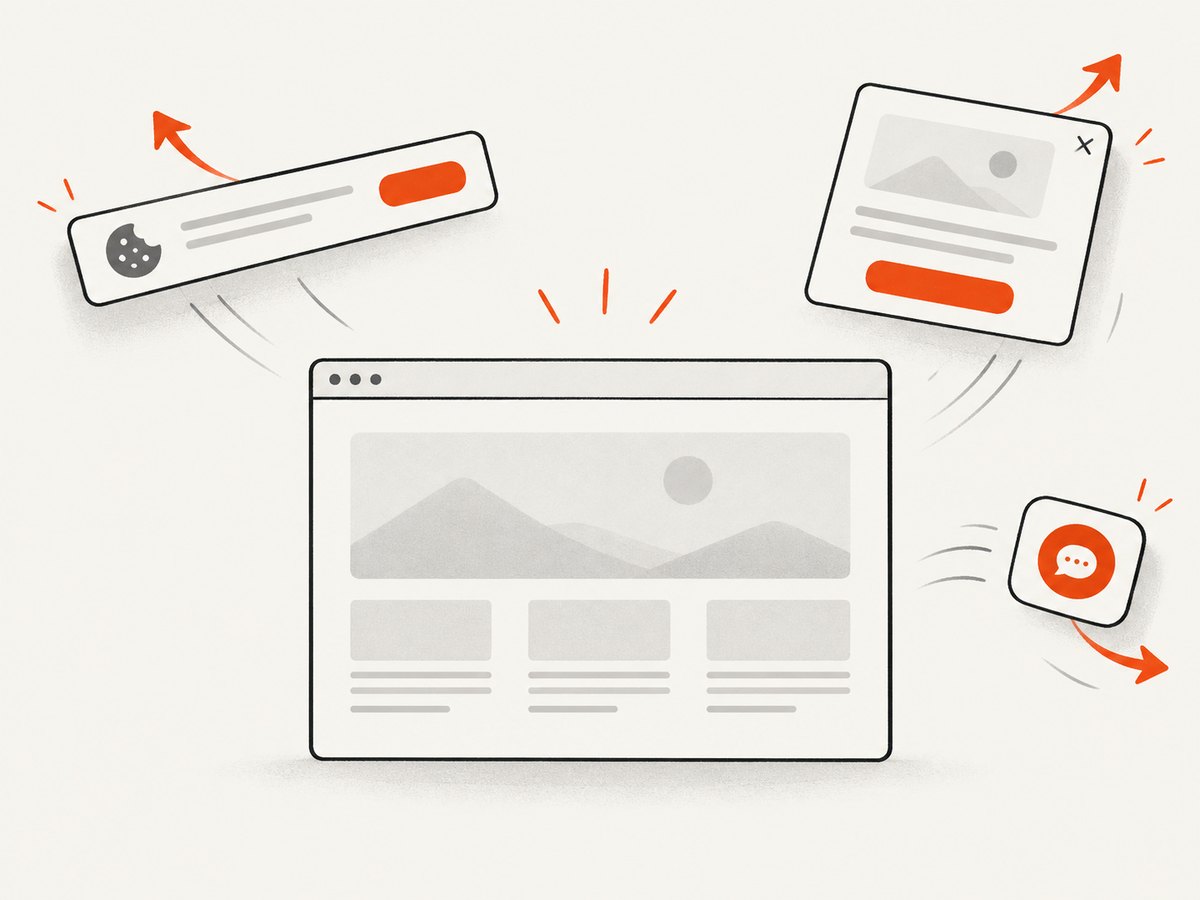
If your goal is a clean page image or PDF rather than interactive tab testing, ScreenshotNeo provides a single GET request. Its capture flow accepts cookie and consent banners like a visitor, removes more than 60 known consent platforms plus newsletter popups and chat widgets, and lets you turn each cleanup step off. Bot checks, CAPTCHAs, blank pages, timeouts, failed loads and cache hits are not billed; response headers report the page verdict and whether the request was billed.
See the ScreenshotNeo API documentation for all options.
cURL
curl -G "https://api.screenshotneo.com/v1/shot" -d access_key=YOUR_API_KEY --data-urlencode url=https://stripe.com -o shot.webpPython
import requests

r = requests.get(
    "https://api.screenshotneo.com/v1/shot",
    params={"access_key": "YOUR_API_KEY", "url": "https://stripe.com"},
    timeout=90,
)
r.raise_for_status()
open("shot.webp", "wb").write(r.content)
Node.js
const q = new URLSearchParams({ access_key: 'YOUR_API_KEY', url: 'https://stripe.com' });
const res = await fetch(`https://api.screenshotneo.com/v1/shot?${q}`);
if (!res.ok) throw new Error(`Screenshot failed: ${res.status}`);
const fs = await import('node:fs/promises');
await fs.writeFile('shot.webp', Buffer.from(await res.arrayBuffer()));
ScreenshotNeo also supports full-page capture with lazy images loaded, CSS-selector element capture, dark mode, device presets and custom viewports, retina scale, PDF paper and page settings, custom CSS and JavaScript, clicks before capture, selector or network-idle waits, request blocking, headers, cookies, user agents, authorization, timezone, geolocation, transparent backgrounds, resizing, cache TTLs, signed links, asynchronous jobs with signed webhooks, bulk capture of up to 100 URLs per call, a usage API and an OpenAPI specification. An MCP server exposes take_screenshot, get_page_info and capture_pdf to Claude, Cursor and other MCP clients.
There is a free plan with 1,000 screenshots per month and no card. Paid plans start at $5 for 3,000 shots, and every feature is available on every plan. Create a free ScreenshotNeo account.
11. FAQ
Is a tab different from a window in Nightwatch?
No. WebDriver exposes both through window handles, so use the same enumeration and switching commands.
Should I wait for two handles exactly?
Only when the test guarantees one original and one child. Otherwise wait for a handle not present in the original set.
Can I switch by URL instead of handle?
No. Switch by handle first, then verify the child URL or title and continue.
Why does start-maximized not fix my screenshot?
Headless viewport sizing is separate from handle selection and may ignore maximization. Set explicit dimensions.
What should I do if no new handle appears?
Confirm the click creates a top-level context. The application may navigate in place, block the popup or require a different click target.


