How to Fix Exceptions in NReco’s GeneratePdfFromFiles Method
Fix NReco GeneratePdfFromFiles errors by passing file paths or URLs, resolving external resources, and handling deployment issues.
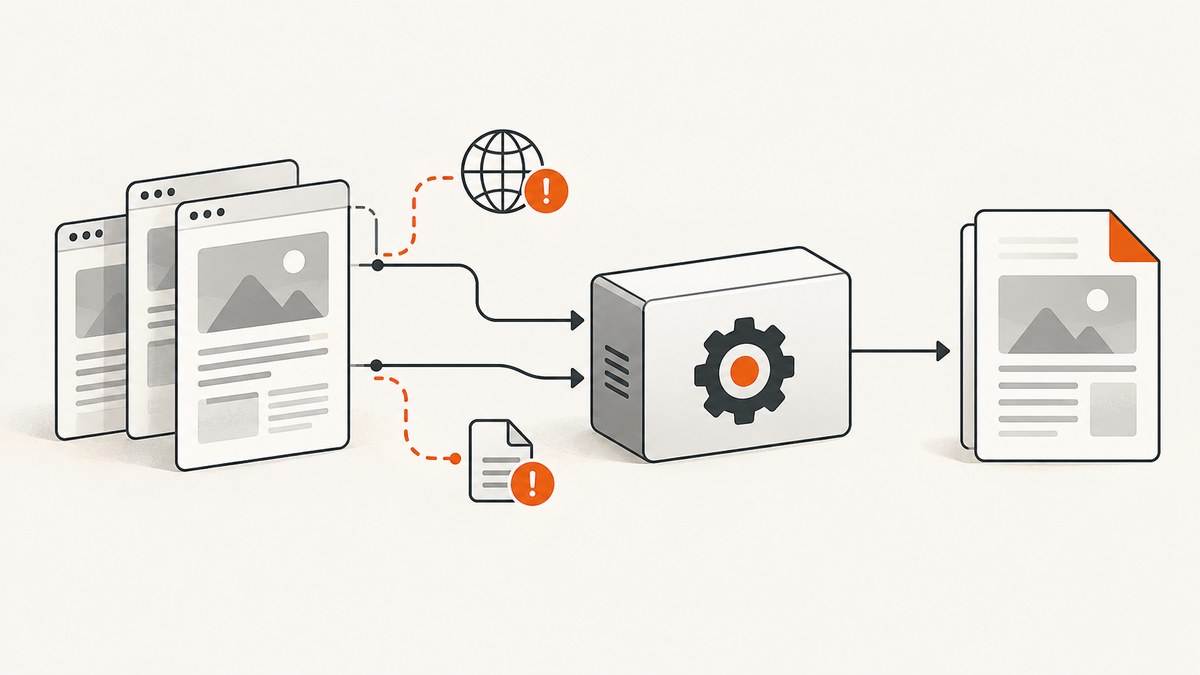
Direct answer: GeneratePdfFromFiles(string[] ...) expects each array item to be an HTML file name or URL. It does not accept HTML markup stored directly in a string. Save string HTML to uniquely named temporary files, close the files, pass their absolute paths, and then investigate any external CSS, JavaScript, image, font, or other URL that the renderer cannot load.
HostNotFoundError, ContentNotFoundError, and ProtocolUnknownError usually indicate that wkhtmltopdf could not resolve or retrieve a referenced resource. If the resource is optional, NReco documents an option that tells wkhtmltopdf to ignore media-loading failures. If the resource is required, fix its URL, DNS, network access, authentication, or file permissions.
1. What GeneratePdfFromFiles accepts
The stream overload has the shape below:
GeneratePdfFromFiles(string[] htmlFiles, string coverHtml, Stream output)| Argument | Expected value | Common mistake |
|---|---|---|
htmlFiles |
Paths to HTML files or absolute URLs | Passing <html>...</html> markup as an array item |
coverHtml |
Optional cover HTML string | Assuming it changes how htmlFiles is interpreted |
output |
Writable output stream | Using a closed, non-writable, or disposed stream |
A value such as C:\app\input\one.html or https://example.test/document.html is a location. A value beginning with <html>, <!doctype, or a CSS tag is markup, not a location.
2. Correct code when you already have file paths
using NReco.PdfGenerator;
using System.IO;

var converter = new HtmlToPdfConverter();
var htmlFiles = new[]
{
    Path.GetFullPath(@"C:\app\input\one.html"),
    Path.GetFullPath(@"C:\app\input\two.html")
};

using var output = new MemoryStream();
converter.GeneratePdfFromFiles(htmlFiles, null, output);
byte[] pdfBytes = output.ToArray();
File.WriteAllBytes(@"C:\app\output\combined.pdf", pdfBytes);
Before calling the method, verify that the application identity can read every file. In a service, container, scheduled task, or IIS worker, the account running the process may not have access to a developer workstation path.
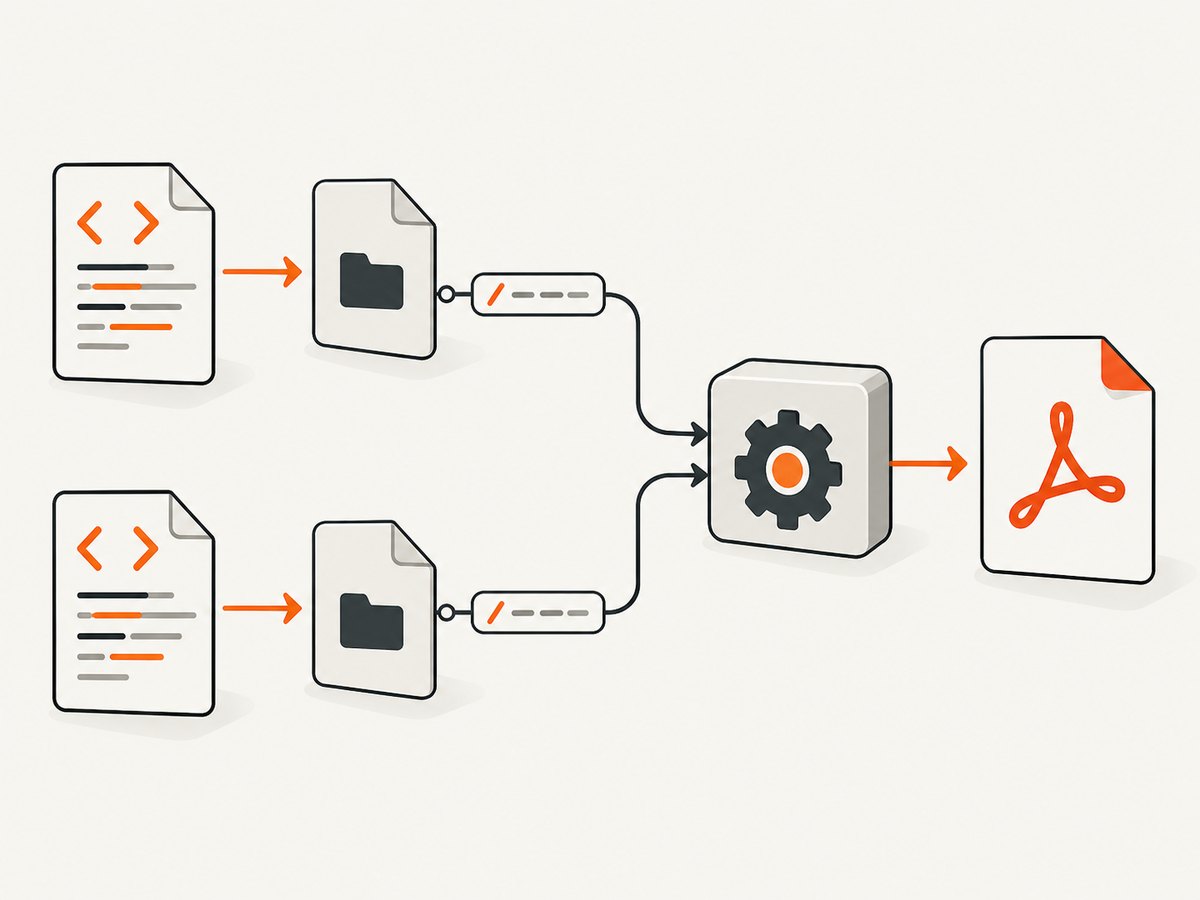
3. Correct code when the input is HTML in .NET strings
Write each HTML document to a separate temporary file, flush and close it, pass absolute paths, and clean up after PDF generation. Use unique names so concurrent requests cannot overwrite one another.
using NReco.PdfGenerator;
using System;
using System.IO;
using System.Text;

static byte[] CreatePdfFromHtmlStrings(string firstHtml, string secondHtml)
{
    string tempDirectory = Path.Combine(Path.GetTempPath(), "nreco-pdf-" + Guid.NewGuid().ToString("N"));
    Directory.CreateDirectory(tempDirectory);

    string firstPath = Path.Combine(tempDirectory, "one.html");
    string secondPath = Path.Combine(tempDirectory, "two.html");

    try
    {
        File.WriteAllText(firstPath, firstHtml, new UTF8Encoding(encoderShouldEmitUTF8Identifier: false));
        File.WriteAllText(secondPath, secondHtml, new UTF8Encoding(encoderShouldEmitUTF8Identifier: false));

        var converter = new HtmlToPdfConverter();
        using var output = new MemoryStream();
        converter.GeneratePdfFromFiles(
            new[] { Path.GetFullPath(firstPath), Path.GetFullPath(secondPath) },
            null,
            output);

        return output.ToArray();
    }
    finally
    {
        try
        {
            if (Directory.Exists(tempDirectory))
                Directory.Delete(tempDirectory, recursive: true);
        }
        catch (IOException)
        {
            // Log cleanup failures; do not hide a successfully generated PDF.
        }
        catch (UnauthorizedAccessException)
        {
            // Check the service account's permissions if cleanup repeatedly fails.
        }
    }
}
The temporary directory must remain available until GeneratePdfFromFiles returns. Do not delete the files immediately after creating them or before the renderer has finished reading them.
Relative URLs inside temporary files
HTML that contains <img src="images/logo.png"> or url(font.woff) depends on a base location. A temporary file in the system temp directory may not have the same neighboring files as the original document. Use absolute file paths or absolute HTTP(S) URLs, or copy the required assets into a known directory beside the temporary HTML file.
4. Diagnose HostNotFoundError and related network errors
NReco’s FAQ explains that these errors commonly come from external JavaScript, CSS, or image URLs that wkhtmltopdf cannot load. The renderer runs in the deployment environment, so test from that machine or container rather than only from a developer browser.
- Print every input. Log the array values and confirm they are paths or URLs, not markup.
- Inspect resource references. Search for
link,script,img, CSSurl(...), fonts, and redirects. - Use absolute locations. Resolve relative references against the intended page or file base.
- Check DNS and routing. Confirm the renderer host can resolve the hostname and reach the port through its firewall, proxy, or container network.
- Check authentication. Private resources may require cookies, headers, a token, or a different public endpoint.
- Check the protocol. A malformed or unsupported scheme can produce
ProtocolUnknownError. - Check the response. A URL that returns a login page, 404, redirect loop, or blocked response is not a valid asset merely because it opens in your browser.
| Exception | Typical cause | Fix |
|---|---|---|
HostNotFoundError |
DNS failure or unreachable hostname | Fix DNS, routing, proxy, firewall, or the hostname. |
ContentNotFoundError |
Missing file or HTTP resource | Correct the path or URL and confirm the resource exists. |
ProtocolUnknownError |
Unsupported or malformed URL scheme | Use a valid absolute file or HTTP(S) URL. |
| Exit with code 1 | wkhtmltopdf reported a load or rendering failure | Read the complete exception text and inspect all referenced resources. |
5. When ignoring failed media is appropriate
If a missing image, stylesheet, or other media is optional, NReco’s FAQ documents this setting:
var converter = new HtmlToPdfConverter
{
    CustomWkHtmlArgs = " --load-media-error-handling ignore "
};
This can allow PDF generation while omitting unavailable media. It does not make an inaccessible required resource available. Use it only when a missing asset is acceptable, then inspect the resulting PDF for missing branding, layout, fonts, or content. wkhtmltopdf behavior can vary with installed versions, so validate the generated document in your deployment environment.
6. Choose the right overload
The documented string[] overload is convenient when every input is a file path or URL and one shared converter configuration is sufficient. Another overload accepts WkHtmlInput[] and an output file path, allowing per-input settings. Select the overload that matches your installed NReco package and whether output belongs in a stream or a file.
Do not assume that changing overloads will convert markup strings into documents. The input contract still matters: locations must be supplied where the API expects locations.
7. Deployment and package checks
The standard NReco.PdfGenerator NuGet package includes Windows wkhtmltopdf binaries. NReco directs cross-platform deployments to NReco.PdfGenerator.LT. Confirm the package, target operating system, native binaries, and runtime architecture before treating a deployment failure as an input error.
Package versions and wkhtmltopdf behavior change. Record the package version, operating system, process architecture, and full exception text when diagnosing an issue. The method reference and package history should be checked against the version actually installed in your application.
8. Reliability and performance checklist
- Reuse a stable output pattern, but do not share one writable
Streambetween concurrent requests. - Give each request unique temporary file and directory names.
- Close files before invoking the converter.
- Prefer local assets or reliable absolute URLs for deterministic rendering.
- Keep optional media handling separate from required content validation.
- Limit concurrent conversions according to available CPU, memory, disk, and renderer process capacity.
- Delete temporary files in a
finallyblock and log cleanup failures. - Capture full renderer exceptions, input locations, package version, and deployment identity.
- Validate page count, required text, images, and fonts in generated PDFs before publishing them.
9. A simpler hosted screenshot and PDF option
If your requirement is to capture a reachable web page rather than assemble local HTML files with wkhtmltopdf, ScreenshotNeo provides a website screenshot API and MCP server. It accepts one GET request and can return PNG, JPEG, WebP, or PDF.

Or skip the browser setup
ScreenshotNeo removes cookie and consent banners, newsletter popups, and chat widgets before capture. Bot checks, blank pages, timeouts, failed loads, and cache hits are not billed, and the response identifies the result with X-Page-Verdict and X-Billed headers. Its MCP server includes take_screenshot, get_page_info, and capture_pdf tools for Claude, Cursor, and other MCP clients. The free plan includes 1,000 screenshots per month without a card; paid plans start at $5 for 3,000 shots.
See the ScreenshotNeo API documentation for options such as full-page capture, CSS selectors, device presets, PDF paper sizes and margins, custom headers and cookies, waiting rules, blocked resources, caching, signed links, asynchronous jobs, bulk capture, and usage reporting.
curl -G "https://api.screenshotneo.com/v1/shot" -d access_key=YOUR_API_KEY --data-urlencode url=https://stripe.com -o shot.webpimport requests
r = requests.get("https://api.screenshotneo.com/v1/shot", params={"access_key": "YOUR_API_KEY", "url": "https://stripe.com"}, timeout=90)
open("shot.webp", "wb").write(r.content)const q = new URLSearchParams({ access_key: 'YOUR_API_KEY', url: 'https://stripe.com' });
const res = await fetch(`https://api.screenshotneo.com/v1/shot?${q}`);Create a free ScreenshotNeo account with 1,000 screenshots per month and no card required.
10. Troubleshooting quick reference
| Symptom | Likely cause | Action |
|---|---|---|
Immediate HostNotFoundError |
Array contains HTML markup or an unresolved host | Write markup to files; then test hostname resolution from the renderer host. |
| PDF is created but images are absent | Relative paths, blocked URLs, or optional media failures | Use absolute locations or fix access; use media-error ignore only for optional assets. |
| Works locally, fails in production | Different account, DNS, proxy, permissions, package, or OS | Compare the actual execution environment and installed binaries. |
| Temporary-file version fails | Files were deleted early or cannot be read | Close and flush files, retain them through conversion, and check permissions. |
| Output stream is empty or disposed | Incorrect stream lifetime or position handling | Keep the stream open through conversion and call ToArray() after completion. |
FAQ
Can I pass a string containing HTML directly?
Not to the string[] parameter of GeneratePdfFromFiles. Save the string as an HTML file and pass its absolute path.
Should every resource URL be absolute?
Absolute paths and URLs remove ambiguity and are the safest choice when the renderer runs from a service or temporary directory. Relative references can work when their base is correct and accessible.
Does --load-media-error-handling ignore fix DNS failures?
No. It may let output continue without optional media. It does not repair DNS, authentication, routing, invalid URLs, or missing required content.
Which NReco package should I use outside Windows?
NReco’s package notes direct cross-platform users to NReco.PdfGenerator.LT. Confirm the current package guidance for your target runtime.
Is this method suitable for web pages that need browser automation?
It is an HTML-to-PDF method built around wkhtmltopdf inputs. Pages requiring modern browser behavior, consent handling, or automated interaction may be better served by a browser-based capture service such as ScreenshotNeo.


