How to Fix NReco.PdfGenerator HtmlToPdfConverter Errors on Hosting Servers
Diagnose NReco.PdfGenerator failures by checking process execution, wkhtmltopdf deployment, network assets, hosting limits, and QtWebKit compatibility.
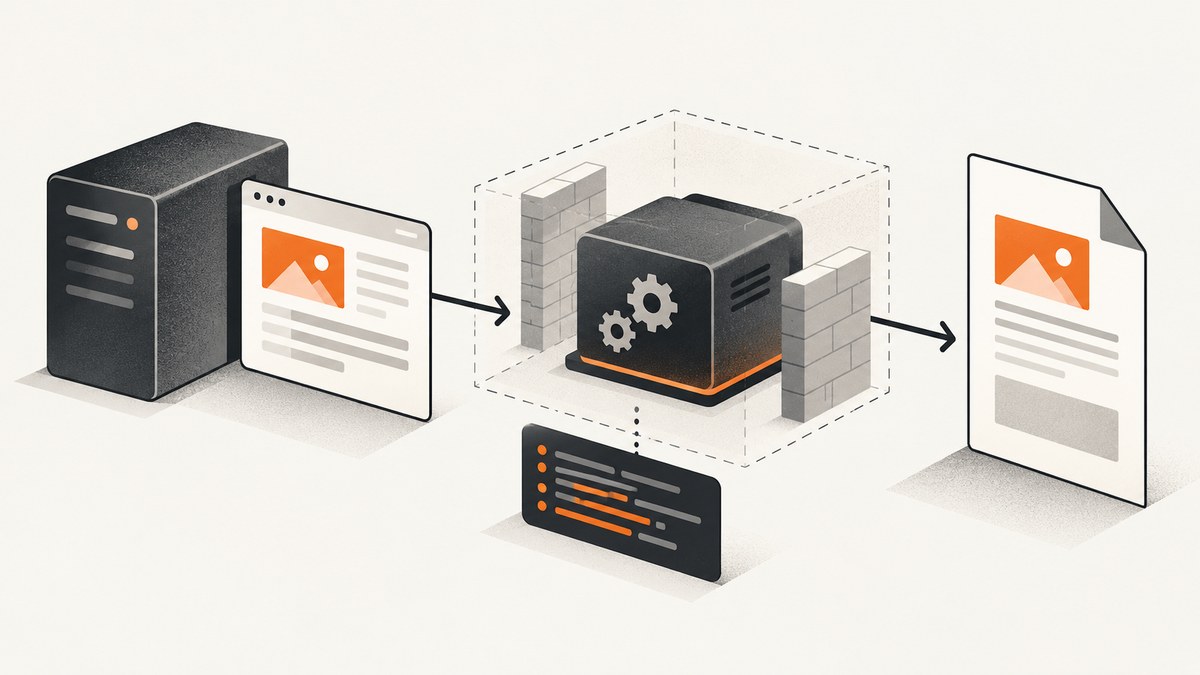
NReco.PdfGenerator runs wkhtmltopdf as a separate operating-system process. A hosting plan can therefore fail even when your .NET code and NuGet reference are correct: the host must allow the executable to be deployed and launched through System.Diagnostics.Process. Start by identifying the package and runtime, proving that wkhtmltopdf exists and can execute, enabling converter logs, and then classifying the error as a process, network-resource, hosting, or rendering-engine problem.
1. Diagnose the failure before changing code
- Save the complete .NET exception and every line emitted by wkhtmltopdf.
- Record the deployment tuple: operating system, target framework, CPU architecture, NReco package, hosting product and plan, container base image, executable path, and whether child processes are permitted.
- Run a minimal conversion with diagnostics enabled. This separates converter startup failures from failures in your real HTML.
- Only after startup works, test external images, stylesheets, scripts, authentication, fonts, and modern CSS.
Minimal diagnostic C# program
using System;
using NReco.PdfGenerator;

class Program
{
    static void Main()
    {
        var converter = new HtmlToPdfConverter
        {
            Quiet = false
        };

        converter.LogReceived += (sender, args) =>
        {
            Console.Error.WriteLine(args.Data);
        };

        const string html = "<html><body><h1>Diagnostic PDF</h1><p>Converter startup works.</p></body></html>";
        byte[] pdf = converter.GeneratePdf(html);
        System.IO.File.WriteAllBytes("diagnostic.pdf", pdf);
        Console.WriteLine("Wrote diagnostic.pdf");
    }
}
Quiet suppresses wkhtmltopdf messages by default. Setting it to false and subscribing to LogReceived exposes the process output needed to classify the failure.
2. Match the package to the hosting environment
| Environment | Package/deployment direction | What to verify |
|---|---|---|
| Windows with modern .NET | The standard NReco.PdfGenerator package is the simplified option described by NReco for current Windows deployments. |
Package version, writable tool location, process execution, and plan restrictions. |
| Linux, macOS, or Docker | Use NReco.PdfGenerator.LT and deploy a compatible wkhtmltopdf binary separately. |
OS, architecture, native libraries, executable permissions, WkHtmlToPdfExeName, and PdfToolPath. |
| Azure Windows Functions/App plans | Follow NReco’s current Windows guidance. | Whether the selected plan permits execution, whether the tool path must be moved to writable temporary storage, and font limitations. |
| Azure Linux or AWS Lambda | Use the LT-specific/container or special deployment approach. | Matching runtime image, binary build, architecture, dependencies, and writable directories. |
| Shared ASP.NET hosting | Often unsupported when binaries cannot be deployed or child processes are blocked. | Ask the provider specifically about executable deployment and System.Diagnostics.Process. |
| Ordinary Windows or Linux VM | Usually gives you control over the executable and process policy. | Install the correct binary, libraries, fonts, permissions, and outbound network access. |
NReco states that the converter executes the wkhtmltopdf command-line tool in a separate process using System.Diagnostics.Process; your hosting environment must allow that. A library reference cannot bypass a host policy that blocks child processes.
Configure an explicitly deployed executable
using NReco.PdfGenerator;

var converter = new HtmlToPdfConverter
{
    Quiet = false,
    PdfToolPath = "/opt/wkhtmltopdf/bin/wkhtmltopdf"
};
converter.WkHtmlToPdfExeName = "wkhtmltopdf";
converter.LogReceived += (sender, args) => Console.Error.WriteLine(args.Data);

byte[] pdf = converter.GeneratePdf("<h1>Hello</h1>");
Use the actual path and executable name for your image or server. On LT deployments, the binary is external to the package. If the path is wrong, the process cannot start even though the application compiles.
3. Turn on logs and preserve them
Log the complete exception, converter output, request identifier, target URL or HTML size, package version, and host details. Do not discard the first line that mentions an executable, permission, library, or exit code.
var converter = new HtmlToPdfConverter { Quiet = false };
converter.LogReceived += (sender, e) =>
{
    // Send e.Data to your structured logger in production.
    Console.Error.WriteLine($"wkhtmltopdf: {e.Data}");
};

try
{
    var bytes = converter.GeneratePdf(html);
    File.WriteAllBytes("output.pdf", bytes);
}
catch (Exception ex)
{
    Console.Error.WriteLine(ex.ToString());
    throw;
}
4. Fix process-launch and missing-binary errors
Symptoms
- “The system cannot find the file specified.”
- Permission denied or access denied.
- The request hangs until a server timeout.
- The application works locally but fails immediately after deployment.
- No PDF is produced and the log contains no page-loading messages.
Checks
- Confirm the binary is present in the deployed artifact or image.
- Confirm the configured
PdfToolPathpoints to the file, not its parent directory. - On Linux, verify execute permission and required native libraries.
- Verify the process user can read and execute the file and write the output directory.
- Verify the host permits child processes. Shared plans may prohibit this regardless of file permissions.
- Verify architecture: an x64 binary cannot run in an incompatible process architecture.
- For serverless platforms, verify that the binary is placed in a writable or executable location allowed by that platform.
NReco can expand tool files from DLL resources when they are absent in supported standard-package deployments. LT deployments still require a separately deployed wkhtmltopdf executable, so follow the current NReco instructions for your exact runtime image and architecture.
5. Resolve network-error exit codes
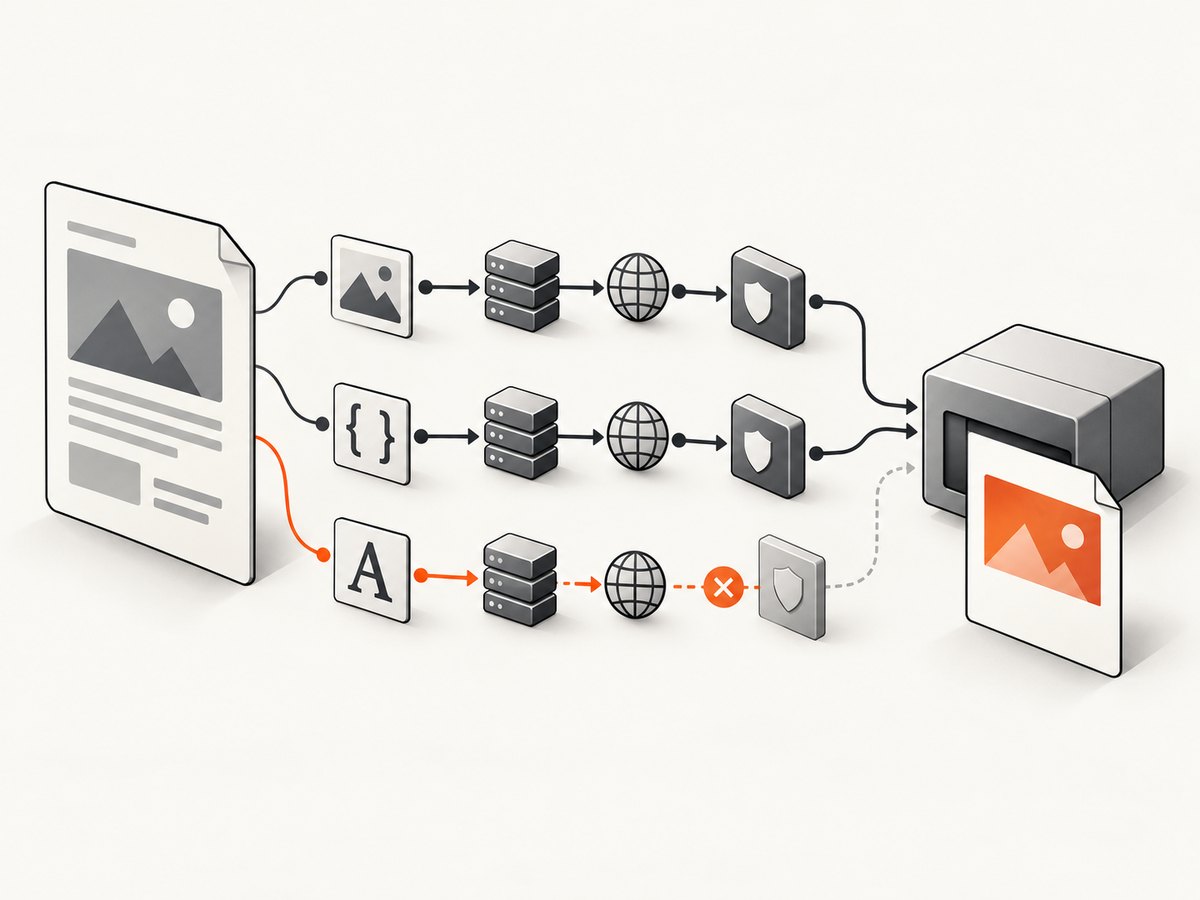
These literal messages usually identify an asset in the HTML that wkhtmltopdf could not load:
| Log message | Likely cause | Fix |
|---|---|---|
Exit with code 1 due to network error: ContentNotFoundError |
An image, CSS file, script, font, or page returned a missing resource. | Check the URL/path, response status, and whether the resource exists from the server. |
Exit with code 1 due to network error: ProtocolUnknownError |
The resource URL uses an unsupported or malformed scheme. | Use an absolute http:// or https:// URL, or a valid local path. |
Exit with code 1 due to network error: HostNotFoundError |
DNS or outbound network access failed. | Resolve the hostname from the hosting environment and check egress, proxy, firewall, and DNS settings. |
Use absolute resource references
<link rel="stylesheet" href="https://example.com/assets/print.css">
<img src="https://example.com/assets/logo.png" alt="Logo">
<script src="https://example.com/assets/report.js"></script>
Relative references that work in a browser may fail when HTML is supplied as a string. Use absolute URLs or absolute local paths. Test each URL from the host, not from your workstation. Check TLS certificates, DNS, outbound access, authentication headers, cookies, and resources protected by an interactive login.
Ignore media-load failures only when missing assets are acceptable
var converter = new HtmlToPdfConverter { Quiet = false };
converter.CustomWkHtmlArgs = "--load-media-error-handling ignore";
This can let wkhtmltopdf continue when media resources fail, but the resulting PDF may have missing images or styles. It does not fix a missing executable, blocked process, DNS failure that affects the page itself, or an incompatible binary. Validate the document before treating the conversion as successful.
6. Handle authentication, local files, and dynamic pages
- For protected assets, provide a server-reachable authenticated URL or configure the converter’s supported headers/cookies for your installed version.
- Do not assume a browser session, localhost address, or developer VPN is available to the server process.
- Make sure local files are readable by the service account and use absolute paths.
- If JavaScript builds the page, allow enough time for it to finish and confirm that the older rendering engine supports the code.
- Keep a minimal HTML fixture with one inline style and one inline image. Add external assets one at a time to identify the failing dependency.
7. Fix PDFs that generate but look wrong
Successful process execution does not mean browser-equivalent rendering. NReco documents that wkhtmltopdf is based on QtWebKit 4.8 and lacks support for modern CSS such as flexbox and grid and for ES2015 JavaScript.

- Replace flex/grid layout with simpler block, table, or float layouts for the PDF template.
- Transpile or simplify ES2015 code, or render required values into the HTML before conversion.
- Install and verify the fonts required by the service account and container.
- Use print-specific CSS and fixed dimensions where pagination matters.
- Check that images are loaded before conversion and that their intrinsic dimensions are available.
8. Container and serverless deployment checklist
- Start from the current NReco instructions for the exact .NET base image.
- Choose the LT package for Linux, macOS, and Docker scenarios.
- Install the wkhtmltopdf build and native dependencies intended for that distribution and architecture.
- Set
PdfToolPathexplicitly and verify it during image build or startup. - Run the process as the same non-root user used by the application.
- Verify writable temporary and output directories.
- Verify DNS, HTTPS certificates, outbound access, and required fonts inside the container.
- Keep the image’s binary and package versions documented so an image rebuild does not silently change rendering.
Generic distribution packages can install an old or unsuitable build. Binary URLs, versions, and cloud-plan instructions change, so recheck NReco’s current container and platform documentation before publishing or deploying an image.
9. Compare hosting options on four practical axes
| Axis | Question |
|---|---|
| Process execution | Can the application start a child process through System.Diagnostics.Process? |
| Binary deployment | Can the required wkhtmltopdf executable and native dependencies be included and executed? |
| Compatibility | Do OS, runtime, package, binary, and CPU architecture match? |
| Page resources | Can the environment reach authenticated or public assets and provide required fonts? |
Ordinary VMs usually provide the most control. Restricted shared hosting can fail the first two tests. Containers and serverless plans can work when their image, filesystem, process, and network rules are designed for the LT deployment.
10. Licensing and production planning
NReco’s product documentation states a free-use condition for one single-server production deployment and says multiple deployments, multi-server production, or SaaS use require a commercial license. Treat that as vendor-stated guidance and confirm the current terms with NReco before deployment.
11. A repeatable troubleshooting checklist
- Capture the full exception and wkhtmltopdf log.
- Record OS, .NET target, package, host plan, image, architecture, and executable path.
- Run the minimal inline-HTML conversion.
- Prove the executable exists, is executable, and can be launched by the service account.
- Test every external URL from the host.
- Replace relative references with absolute URLs or paths.
- Check DNS, TLS, authentication, proxy, and firewall behavior.
- Check fonts and QtWebKit-era CSS/JavaScript compatibility.
- Validate the PDF’s assets before using
--load-media-error-handling ignore. - Recheck current NReco package, container, cloud-plan, and license instructions.
Or skip the browser setup
If your goal is a clean image or PDF of a web page rather than maintaining wkhtmltopdf on a restricted host, ScreenshotNeo provides a hosted screenshot API and MCP server. One GET request returns PNG, JPEG, WebP, or PDF. It accepts cookie/consent banners before capture and removes more than 60 known consent platforms, newsletter popups, and chat widgets. Bot checks, CAPTCHAs, blank pages, timeouts, failed loads, and cache hits are not billed, and the response identifies the result with X-Page-Verdict and X-Billed headers. An MCP server exposes take_screenshot, get_page_info, and capture_pdf for Claude, Cursor, and other MCP clients.
See the complete option reference in the ScreenshotNeo documentation.
cURL
curl -G "https://api.screenshotneo.com/v1/shot" \
  -d access_key=YOUR_API_KEY \
  --data-urlencode url=https://stripe.com \
  -o shot.webp
Python
import requests

r = requests.get(
    "https://api.screenshotneo.com/v1/shot",
    params={"access_key": "YOUR_API_KEY", "url": "https://stripe.com"},
    timeout=90,
)
r.raise_for_status()
open("shot.webp", "wb").write(r.content)
Node.js
const q = new URLSearchParams({ access_key: 'YOUR_API_KEY', url: 'https://stripe.com' });
const res = await fetch(`https://api.screenshotneo.com/v1/shot?${q}`);
if (!res.ok) throw new Error(`HTTP ${res.status}`);
const fs = await import('node:fs/promises');
await fs.writeFile('shot.webp', Buffer.from(await res.arrayBuffer()));
ScreenshotNeo includes full-page capture with lazy images loaded, CSS-selector element capture, dark mode, device presets or custom viewports, retina scale, PDF paper and page controls, custom CSS and JavaScript, clicks, waits, request blocking, headers, cookies, user agents, Authorization, timezone, geolocation, transparent backgrounds, resizing, configurable caching, signed links, async webhooks, bulk capture, usage reporting, and an OpenAPI specification. Every feature is on every plan. The Free plan includes 1,000 screenshots per month with no card; paid plans start at $5 for 3,000.
Create a free ScreenshotNeo account and start with 1,000 screenshots per month without a card.
FAQ
Why does it work locally but fail on the server?
Your workstation may permit child processes, contain the binary and fonts, and have unrestricted DNS and HTTPS access. The hosting plan may block one or more of those capabilities.
Does a network error always mean the server is offline?
No. It often means one referenced image, stylesheet, script, font, or hostname was unavailable to wkhtmltopdf. Inspect the exact URL and log line.
Will switching to LT fix every Linux error?
No. LT is the cross-platform deployment direction, but the binary, native dependencies, architecture, permissions, process policy, and network access must still match.
Why is the PDF layout different from Chrome?
wkhtmltopdf uses QtWebKit 4.8, so modern CSS and ES2015 support are limited. Simplify the print template or use a rendering service based on a browser engine.
Can I ignore all media errors in production?
You can pass the documented media-error option, but inspect the resulting PDF because missing assets may be silently omitted.


