How to Fix Overlapping Text in jsPDF
Fix overlapping jsPDF text with correct wrapping, line heights, units, fonts, pagination, and reliable layout code.

Overlapping text in jsPDF usually comes from advancing the next block by a fixed single-line amount even though the previous paragraph wrapped to several lines. The reliable fix is to choose the font and size first, wrap with splitTextToSize(), render the returned lines together, and advance the next y coordinate using the actual line count and line height. Keep the width, x/y coordinates, and margins in the same units as the document.
This guide shows the complete pattern, explains why collisions happen, covers multiline text, pagination, fonts, units, alignment, and debugging, and includes a production-ready helper. At the end, you can also use ScreenshotNeo when your workflow needs a rendered page or PDF without maintaining browser capture infrastructure.
1. The core fix: calculate vertical space from wrapped lines
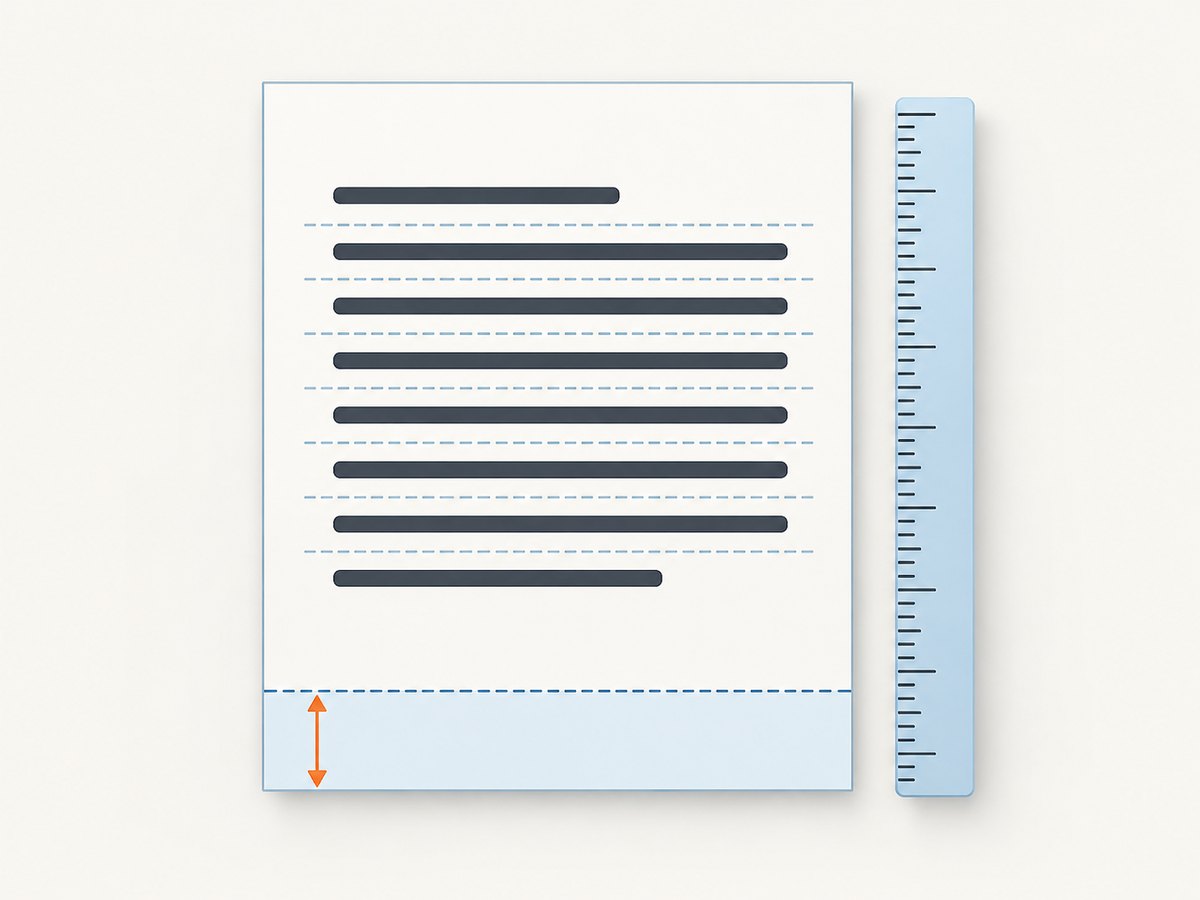
Set the font and font size before measuring or wrapping. Then pass the available width to splitTextToSize(text, maxWidth). The method returns an array, with one item per line. Render that array in one text() call and compute the next block’s y position from the array length.
import { jsPDF } from "jspdf";

const doc = new jsPDF({ unit: "mm", format: "a4" });

doc.setFont("helvetica", "normal");
doc.setFontSize(12);

const margin = 15;
const pageWidth = doc.internal.pageSize.getWidth();
const contentWidth = pageWidth - margin * 2;
const lineHeightFactor = 1.3;
const paragraph =
  "This paragraph may wrap to several lines. Its height must be included before the next block is positioned, otherwise the following text can overlap.";

const lines = doc.splitTextToSize(paragraph, contentWidth);
const firstY = 30;
doc.text(lines, margin, firstY, { lineHeightFactor });

// jsPDF font sizes are points; convert the line step to the document unit.
const lineStepMm = (12 * lineHeightFactor / 72) * 25.4;
const gap = 4;
const nextY = firstY + lines.length * lineStepMm + gap;

doc.text("This block starts after every wrapped line.", margin, nextY);
doc.save("fixed-overlap.pdf");
The conversion in this example is for millimeters: points divided by 72 gives inches, and inches multiplied by 25.4 gives millimeters. If you create the document in points, use the point line step directly. For inches, convert to inches; for pixels or another custom unit, use the conversion appropriate to that unit. The important rule is consistency.
2. Why jsPDF text overlaps
A fixed increment ignores wrapping
A common pattern looks like this:
doc.text(longParagraph, 15, 30);
doc.text("Next heading", 15, 40);
If the paragraph occupies four lines, the heading at y=40 may be drawn over line two or three. The y value does not know how many lines the first call produced. Use the returned line count instead.
Line spacing is separate from wrapping
Wrapping controls how many lines exist. Line spacing controls the distance between those lines. The text() API accepts an array of strings and shifts each line according to the active font spacing settings. Its documented default lineHeightFactor is 1.15. Increase it when lines inside one array look cramped:
const lines = doc.splitTextToSize(text, 180);
doc.text(lines, 15, 30, { lineHeightFactor: 1.35 });
If no splitting occurs, inspect maxWidth. The documented default is 0, which means this option does not automatically split text unless you provide a width.
Mixed units produce misleading measurements
The document’s x and y coordinates use the unit selected in new jsPDF({ unit }). splitTextToSize() expects its width in the instance’s default units. Passing a width of 180 as if it were millimeters while the document uses points changes the wrapping dramatically. Define margins and widths from doc.internal.pageSize so they remain in the same unit system.
3. A reusable paragraph helper
A helper can return the y coordinate after a paragraph, making it harder to forget the wrapped line count. This version uses millimeters and points, which are common for A4 documents.
function addParagraph(doc, text, options = {}) {
  const {
    x = 15,
    y,
    maxWidth,
    font = "helvetica",
    style = "normal",
    fontSize = 11,
    lineHeightFactor = 1.3,
    gap = 4
  } = options;

  doc.setFont(font, style);
  doc.setFontSize(fontSize);

  const lines = doc.splitTextToSize(text, maxWidth);
  doc.text(lines, x, y, { lineHeightFactor });

  // For a millimeter document, convert points to millimeters.
  const lineStep = (fontSize * lineHeightFactor / 72) * 25.4;
  return {
    nextY: y + lines.length * lineStep + gap,
    lines
  };
}

const result = addParagraph(doc, paragraph, {
  x: 15,
  y: 30,
  maxWidth: 180,
  fontSize: 12
});

addParagraph(doc, "A second paragraph begins here.", {
  x: 15,
  y: result.nextY,
  maxWidth: 180,
  fontSize: 12
});
The exact visual metrics vary with font, size, and jsPDF version. Inspect the generated PDF after changing any of those values. For a more defensive layout, calculate the bottom edge from the line count and reserve a little extra gap rather than relying on a hard-coded y coordinate.
4. Keep paragraphs inside the page and add pages safely
Even correctly spaced lines can run past the bottom margin. Before drawing a block, estimate its height and create a page when the block will not fit.
function ensureSpace(doc, y, requiredHeight, bottomMargin = 15) {
  const pageHeight = doc.internal.pageSize.getHeight();
  if (y + requiredHeight > pageHeight - bottomMargin) {
    doc.addPage();
    return 15;
  }
  return y;
}

function addWrappedBlock(doc, text, state) {
  doc.setFont("helvetica", "normal");
  doc.setFontSize(state.fontSize);

  const lines = doc.splitTextToSize(text, state.maxWidth);
  const lineStep = (state.fontSize * state.lineHeightFactor / 72) * 25.4;
  const height = lines.length * lineStep;
  state.y = ensureSpace(doc, state.y, height, state.bottomMargin);

  doc.text(lines, state.x, state.y, {
    lineHeightFactor: state.lineHeightFactor
  });
  state.y += height + state.gap;
  return state;
}

const state = {
  x: 15,
  y: 20,
  maxWidth: 180,
  fontSize: 11,
  lineHeightFactor: 1.3,
  gap: 5,
  bottomMargin: 15
};

addWrappedBlock(doc, paragraph, state);
addWrappedBlock(doc, "Another block follows with page checking.", state);
For a block containing a heading plus a paragraph, measure both parts before drawing either. If the heading is kept with the paragraph, treat their combined height as the required height. For very long content, process one paragraph at a time and repeat the page check.
5. Wrapping options and layout choices
| Approach | Use it when | What you must control |
|---|---|---|
splitTextToSize() plus manual y advancement |
You need predictable widths and custom page logic | Font, size, max width, line height, margins, page breaks |
text() with maxWidth |
You want the text call to apply a width constraint | Confirm the installed version’s behavior and still track vertical space |
| Higher-level layout or table plugin | Your document has repeated rows, columns, or structured sections | Plugin-specific pagination, cell padding, fonts, and row heights |
splitTextToSize() uses the selected font’s width and kerning tables where available. Set the font before calling it. A width that matches the content area prevents text from running into a margin or a neighboring column.
Alignment and indentation
When using centered or right-aligned text, the x coordinate is an anchor rather than the left edge. Wrapping still uses maxWidth, but your available width and anchor position must leave room on both sides. For hanging indents, wrap against the indented width and use a separate x value for continuation lines, or render the lines individually.
Explicit line breaks
Newline characters create intentional breaks before or alongside automatic wrapping. Split each logical paragraph separately when you need different spacing between paragraphs; otherwise a single array may receive uniform line spacing across all lines.
6. Fonts, UTF-8, and missing glyphs
Spacing changes cannot repair missing characters. jsPDF’s README states that its 14 standard PDF fonts are limited to ASCII. For accented characters, non-Latin scripts, emoji, or other UTF-8 text, integrate a TTF font that contains the required glyphs.
// After converting a TTF to a jsPDF-compatible JavaScript font module:
import { jsPDF } from "jspdf";
import "./NotoSans-normal.js";

const doc = new jsPDF({ unit: "mm" });
doc.setFont("NotoSans", "normal");
doc.setFontSize(12);

const lines = doc.splitTextToSize("Zażółć gęślą jaźń — مرحبا — 日本語", 180);
doc.text(lines, 15, 30, { lineHeightFactor: 1.3 });
doc.save("unicode.pdf");
Use the same embedded font for measurement and rendering. If you measure with Helvetica and then switch to a wider TTF, the line count can change and every subsequent y coordinate must be recalculated.
7. Debugging checklist
- Log the document unit, font, font size, max width, line count, and y values before each block.
- Draw a temporary rectangle around the content area to verify margins.
- Render one paragraph at a time and inspect the first page where overlap starts.
- Confirm that
maxWidthis not zero when you expect wrapping. - Check that the font is set before both
splitTextToSize()andtext(). - Replace a custom font with Helvetica temporarily to distinguish layout bugs from missing glyphs.
- Check whether a page break reset your y coordinate to the top margin.
8. Common errors and fixes
| Symptom | Likely cause | Fix |
|---|---|---|
| Paragraphs collide | Next y value uses a fixed single-line increment | Use splitTextToSize(), count lines, and include line height plus gap |
| Long text crosses the margin | Missing or incorrect max width | Set maxWidth to page width minus both margins in document units |
| Lines in one array are too close | Line-height factor is too small for the selected font | Set lineHeightFactor, such as 1.25 or 1.3, before rendering |
| Text is one very long line | maxWidth is zero or uses the wrong units |
Pass a positive width using the document’s configured units |
| Accents or scripts are blank | Standard PDF font lacks the glyphs | Embed a TTF font with the needed coverage |
| Wrapping changes after a font switch | Measurement used different font metrics | Set the final font and size before splitting |
| Only later pages overlap | Page-break code did not reset y or recompute available height | Set y to the top margin after addPage() and measure again |
| Text appears shifted | Points, millimeters, inches, or pixels were mixed | Use one unit system for x, y, widths, margins, and line-step conversion |
9. Performance, reliability, and output checks
Wrapping is inexpensive compared with generating and transferring a large PDF, but avoid repeatedly splitting the same unchanged paragraph inside a loop. Cache measured lines when you reuse content. Set the font once for runs of text, and calculate page dimensions once per document or page format.
For reliability, make layout state explicit: current page, x, y, max width, bottom margin, font, font size, line-height factor, and gap. Avoid hidden global y variables. After generating a PDF, open it in at least one PDF viewer and inspect pages containing long paragraphs, narrow columns, custom fonts, and page boundaries.
When output is generated in a server process, keep memory proportional to the document size, return errors from font loading, and avoid claiming success until the PDF buffer has been written or sent. If a font file is unavailable, fail clearly or use a known ASCII fallback instead of silently producing missing glyphs.
10. Or skip the browser setup
If the final goal is a screenshot or PDF of a web page rather than a PDF assembled from jsPDF primitives, ScreenshotNeo provides a single HTTP request. It can accept consent banners before capture and remove more than 60 known consent platforms, newsletter popups, and chat widgets; each step can be turned off. Bot checks, blank pages, timeouts, failed loads, and cache hits are not billed, and the response reports the result in X-Page-Verdict and X-Billed headers. It also provides an MCP server for Claude, Cursor, and other MCP clients, with take_screenshot, get_page_info, and capture_pdf tools.

See the ScreenshotNeo API documentation for all options, including full-page capture, element selectors, dark mode, device presets, retina scale, PDF paper and margin settings, custom CSS and JavaScript, waits, request blocking, cookies, headers, user agents, timezone, geolocation, transparent backgrounds, resizing, caching, signed links, asynchronous jobs, bulk capture, usage data, and the OpenAPI specification.
cURL
curl -G "https://api.screenshotneo.com/v1/shot" \
  -d access_key=YOUR_API_KEY \
  --data-urlencode url=https://stripe.com \
  -o shot.webp
Python
import requests

r = requests.get(
    "https://api.screenshotneo.com/v1/shot",
    params={"access_key": "YOUR_API_KEY", "url": "https://stripe.com"},
    timeout=90,
)
r.raise_for_status()
open("shot.webp", "wb").write(r.content)
Node.js
const q = new URLSearchParams({ access_key: 'YOUR_API_KEY', url: 'https://stripe.com' });
const res = await fetch(`https://api.screenshotneo.com/v1/shot?${q}`);
if (!res.ok) throw new Error(`Screenshot failed: ${res.status}`);
const fs = await import('node:fs/promises');
await fs.writeFile('shot.webp', Buffer.from(await res.arrayBuffer()));
ScreenshotNeo has a free plan with 1,000 shots per month and no card. Paid plans start at $5 for 3,000 shots; every feature is available on every plan. Create a free ScreenshotNeo account and try the API with no card.
11. Short FAQ
Should I use text() with an array or draw each line separately?
Use an array when lines share the same style and line spacing. Draw separately when you need different indentation, styles, links, or per-line positioning.
What is the safest default line-height factor?
The documented default is 1.15. A value around 1.25–1.3 often gives paragraphs more breathing room, but inspect the chosen font and output.
Why does changing the font alter page breaks?
Font metrics change line widths. That changes the number of wrapped lines, the block height, and every later y coordinate.
Can jsPDF automatically paginate arbitrary HTML?
The low-level APIs described here require you to manage wrapping and vertical layout. Structured layout plugins or a browser-based capture service may be a better fit when the source is already HTML.
Where are the official references?
See the jsPDF API documentation, the split text module documentation, the jsPDF README, and the basic example.


