How to Fix Oversized Footer Margins in Snappy PDFs
Fix oversized Snappy PDF footers by separating page margins, footer spacing, and footer HTML height, then testing each change.
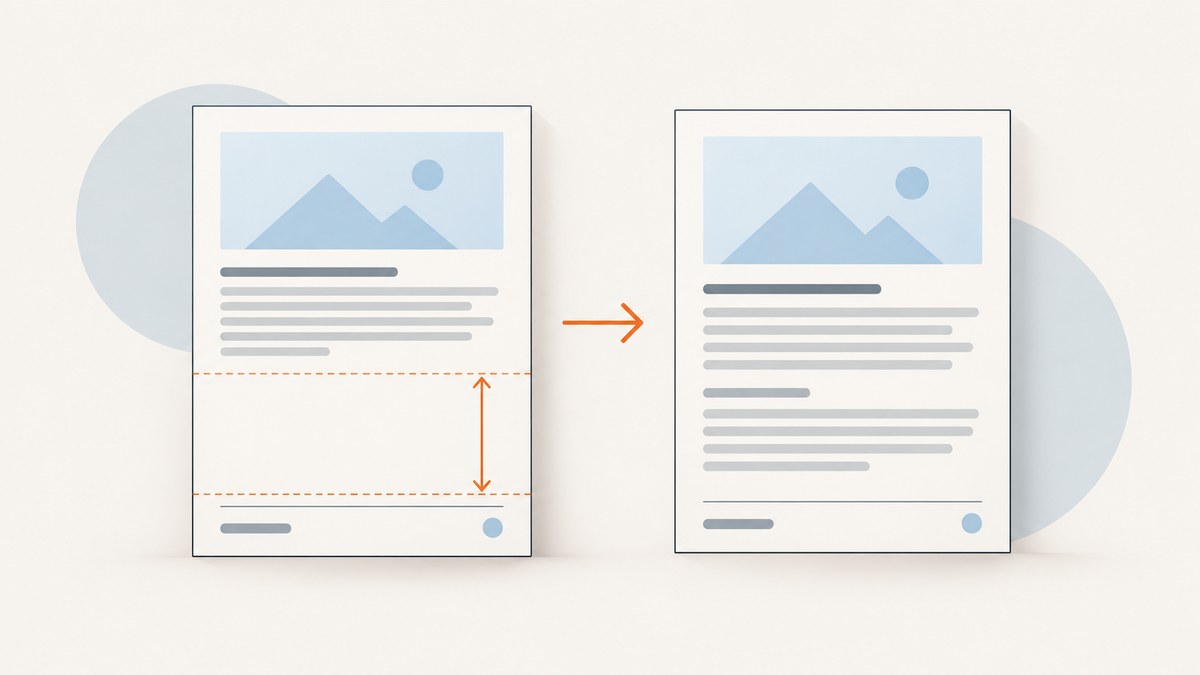
Start by identifying which gap is too large. In Snappy, margin-bottom controls the page’s bottom margin, while footer-spacing controls the distance between the document content and the footer. The HTML footer can add more height through its own margins, padding, line height, tables, or dynamic content. Reduce the setting that creates the visible gap, and verify the result with a small reproducible document.
Snappy passes options to wkhtmltopdf; it does not create an independent footer layout engine. There is no universal correct number. The right values depend on the wkhtmltopdf build, paper size, footer height, and the rest of your options.
1. Understand the three sources of whitespace
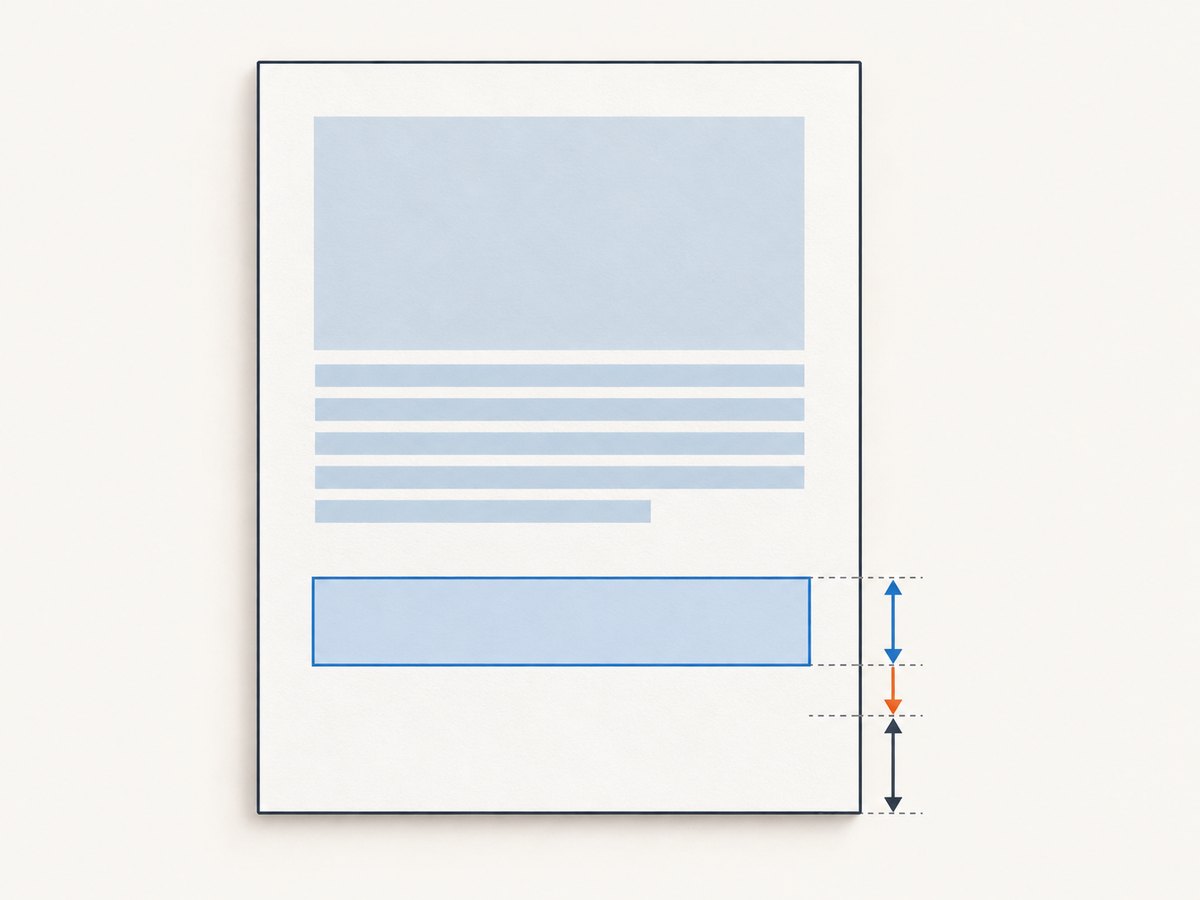
| Where you see the space | Likely control | What to inspect |
|---|---|---|
| Between body content and footer | footer-spacing |
Spacing in millimetres, plus footer CSS margins and padding |
| Below the footer to the paper edge | margin-bottom |
Page bottom margin in millimetres |
| Inside the footer itself | Footer HTML/CSS | Element height, line height, table cells, padding, hidden content, and dynamic fields |
The wkhtmltopdf command-line reference defines --margin-bottom as the page bottom margin and --footer-spacing as the spacing between footer and content, in millimetres. The documented default for footer spacing is 0. See the CLI reference and the library settings reference.
2. Capture the effective configuration before changing it
First record the exact binary and options used by your application. A server may have several wkhtmltopdf installations, and Snappy may apply global options, per-document options, or environment-specific overrides.
wkhtmltopdf --version
which wkhtmltopdf
In Laravel Snappy, inspect the configured binary and the options passed to the PDF instance. A minimal diagnostic example looks like this:
use Barryvdh\Snappy\Facades\SnappyPdf as PDF;

$pdf = PDF::loadView('invoice', $data)
    ->setPaper('a4')
    ->setOption('margin-bottom', 18)
    ->setOption('footer-spacing', 4)
    ->setOption('footer-html', public_path('pdf/footer.html'));

return $pdf->download('invoice.pdf');
Do not assume the values in a framework config file are the final values. Log the options at the point where the PDF is generated, and check for document-specific overrides. Include paper size, orientation, header options, footer options, and any JavaScript or delay settings in your notes.
3. Reproduce the problem with a fixed-height footer
Reduce the document to one page. Keep the body short and make the footer deliberately simple. This distinguishes renderer settings from a footer whose height changes while it renders.
<!-- test-footer.html -->
<!doctype html>
<html>
<head>
  <meta charset="utf-8">
  <style>
    html, body { margin: 0; padding: 0; }
    body { font: 10px Arial, sans-serif; height: 18mm; }
    .footer { height: 12mm; line-height: 12mm; text-align: center; }
  </style>
</head>
<body>
  <div class="footer">Fixed-height test footer</div>
</body>
</html>
Render the same body repeatedly while changing one option at a time:
wkhtmltopdf \
  --page-size A4 \
  --margin-top 15 \
  --margin-right 15 \
  --margin-bottom 18 \
  --footer-html test-footer.html \
  --footer-spacing 4 \
  test-body.html test.pdf
Measure the output visually or with a PDF inspection tool. First determine whether the unwanted space is above the footer, below it, or part of the footer box. Then alter only --footer-spacing or only --margin-bottom. Changing both at once makes the result hard to interpret.
4. Tune footer-spacing and margin-bottom separately
When the gap is above the footer
Lower footer-spacing in small increments. This option is the documented distance between the content area and footer. If it is already 0, inspect the footer’s first-child margin, body margin, padding, line-height, and table borders. A CSS rule such as p { margin: 1em 0; } can create visible space even when footer spacing is zero.
$pdf->setOption('footer-spacing', 2);When the space is below the footer
Lower margin-bottom only if the footer still has enough room to render without overlapping body content. This setting reserves space at the bottom of each page. If the footer is 20 mm tall, a 5 mm bottom margin cannot safely accommodate it; if the footer is 6 mm tall, a large margin may leave unnecessary paper below it.
$pdf->setOption('margin-bottom', 12);When the footer height changes
Measure the tallest expected footer. Dynamic page numbers, long localized text, wrapped addresses, images, and conditional rows can increase its height. A fixed bottom margin that works for a short English footer may clip a longer translated footer. Test the shortest and longest realistic variants.
5. Remove accidental height from footer HTML and CSS
Footer documents often inherit browser defaults. Reset the root elements and set explicit dimensions:
html, body {
  margin: 0;
  padding: 0;
  width: 100%;
}

.footer {
  box-sizing: border-box;
  height: 14mm;
  margin: 0;
  padding: 1mm 0;
  overflow: hidden;
  font: 9px/11px Arial, sans-serif;
}

.footer table {
  border-collapse: collapse;
  border-spacing: 0;
  margin: 0;
  padding: 0;
}

.footer td {
  padding: 0;
  vertical-align: middle;
}
Check for these common contributors:
- Default
bodyor paragraph margins. - Table cell padding and
border-spacing. - An image whose intrinsic height is larger than expected.
- Line-height that is greater than the font size.
- Whitespace or a block element after the visible footer.
- JavaScript that inserts content after the initial layout.
- Fonts that are unavailable on the server and trigger fallback wrapping.
Use a border temporarily to see the actual box:
.footer { border: 0.2mm solid red; }
Remove the diagnostic border after measuring. If the red box itself is tall, the issue is inside the footer HTML rather than the page margin.
6. Check header options and version-specific interactions
Historical issue reports describe cases where header and footer settings interacted unexpectedly, including reports that footer spacing appeared to follow header spacing and reports of unexpected header spacing when only a footer was supplied. These observations are tied to particular versions and configurations; they are useful clues, not proof that every current deployment has the same behavior.
As a diagnostic, render four combinations:
- Footer only, with no header options.
- Footer plus explicit
header-spacing 0. - Footer plus the production header options.
- Neither header nor footer.
Compare the same body and paper settings in all four PDFs. If adding an empty header changes the layout, capture the exact wkhtmltopdf version and the smallest HTML/CSS/JavaScript case that demonstrates it. The project’s support guidance asks for the version and a detailed reproducible example when reporting a problem.
7. Snappy configuration examples
Laravel Snappy
$pdf = app('snappy.pdf.wrapper')
    ->loadView('report', $data)
    ->setPaper('a4')
    ->setOrientation('portrait')
    ->setOption('margin-top', 15)
    ->setOption('margin-right', 15)
    ->setOption('margin-bottom', 16)
    ->setOption('footer-html', storage_path('app/footer.html'))
    ->setOption('footer-spacing', 3);

return $pdf->inline('report.pdf');
Knp Snappy directly
use Knp\Snappy\Pdf;

$snappy = new Pdf('/usr/local/bin/wkhtmltopdf');
$options = [
    'page-size' => 'A4',
    'margin-top' => 15,
    'margin-right' => 15,
    'margin-bottom' => 16,
    'footer-html' => __DIR__ . '/footer.html',
    'footer-spacing' => 3,
];

$snappy->generateFromHtml($html, __DIR__ . '/report.pdf', $options);
Use the option spelling expected by your Snappy wrapper. Some wrappers accept hyphenated names, while others expose convenience methods. Confirm the generated command or wrapper documentation if a value appears to have no effect.
8. A repeatable debugging checklist
- Record
wkhtmltopdf --versionand the binary path. - Save the effective page size, orientation, all margins, header options, footer options, and per-document overrides.
- Create a one-page body and fixed-height footer.
- Classify the gap: content-to-footer, footer-to-paper, or inside the footer.
- Change one setting at a time.
- Reset footer CSS margins, padding, line-height, tables, and image dimensions.
- Test short and long footer content, including localization.
- Render with and without header options.
- Repeat on the production operating system and installed binary.
- Keep the smallest failing HTML/CSS/JavaScript case for future upgrades or issue reports.
9. Troubleshooting common errors
| Symptom | Cause to investigate | Fix |
|---|---|---|
| Changing footer spacing does nothing | The visible space is below the footer, or the wrapper is ignoring the option | Test margin-bottom; inspect the generated command and option names |
| Footer overlaps body text | Bottom margin is smaller than the rendered footer height | Increase bottom margin or reduce footer height; test the tallest footer |
| Large blank band appears only with HTML footer | Footer CSS, table spacing, image dimensions, or inherited margins | Reset CSS and add a temporary border to measure the footer box |
| Spacing changes when a header is added | Version-specific header/footer interaction or an inherited header option | Run the four-combination test and record the exact version |
| Works locally, fails in production | Different wkhtmltopdf build, fonts, paper settings, or asset access | Compare binary versions, paths, fonts, and network/file permissions |
| Footer height varies between pages | Dynamic content, wrapping, page counters, or late JavaScript | Reserve for the maximum height and remove late layout changes |
| Footer is clipped at the edge | Insufficient bottom margin or content outside the printable area | Increase bottom margin, then reduce internal footer padding and retest |
10. Performance, reliability, and cost considerations
Keep footer HTML small and deterministic. External fonts, images, and JavaScript add load time and can produce different heights when a resource is unavailable. Prefer local, versioned assets and explicit dimensions. If a footer requires JavaScript, make sure the document waits for the resulting content before capture; otherwise the first layout may be measured before the footer is complete.
For batch generation, reuse a stable template and avoid changing margin options per document unless the footer really differs. Log the renderer version and option set with each generated PDF so a package or operating-system upgrade can be correlated with layout changes. Render a regression sample containing short, long, and localized footers after upgrades.
A larger margin can prevent clipping but reduces usable page area and may increase page count. A smaller margin uses paper more efficiently but can overlap or clip content. Choose values from the measured footer and required printable area rather than copying a number from another project.
11. Or skip the browser setup
If your requirement is a clean capture of a web page or PDF rather than maintaining wkhtmltopdf yourself, ScreenshotNeo provides a single request API. Its PDF options include paper size, margins, landscape mode, and page ranges, so the same margin concepts remain explicit while the browser runtime is managed for you.

cURL:
curl -G "https://api.screenshotneo.com/v1/shot" -d access_key=YOUR_API_KEY --data-urlencode url=https://stripe.com -o shot.webp
Python:
import requests
r = requests.get("https://api.screenshotneo.com/v1/shot", params={"access_key": "YOUR_API_KEY", "url": "https://stripe.com"}, timeout=90)
open("shot.webp", "wb").write(r.content)
Node.js:
const q = new URLSearchParams({ access_key: 'YOUR_API_KEY', url: 'https://stripe.com' });
const res = await fetch(`https://api.screenshotneo.com/v1/shot?${q}`);
See the ScreenshotNeo API documentation for PDF parameters and response handling. Cookie banners, newsletter popups, and chat widgets are removed before the shot. Bot checks, blank pages, timeouts, failed loads, and cache hits are not billed, and response headers identify the page verdict and billing status. An MCP server lets Claude, Cursor, and other MCP clients take screenshots with take_screenshot, inspect pages with get_page_info, and create PDFs with capture_pdf. The free plan includes 1,000 screenshots per month with no card; paid plans start at $5 for 3,000.
Create a free ScreenshotNeo account and start with 1,000 screenshots a month at no charge.
12. FAQ
Should I change margin-bottom or footer-spacing first?
Classify the gap first. Use footer-spacing for the distance between body content and footer; use margin-bottom for space reserved at the bottom of the page.
What value should footer-spacing have?
The documented default is 0 mm, but the correct value depends on your footer and layout. Establish it by rendering a fixed-height test footer and changing one setting at a time.
Why does a static footer work while my real footer does not?
The real footer may change height because of wrapping, images, fonts, tables, localization, or JavaScript. Measure and test the tallest expected version.
Can Snappy automatically calculate footer height?
Do not rely on automatic sizing for a dynamic footer. Reserve enough bottom margin for the rendered maximum and keep the footer dimensions predictable.
What should I include in an issue report?
Include the exact wkhtmltopdf version, command or Snappy options, paper settings, and a minimal HTML/CSS/JavaScript example that reproduces the spacing.


