How to Fix page-break-inside in Wicked PDF
Fix page-break-inside in Wicked PDF with the documented CSS wrapper, asset checks, table diagnostics, renderer limits, and reliable troubleshooting steps.
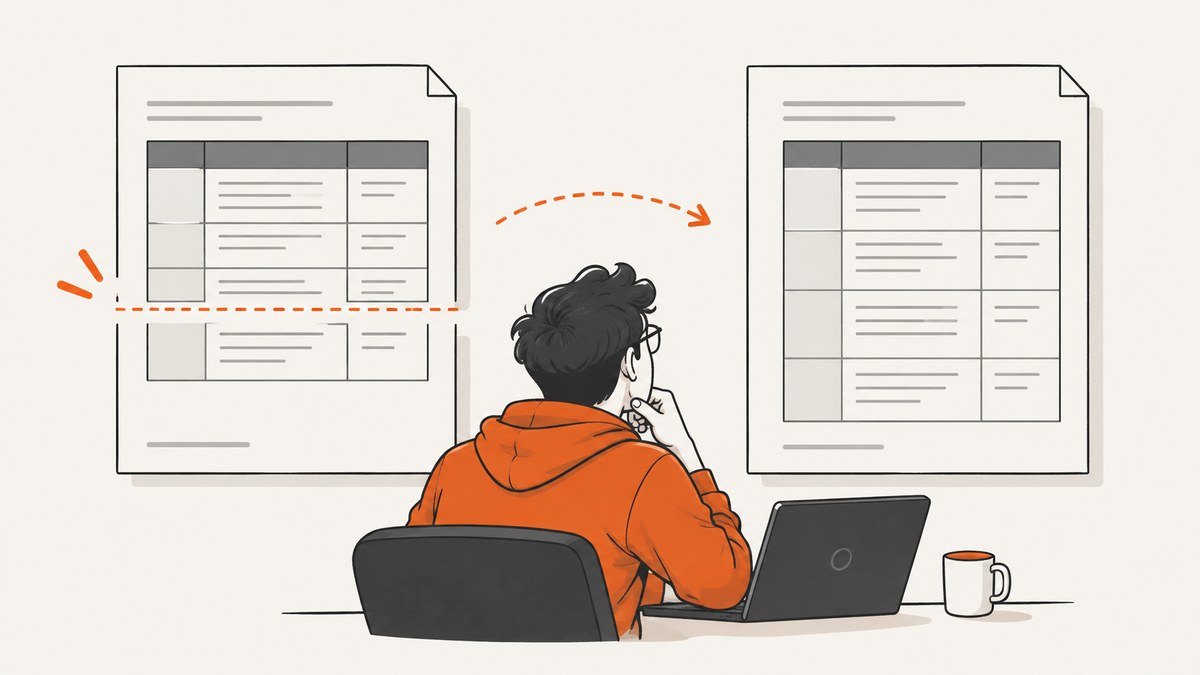
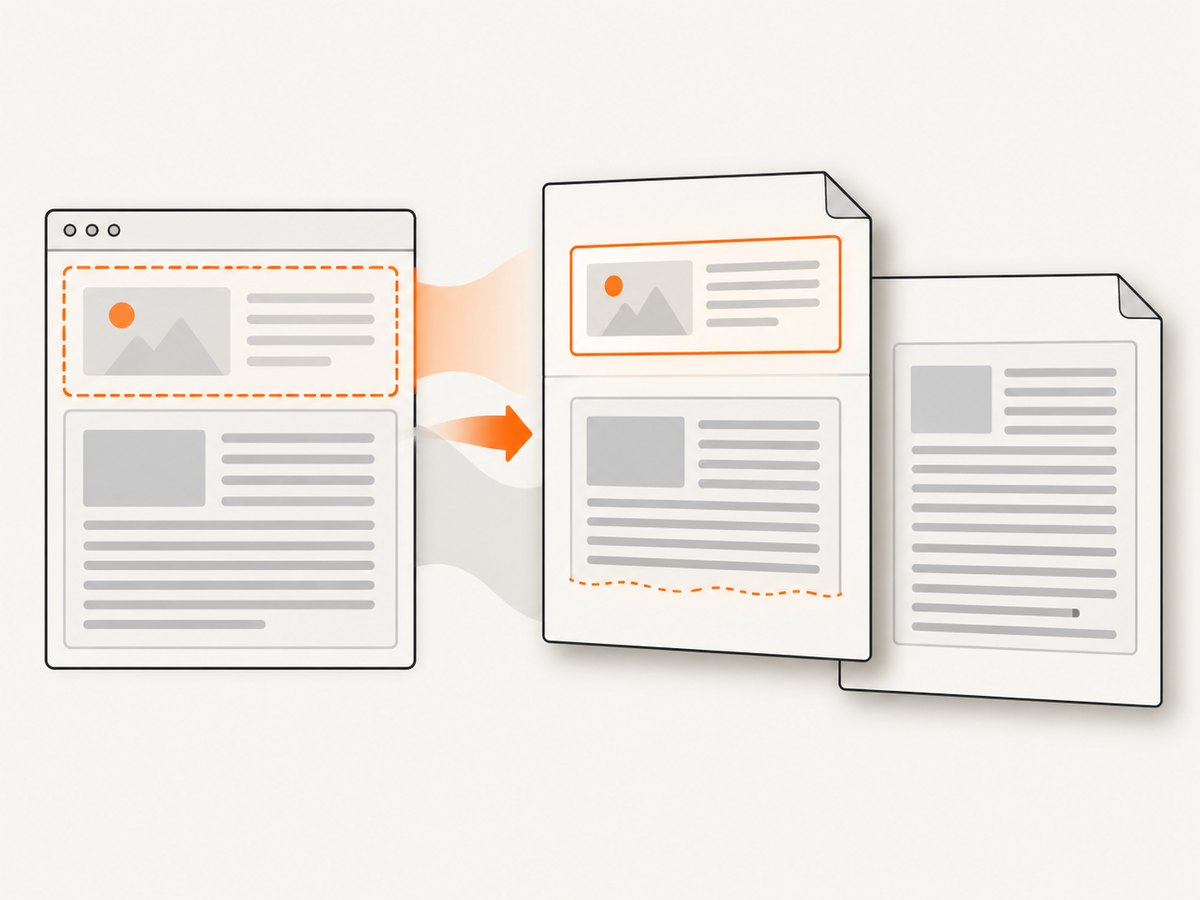
Direct answer: wrap the content that must stay together in a block with page-break-inside: avoid, include the clearfix rule documented by Wicked PDF, and confirm that the stylesheet is actually loaded by the same wkhtmltopdf executable and options used in production. The rule is a request to avoid a break, not a guarantee that content larger than one printable page can fit on one page.
Wicked PDF is a Rails wrapper around the wkhtmltopdf command-line renderer. That means a “CSS not working” symptom can come from your HTML structure, a missing stylesheet, asset URLs that the external renderer cannot reach, or renderer-specific pagination behavior. This guide starts with the documented fix, then shows how to isolate each cause.
1. Apply the documented nobreak wrapper
Put a block wrapper around the complete unit that should remain together:
<div class="nobreak">
  <h2>Invoice summary</h2>
  <p>Payment terms and totals appear here.</p>
</div>
In the stylesheet used by the PDF view, add the rules shown in the Wicked PDF README:
div.nobreak:before {
  clear: both;
}

div.nobreak {
  page-break-inside: avoid;
}

div.alwaysbreak {
  page-break-before: always;
}
The nobreak rule asks the renderer to avoid inserting a page break inside that generated box. The separate alwaysbreak rule is for an intentional new page before a block. Do not use alwaysbreak as a workaround for a missing nobreak rule; it solves a different problem.
Rails view example
<!-- app/views/invoices/show.pdf.erb -->
<div class="nobreak invoice-header">
  <%= render "invoice_header", invoice: @invoice %>
</div>

<div class="nobreak totals">
  <%= render "totals", invoice: @invoice %>
</div>
Choose a wrapper whose box represents one meaningful unit. A wrapper around the entire report may be too large to fit on one page, while wrappers around each heading, paragraph, or small table row can create too many constraints. Start with sections that users actually need to read together.
2. Verify the stylesheet reaches wkhtmltopdf
Wicked PDF launches wkhtmltopdf outside the Rails process. A browser preview can therefore look correct while the PDF conversion never receives the CSS. Before changing selectors or adding more declarations, inspect the HTML and assets consumed by the converter.
Use absolute asset references
Linked stylesheets, JavaScript, and images need references that the external renderer can resolve. Relative paths that work in a browser request may fail during conversion. Use the asset helpers recommended by Wicked PDF, or provide absolute URLs appropriate to your deployment.
<%= wicked_pdf_stylesheet_link_tag "pdf" %>Keep PDF-specific rules in a stylesheet that is loaded by the PDF layout. If your application uses an asset pipeline, precompile that stylesheet. Development and production asset settings can differ, so a fix that appears locally may be absent from the deployed conversion.
Confirm the actual rendered input
- Save or inspect the HTML generated for the PDF request.
- Confirm that the HTML contains the
nobreakclass on the expected element. - Confirm that the final stylesheet contains the
page-break-insidedeclaration. - Check that the stylesheet URL is reachable from the machine running
wkhtmltopdf. - Generate the PDF with the same binary, page size, margins, and options used in production.
If removing the CSS rule produces exactly the same PDF, the renderer probably is not receiving that stylesheet or the selector does not match the generated markup.
3. Understand what avoid can and cannot promise
CSS paged-media rules apply to block-level boxes in normal flow. User agents may also apply them to other structures, such as table rows. The avoid value means “avoid a page break inside the generated box,” but the specification allows a user agent to relax break constraints when it needs enough break points to lay out the document.
That limitation matters in three common cases:
- The block is taller than the printable area. It cannot remain on one page, so a split is necessary.
- The box contains large images, long unbroken text, or nested layout elements. The resulting height may be larger than expected.
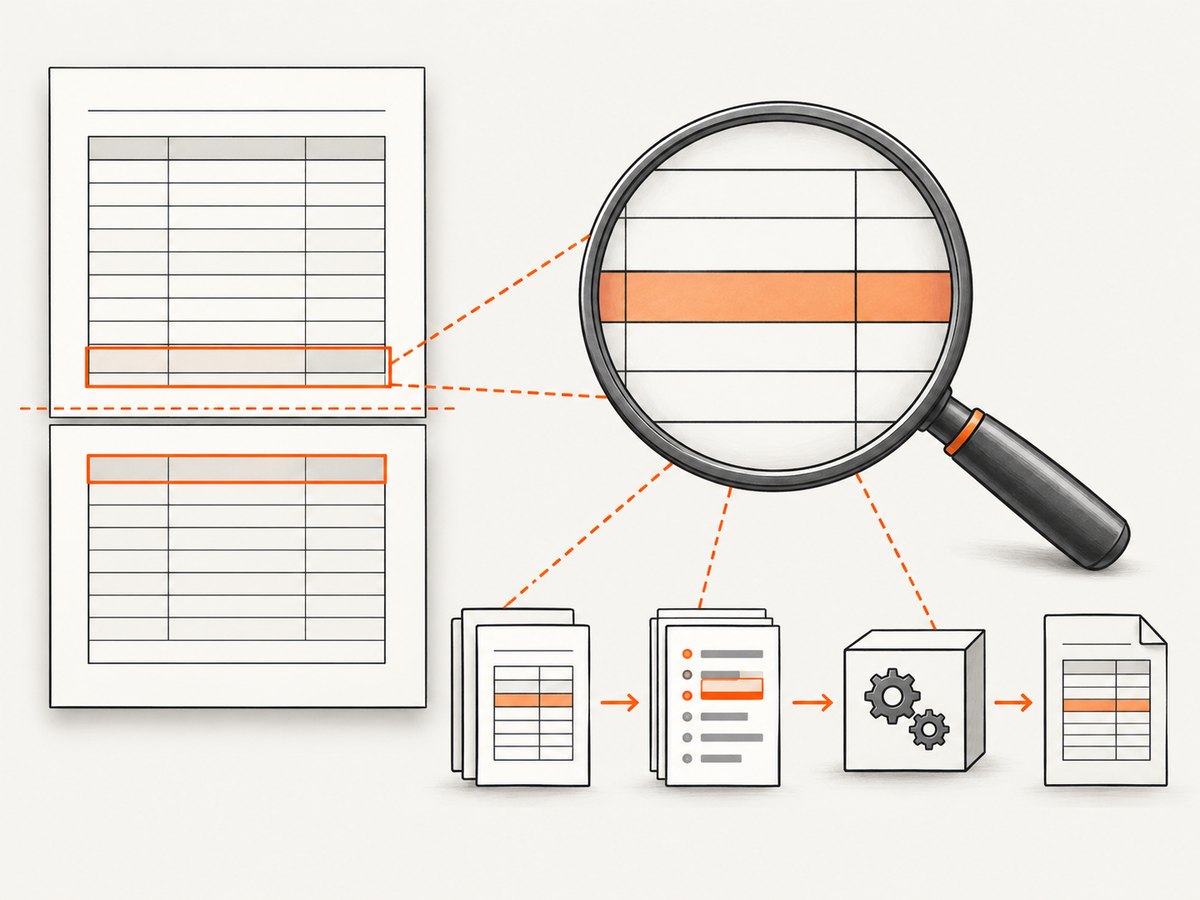
- The target is a table row. Table pagination has renderer-specific behavior and may not honor the same constraints as a normal block wrapper.
Measure the content against the printable page area after margins, header, and footer space are removed. If a section is physically too tall, split it into smaller semantic sections or allow a controlled break.
4. Diagnose tables separately
Developers often report that a div wrapper works while a table row still splits. Treat those as different tests. The documented Wicked PDF example targets a div; applying the same assumption to tr is not a universal guarantee.
<table class="line-items">
  <tbody>
    <tr class="keep-row">
      <td>A long description</td>
      <td>1</td>
      <td>$125.00</td>
    </tr>
  </tbody>
</table>
.keep-row {
page-break-inside: avoid;
}This is a reasonable experiment, but historical wkhtmltopdf issue reports describe lines inside table rows splitting and forced breaks around large rows being ignored in particular builds. Those reports are evidence of renderer-specific failures, not proof that every version behaves identically.
Table troubleshooting checklist
- Test a single row with short text, then increase the text length.
- Test the same content inside a normal block wrapper.
- Record the exact
wkhtmltopdfversion, build, and patched-Qt status. - Record page size, margins, header/footer options, and zoom or DPI settings.
- Check whether a nested table, floated element, or oversized image changes the row height.
- Validate against the deployed binary instead of a different local installation.
If a large row cannot fit on the remaining page, moving it to the next page may be the only readable result. If the renderer still splits a row that clearly fits, reduce the example to one table and open a renderer-specific investigation with the exact build details.
5. Build a minimal reproduction
A minimal reproduction tells you whether the problem is CSS loading, document structure, or the renderer. Remove application layout code, unrelated assets, JavaScript, and all but one failing block.
<!doctype html>
<html>
<head>
  <meta charset="utf-8">
  <style>
    @page { size: A4; margin: 18mm; }
    div.nobreak:before { clear: both; }
    div.nobreak { page-break-inside: avoid; }
  </style>
</head>
<body>
  <div class="nobreak">
    <h1>One complete section</h1>
    <p>Replace this text with the smallest content that still fails.</p>
  </div>
</body>
</html>
Run that file through the same wkhtmltopdf executable and options used by the application. If the small file works, add the original pieces back one at a time. If it fails identically, the version or option set is more likely involved than Rails view composition.
6. Common errors and fixes
| Symptom | Likely cause | Fix |
|---|---|---|
| No visible change after adding CSS | PDF converter never loaded the stylesheet | Use the PDF asset helper, absolute references, and precompile the PDF stylesheet. |
| Wrapper still splits | Content is taller than the printable page | Split the content into smaller blocks or accept a break where it is physically required. |
| Only tables split | Table pagination behavior differs from block layout | Test a minimal table, record the renderer build, and avoid assuming tr behaves like div. |
| Break occurs around a float | Float affects the generated box and flow | Keep the clearfix rule, simplify floats, and test the section in normal flow. |
| Works in development, fails in production | Different asset compilation or renderer binary | Compare precompiled assets, executable path, version, and options. |
page-break-before: always is ignored |
Renderer-specific pagination limitation or selector mismatch | Verify the selector and test the exact production binary with a minimal document. |
7. Performance, reliability, and maintenance
Keep the PDF DOM predictable
Every avoid constraint adds a layout decision. Apply it to meaningful sections instead of every element. Avoid wrapping an entire multi-page report in one nobreak container, because the renderer must eventually relax the constraint and the resulting placement can be surprising.
Control asset and script costs
External images, fonts, and JavaScript increase conversion time and introduce failure points. Use stable, reachable asset URLs and remove scripts that are not needed for the PDF. A page-break fix cannot compensate for a page that has not finished loading its content.
Make output reproducible
Pin or document the wkhtmltopdf executable used by each environment. Keep page dimensions, margins, header/footer settings, and stylesheet versions under the same deployment process as the Rails code. Compare generated PDFs after dependency or renderer upgrades, especially for long tables.
Cost considerations
Wicked PDF runs your own conversion process, so capacity depends on the machines and job queue you operate. Large documents, remote assets, and JavaScript-heavy pages consume more CPU and time. Measure representative documents in your environment rather than relying on a generic benchmark.
8. Or skip the browser setup
If your goal is a dependable screenshot or PDF of a web page rather than a Rails-generated invoice, ScreenshotNeo provides a single HTTP request. Its capture flow accepts cookie and consent banners before the shot, then removes more than 60 known consent platforms, newsletter popups, and chat widgets; each step can be turned off. Bot checks, CAPTCHAs, blank pages, timeouts, failed loads, and cache hits are not billed, and the response identifies the result with X-Page-Verdict and X-Billed headers.
See the ScreenshotNeo API documentation for the complete option list, including full-page capture with lazy images loaded, CSS element capture, device presets, custom viewports, retina scale, PDF paper size and margins, page ranges, custom CSS and JavaScript, click and wait actions, request blocking, headers, cookies, user agents, authorization, timezone, geolocation, transparent backgrounds, resizing, TTL caching, signed image links, asynchronous jobs, signed webhooks, bulk capture, usage data, and the OpenAPI specification.
cURL
curl -G "https://api.screenshotneo.com/v1/shot" \
  -d access_key=YOUR_API_KEY \
  --data-urlencode url=https://stripe.com \
  -o shot.webp
Python
import requests

r = requests.get(
    "https://api.screenshotneo.com/v1/shot",
    params={"access_key": "YOUR_API_KEY", "url": "https://stripe.com"},
    timeout=90,
)
r.raise_for_status()
open("shot.webp", "wb").write(r.content)
Node.js
const q = new URLSearchParams({
  access_key: 'YOUR_API_KEY',
  url: 'https://stripe.com'
});

const res = await fetch(`https://api.screenshotneo.com/v1/shot?${q}`);
if (!res.ok) throw new Error(`HTTP ${res.status}`);
const image = Buffer.from(await res.arrayBuffer());
require('fs').writeFileSync('shot.webp', image);
ScreenshotNeo also provides an MCP server with take_screenshot, get_page_info, and capture_pdf tools for Claude, Cursor, and other MCP clients. The Free plan includes 1,000 shots per month with no card; paid plans start at $5 for 3,000 shots, and every feature is available on every plan.
Create a free ScreenshotNeo account and start with the 1,000 monthly shots.
9. FAQ
Does page-break-inside: avoid guarantee no split?
No. It is an avoidance instruction. If the box is larger than the printable page, or the renderer needs additional break points, the constraint can be relaxed.
Should I put the rule on tr?
You can test it, but table pagination is renderer-specific. The documented Wicked PDF example uses a block wrapper, so verify table behavior with a minimal reproduction and your exact binary.
Why does browser preview work while the PDF fails?
The browser and wkhtmltopdf may receive different assets, options, and rendering engines. Confirm the stylesheet and linked resources available to the external converter.
Can I force every section onto a new page?
Yes, use a block with page-break-before: always, but apply it only where a deliberate page start is required. It does not repair an ignored or missing page-break-inside rule.
What should I record for a renderer bug report?
Include a minimal HTML file, the exact wkhtmltopdf version and build, page size, margins, command options, stylesheet, and the smallest markup that reproduces the split.


