How to Fix PDFKit Rendering Problems in Rails 3.1
Diagnose PDFKit failures in Rails 3.1: missing assets, hangs, bad headers, incompatible wkhtmltopdf binaries, and server-only errors.
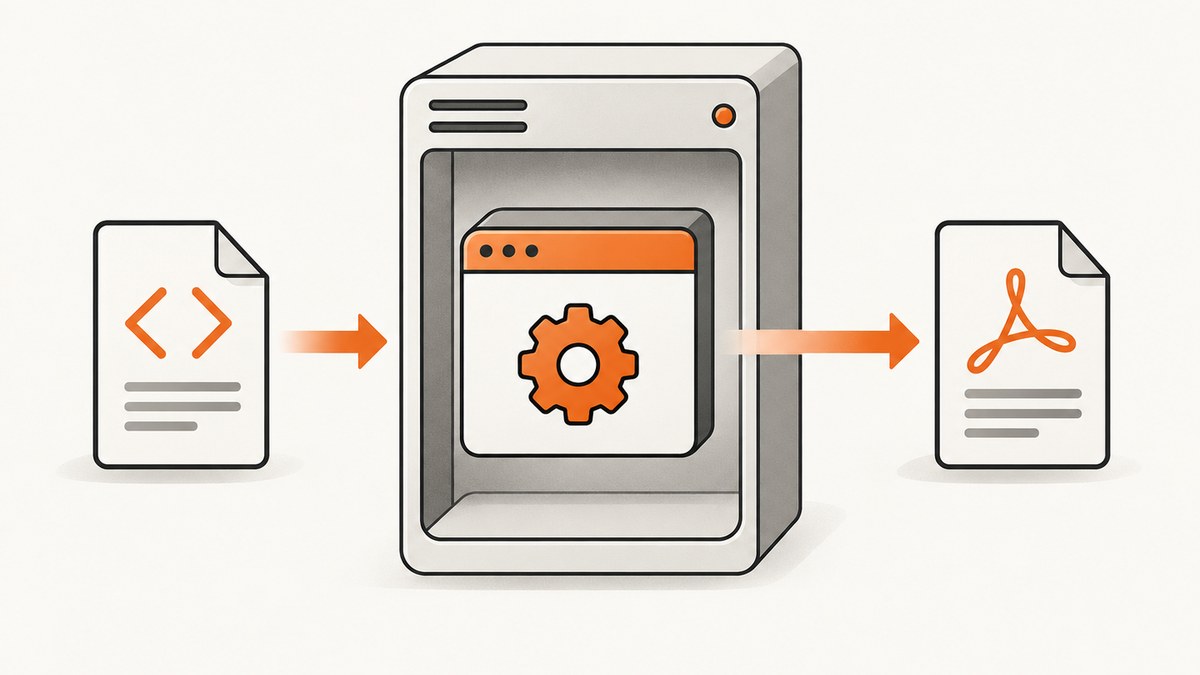
Short answer: PDFKit rendering failures in Rails 3.1 usually occur at one of four boundaries: Rails generated the wrong HTML, PDFKit launched the wrong or missing wkhtmltopdf binary, the converter could not resolve assets, or the response was sent with the wrong content type. Diagnose each boundary separately before changing templates or CSS.
There is also a compatibility caveat: the current PDFKit README lists Rails 4.2, 5.2, 6.0, 6.1 and 7.0, but not Rails 3.1. That list does not promise compatibility for Rails 3.1, so treat every fix below as an environment-specific diagnosis rather than a guaranteed supported combination.
1. Understand the rendering pipeline
A Rails request does not turn directly into a PDF. The path is:
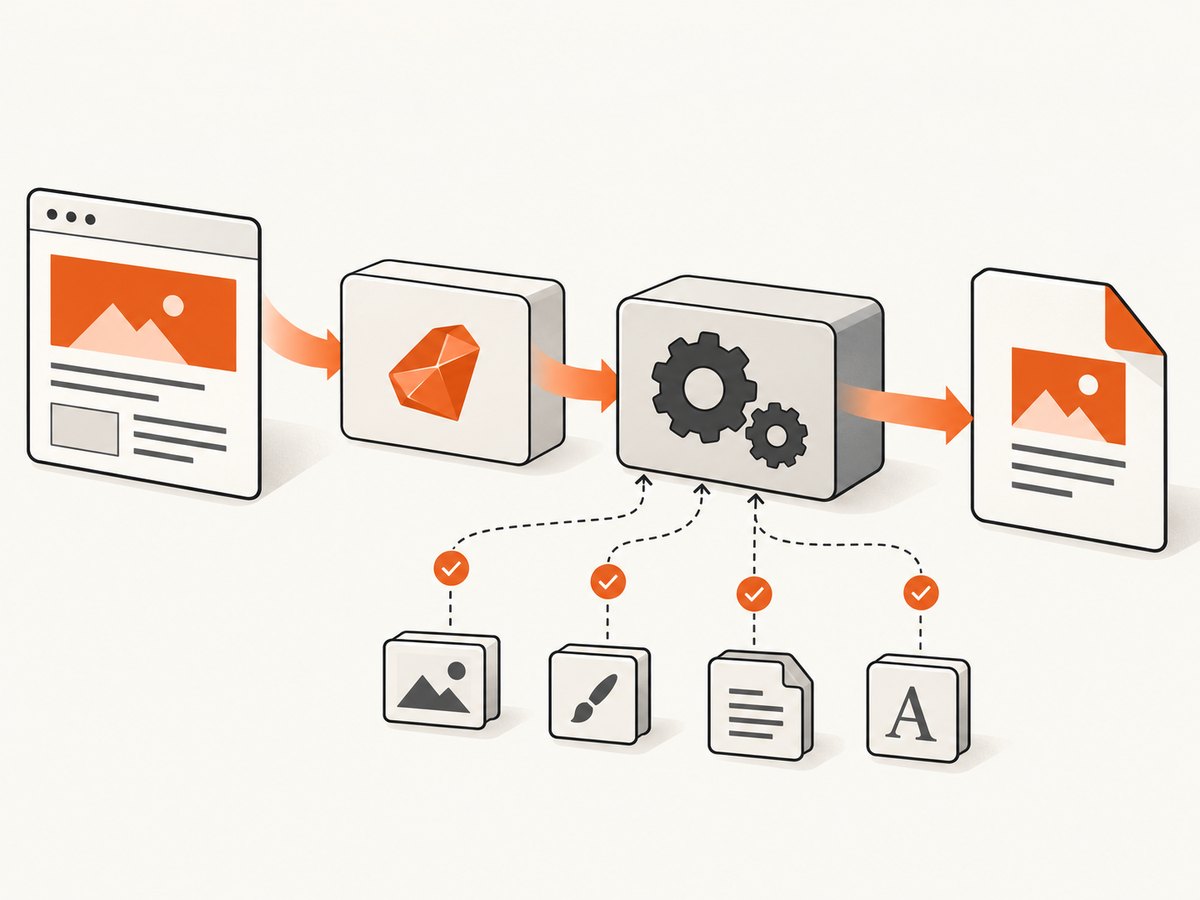
- Rails selects a template, layout and data.
- Rails produces HTML and asset references.
- PDFKit builds a command and starts
wkhtmltopdf. wkhtmltopdfresolves CSS, images, fonts and scripts, then renders with WebKit.- Rails returns the generated bytes with an HTTP content type.
The failing stage determines the fix. Empty or incorrect markup points to Rails. “No such file” or launch errors point to the executable. Missing styling points to asset resolution. A browser download that displays as garbage points to response headers.
2. Confirm the wkhtmltopdf executable first
Run this as the same operating-system user and in the same deployment environment that runs Rails:
wkhtmltopdf --version
which wkhtmltopdf
PDFKit tries to locate the executable with which wkhtmltopdf. If that command fails, or selects a different binary than the one you tested, set an absolute path in the initializer. The project README recommends installing the binary manually; its automated installer was removed.
# config/initializers/pdfkit.rb
PDFKit.configure do |config|
  config.wkhtmltopdf = '/usr/local/bin/wkhtmltopdf'
end
Use the actual path from which. After changing the initializer, restart the Rails process.
3. Save and inspect the HTML Rails generated
Before debugging PDF layout, prove that Rails produced the expected document. Rails 3.1’s rendering guide documents render_to_string, which returns rendered content as a string.
class InvoicesController < ApplicationController
  def pdf
    @invoice = Invoice.find(params[:id])
    html = render_to_string(
      :template => 'invoices/show',
      :layout => 'pdf'
    )
    File.open('/tmp/invoice-debug.html', 'wb') { |f| f.write(html) }
    send_data PDFKit.new(html).to_pdf,
      :filename => 'invoice.pdf',
      :type => 'application/pdf',
      :disposition => 'inline'
  end
end
Open /tmp/invoice-debug.html in a browser and check the template, data, layout, conditional branches and generated URLs. If text or sections are already absent there, PDFKit is not the cause.
4. Make CSS, images and fonts resolvable
The converter is a separate process. Relative references that work in a browser may fail when wkhtmltopdf runs from another directory or server context. Prefer complete URLs with a scheme and host, absolute filesystem paths, or a configured root URL.
# config/initializers/pdfkit.rb
PDFKit.configure do |config|
  config.wkhtmltopdf = '/usr/local/bin/wkhtmltopdf'
  config.default_options = {
    'encoding' => 'UTF-8',
    'print-media-type' => true,
    'root-url' => 'https://example.test/'
  }
end
PDFKit also supports root_url and protocol options. Set them when your HTML uses relative links and the external hostname is unavailable from the server. Verify each URL from the converter’s runtime environment:
curl -I https://example.test/assets/invoice.css
curl -I https://example.test/assets/logo.png
Check scheme mismatches, redirects, authentication, DNS, firewalls, certificate trust and case-sensitive filenames. A URL that works on your laptop may be unreachable from a production worker.
Inline critical assets when appropriate
Embedding small CSS rules, SVG data, or images as data URLs removes a secondary HTTP request. Keep large assets external so the HTML does not become unnecessarily large.
5. Prevent development-server deadlocks
A common hang occurs when Rails is using one development process. The original request waits for PDF conversion while wkhtmltopdf requests CSS, images or JavaScript from that same server. The server cannot answer the asset request because its only process is still generating the PDF.
Fix the cycle by running multiple workers or by embedding the resources. Test again with a minimal page that has no application-hosted assets. If the minimal page succeeds, add assets back one at a time.
6. Return the correct content type
Rails normally treats rendered responses as HTML. Send PDF bytes with application/pdf explicitly:
send_data pdf_bytes,
  :filename => 'report.pdf',
  :type => 'application/pdf',
  :disposition => 'inline'
Use attachment instead of inline when you want download behavior. Inspect the response with:
curl -I http://localhost:3000/reports/42.pdf7. Reduce the failure to a minimal converter case
Run the exact binary outside the Rails request path:
cat > /tmp/pdfkit-repro.html <<'HTML'
<!doctype html>
<html><head><meta charset="utf-8"><style>body{font-family:Arial}</style></head>
<body><h1>PDFKit reproduction</h1><p>Asset-free test.</p></body></html>
HTML
/usr/local/bin/wkhtmltopdf /tmp/pdfkit-repro.html /tmp/pdfkit-repro.pdf
If this fails, investigate the binary, operating system, fonts and converter engine. If it succeeds, compare the Rails HTML, PDFKit options and response handling with this known-good case.
8. Troubleshooting common symptoms
| Symptom | Likely cause | Fix |
|---|---|---|
wkhtmltopdf: command not found |
Binary is absent or not on the Rails process PATH. | Install it manually and set config.wkhtmltopdf to its absolute path. |
| PDF is blank | Rails rendered empty HTML, a page requires authentication, or the converter cannot reach the URL. | Save render_to_string output, inspect it, and test every URL from the server. |
| Text appears but CSS is missing | Relative or inaccessible stylesheet URL. | Use absolute URLs, root_url/protocol, or inline critical CSS. |
| Images are missing | Bad path, blocked host, certificate issue or case mismatch. | Run curl -I as the deployment environment and use a complete URL or file path. |
| Conversion hangs in development | Single-process callback deadlock. | Run multiple workers or embed assets. |
| Works locally but fails on the server | Different binary, fonts, PATH, DNS, permissions, filesystem or network access. | Record versions and compare the minimal reproduction in both environments. |
| Browser shows unreadable characters | PDF bytes were sent as HTML or another MIME type. | Set Content-Type: application/pdf with send_data. |
| Modern CSS or JavaScript behaves differently | WebKit engine limitations. | Reduce to a small case and verify behavior against the exact binary. |
9. Compatibility and renderer limits
PDFKit documents that it uses WebKit. It is not a current Chrome-based renderer. The wkhtmltopdf status page says: “Qt 4 (which wkhtmltopdf uses) hasn’t been supported since 2015, the WebKit in it hasn’t been updated since 2012.” Newer CSS and JavaScript may therefore require simplification or a different rendering stack. This statement does not prove that a particular feature fails in your installation; verify it with the exact binary and a minimal reproduction.
For a replacement evaluation, compare Rails 3.1 integration effort, HTML/CSS/JavaScript fidelity, engine maintenance and security posture, binary deployment burden, and the work required to reproduce existing PDFs.
10. Performance, reliability and cost considerations
- Keep templates small and avoid unnecessary remote requests.
- Reuse a known binary path and consistent fonts across environments.
- Set an application timeout around conversion and log the command, duration and exit status.
- Cache deterministic PDFs when source data and assets have not changed.
- Use multiple workers or a job queue for slow documents so web requests do not block.
- Record the converter version, operating system/version and a minimal HTML/CSS/JS case for every escalation.
- There is no universal performance number for this legacy stack; measure your own documents, asset count and concurrency.
11. Or skip the browser setup
If your goal is a clean visual capture rather than maintaining a Rails 3.1 PDFKit runtime, ScreenshotNeo provides a website screenshot API and MCP server. It accepts one GET request and returns PNG, JPEG, WebP or PDF. See the API documentation.

curl -G "https://api.screenshotneo.com/v1/shot" -d access_key=YOUR_API_KEY --data-urlencode url=https://stripe.com -o shot.webpimport requests
r = requests.get("https://api.screenshotneo.com/v1/shot", params={"access_key": "YOUR_API_KEY", "url": "https://stripe.com"}, timeout=90)
open("shot.webp", "wb").write(r.content)const q = new URLSearchParams({ access_key: 'YOUR_API_KEY', url: 'https://stripe.com' });
const res = await fetch(`https://api.screenshotneo.com/v1/shot?${q}`);Cookie banners, newsletter popups and chat widgets are removed before the shot. Bot checks, blank pages and failed loads are never billed. An MCP server lets AI agents take screenshots. The free plan includes 1,000 screenshots a month with no card, and paid plans start at $5 for 3,000. Create a free ScreenshotNeo account.
12. FAQ
Why are CSS or images missing from my PDF?
The converter cannot resolve the references. Use complete URLs or file paths, configure a root URL, and verify access from the server.
Why does PDFKit hang in development?
A one-process server can deadlock when wkhtmltopdf calls back for assets. Run multiple workers or embed resources.
Why does the PDF look fine locally but fail on the server?
Compare the executable, fonts, environment variables, network access, permissions and operating-system versions. Run the same minimal reproduction on both machines.
How do I tell whether this is a Rails rendering problem or a wkhtmltopdf problem?
Save and inspect render_to_string output. Then run that HTML through the exact wkhtmltopdf binary outside Rails.
Is Rails 3.1 officially supported by current PDFKit?
The current README lists Rails 4.2 and newer versions, not Rails 3.1, so it provides no compatibility assurance for this combination.
What details should I include when reporting a converter bug?
Include the wkhtmltopdf version, operating system and version, and a minimal reproducible HTML/CSS/JS example.
Primary references: PDFKit README, Rails 3.1 Layouts and Rendering guide, wkhtmltopdf project status, and wkhtmltopdf reporting guidance.


