How to Fix PDFKit and wkhtmltopdf Hanging in Rails
Find the cause of PDFKit and wkhtmltopdf hangs in Rails, fix callback deadlocks, resolve assets, bound JavaScript, and enforce process timeouts.
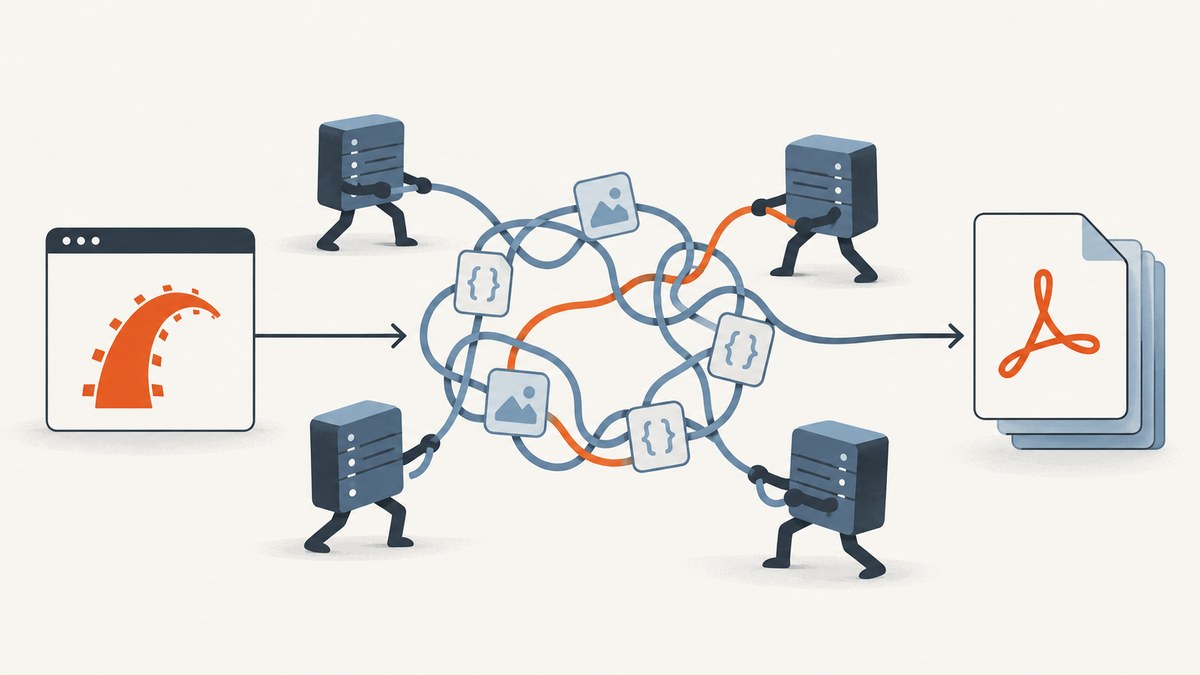
PDFKit and wkhtmltopdf usually hang in Rails for one of four reasons: the renderer is calling back into a single-threaded Rails server, an asset URL cannot be reached, JavaScript is waiting forever, or the child process has no application-level deadline. The most common Rails-specific failure is the first one: the original request is still occupied while wkhtmltopdf requests CSS, images, or JavaScript from the same application.
The reliable fix is to reproduce the exact command outside Rails, make every asset reachable, run Rails with more than one worker or generate self-contained HTML, bound JavaScript waits, and wrap the external process in an explicit timeout. wkhtmltopdf does not give you a dependable built-in process timeout, so your job runner or request layer must enforce one.
Why PDFKit hangs in Rails
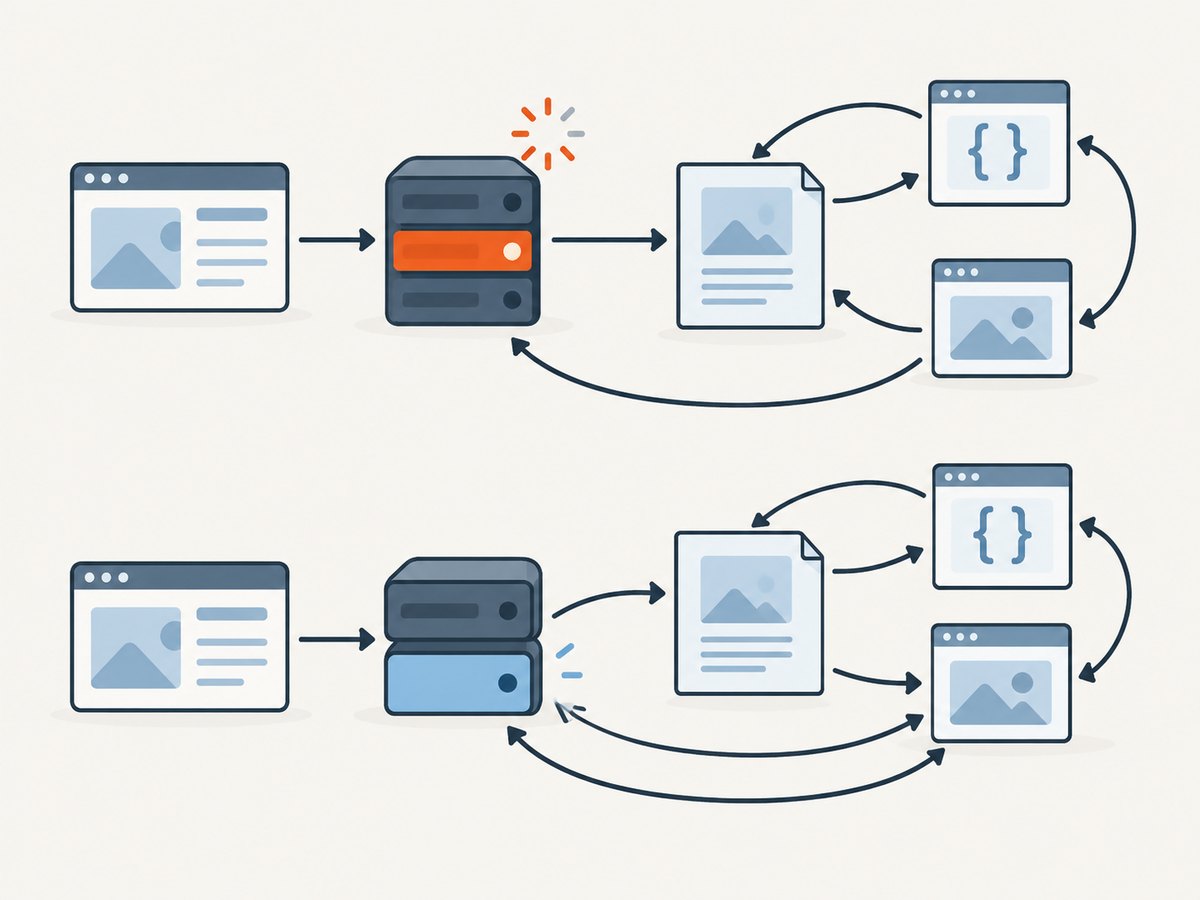
PDFKit renders HTML by launching wkhtmltopdf. When you pass a URL, wkhtmltopdf behaves like a browser: it requests the page and then requests its stylesheets, images, fonts, and scripts. In a single-threaded development server, the Rails request that started the conversion can remain busy waiting for wkhtmltopdf. The renderer then calls back to Rails for an asset, but Rails cannot serve it until the original request finishes. PDFKit describes this deadlock plainly: “This is because the resource requests get blocked by the initial request.” See the PDFKit project troubleshooting documentation.
A URL conversion can therefore hang while the same HTML converts instantly from a local file. That difference is useful evidence: it usually points to a callback, authentication, asset URL, DNS, TLS, firewall, or container-network problem rather than PDF layout itself.
Fast diagnostic sequence
1. Verify the binary and command
Run the exact executable outside Rails. Use an absolute path if automatic discovery is unreliable.
wkhtmltopdf --version
wkhtmltopdf --verbose https://example.test/invoices/42 /tmp/invoice.pdf
Then configure PDFKit explicitly:
# config/initializers/pdfkit.rb
PDFKit.configure do |config|
  config.wkhtmltopdf = '/absolute/path/to/wkhtmltopdf'
end
Capture stderr from this command. A missing binary, an incompatible build, or a warning about a failed resource is easier to see before Rails adds its own layers.
2. Convert saved HTML
Render the template to a file and convert that file:
bin/rails runner "File.write('/tmp/page.html', ApplicationController.render(template: 'reports/show', assigns: { report: Report.first }))"
wkhtmltopdf --verbose /tmp/page.html /tmp/page.pdf
If the file succeeds but the URL hangs, inspect callback and network behavior. A self-contained file also tells you whether the HTML and CSS themselves are valid.
3. Remove the single-worker bottleneck
Use a multi-worker server such as Unicorn or Passenger in development and production. The renderer can then request assets while another worker remains available for the original conversion request. PDFKit documents this deadlock pattern and the multi-worker remedy.
An alternative is to avoid callbacks entirely: inline CSS, embed images as data URLs, and render a complete HTML document from the application process.
Make every asset reachable
Relative paths are a frequent cause of missing resources and apparent waits. Use root-relative or fully qualified URLs that the wkhtmltopdf process can reach from its host or container.
<link rel='stylesheet' href='https://app.example.com/assets/pdf.css'>
<img src='https://app.example.com/assets/logo.png' alt='Company logo'>
When the public hostname is not resolvable from inside a container or private network, set PDFKit’s root_url to an internal address that is reachable there. Ensure that the address has the right scheme, port, and host header.
| Check | What to verify |
|---|---|
| Authentication | The renderer has the cookies, headers, or token required to load the page and its assets. |
| DNS | The container or worker resolves the hostname used in CSS, image, and script URLs. |
| TLS | The wkhtmltopdf build trusts the certificate chain and can negotiate the server’s TLS settings. |
| Firewall | Outbound traffic from the worker is allowed to the asset host and port. |
| URL generation | Rails is not generating localhost URLs that only work in a browser on the developer’s machine. |
| Cookies | Private pages receive the same session or authentication state as the original request. |
Control JavaScript and load behavior
JavaScript can keep a page alive through polling, unresolved promises, animations, or code that waits for a browser-only API. Temporarily disable it to isolate the cause:
wkhtmltopdf --disable-javascript --verbose https://example.test/report /tmp/report.pdfIf the PDF now completes, re-enable only the scripts you need and put a finite bound around their work. wkhtmltopdf exposes options for these cases, including:
--javascript-delayto wait a fixed number of milliseconds after loading.--window-statusto wait for a specific browser window status.--stop-slow-scriptsto stop scripts that run too long.--load-error-handlingfor page-load failures.--load-media-error-handlingfor media and asset failures.
Use --window-status only when your page sets that status on every path. If an exception prevents the status change, the conversion can wait indefinitely from the application’s perspective. Prefer a bounded delay for pages whose rendering time is predictable, and remove unbounded polling from print templates. The available switches are listed in the wkhtmltopdf command reference.
Use a Rails-safe PDFKit configuration
Keep PDF options close to the document type, and make URL generation explicit.
# app/services/report_pdf.rb
class ReportPdf
  def self.render(report)
    html = ApplicationController.render(
      template: 'reports/show',
      assigns: { report: report },
      layout: 'pdf'
    )

    kit = PDFKit.new(
      html,
      page_size: 'A4',
      print_media_type: true,
      disable_smart_shrinking: false,
      javascript_delay: 250,
      load_error_handling: 'ignore',
      load_media_error_handling: 'ignore'
    )

    kit.to_pdf
  end
end
Choose error-handling behavior deliberately. Ignoring a failed image may produce a usable document with a missing asset; aborting is safer for invoices where every resource is required. Do not hide errors permanently while diagnosing a hang.
Enforce an application-level timeout
The checked wkhtmltopdf issue record does not establish a dependable default process timeout. Treat the renderer as an external process and terminate it yourself. A background job is safer for large or untrusted pages because it prevents one request from occupying a web worker.
require 'timeout'

class RenderPdfJob < ApplicationJob
  queue_as :default

  def perform(report_id)
    report = Report.find(report_id)
    Timeout.timeout(60, Timeout::Error) do
      pdf = ReportPdf.render(report)
      ReportPdfStore.write!(report, pdf)
    end
  rescue Timeout::Error
    Rails.logger.error("wkhtmltopdf timed out for report #{report_id}")
    raise
  end
end
For stronger process control, configure the PDF library or your process wrapper to capture stderr and send a termination signal to the child. Your supervisor should record the command, URL, elapsed time, exit status, and stderr. Retry only failures that are plausibly transient, such as a temporary network error. Do not retry deterministic template errors indefinitely.
Self-contained HTML when callbacks are impossible
Embedding resources avoids the Rails callback deadlock and often makes container deployments more predictable. Inline the critical stylesheet and convert local images to data URLs:
<style>
  body { font-family: sans-serif; color: #222; }
  .page-break { page-break-after: always; }
</style>
<img src='data:image/png;base64,BASE64_DATA' alt='Logo'>
This increases HTML size and memory use, so reserve it for documents with a manageable number of assets. Fonts and large images can make a job slower even when no network request is involved.
Production deployment checklist
- Install and pin a known wkhtmltopdf binary; log its version at boot.
- Configure PDFKit with an absolute binary path.
- Run enough application workers to serve renderer callbacks.
- Use a stable internal
root_urlwhen public DNS is unavailable. - Pass authentication cookies or headers intentionally; never assume the renderer shares a browser session.
- Set a finite application timeout and a queue retry policy.
- Capture child stderr and preserve failed HTML for diagnosis.
- Test pages with missing images, slow APIs, redirects, JavaScript exceptions, and expired sessions.
Troubleshooting common symptoms
| Symptom | Likely cause | Fix |
|---|---|---|
Hangs only on localhost |
Single-threaded Rails server is blocked by the original request. | Use multiple workers or self-contained HTML. |
| Blank PDF | Authentication failed, JavaScript did not finish, or the page returned no printable content. | Run with --verbose, verify cookies and response HTML, then test with JavaScript disabled. |
| CSS or images missing | Relative URL, wrong host, DNS failure, or TLS rejection. | Use complete URLs, set root_url, and test from the worker container. |
| Works from a file but not a URL | Callback, network, authentication, or asset reachability issue. | Compare requests and make the HTML self-contained as a diagnostic. |
| Never completes after adding a delay | The page is waiting for a window status that is never set or scripts keep polling. | Remove the status wait, bound the delay, and use --stop-slow-scripts. |
| Intermittent timeout | Slow upstream API, overloaded worker, or transient asset failure. | Record elapsed phases, move work to a job, retry selectively, and keep a hard deadline. |
| PDF differs between environments | Different binary versions, fonts, viewport, timezone, or reachable URLs. | Pin the binary and fonts, set rendering options explicitly, and test in the deployment image. |

Performance, reliability, and cost considerations
Measure the complete conversion, including HTML rendering, asset loading, JavaScript, and PDF writing. A larger worker pool removes callback deadlocks but consumes more memory. Self-contained HTML removes network variability but increases payload size. Caching immutable assets reduces repeated requests; caching a document is safe only when its inputs and authorization state are stable.
Keep PDF generation out of synchronous web requests when users can tolerate a job. Return a job identifier, store the result, and expose a status endpoint. For synchronous endpoints, set both a request timeout and a renderer timeout so a stuck child cannot exhaust all web workers. Log enough context to distinguish a Rails callback wait from a renderer crash.
Or skip the browser setup
If your goal is a dependable capture of a URL rather than maintaining wkhtmltopdf in Rails, ScreenshotNeo provides a one-request website capture API and PDF support. It accepts the cookie or consent banner before capture and removes more than 60 known consent platforms, newsletter popups, and chat widgets; each step can be turned off. Bot checks, CAPTCHAs, blank pages, timeouts, failed loads, and cache hits are not billed, and the response identifies the result with X-Page-Verdict and X-Billed headers. Its MCP server provides take_screenshot, get_page_info, and capture_pdf tools for Claude, Cursor, and other MCP clients.
See the ScreenshotNeo API documentation for the available capture options. The simplest call is:
curl -G "https://api.screenshotneo.com/v1/shot" -d access_key=YOUR_API_KEY --data-urlencode url=https://stripe.com -o shot.webpimport requests
r = requests.get("https://api.screenshotneo.com/v1/shot", params={"access_key": "YOUR_API_KEY", "url": "https://stripe.com"}, timeout=90)
open("shot.webp", "wb").write(r.content)const q = new URLSearchParams({ access_key: 'YOUR_API_KEY', url: 'https://stripe.com' });
const res = await fetch(`https://api.screenshotneo.com/v1/shot?${q}`);ScreenshotNeo includes full-page capture with lazy images loaded, element capture by CSS selector, dark mode, device presets or custom viewports, retina scale, PDF paper sizes and margins, custom CSS and JavaScript, click and wait actions, request blocking, headers, cookies, user agents, authorization, timezone, geolocation, transparent backgrounds, resizing, selectable cache TTLs, signed links, asynchronous jobs with signed webhooks, bulk capture for up to 100 URLs per call, a usage API, and an OpenAPI specification.
There are 1,000 screenshots per month free with no card. Paid plans start at $5 for 3,000 shots, and yearly billing gives two months free. Create a free ScreenshotNeo account to try the capture without adding a card.
FAQ
Does increasing javascript_delay fix a deadlock?
No. A delay can help slow but finite scripts. It does not make a single-worker Rails server able to serve callback requests, and it cannot fix an unreachable asset.
Should I use a URL or an HTML string?
Use a URL when the renderer can reach every resource and your server has spare workers. Use an HTML string or self-contained document when callbacks, authentication, or private networking make URL loading unreliable.
Can I rely on wkhtmltopdf’s own timeout?
Use an application-level deadline. The checked issue record does not provide a dependable built-in default, so your job runner or process supervisor must terminate stuck conversions.
Why does the same page work in Chrome?
Chrome and wkhtmltopdf can differ in JavaScript support, fonts, TLS behavior, cookies, and network location. Reproduce from the same host as the Rails worker and inspect stderr before changing the template.
When should PDF generation be asynchronous?
Use a job when rendering can involve remote assets, JavaScript, large documents, or user-controlled URLs. It protects web workers and gives you a place to record retries, timeouts, and failed output.


