How to Fix Percy Puppeteer Scripts That Take No Snapshots
Fix Percy Puppeteer scripts that upload nothing: configure the CLI, token, imports, page readiness, control flow, and CI diagnostics.
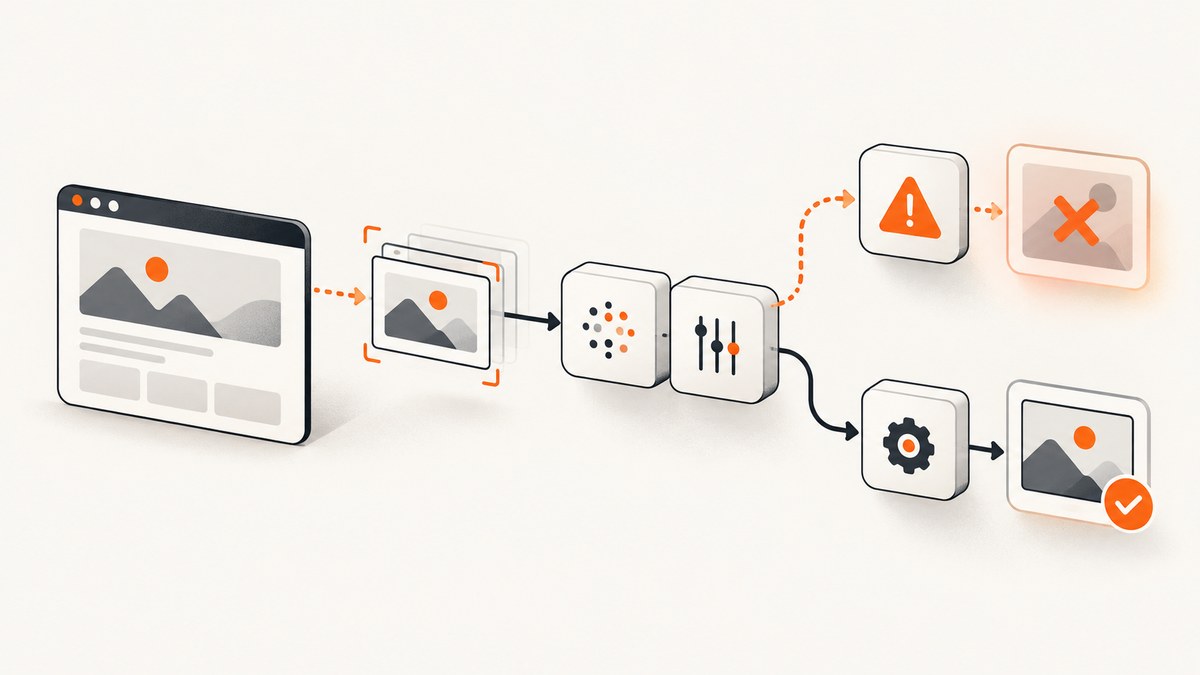
Percy takes no snapshots from a Puppeteer script when the Percy runtime is not active, the SDK is imported incorrectly, the call never receives a real Puppeteer page, the token or command wrapper is missing, or the page is captured before its content is ready. The fastest repair is to install both Percy packages, use the v2 import, call await percySnapshot(page, 'Unique name'), and run the script through npx percy exec with PERCY_TOKEN set.
1. The shortest working fix
Create a clean test script and run it exactly as follows. This isolates Percy configuration from your application test runner.
npm install --save-dev @percy/cli @percy/puppeteer puppeteerconst puppeteer = require('puppeteer');
const percySnapshot = require('@percy/puppeteer');
(async () => {
const browser = await puppeteer.launch({ headless: true });
try {
const page = await browser.newPage();
await page.goto('https://example.com/', { waitUntil: 'networkidle2' });
await percySnapshot(page, 'Example Site');
} finally {
await browser.close();
}
})();Set the project token in the same shell and wrap the command with Percy:
export PERCY_TOKEN=<your-project-token>
npx percy exec -- node script.js
A healthy run starts Percy, creates a build, reports a snapshot, and finalizes the build. Running node script.js by itself commonly prints [percy] Percy is not running, disabling snapshots; that message means the SDK deliberately disabled uploads because no Percy process is supervising the script.
2. Install compatible dependencies
Percy’s Puppeteer integration is split into a command-line process and a browser SDK. Both are required for script-based snapshots.
@percy/clistarts the Percy runtime, creates the build, uploads assets, and finalizes it.@percy/puppeteeraddspercySnapshotto a Puppeteer page.puppeteersupplies the browser and page object.
Install them as development dependencies so local and CI environments use the same lockfile:
npm install --save-dev @percy/cli @percy/puppeteer puppeteerAfter upgrading an older project, check the installed major versions with:
npm ls @percy/cli @percy/puppeteer puppeteerIf your repository contains an old Percy configuration, run the supported configuration migration command before retrying:
npx percy config:migrate3. Use the import syntax for your SDK version
Current v2 examples use a default import. A mismatch here can stop execution before the snapshot call.
CommonJS
const percySnapshot = require('@percy/puppeteer');
await percySnapshot(page, 'Dashboard');
ES modules
import percySnapshot from '@percy/puppeteer';
await percySnapshot(page, 'Dashboard');
Older v1 code often used a named export. If an upgrade produces an import or “is not a function” error, change the import to the v2 default form, then run the configuration migration if needed. Do not mix the v1 call signature with a v2 package.
4. Verify the page argument and snapshot name
percySnapshot needs the actual Puppeteer Page instance, not a browser, browser context, URL string, or test fixture wrapper. The name should identify the visual state and be unique within the build.
const page = await browser.newPage();
await page.goto('https://example.com/products', { waitUntil: 'domcontentloaded' });
await percySnapshot(page, 'Products - desktop');
For several states, give each call a distinct name:
await percySnapshot(page, 'Cart - empty');
await page.click('[data-test="add-item"]');
await page.waitForSelector('[data-test="cart-item"]');
await percySnapshot(page, 'Cart - one item');
Keep the call inside the same asynchronous function that owns the page. A frequent mistake is passing a page created in another test after it has been closed, or calling the function before page.goto has completed.
5. Start Percy around every test command
The wrapper is part of the upload pipeline. It sets the environment that the SDK checks before taking a snapshot.
export PERCY_TOKEN=<your-project-token>
npx percy exec -- node script.js
For a test runner, put the runner command after percy exec:
npx percy exec -- npm test
npx percy exec -- npx jest tests/visual.test.js
npx percy exec -- npx mocha test/**/*.js
In CI, store PERCY_TOKEN as a secret and expose it to the job. Avoid committing it to source control or printing it in diagnostic output. Confirm that the command which actually launches Puppeteer is the command being wrapped; wrapping a parent shell while a detached process runs elsewhere can leave the SDK outside the Percy runtime.
6. Make capture timing deterministic
A snapshot can be uploaded successfully yet appear blank or incomplete when the page is captured before application data, styles, fonts, or lazy images arrive. Choose a readiness condition that represents the page state you want to compare.

Navigation readiness
await page.goto(url, {
  waitUntil: 'networkidle2',
  timeout: 60000
});
networkidle2 waits for a quiet network but does not guarantee that your application has rendered its final state. Single-page apps may need an explicit selector:
await page.waitForSelector('[data-test="dashboard-loaded"]', {
  visible: true,
  timeout: 30000
});
await percySnapshot(page, 'Dashboard');
Asynchronous data and animations
await page.waitForFunction(() => window.__APP_READY__ === true);
await page.evaluate(() => document.fonts.ready);
await page.addStyleTag({
  content: '* { animation: none !important; transition: none !important; }'
});
await percySnapshot(page, 'Report - settled');
Use a short delay only when the application exposes no reliable readiness signal. A fixed sleep is slower and less reliable than waiting for a selector or application state.
Lazy-loaded content
Scroll through long pages before capturing so intersection observers request images and cards. Then wait for the final element:
await page.evaluate(async () => {
  await new Promise(resolve => {
    let y = 0;
    const step = 600;
    const timer = setInterval(() => {
      window.scrollBy(0, step);
      y += step;
      if (y > document.body.scrollHeight) {
        clearInterval(timer);
        resolve();
      }
    }, 50);
  });
});
await page.waitForSelector('[data-test="page-footer"]');
await percySnapshot(page, 'Long page');
Inspect failed network requests when CSS, fonts, or images are missing. Check that the browser can reach asset hosts, that test authentication is present, and that request interception is not aborting required resources.
7. Add diagnostics around the call
Prove that control flow reaches the snapshot line and record failures without hiding them.
page.on('console', message => console.log('[browser]', message.text()));
page.on('requestfailed', request => {
  console.error('[request failed]', request.url(), request.failure()?.errorText);
});

console.log('before navigation');
await page.goto(url, { waitUntil: 'networkidle2' });
console.log('after navigation');
await page.waitForSelector('[data-test="ready"]');
console.log('before Percy snapshot');
await percySnapshot(page, 'Checkout');
console.log('after Percy snapshot');
If “before Percy snapshot” never appears, Percy is not the first failure. Look for a thrown navigation error, a skipped test, an early return, a rejected promise, or a browser crash. If it appears but the build has no snapshot, inspect the Percy process, token, and command wrapper.
8. A complete Jest-style example
const puppeteer = require('puppeteer');
const percySnapshot = require('@percy/puppeteer');

describe('visual states', () => {
  let browser;
  let page;

  beforeAll(async () => {
    browser = await puppeteer.launch({ headless: true });
    page = await browser.newPage();
    await page.setViewport({ width: 1440, height: 900 });
  });

  afterAll(async () => {
    await browser.close();
  });

  test('signed-in dashboard', async () => {
    await page.goto('https://example.com/dashboard', {
      waitUntil: 'networkidle2',
      timeout: 60000
    });
    await page.waitForSelector('[data-test="dashboard-loaded"]', {
      visible: true,
      timeout: 30000
    });
    await page.evaluate(() => document.fonts.ready);
    await percySnapshot(page, 'Dashboard - signed in');
  });
});
Run it with:
export PERCY_TOKEN=<your-project-token>
npx percy exec -- npx jest visual.test.js --runInBand
9. Script snapshots versus Percy’s YAML CLI
Use a Puppeteer script when you need browser state, authentication, clicks, custom waits, scrolling, or application-specific readiness checks. The script can create several states in one build and react to the DOM.
For a simple console-driven capture with no browser automation logic, Percy also documents a YAML snapshot command:
npx percy snapshot <snapshot-config-file>.yamlYAML is easier to operate for a fixed list of URLs, while percySnapshot gives you control over cookies, sessions, network conditions, and dynamic content. Do not switch to YAML to conceal a script failure; first confirm that the page and test command work.
10. Troubleshooting decision table
| Symptom | Likely cause | Fix |
|---|---|---|
Percy is not running, disabling snapshots |
The script ran without the Percy wrapper, or the CLI failed to start. | Install @percy/cli, set PERCY_TOKEN, and run npx percy exec -- .... |
| No build or authentication error | Missing, invalid, or unavailable project token. | Set the token in the job environment, verify the secret is mapped to the correct project, and rerun without exposing it in logs. |
Import error or percySnapshot is not a function |
v1 named-import code is being used with the v2 SDK. | Use the v2 default import or CommonJS require and migrate old configuration. |
| No snapshot and a CI error | A test failed, was skipped, returned early, or never reached the call. | Read the first failure, add logs before the call, and ensure the runner command is wrapped. |
| Snapshot is blank | Capture happened before navigation, data, or layout finished. | Wait for a real selector or app-ready signal; verify URL, authentication, and browser console errors. |
| Images, fonts, or CSS are missing | Asset requests failed, hosts were blocked, or request interception aborted them. | Inspect requestfailed, allow required hosts, and remove overly broad request blocking. |
| Lazy sections are absent | Intersection-observer content was never scrolled into view. | Scroll the page, wait for the final section, then capture. |
| Duplicate or confusing results | Snapshot names are reused for different states. | Give every state a stable, descriptive unique name. |
11. Reliability and performance practices
- Use stable selectors. Prefer data attributes over text that changes with localization or experiment flags.
- Control viewport and locale. Set viewport, timezone, language, and authentication consistently in CI so visual differences represent code changes.
- Keep waits purposeful. Waiting for a selector or app state reduces flaky timing compared with arbitrary long sleeps.
- Separate states. Capture one meaningful state per snapshot name instead of one enormous test that can fail halfway through.
- Close browsers in cleanup. Use
try/finallyor test-runner teardown so a failed snapshot does not exhaust CI workers. - Retry infrastructure, not assertions. A retry can help a transient browser launch or network failure, but repeated retries can hide a deterministic selector or token problem.
- Watch page weight. Scrolling every page and waiting for every request increases runtime. Wait for the content that matters to the visual assertion.
Percy’s SDK upload is separate from your browser’s page load. A fast page can still produce no snapshot when the CLI is absent, and a correctly uploaded snapshot can still be visually wrong when readiness is incomplete.
12. Cost and operational choices
Run visual snapshots only for states that provide review value. Stable smoke pages can run on every pull request; large route matrices can run on scheduled or release workflows. Unique names make review history understandable, while deterministic data prevents meaningless diffs. Keep tokens in CI secrets and limit who can trigger workflows that use them.

Or skip the browser setup
If you only need a clean image or PDF of a URL, ScreenshotNeo removes the Puppeteer process and Percy runtime from this part of the workflow. It accepts a GET request and returns PNG, JPEG, WebP, or PDF. Cookie and consent banners, newsletter popups, and chat widgets are removed before capture; bot checks, blank pages, timeouts, failed loads, and cache hits are not billed. The response reports the result through X-Page-Verdict and X-Billed headers. ScreenshotNeo also provides an MCP server with take_screenshot, get_page_info, and capture_pdf tools for Claude, Cursor, and other MCP clients.
Read the complete option list in the ScreenshotNeo API documentation.
cURL
curl -G "https://api.screenshotneo.com/v1/shot" \
  -d access_key=YOUR_API_KEY \
  --data-urlencode url=https://stripe.com \
  -o shot.webp
Python
import requests

r = requests.get(
    "https://api.screenshotneo.com/v1/shot",
    params={"access_key": "YOUR_API_KEY", "url": "https://stripe.com"},
    timeout=90,
)
r.raise_for_status()
open("shot.webp", "wb").write(r.content)
Node.js
const q = new URLSearchParams({
  access_key: 'YOUR_API_KEY',
  url: 'https://stripe.com'
});
const res = await fetch(`https://api.screenshotneo.com/v1/shot?${q}`);
if (!res.ok) throw new Error(`HTTP ${res.status}`);
const data = Buffer.from(await res.arrayBuffer());
require('fs').writeFileSync('shot.webp', data);
ScreenshotNeo supports full-page and element captures, dark mode, device presets or custom viewports, retina scale, PDF paper and margin controls, custom CSS and JavaScript, clicks, selector or network-idle waits, request blocking, headers, cookies, user agents, authorization, timezone, geolocation, transparent backgrounds, resizing, selectable cache TTLs, signed image links, asynchronous jobs with signed webhooks, bulk capture of up to 100 URLs per call, a usage API, and an OpenAPI specification. Existing parameter names used by other screenshot APIs also work, which helps when switching.
The Free plan includes 1,000 screenshots each month with no card. Paid plans start at $5 for 3,000 screenshots; every feature is available on every plan. Create a free ScreenshotNeo account and start with the included monthly shots.
FAQ
Does percySnapshot upload anything when Percy is not running?
No. The SDK disables snapshots outside the Percy runtime. Start the process with npx percy exec.
Is PERCY_TOKEN needed locally?
It is needed to associate uploads with a Percy project. Store it as an environment variable and keep it out of source control.
Can I call Percy before page.goto?
You can call the function with a page object, but the result will represent the current page state. Navigate and wait for the intended content first.
Why does a successful build still show missing elements?
Upload success does not mean application readiness. Wait for data, fonts, CSS, and lazy content, and inspect failed requests.
When should I use the YAML command?
Use npx percy snapshot for fixed URL captures that do not need scripted browser state. Use Puppeteer for interactions and application-specific waits.
What is the quickest alternative for one URL?
Use ScreenshotNeo’s one-request API when you do not need to maintain a browser script, especially when consent banners, popups, failed loads, and billing behavior matter.


