How to Fix PhantomJS Ignoring CSS Box-Sizing
Diagnose PhantomJS box-sizing problems with a minimal fixture, computed-style checks, geometry tests, and a safe migration path.
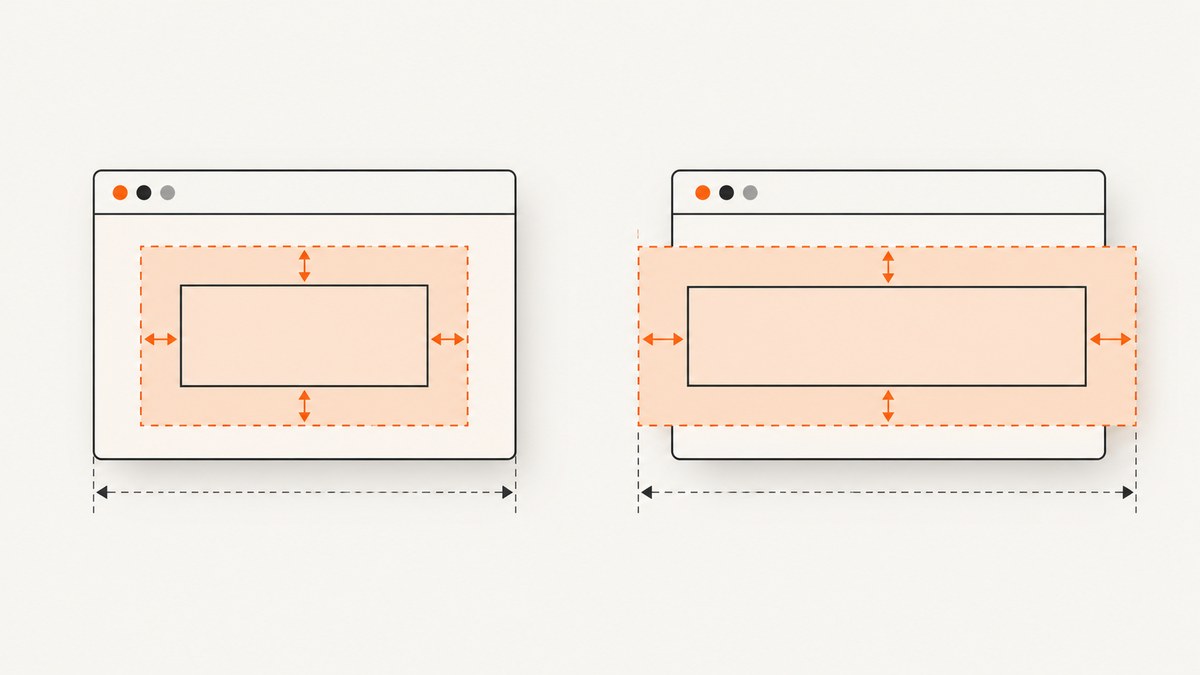
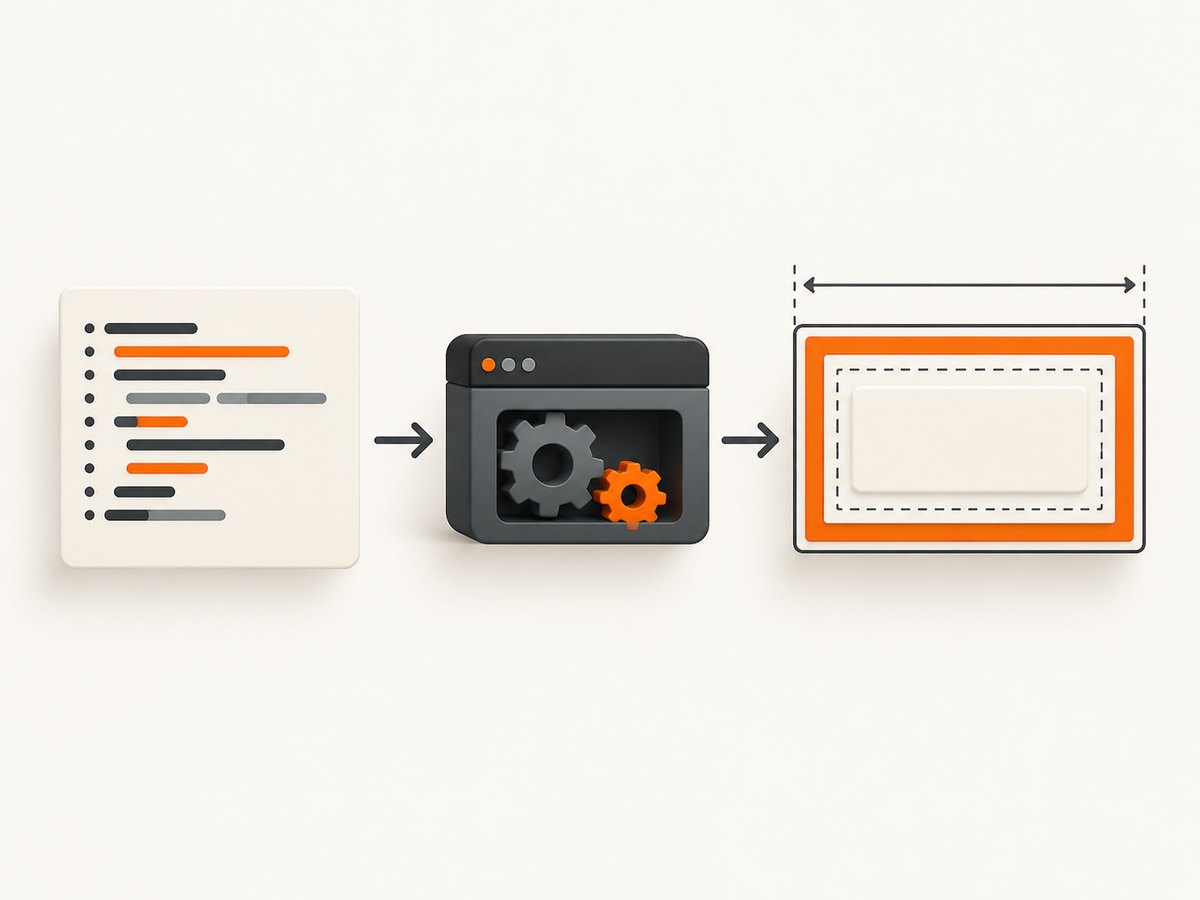
Direct answer: PhantomJS may appear to ignore box-sizing, but the declaration is often being overridden, loaded too late, applied to a different element, or compared with the wrong measurement. Reduce the page to a minimal fixture, verify the computed style and stylesheet load, inspect the box geometry, then test the exact PhantomJS binary with both standard and WebKit-prefixed declarations. If the fixture still fails, treat it as an engine limitation, pin the binary with a regression test, or move the job to a maintained browser stack.
What box-sizing should do
With box-sizing: content-box (the default), the declared width applies to content only. Padding and borders are added outside that width. With box-sizing: border-box, the declared width includes content, padding, and borders. Margins remain outside the declared width in both models.
| Value | Declared width includes | Padding and border |
|---|---|---|
content-box |
Content | Added outside |
border-box |
Content + padding + border | Contained inside |
A screenshot alone cannot prove which box model is active. Compare computed styles and geometry separately.
Build a minimal reproducible fixture
Remove framework styles, unrelated scripts, animations, and dynamic class changes. This fixture gives you an unambiguous expected result:
<!doctype html>
<html>
<head>
  <meta charset="utf-8">
  <style>
    #probe {
      box-sizing: border-box;
      width: 200px;
      height: 100px;
      padding: 20px;
      border: 5px solid #000;
      margin: 13px;
      background: #ddd;
    }
  </style>
</head>
<body>
  <div id="probe">probe</div>
</body>
</html>
For this element, getComputedStyle(probe).boxSizing should be border-box, and probe.offsetWidth should be 200 pixels. The margin is not part of offsetWidth.
Run the fixture in PhantomJS
Save the fixture as box-sizing.html, then run this complete diagnostic script:
var page = require('webpage').create();
var system = require('system');

if (system.args.length < 2) {
  console.log('Usage: phantomjs inspect-box.js box-sizing.html');
  phantom.exit(1);
}

var url = system.args[1];
page.onError = function (msg, trace) {
  console.log('PAGE ERROR: ' + msg);
  trace.forEach(function (t) {
    console.log('  at ' + t.file + ':' + t.line);
  });
};
page.onResourceError = function (error) {
  console.log('RESOURCE ERROR: ' + error.url + ' (' + error.errorString + ')');
};

page.open(url, function (status) {
  if (status !== 'success') {
    console.log('Could not open page: ' + status);
    phantom.exit(2);
  }

  var result = page.evaluate(function () {
    var el = document.getElementById('probe');
    if (!el) return { error: 'probe element not found' };
    var s = window.getComputedStyle(el);
    var rect = el.getBoundingClientRect();
    return {
      boxSizing: s.boxSizing,
      webkitBoxSizing: s.webkitBoxSizing,
      width: s.width,
      paddingLeft: s.paddingLeft,
      paddingRight: s.paddingRight,
      borderLeftWidth: s.borderLeftWidth,
      borderRightWidth: s.borderRightWidth,
      marginLeft: s.marginLeft,
      offsetWidth: el.offsetWidth,
      clientWidth: el.clientWidth,
      rectWidth: rect.width,
      stylesheetCount: document.styleSheets.length,
      readyState: document.readyState
    };
  });

  console.log(JSON.stringify(result, null, 2));
  phantom.exit();
});
Run it with:
phantomjs inspect-box.js box-sizing.htmlDiagnostic checklist
- Confirm the selector. Check that the rule targets the element you measure. A class on a wrapper does not change a child unless the selector reaches that child.
- Confirm the stylesheet loaded. Look for resource errors, verify the stylesheet URL, and check
document.styleSheets.length. A file opened from the filesystem can also expose different relative-path behavior than an HTTP page. - Inspect computed style. Read
getComputedStyle(el).boxSizingand, where exposed,getComputedStyle(el).webkitBoxSizing. Inspect the actual node, not a similarly named template element. - Find cascade overrides. Search later stylesheets, more-specific selectors, inline styles,
!important, media queries, and script-injected CSS. The last matching declaration wins according to normal cascade rules. - Wait for the page to settle. Measure only after the stylesheet, content, and script-driven class changes have finished. A timer can diagnose a race, but waiting for a known selector or application-ready state is safer.
- Separate dimensions. Record computed width, padding, borders, margins,
offsetWidth,clientWidth, andgetBoundingClientRect().width. Do not infer the box model from one number.
Test the WebKit-prefixed declaration
As a compatibility diagnostic, add both declarations to the affected selector:
.panel {
  -webkit-box-sizing: border-box;
  box-sizing: border-box;
}
Then rerun the same fixture in the exact PhantomJS binary used by the job and compare computed values and geometry. This is a test, not a guaranteed fix. PhantomJS uses QtWebKit, and its documentation recommends feature detection and testing the target implementation because WebKit implementations can differ. See the official supported-standards guidance.
Understand the measurements
| Measurement | What it represents | Common mistake |
|---|---|---|
getComputedStyle(el).width |
Computed CSS width; interpretation depends on the box-sizing model | Assuming it always equals the painted outer width |
offsetWidth |
Layout width including padding and borders, rounded to an integer | Adding padding and borders again |
clientWidth |
Padding box, generally excluding borders and scrollbars | Using it to verify border thickness |
getBoundingClientRect().width |
Rendered border-box width, potentially fractional | Comparing fractional values to integer layout properties |
| Margins | Space outside the element | Expecting margins in offsetWidth |
For a 200px border-box with 20px left and right padding and 5px left and right borders, the content width is 150px, while the outer width remains 200px.
When PhantomJS is the limiting factor
If the minimal fixture still reports unexpected values after selector, cascade, loading, and timing checks, capture the PhantomJS version, binary provenance, operating system, stylesheet, and fixture. The official FAQ explains that the WebKit version depends on the libraries used to compile PhantomJS and should not be treated as a proxy for HTML or CSS support.
The PhantomJS homepage states that development is suspended. When the engine is confirmed as the cause, compare the cost of migration with the remaining needs of the project:
- Whether the current binary produces the CSS behavior your output requires.
- Whether the rendering engine is maintained.
- Whether the job can move to a maintained browser-automation stack.
- Whether pinning the legacy binary and preserving the fixture is sufficient.
If migration is not immediate, pin the PhantomJS binary, keep the minimal fixture in regression tests, and record expected computed styles and dimensions. Avoid silently changing binaries because a WebKit library update can alter rendering behavior.
Performance, reliability, and cost considerations
- Performance: A minimal fixture removes network requests, layout work, and script execution that can obscure the diagnosis. Measure after the smallest reliable readiness condition rather than using an unnecessarily long delay.
- Reliability: Use a deterministic local fixture, fixed viewport, explicit fonts where possible, and the same PhantomJS binary in development and CI. Save diagnostic JSON when a regression occurs.
- Cost: The DIY approach consumes your own CI or server resources. If screenshots are generated remotely, account for browser startup, page-load time, retries, and storage separately from CSS debugging.
Common errors and fixes
| Symptom | Likely cause | Fix |
|---|---|---|
boxSizing is content-box |
The rule did not match or was overridden | Inspect the matched selector, cascade order, specificity, inline styles, and !important. |
boxSizing is correct but width is unexpected |
The wrong dimension is being inspected | Compare computed width, offsetWidth, clientWidth, borders, padding, and margins separately. |
| Computed style is empty or the element is missing | Measurement ran before DOM creation or before the expected selector appeared | Wait for the element, then evaluate; verify the selector in the page context. |
| Styles work in a modern browser but not PhantomJS | QtWebKit implementation difference or unsupported behavior | Run the minimal fixture in the exact binary, try the prefixed declaration, and record the build details. |
| External CSS has no effect | Stylesheet request failed or relative URL differs in the test environment | Use onResourceError, verify the URL, and serve the fixture over the same kind of origin used in CI. |
| Values change between runs | Asynchronous content, injected CSS, fonts, or animations | Disable animations, wait for a deterministic ready condition, and capture the final computed values. |

Or skip the browser setup
ScreenshotNeo provides a website screenshot API and MCP server. Its capture pipeline accepts consent banners like a visitor and removes more than 60 known consent platforms, newsletter popups, and chat widgets before the shot; each step can be turned off. Bot checks, blank pages, timeouts, failed loads, and cache hits are not billed, and the response identifies the result with X-Page-Verdict and X-Billed headers. An MCP server provides take_screenshot, get_page_info, and capture_pdf tools for Claude, Cursor, and other MCP clients.
See the ScreenshotNeo API documentation for all options.
curl -G "https://api.screenshotneo.com/v1/shot" -d access_key=YOUR_API_KEY --data-urlencode url=https://stripe.com -o shot.webpimport requests
r = requests.get("https://api.screenshotneo.com/v1/shot", params={"access_key": "YOUR_API_KEY", "url": "https://stripe.com"}, timeout=90)
open("shot.webp", "wb").write(r.content)const q = new URLSearchParams({ access_key: 'YOUR_API_KEY', url: 'https://stripe.com' });
const res = await fetch(`https://api.screenshotneo.com/v1/shot?${q}`);ScreenshotNeo supports full-page and element captures, dark mode, device presets and custom viewports, retina scale, custom CSS and JavaScript, waits, request blocking, headers, cookies, user agents, authorization, timezone and geolocation, resizing, caching, signed links, asynchronous jobs, bulk capture, usage reporting, PDFs, HTML/CSS rendering, and more. One thousand screenshots per month are free with no card; paid plans start at $5 for 3,000 shots.
Create a free ScreenshotNeo account and start with 1,000 screenshots each month at no charge.
FAQ
Does adding -webkit-box-sizing guarantee a fix?
No. It is a compatibility diagnostic for the exact PhantomJS build. Confirm the computed style and geometry afterward.
Should I trust PhantomJS’s reported WebKit version?
No. The official FAQ says compile-time libraries determine the WebKit version, so it should not be used to infer CSS support.
Can a screenshot prove that box-sizing is working?
No. Use computed style and DOM geometry; a visual image cannot distinguish every padding, border, margin, and rounding case.
What should I preserve if I must keep PhantomJS?
Pin the binary, record its build and operating system, and keep the minimal fixture as a regression test.


