How to Fix PHP shell_exec Hanging When Running wkhtmltopdf
Diagnose wkhtmltopdf hangs in PHP by checking pipes, environment, Xvfb, and JavaScript waits. Replace shell_exec with supervised process execution and timeouts.
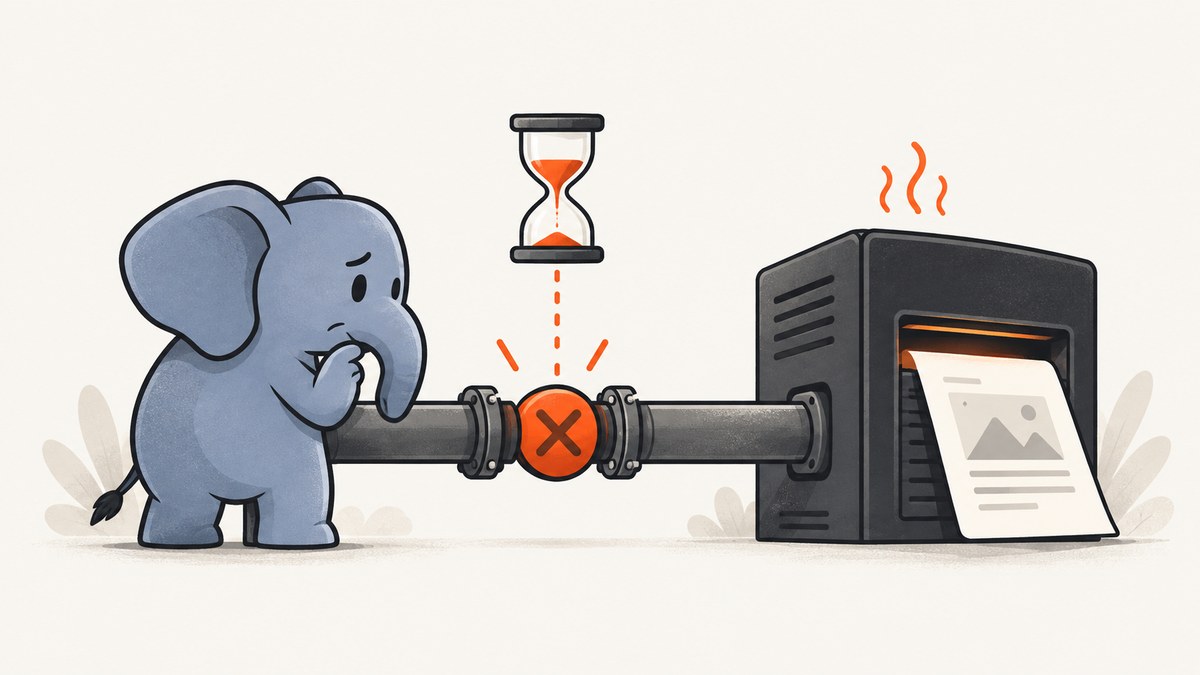
When shell_exec() appears to hang while running wkhtmltopdf, PHP is usually still waiting for the child process or for output from it. Common causes include a full stdout or stderr pipe, a JavaScript wait condition that never becomes true, slow or unreachable page resources, and a different PATH, environment, display, or filesystem context under Apache or PHP-FPM.
Start by running the exact command as the web worker’s Unix user, with an absolute binary path and a bounded operating-system timeout. Capture stderr so you can see what wkhtmltopdf is waiting on. For production, use proc_open() to drain stdout and stderr independently, enforce a deadline, and inspect the exit code. shell_exec() returns command output but cannot provide an exit code; an empty or null result is not proof of success or failure. PHP shell_exec documentation.
1. Confirm what is actually hanging
First distinguish a stuck request from a slow conversion or a completed command whose output was not captured. Check PHP-FPM or Apache logs, the worker process list, and whether the expected PDF file exists and has a nonzero size. Record how long the request takes and whether the child process remains after the request is terminated.
Run these commands as the same Unix account that runs PHP-FPM or Apache. Replace www-data with the service account for your system:
sudo -u www-data /usr/local/bin/wkhtmltopdf --version
sudo -u www-data sh -c 'pwd; printf "HOME=%s\nPATH=%s\nDISPLAY=%s\n" "$HOME" "$PATH" "$DISPLAY"'
sudo -u www-data timeout 60s /usr/local/bin/wkhtmltopdf --quiet /var/tmp/input.html /var/tmp/output.pdf
printf 'exit=%s\n' "$?"
The 60-second timeout is an example safeguard, not a universal rendering limit. Choose a deadline appropriate to your documents and service-level needs. A timeout command typically returns status 124 when it kills a command; check the implementation on your OS. Run the same command without --quiet while diagnosing so diagnostics remain visible.
Use an absolute binary and explicit paths
Web workers often have a smaller PATH and a different working directory than an interactive shell. Find the actual executable path with command -v wkhtmltopdf in the deployment environment. Then use absolute paths for the binary, input file, and output file. Confirm the worker can read the input and write to the output directory, and check free disk space and ownership.
Log the PHP process’s working directory and relevant environment values without logging secrets. A configured proxy, certificate store, HOME directory, or DISPLAY can affect rendering. Do not assume a shell profile is loaded for a web worker.
2. Inspect stdout and stderr instead of guessing
shell_exec() returns the complete output as a string, false, or null, but it cannot expose the command’s exit code. Capture stderr temporarily to see page-load, SSL, font, X11, JavaScript, or resource errors:
<?php
$binary = '/usr/local/bin/wkhtmltopdf';
$input = '/var/tmp/input.html';
$output = '/var/tmp/output.pdf';
$command = escapeshellarg($binary) . ' --quiet '
    . escapeshellarg($input) . ' '
    . escapeshellarg($output) . ' 2>&1';
$diagnostics = shell_exec($command);
error_log('wkhtmltopdf output: ' . (string) $diagnostics);
?>
This is a diagnostic snippet, not a production supervisor. Redirecting stderr into stdout makes messages visible, but it still does not give PHP a reliable exit code or deadline. Escape every shell argument that could contain variable data; PHP warns that unescaped input can enable command injection. For actual exit status, PHP’s exec() can return it, while proc_open() gives separate pipes and process control. See PHP exec documentation.
3. Rule out a pipe deadlock
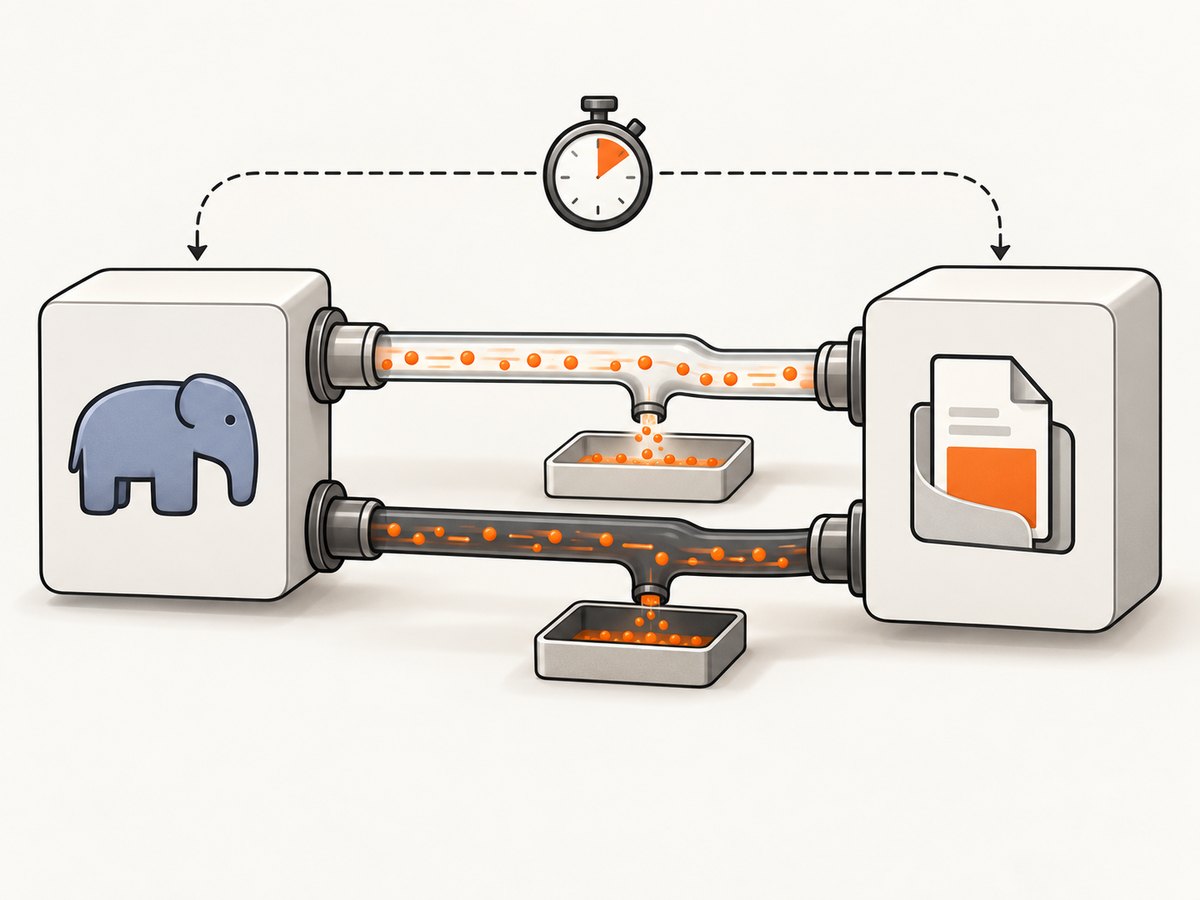
A child process can block when it writes enough diagnostic output to a pipe that nobody is draining. The PHP process may also be waiting on the child while only reading one stream. This is especially likely when stderr is piped but not consumed. PHP process descriptors use 0 for stdin, 1 for stdout, and 2 for stderr. The robust fix is to drain both output pipes as the child runs, or redirect output to log files.
Production structure with proc_open()
The following example uses direct process launch with an argument array, closes stdin, reads stdout and stderr concurrently, checks an application deadline, and returns the child status. Adjust the binary, paths, environment, deadline, and logging to your deployment.
<?php
$binary = '/usr/local/bin/wkhtmltopdf';
$input = '/var/tmp/input.html';
$output = '/var/tmp/output.pdf';
$workDir = '/var/tmp';
$timeoutSeconds = 60;
$command = [$binary, '--quiet', $input, $output];
$descriptors = [
    0 => ['pipe', 'r'],
    1 => ['pipe', 'w'],
    2 => ['pipe', 'w'],
];
$env = ['DISPLAY' => ':99', 'HOME' => '/var/www'];
$proc = proc_open($command, $descriptors, $pipes, $workDir, $env);
if (!is_resource($proc)) {
    throw new RuntimeException('Could not start wkhtmltopdf');
}
fclose($pipes[0]);
stream_set_blocking($pipes[1], false);
stream_set_blocking($pipes[2], false);
$stdout = '';
$stderr = '';
$deadline = microtime(true) + $timeoutSeconds;
$timedOut = false;

while (true) {
    $status = proc_get_status($proc);
    $read = [];
    if (!feof($pipes[1])) $read[] = $pipes[1];
    if (!feof($pipes[2])) $read[] = $pipes[2];
    if ($read) {
        $write = null;
        $except = null;
        @stream_select($read, $write, $except, 0, 200000);
        foreach ($read as $stream) {
            $chunk = stream_get_contents($stream);
            if ($stream === $pipes[1]) $stdout .= $chunk;
            else $stderr .= $chunk;
        }
    } else {
        usleep(200000);
    }
    if (!$status['running']) break;
    if (microtime(true) > $deadline) {
        $timedOut = true;
        proc_terminate($proc);
        break;
    }
}
// Drain data left in the pipes after exit or termination.
$stdout .= stream_get_contents($pipes[1]);
$stderr .= stream_get_contents($pipes[2]);
fclose($pipes[1]);
fclose($pipes[2]);
$exitCode = proc_close($proc);
if ($timedOut) {
    throw new RuntimeException('wkhtmltopdf exceeded the application deadline');
}
if ($exitCode !== 0) {
    throw new RuntimeException("wkhtmltopdf failed ({$exitCode}): {$stderr}");
}
if (!is_file($output) || filesize($output) === 0) {
    throw new RuntimeException('wkhtmltopdf exited without producing a PDF');
}
?>
This is an illustrative pattern and needs review in the context of the PHP version and process behavior in your environment. In particular, test timeout handling and exit-status collection on the target host. If you need to terminate a process group and its grandchildren, design that explicitly for your platform; terminating only the direct child may not stop every descendant.
4. Check X11 requirements on headless Linux
Some wkhtmltopdf Linux builds need an X server, while patched-Qt builds may not. Check wkhtmltopdf --version and the build used on the server before adding Xvfb. A missing display often produces an immediate error rather than an indefinite wait, but a stale or badly managed virtual display can cause confusing failures and accumulating defunct processes.
For a build that requires X, phpwkhtmltopdf documents using xvfb-run for low-frequency sites or running a persistent Xvfb service for reuse. Starting Xvfb for every PDF adds process and CPU overhead. A persistent example, with paths and service ownership adapted to your host:
Xvfb :99 -screen 0 1024x768x24 -ac +extension GLX +render -noreset \
  >>/var/log/xvfb.log 2>&1 &
export DISPLAY=:99
/usr/local/bin/wkhtmltopdf --quiet /var/tmp/input.html /var/tmp/output.pdf
In a service manager, configure Xvfb as a supervised service rather than relying on a shell background process. Ensure PHP-FPM inherits or explicitly receives DISPLAY=:99. See the phpwkhtmltopdf documentation.
5. Bound JavaScript and resource waits
Inspect special wait flags before increasing timeouts. The wkhtmltopdf usage reference lists --javascript-delay <msec> with a 200 ms default, --window-status <value>, --stop-slow-scripts enabled by default, and --load-error-handling defaulting to abort. See the wkhtmltopdf usage reference.

--window-status is a synchronization contract: page JavaScript must set the exact requested status. If a script errors, a conditional code path is skipped, or a third-party resource prevents the assignment, wkhtmltopdf may wait indefinitely. Remove the flag during diagnosis or make sure every path sets the value. An Alpine Linux report describes this kind of wait: wkhtmltopdf issue 3281.
Use a bounded --javascript-delay only when the page needs rendering time. Also check DNS, proxy and TLS failures, remote fonts, images, iframes, scripts that never settle, and assets blocked by authentication. Test with a local minimal HTML file, then reintroduce remote assets, JavaScript, headers and footers, custom headers, and wait flags one at a time. --load-error-handling skip or ignore may allow a PDF to finish while omitting content; choose these only if incomplete output is acceptable and observable.
6. A practical debugging sequence
- Reproduce as the service account. Run
--version, then the exact command with absolute paths. - Log context. Capture current directory, PATH, HOME, DISPLAY, file permissions, and free disk space. Avoid logging secrets or authorization headers.
- Expose diagnostics. Temporarily remove
--quietor redirect stderr to a file. Record the timeout and child exit status. - Use a local minimal page. If it works, add remote CSS, images, JavaScript, and wait flags incrementally.
- Remove unbounded waits. Verify exact
--window-statusvalues and avoid arbitrary long JavaScript delays. - Check process lifecycle. Look for orphaned children, defunct processes, exhausted worker slots, and temporary files left after timeout.
- Replace shell_exec in the worker. Use
proc_open()or a queue worker with a deadline, logging, cleanup, and bounded retries.
7. Security, reliability, performance, and cost
Security
Never concatenate untrusted content into a shell command. Prefer argument-array process launch; when using a shell, quote each individual argument with escapeshellarg(). Treat URLs and HTML as untrusted: a renderer that fetches remote resources can reach internal network services unless network access is constrained. Keep temporary HTML and PDFs outside the web root, use restrictive permissions, and give the worker only the network and filesystem access it needs. Close PHP session files before a long conversion if other requests from the same session must proceed.
Reliability and performance
Keep conversion outside latency-sensitive request paths when documents are large or rendering is unpredictable. A job queue lets the HTTP request return a job identifier while a supervised worker handles timeouts, retries, cleanup, and status reporting. Avoid retrying deterministic failures such as invalid input or a missing binary. Retry only transient failures, with a limit and backoff, and ensure retries do not overwrite a valid document unexpectedly.
Measure actual render time, memory, CPU, output size, and failure types using representative pages; there is no universal timing figure. Reusing a persistent Xvfb process avoids repeatedly starting it. Restrict remote assets and avoid waiting for network-idle behavior when the page continuously polls. Cache generated PDFs only when the content and authorization rules make reuse safe.
Cost and maintenance
Self-hosting avoids a per-capture API charge, but it still consumes server capacity and requires operations work: worker isolation, fonts and libraries, upgrades, security patches, monitoring, and failure handling. wkhtmltopdf’s upstream repository is archived and read-only, with its archive date shown as January 2, 2023. This does not make an existing deployment unusable, but it increases the maintenance risk of depending on old WebKit behavior and platform workarounds. See the archived wkhtmltopdf repository. Stabilize the current worker, then compare a maintained Chromium renderer or managed PDF service for JavaScript fidelity, CSS support, isolation, latency, observability, and total cost.
Or skip the browser setup
If your job is to capture a website screenshot rather than generate a print-layout PDF, ScreenshotNeo provides a website screenshot API and MCP server from Yorker Media. One GET request returns an image or PDF. Its API supports clean screenshots: it accepts consent banners like a visitor and removes 60+ known consent platforms, newsletter popups, and chat widgets before capture. Each step can be turned off.
curl -G "https://api.screenshotneo.com/v1/shot" \
  -d access_key=YOUR_API_KEY \
  --data-urlencode url=https://stripe.com \
  -o shot.webp
See the ScreenshotNeo API documentation for the available request options. Python and Node.js clients can call the same endpoint:
import requests

r = requests.get(
    "https://api.screenshotneo.com/v1/shot",
    params={"access_key": "YOUR_API_KEY", "url": "https://stripe.com"},
    timeout=90,
)
open("shot.webp", "wb").write(r.content)
const q = new URLSearchParams({
access_key: 'YOUR_API_KEY',
url: 'https://stripe.com'
});
const res = await fetch(`https://api.screenshotneo.com/v1/shot?${q}`);
if (!res.ok) throw new Error(`Screenshot request failed: ${res.status}`);
await Bun.write('shot.webp', res);Cookie banners, popups, and chat widgets are removed before the shot. Bot checks, blank pages, and failed loads are never billed; response headers identify the page verdict and billing status. An MCP server lets AI agents use take_screenshot, get_page_info, and capture_pdf. The free plan includes 1,000 screenshots a month with no card, and paid plans start at $5 for 3,000. Sign up for 1,000 free screenshots a month, no card required.
8. Common errors and fixes
| Symptom | Likely cause | What to check or change |
|---|---|---|
| Works in terminal, hangs in PHP-FPM | Different user, PATH, HOME, working directory, DISPLAY, or permissions | Run as the service account; use absolute paths and explicit environment values. |
| No useful message from shell_exec | stderr is not captured, or return value is mistaken for status | Capture stderr for diagnosis; use proc_open() or exec() for exit status. |
| Process stops when output is large | stdout or stderr pipe filled without being drained | Drain both pipes concurrently or redirect them to log files. |
| “cannot connect to X server” | Build needs a display and none is available | Confirm build requirements; configure persistent Xvfb and DISPLAY if needed. |
| Never completes with window-status | Page never sets the exact requested status | Remove the flag to isolate; guarantee the assignment on all JavaScript paths. |
| Remote page stalls or has missing content | DNS, proxy, TLS, authentication, blocked resource, or slow third-party asset | Try local HTML; inspect diagnostics; add remote dependencies one at a time. |
| PDF exits successfully but is empty or stale | Wrong output path, permissions, concurrent writes, or failed validation | Use unique temporary output names; verify size and freshness before publishing. |
| Workers pile up after timeout | Child or grandchild processes survive request termination | Supervise workers, terminate process groups where supported, and clean temporary files. |
9. FAQ
Does shell_exec have a built-in timeout?
No application-level deadline is provided by the function itself. Wrap the command with an operating-system timeout for diagnosis, and use supervised process execution when PHP must enforce a deadline.
Should I always add Xvfb?
No. First identify the wkhtmltopdf build and whether it requires X. Adding Xvfb to a build that does not need it adds operational complexity.
Can I use load-error-handling ignore to fix the hang?
It may let rendering finish despite a failed resource, but it can produce incomplete documents. Fix the underlying dependency when possible and make any tolerated omissions visible.
Should I replace wkhtmltopdf immediately?
Not solely because one request hangs. Establish the root cause and stabilize execution first; then assess the archived project’s maintenance risk against a maintained renderer or managed service using your own pages and operational requirements.


