How to Fix the Missing Chromium Executable Error in Playwright on Vercel
Fix Playwright’s missing Chromium error on Vercel with bundled browsers or @sparticuz/chromium, plus deployment checks and troubleshooting.
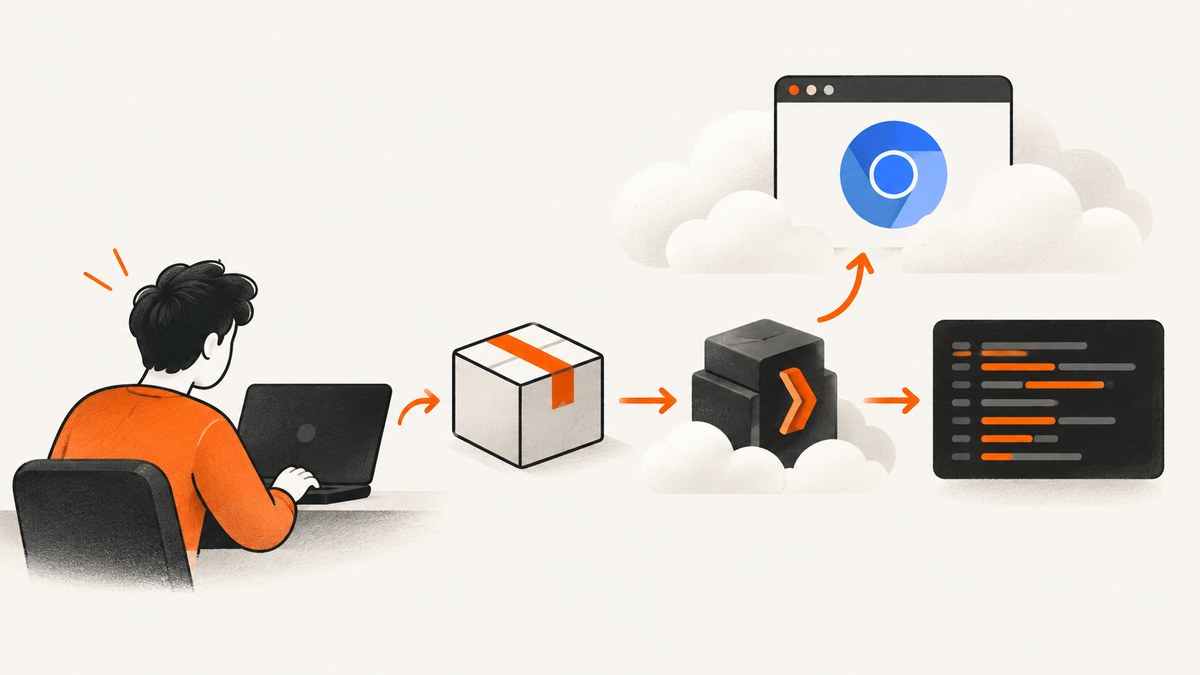
Direct answer: Playwright’s npm package and its Chromium browser are separate deployment assets. Vercel does not automatically provide the browser revision your Playwright version expects, so a local launch can work while production fails with “Executable doesn’t exist.” Install the matching browser during the build and make sure it is included in the function bundle, or use playwright-core with a serverless Chromium package such as @sparticuz/chromium. Run the function on Vercel’s Node.js runtime, keep the packages pinned together, and close the browser in a finally block.
Playwright documents that each release needs specific browser binaries (browser installation documentation). Its BrowserType API also warns that an arbitrary executablePath is used at your own risk and is not guaranteed to work with another browser version (BrowserType API).
What the error means
A typical message looks like:
Error: browserType.launch: Executable doesn't exist at /path/to/.cache/ms-playwright/chromium-xxxx/chrome-linux/chromeThe path is the key clue. Playwright is looking for a browser revision that was not installed, was installed only in your local cache, or was left out of the deployed Vercel function. A package such as playwright-core contains the automation library but does not download a browser. It requires you to provide a compatible executable path or browser channel.
Choose a deployment strategy
| Approach | Use it when | Main constraint |
|---|---|---|
Full playwright package |
Your Chromium binary fits the function bundle and the build can install it reproducibly | Browser files increase package size |
playwright-core + @sparticuz/chromium |
You need a serverless-compatible executable and launch arguments | Cold starts may extract Chromium to /tmp |
@sparticuz/chromium-min |
You can host the compressed Chromium pack separately | You must make the remote pack reachable from the function |
| Managed screenshot API | You do not want browser packaging, patching, or Vercel process limits | External API request and usage pricing |
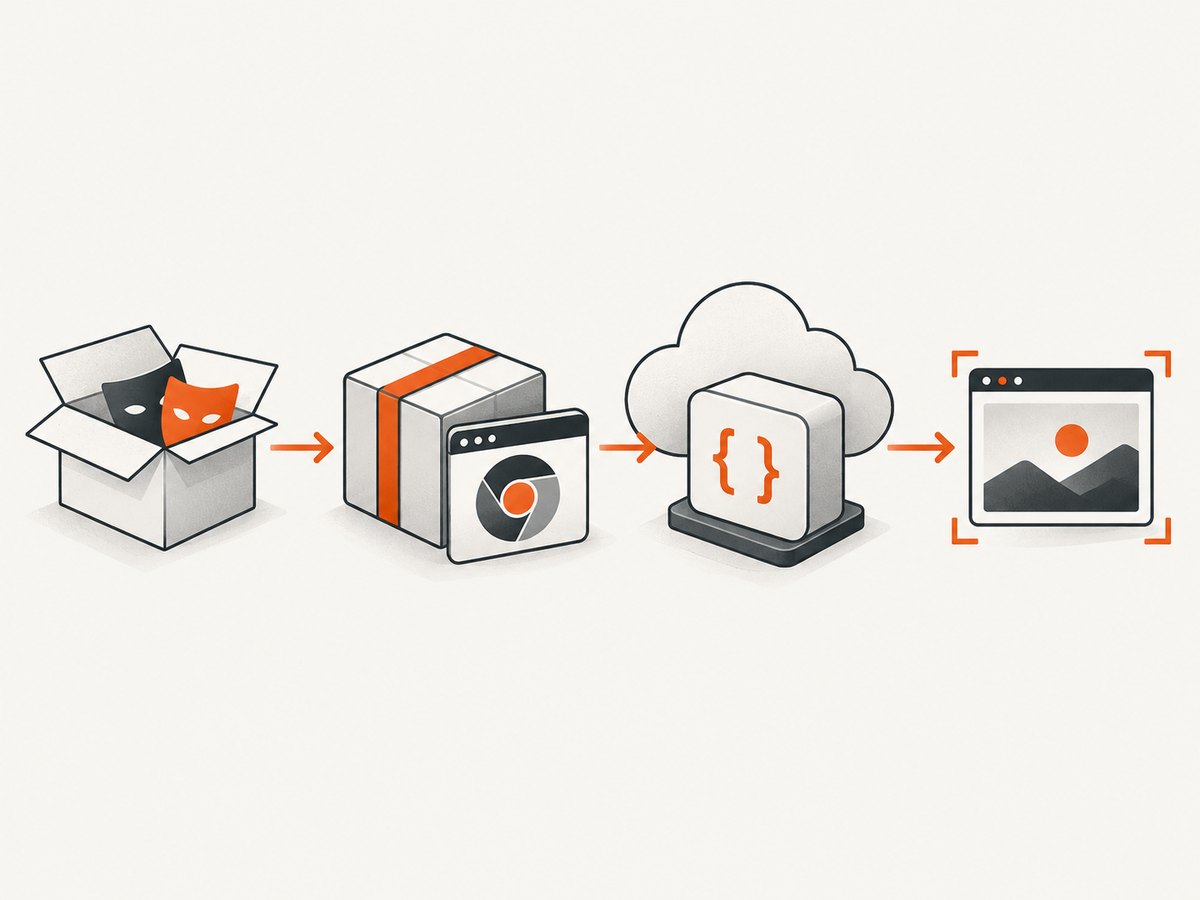
Fix path A: bundle Playwright’s Chromium
1. Pin Playwright and install the browser
Install the full package as a production dependency and commit the lockfile:
npm install playwright
npx playwright install chromium
The install command must run in the build environment that creates the Vercel deployment. A browser in your workstation’s operating-system cache is not automatically part of the deployment artifact. After the build, inspect the generated function output and confirm that the Chromium directory is present.
2. Use a Node.js Vercel function
Browser processes require Node.js APIs. Do not deploy this route as an Edge Function. For a Next.js App Router route, set the runtime explicitly:
import { chromium } from 'playwright';

export const runtime = 'nodejs';

export async function GET() {
  const browser = await chromium.launch({ headless: true });
  try {
    const page = await browser.newPage();
    await page.goto('https://example.com', { waitUntil: 'domcontentloaded' });
    return Response.json({ title: await page.title() });
  } finally {
    await browser.close();
  }
}
The same pattern works in a plain Vercel Node.js Function. Keep the browser creation inside the handler unless you deliberately implement safe warm-instance reuse.
3. Make the build reproducible
- Pin the Playwright version in
package.jsonand lockfile. - Run
npx playwright install chromiumafter dependency installation, not only on a developer machine. - Do not upgrade Playwright without reinstalling its browser revision.
- Inspect the deployment output instead of assuming a cache directory was copied.
- Log the Playwright version and resolved browser path in a protected diagnostic route.
Playwright releases can change the expected Chromium revision. Treat the Playwright package and browser binary as one compatibility set.
Fix path B: use serverless Chromium with Playwright Core
This route packages a Chromium build intended for serverless environments and asks it for both launch arguments and its extracted executable path.
npm install playwright-core @sparticuz/chromiumExample Next.js route:
import { chromium as playwright } from 'playwright-core';
import chromium from '@sparticuz/chromium';

export const runtime = 'nodejs';

export async function GET() {
  const browser = await playwright.launch({
    args: chromium.args,
    executablePath: await chromium.executablePath(),
    headless: true,
  });

  try {
    const page = await browser.newPage();
    await page.goto('https://example.com', {
      waitUntil: 'domcontentloaded',
      timeout: 30_000,
    });
    return Response.json({ title: await page.title() });
  } finally {
    await browser.close();
  }
}
@sparticuz/chromium extracts its compressed binary to /tmp/chromium on first use and can reuse that file during a warm start. The package README documents the args and executablePath() pattern. Do not guess a path such as /usr/bin/google-chrome; that path may not exist in Vercel’s runtime and an unrelated Chrome version may not be compatible.
When to use chromium-min
@sparticuz/chromium-min is for deployments where the Chromium pack is hosted separately. Use it only when your function can reach that remote pack and you have a deployment process for versioning and availability. It reduces the function’s local payload but adds a remote dependency.
Vercel limits that affect browser launches
Vercel documents a standard maximum compressed Node.js function bundle size of 250 MB, with memory and duration limits depending on the plan (Vercel Functions limits). A browser package can exceed the bundle limit before your code does. Remove unused browsers and install Chromium only.
Vercel announced a 5 GB package-size beta for eligible Fluid Compute projects on June 29, 2026. The normal 250 MB path remains the default; the beta requires the appropriate project configuration. Do not design a deployment around the beta unless your project is eligible and configured for it.
Allocate enough memory and duration for browser startup, navigation, JavaScript execution, and cleanup. A page that loads locally in one second can take longer in a cold serverless process, especially when Chromium must be extracted first.
Complete diagnostic checklist
- Confirm the runtime: set
runtime = 'nodejs'; remove Edge runtime configuration. - Confirm the package: use
playwrightwith an installed browser, orplaywright-corewith an explicit compatible executable. - Confirm the build step: run the browser install command in the Vercel build.
- Confirm the artifact: inspect output tracing or deployment files to verify Chromium was included.
- Confirm versions: record versions for Playwright,
playwright-core, and the Chromium package. - Confirm the path: log the resolved path without exposing secrets.
- Confirm cleanup: always close the browser in
finally. - Smoke test before traffic: deploy a route that launches Chromium and reads a known page title.
Troubleshooting common errors
“Executable doesn’t exist”
Cause: Chromium was not installed, or the build excluded the directory. Fix: run npx playwright install chromium during the build, inspect the function artifact, and redeploy. With playwright-core, use await chromium.executablePath() from @sparticuz/chromium.
“executablePath or channel is required”
Cause: playwright-core does not select a browser. Fix: provide the serverless package’s executable path and arguments, or switch to full playwright and install its matching browser.
Function bundle exceeds the size limit
Cause: browser binaries and dependencies exceed Vercel’s compressed package limit. Fix: remove Firefox and WebKit, use Chromium only, evaluate @sparticuz/chromium-min with a remote pack, or use an eligible large-function configuration.
Missing shared libraries or launch failure
Cause: a locally working binary is not compatible with the Vercel runtime. Fix: use a Chromium build intended for serverless Vercel execution, update the paired packages together, and avoid pointing at an arbitrary system Chrome.
Works locally but fails after deployment
Cause: local caches, operating-system libraries, environment variables, or package versions differ. Fix: compare the deployed runtime, resolved executable path, lockfile versions, environment configuration, and bundled files. A local Playwright cache is not evidence that production contains Chromium.
Timeouts or out-of-memory errors
Cause: cold-start extraction, heavy pages, insufficient memory, or an overly short function duration. Fix: use realistic limits, close pages and browsers, wait for the minimum page state you need, block unnecessary resources where appropriate, and avoid launching multiple browsers per request.
Reliability and performance practices
- Reuse warm extraction: serverless Chromium can reuse the extracted
/tmpbinary during warm starts, but code must still work on a fresh instance. - Control navigation: choose
domcontentloaded, a selector wait, or a bounded timeout instead of waiting forever for every network request. - Limit concurrency: each browser consumes memory and file descriptors; process work in a controlled queue when handling batches.
- Close everything: close pages and browsers in
finallyblocks. - Pin compatibility: update Playwright and Chromium together and run a launch smoke test before rollout.
- Measure the right stage: log cold start, executable extraction, launch, navigation, and cleanup durations separately.
Cost and architecture choices
Bundling Chromium has no separate screenshot API charge, but it consumes Vercel function size, memory, duration, and operational maintenance. Every browser revision update requires a coordinated build and redeploy. A serverless package can simplify compatibility, while a remote minimal pack trades local size for a network dependency.
If your application only needs screenshots or PDFs, a managed API can remove browser packaging from your Vercel deployment. Compare request pricing, failure handling, authentication, latency, and the features needed by your pages before choosing.
Or skip the browser setup
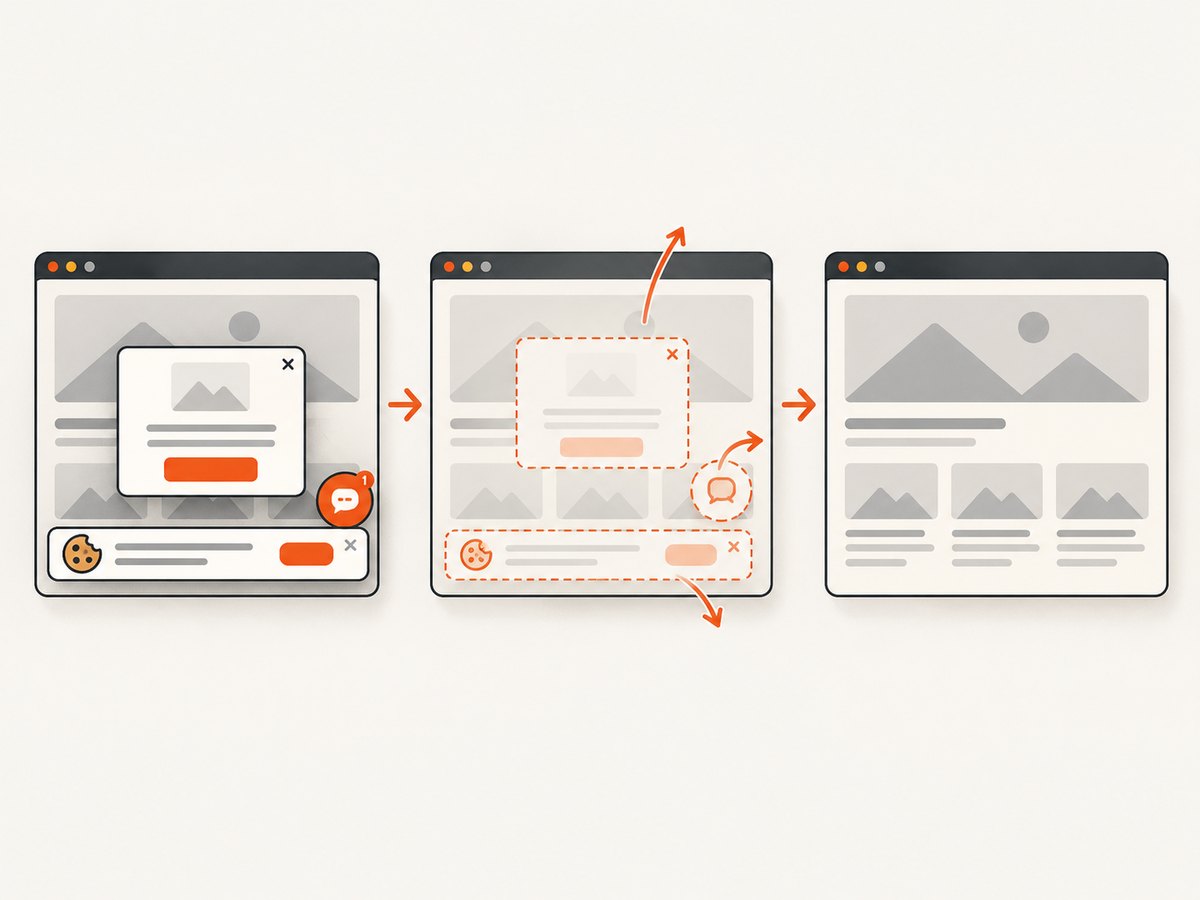
ScreenshotNeo provides a website screenshot API and MCP server, so a Vercel function can make one HTTP request instead of shipping Chromium. Cookie and consent banners are accepted and removed before capture, along with more than 60 known consent platforms, newsletter popups, and chat widgets. Bot checks, blank pages, timeouts, failed loads, and cache hits are not billed; response headers identify the page verdict and whether the request was billed.
See the complete parameter reference in the ScreenshotNeo API documentation. cURL:
curl -G "https://api.screenshotneo.com/v1/shot" -d access_key=YOUR_API_KEY --data-urlencode url=https://stripe.com -o shot.webpPython:
import requests

r = requests.get(
    "https://api.screenshotneo.com/v1/shot",
    params={"access_key": "YOUR_API_KEY", "url": "https://stripe.com"},
    timeout=90,
)
r.raise_for_status()
open("shot.webp", "wb").write(r.content)
Node.js:
const q = new URLSearchParams({ access_key: 'YOUR_API_KEY', url: 'https://stripe.com' });
const res = await fetch(`https://api.screenshotneo.com/v1/shot?${q}`);
if (!res.ok) throw new Error(`Screenshot failed: ${res.status}`);
const data = await res.arrayBuffer();
The API supports full-page and element captures, dark mode, device presets, custom viewports, retina scale, PDF output, custom CSS and JavaScript, waits, request blocking, headers, cookies, user agents, timezone, geolocation, transparent backgrounds, resizing, caching, signed links, asynchronous jobs, webhooks, bulk capture, and a usage API. Its MCP server exposes take_screenshot, get_page_info, and capture_pdf for Claude, Cursor, and other MCP clients.
There is a free plan with 1,000 screenshots per month and no card. Paid plans start at $5 for 3,000 screenshots. Create a free ScreenshotNeo account.
FAQ
Can I point Playwright at Chrome installed on my laptop?
No. Vercel runs in a different Linux environment. Use a browser included in the deployment or a serverless-compatible executable.
Does installing playwright-core install Chromium?
No. Supply a compatible executable path or use the full playwright package with its browser installation.
Should I commit the Chromium binary to Git?
Usually no. Install it during the deployment build and verify that the resulting function artifact contains it.
Why must versions be pinned?
Each Playwright release expects specific browser revisions. Updating one package without the matching browser can recreate the missing executable or compatibility failure.
Can this run on Vercel Edge?
Use the Node.js runtime. Chromium requires Node.js process and filesystem capabilities that Edge Functions do not provide.


