How to Fix Playwright Fixture Timeout Errors
Find which Playwright timeout is expiring, trace the stalled fixture work, and apply the narrowest fix for setup, teardown, assertions, or browser actions.

A Playwright fixture timeout usually means fixture setup or teardown exceeded the time budget that applies to it. The quickest fix is to read the full error and call log, identify whether the stalled work is fixture setup, test code, an assertion, a browser action, or teardown, then change the timeout at that scope—or fix the missing readiness signal. Raising the whole suite timeout can hide the cause and leave unrelated tests slower to fail.
Playwright Test has several independent timeout controls. The documented defaults are 30 seconds for a test, 5 seconds for an auto-retrying assertion, no default global timeout, no default action or navigation timeout, and no default timeout for an individual fixture. Defaults can vary by Playwright version; see the [official timeout guide](https://playwright.dev/docs/test-timeouts) and check the documentation matching the version installed in your project.
1. Identify which timeout expired
Start with the complete error, not just the final line. The timeout message and call log generally point to the operation that ran out of time. A fixture can consume the test’s budget, while an explicitly timed fixture has its own budget. An assertion’s retry timeout is separate from the test timeout. Teardown and afterEach also have a separate timeout window after the test function finishes.

| Stalled work | Relevant control | Default or scope |
|---|---|---|
| Fixture setup without its own timeout | Test timeout | Setup counts as part of the test |
| Fixture with an explicit timeout | Fixture option timeout |
Applies to that fixture |
| Auto-retrying web assertion | expect.timeout or assertion option |
Documented default: 5 seconds |
Test body and beforeEach |
Test timeout | Documented default: 30 seconds |
beforeAll or afterAll |
Hook timeout | Defaults to the test timeout |
| Browser action or navigation | Action or navigation timeout | No default timeout documented |
| Entire test run | Global timeout | No default timeout documented |
These categories and defaults are described in [Playwright’s timeout documentation](https://playwright.dev/docs/test-timeouts). The fixture guide says fixture setup and teardown time counts toward the test timeout when there is no separate fixture timeout ([Fixtures](https://playwright.dev/docs/test-fixtures#fixture-timeout)). A failing assertion message does not mean that the fixture timeout should change; first establish which operation actually stalled.
2. Inspect the lifecycle phase and call log
Fixture timeouts are often reported while a test is starting, because Playwright resolves the fixtures the test needs before running its body. Inspect the fixture’s awaited work one operation at a time. Common candidates include starting a service, making an API request, creating test data, acquiring a lock, logging in, or waiting for an application readiness condition.
- Read the complete error and call log. Note the fixture or operation named and the timeout value.
- Mark the lifecycle phase: fixture setup, test body, assertion/action, fixture teardown, or hook.
- Inspect every
awaitin that phase. Find the one that does not finish, then determine whether it is slow, failing silently, or waiting for a signal that never arrives. - Decide whether the operation is legitimately longer than its budget. If not, repair the operation or its synchronization.
- Make the narrowest change and rerun the focused test under normal settings.
A fixture that waits for a server process to start should wait for a health check or ready event, not merely for the process to exist. A fixture that provisions remote data should report the response status and useful context when provisioning fails, rather than continuing to wait for a downstream page that will never become ready.
3. Give a legitimately slow fixture its own timeout
Use a fixture-level timeout when setup or teardown is expected to take longer and should not consume the test body’s normal time budget. In a fixture tuple, the second value is the options object. The following example gives one database fixture 60 seconds; that value is illustrative, so choose a limit based on the operation and your CI environment.
import { test as base } from '@playwright/test';

 type Fixtures = { testRecord: { id: string } };

 export const test = base.extend<Fixtures>({
   testRecord: [async ({ request }, use) => {
     const response = await request.post('/test-records', {
       data: { name: 'fixture-timeout-example' },
     });
     if (!response.ok()) {
       throw new Error(`Could not create test record: ${response.status()}`);
     }

     const record = await response.json();
     try {
       await use(record);
     } finally {
       const cleanup = await request.delete(`/test-records/${record.id}`);
       if (!cleanup.ok()) {
         throw new Error(`Could not remove test record: ${cleanup.status()}`);
       }
     }
   }, { timeout: 60_000 }],
 });

 export { expect } from '@playwright/test';
In this example, setup happens before use and teardown happens in the finally block afterward. A fixture timeout applies to that fixture’s work; it is not a general timeout for every operation the test performs. Worker-scoped fixtures can also have their own timeout, and the fixture guide documents that their default is the test timeout unless changed. See [fixture timeout options](https://playwright.dev/docs/test-fixtures#fixture-timeout) for the current syntax and scope details.
Keep failures informative. Check HTTP status codes, include the operation in thrown errors, and make cleanup safe when setup only partially succeeded. If the fixture has multiple independent slow tasks, consider whether they can run concurrently safely; use Promise.all only when the tasks do not depend on one another and sharing state cannot cause races.
4. Change the test timeout only when the whole test needs more time
If the complete test legitimately needs more than the documented 30-second default, set the overall timeout at the narrowest appropriate scope. The test timeout and assertion timeout remain independent: increasing this value does not automatically give a web assertion more time.
Suite-wide configuration in playwright.config.ts:
import { defineConfig } from '@playwright/test';

export default defineConfig({
  timeout: 45_000,
});
One test or a describe group:
import { test } from '@playwright/test';

test('creates a report', async ({ page }) => {
  // Test steps
}).setTimeout(45_000);

test.describe('large import workflow', () => {
  test.describe.configure({ timeout: 90_000 });

  test('imports a large fixture', async ({ page }) => {
    // Test steps
  });
});
The exact APIs and configuration scopes are documented in [Playwright Test timeouts](https://playwright.dev/docs/test-timeouts). Use project or group configuration when a class of tests shares a genuine longer runtime. Use a local override when only one test is exceptional. Avoid globally increasing the timeout to cover a single misbehaving fixture.
5. Set assertion, action, navigation, and hook limits separately
Auto-retrying assertions
Web-first assertions retry until they pass or their assertion timeout expires. The documented default is 5 seconds. Set a longer shared expectation timeout when the application state reasonably takes longer to appear, or set it only for one assertion:
import { defineConfig, expect } from '@playwright/test';

export default defineConfig({
  expect: { timeout: 10_000 },
});

// Or for one assertion:
await expect(page.getByRole('status'))
  .toHaveText('Report ready', { timeout: 15_000 });
Make sure the assertion targets the condition that matters. If the page displays a loading state before the result, assert the result text or ready state rather than the continued presence of a generic page element. The assertion timeout is not a substitute for waiting for the application’s actual completion condition.
Actions and navigations
Action and navigation timeouts are separate from test and assertion budgets. They can be configured for a page or context, or provided to supported operations. Before increasing them, inspect the call log for actionability problems: the target may be covered, detached, disabled, or outside the expected state. A navigation may be waiting for a load state that the application never reaches because it keeps open connections. Use the relevant operation’s options and the official [Page API](https://playwright.dev/docs/api/class-page) rather than changing a broader timeout without evidence.
Hooks and teardown
beforeEach counts toward the test timeout. beforeAll and afterAll have their own timeout, which defaults to the test timeout; the documentation shows changing it inside the hook with test.setTimeout(...). Test teardown and afterEach receive a separate timeout window of the same value after the test function finishes. If cleanup times out, inspect the cleanup path specifically: a teardown error is not necessarily fixed by granting fixture setup more time.
6. Diagnose the stall with Playwright Inspector
Run a single focused test with the inspector:
npx playwright test path/to/example.spec.ts --debugDebug mode opens a headed browser and sets the default timeout to zero. Step through the stalled operation and inspect actionability logs to see what Playwright is waiting for. Because the default timeout is disabled in this mode, use it to diagnose—not to decide that the production test needs an unlimited timeout. After identifying the operation, rerun the focused test under normal settings. See [Playwright debugging](https://playwright.dev/docs/debug) for the Inspector workflow.
7. Replace fixed sleeps with a real readiness signal
A fixed sleep assumes that the work always finishes within a chosen number of milliseconds. It can waste time when the work is fast and still fail when it is slow. Playwright’s Page API documentation warns: “Never wait for timeout in production. Tests that wait for time are inherently flaky. Use Locator actions and web assertions that wait automatically.” Prefer a locator action, web-first assertion, or an event that represents the state you actually need ([waitForTimeout guidance](https://playwright.dev/docs/api/class-page#page-wait-for-timeout)).
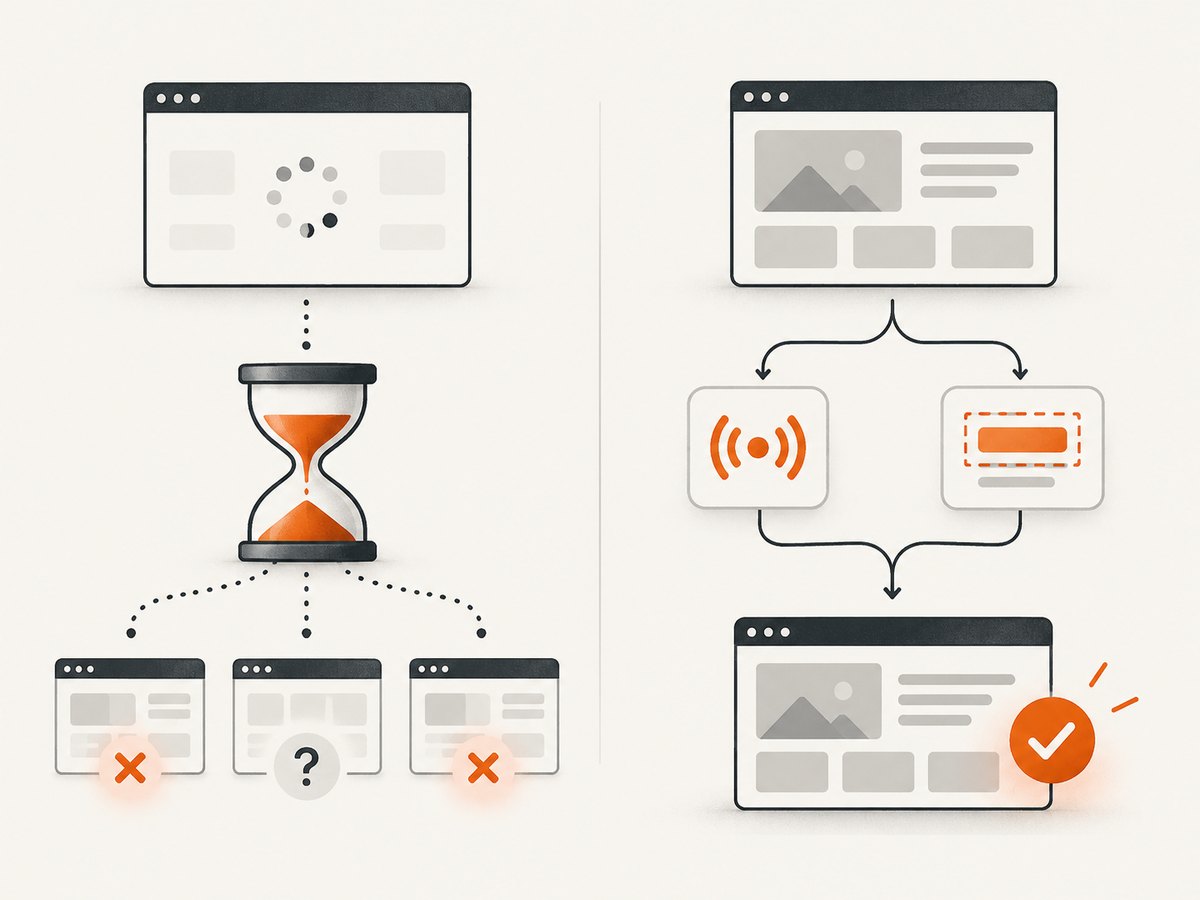
For a UI result, wait on a locator or assertion:
await page.getByRole('button', { name: 'Create report' }).click();
await expect(page.getByRole('status')).toHaveText('Report ready');
For an asynchronous request that must complete, wait for the relevant response while triggering the action:
const responsePromise = page.waitForResponse(response =>
  response.url().includes('/api/reports') && response.request().method() === 'POST'
);
await page.getByRole('button', { name: 'Create report' }).click();
const response = await responsePromise;
if (!response.ok()) {
  throw new Error(`Report request failed: ${response.status()}`);
}
Choose a signal that matches the requirement. A response can arrive before the UI has rendered the result, so a response wait may need a subsequent locator assertion. Avoid arbitrary sleeps as a patch for a race; they obscure which state transition the test depends on.
8. Common fixture timeout errors and fixes
| Symptom | Likely cause | Fix |
|---|---|---|
| Fixture times out before the test body starts | Setup request, service startup, login, or data creation is stalled | Log each awaited step; check the dependency’s health and response; add a fixture timeout only if the work is legitimately slow |
| Assertion reports “Timed out” after fixture completed | Expected UI state never appeared, or the expect budget is too short | Verify the app state transition and locator; change assertion timeout only if the state is expected to take longer |
| Click or navigation call log keeps retrying | Element is not actionable, target changed, or navigation wait condition is unsuitable | Inspect Inspector logs, use a stable locator, and wait for the relevant application state |
| Test times out in CI but passes locally | Different resource or network conditions, shared state, or a readiness race | Capture the failing operation and dependency status; fix synchronization, isolate shared resources, and consider a scoped increase only after diagnosis |
| Timeout occurs after test assertions pass | Fixture teardown, afterEach, or cleanup is slow or blocked |
Inspect the teardown timeout window and cleanup awaits; make cleanup idempotent and bounded |
| Debug run no longer times out | Debug mode disables the default timeout | Use the inspector to locate the wait, then rerun normally and set an explicit, scoped limit if justified |
| Whole run stops at a deadline | Global timeout caps the run | Check global configuration and suite duration; do not confuse it with a single fixture’s timeout |
9. Reliability, performance, and cost considerations
Longer limits do not make a fixture more reliable by themselves. They delay feedback when a dependency is unavailable and can let a genuine deadlock occupy a worker longer. A reliable fixture should have bounded network operations, explicit readiness checks, useful error context, and cleanup that can run after partial setup. For shared services, verify they are ready before dependent tests start; for test data, isolate records so parallel workers do not race over the same resource.
Parallel setup can reduce elapsed time when independent work dominates, but it also makes failures and resource contention harder to diagnose. Keep dependencies explicit, avoid sharing mutable fixture data across tests unless the fixture scope and isolation are intentional, and use worker-scoped setup only for state that can safely be shared by that worker. A larger global timeout may increase CI runtime and occupy workers without fixing a hanging operation. Prefer measuring the operation through logs and choosing a limit that reflects its expected range.
When a fixture relies on a third-party page or service, distinguish test synchronization from page capture. If your job is to produce a screenshot rather than validate the application’s behavior, a screenshot endpoint can avoid maintaining browser setup in that workflow. ScreenshotNeo provides a website screenshot API and MCP server; its clean-shot flow handles known consent banners and popups, and its response identifies page verdict and billing status. That does not replace Playwright assertions for testing your own application.
10. Or skip the browser setup
If the task is simply to capture a page, [ScreenshotNeo](https://screenshotneo.com) lets you request a screenshot with one GET call. See the [API documentation](https://screenshotneo.com/docs/) for request options.
curl -G "https://api.screenshotneo.com/v1/shot" \
  -d access_key=YOUR_API_KEY \
  --data-urlencode url=https://stripe.com \
  -o shot.webp
import requests
r = requests.get(
"https://api.screenshotneo.com/v1/shot",
params={"access_key": "YOUR_API_KEY", "url": "https://stripe.com"},
timeout=90,
)
open("shot.webp", "wb").write(r.content)const q = new URLSearchParams({
access_key: 'YOUR_API_KEY',
url: 'https://stripe.com'
});
const res = await fetch(`https://api.screenshotneo.com/v1/shot?${q}`);
if (!res.ok) throw new Error(`Screenshot request failed: ${res.status}`);
const bytes = new Uint8Array(await res.arrayBuffer());
await import('node:fs/promises').then(fs => fs.writeFile('shot.webp', bytes));Cookie banners, newsletter popups, and chat widgets are removed before the shot; each cleanup step can be turned off. Bot checks, blank pages, timeouts, failed loads, and cache hits are never billed, and response headers state the page verdict and whether the capture was billed. An MCP server gives AI agents tools to take screenshots, get page info, and capture PDFs. The free plan includes 1,000 screenshots per month with no card; paid plans start at $5 for 3,000. Sign up for free.
FAQ
Does a fixture timeout always have a separate fixture setting?
No. Without an explicit fixture timeout, setup and teardown count toward the test timeout. Add a fixture-specific timeout only when that fixture’s work merits a distinct budget.
Will increasing timeout also increase the assertion timeout?
No. The test timeout and auto-retrying assertion timeout are separate settings.
Why does the test pass with --debug but fail normally?
Debug mode sets the default timeout to zero. It helps expose the stalled step, but does not show that the normal timeout is appropriate.
Should I add waitForTimeout before the failing operation?
Usually not. Wait for the locator state, assertion, or event that signals the required condition; fixed sleeps are inherently flaky.


