How to Fix Protractor’s “Can’t Read Property ‘Click’ of Undefined” Error
Find the undefined value, fix locator and async mistakes, separate JavaScript errors from intercepted clicks, and debug Protractor tests reliably.
Short answer: the value immediately before .click() is undefined when JavaScript evaluates the expression. For chartsMenuBtn.click(), inspect chartsMenuBtn first. Check that it was assigned, spelled correctly, in scope, and created with the locator you intended. If the value came from element.all(), resolve the promise before indexing it. An overlay that receives a click is a different WebDriver state problem and needs a different fix.
This distinction matters because the message Cannot read property 'click' of undefined does not prove that the element is absent, that Protractor failed to locate it, or that a timeout is required. JavaScript failed before Protractor could issue a click command. Start with the stack-trace line and identify the exact base value.
1. Read the failing expression literally
Break a chained expression into pieces. In this example:
chartsMenuBtn.click();the property access is evaluated as:
- Read the variable
chartsMenuBtn. - Read its
clickproperty. - Call that property as a function.
If step one returns undefined, JavaScript throws the error before Protractor performs any browser action. Add a temporary assertion immediately before the failing line:
console.log('chartsMenuBtn:', chartsMenuBtn);
expect(chartsMenuBtn).toBeDefined();
chartsMenuBtn.click();
If the assertion passes, inspect the next level. A different failure such as chartsMenuBtn.click is not a function means the base exists but is not an ElementFinder with a callable click method.
2. Confirm the ElementFinder assignment
Protractor’s element(locator) helper returns an ElementFinder, the API wrapper used to locate and interact with one page element. It is not an arbitrary DOM node and it is not an array. A normal declaration looks like this:
describe('navigation', () => {
  let chartsMenuBtn;

  beforeEach(async () => {
    await browser.get('https://example.test/dashboard');
    chartsMenuBtn = element(by.linkText('Charts'));
  });

  it('opens Charts', async () => {
    await chartsMenuBtn.click();
  });
});
Common assignment mistakes include declaring one name and using another, assigning inside a callback whose scope has ended, or shadowing an outer variable:
let chartsMenuBtn;

function setUp() {
  const chartsMenuButton = element(by.linkText('Charts'));
  // The outer chartsMenuBtn is still undefined.
}

setUp();
chartsMenuBtn.click();
Fix the spelling and scope, or return the value explicitly:
function chartsButton() {
  return element(by.linkText('Charts'));
}

chartsButton().click();
Use one naming convention throughout a page object. A typo such as chartsMenuBtn versus chartMenuBtn is enough to produce this exception even when the link is visible in the browser.
3. Check asynchronous collection queries
The most frequent async trap is treating the result of element.all() as a resolved JavaScript array. Protractor schedules WebDriver work and returns a promise-like collection. Do not index the unresolved value:
const rowsPromise = element.all(by.css('.result-row'));
const firstRow = rowsPromise[0]; // Wrong: this is not a resolved array.
firstRow.click();
Resolve the collection before selecting an item. In a promise-based test:
element.all(by.css('.result-row')).then(rows => {
  return rows[0].click();
});
In an async test, await the collection first:
it('opens the first result', async () => {
  const rows = await element.all(by.css('.result-row'));
  expect(rows.length).toBeGreaterThan(0);
  await rows[0].click();
});
Also distinguish an empty collection from an undefined variable. An empty result normally leaves you with an array of length zero; indexing it gives undefined, and calling .click() then raises this error. Guard the index and report a useful failure:
const rows = await element.all(by.css('.result-row'));
if (rows.length === 0) {
  throw new Error('Expected at least one .result-row before clicking index 0');
}
await rows[0].click();
4. Validate the locator and application state
A locator that matches nothing usually produces an ElementFinder whose later interaction fails with a WebDriver error, rather than making the variable itself undefined. Still, locator mistakes can lead to an empty collection or to a page object that never initialized. Verify the selector against the current page:
const charts = element(by.css('a[data-testid="charts"]'));
console.log('displayed:', await charts.isDisplayed());
console.log('present:', await charts.isPresent());
console.log('enabled:', await charts.isEnabled());
await charts.click();
For Angular applications, use locators supported by your project version. The Protractor project documentation recommends CSS locators when binding and model locators are not supported. Prefer stable attributes such as data-testid over text that changes with localization.
Do not “fix” an undefined JavaScript value by adding a long browser wait. Waiting helps when the element exists but is not ready; it cannot assign a variable that your code never assigned.
5. Separate undefined values from intercepted clicks
A separate message, commonly phrased as “element is not clickable” or “another element would receive the click,” means Protractor did find an element and WebDriver attempted an interaction. A modal, cookie banner, animation, or sticky header can cover the target. The historical case associated with this title reported a modal overlay intercepting a click; that later symptom should not be combined with the earlier undefined-value exception.
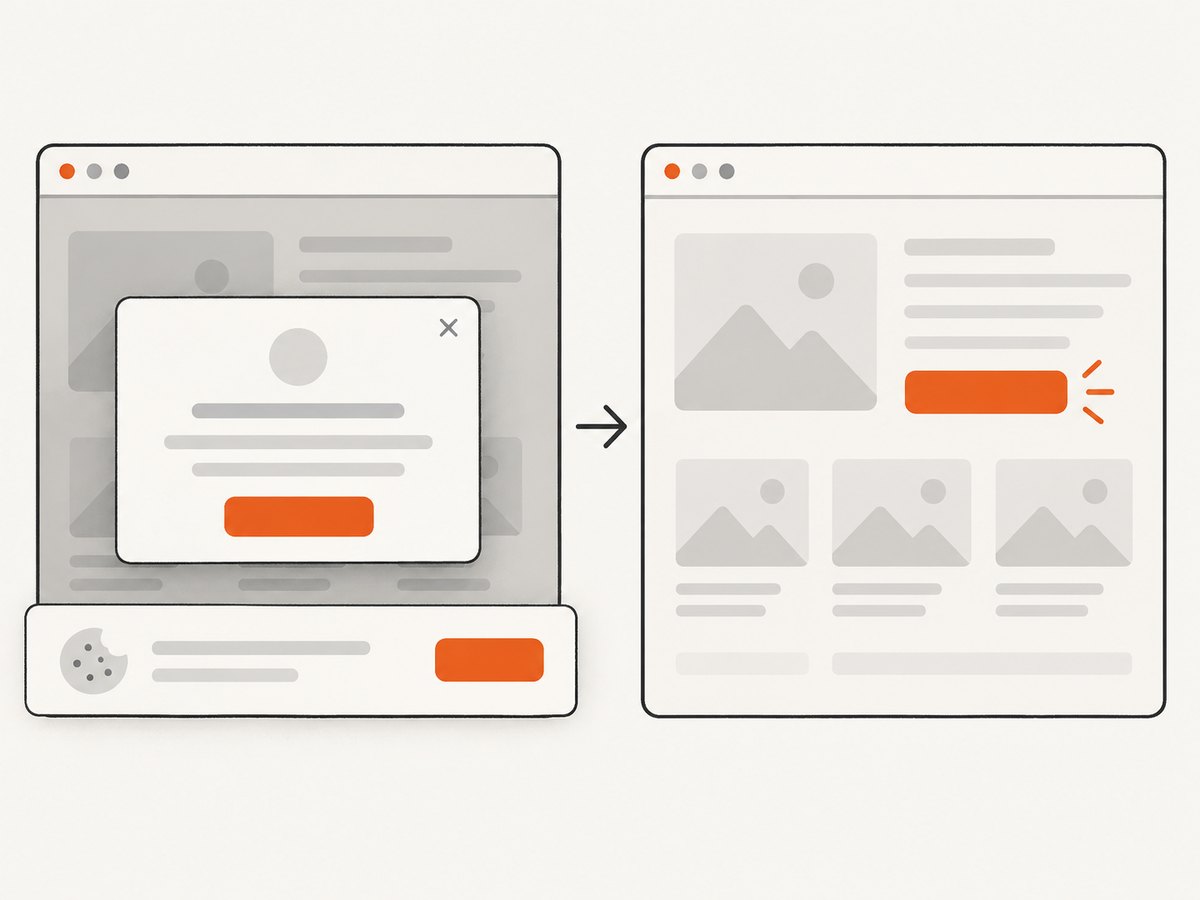
For an overlay, wait for the blocking element to disappear and for the target to be displayed and enabled:
const modal = element(by.css('.modal-backdrop'));
const charts = element(by.linkText('Charts'));

await browser.wait(async () => !(await modal.isPresent()), 10000,
  'Modal backdrop did not disappear');
await browser.wait(async () => await charts.isDisplayed(), 10000,
  'Charts link was not displayed');
await charts.click();
If a transition is still running, wait for the application’s “ready” state or for a class such as .is-open to change. Avoid JavaScript click hacks that bypass real user interaction unless you have documented why the UI cannot be operated normally.
6. A repeatable debugging workflow
- Capture the complete stack trace. Record the file, line, and expression, not only the final error sentence.
- Identify the base value. In
a.b.c.click(), inspecta, thena.b, thena.b.c. - Log type and value. Use
console.log(value, typeof value)immediately before the click. - Trace assignment. Search for every write to the variable and confirm that the write executes on this test path.
- Check scope and spelling. Look for shadowed declarations, renamed page-object fields, and case differences.
- Resolve promises. Await
element.all(),getText(), and other asynchronous calls before indexing or branching on their results. - Check page state. Confirm the expected URL, route, frame, and authentication state before locating the element.
- Classify the next error. If the value is defined but the click is intercepted, debug overlays and animations separately.
A small helper can make failures explicit:
async function clickDefined(name, finder) {
  if (finder === undefined || finder === null) {
    throw new Error(`${name} was not assigned before click`);
  }
  await browser.wait(async () => await finder.isPresent(), 10000,
    `${name} was not present`);
  await finder.click();
}

await clickDefined('Charts menu button', element(by.linkText('Charts')));
7. Reliable page-object patterns
Store locators as fields or getter methods, and initialize them deterministically. Getters avoid stale setup variables:
class DashboardPage {
  get chartsLink() {
    return element(by.css('[data-testid="charts-link"]'));
  }

  async openCharts() {
    await browser.wait(async () => await this.chartsLink.isDisplayed(), 10000);
    await this.chartsLink.click();
  }
}

const dashboard = new DashboardPage();
await dashboard.openCharts();
Keep navigation and interaction in the same async style. Mixing callbacks, unmanaged promises, and async/await makes it easier to use a value before it resolves. When a test depends on an iframe, switch into it before looking up the element; when it depends on a new tab, wait for the window handle and switch first.
8. Protractor’s maintenance status
Protractor is archived and read-only. The Angular team’s 2021 project discussion proposed ending Protractor development with Angular 15 at the end of 2022, and the repository was archived on July 29, 2024. For an existing suite, diagnose the immediate failure in its current browser and driver environment. For new end-to-end work, include migration planning and verify browser and driver versions rather than copying historical Chrome and ChromeDriver combinations from old reports.
9. Troubleshooting checklist
| Symptom | Likely cause | Fix |
|---|---|---|
Cannot read property 'click' of undefined |
Variable was never assigned, was misspelled, or is out of scope. | Inspect the base value, assignment path, and declaration scope. |
| Indexed item is undefined | Collection was empty or a promise was indexed before resolution. | Await element.all(), check length, then index. |
click is not a function |
Base value exists but is not an ElementFinder. | Inspect its type and return an element finder from the page object. |
| Element not found | Wrong selector, wrong route, frame, or authentication state. | Confirm URL and context, then test a stable CSS locator. |
| Another element receives the click | Modal, consent banner, sticky header, or animation covers target. | Wait for the overlay to disappear and the target to be displayed. |
| Intermittent failures | Race between navigation, rendering, and interaction. | Wait on a meaningful selector or application-ready condition; avoid arbitrary sleeps. |
| Works locally, fails in CI | Different browser, driver, viewport, timing, or test data. | Log versions and URL, use deterministic waits, and reproduce with CI viewport settings. |
10. Performance, reliability, and cost considerations
Prefer one precise locator and one state-based wait over repeated polling, full-page refreshes, or large fixed delays. Cache page-object locator definitions, but do not cache stale element instances across navigations. Keep diagnostic logging around failures and remove noisy logs after the root cause is known. Run the smallest failing test while debugging, then rerun the surrounding suite because shared browser state can hide scope and setup defects.
Browser and driver compatibility must be checked against the versions in your environment. The Chrome 62 and ChromeDriver 2.33 versions mentioned in the historical report are case context, not current setup guidance. A longer timeout cannot repair an undefined variable; it only changes how long a real browser condition is allowed to settle.
11. Or skip the browser setup
If your goal is to capture a page rather than maintain a Protractor interaction test, ScreenshotNeo provides a single screenshot API request. It accepts the consent banner like a visitor and removes more than 60 known consent platforms, newsletter popups, and chat widgets before capture; each cleanup step can be turned off. Bot checks and CAPTCHAs, blank pages, timeouts, failed loads, and cache hits cost nothing, and response headers identify the page verdict and whether it was billed. ScreenshotNeo also provides an MCP server with take_screenshot, get_page_info, and capture_pdf for Claude, Cursor, and other MCP clients.
See the ScreenshotNeo API documentation for all options. cURL:
curl -G "https://api.screenshotneo.com/v1/shot" -d access_key=YOUR_API_KEY --data-urlencode url=https://stripe.com -o shot.webpPython:
import requests

r = requests.get(
    "https://api.screenshotneo.com/v1/shot",
    params={"access_key": "YOUR_API_KEY", "url": "https://stripe.com"},
    timeout=90,
)
r.raise_for_status()
open("shot.webp", "wb").write(r.content)
Node.js:
const q = new URLSearchParams({ access_key: 'YOUR_API_KEY', url: 'https://stripe.com' });
const res = await fetch(`https://api.screenshotneo.com/v1/shot?${q}`);
if (!res.ok) throw new Error(`Screenshot failed: ${res.status}`);
const fs = await import('node:fs/promises');
await fs.writeFile('shot.webp', Buffer.from(await res.arrayBuffer()));
Features include full-page capture with lazy images loaded, CSS-selector element capture, dark mode, device presets and custom viewports, retina scale, PDF paper and margin controls, HTML/CSS rendering, custom JavaScript and CSS, clicks before capture, selector hiding, selector or network-idle waits, request blocking, headers, cookies, user agents, authorization, timezone and geolocation, transparent backgrounds, resizing, configurable caching TTL, signed links, asynchronous jobs with signed webhooks, bulk capture for 100 URLs per call, a usage API, and an OpenAPI specification. Existing integrations can often switch because parameter names used by other screenshot APIs also work.
Plans include 1,000 screenshots per month free with no card, Starter at $5 for 3,000, Growth at $15 for 15,000, Pro at $39 for 60,000, Scale at $99 for 250,000, and Business at $249 for 1,000,000. Yearly billing gives two months free, and every feature is included on every plan. Start with 1,000 free screenshots a month—no card required.
12. FAQ
Does this error always mean the locator found nothing?
No. It means the JavaScript value before .click was undefined. A missing element, an empty collection, and an uninitialized variable produce different layers of failure.
Should I replace every click with JavaScript?
No. First make the real element visible, enabled, and unobstructed. JavaScript clicks can hide an accessibility or state problem.
Can Protractor’s automatic waiting fix this exception?
No. Waiting for Angular stability helps browser state settle. It cannot assign a misspelled or out-of-scope variable.
What should I include in a bug report?
Include the complete stack trace, the exact failing expression, the variable declaration and assignment path, locator, URL or route, browser and driver versions, and whether an overlay is present.
Is Protractor still receiving fixes?
The project repository is archived and read-only. Maintain existing tests carefully and evaluate a supported replacement for new work.


